-
-
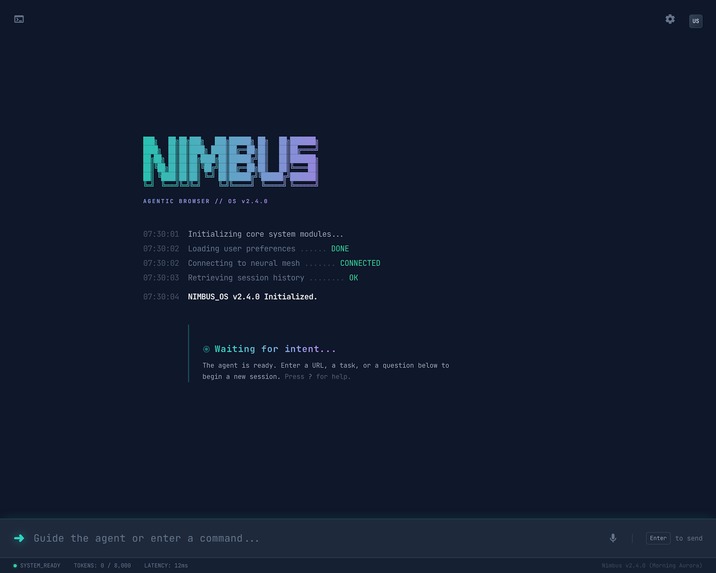
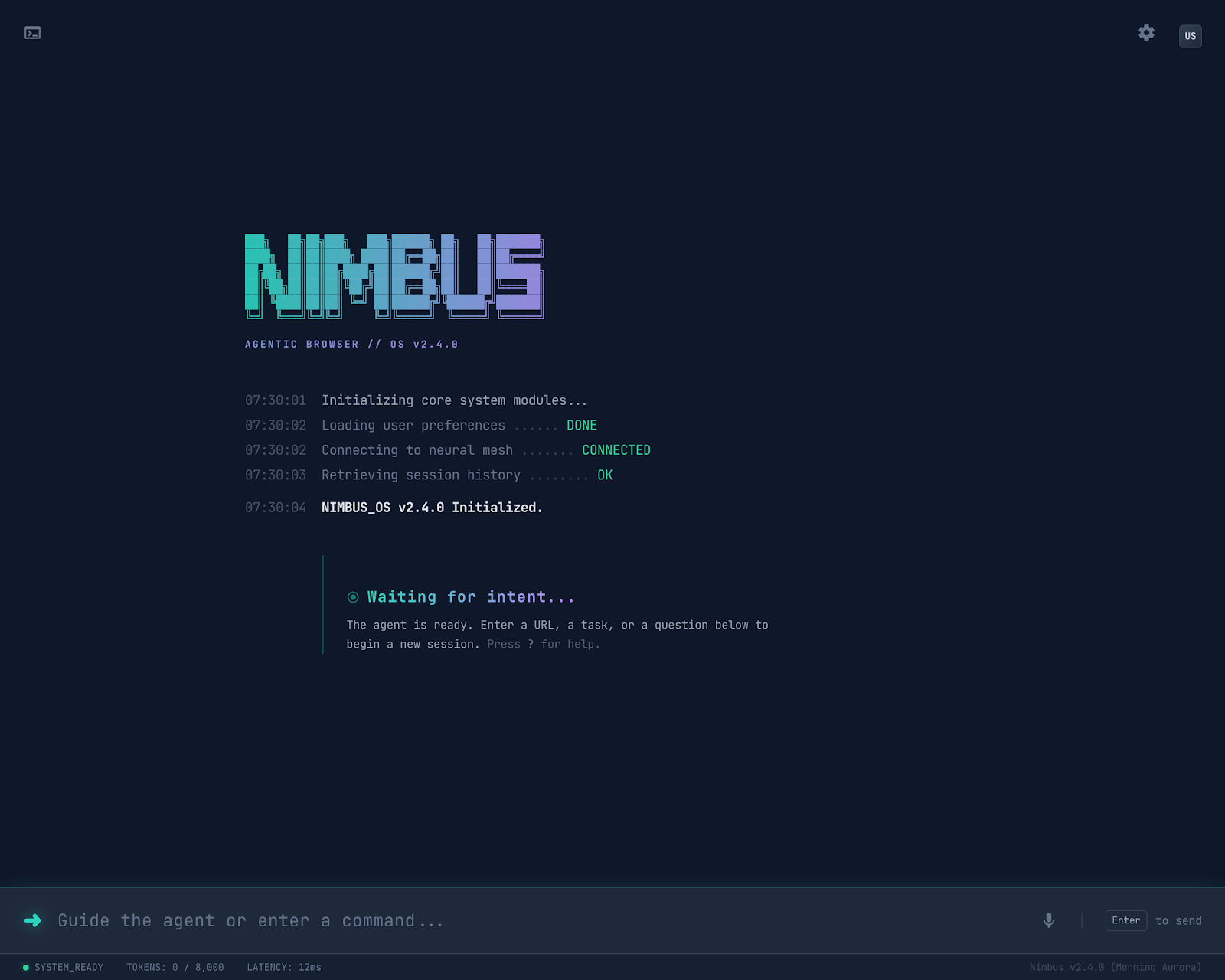
Home Screen
-
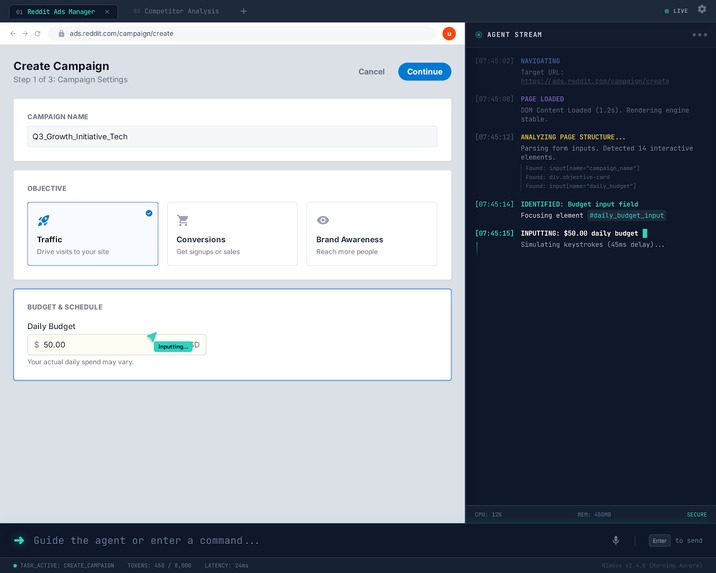
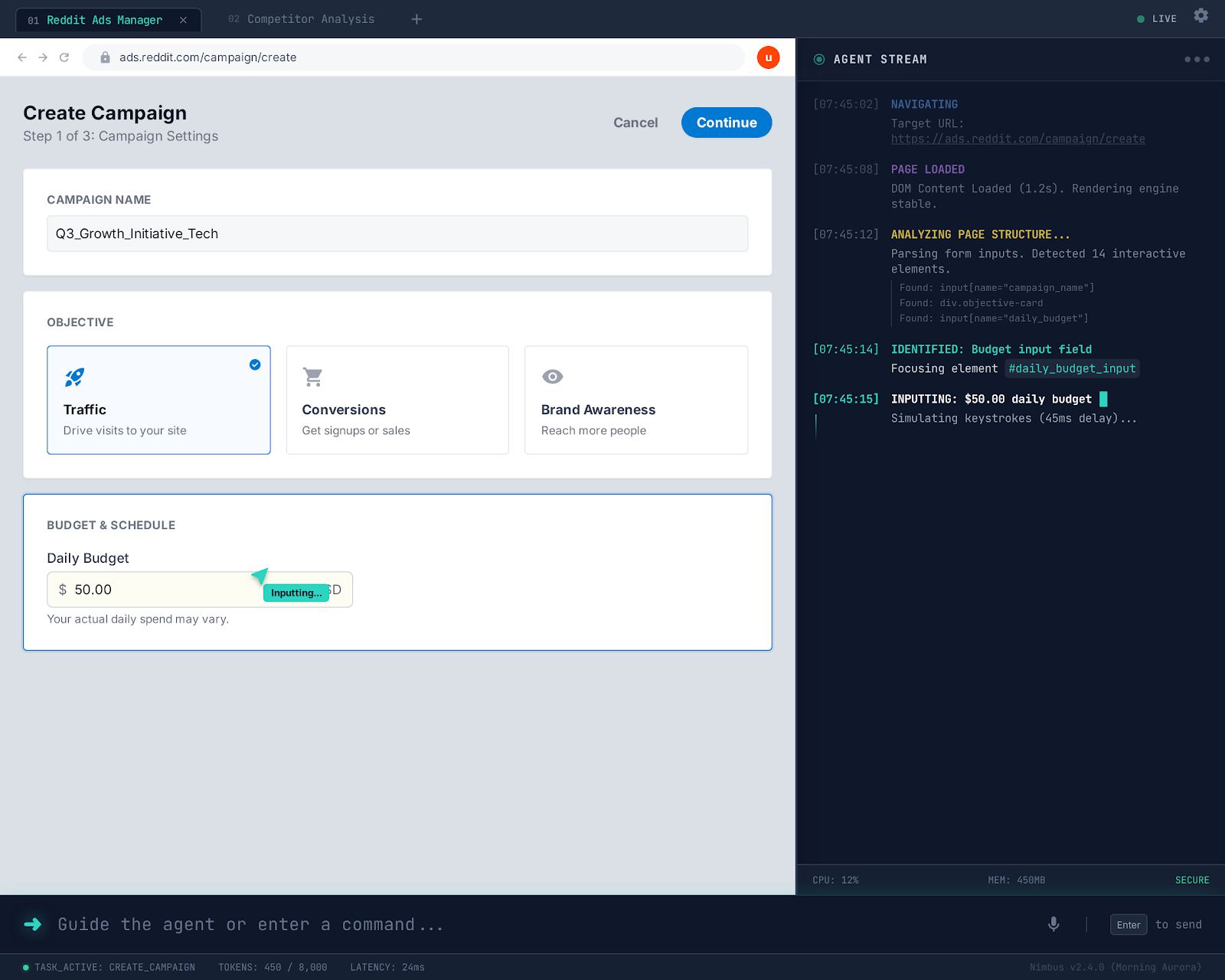
Agent working on reddit ads dashboard with log on the right side
-
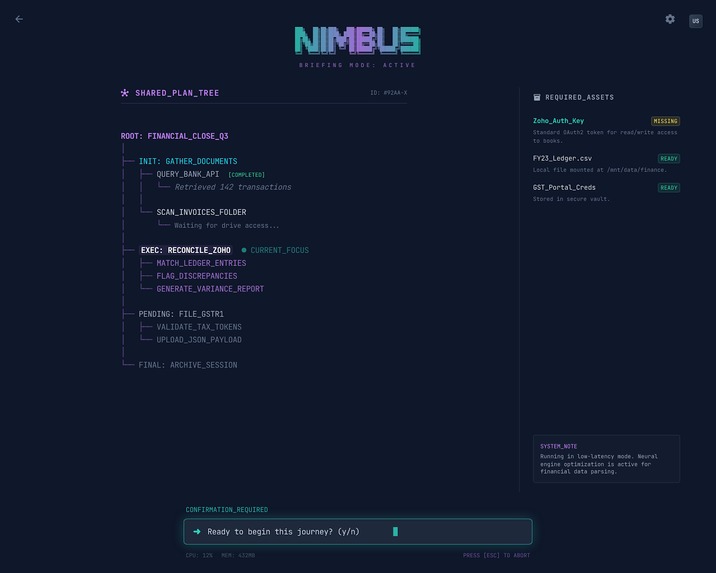
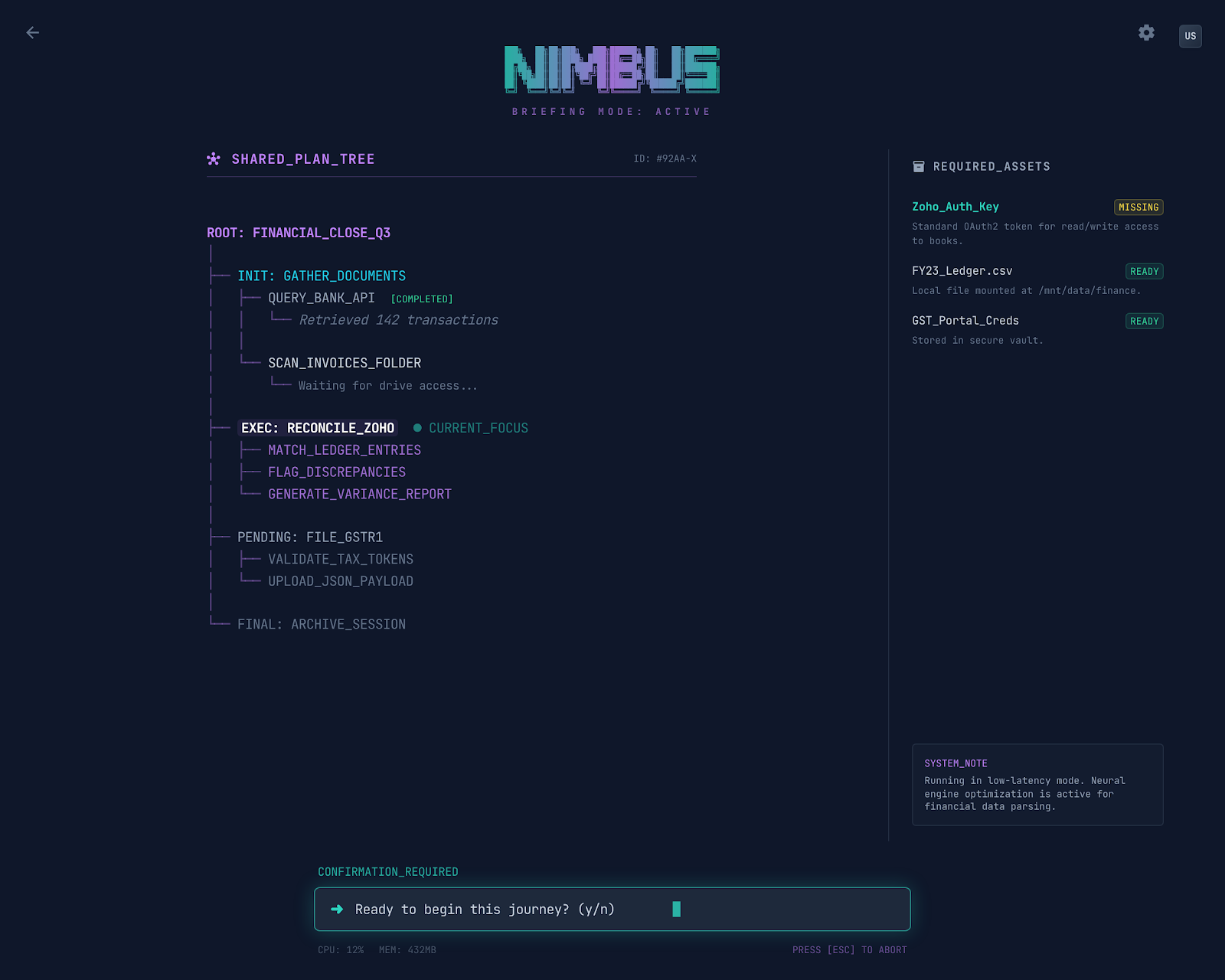
Active Journey workspace
-

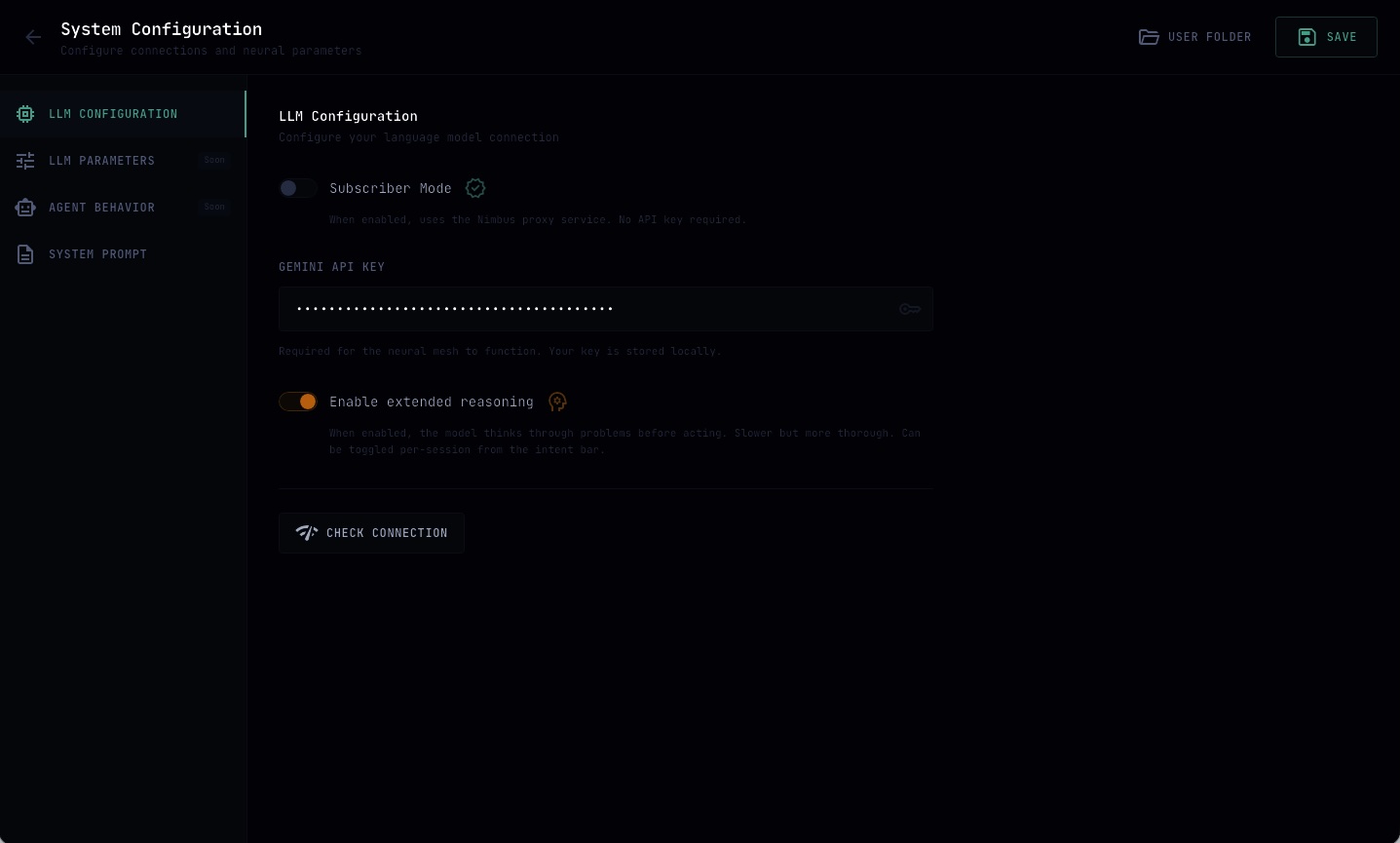
Settings
Inspiration
We spend a lot of time inside browsers doing things that aren't actually hard. Filing government forms, setting up ad campaigns, configuring SaaS dashboards and so on and so forth. You already know what you want to do. The browser just makes you click through 47 screens to get there.
Coding agents changed how developers work. Tools like Antigravity and geminicli read your code, suggest edits, run commands, and get out of the way when you need to make the call. They work with you. But nobody's built that for the browser. The browser automation tools that exist today either take over completely (scary if you're dealing with money or personal data) or they're glorified macro recorders that fall apart the moment a website updates its layout.
I wanted to build the thing I wished existed: an AI companion that actually understands what you're trying to accomplish on the web, handles the clicking and typing and navigating, but steps back and asks you when something important is about to happen. Like, "hey, I'm about to submit this $500 ad campaign, does this look right?"
Gemini 3 was what made this possible. The combination of native thinking, structured tool calling, Google Search grounding, and multimodal input meant I could build an agent that reasons about web pages the way a knowledgeable human would. That's how Nimbus started.
What it does
Nimbus is a browser companion powered by Gemini 3. You tell it what you want in plain English ("Run Reddit ads for my iOS game targeting indie enthusiasts, budget $500") and it plans out the steps, opens the right pages, fills in forms, and works toward your goal.
The key idea is accompaniment over automation. Nimbus handles the mechanical stuff while leaving judgment calls to you.
It has two modes:
In Guide Mode (the default), Nimbus acts like a super-powered cursor. As you move through form fields, ghost-text suggestions appear right inside them. Press Tab to accept a suggestion, just start typing to override it, or hit Escape to skip. You can hover over any confusing label and get a plain-English explanation of what it means. The website itself stays completely untouched. It's basically GitHub Copilot, but for every form on the web.
In Autonomous Mode, Nimbus drives the browser on its own and only stops at what I call Handoff Points: when it needs you to handle a CAPTCHA, upload a file, enter a 2FA code, or make a choice between two equally valid options.
Under the hood, Nimbus has 20 browser tools for perceiving and interacting with web pages, a persistent memory system so it can learn your preferences across sessions, a Skill system (declarative files that teach the agent about specific websites, their quirks and gotchas), multi-tab support with automatic tab-per-domain routing, and full session tracing that logs every LLM call and tool execution to JSONL files for debugging.
How we built it
I was deliberate about keeping this project completely framework-agnostic. The reasoning engine has no idea it's running inside Electron. It could just as easily power a browser extension or a cloud service.
Gemini 3 sits at the center of every decision Nimbus makes. It's not a chat endpoint I bolted on at the end. Here's how each capability is used:
I use Thinking Mode (thinkingConfig) on every turn. The agent structures its reasoning with [Planning], [Observation], [Critique], and [Action] prefixes. If the model ever acts without thinking first, we nudge it on the next turn. If it thinks three times in a row without actually doing anything, a circuit breaker kicks in and forces it to commit to an action or wrap up.
Tool Calling is how the agent interacts with the browser. All 20 tools are registered as function declarations with Zod-validated schemas. I also built an interception layer that catches malformed tool calls (like empty arguments) and redirects the model with a correction before the bad call ever reaches the executor.
I use Streaming throughout, with an async generator that recognizes tool calls mid-stream and tracks token usage per chunk to manage context budgets in real time.
Google Search Grounding is on by default. When the agent hits a UI element it doesn't recognize or needs domain knowledge that's not in its skill files, grounding pulls in real-time web context. I log all the grounding metadata (search queries and sources) for transparency.
For Long Context Management, I built episode-based history with several compaction strategies: deduplicating repeated errors, keeping only the latest page scan, pruning old screenshots, and merging adjacent messages to maintain valid role alternation. I set a soft limit at 200K tokens so compaction kicks in well before hitting any ceiling.
The agent runs on a state machine: idle → planning → reasoning → acting → waiting → completed. There's also a recovering state. When the agent hits its max turn limit, instead of just dying, it gets one final emergency turn to summarize what it accomplished and what's left. It never leaves the user hanging.
For prompting, I did hierarchical prompt injection. The system prompt has three layers that update at different frequencies: a static Constitution (identity, safety rules, tool definitions), a semi-static Domain Overlay (Skill files loaded based on the current URL pattern), and a dynamic Viewport State (a distilled version of the DOM, updated every turn). Instead of feeding raw HTML to the model, I convert the page into an Interactable Map where elements look like [34] Button "Submit" (primary, visible). This cuts out roughly 90% of the noise.
Everything communicates through a typed Message Bus with correlation IDs. A Policy Engine intercepts every tool call before it executes and makes a three-way decision: allow, deny, or ask the user.
Challenges we ran into
Gemini would occasionally send tool calls with empty {} arguments. Technically valid JSON, totally useless for execution. These would cascade into confusing errors if I let them through. I ended up building a validation layer in the LLM client that checks arguments against Zod schemas and, if they're empty, sends a correction back to the model before the agent ever sees the call. Fixing this one issue cleaned up a huge chunk of my failure cases.
Screenshots turned out to be a double-edged sword. The agent needs to see what happened after it clicks something (otherwise it just hallucinates that the form submitted successfully). But base64 JPEGs eat through the context window fast. We solved this with aggressive pruning in the history manager: only the two most recent screenshots survive, and older ones get replaced with short text descriptions. Combined with scan aggregation and error deduplication, we can run sessions for hundreds of turns without blowing the budget.
With thinking mode on, we ran into a weird failure mode where the model would produce pages of thoughtful internal reasoning... and then do absolutely nothing. Just think, think, think, never act. Our circuit breaker catches this: after three pure-thought turns in a row, we nudge the model to commit to a tool call. If it still doesn't act, we force a graceful shutdown.
Web pages aren't like source code files. They re-render constantly. The element IDs we assign during scan_page can go stale by the next turn if the page updates. We taught the agent to re-scan after any failed interaction (a pattern we started calling "scan-act-verify") and made ID assignment deterministic based on element attributes rather than DOM position.
Cross-domain links were another headache. If the agent follows a link from Reddit to a payment processor in the same tab, we lose the Reddit session state. So we built automatic tab-per-domain routing: any navigation to a different domain opens a new tab, keeping the original page intact for backtracking.
Accomplishments that we're proud of
Someone released a browser automation benchmark during hackathon window. We weren't trying to solve it but we ended up being very good at it.
We also made the agent interview us and fill parts of the ycombinator application. The agnetic harness kept surprising us. Because of how powerful gemeni 3 is.
The agent loop is genuinely robust. We went through six phases of hardening: a defensive LLM client (empty arg traps, synthetic thought injection, truncation recovery), a graceful recovery state machine, browser-aware loop detection, a structured thinking protocol, smart history compaction, and fully validated tool definitions.
Guide Mode feels magical when it works. You're filling out some annoying government form, and ghost text just appears in the fields with the right values. Enter, Enter, Enter, done. It was inspired by the code completion UX in editors like VS Code, but applied to arbitrary web forms using Gemini 3's understanding of what the user is trying to do.
The core agent harness has zero platform dependencies. Pure TypeScript and Zod. The entire brain of the system (agent executor, tool registry, message bus, history manager, prompt system) could be pulled out and dropped into a browser extension or a serverless function without changing a line.
Every session produces a complete JSONL trace. Every Gemini 3 call, every tool call from request through approval to completion or failure, every state transition, every user interaction. We can replay any session turn by turn. This was invaluable for debugging and will be the foundation for auto-generating Skills in the future.
We also built tooling, completely seperate from the main app, to debug the agent traces.
What we learned
People don't want their browser hijacked by a robot. They want a helper that does the boring parts and asks before doing anything important. Guide Mode, where you accept or override suggestions, felt much more comfortable to use than Autonomous Mode, even though Autonomous Mode was technically more capable. We kept coming back to this: trust comes from collaboration, not from raw capability.
The single biggest improvement to task success was making the model see its own work. Before we added the visual feedback loop (auto-screenshot after every interaction, fed back to Gemini 3 as an image), the agent would click "Submit" and confidently move on, completely unaware that the page was showing an error message. After adding screenshots, it started noticing things like error toasts, loading spinners, and confirmation dialogs. Gemini 3's multimodal capabilities made this straightforward to implement.
Structured thinking made a real difference. Once we started enforcing [Planning] → [Observation] → [Critique] → [Action] in the thinking protocol, the model started catching its own mistakes during the Critique step before committing to them. It acts less impulsively. Gemini 3's native thinking support makes this feel natural rather than forced.
Prompt architecture ended up mattering just as much as model capability. The web is fundamentally different from a code editor: pages change constantly, HTML is 90% noise, and the "file" you're working with is different every turn. Our three-layer HCI system (static rules, semi-static domain knowledge, dynamic viewport state) made this manageable. Without that separation, we'd have been fighting the context window on every single turn.
What's next for Nimbus
We want to use traced sessions and Gemini 3's long-context reasoning to auto-generate Skill files from successful task completions. The agent would essentially teach itself about new websites by analyzing what worked.
We're planning to integrate the Gemini Live API for voice-driven browsing. Tell the agent what you want out loud, watch it work, correct it with your voice.
Longer term, we want to support multi-session journeys that span hours or days, with triggers like "when the approval email arrives, continue where we left off" and persistent cross-session memory.
We'd also love to build a community Skill marketplace where users share and rate Skills for popular websites, and eventually port the core engine to a Chrome extension for people who don't want a standalone app.
Built With
- chromium
- cloudflare
- electron
- gemini
- geminicli
- typescript
- vertexai


Log in or sign up for Devpost to join the conversation.