-
-
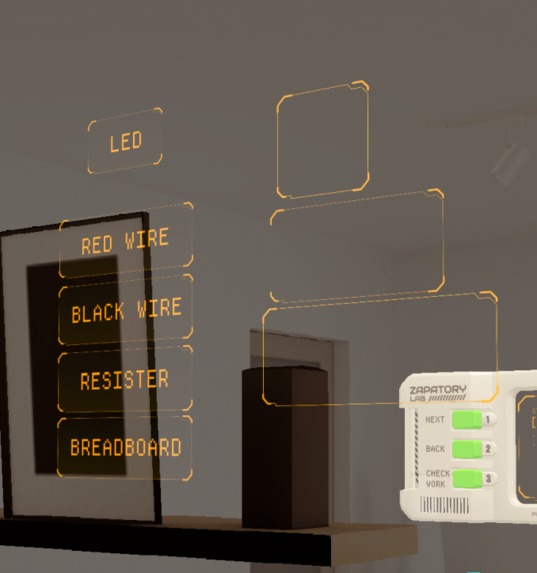
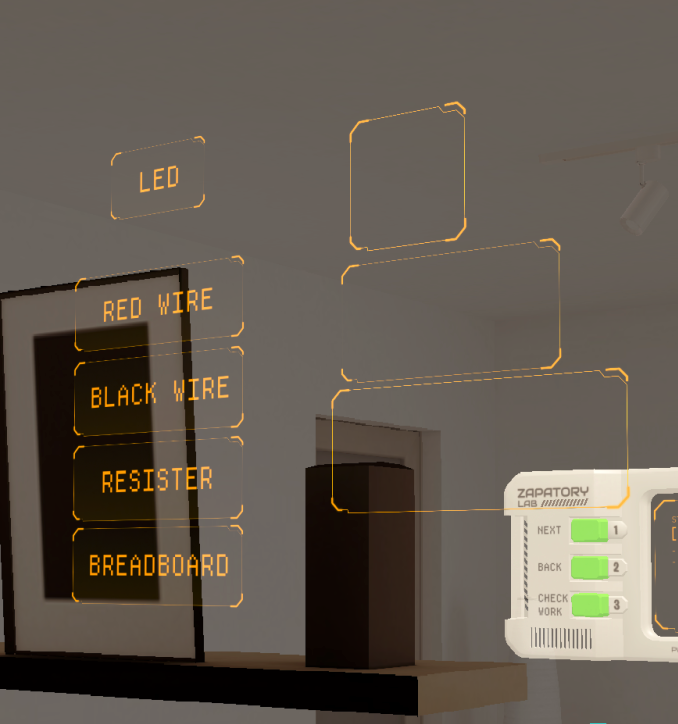
Zappatory Labs Spatial UI
-
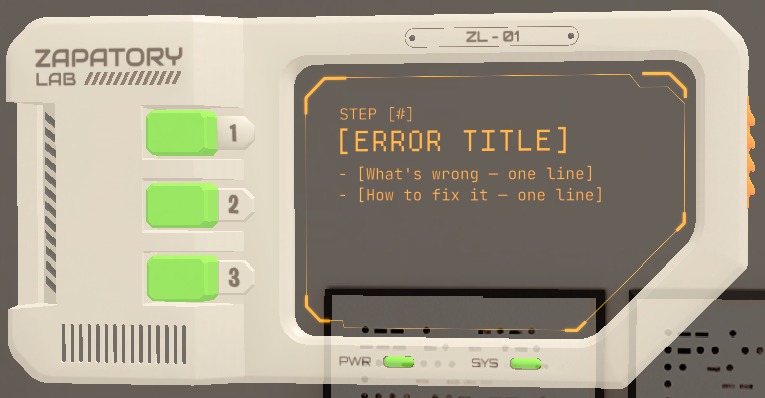
Zappatory Labs Spatial Menu
-
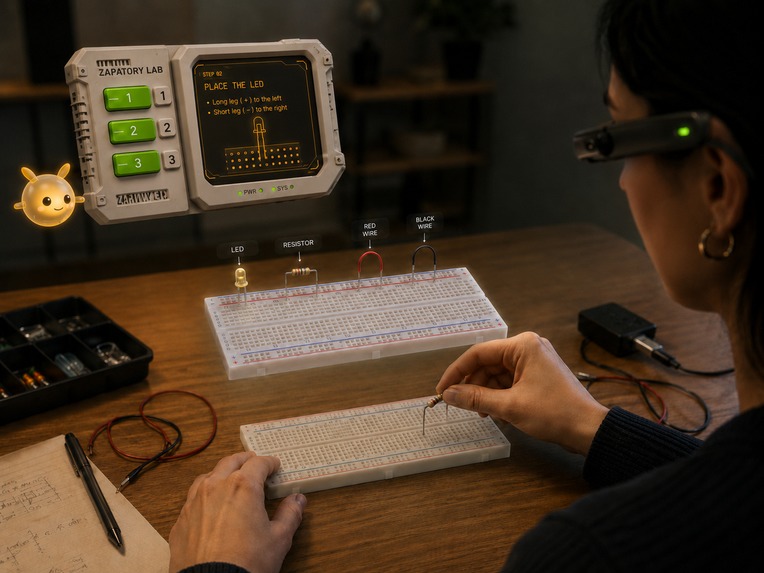
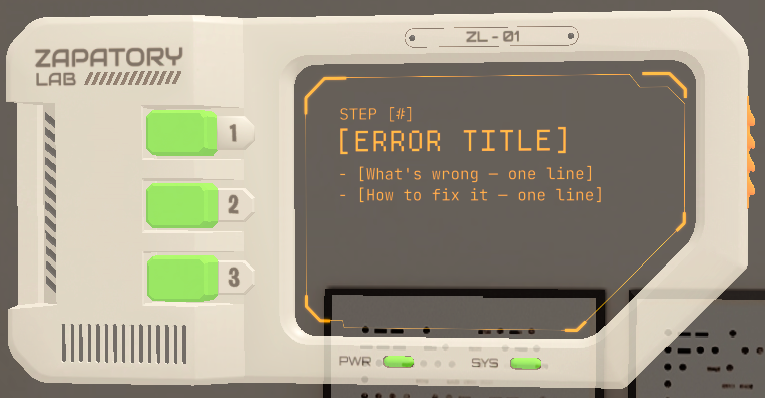
Zappatory Labs in Action
-
Inspiration
You want to build something cool with electronics. A blinking LED, a buzzer alarm, a motion-activated gadget. But you stare at a breadboard and a bag of components and think: "Where do I even start?"
We've been there. Existing tutorials are flat. YouTube videos become pause-and-rewind loops. Diagrams show you what to build but never where your hands should go. We asked ourselves: what if learning electronics felt less like reading a manual and more like playing a game, with a tiny AI companion guiding you in real-time, right on your workbench?
That question, plus three teammates with backgrounds in AR, electronics, and 3D design, became Zappatory Labs: an augmented reality breadboard tutor powered by Snap Spectacles.
What it does
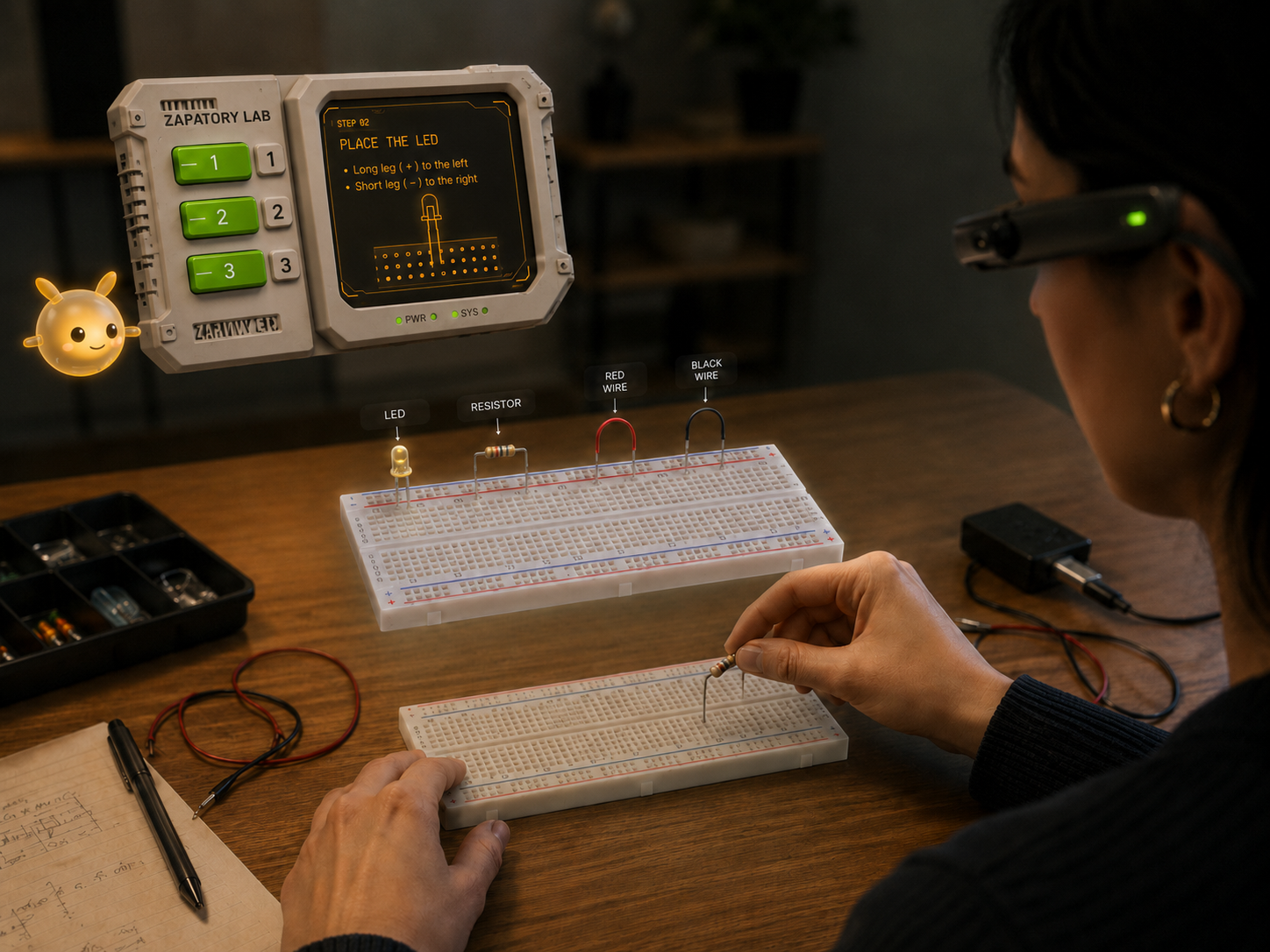
Zappatory Labs turns a real, physical breadboard into a guided, gamified learning experience through AR.
🔌 Physical-first approach. You work with real wires, real resistors, and a real breadboard. The Spectacles give step-by-step holographic instructions directly in your workspace.
⚡ Zappy, your AI lab partner. Zappy is a character-driven AI assistant (not a generic chatbot) powered by Google Gemini 2.5. Pinch Zappy to ask questions, get encouragement, or have your work checked. Zappy speaks back to you with synthesized voice (on-device TTS), reacts with facial emotions, and follows you through each step.
📸 AI-powered work validation. Hit "Check Work" and Spectacles captures your breadboard, sends the image to Gemini, and Zappy tells you whether your circuit looks correct or guides you to fix mistakes.
🎮 Leveled progression. Start with a simple LED circuit (Level 1), advance to a buzzer (Level 2), and eventually tackle sensors and timers. Each level is scaffolded with spatial UI: animated 3D component overlays, pin-highlight lines, and progress tracking.
🤙 Gesture-driven flow. Give Zappy a thumbs-up to advance to the next step. Pinch to interact with menus. The whole experience is hands-free and heads-up. Your hands stay on the breadboard where they belong.
🔗 BLE hardware bridge. An ESP32 running custom firmware ("Zappy-Board") connects to Spectacles over Bluetooth Low Energy. When your circuit is complete, the AR experience can actually trigger the physical LED on your breadboard, closing the loop between digital instruction and real-world result.
How we built it
Platform: Snap Spectacles (5th Gen) + Lens Studio
Language: TypeScript (Lens Studio scripting API)
AI backbone: Google Gemini 2.5 via Remote Service Module for multimodal reasoning (text + image)
Voice: ElevenLabs API for expressive character voice + Snap's on-device Text-to-Speech as fallback
3D assets: Custom models built in Blender (breadboard, console/monitor UI, resistors, LEDs, logo), all designed for AR transparency constraints (no black = transparent on Spectacles)
Hardware: ESP32 WROOM-32 with BLE GATT server firmware (Arduino/C++), wired to the breadboard's LED circuit for real-time hardware control from the lens
Interaction framework: Spectacles Interaction Kit (SIK) for pinch, squish, drag interactions + custom ThumbsUpInteraction recognizer
ML: SnapML for on-device breadboard detection; custom training pipeline for component state recognition
Design: Figma for UX flows; ShapeXR for spatial prototyping
Collaboration: GitHub (branched workflow), Discord, Notion task board
The architecture breaks down into three layers:
Instruction layer.
InstructionsControllermanages a state machine of circuit-building steps. Each step has text guidance, a target breadboard coordinate, and a 3D component overlay that animates into place.BreadboardGridmaps the physical 30×10 pin grid to world-space coordinates so overlays snap to exact locations.AI layer.
ZappyBrainorchestrates the conversational loop: user input → Gemini tool call → Zappy's spoken response.CheckWorkControllercaptures camera frames, packages them with the current step context, and sends them to Gemini for visual validation. Zappy's emotion system (ZappyEmotionController) drives facial expressions based on the AI's sentiment.Hardware layer. The ESP32 firmware (
zappy-board.ino) exposes a BLE GATT service. The lens-sideBLE/scripts discover and write to the LED characteristic, giving Zappy the power to literally light up the user's breadboard when a circuit is complete.
Challenges we ran into
- No black on Spectacles. Black renders as fully transparent on Spectacles displays. Every asset (wires, face animations, UI panels) had to be recolored to vibrant greens, blues, and yellows. This wasn't just a color swap. It fundamentally changed our design language.
- Lens Studio quirks. Drag-and-drop script assignment broke intermittently. Compile errors from TypeScript module resolution were a recurring time sink.
- BLE byte mangling. Spectacles' BLE write path corrupts bytes above 0x7F. Our entire ESP32 protocol had to be redesigned to stay within the 7-bit-safe range (0-127).
- Battery life. Spectacles last ~45 minutes in development mode. We learned to keep a power bank permanently attached during dev sessions.
- Physical circuit validation. Getting Gemini to reliably assess breadboard photos is promising but imperfect. Tiny wires and transparent components are hard for any vision model. We treat AI validation as guidance, not ground truth.
- Merge conflicts at 2 AM. Three developers, one Lens Studio project file, many late nights.
Accomplishments that we're proud of
- It actually teaches. Sasha had never built a circuit before this project. Using only the AR instructions we designed, she built a working LED circuit in under a minute and described it as genuinely exciting.
- Zappy feels alive. Between the squish interaction, emotional face states, synthesized voice, and conversational AI, Zappy is a character, not a feature. People want to interact with it.
- End-to-end hardware loop. Going from AR instruction → physical build → BLE trigger → LED lights up is a magical moment. The digital and physical worlds truly merge.
- The 3D assets are beautiful. Sasha's custom Blender models (breadboard, console, logo) are production-quality and designed specifically for the constraints of Spectacles' transparent display.
What we learned
- AR instruction design is hard. You can't just throw text at people. Spatial cues (pin highlights, animated component placement, line overlays) are vastly more effective than written steps.
- Gesture-based progression (thumbs-up to continue) feels natural and keeps the user's hands free for the physical task.
- Physical-first AR > purely virtual. The sense of accomplishment from building a real circuit with AR guidance is categorically different from completing a virtual simulation.
- Multimodal AI (Gemini vision + text) is genuinely useful for education when paired with the right UX, but it's not a replacement for well-designed instructional scaffolding.
What's next for Zappatory Labs
- More levels. Sensor circuits, 555 timers, motor drivers, and eventually full Arduino projects
- Adaptive difficulty. Zappy adjusts verbosity and hint frequency based on user performance
- Multiplayer / classroom mode. Connected Lens support for instructor-led sessions
- Custom model training. Dedicated SnapML model for precise component identification (resistor color bands, LED polarity, wire placement)
- Community circuit library. Users share and download circuit "recipes" that generate AR instruction flows automatically
Built With
- blender
- figma
- gemini
- lens-studio
- photoshop
- typescript


Log in or sign up for Devpost to join the conversation.