-
-

yQueue — Smart Virtual Queue via Telegram
-
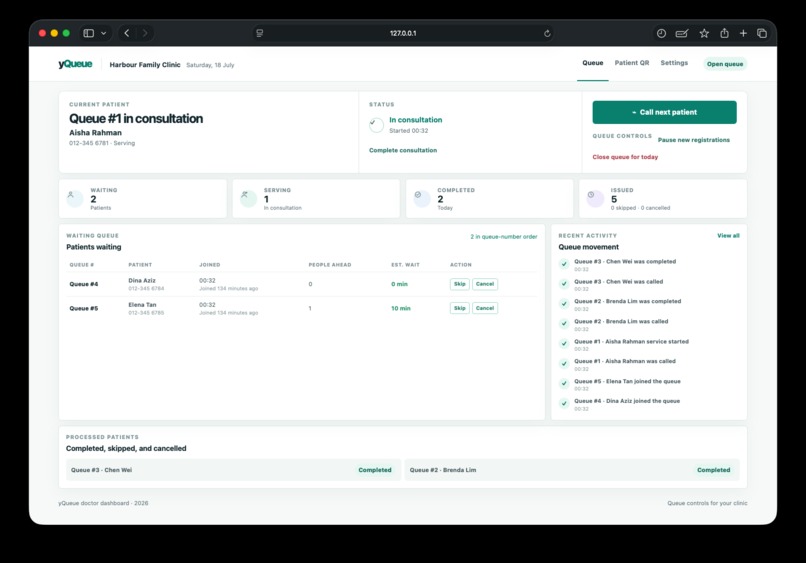
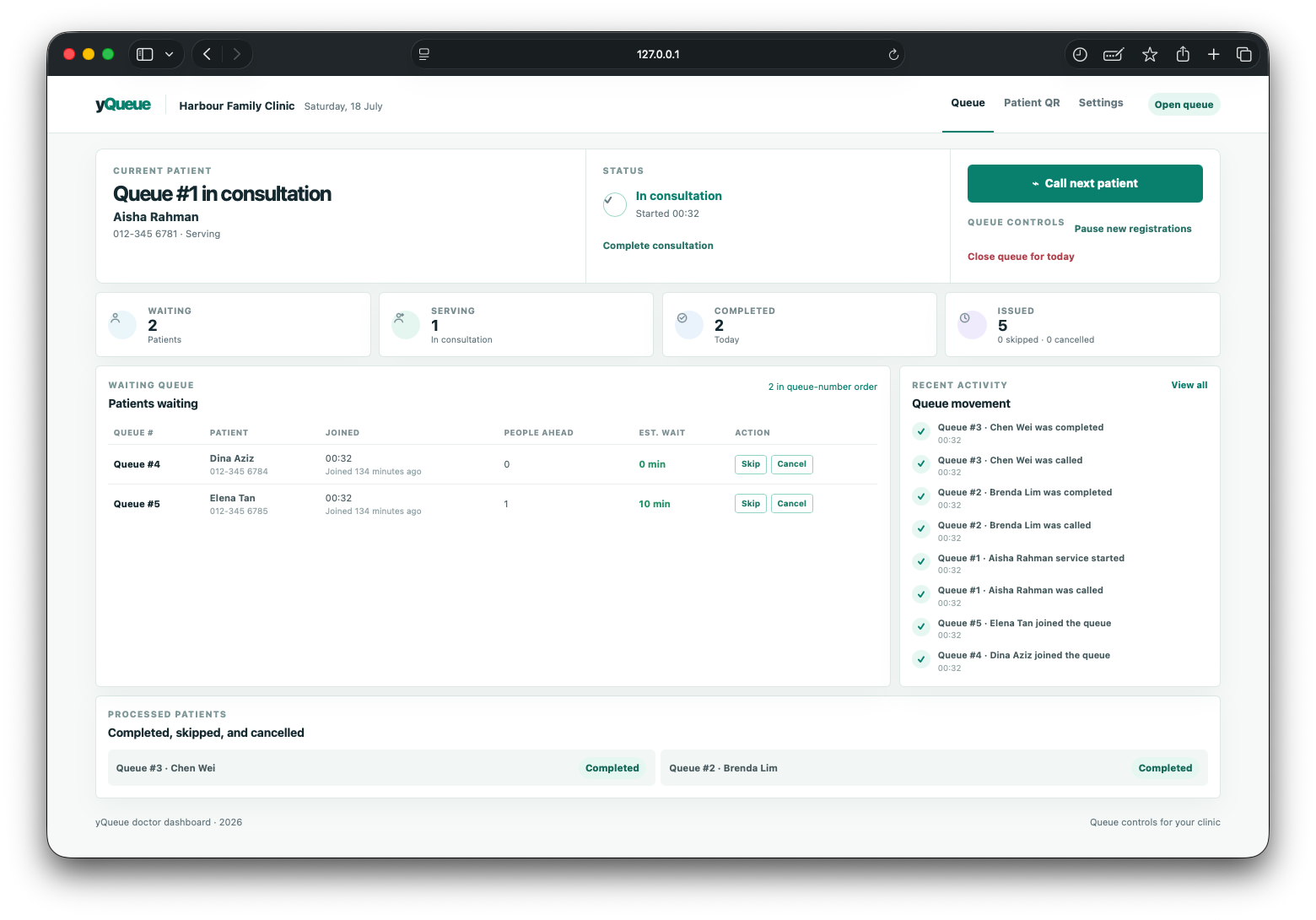
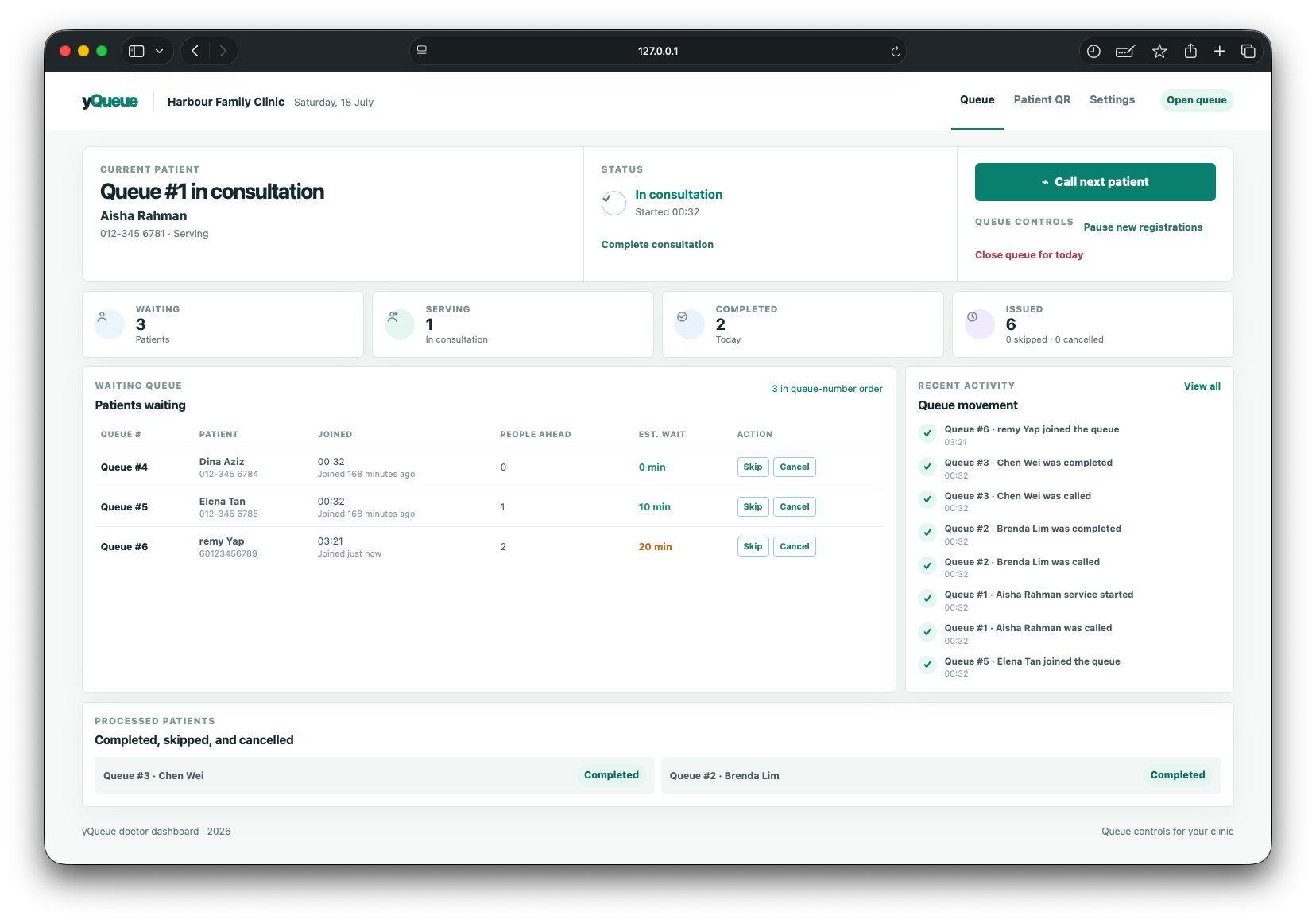
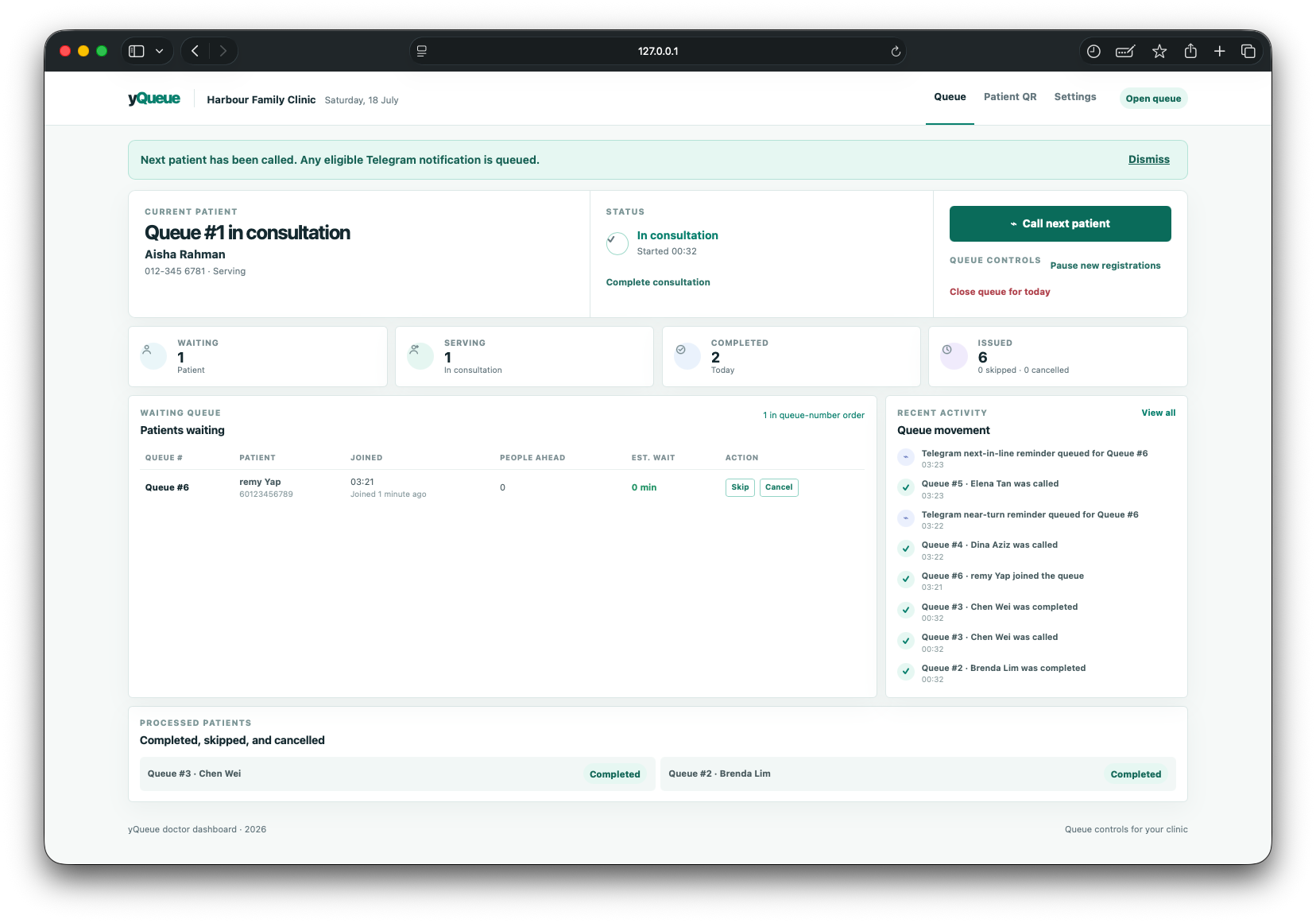
1. Doctor dashboard: current patient, live queue totals, waiting patients, and recent activity.
-
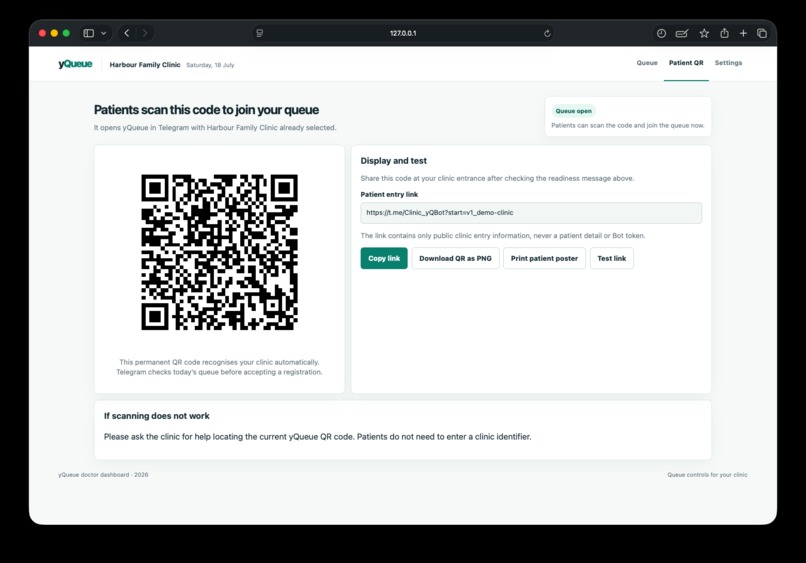
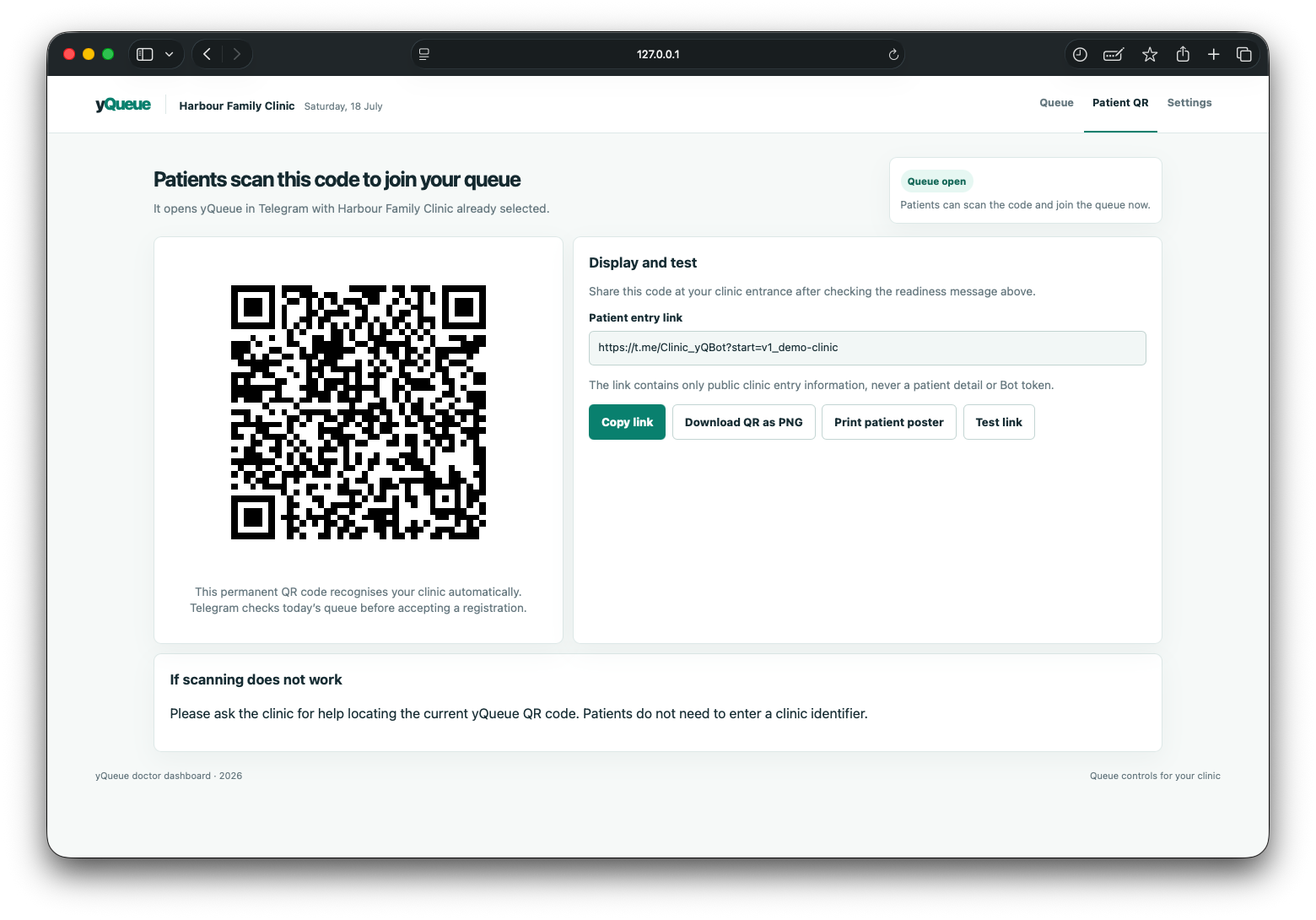
2. Clinic QR page: patients scan this code to join the correct queue through Telegram.
-
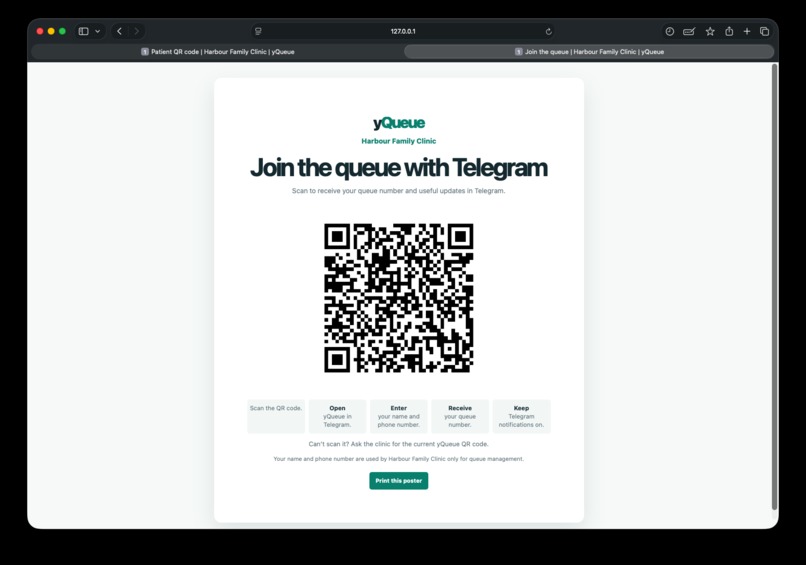
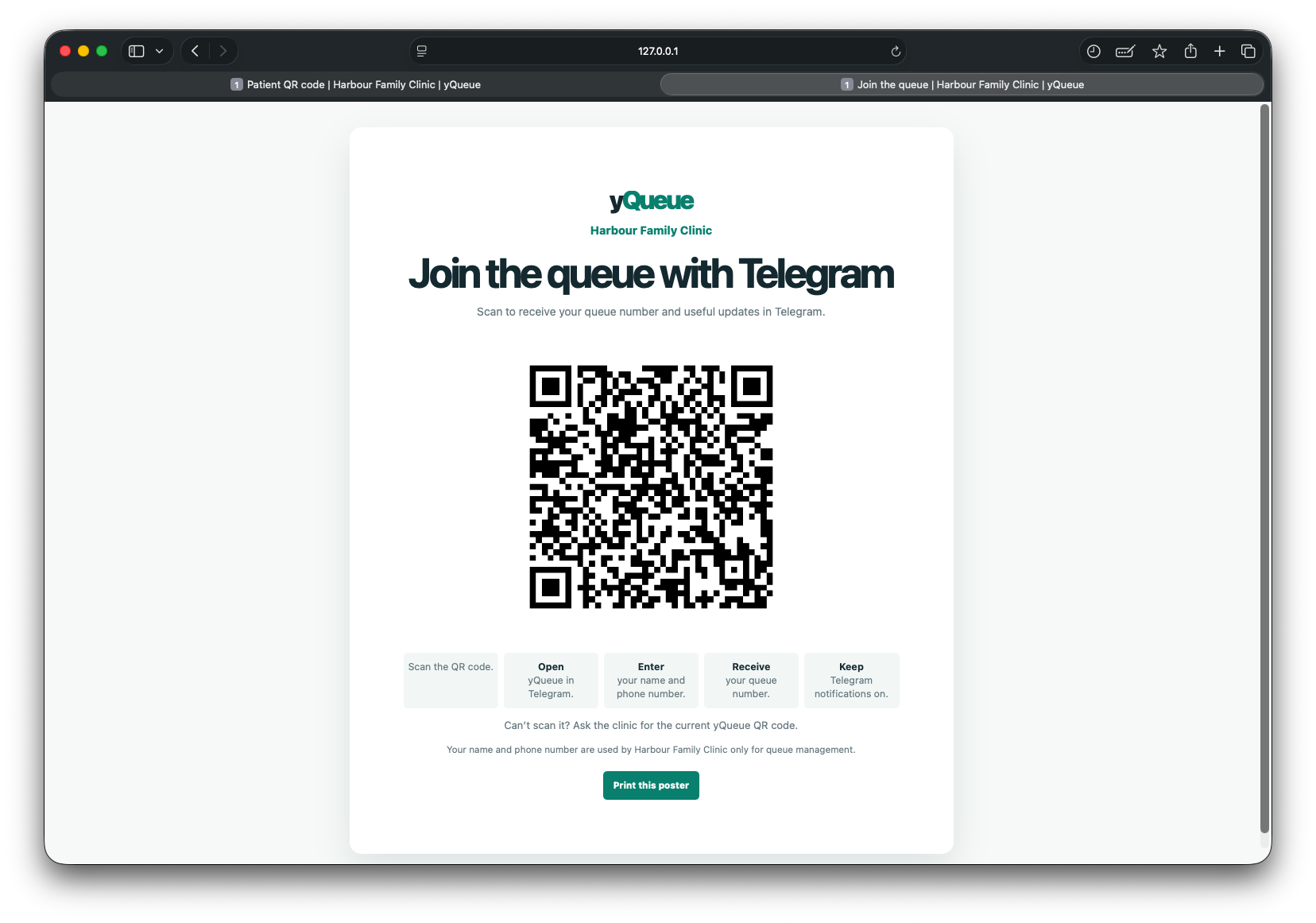
3. Printable patient poster: scan, open Telegram, enter details, receive a queue number, and keep notifications on.
-
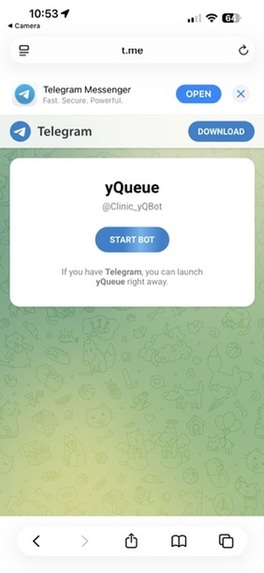
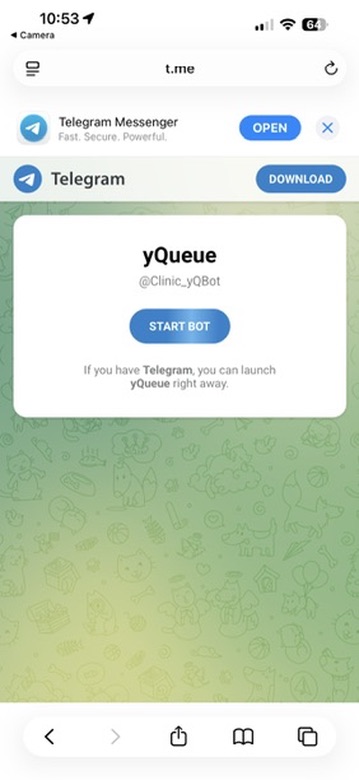
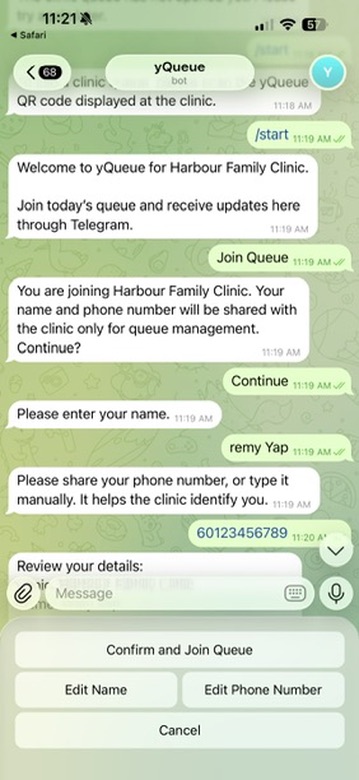
4. Scanning the QR code opens the yQueue Telegram Bot on a patient’s phone.
-
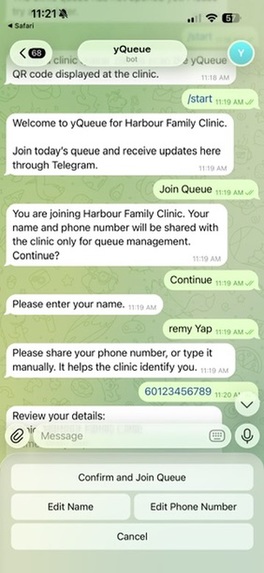
5. Telegram registration: patient reviews the privacy notice and provides a name and phone number.
-
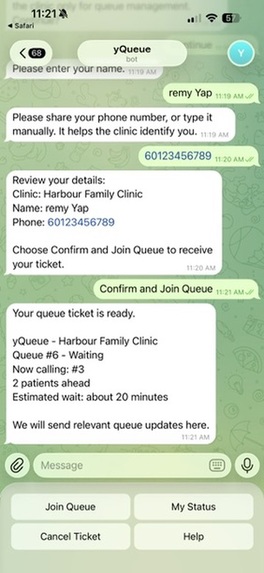
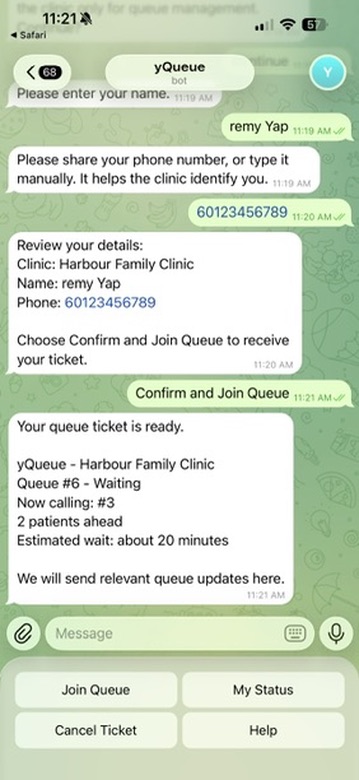
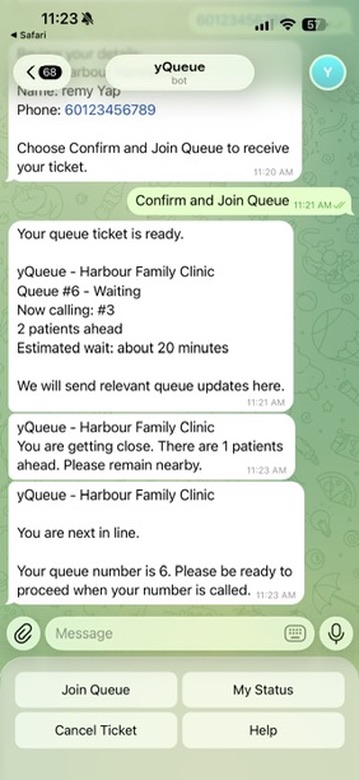
6. Queue ticket confirmed in Telegram with queue number, people ahead, estimated wait, and status.
-
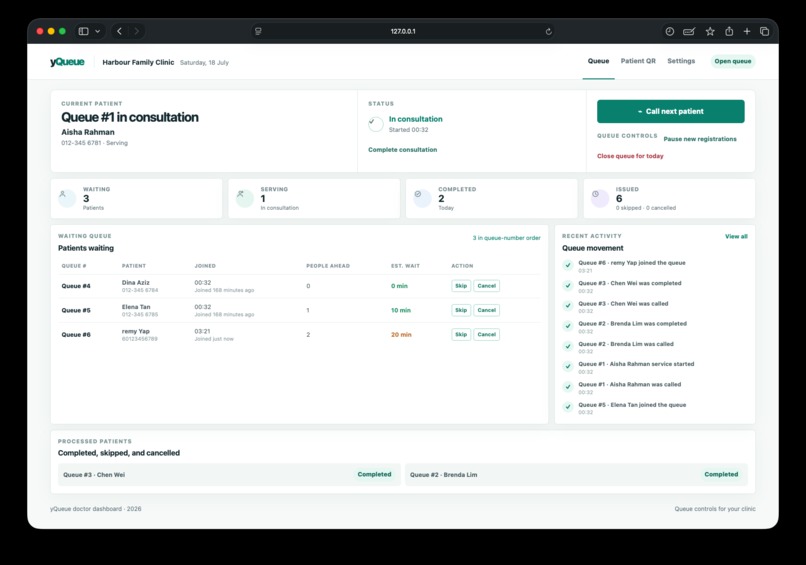
7. Telegram registration appears immediately in the doctor’s live waiting queue.
-
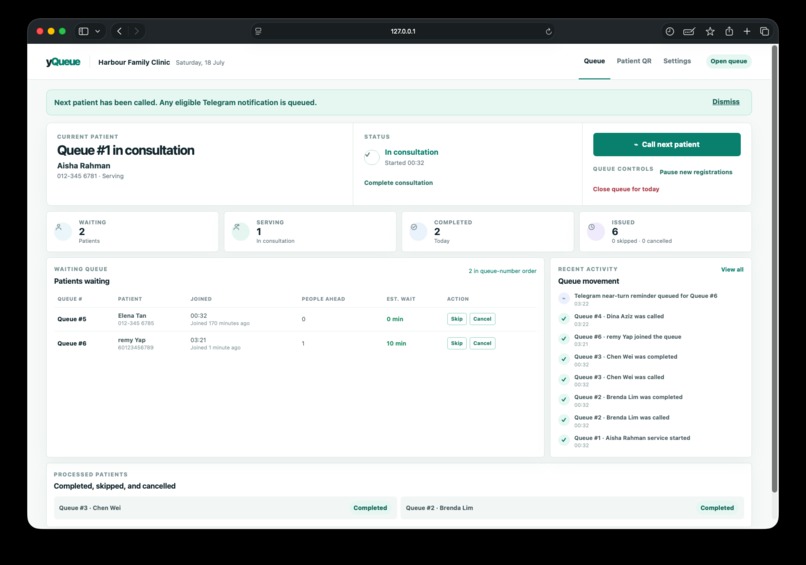
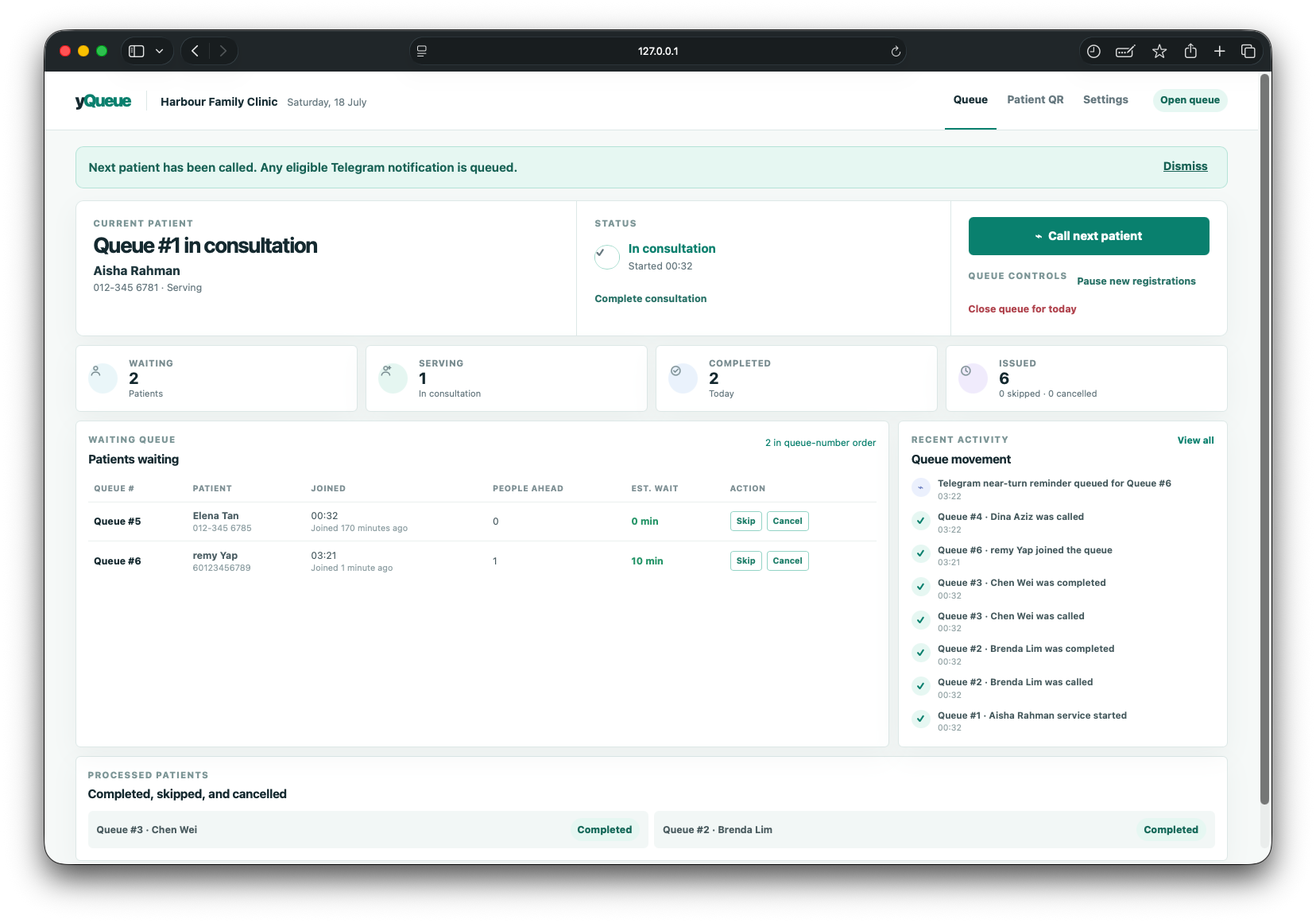
8. Doctor calls the next patient; the queue and notification activity update together.
-
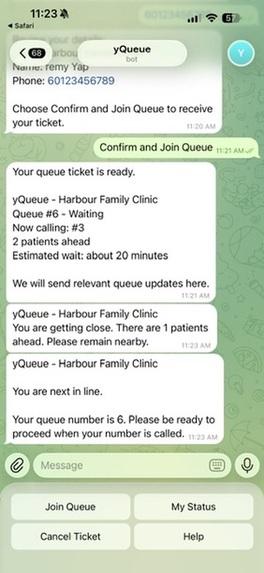
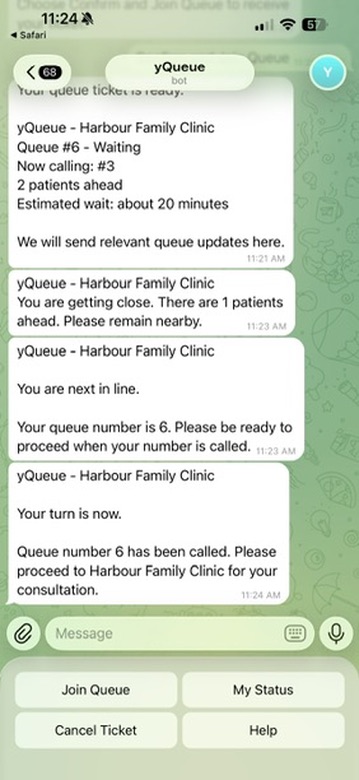
9. Telegram sends position updates and a next-in-line reminder as the queue advances.
-
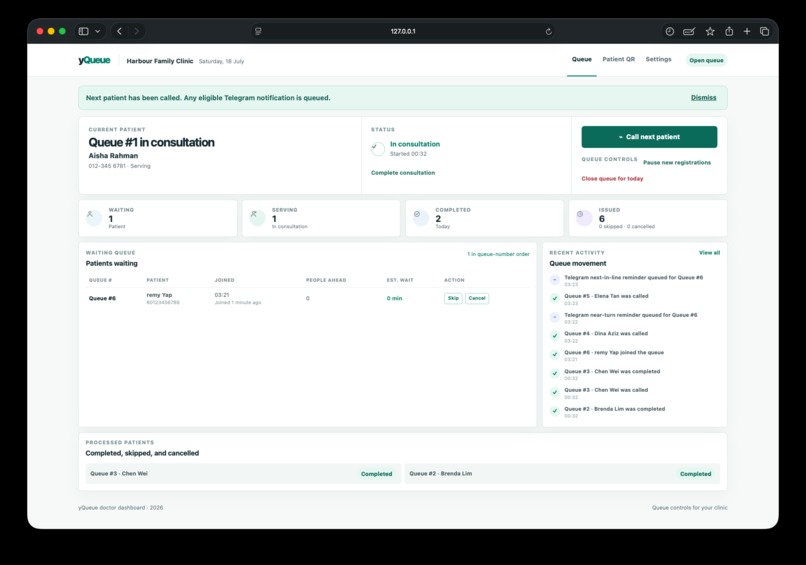
10. Doctor dashboard reflects the next patient and queues the relevant Telegram notifications.
-
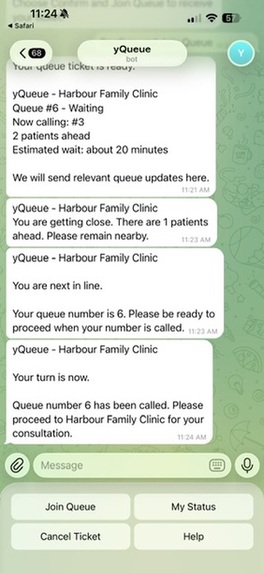
11. Called notification: the patient is told clearly when it is their turn to proceed to the clinic.
-
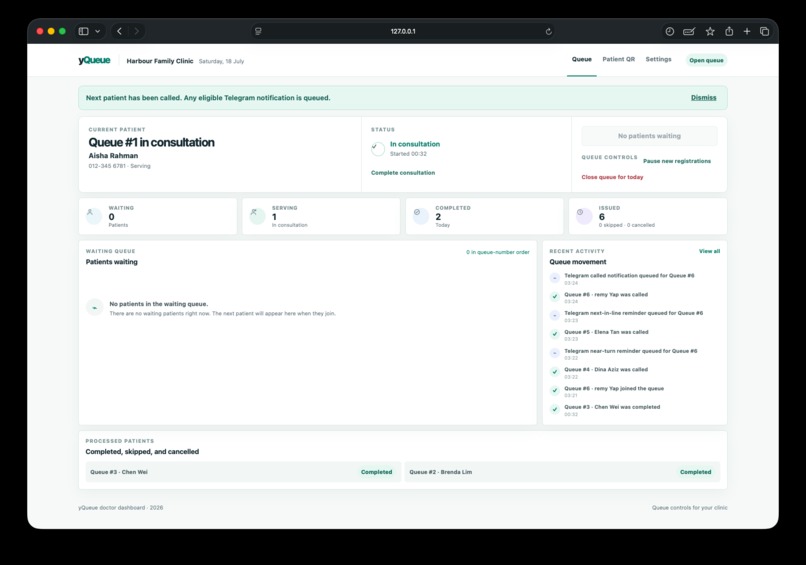
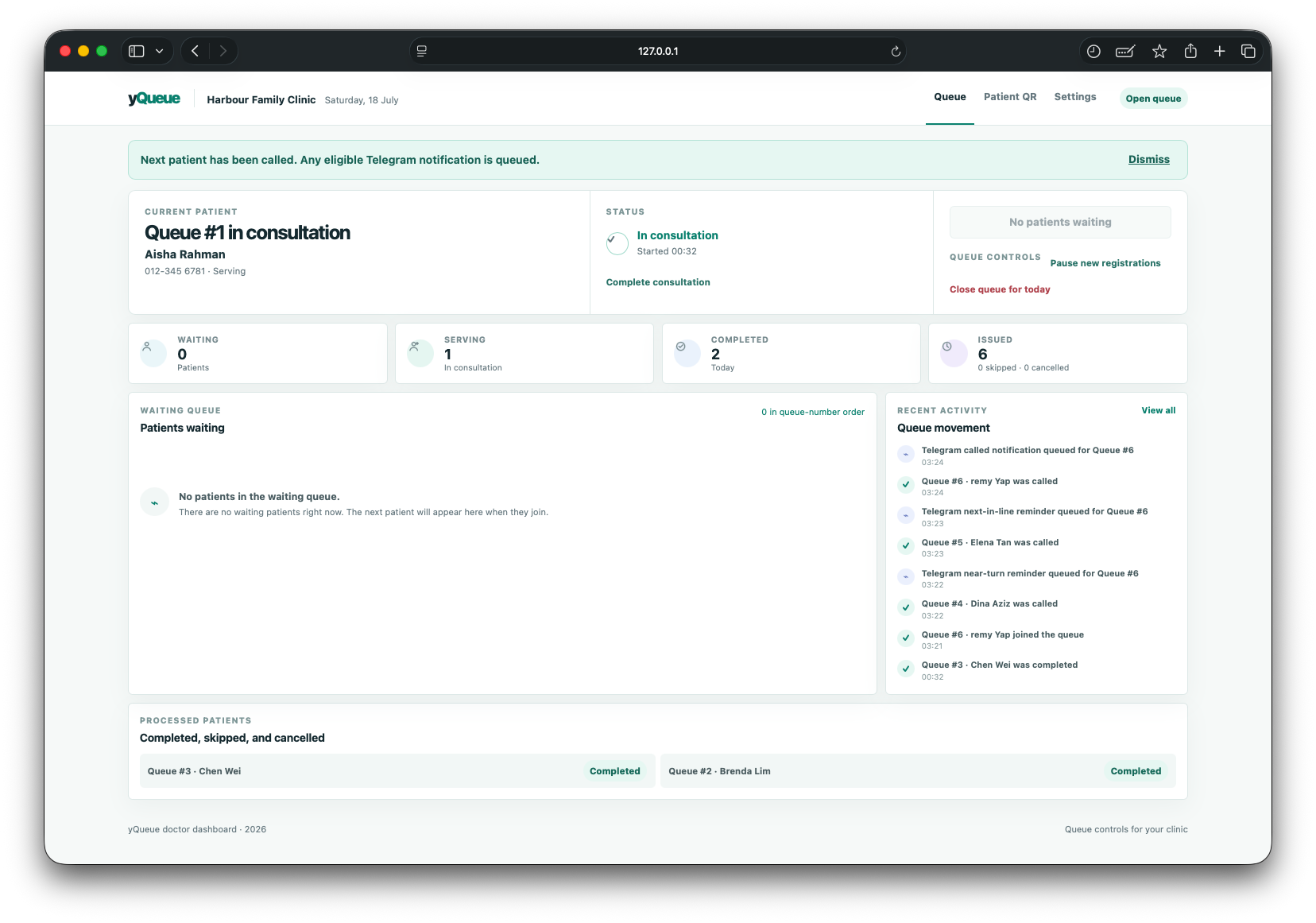
12. After the final patient is called, the dashboard shows an empty waiting queue and queued Telegram update.

Inspiration
Small clinics often manage a busy waiting room with verbal updates and repeated queue checking. Patients want to know where they are without downloading another app, while doctors need a calm way to operate the day's queue.
What it does
yQueue is a virtual queue assistant for solo doctors and small clinics. A patient scans the clinic QR code, Telegram opens with the correct clinic recognised automatically, and the patient joins after a short privacy notice and explicit confirmation.
The doctor dashboard opens, pauses, or closes daily registrations; shows the current patient and waiting queue; calls the next patient; starts consultation; and completes consultation. The same queue engine powers the dashboard and Telegram, so queue numbers, people ahead, status, and estimated waits remain consistent.
Telegram patients can check their status, cancel an eligible ticket, and receive relevant asynchronous queue messages: position updates, near-turn reminders, next-in-line reminders, Called, serving, completion, pause, resume, and closure updates. Delivery is best effort and waiting times are estimates.
How we built it
The application is built with Python, FastAPI, SQLAlchemy 2.x, SQLite, Alembic, Pydantic, Jinja2, lightweight JavaScript, and python-telegram-bot. A database-backed notification outbox keeps queue actions responsive and prevents a message-delivery problem from losing a committed queue transition. The QR page generates a permanent clinic QR link and a printable poster while keeping patient entry inside the Telegram journey.
The repository includes migrations, fictional demo data, local setup instructions, and an isolated automated test suite covering the queue engine, dashboard, Telegram flow, notification outbox, and QR entry journey.
Codex and GPT-5.6
I used Codex with GPT-5.6 throughout the project: turning the original idea into phased plans, designing the FastAPI architecture and queue service rules, generating and reviewing automated tests, debugging the Telegram and QR workflows, and refining the doctor and patient experience. Codex helped keep the work focused on a reliable Build Week MVP rather than adding unnecessary infrastructure.
Challenges and lessons
The important engineering challenge was making the queue state, Telegram registration, and doctor dashboard agree under real actions. yQueue addresses that by keeping queue rules in one service layer, protecting ticket creation from duplicates, validating status transitions, and queuing notifications only after a successful database transaction.
What is next
The MVP deliberately defers authentication, public deployment, appointment scheduling, medical records, payments, and multi-room routing. Before real production use, doctor authentication, a formal privacy policy, data-retention controls, and local regulatory review are required.
Built With
- fastapi
- python

Log in or sign up for Devpost to join the conversation.