-
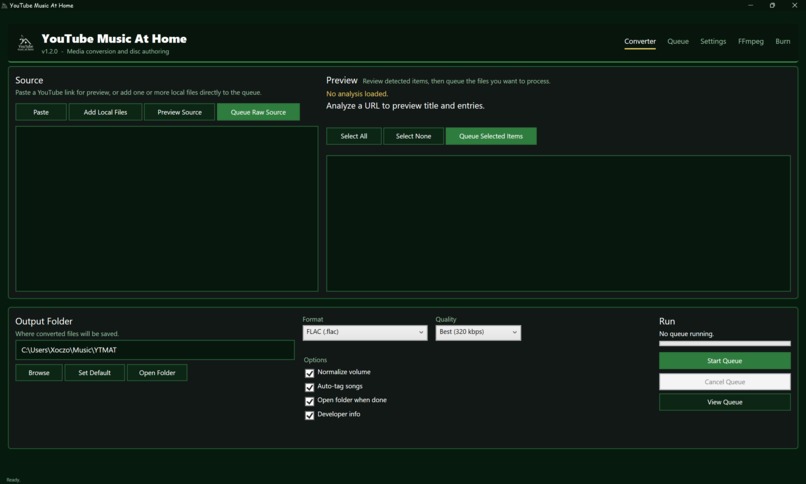
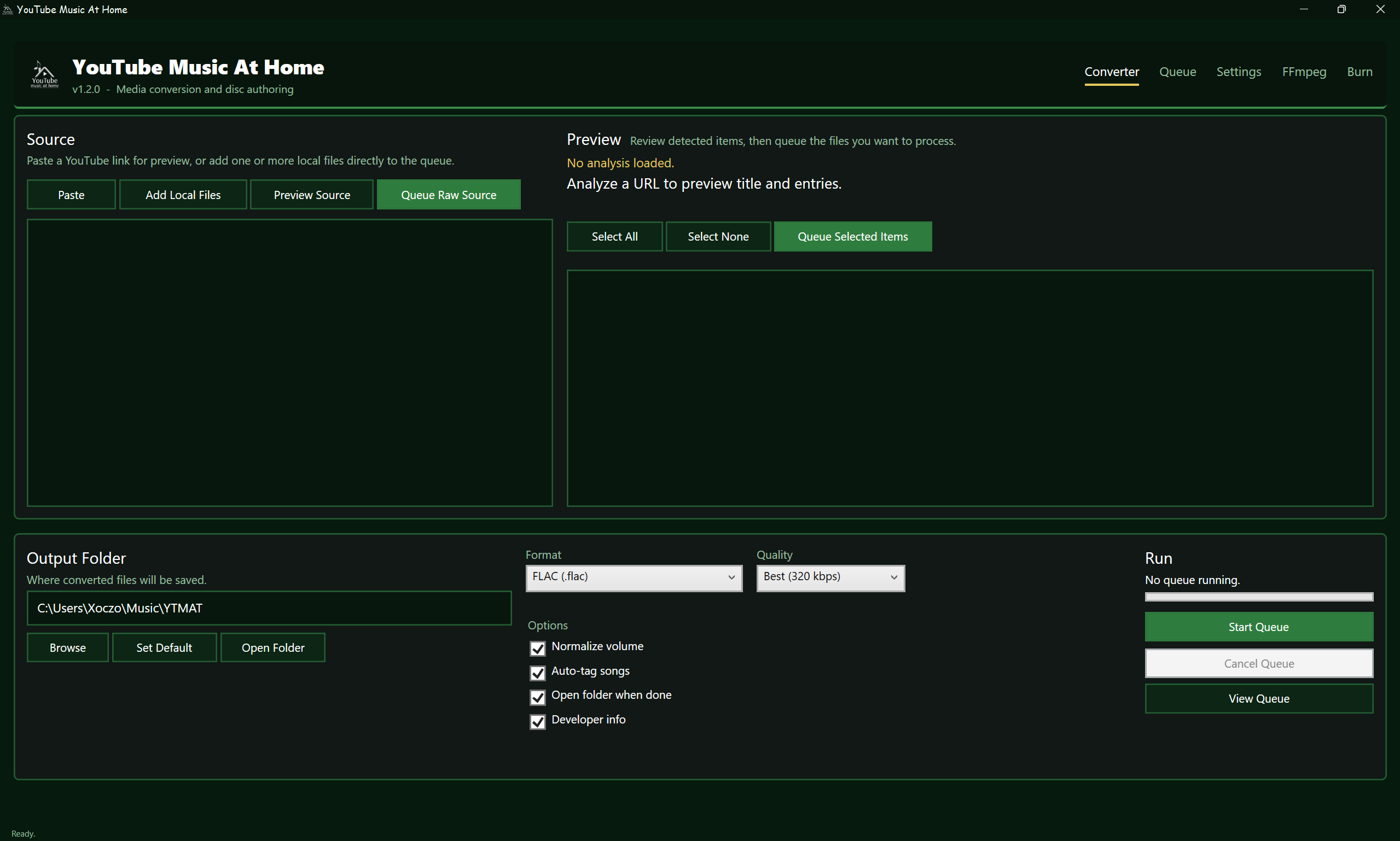
YTMAT Main Menu/Tab
-
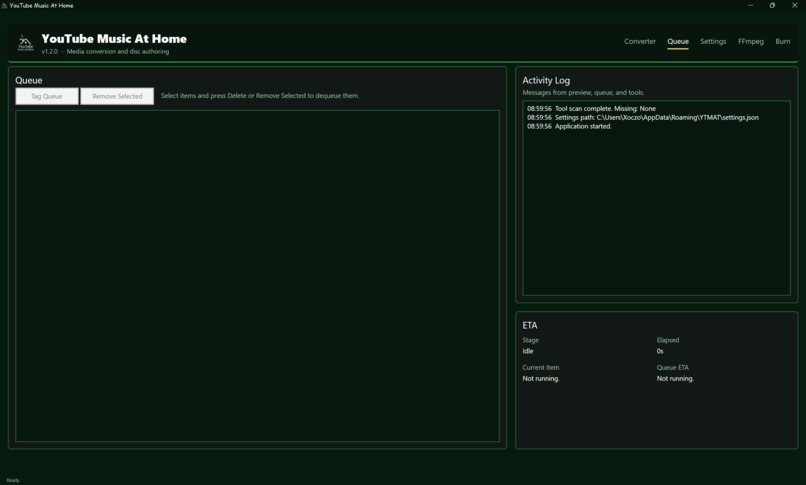
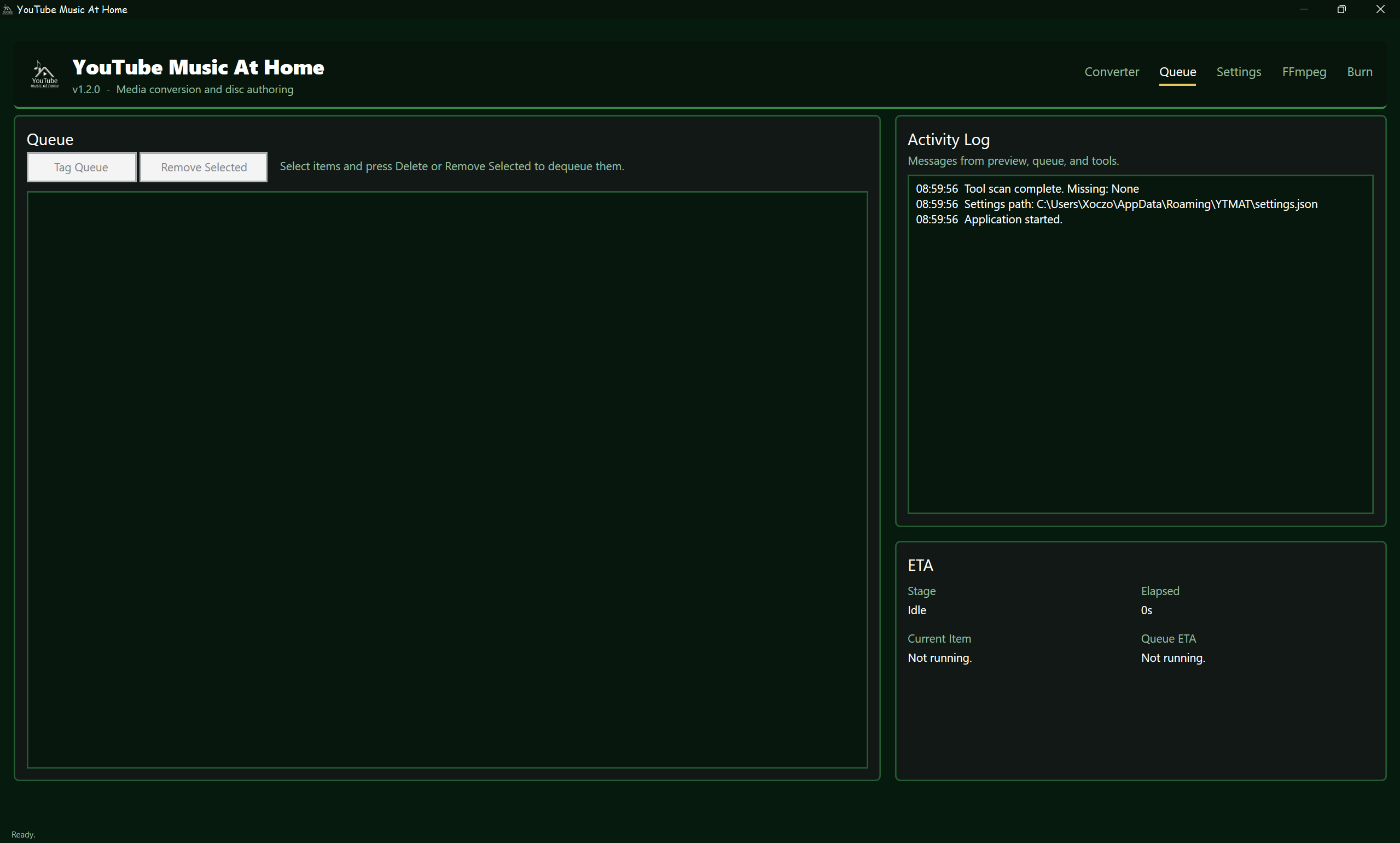
YTMAT Queue Tab
-
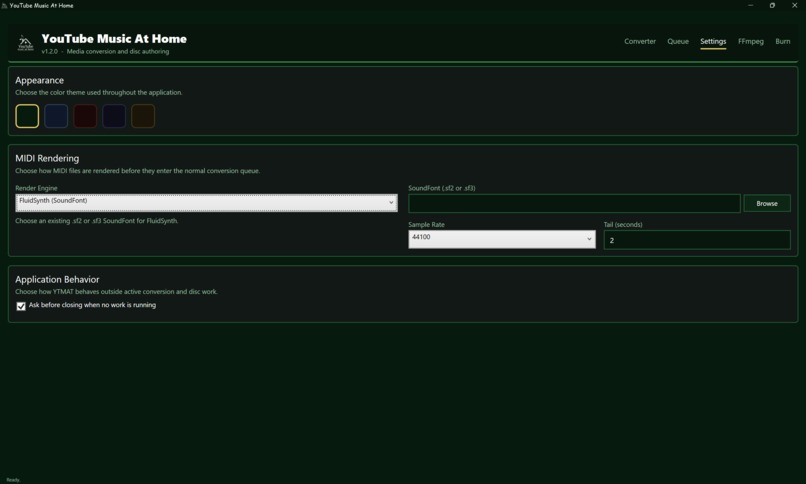
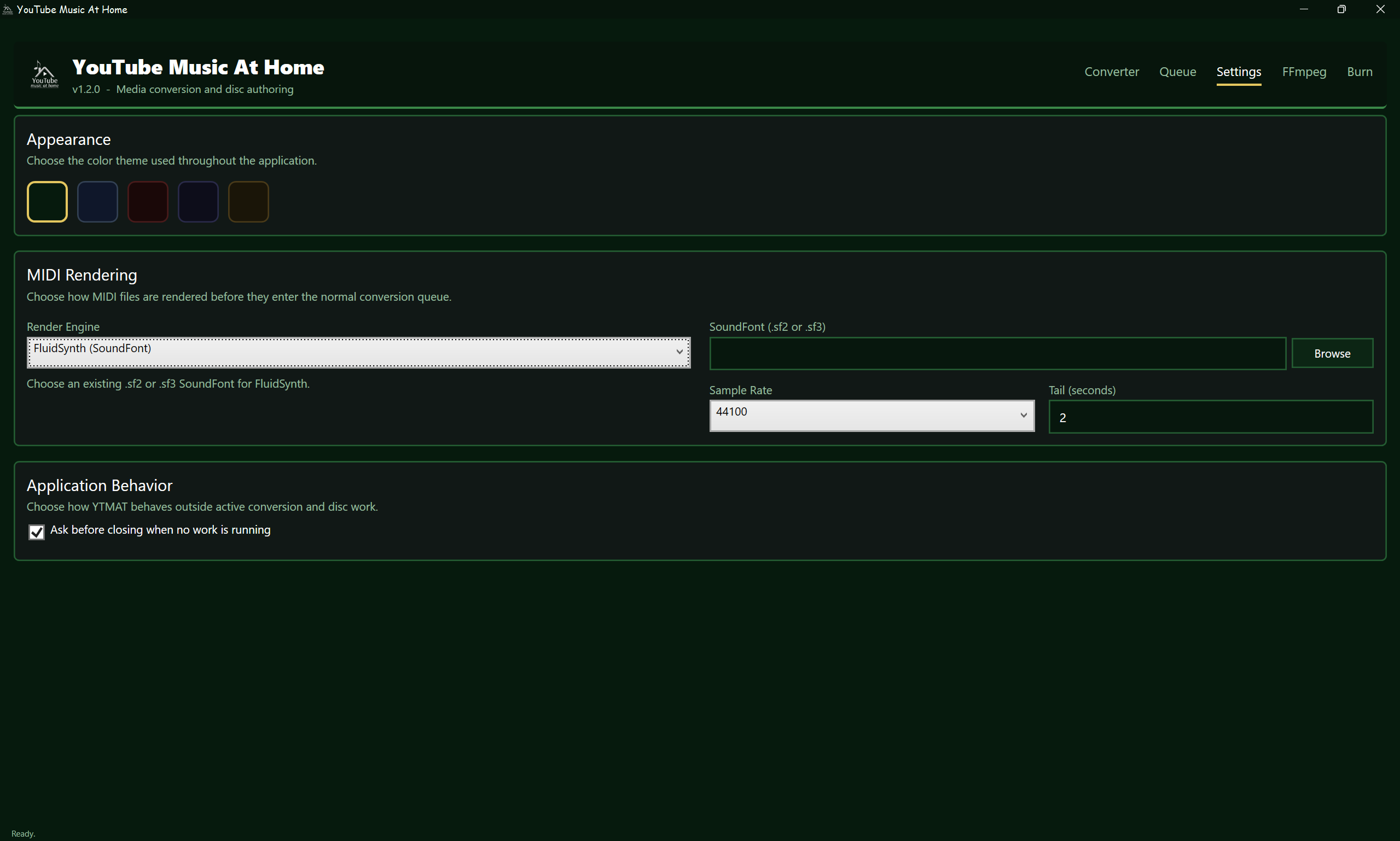
YTMAT Settings Tab
-
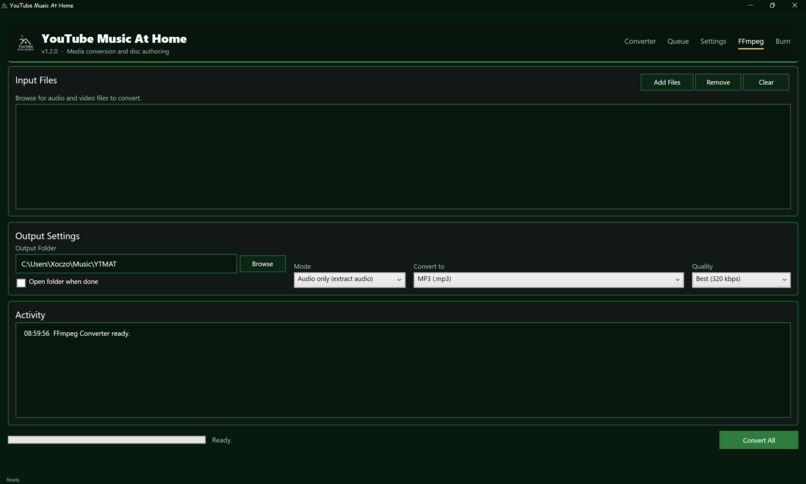
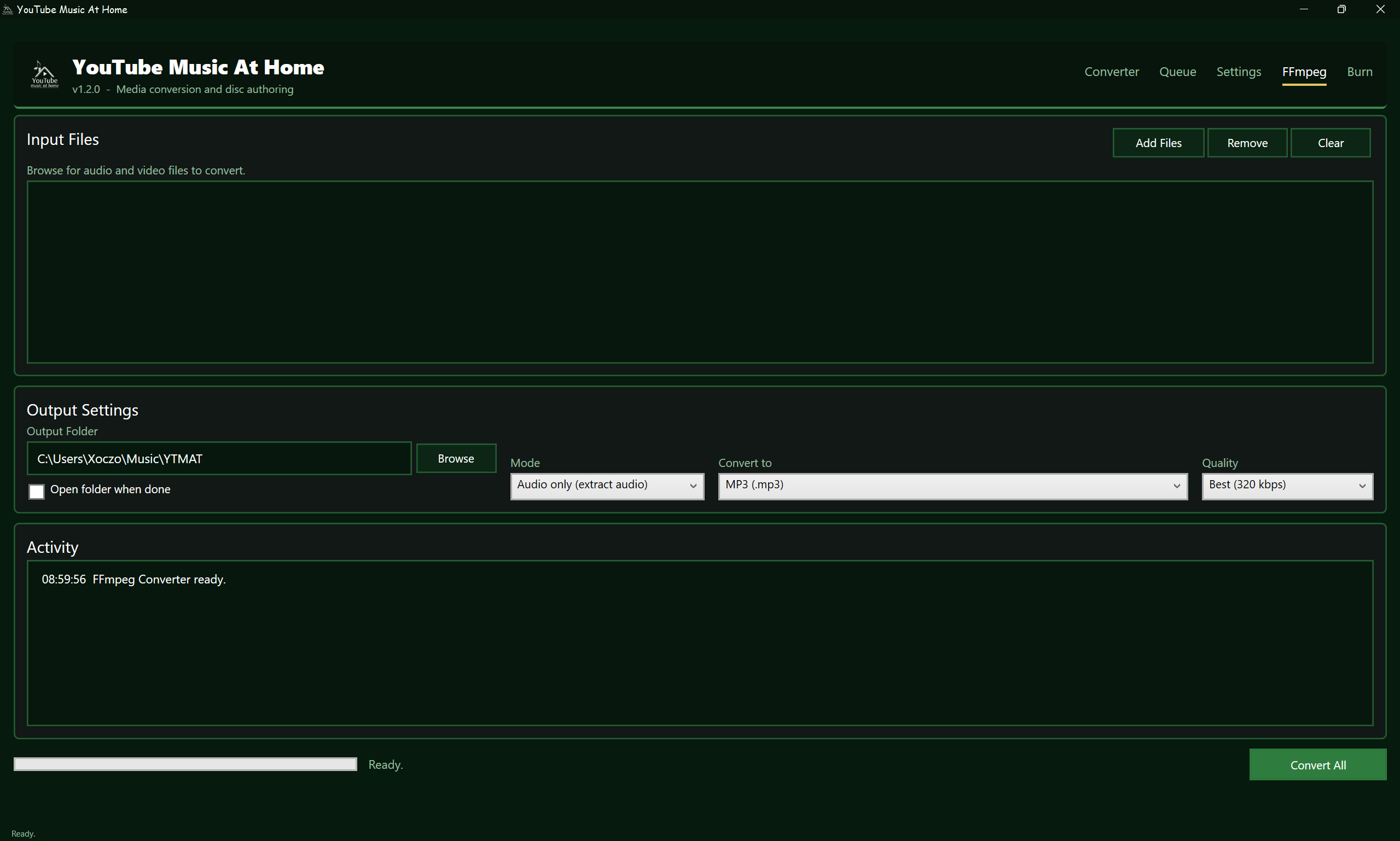
YTMAT FFmpeg Standalone Tab
-
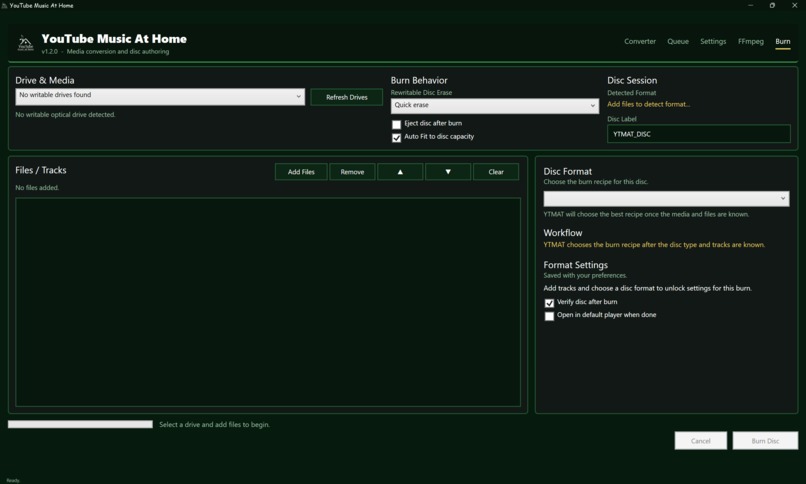
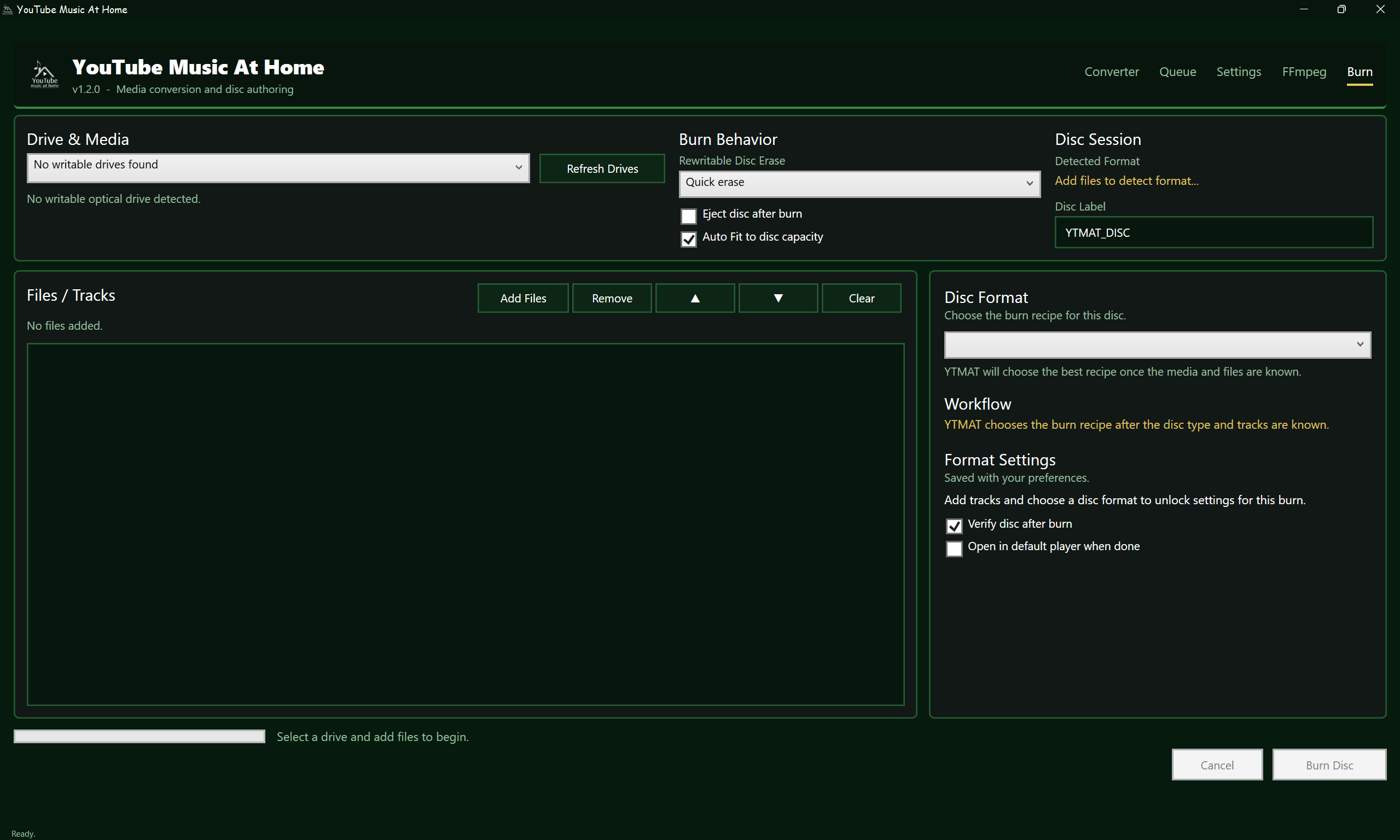
YTMAT Optical Media Burn Tab
Inspiration
Many people use media every day without having access to the tools or knowledge needed to manage it properly. Downloading a playlist, converting an audio file, fixing its metadata, or preserving a video on physical media often requires several different applications and a confusing technical workflow.
YouTube Music At Home was created to bring those tasks together in one approachable Windows application. The project is designed to help people gain practical digital media skills while giving them more control over content they own, have permission to use, or can legally access.
What we built
YouTube Music At Home, or YTMAT, is an all-in-one media management and preservation application.
It can analyze individual links, playlists, albums, and local files; allow users to select specific songs; organize media into an ordered queue; convert audio and video; apply metadata; render MIDI; and author compatible CD, DVD, and Blu-ray formats.
The application supports common audio formats such as MP3, WAV, FLAC, Ogg Vorbis, Opus, AAC, M4A, ALAC, AIFF, WMA, and AC-3. It also supports video conversion, audio normalization, automatic tagging, manual metadata editing, and batch processing.
YTMAT can also create physical media including Audio CDs, MP3 CDs, Data CDs, VCDs, SVCDs, Data DVDs, DVD-Video discs, DVD-Audio discs, Data Blu-ray discs, and Blu-ray video and audio layouts.
Track selection
YTMAT belongs to Track 2: Educating the Community.
The project helps people understand and use digital media technology instead of treating media conversion and preservation as inaccessible specialist tasks. It can be used as a practical teaching tool for file formats, audio and video encoding, metadata, playlists, MIDI, digital organization, and physical media preservation.
How it works
A user can paste a supported link or add local files. YTMAT analyzes the source and displays available playlist or album entries. The user can select individual items or add the full collection to an ordered queue.
Queued files can then be converted, tagged, normalized, or rendered. MIDI files can be rendered through the Windows synthesizer or FluidSynth before entering the normal conversion workflow.
For physical media, YTMAT detects the exact inserted disc type and only presents formats relevant to that media and the files selected. Specialized authoring tools prepare the correct structure, while Windows IMAPI writes the finished image or filesystem. Where supported, YTMAT verifies the result before optional playback.
The project uses C#, .NET, and WPF for the desktop application, with FFmpeg, FFprobe, yt-dlp, NAudio, FluidSynth, VCDImager, cdrtools, dvdauthor, dvda-author, tsMuxeR, and Windows IMAPI supporting the media workflows.
Who it is for
YTMAT is intended for students, families, educators, community organizations, local creators, hobbyists, and anyone who wants to understand or manage their own media without learning several unrelated applications.
It can also support libraries, schools, youth programs, and community workshops that want to teach practical digital skills using real files and real workflows.
Why it matters for Compton
Compton has a strong need for practical technology education that connects directly to everyday life. Music, video, online media, and digital files are already part of how people learn, communicate, and create.
YTMAT provides a way to teach useful skills using familiar material. A workshop could show participants how to organize a playlist, inspect media information, convert files for different devices, add accurate metadata, create a MIDI performance, or preserve legally obtained media for offline use.
Because YTMAT uses bundled tools and can run as a self-contained Windows application, it reduces the number of separate applications participants need to find and configure. That makes it suitable for demonstrations in schools, libraries, community centers, and small creative programs.
The project is not only about downloading music. It is about helping people understand the technology behind the media they use and giving them the confidence to work with it independently.
Challenges we ran into
The most difficult part was optical-disc authoring. A playable VCD, SVCD, DVD, or Blu-ray is not simply a folder containing a video file. Each format has strict encoding requirements, directory structures, metadata rules, capacity limits, and hardware compatibility issues.
Playlist handling was another major challenge. Different sources provide playlist entries in different ways, and some provide repeated playlist URLs instead of unique song URLs. YTMAT must resolve individual entries, preserve their order, detect duplicates, and still allow users to choose what they want to process.
Other challenges included reliable cancellation, cleanup of partial files, settings recovery, metadata matching, MIDI rendering, tool detection, verification before playback, and keeping the interface understandable while exposing useful technical options.
Accomplishments we are proud of
We built a working end-to-end media workflow instead of a single-purpose converter. The same application can take a legal online source or local file and guide it through analysis, queueing, conversion, tagging, MIDI rendering, authoring, verification, and optional playback.
We are especially proud of the playlist workflow, which lets users choose specific entries instead of forcing them to process an entire collection. The queue preserves order and prevents accidental duplicates.
We also built safeguards for optical media. YTMAT identifies the exact inserted disc family, hides unsupported formats, checks capacity, avoids guessing when media cannot be identified, and records detailed information when something fails.
The application is distributed as a self-contained Windows program and keeps shared preferences between launches, making it practical for repeated use in demonstrations or workshops.
What we learned
We learned that useful technology is not only about adding features. It must also explain what is happening, handle failure safely, and avoid claiming success when an operation has not actually been verified.
We learned that media formats contain many hidden technical rules. A file that plays on one computer may not be suitable for a VCD, SVCD, DVD, or Blu-ray player without additional encoding and authoring.
We also learned how to combine specialized tools into one understandable workflow, how to design for recovery and cancellation, and how to make advanced technical processes approachable for people who may not have an engineering background.
What's next for YouTube Music At Home
The next step is to use YTMAT as the foundation for practical digital media education. Future work could include guided learning modes, workshop-friendly demonstrations, clearer explanations of media formats, accessibility improvements, richer disc menus, and additional testing across hardware.
The long-term goal is to make YTMAT useful not only as a personal media tool, but also as an educational platform that helps people in Compton develop confidence with digital media, file management, preservation, and creative technology.


Log in or sign up for Devpost to join the conversation.