-
-
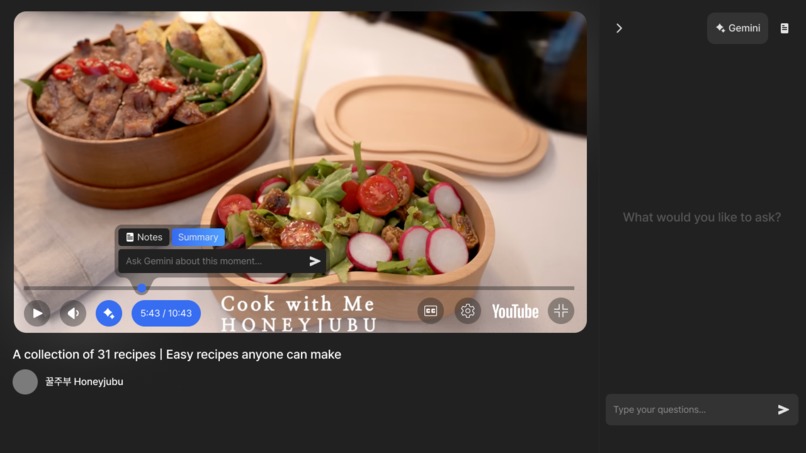
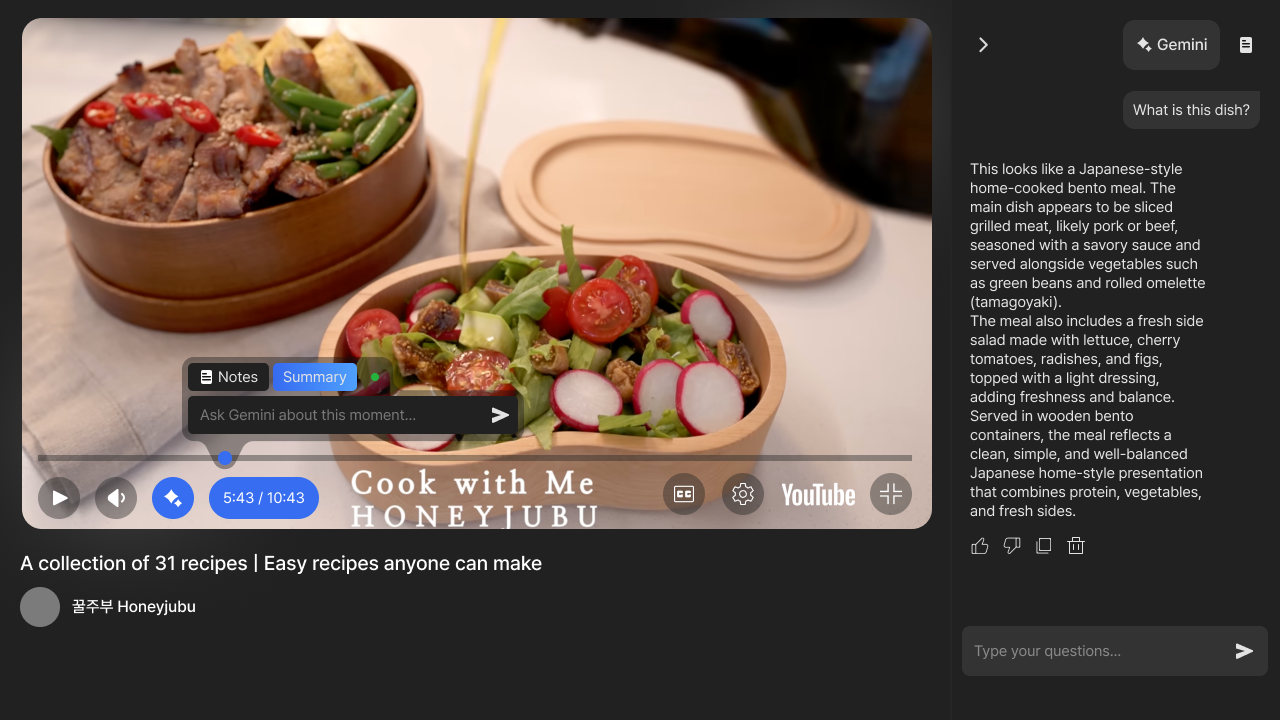
Gemini experience (Empty Chat Session)
-
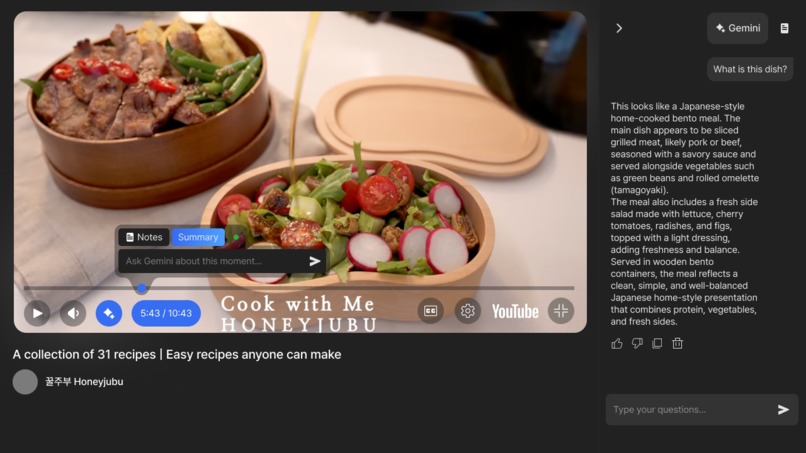
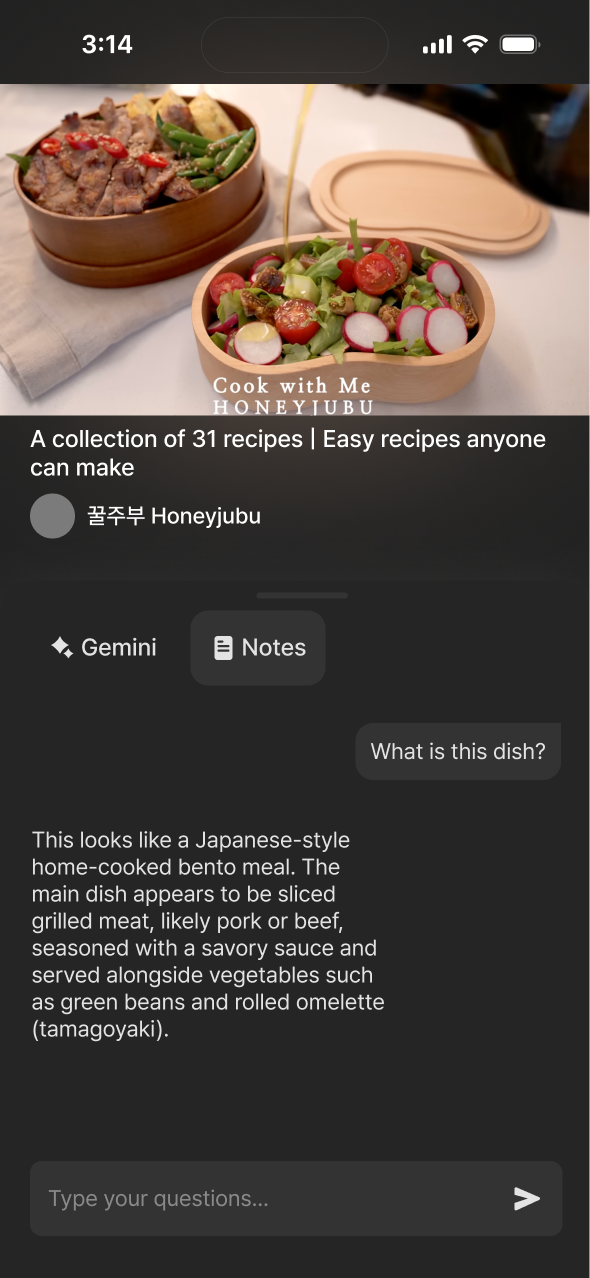
Gemini experience (Chat Session)
-
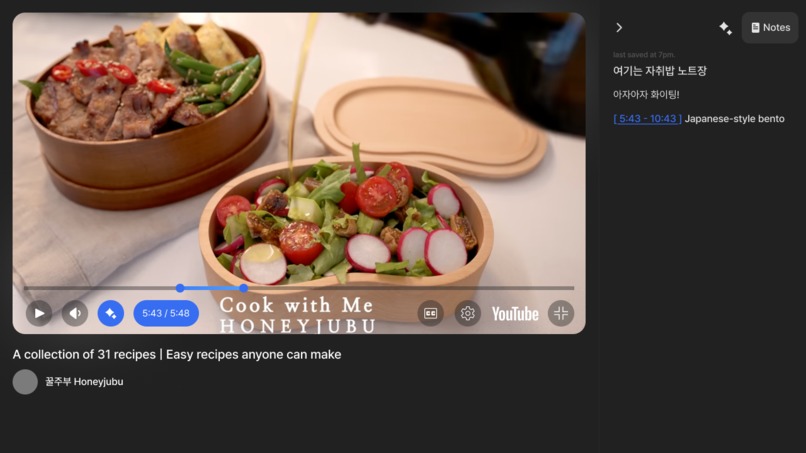
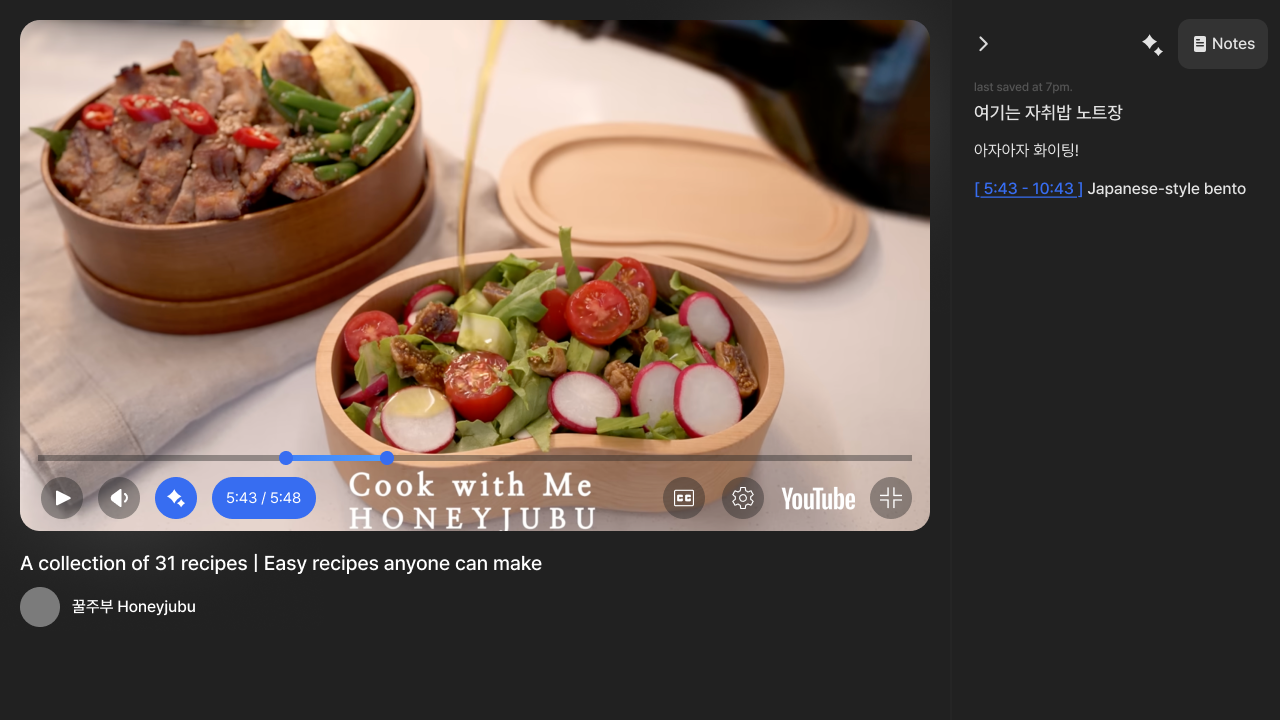
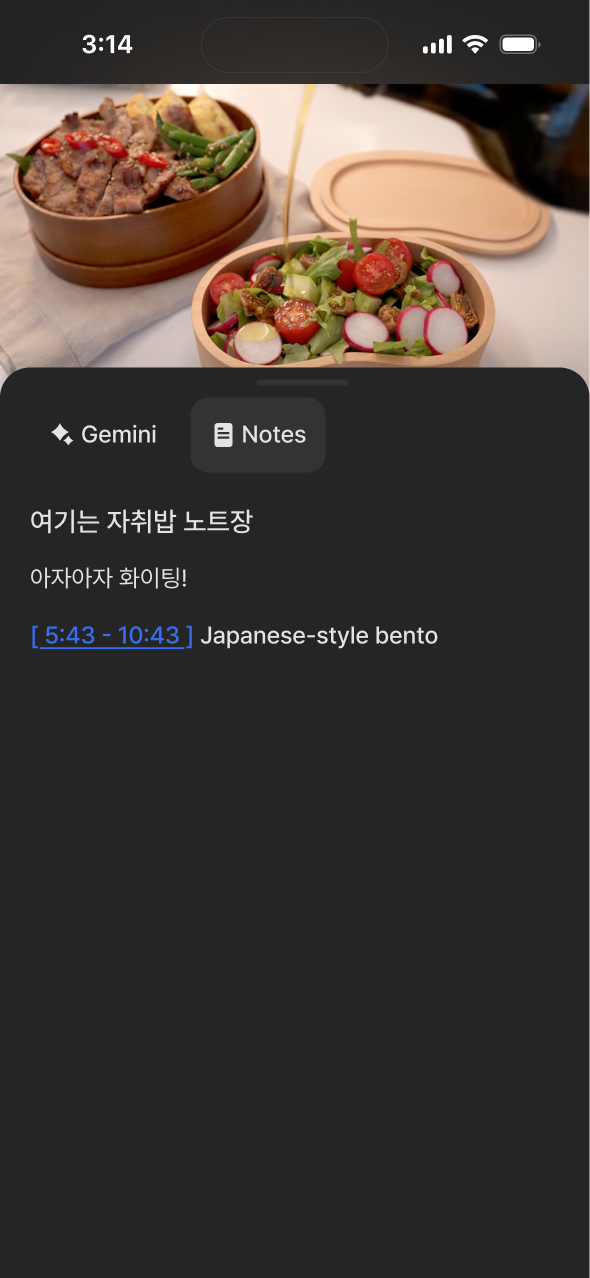
Notes experience
-
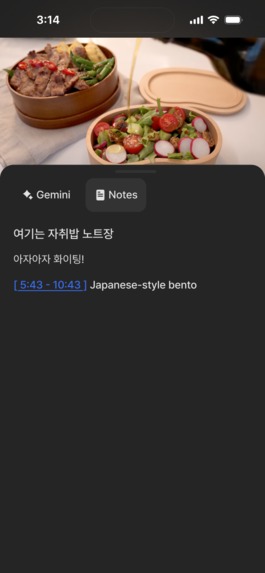
Youtube Expereince mWeb 1
-
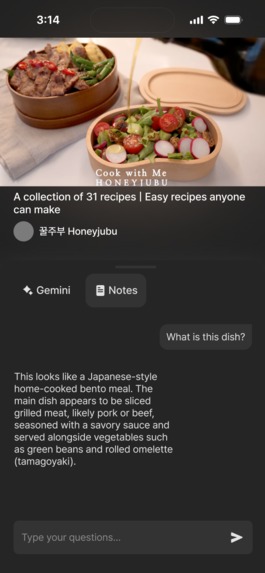
Youtube Expereince mWeb 2
-
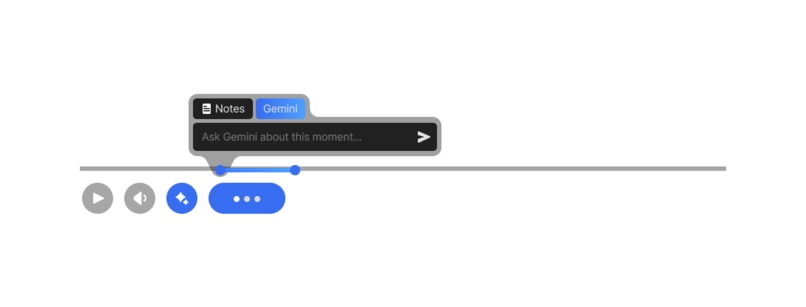
Tooltip Experience 1
-
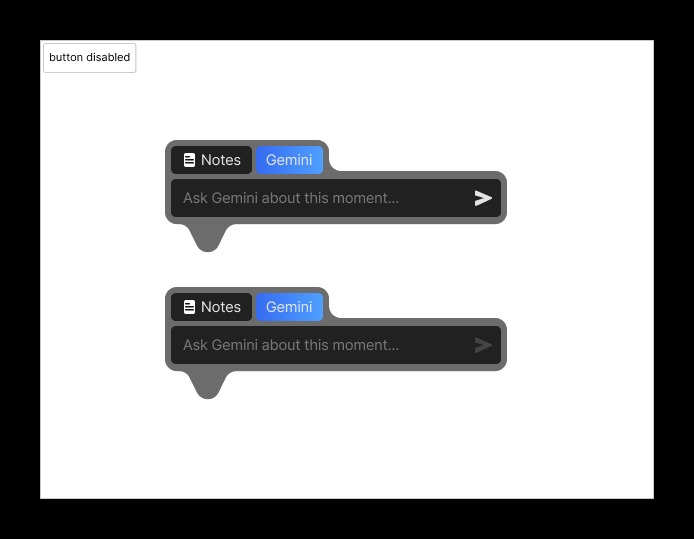
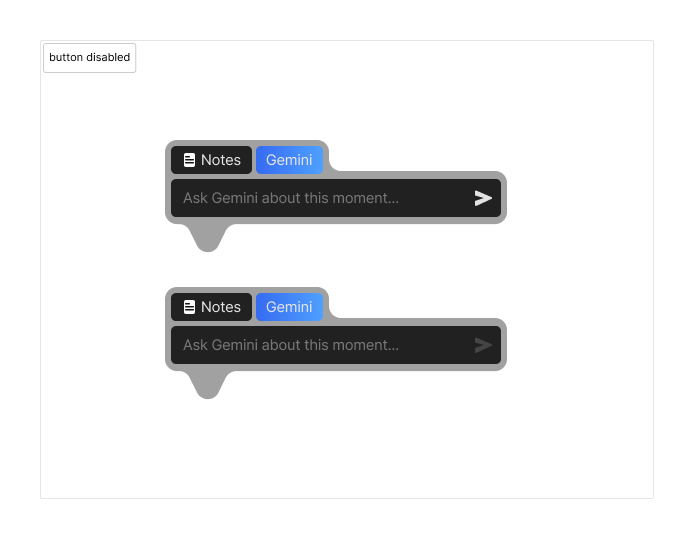
Tooltip Experience 2
Inspiration
YouTube is the world’s largest knowledge library, yet it is architected like a cinema—optimized for passive consumption rather than active mastery.
While observing “knowledge-gain” users (developers, students, researchers), we noticed a recurring pattern we call Tab-Hell: jumping between a YouTube video, a note-taking app, Google for quick lookups, and Gemini for deeper technical clarification. This constant context-switching breaks the flow state required for deep learning.
For example, a developer watching a Kubernetes lecture may pause every 20–30 seconds to Google unfamiliar terms, rewatch sections, or manually timestamp notes—turning learning into friction.
We wanted to build a bridge between video content and comprehension: transforming YouTube from a distraction-heavy platform into a cognitive-first learning environment, similar to a professional-grade Learning Management System (LMS), without leaving the video.
What it does
1. Study Mode — a Cognitive-First Experience
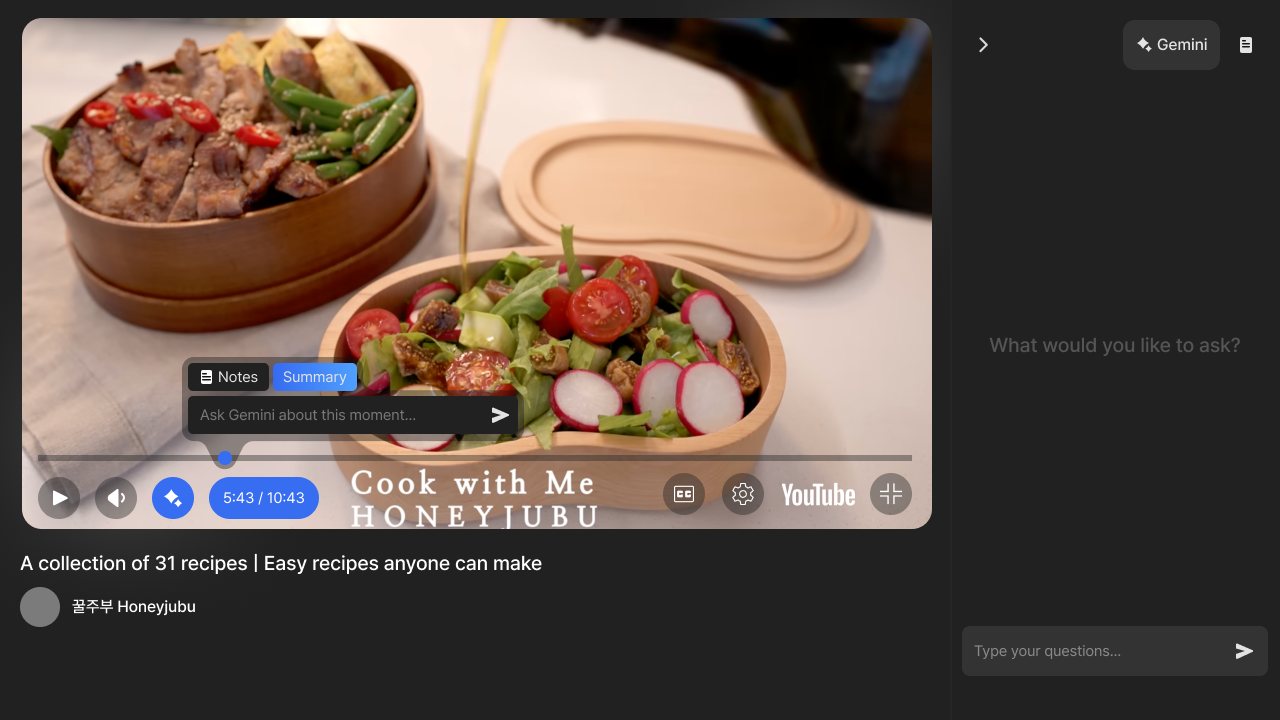
Study Mode re-engineers the YouTube player for active learning. Instead of passively watching, users interact with video content through structured synthesis—notes, targeted questions, and contextual AI assistance—turning YouTube into a personalized LMS.
2. Interact Without Losing Context
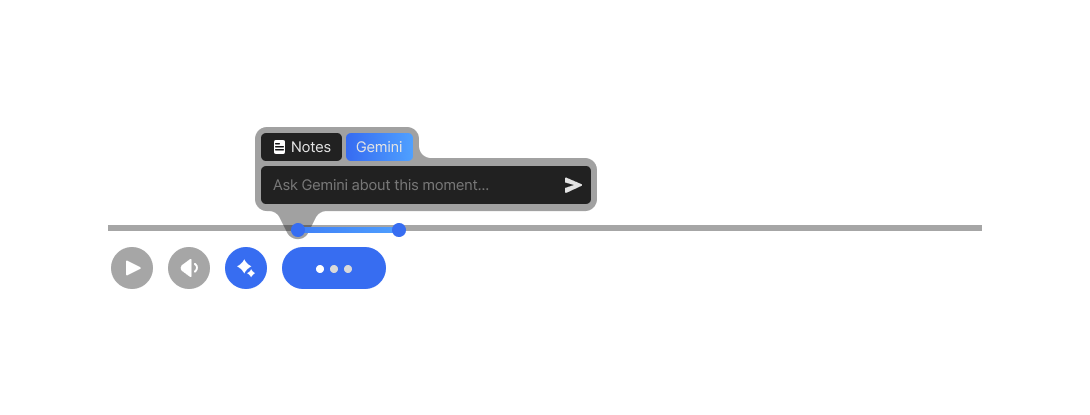
The Adaptive Sidebar allows users to ask questions without ever leaving the video. Curiosity about a specific moment no longer requires tab-switching—users simply select a time range and ask Gemini directly.
3. Adaptive Sidebar Components
Home
Quick navigation back to the central learning hub.Gemini Intelligence Hub
Features the Magic Button. When clicked, it overlays a blue progress bar directly onto the YouTube UI, allowing users to define an exact time-bound window (e.g. 1:32–2:10).
Gemini then analyzes only the transcript within that range, enabling highly specific, context-aware answers instead of generic explanations.Smart Notes
A time-stamped note-taking editor. Each note automatically creates a hyperlink index—clicking a note jumps the video to the corresponding ( t = \text{seconds} ) mark, enabling fast recall and review.
How we built it
Architecture Overview
We combined rapid design iteration with high-performance AI integration to build a seamless learning ecosystem around YouTube.
Design-to-Code Pipeline
We used Figma for high-fidelity UI design and leveraged Figma Make for “Vibe Coding.” Unlike traditional design handoff, this allowed us to migrate visual assets directly into production-ready components with high aesthetic fidelity and minimal drift.
Backend & Infrastructure
- n8n powers our backend as a workflow-driven API layer
- Webhook-based endpoints handle transcript ingestion, session management, and Gemini queries
- All services run inside a Dockerized environment, enabling rapid iteration and local parity
Data Layer
We used Google Sheets as a lightweight, real-time database to index transcript segments and user notes. While unconventional, this choice allowed fast iteration, transparency, and persistence across sessions—ideal for a hackathon MVP.
Intelligence Layer (Gemini 3)
We integrated the Gemini 3 API, leveraging its large context window to ingest entire video transcripts at once.
This enables Gemini to:
- Understand the creator’s pedagogical flow
- Infer implied knowledge not explicitly stated
- Answer questions grounded in exact video context, not generic web knowledge
Session Preparation
Once a YouTube URL is provided:
- The full transcript is fetched via API
- Subtitles are mapped into 5-second intervals
- Each segment is indexed and stored for precise, time-bound querying
Collaboration
Development was managed through GitHub with a localized NPM environment, allowing the team to synchronize UI components, state management, and AI workflows efficiently.
Challenges we ran into
1. YouTube Iframe Sandbox Limitations
YouTube’s Iframe API restricts deep UI customization. Overlaying Study Mode features without breaking native behavior required multiple UI pivots and careful positioning to preserve a “native” feel.
2. Collaboration Friction with Vibe Coding
Figma Make enabled near-perfect design migration, but collaboration between a designer working in Figma Make and developers in a local environment caused versioning conflicts.
We solved this by enforcing a Figma-First source-of-truth rule and avoiding external CSS frameworks (e.g. Tailwind) to maintain code integrity.
3. Model Boundary Constraints
Gemini does not directly access video frames or player state. To compensate, we engineered a transcript-driven context system that faithfully reconstructs video intent for Gemini queries.
4. Backend Complexity Without a Traditional Framework
Operating n8n as a primary API layer (instead of frameworks like Spring Boot) required careful workflow orchestration. Running everything inside Docker eventually became an advantage, allowing us to install and optimize the YouTube Transcript API directly in the environment.
5. Iframe Event Handling & Resizing Bugs
Resizing the sidebar caused cursor lag and “ghosting” because the Iframe consumed pointer events. We resolved this by implementing a global event overlay that temporarily disables Iframe pointer events during active resizing.
6. Debugging & Scalability Debt
AI-generated UI code scales fast—but debugging scales faster. We learned to aggressively structure folders, isolate components, and conduct manual reviews to prevent technical debt from slowing development.
Accomplishments that we're proud of
The “Gemini Glow” Experience
Subtitles became an interactive learning layer—highlighting a transcript feels like annotating a textbook, with Gemini instantly illuminating complex ideas.Team Resilience
Despite losing a team member mid-hackathon (4 → 3), we redistributed responsibilities, refined our scope, and delivered a more polished product than originally planned.Full-Cycle Execution
By recording our entire build process on Zoom, we validated that every feature—from first wireframe to final Docker deployment—was executed as designed, even after joining the hackathon mid-way.Embodying Googliness
We approached the project as if we were internal YouTube engineers—prioritizing user-centric design, deep ecosystem integration, and thoughtful AI usage in every decision.
What we learned
Vibe Coding at Scale
AI-assisted UI development accelerates creativity, but demands strict version control discipline and a clear source of truth.Context Is King
Raw transcripts aren’t enough. High-quality learning requires prompts that understand implied knowledge—what creators assume viewers already know but never say out loud.Advanced Event Handling
Solving Iframe interaction issues deepened our understanding of the DOM, pointer events, and state synchronization across nested web components.
What’s next for YouTube Experience: Moments
Vision — YouTube as a Multi-Experience Platform
We don’t see YouTube as a single-purpose site, but as a flexible ecosystem that adapts to user intent. Moments is our first step toward specialized YouTube experiences designed for doing more than just watching.
Expanding the Moments Ecosystem
Co-Watching Mode
A synchronized learning experience where friends or classmates share a Gemini Hub and collaborate on notes in real time.Secondary Creator Suite
AI-powered tools that help creators clip, cite, and remix video segments for research, education, or content creation.Niche-Focused Experiences
From Pro-Gaming UIs with live stat overlays to Cooking Mode with hands-free voice control and smart shopping lists—each niche deserves its own optimized experience.
Beyond the Hackathon
Built with a Googliness mindset by a dedicated team of three, this project is just the beginning. Our mission is simple:
Turn every minute spent on YouTube into a high-value learning moment.
Built With
- css
- figma
- googlesheet
- java
- javascript
- make
- n8n

Log in or sign up for Devpost to join the conversation.