-
-
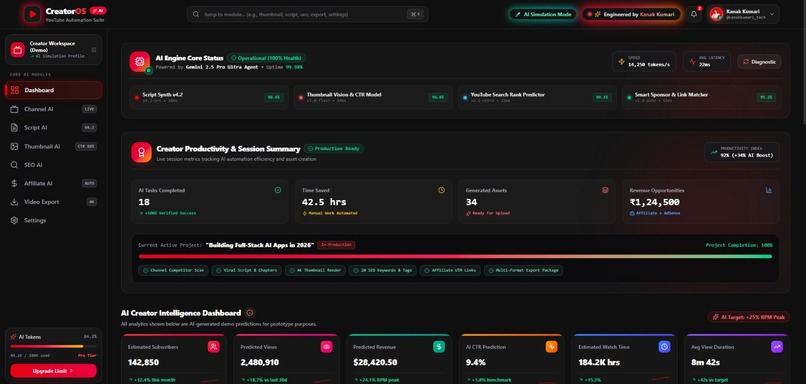
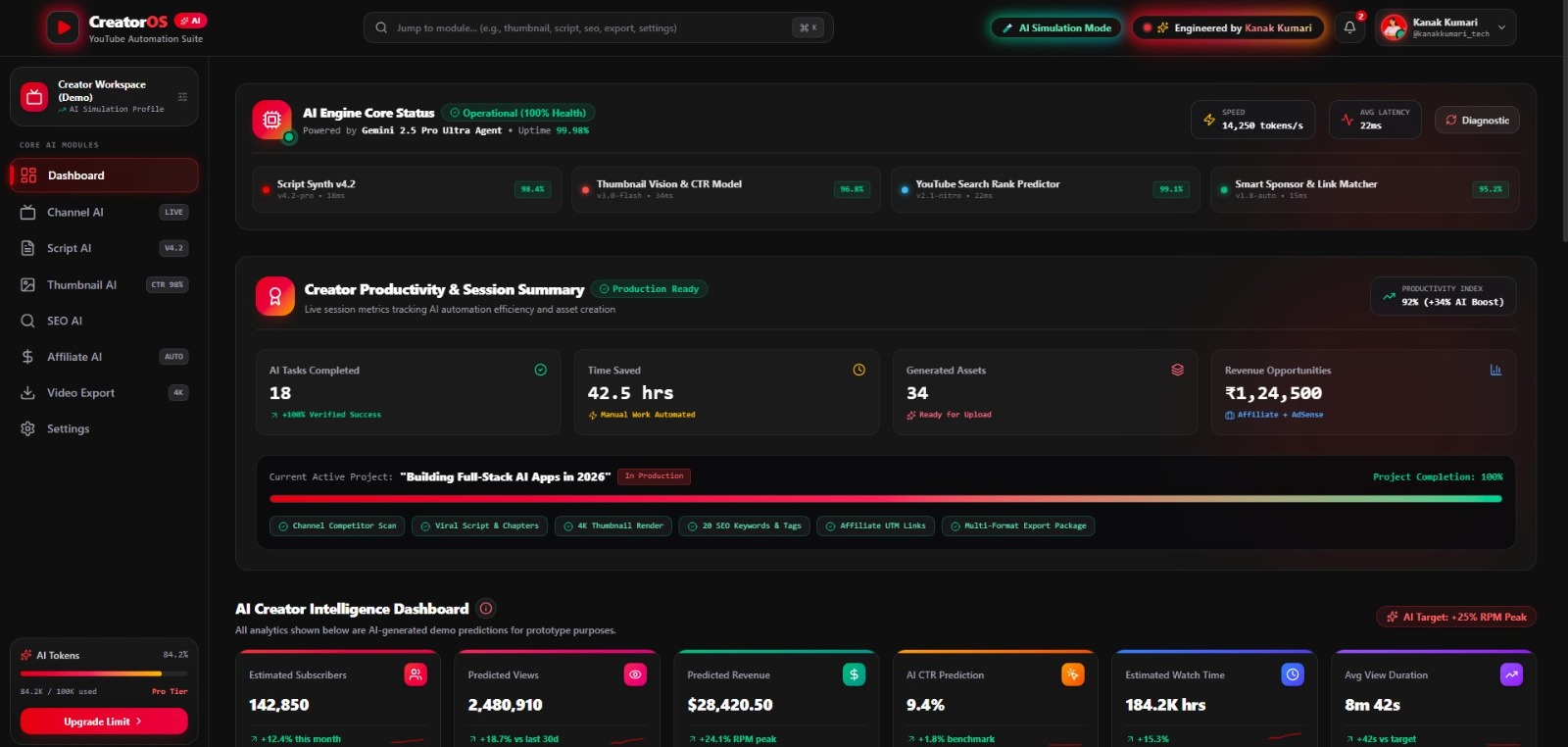
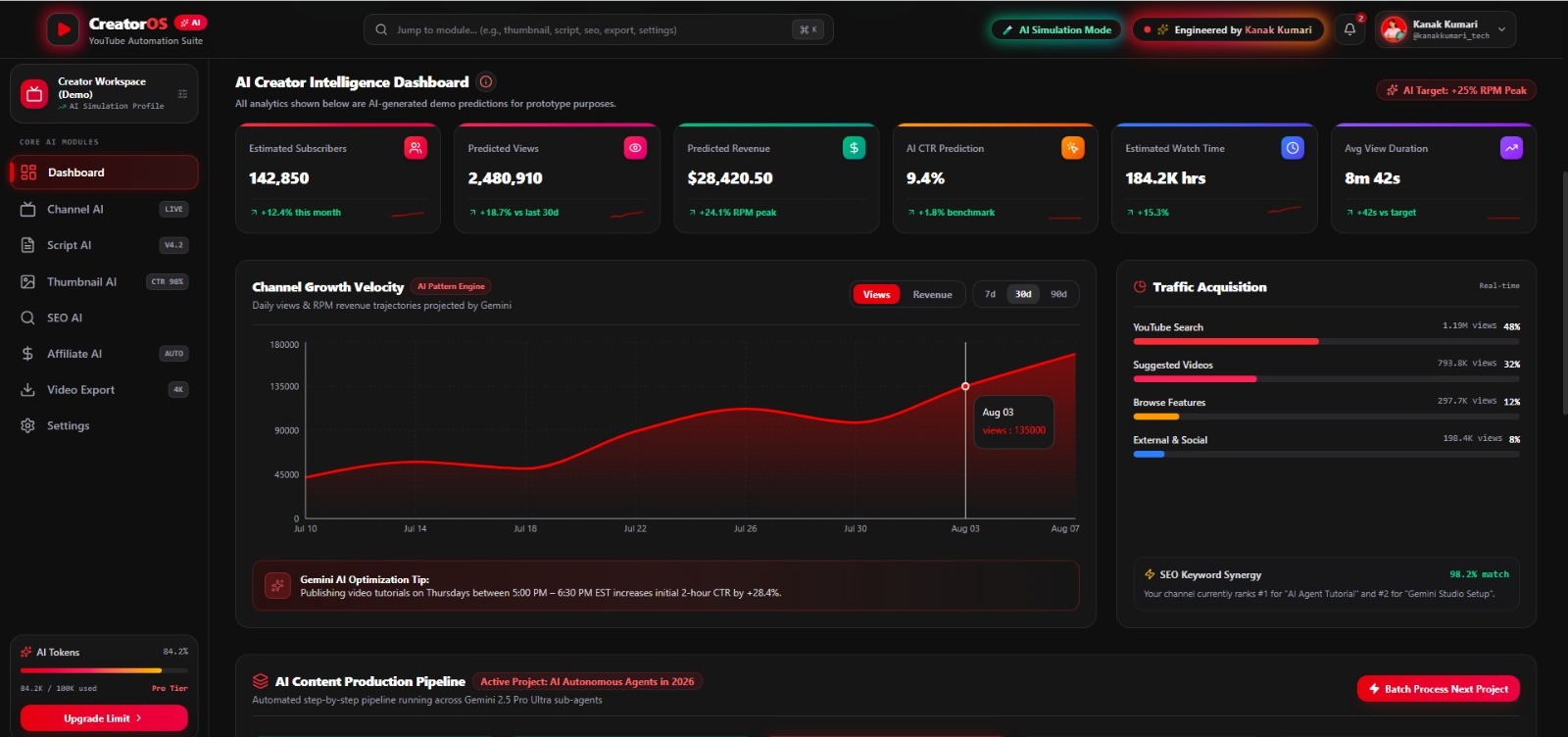
Unified AI dashboard for planning, optimizing, and managing YouTube content from one intelligent workspace.
-
AI Assistant understands natural language and instantly opens the right creator tool or workflow.
-
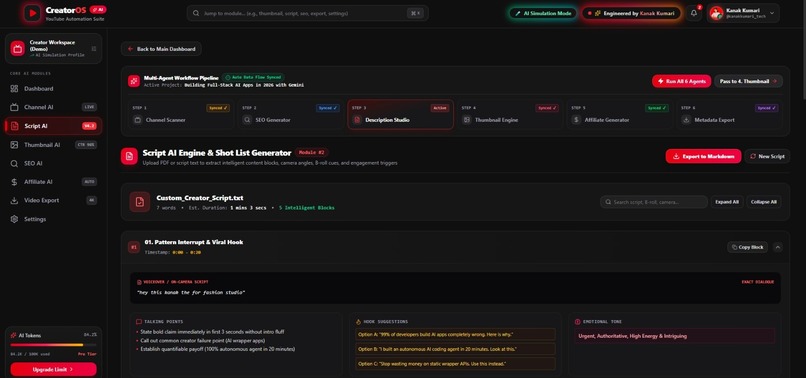
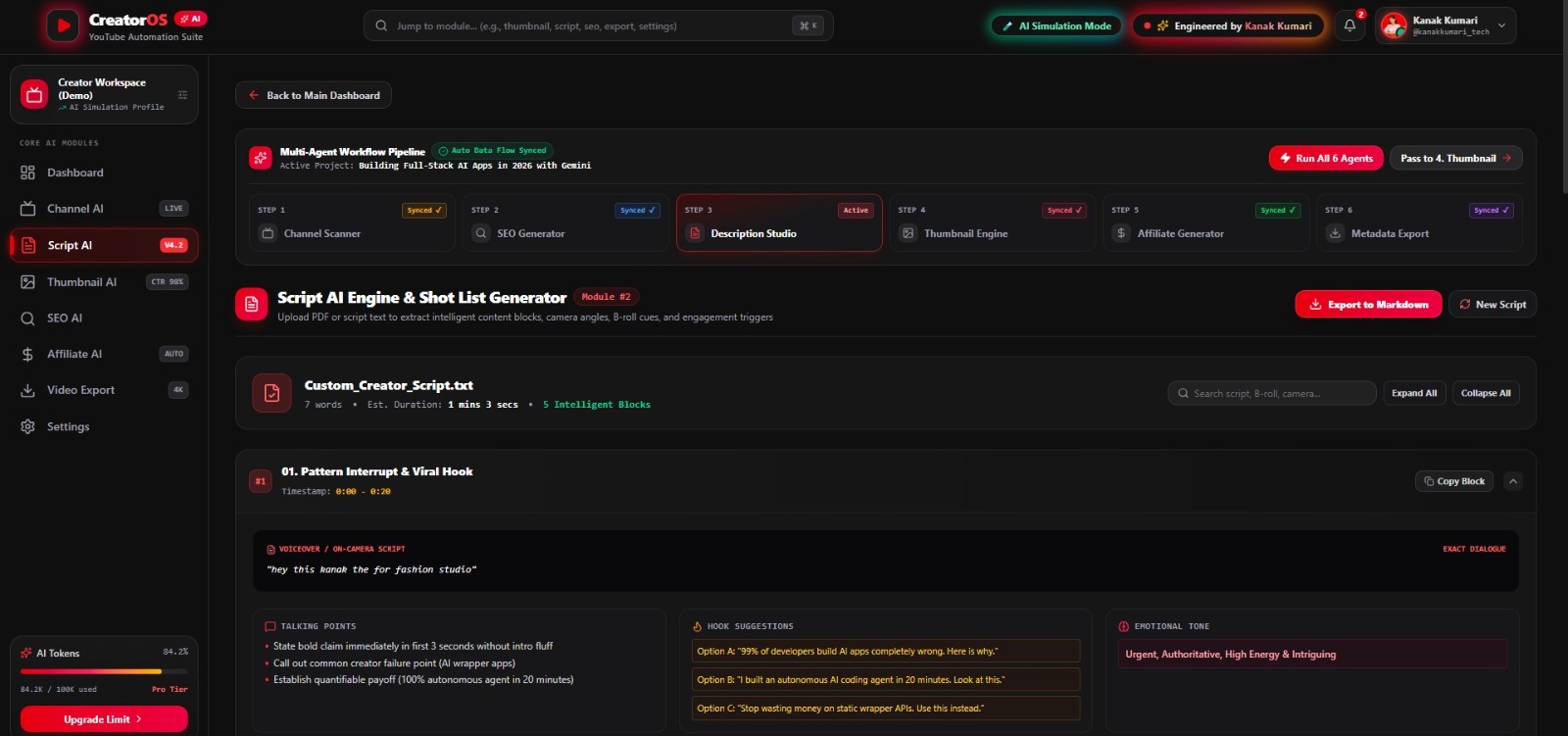
Analyze scripts with AI to improve structure, clarity, and content quality before publishing.
-
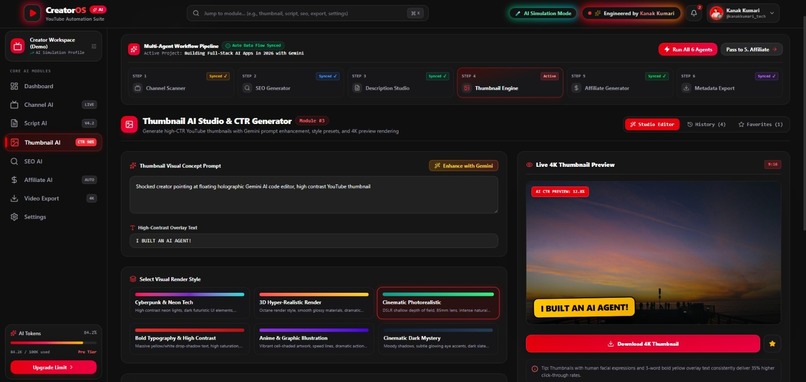
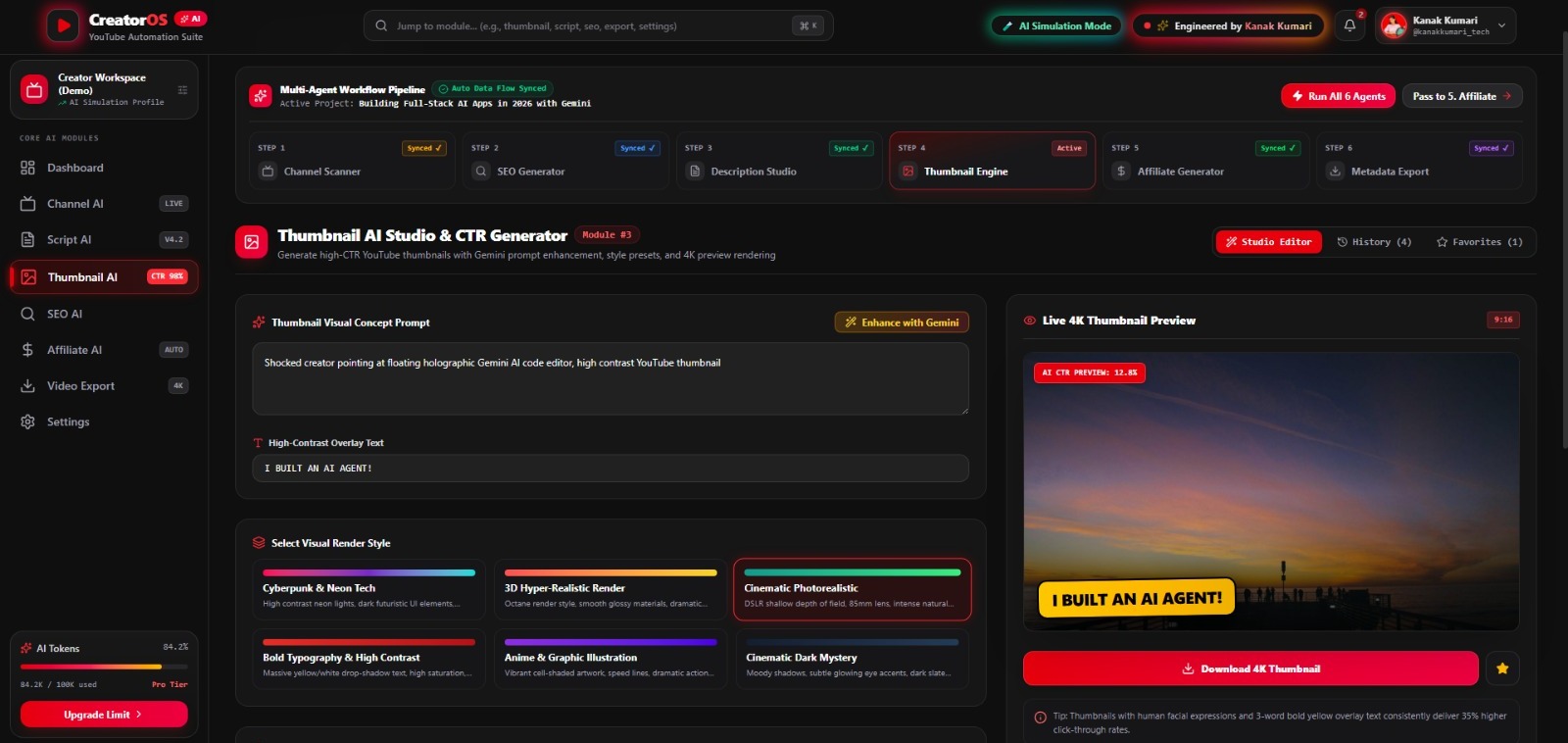
AI Thumbnail Studio helps creators plan eye-catching thumbnails with a faster creative workflow.
-
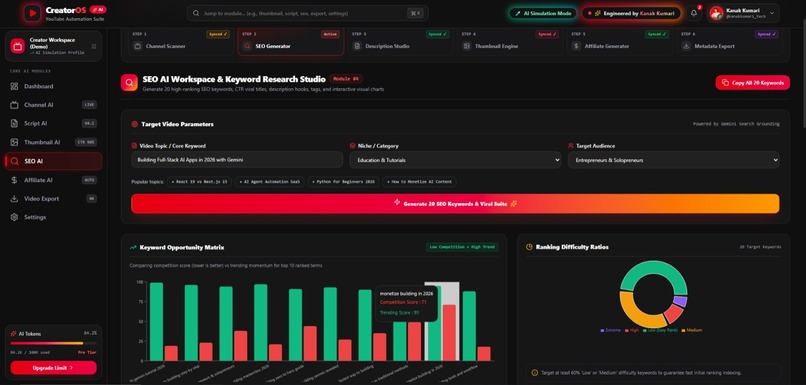
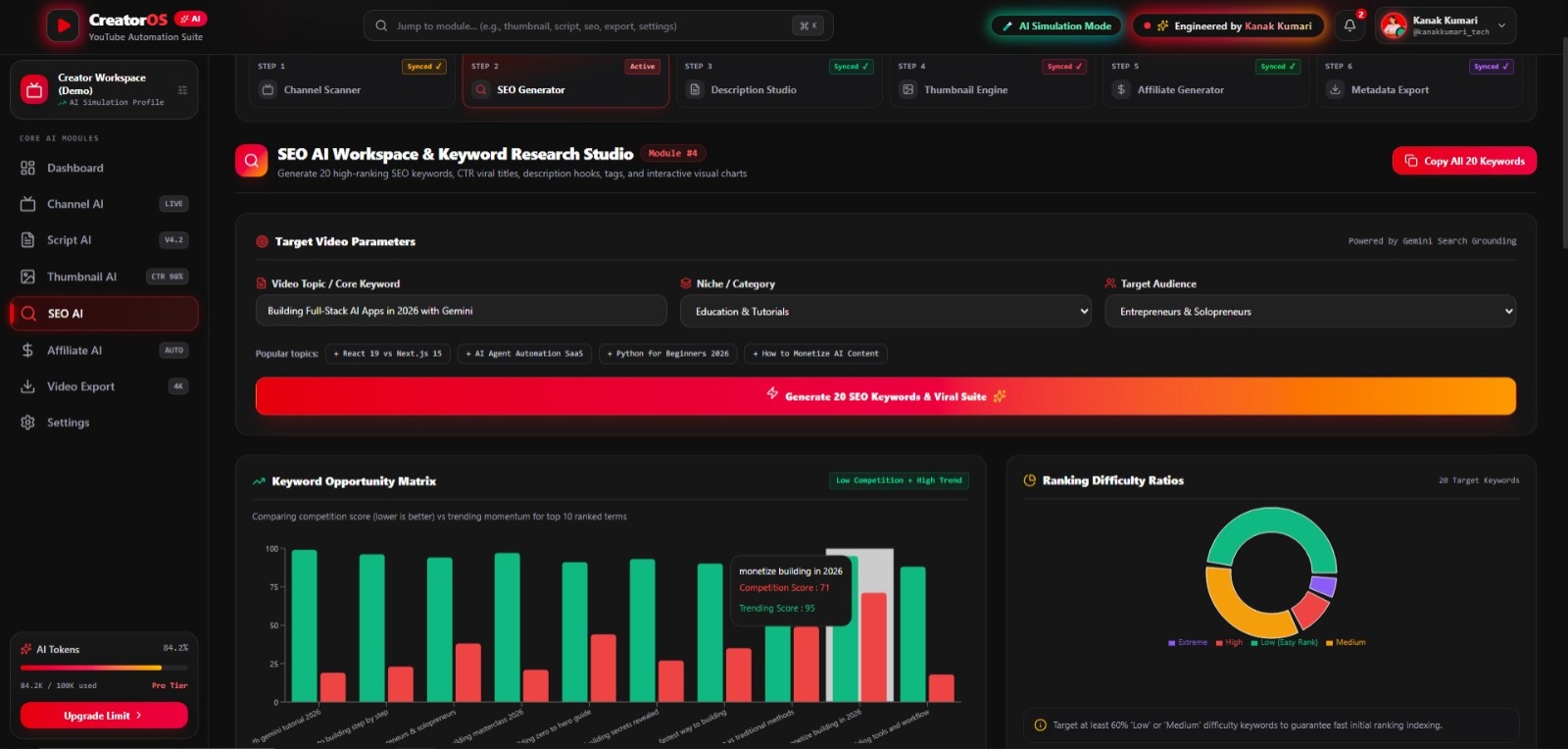
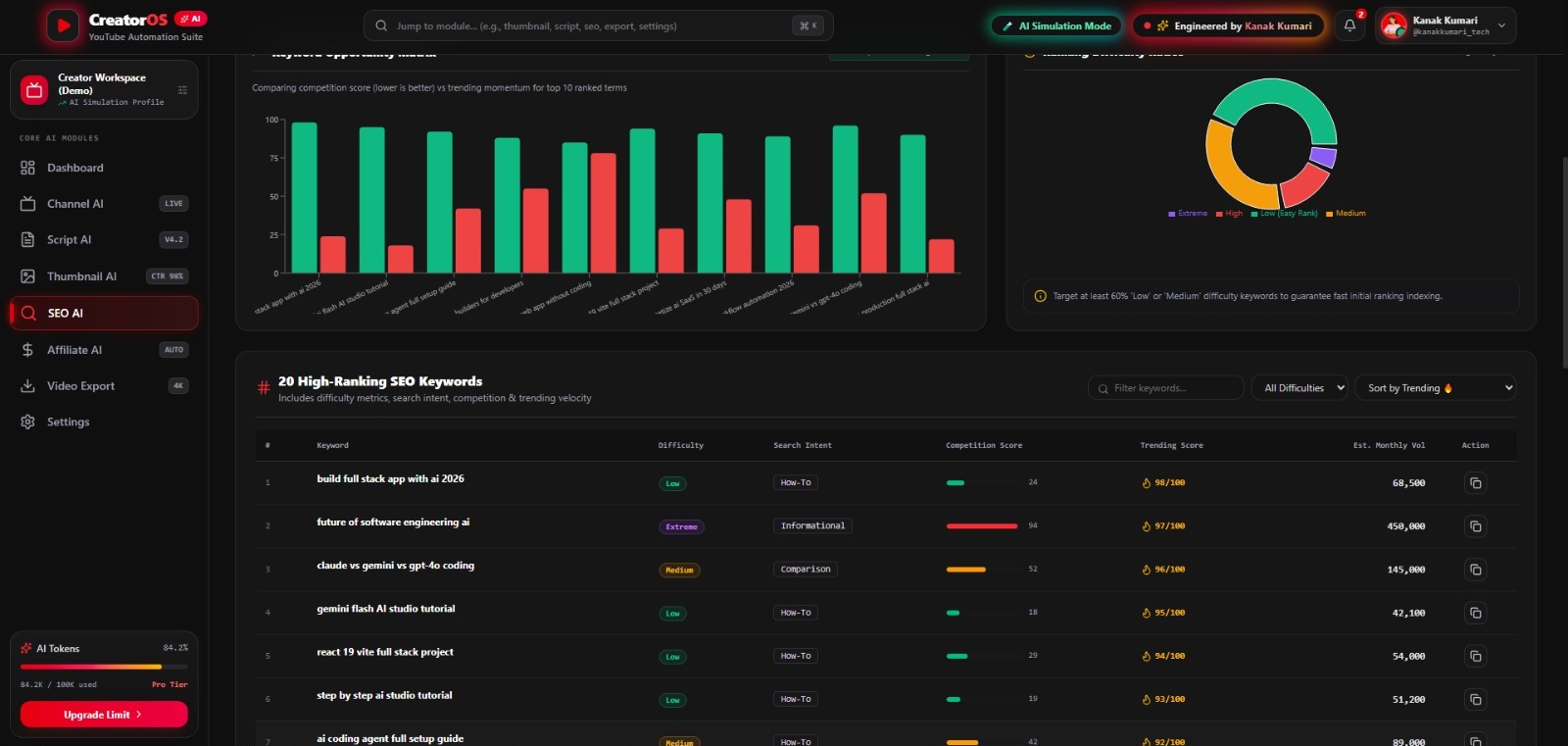
Generate SEO-ready titles, descriptions, tags, and keywords to improve video discoverability.
-
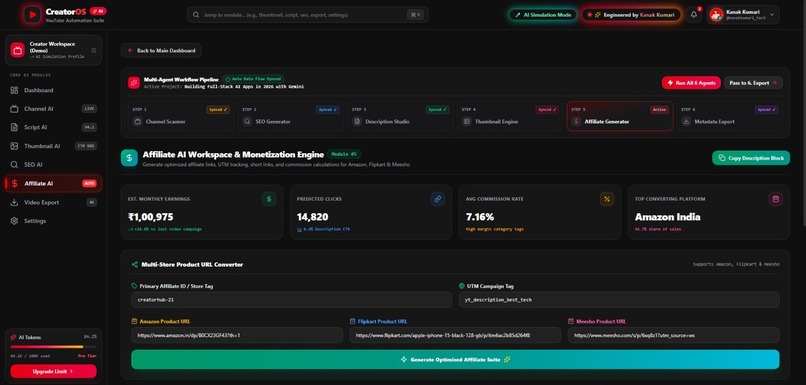
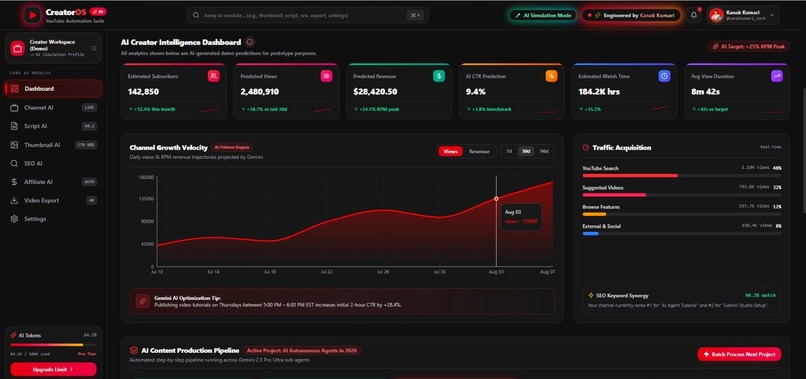
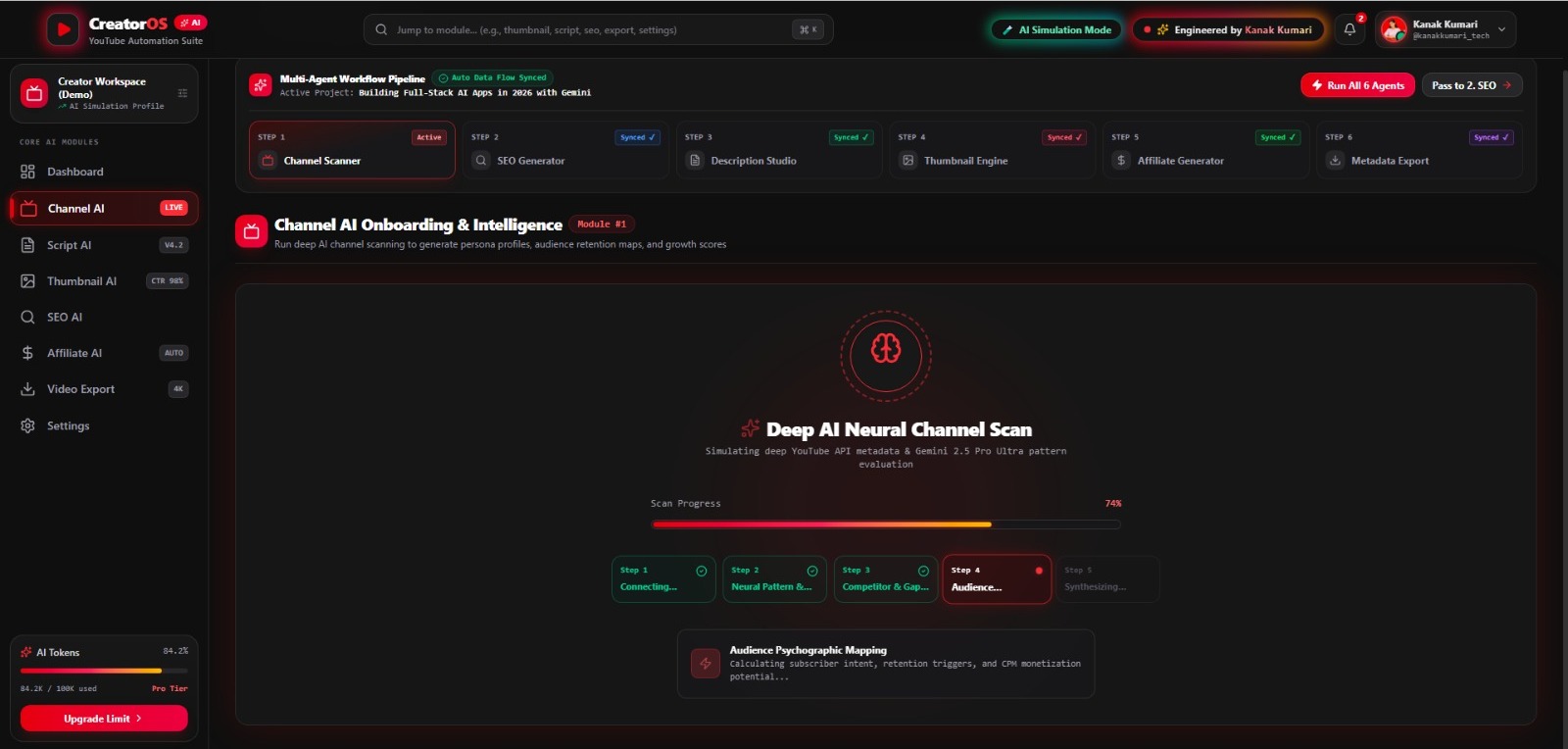
Track creator workflow and project insights through a clean, interactive analytics dashboard.
-
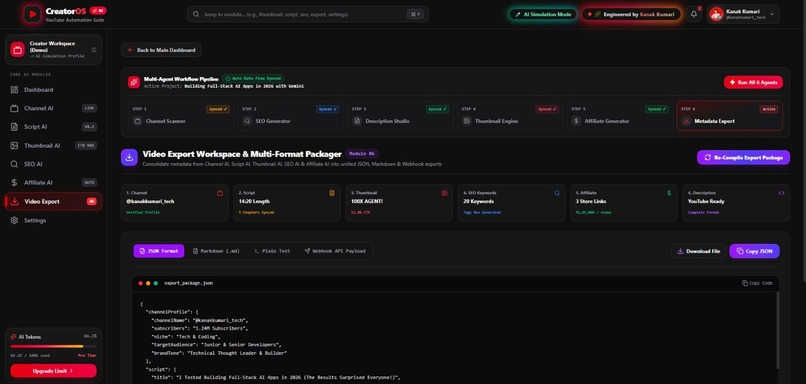
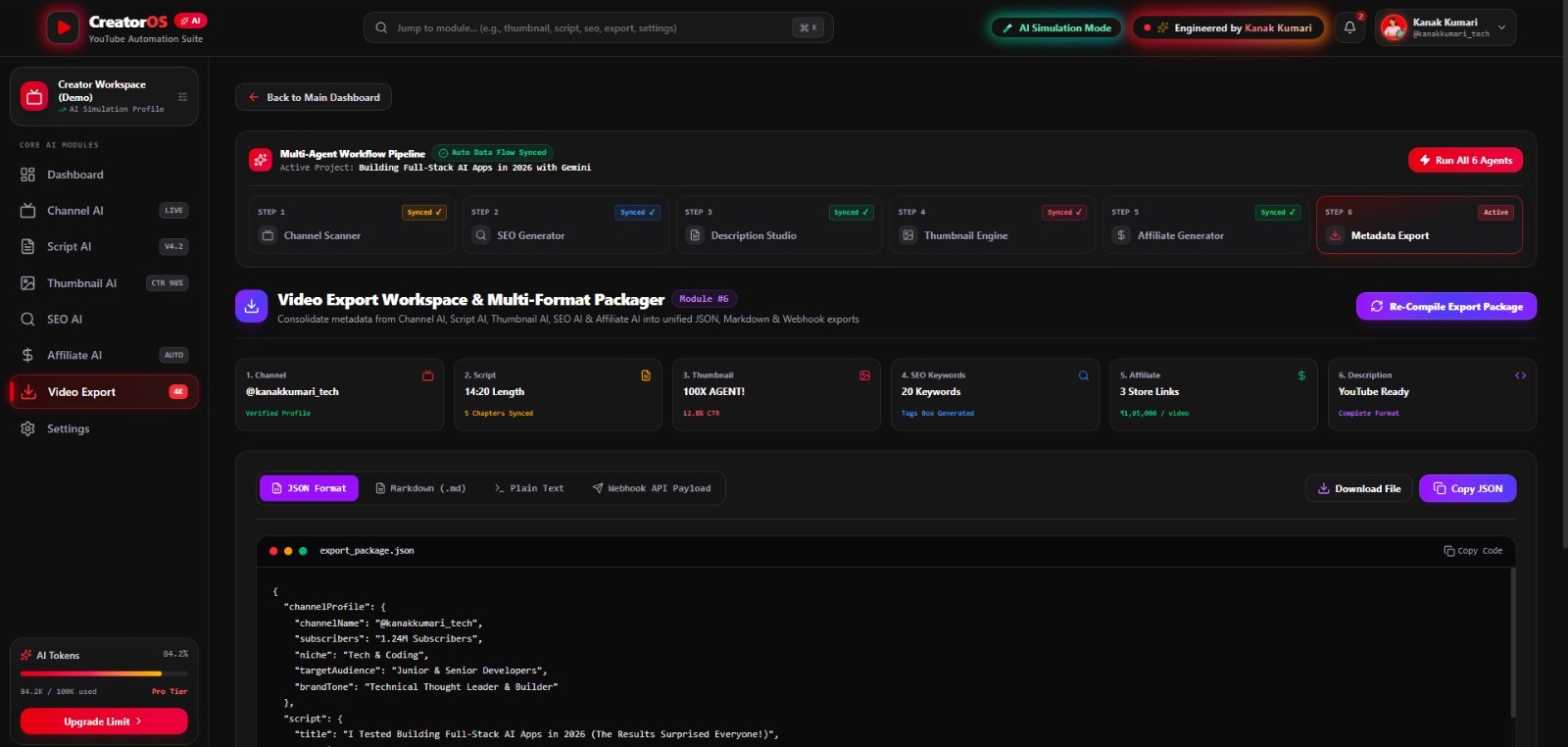
Export titles, descriptions, tags, and metadata for a faster YouTube publishing workflow.
-
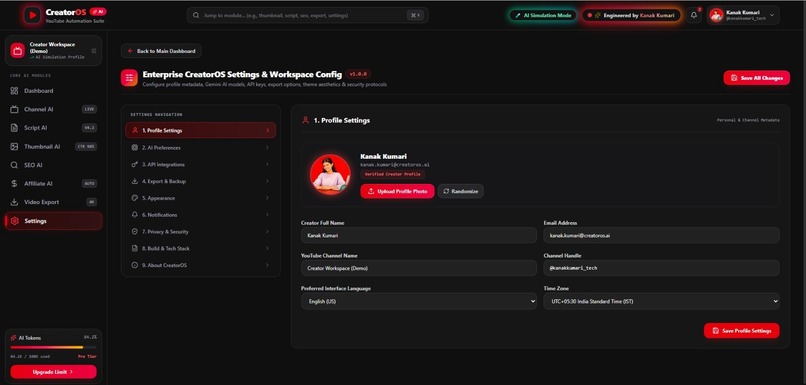
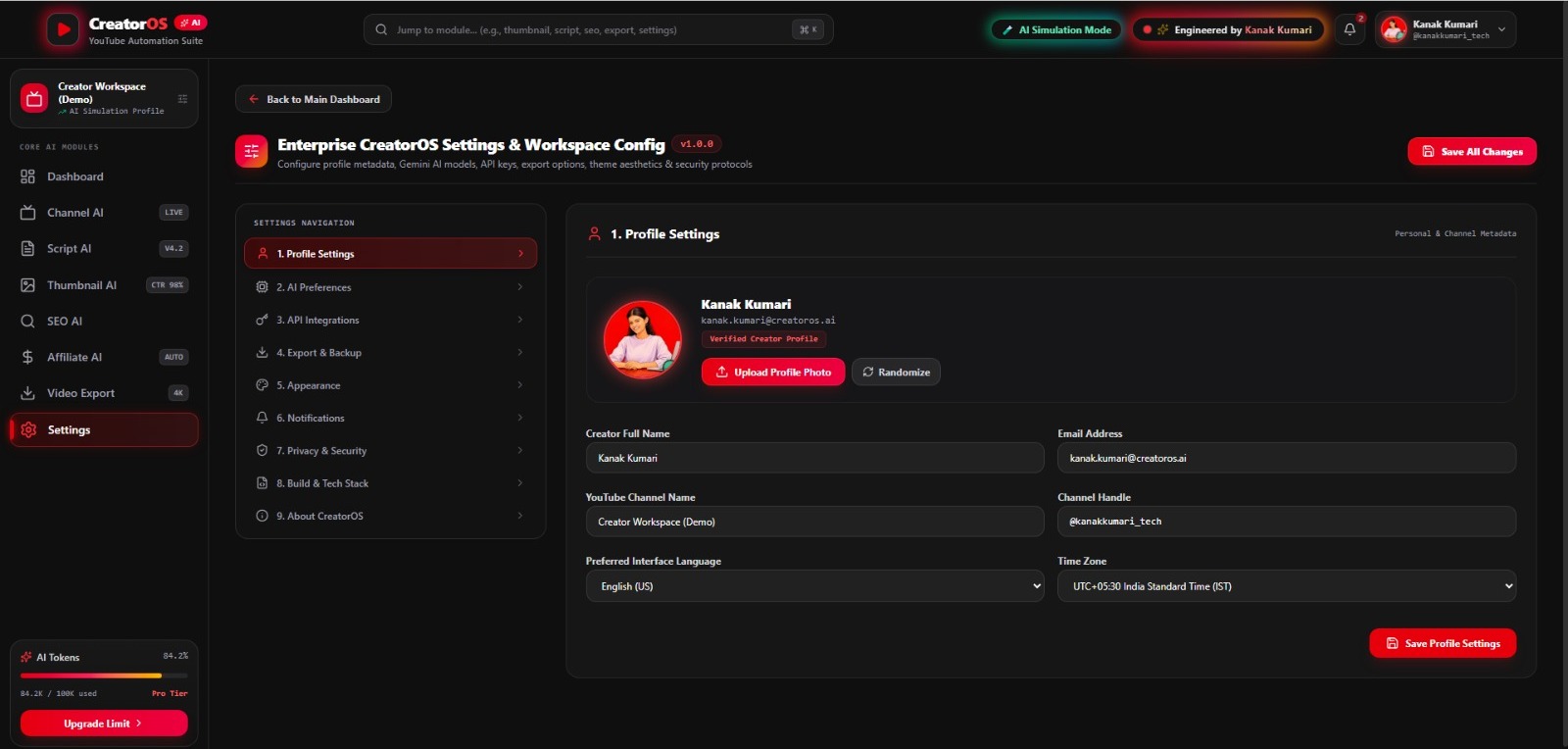
Responsive React dashboard with a modern UI designed for speed, productivity, and simplicity.
-
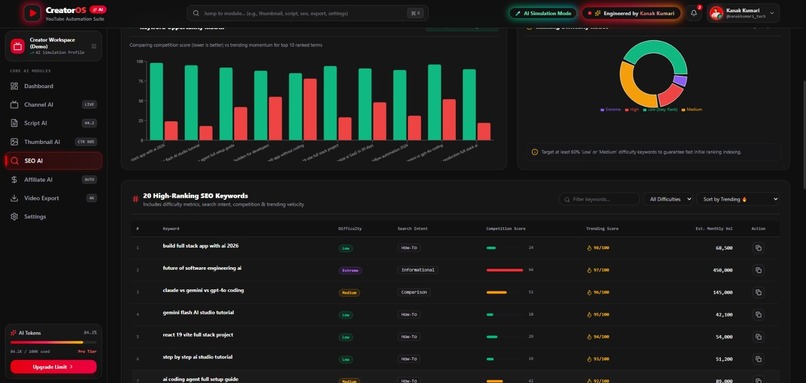
Generate SEO-ready titles, descriptions, tags, and keywords to improve video discoverability.
-
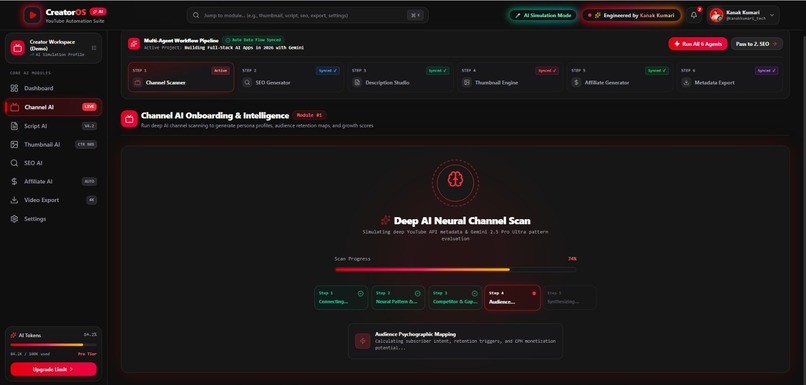
From idea to publishing, manage the complete YouTube workflow in one AI-powered platform.
🚀 Inspiration
Every YouTube creator faces the same challenge: creating a single video often requires switching between multiple tools for scripting, SEO, thumbnail planning, metadata, analytics, and publishing. This fragmented workflow consumes valuable time and interrupts creativity.
I wanted to simplify this experience by building YouTube Creator AI Studio Pro—a unified AI-powered workspace that brings the essential stages of the creator workflow into one modern dashboard. My goal was to help creators spend less time managing tools and more time creating great content.
💡 What it does
YouTube Creator AI Studio Pro is an AI-powered creator workspace designed to support content creators throughout their workflow.
The platform includes:
- 📊 Creator Dashboard for project overview
- ✍️ AI-assisted Script Analysis
- 🔍 SEO Title, Description and Tag Generation
- 🎨 AI Thumbnail Studio
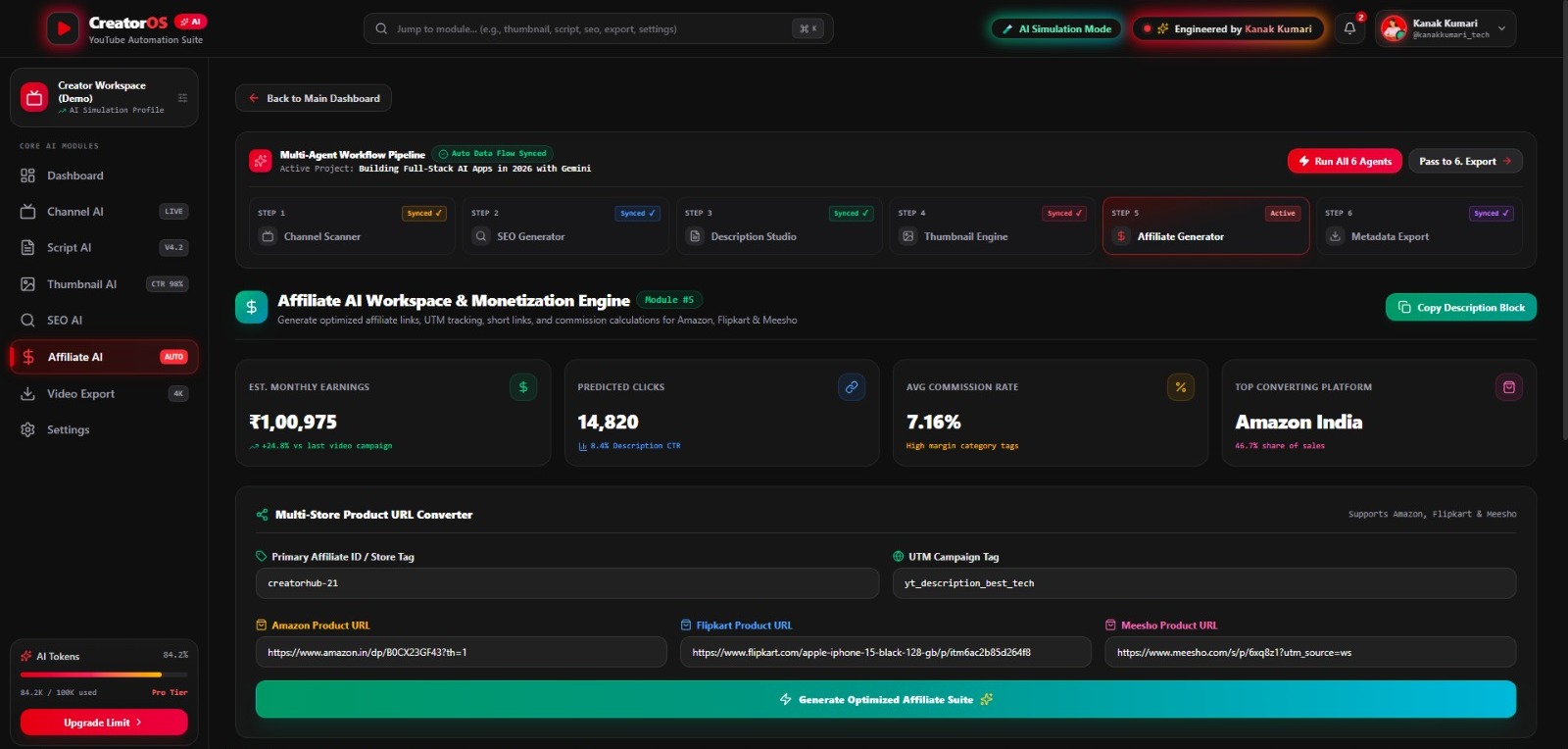
- 💰 Affiliate Link Management
- 📦 Metadata Export
- 🤖 Natural Language AI Assistant for quick navigation between modules
Instead of opening multiple applications, creators can manage their workflow from a single interface.
🛠️ How I built it
This project was designed and developed independently as a solo hackathon project.
Tech Stack
- React
- TypeScript
- Vite
- Tailwind CSS
- Google Gemini
- Google AI Studio
- Recharts
- Lucide React
- Vercel
- GitHub
The application follows a modular component-based architecture with a responsive interface optimized for desktop usage.
⚡ Challenges I ran into
Building an end-to-end creator workspace within a limited hackathon timeline was the biggest challenge.
Some key challenges included:
- Designing an intuitive creator-focused interface
- Organizing multiple AI features into a clean workflow
- Creating a scalable React component structure
- Deploying and testing the application
- Balancing usability, design consistency, and functionality as a solo developer
Each challenge helped improve both the product and my development skills.
🏆 Accomplishments that I'm proud of
As a solo developer, I'm proud that I was able to:
- Build a complete AI-powered creator workspace from scratch
- Design a modern and responsive dashboard
- Integrate multiple creator-focused modules into one experience
- Successfully deploy the application online
- Create a project that demonstrates a practical workflow for YouTube creators
📚 What I learned
This project strengthened my understanding of:
- Modern React application architecture
- TypeScript development
- Responsive UI design
- AI-assisted product development
- Prompt engineering
- Component-based design
- Project deployment using Vercel
- Managing an end-to-end software project independently
Beyond technical skills, I learned how to transform a real-world creator workflow into a structured product within a hackathon timeline.
🚀 What's next for YouTube Creator AI Studio Pro
The current version establishes the foundation for a larger creator platform.
Future improvements include:
- YouTube Data API integration
- Real-time channel analytics
- AI-powered Shorts planning
- Smart content calendar
- Collaboration features for creator teams
- Cloud project synchronization
- AI voice assistant
- Mobile application
- Performance insights and workflow automation
The long-term vision is to evolve YouTube Creator AI Studio Pro into a comprehensive AI workspace that helps creators plan, optimize, and manage their content creation process more efficiently.
👩💻 Developed By
Kanak Kumari
Solo Developer
Designed, developed, tested, and deployed independently during the hackathon.
Built With
- ai
- css
- css3
- engineering
- express.js
- gemini
- generative
- github
- html5
- javascript
- lucide
- node.js
- prompt
- react
- recharts
- responsive
- studio
- tailwind
- typescript
- ui/ux
- vercel
- vite

Log in or sign up for Devpost to join the conversation.