-
-
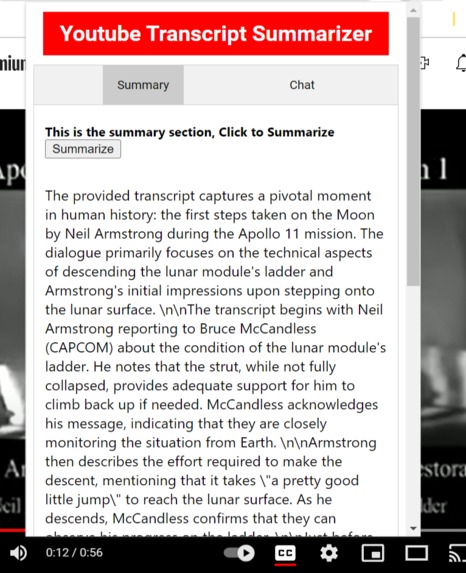
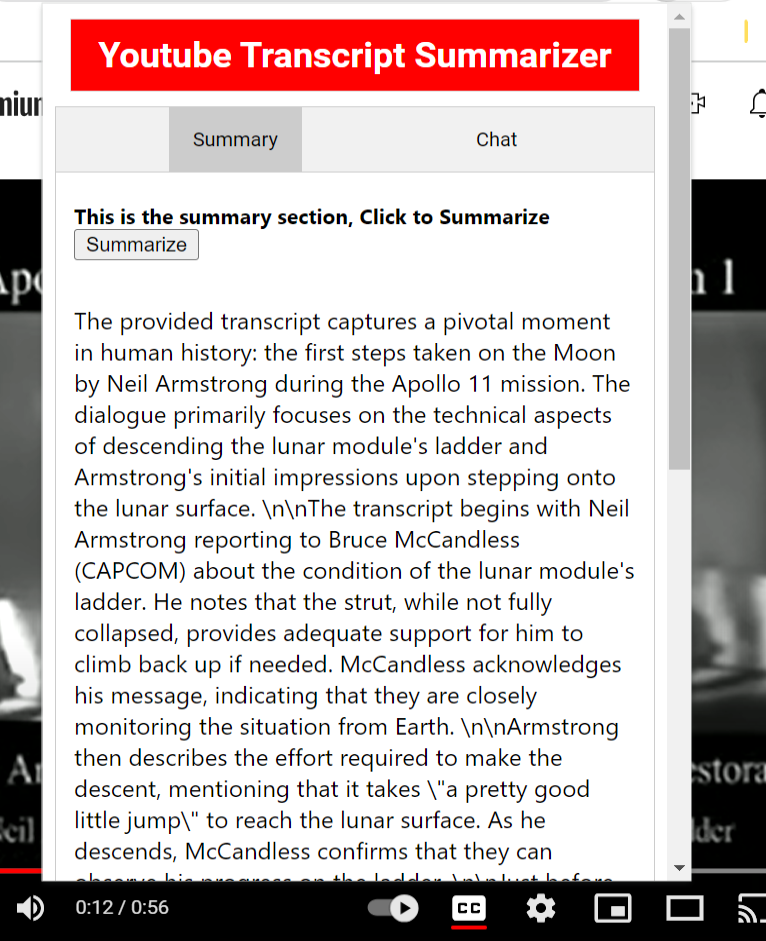
Here is the summary of the video made by Gemini.
-
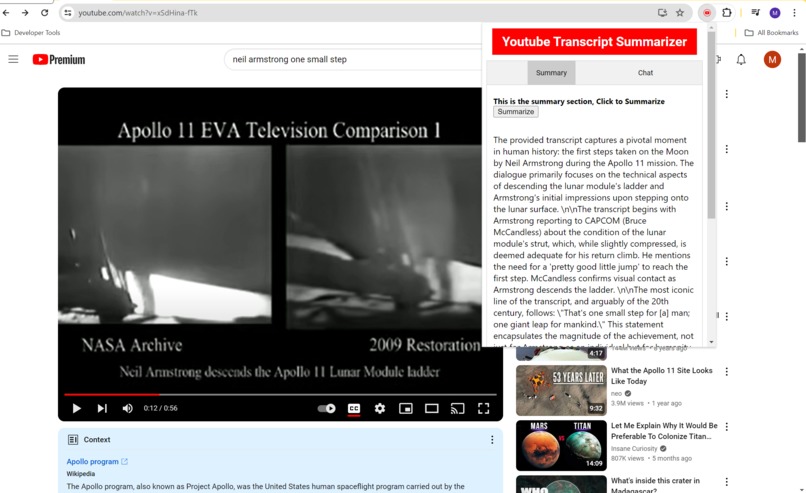
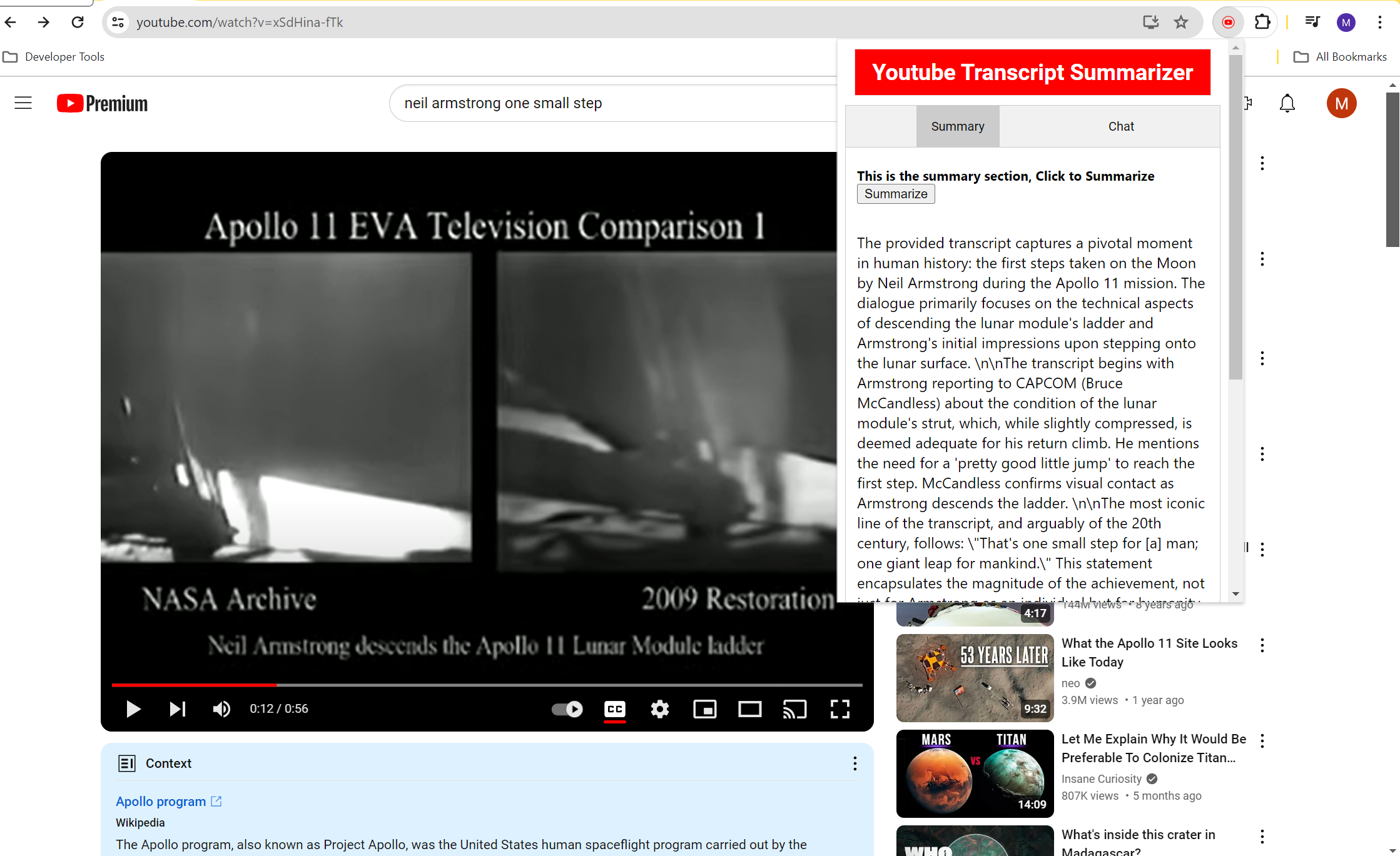
Screenshot with the Extension open and running Gemini on the backend to generate a summary of the video on the spot.
Inspiration
At Deloitte we have been challenged by our stakeholders to come up with use cases for many GenAI technologies. One of our members found out about this competition, so he brought it up to our GenAI community at Deloitte as an opportunity to test use cases. A few members liked the idea, so they decided to work together on it as a team personal challenge to produce GenAI use cases. The main challenge we wanted to solve in a use-case was the capability of using Gemini 1.5 as seamlessly as possible within other technologies at Google Suites. We all agreed that having to open Google AI Studio to ask for something happening on another tab on Chrome or another browser was just too cumbersome. Instead, we challenged ourselves to build a solution where the user wouldn't have to leave their current browser tab to interact with Gemini 1.5. We recognized YouTube’s already valuable functionality to its users, so we brainstormed how to take it to the next level with Gemini running on a Google Extension.
What it does
With one click on our extension solution, the user would be able to use Gemini right away without the need to take the extra step of visiting Google AI Studio or even know they were using Gemini. We moved from a two-step process solution to one. Given that YouTube already provides so much information on its videos, we wanted to integrate information that only Gemini could provide. This interaction would include video summarization, topic extraction, video sentiment analysis, and a Question & Answering interface. We built this in a compartmental fashion, designing every backend functionality individually, designing the UI, then stitching the front end and back end through API calls on GCP.
How we built it
The first step was scoping everyone's skills and time availability. Based on that scope, expectations were set, and tasks assigned to each member based on what was achievable. We brainstormed use-cases and voted for the best one. The YouTube Agent, a Google Chrome extension to interact with YouTube, was the winner use-case. We set 3 Sprints, 2 sprints of a weeklong each and the 3rd Sprint of 3 days long for submission work. We set one project lead, and one tech-lead to lead three separated teams, the Backend, the Fronted, and the DevOps teams. We created a spreadsheet to organize tasks and keep track of time, goals, and achievements. A Team’s group was also created for quick communication and data sharing. A github was created but we mostly used Vertex AI Workbench github integration. This was because most members were not familiar with Git programming software development, so JupyterLab makes it easier to people not familiar with Git to work together with others who are familiar with it. We set daily standups of 15 to 30 minutes every day of the week after working hours. Due to time constraints, if tasks or features were not completed at their respective deadlines they would be dropped from the solution.
Challenges we ran into
The biggest challenge was time constraint. We found out about this Hackathon on April 15th, so we had only 17 days (about 2 and a half weeks) to complete it. Second challenge was nobody had created a Google Extension, so three members were assigned learn and work on it. Third challenge was GCP configuration, credentials, and roles. Only one member knew well how to work on GCP, so that member had to constantly help others to teach them how everything worked on GCP. Because it was only person that took us more time to set things up to everyone than expected
Accomplishments that we're proud of
Completing this app in less than 3 weeks was something we were very proud of. Despite only one member being expert in GCP, other members learned it very fast. We completed 95% of the tasks and features we set up as goals to be accomplished in 2 weeks.
What we learned
We learned a lot about the capabilities and resources within GCP and Google APIs. Pulling a team to complete a GenAI project in less than 3 weeks was a huge management feat. We learned how to create Google Chrome extensions. We learned new prompts for sentiment analysis, topic modeling and summarization while using Google AI Studio. Honed our skills on Langchain. Gemini 1.5 was very efficient. Way more outstanding than Gemini 1.0.
What's next for YouTube Agent
We want to improve the UI since we didn't have many experts on Flask, JavaScript and React. We were able to create translation but did not have time to integrate to the extension. Add online search capability to it by integrating Gemini with Google Search, so users can take advantage of finding information from videos such as, showtimes from trailers, flights tickets for locations on videos with places, to name a few. Implement RAG to it. Create more prompts for specific insights from the YouTube videos. Improve our guardrails. Improvements to catching errors needs to be done as well. Chat history has not been set up by user yet because we did not have time to set up a Firestore database for it.
Built With
- ai-studio
- cloud-speech-api
- cloud-storage
- cloud-translation-api
- figma
- flask
- flask-database:-google-cloud-storage-apis:-youtube
- gemini-1.5
- generative-ai
- javascript
- langchain
- natural-language-api
- python
- vertex-ai
- youtube-transcript-api

Log in or sign up for Devpost to join the conversation.