-
-

YourThumb Logo
-

Thumbnail by YourThumb
-

Thumbnail by YourThumb
-

Thumbnail by YourThumb
-

Thumbnail by YourThumb
-

Thumbnail by YourThumb
-
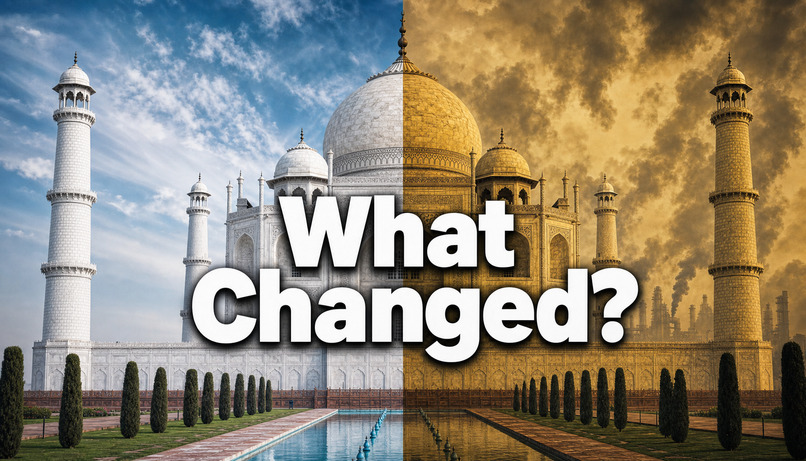
Thumbnail by YourThumb







Inspiration
My journey with YourThumb started when I began creating YouTube thumbnails for clients. The surprising part? I didn't even know how to use Photoshop.
Yet, I was earning nearly $20 for a single thumbnail because creators weren't just paying for an image. They were paying for an idea, a compelling visual story, and a thumbnail that made people curious enough to click.
That experience made me realize something: if I could learn to create valuable thumbnails without mastering complicated design software, why should professional-looking thumbnail creation be inaccessible to everyone else?
Small and growing YouTubers often cannot afford a dedicated designer for every video. Existing AI image generators offer a tempting alternative, but they often behave like a prompt box: describe something, generate an image, and hope it looks right. They don't necessarily help creators think through the hook, composition, visual proof, or story behind a successful thumbnail.
I wanted to bridge that gap. Not by building another AI image generator, but by creating an AI-powered thumbnail studio that feels more like working with a creative designer.
What it does
YourThumb turns thumbnail creation into a guided creative process.
Instead of jumping straight from a text prompt to an image, it follows a simple principle: decide first, render second.
Creators can start in three ways:
- Copycat: Rebuild the layout and visual structure of a reference thumbnail around their own story.
- Frame-Based: Start with a real frame from their video.
- Asset-Based: Build a concept from a blank canvas using their own assets and references.
YourThumb uses AI to plan the thumbnail before generating the final image. It develops the hook, visual direction, composition, and title options, then gives the creator a chance to review and refine the concept before spending a rendering credit.
Once the direction feels right, the creator can generate the thumbnail, continue editing through Canva integration, and make supported text changes without restarting the entire creative process.
The goal is to make thumbnail creation feel less like prompting a machine and more like collaborating with a designer.
How we built it
We built YourThumb as a web-based SaaS platform using Next.js, React, and TypeScript, with Supabase supporting data storage and application state.
OpenAI models power the concept-planning and image-generation stages. Rather than treating generation as one step, we separate creative planning from rendering so that users can evaluate the idea before committing to the final image.
Because image generation can take longer than a normal web request, the rendering workflow uses background processing through GitHub Actions. Generated images are stored in Supabase Storage, while Supabase Realtime helps communicate job status updates to the browser.
The product also incorporates account access, credit-based usage, payment integrations, and a Canva workflow so that thumbnail creation fits into how creators already work.
Challenges we faced
One of the biggest challenges was making AI generation feel like a deliberate creative process rather than a slot machine.
A technically impressive image isn't necessarily a good thumbnail. The image needs a clear story, strong visual hierarchy, an understandable hook, and a composition that works at small sizes. We therefore focused on planning and human approval before rendering.
Another challenge was handling long-running image-generation jobs. We needed a way to process jobs outside a normal request-response cycle, track their status, and account for failures without leaving users uncertain about their credits or results.
We also had to think beyond generation itself. Authentication, payment verification, credit accounting, editing, and the overall user experience all matter when turning an AI capability into a useful product.
What we learned
Building YourThumb reinforced a lesson I first learned while working with thumbnail clients: the value isn't simply in producing an image. It's in making the right creative decisions.
AI can make powerful creative tools accessible, but the experience matters. Users need direction, control, useful feedback, and the ability to refine an idea before committing time or money.
We also learned that building a SaaS product involves much more than getting a model to generate something impressive. Reliability, state management, failure handling, cost control, and usability are essential parts of the product.
Most importantly, my experience as a thumbnail creator shaped the product itself. I wanted to bring the thinking behind professional thumbnail design to creators who don't have the budget to hire a designer for every upload.
What's next
We want to make YourThumb an increasingly capable creative partner for YouTube creators: one that understands the story behind a video, helps explore stronger visual directions, and makes it easier to move from an idea to a finished thumbnail.
Our long-term vision is simple: professional thumbnail thinking should not be limited to creators who can afford a professional designer.
YourThumb is not just about generating an image. It's about making better creative decisions accessible to everyone. Decide first. Render second.
Built With
- actions
- api
- canva
- github
- gpt
- gpt-4o
- next.js
- openai
- paypal
- razorpay
- react
- saas
- supabase
- typescript
- vercel
- youtube

Log in or sign up for Devpost to join the conversation.