-
-
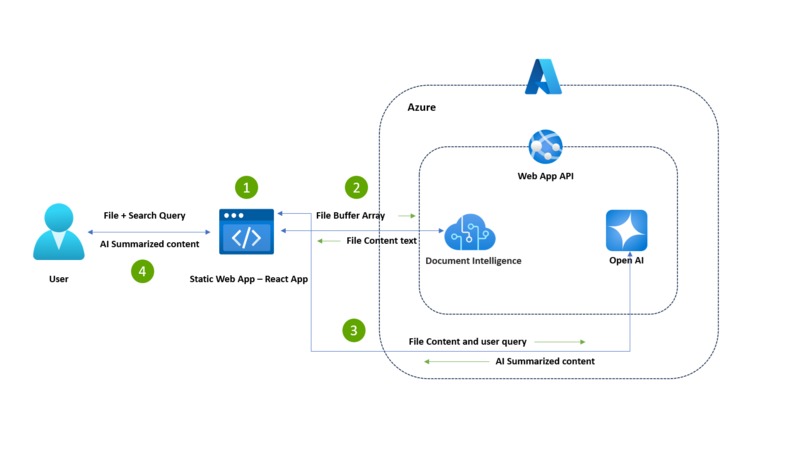
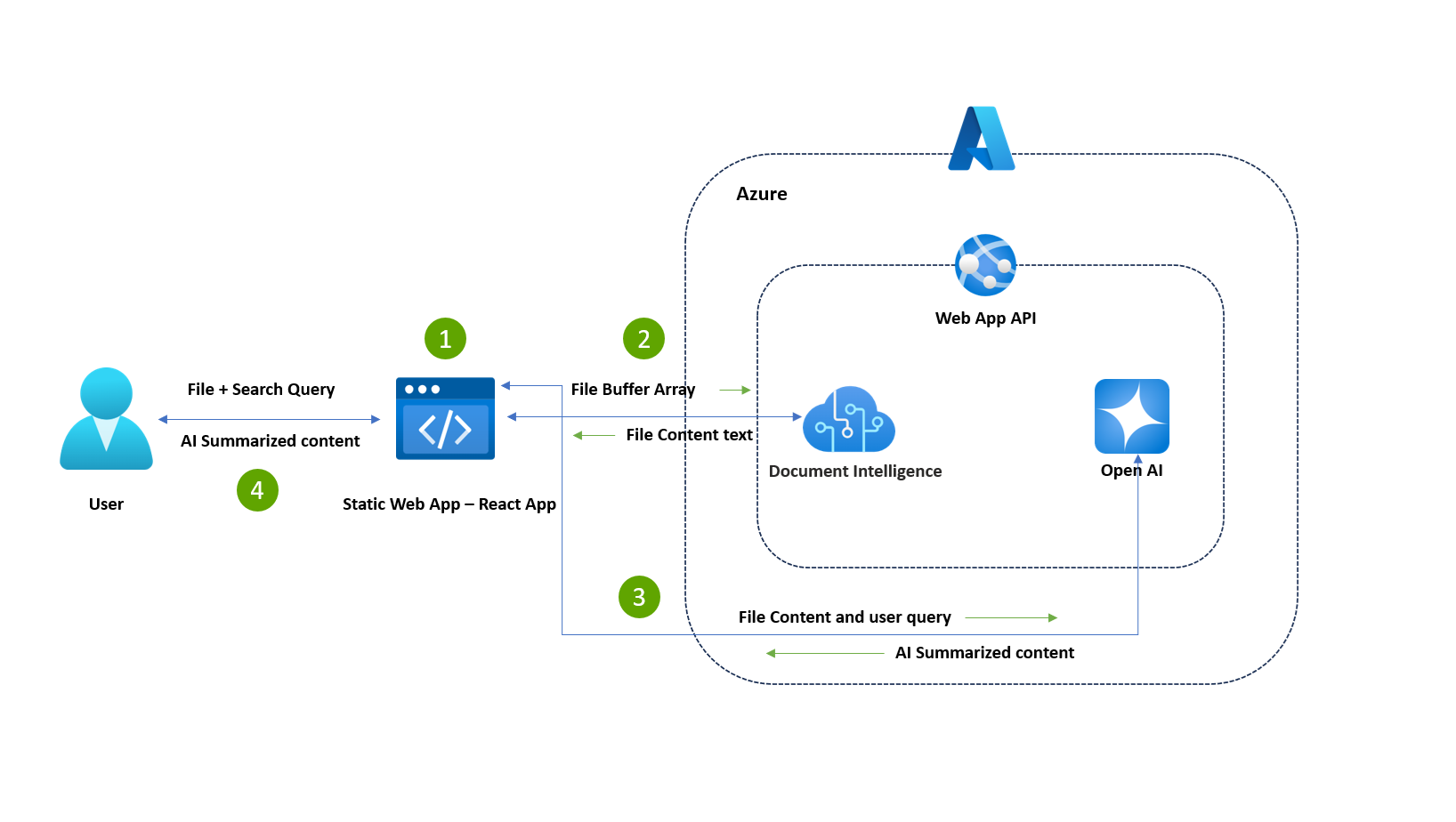
Architecture Diagram
-
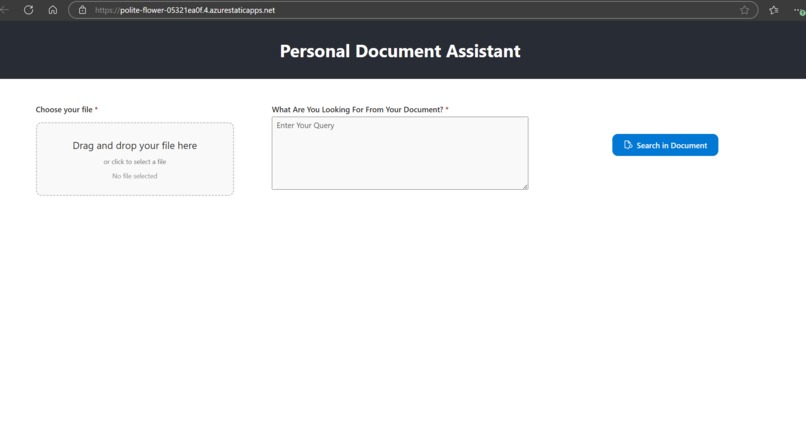
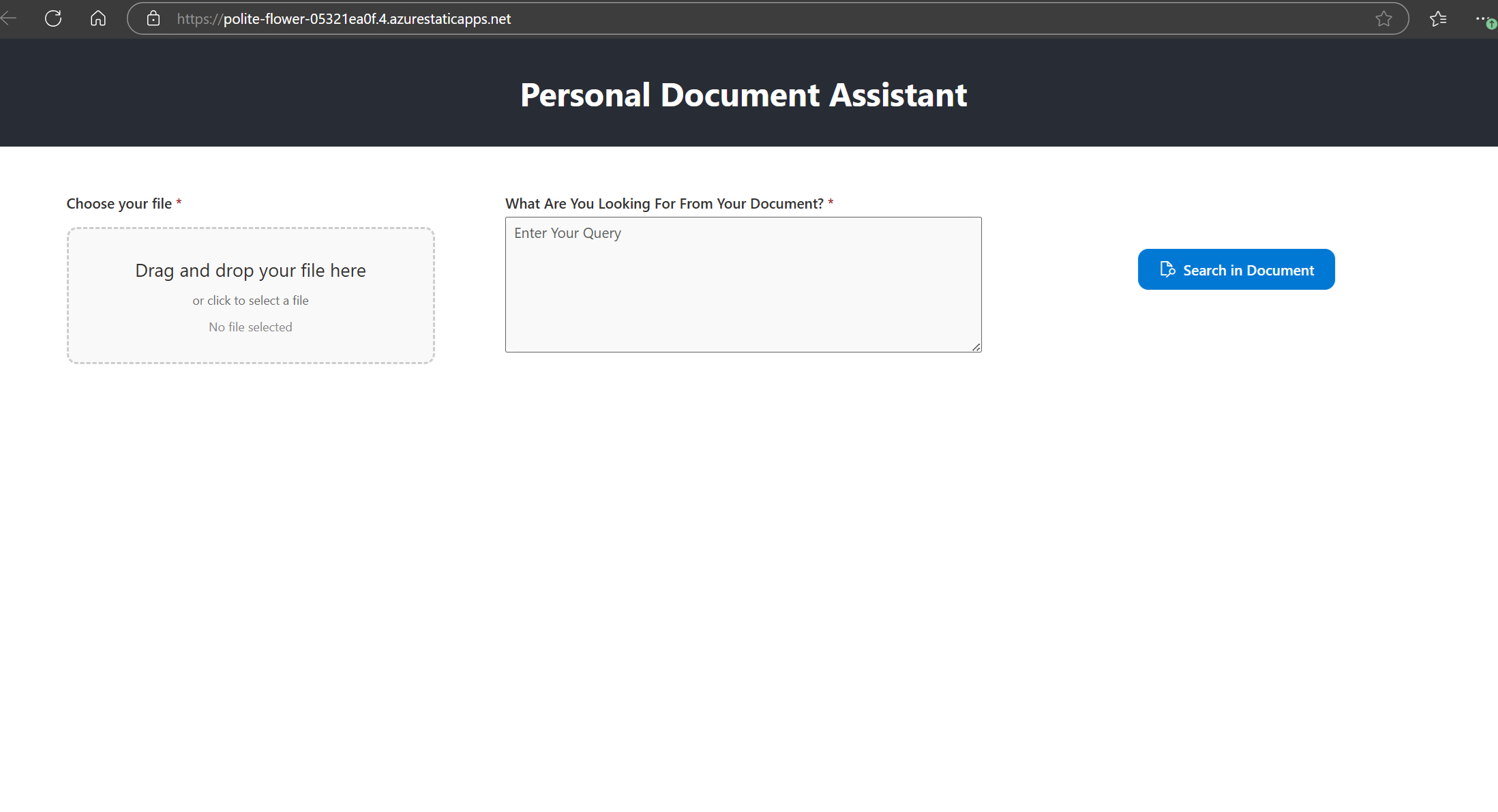
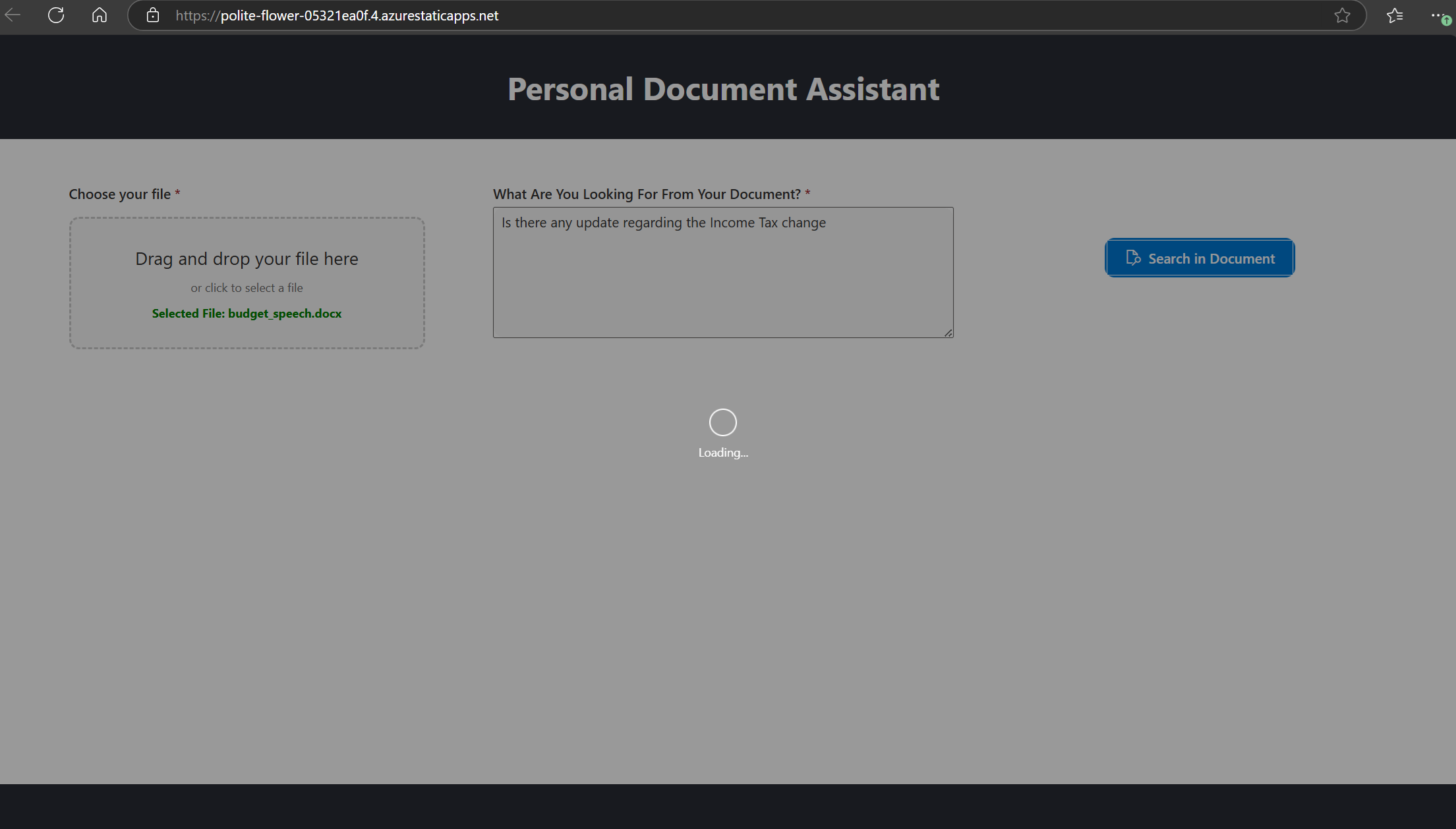
This is the landing page
-
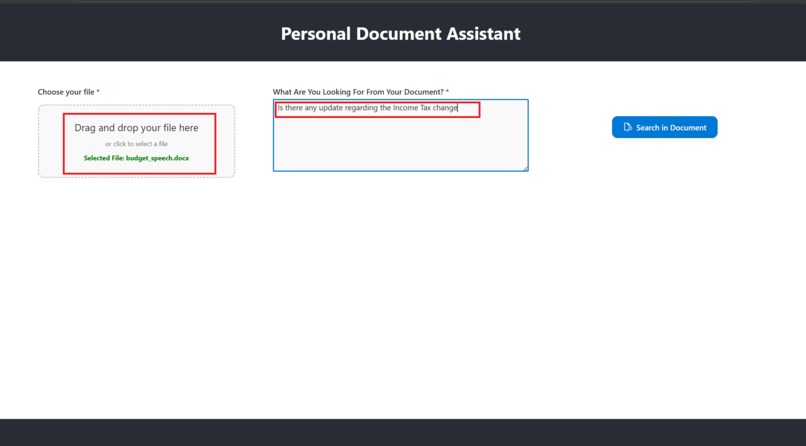
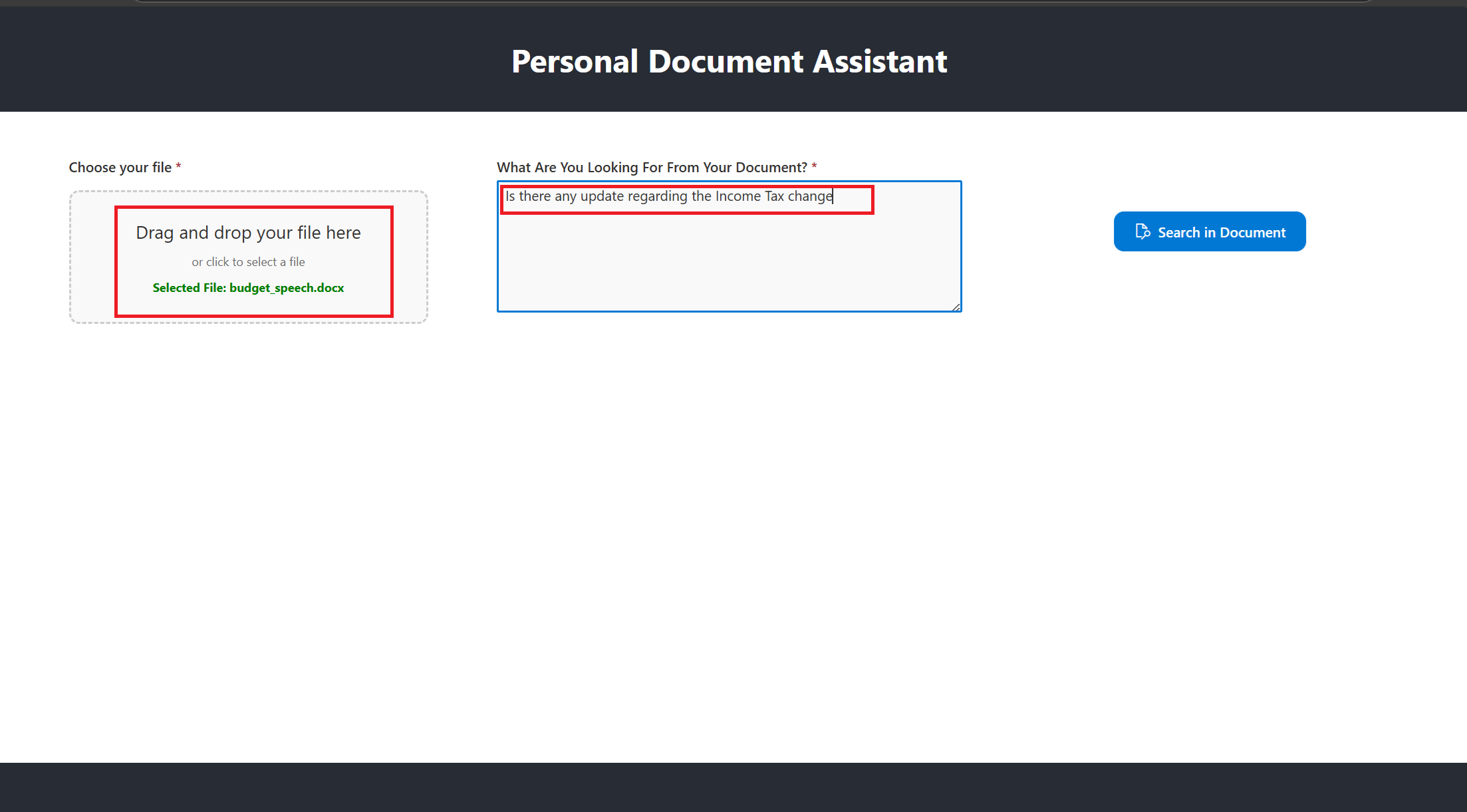
Select the file and enter your search query for the document
-
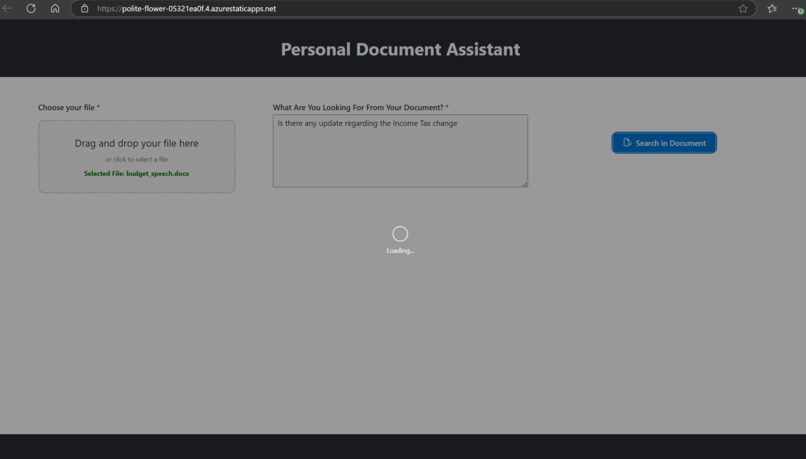
Click on the Search Button
-
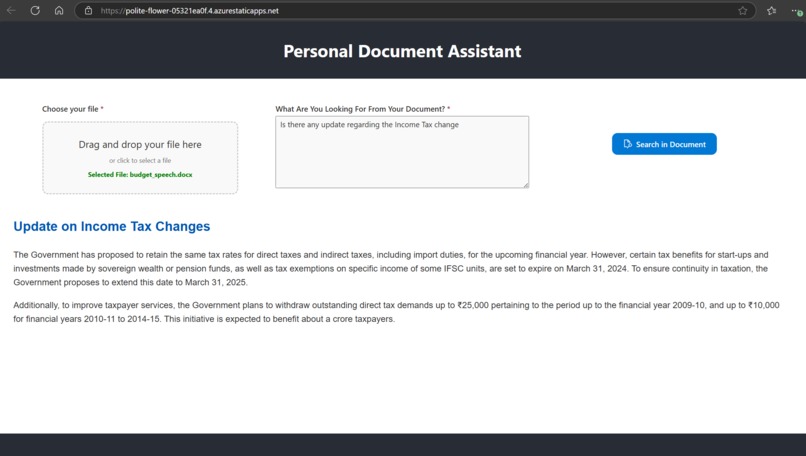
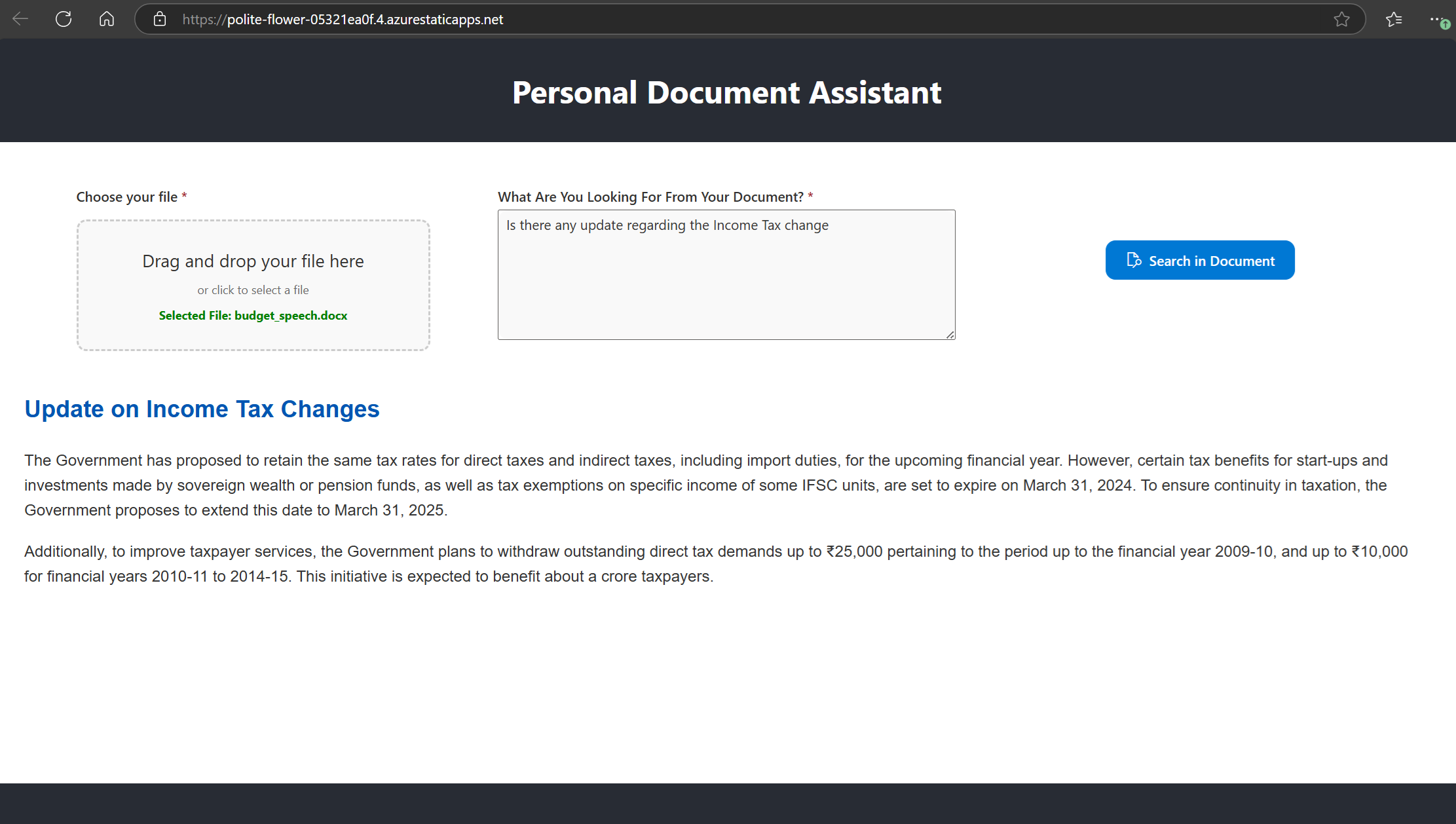
The app fetch the relevant information from the document content based on the user query.
Inspiration
The inspiration for this project stems from the growing need to quickly and efficiently extract information from a variety of documents while ensuring data privacy and security. Many professionals and organizations struggle with processing large volumes of files, whether for research, compliance, or business needs. By leveraging Azure OpenAI and Document Intelligence Studio, this project aims to create a personal document assistant that empowers users to find exactly what they need—quickly, accurately, and securely.
What it does
Your Personal Document Assistant allows users to:
- Upload documents (Word, Excel, PDF, text, PPT) up to 8MB in size.
- Ask specific queries about the document's content.
- Process the uploaded file in real-time, extracting meaningful information using Azure AI Document Intelligence Studio.
- Provide concise, AI-powered summaries of the query-matched content using Azure OpenAI.
The application ensures no data storage during processing, maintaining privacy and security.
How we built it
This project is built using:
Frontend
- React.js: Hosted on Azure Static Web App, it provides the user interface for file uploads, query inputs, and displaying results.
- UI Libraries: Fluent UI React for intuitive and user-friendly design components.
Backend
- ASP.NET Core API: Hosted on Azure Web App, it serves as the intermediary for backend logic.
- Accepts file buffers and queries from the frontend.
- Uses Document Intelligence Studio for extracting file content.
- Sends the extracted content and query to Azure OpenAI for summarization.
Cloud Services
- Azure AI Document Intelligence Studio: Processes documents to extract meaningful content (e.g., text, tables, etc.).
- Azure OpenAI: Provides intelligent query matching and summary generation.
Challenges we ran into
- Text Extraction : Ensuring accurate content extraction from different file formats.
- API Communication : Handling file buffers and large text efficiently between React and the Azure Function.
- OpenAI Query Processing : Tuning the model to understand the user query and provide relevant responses while minimizing irrelevant data.
- User Experience : Designing an intuitive interface for non-technical users.
- Cost Optimization: Managing API costs for Azure OpenAI and Document Intelligence Studio while maintaining scalability.
Accomplishments that we're proud of
- Successfully integrating Azure AI services to process files and generate high-quality summaries.
- Building a seamless and responsive React frontend with an intuitive user experience.
- Ensuring data privacy and compliance by processing files entirely in-memory without any storage.
- Overcoming challenges with large file processing to maintain a smooth workflow for end-users.
What we learned
- Deep Integration of Azure Services: Learned how to effectively use Azure OpenAI and Document Intelligence Studio for real-world applications.
- Optimizing API Calls: Improved understanding of batching, caching, and API optimization to reduce latency and costs.
- User-Centric Design: Realized the importance of intuitive interfaces and clear feedback for enhancing user satisfaction.
- Scalability: Developed strategies for scaling applications using Azure Static Web Apps and Azure Web App.
- Efficient Coding with GitHub Copilot:
- Learned to utilize GitHub Copilot in VS Code to deliver high-quality code quickly and efficiently.
- GitHub Copilot provided intelligent code suggestions, including boilerplate code, API integration snippets, and syntax corrections.
- The ability to auto-complete complex logic reduced development time significantly.
- Used its natural language comments-to-code feature to transform plain English explanations into functional code.
- Enhanced debugging and code reviews by leveraging Copilot’s context-aware suggestions for optimal coding practices.
- Its seamless integration with VS Code made it easier to navigate files, test code in real time, and improve overall productivity.
What's next for Your Personal Document Assistant
- Multi-Language Support: Enable document processing and querying in multiple languages.
- Collaboration Features: Allow multiple users to interact with the same document in real-time.


Log in or sign up for Devpost to join the conversation.