-
-
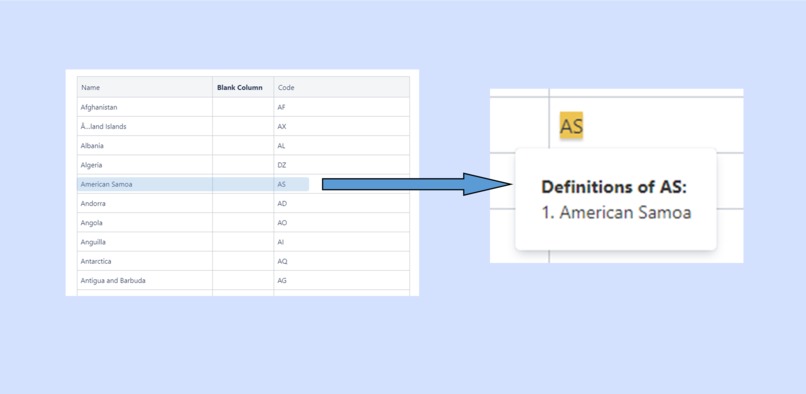
Definitions come from your existing pages
-
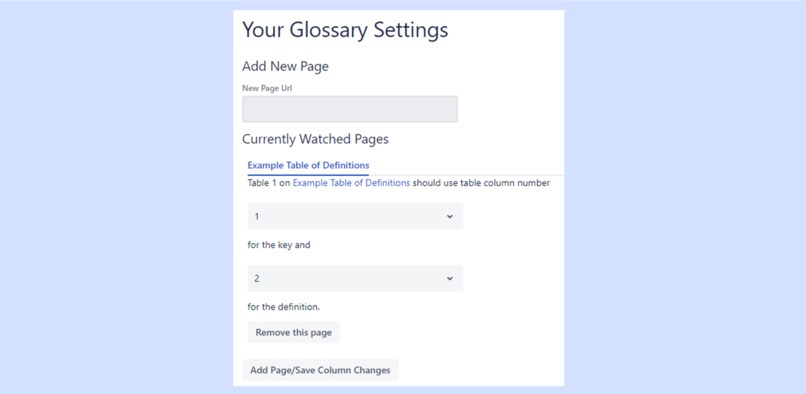
Easily configure where definitions come from
-
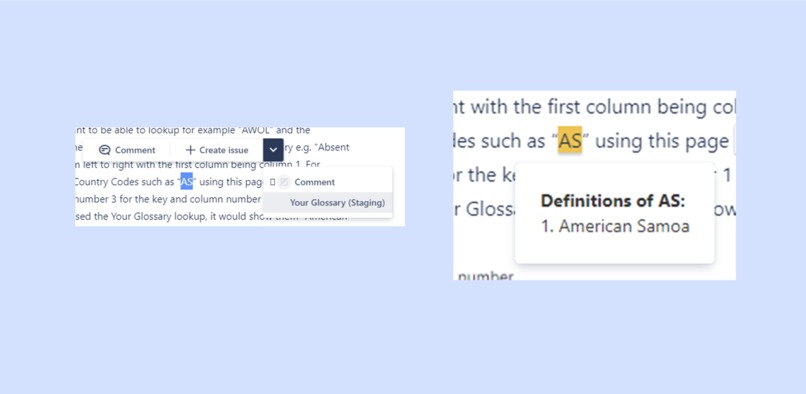
Look up definitions on any Confluence page
Inspiration
I recently moved to a new company in a different industry and when reading the internal Confluence wiki, I found many acronyms and phrases which were new to me. Fortunately the new company did have definitions for most of these but they were spread across many different tables on many different Confluence pages. Finding the definition of any term involved opening multiple wiki pages and manually searching each one. What I really wanted to be able to do was lookup the acronyms and terms directly in the Confluence page I was reading so I didn't have to navigate anywhere else and lose my flow. When reading through the different Forge UI kit components, I realised that the ContextMenu element would let me do exactly that.
What it does
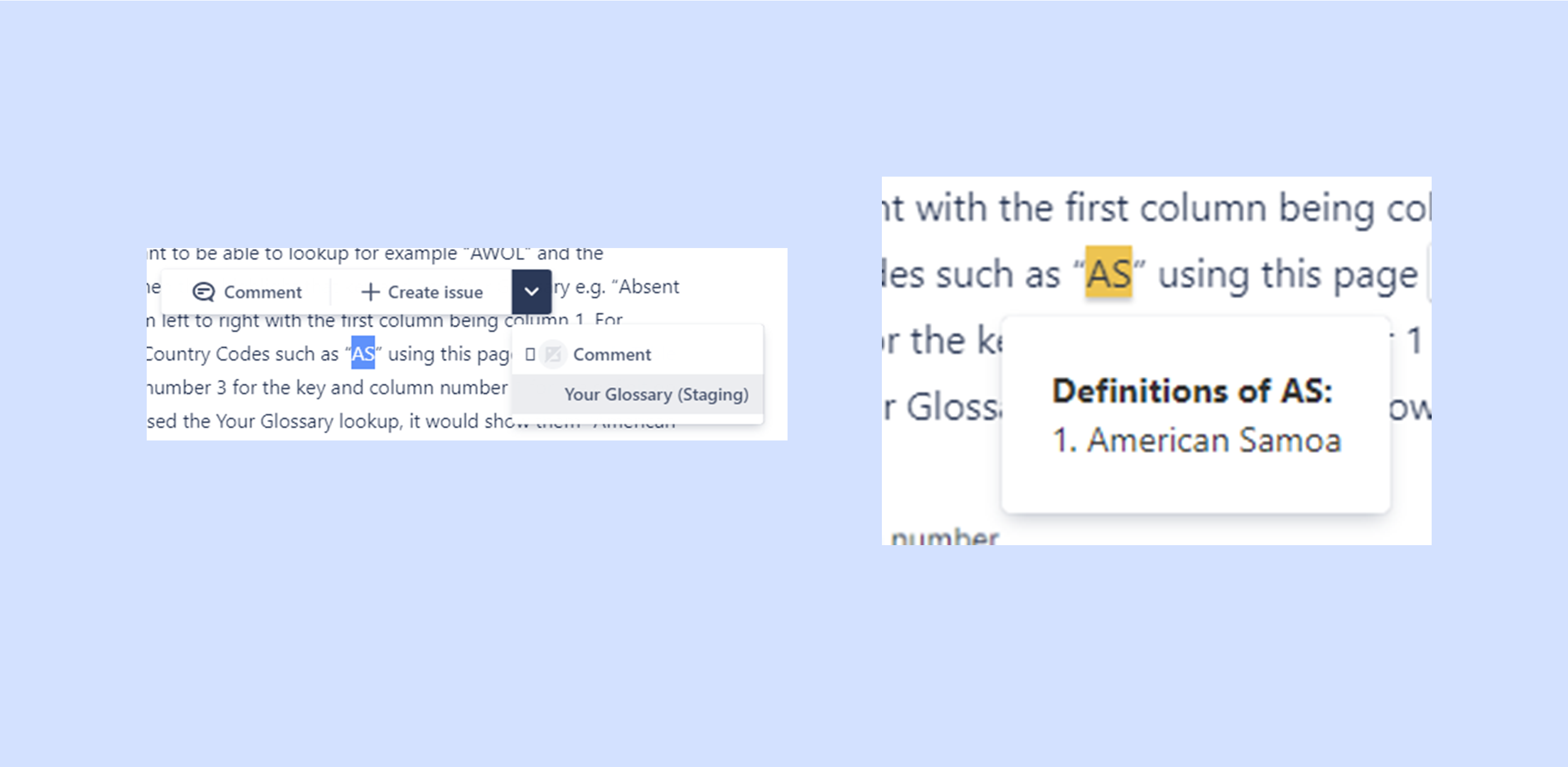
Your Glossary allows you to look up acronyms, terms and phrases from any Confluence page and shows the definition from your pre-existing Confluence pages with tables of definitions. The definition(s) are shown inline in the page you are reading.
Because Your Glossary uses your existing Confluence pages and structure, adding new definitions is as easy as editing a table in Confluence.
To look up words, simply highlight text on any Confluence page and select Your Glossary from the dropdown. You will then be shown a list of definitions from your other Confluence pages.
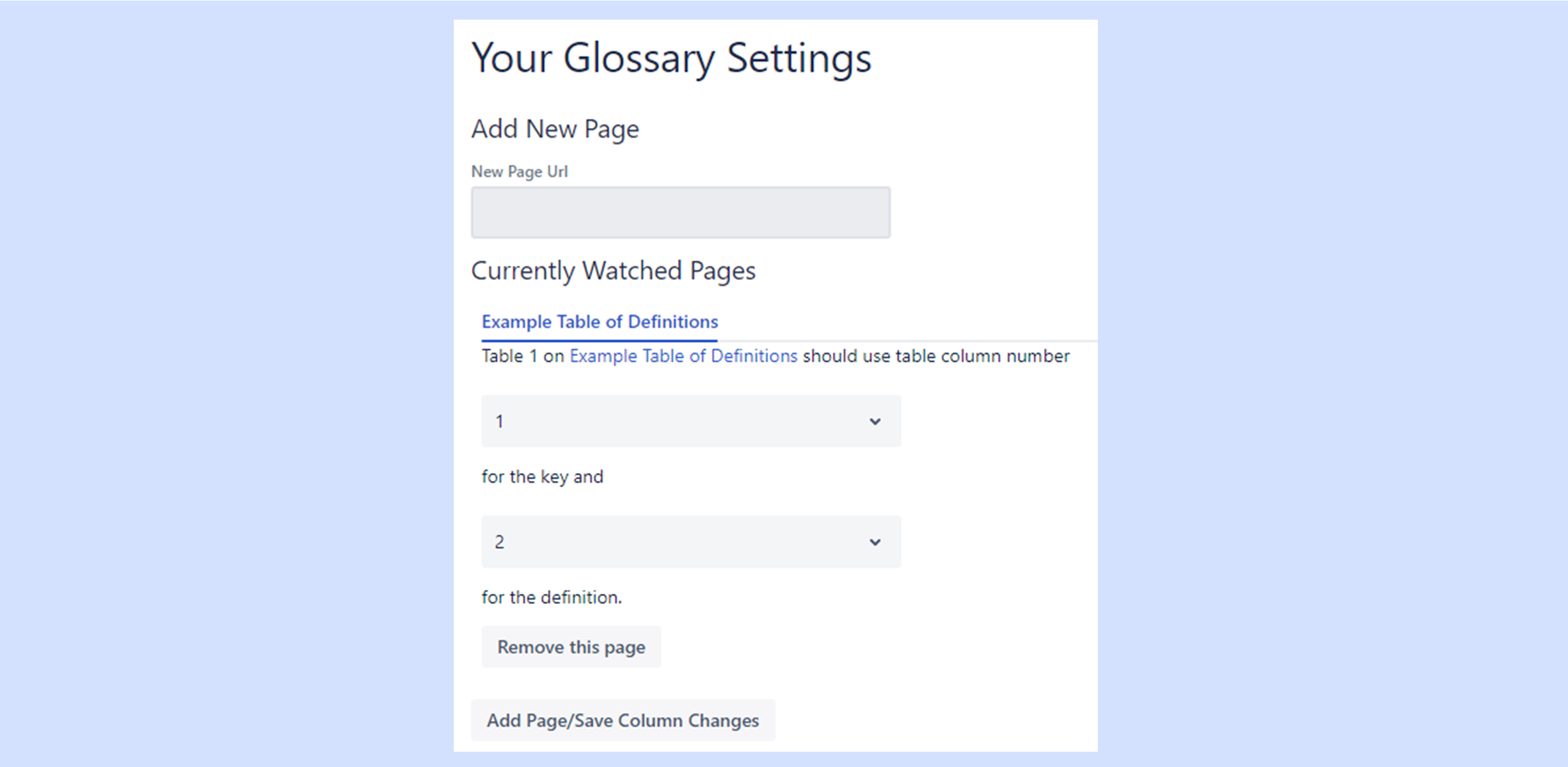
You can set up Your Glossary with existing Confluence pages with tables of definitions, regardless of how the tables are arranged.
How I built it
Your Glossary was built entirely using Atlassian Forge. It was extremely simple to build upon the example code for ContextMenu to get whatever text I wanted displayed. The next step, was creating a page where users could configure exactly which pages they wanted to draw their definitions from. Another UI kit component, GlobalSettings, fitted that role perfectly. Then I had to work out how and where to store the pages and settings which users could set up. Reading through the Forge documentation I found the StorageAPI which was ideally suited for my needs. It allowed me to store individual settings for my app for each Confluence site without having to setup my own database and also making the app more secure as the Forge app wouldn't need to talk to any servers other than the Confluence one. After getting the storage setup, I then added in some functions to perform the search for the particular term which the user has highlighted against all the tables in the pages setup beforehand. Once this was done, I just needed to join up the various functions in the app, polish the UI a bit and the app was ready!
Challenges I ran into
The biggest challenge was in finding a way to quickly find the definition the user wanted to be able to display it to them. Any caching could lead to situations where users weren't shown the latest definitions which had been added but loading the data of each of the pages of definitions on every look up might have taken too long. After running some timing experiments I found that Forge apps can download Confluence pages very quickly which meant the latter approach would probably be viable. I then tried out a few different methods for parsing the contents of the pages to extract the terms and their respective definitions and eventually settled on a very fast algorithm. This means that the user can get their definitions very quickly and know that they are the latest ones available.
Accomplishments that I'm proud of
I'm proud of the timing experiments I ran to make sure that the different parsing algorithms I evaluated were fast enough. I'm also proud of being able to build the entire UI using combinations of UI kit components. Finally I'm most proud of being able to term a genuine problem into a working solution!
What I learned
I learnt a lot about the different storage methods available for Forge apps and which situations each would be useful in. I became much more familiar with many of the UI kit components and how to use them to quickly assemble a complex but clean UI. This saved me time having to implement the UI from scratch.
What's next for Your Glossary
As the project will be available on Atlassian Marketplace, I'm also waiting for customer feedback to see which directions customers would like the project to go in.

Log in or sign up for Devpost to join the conversation.