-
-
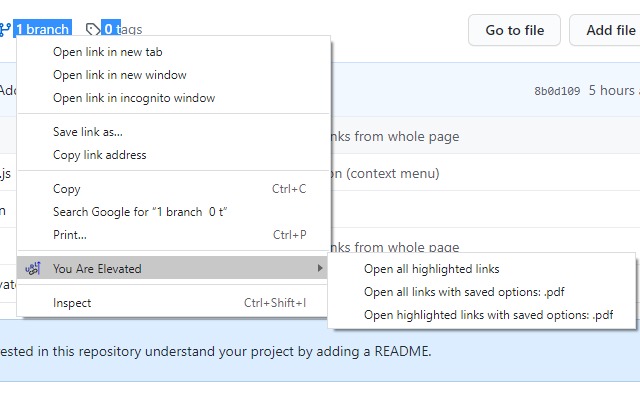
Right click menu (context menu)
-
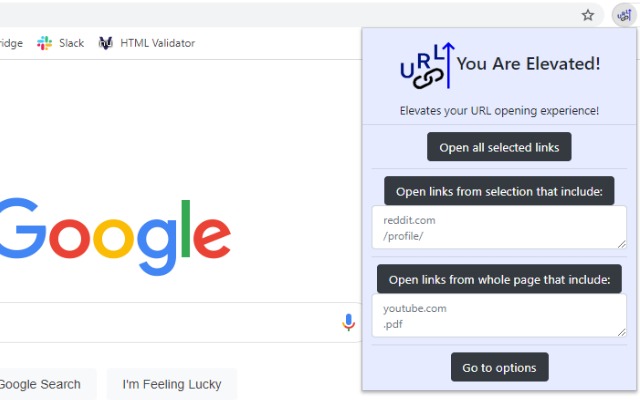
Pop-up menu
-
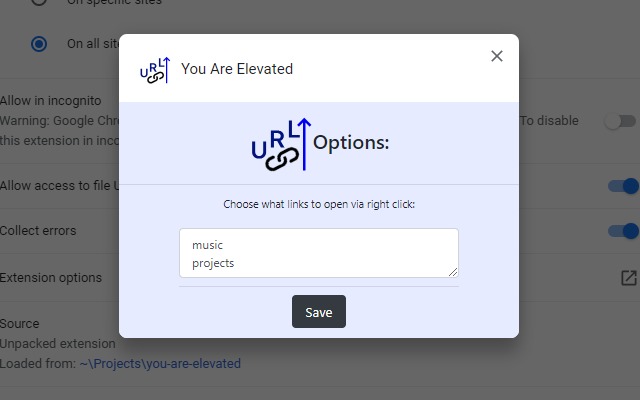
Options menu
Inspiration
After attending the Building Chrome Extensions Workshop presented by Jeffrey Hui in the Gear Up workshops, I decided to create a chrome extension for my project. After thinking about potential ideas, I got the idea of creating an extension that allows users to have more control over opening URLs.
What it does
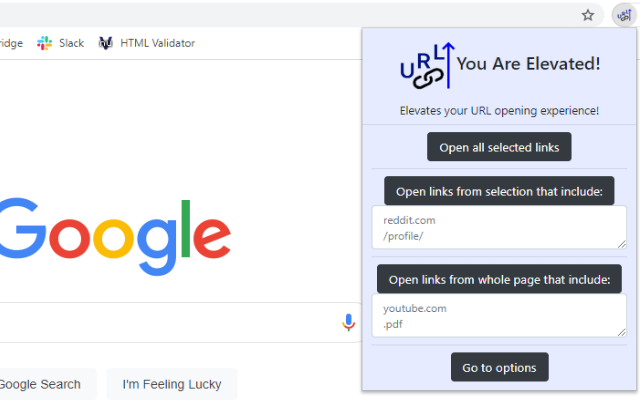
You Are Elevated is a Google Chrome extension that allows users to improve their URL opening experience. Users are able to:
- Highlight a selection, and open all URLs.
- Highlight a selection, and open all links within the selection that include the specified parameters.
- Open all links on the page that include the specified parameters. All these can be done either via right-clicking, or via the extension pop-up.
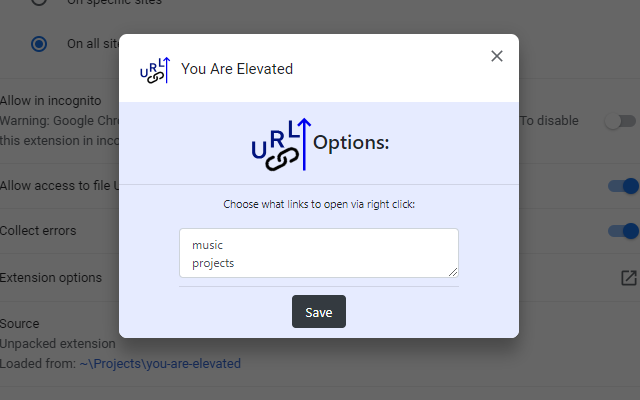
You can set your default parameters in the extension options, which will be used for the context (right-click) menu. If you want different parameters than the ones specified in the extension options, you can choose your parameters in the extension pop-up.
How I built it
Using the starter code from the workshop, and with some research into the Chrome Extensions API, I was able to create this extension. Mostly centered around JavaScript.
Challenges I ran into
-Learning the chrome API, and especially how messages work. -Learning that you need to refresh a tab when you update/test your extension, or else it won't be running the current version. -Time constraint. -Creating visual assets such as icons.
Accomplishments that I'm proud of
Completing this project within a short time constraint. Learning about the Chrome Extensions API. Completing my first hackathon.
What I learned
How to create a Google Chrome extension. How a hackathon works.
What's next for You Are Elevated
Submitted to the Chrome Web Store, currently pending review. Potentially porting over to other browsers.
Built With
- chrome-extensions-api
- css
- html
- javascript


Log in or sign up for Devpost to join the conversation.