-
-
App icon (1024×1024)
-
-
-
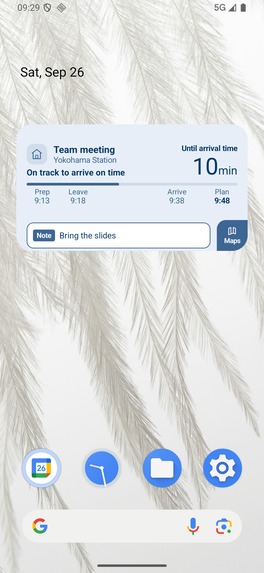
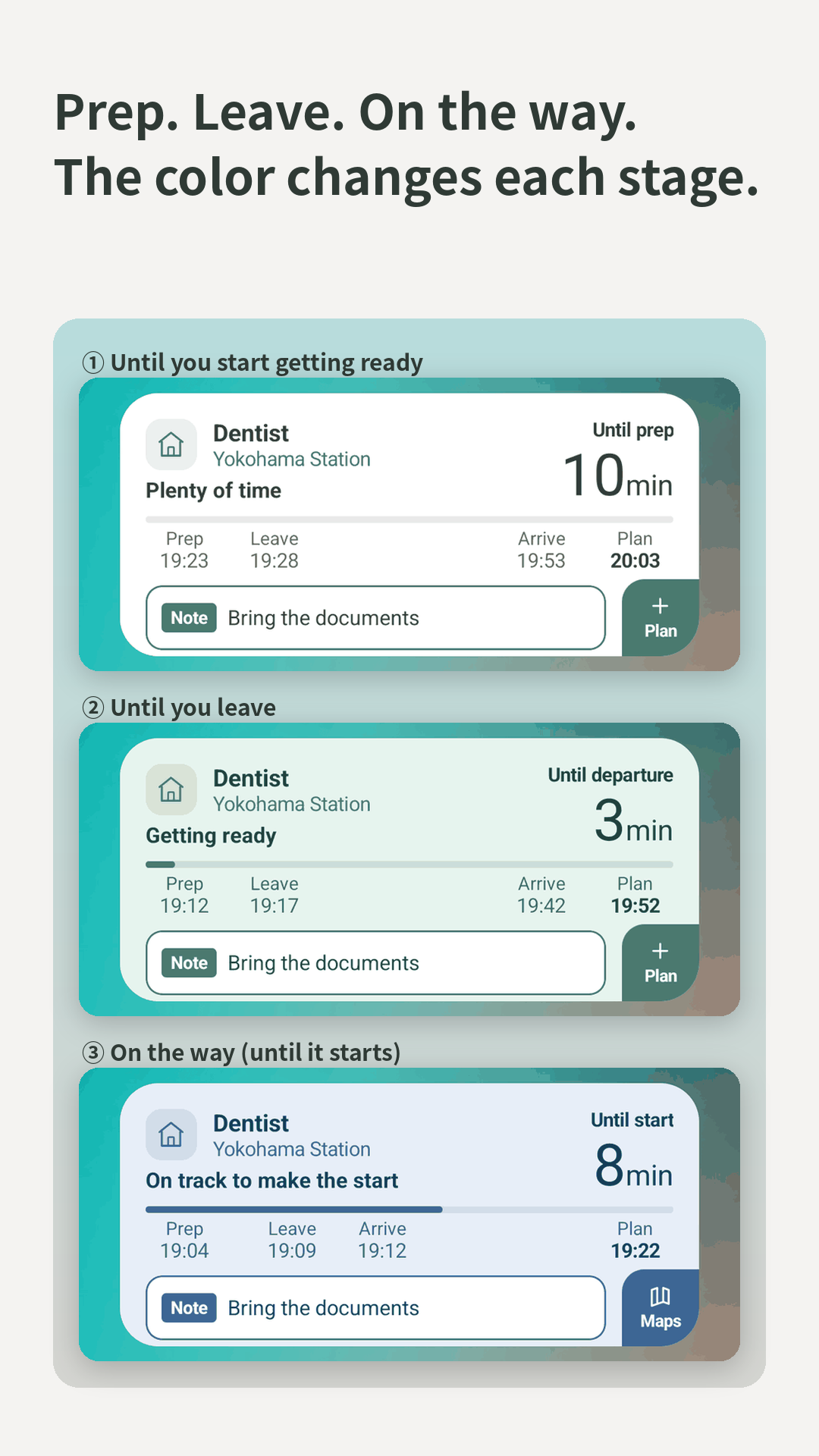
On the way
-
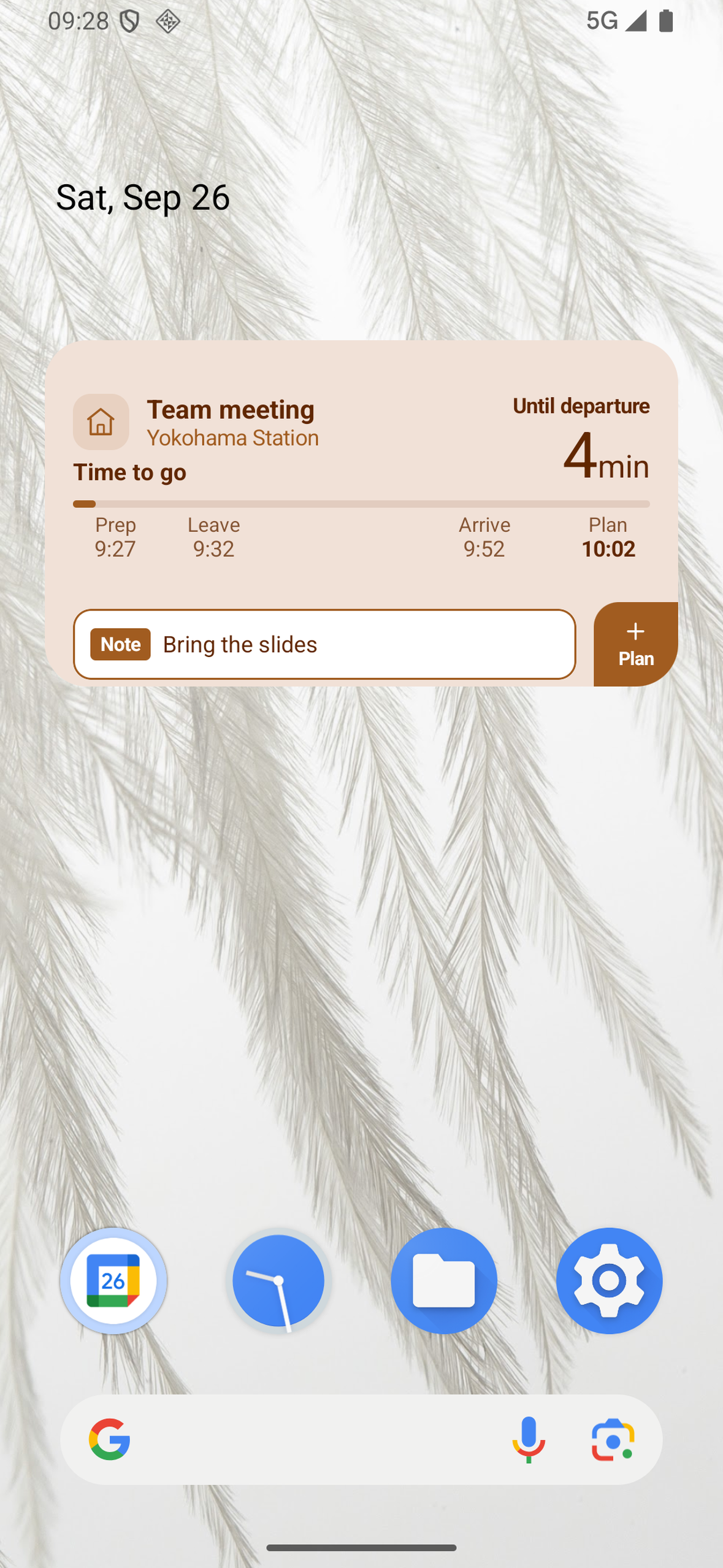
Time to go
-
-
-
-
-
-
-
-
Inspiration
I built Yotemy for myself. I struggle with time blindness: when my calendar says "14:00", I can't tell how many minutes I have left, or how long I need to get ready. I think "I still have time" until suddenly it's time to go. Many people, including people with ADHD, know this feeling well. Being late again and again isn't about not caring. It's that the clock doesn't tell you what you need to know.
Yotemy started in June 2026 as a personal tool to fix this. Our mission: keep reducing the number of people who suffer from forgetting their plans.
What it does
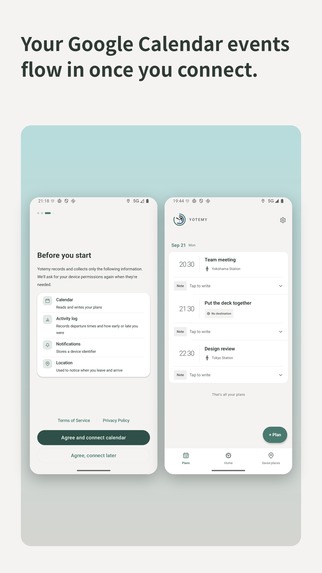
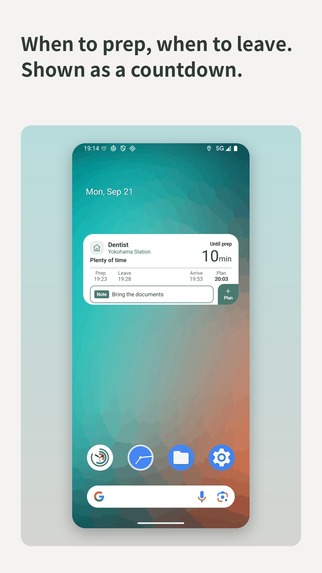
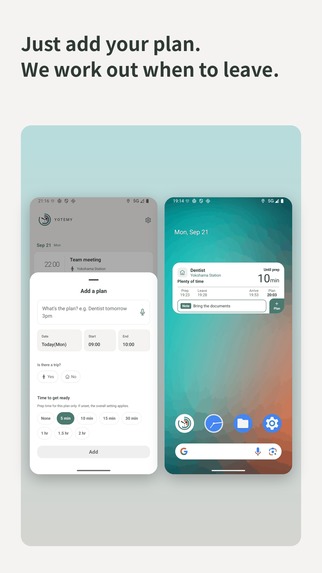
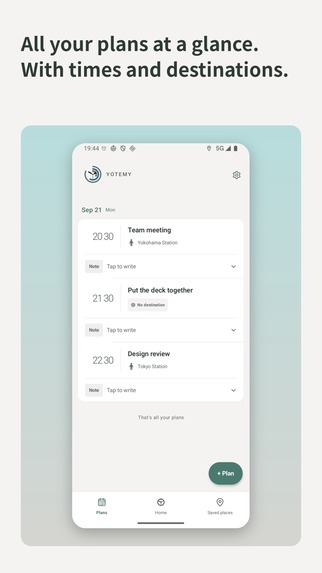
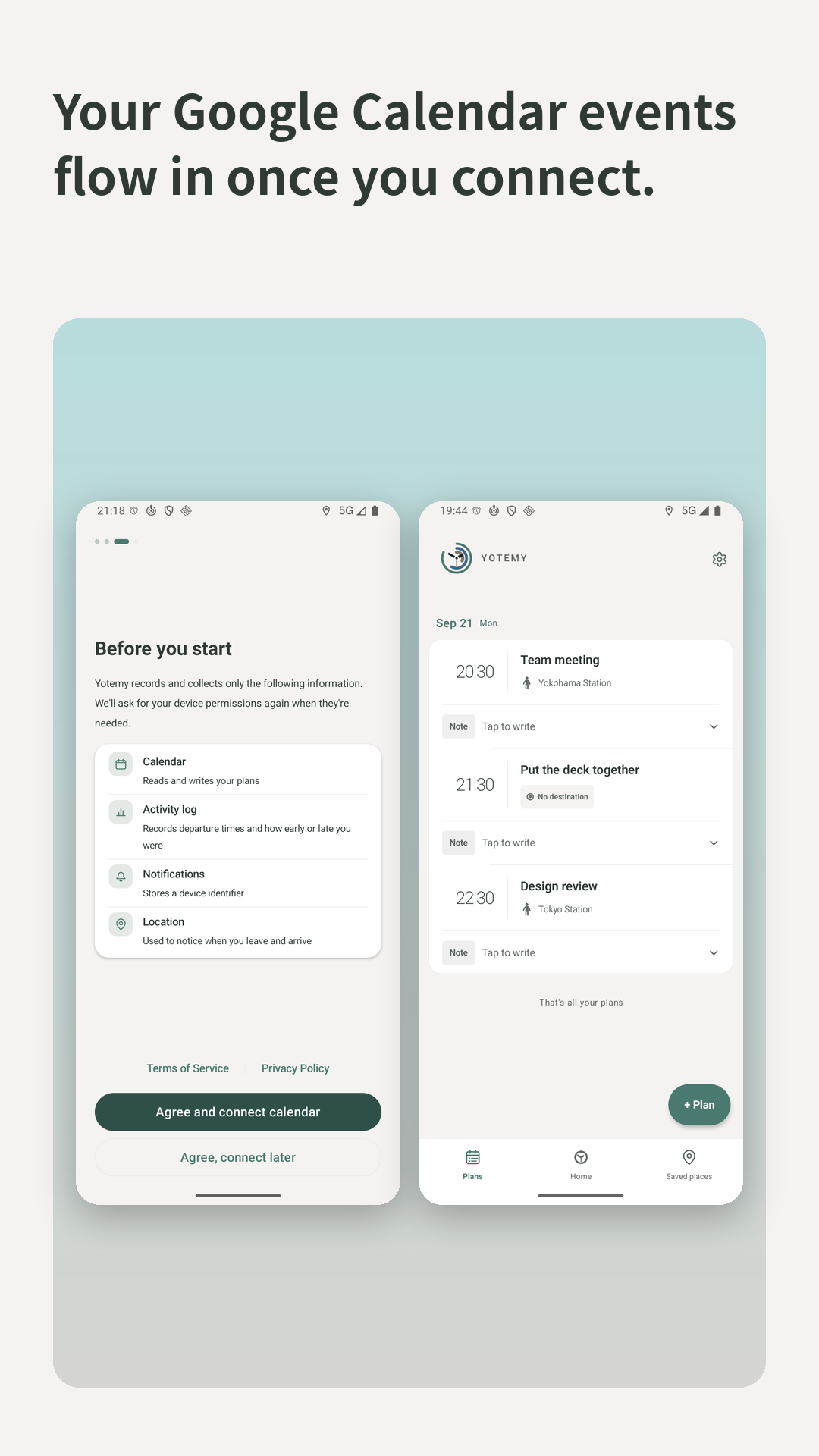
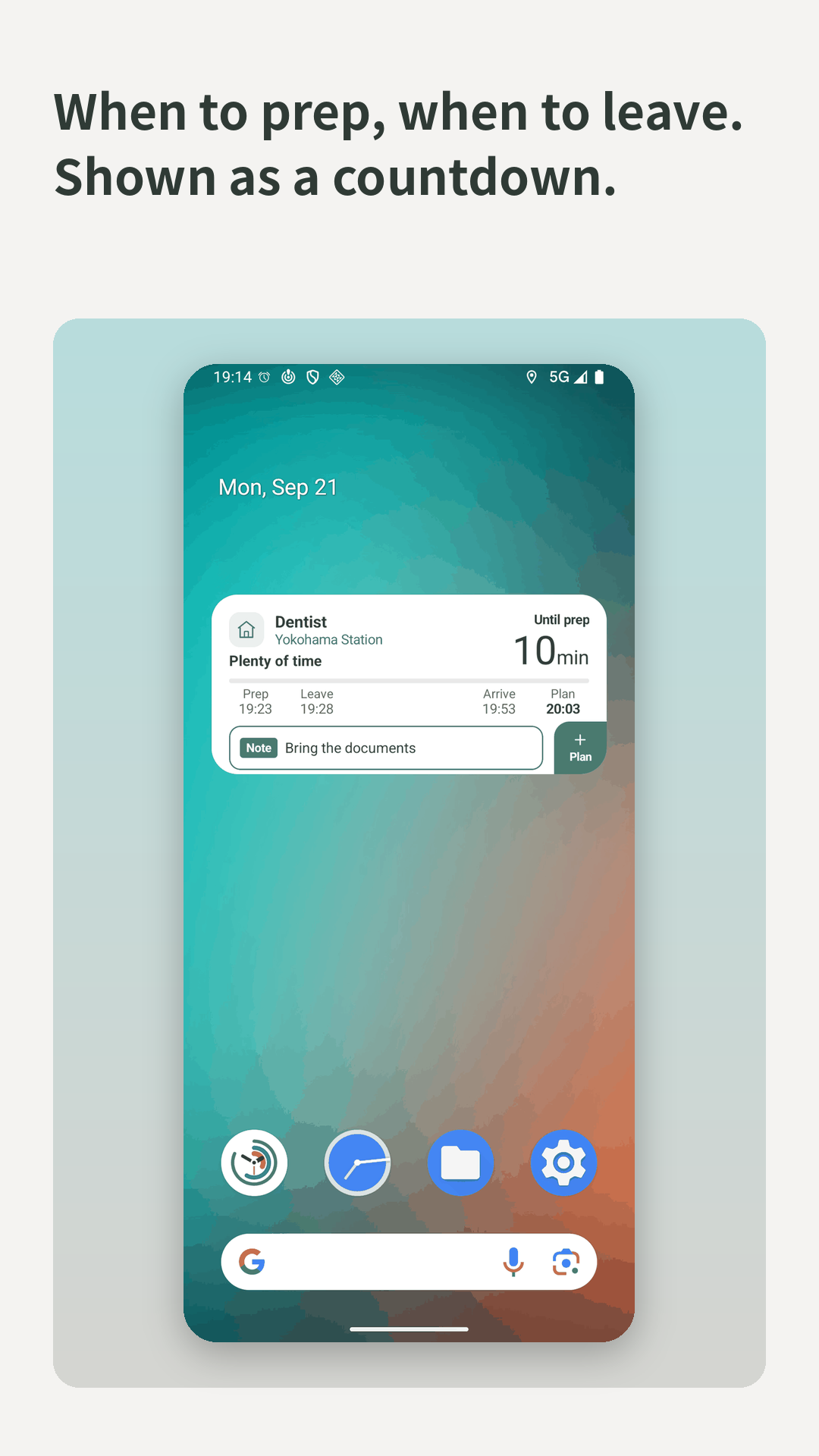
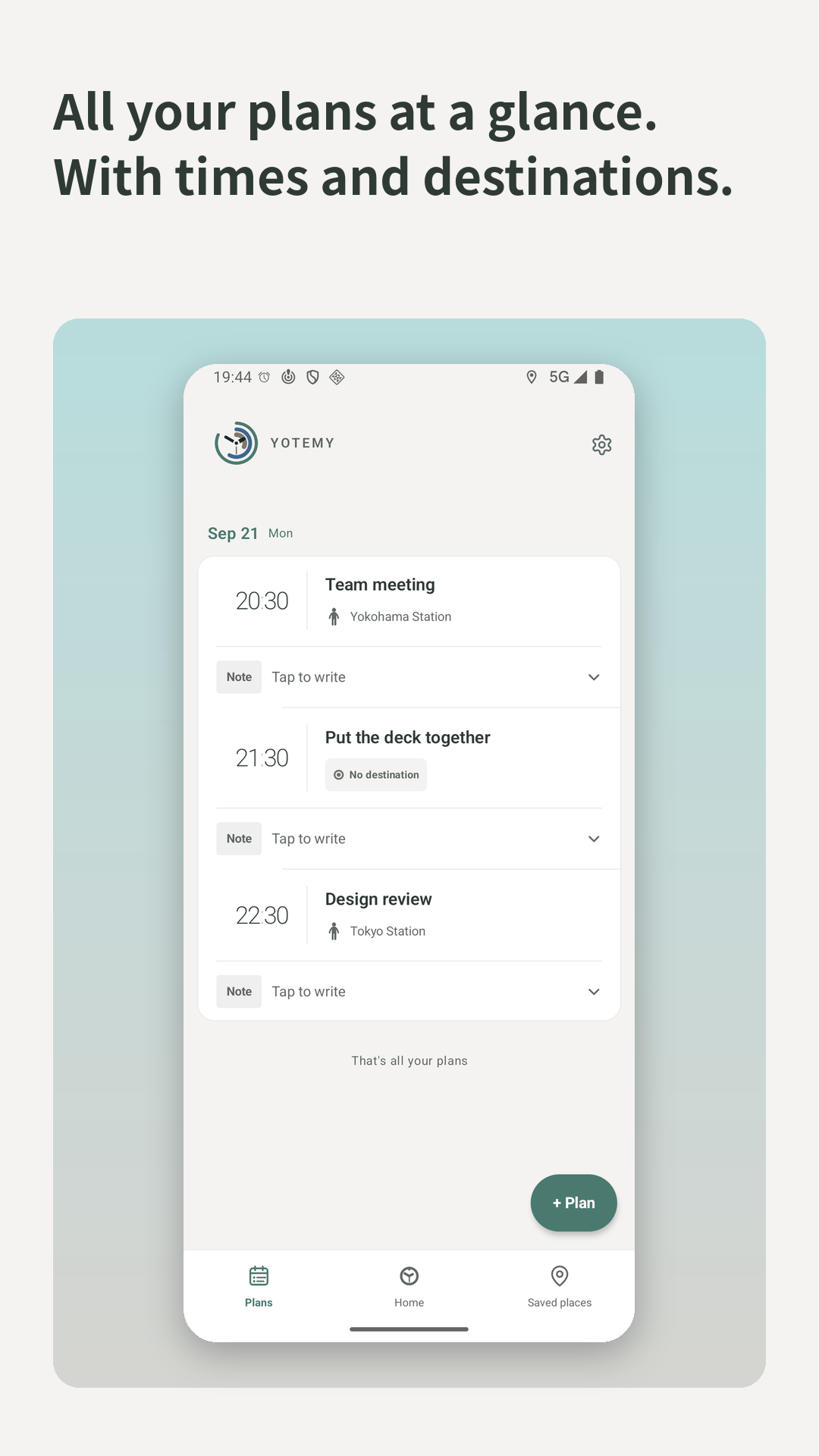
Yotemy turns the plans in your Google Calendar into a countdown.
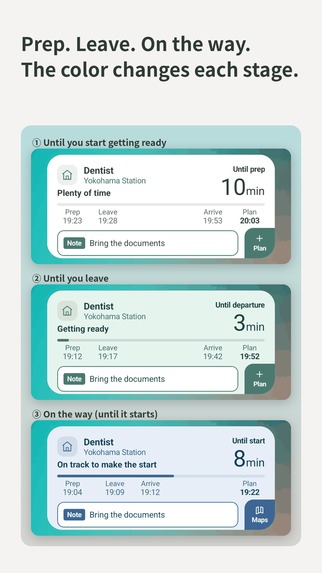
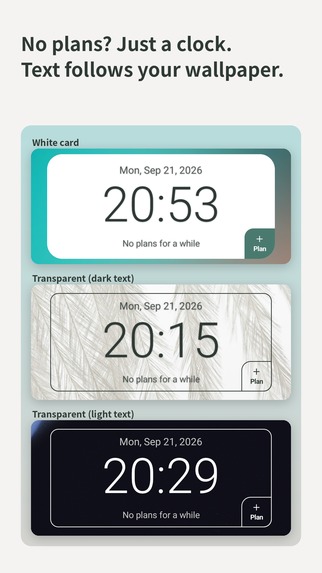
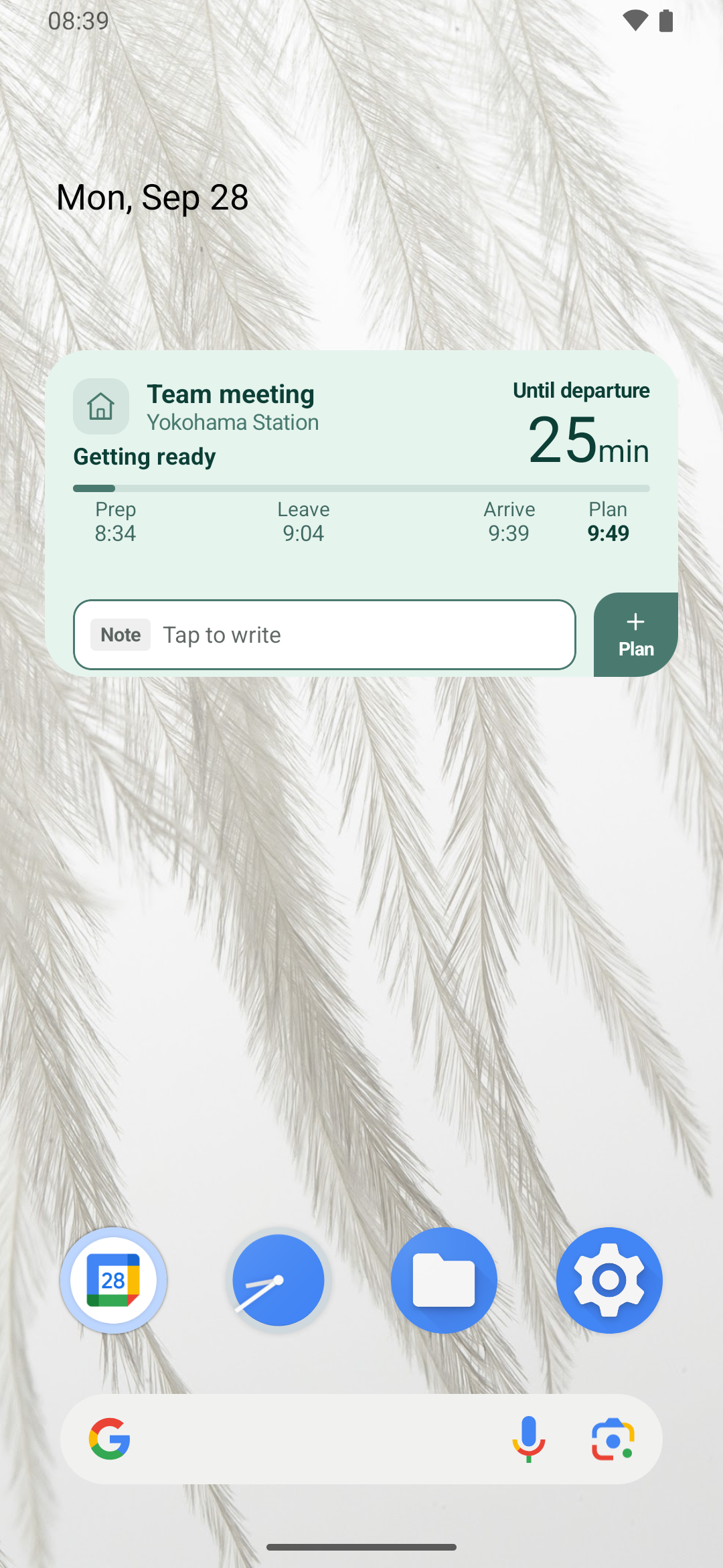
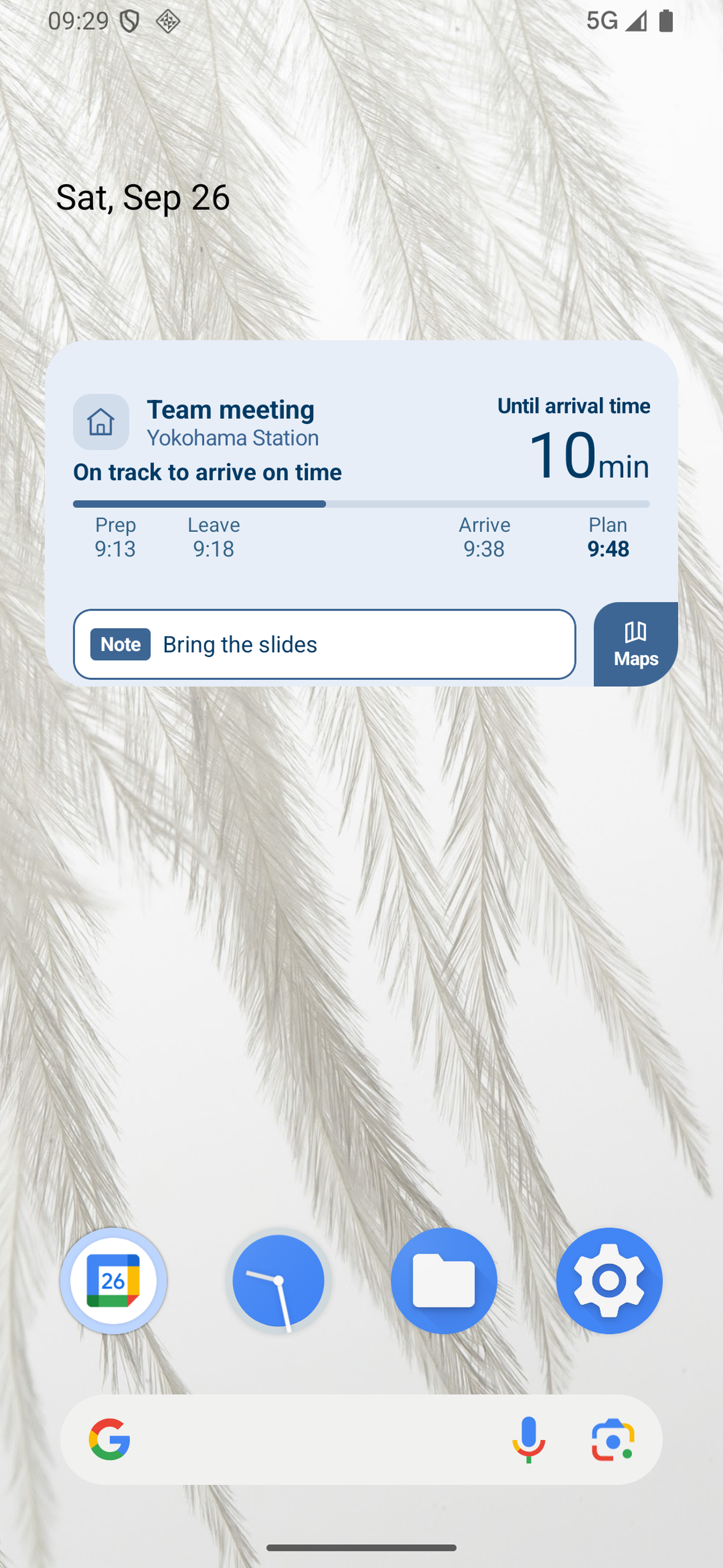
- Countdown first. It shows the remaining time ("52 min") front and center, with the clock time as a supplement.
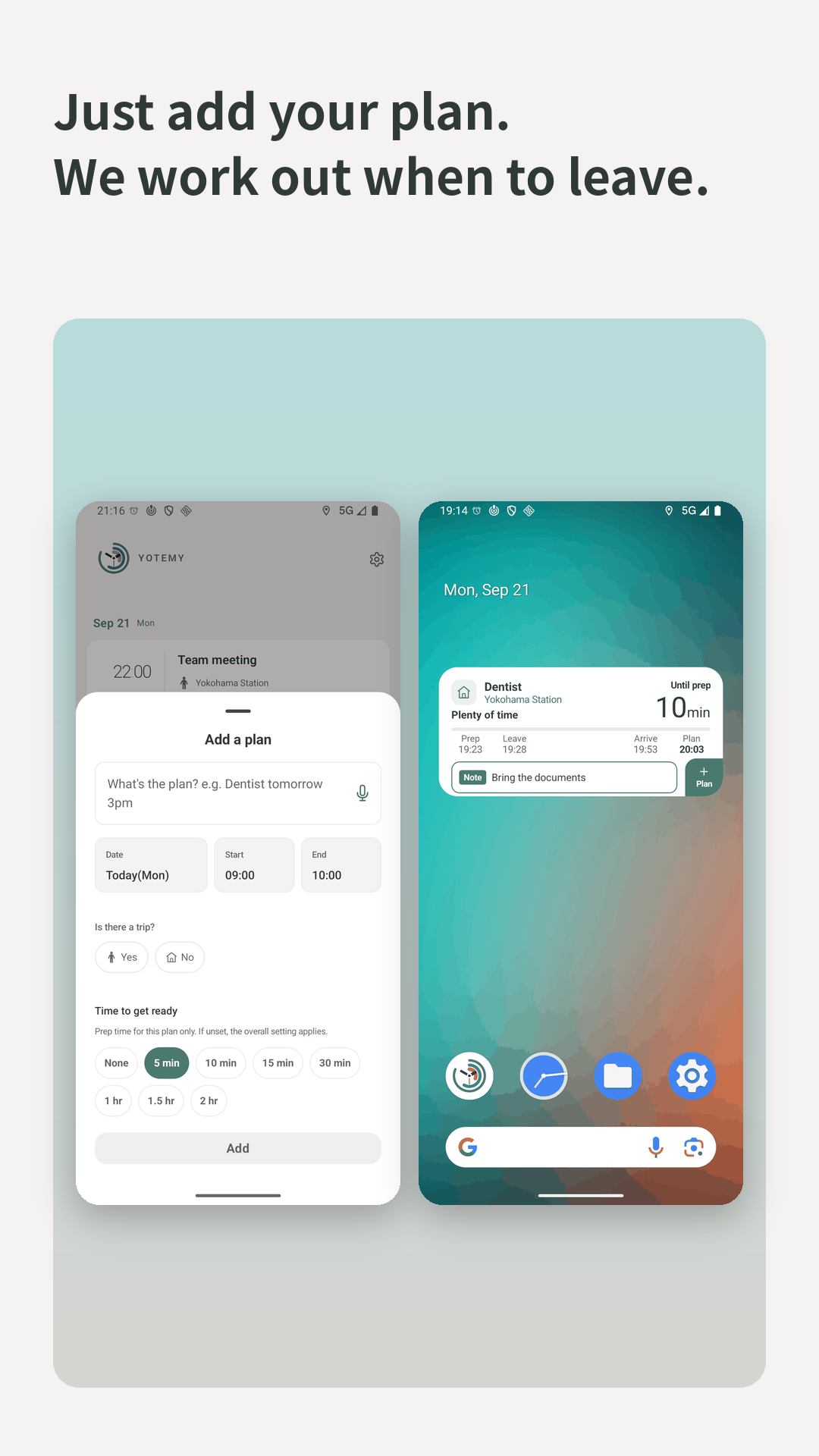
- Zero setup. Plans appear automatically from Google Calendar. There's nothing to configure for each plan. It works even if you never open the settings.
- Counts back from your arrival. For plans that involve travel, Yotemy estimates travel time by train, bus, walking or car, and counts down to when you need to leave. In Japan, it uses Tokyo Metro, Toei and Rinkai Line timetables. Outside Japan, it uses Google's route data.
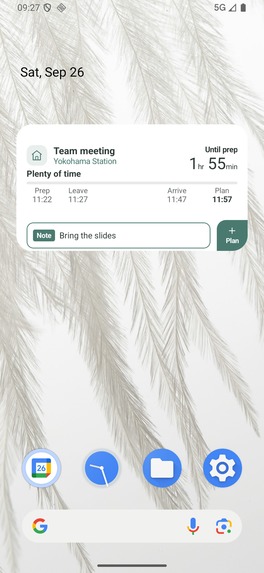
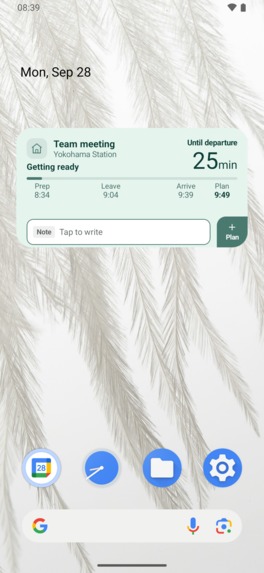
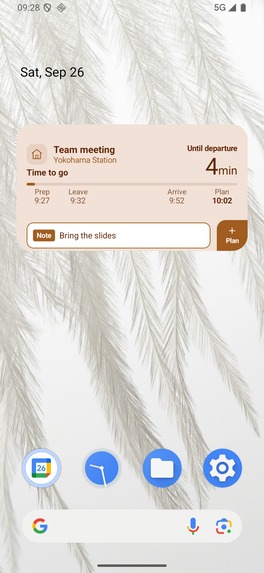
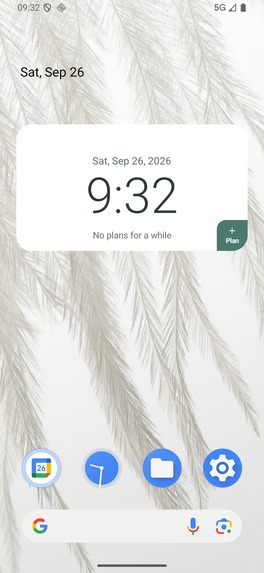
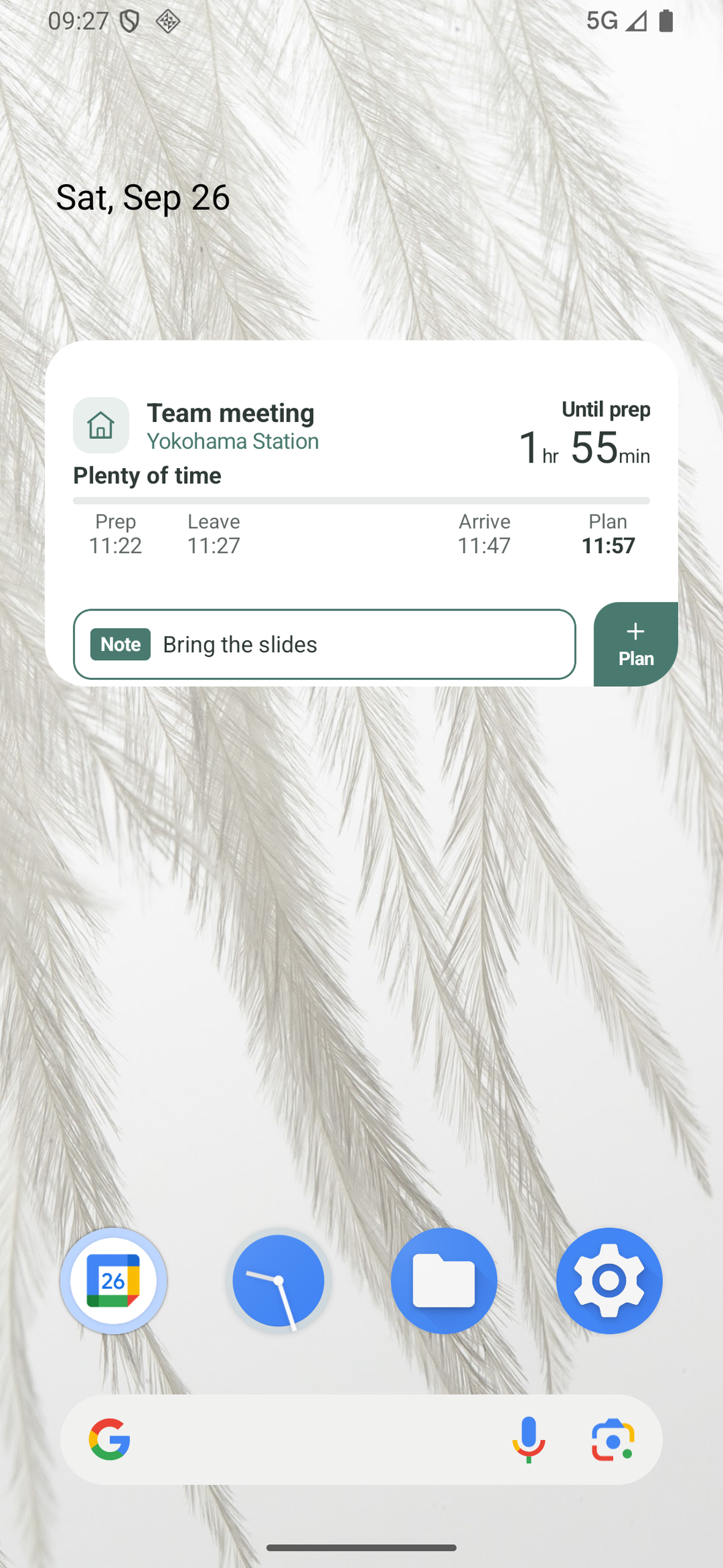
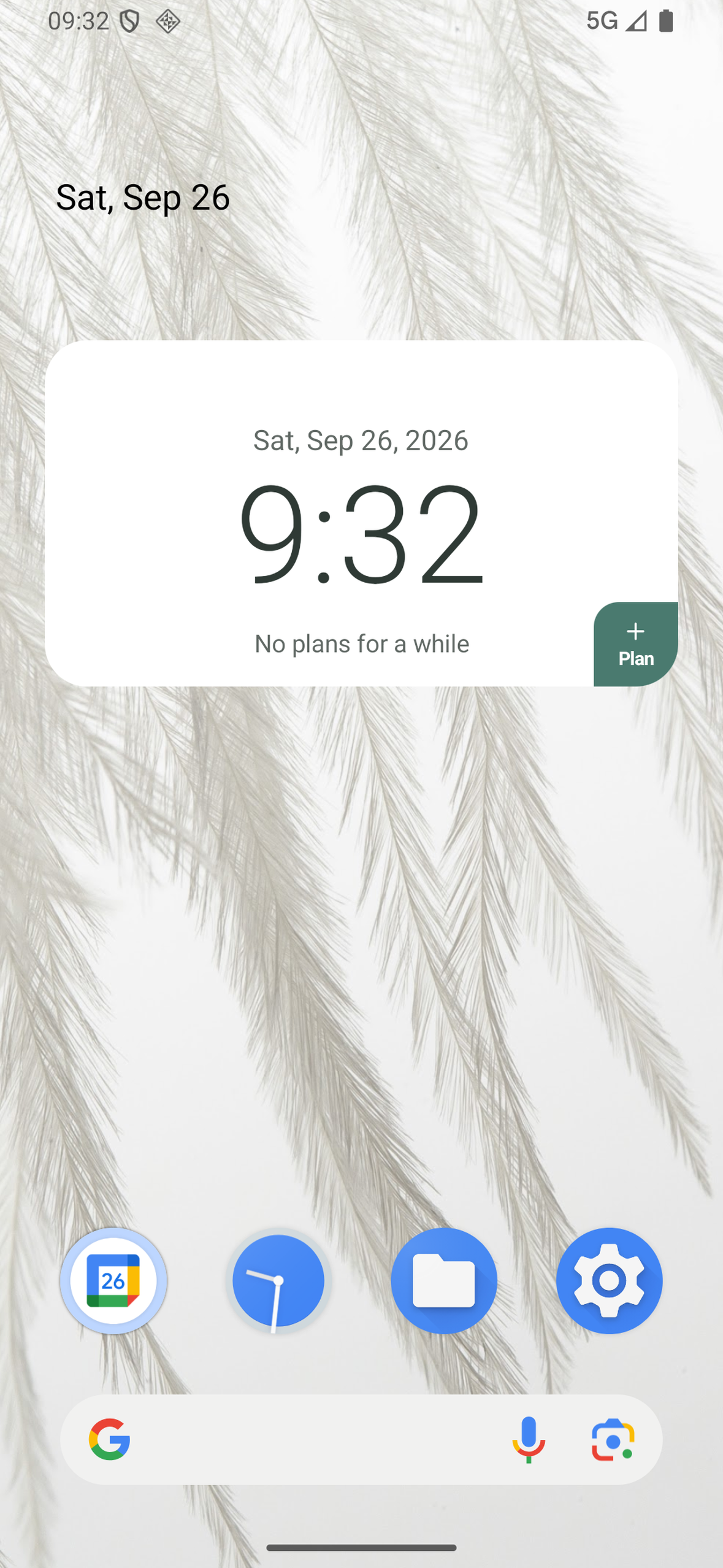
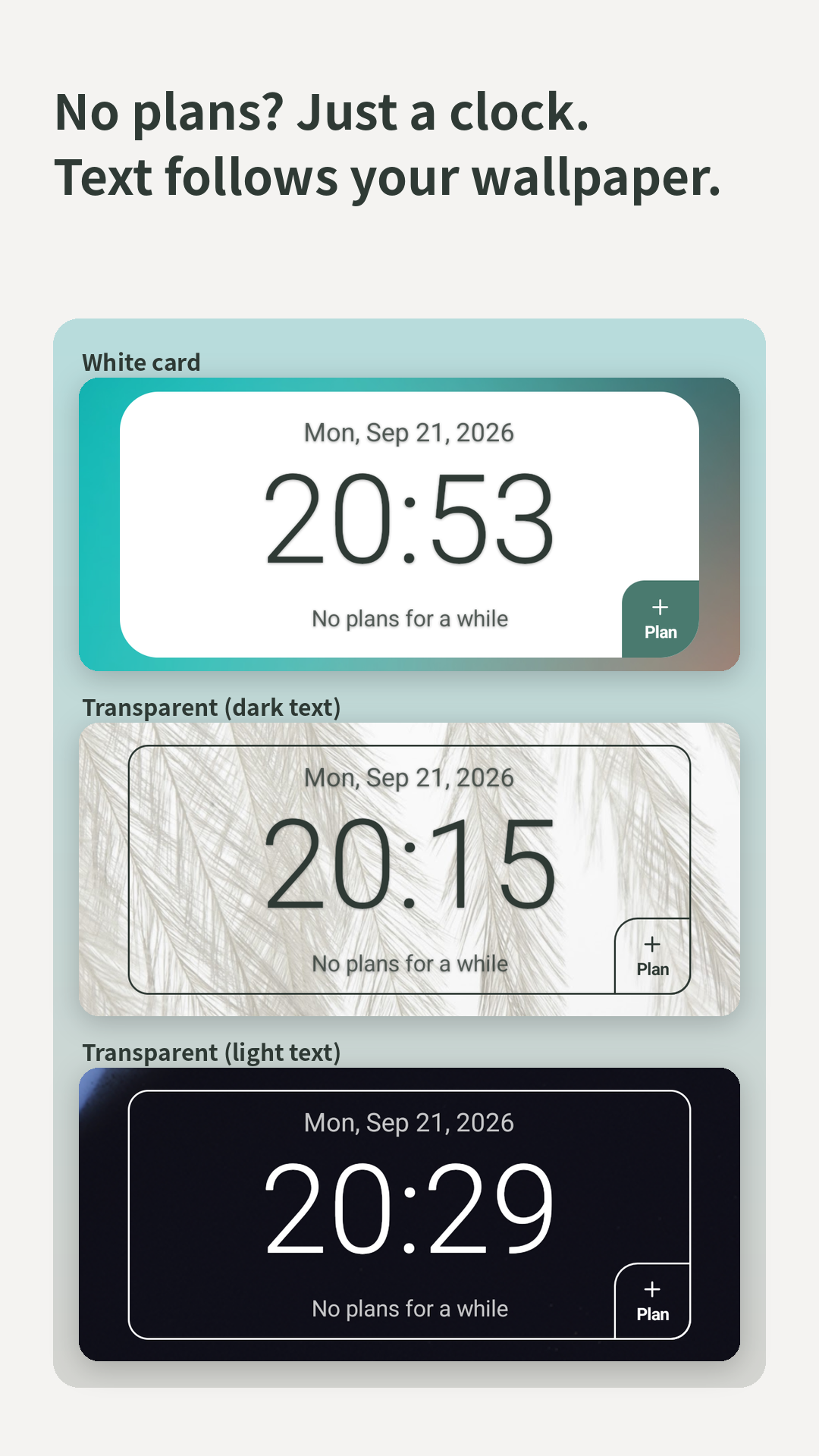
- Home screen widget. Check the time left without opening the app. It's designed to look plain and simple, like a calendar widget, so it can quietly replace the one you already use.
- Countdown over other apps. While you scroll social media or watch videos, a small countdown stays on top of other apps. This came from my own experience: I'd look at my phone, and suddenly my time to get ready was gone.
- Notes that stay until the plan starts. A note like "bring the documents" never disappears early, even when you're in a hurry. A reminder that vanishes on the way out is a reminder that failed.
- Shared plans. Invite someone to a plan in Google Calendar, and if they use Yotemy, the countdown runs on their phone too. You don't have to nag a forgetful friend or family member. The app reminds them gently, so people don't have to.
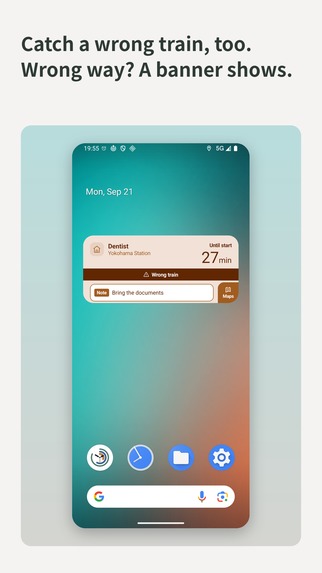
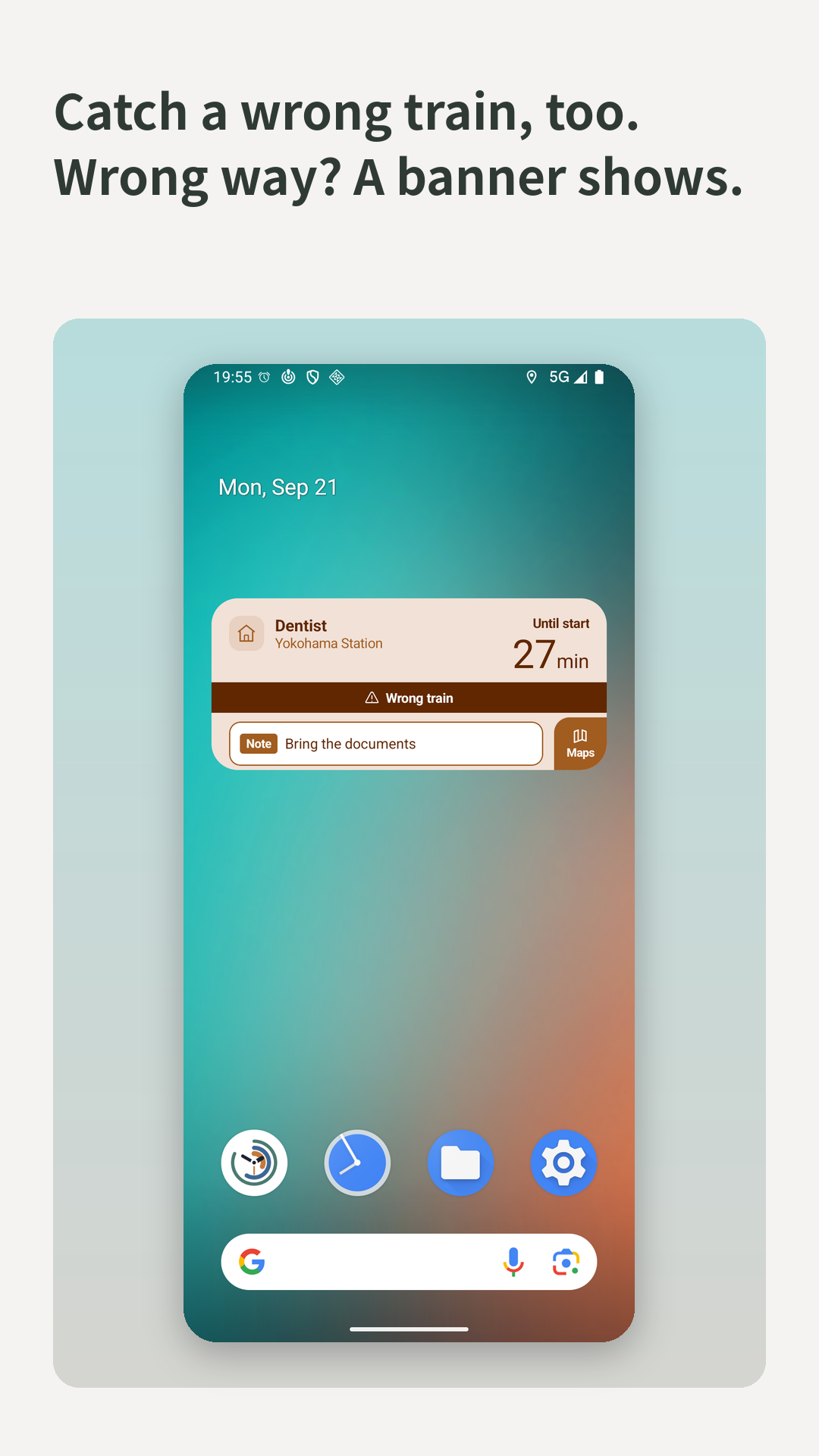
- Wrong-train detection (in testing). Yotemy tries to notice when you board a train going the wrong way. I built this because I wanted it myself, and I'm still improving its accuracy through real rides.
Three principles shape every feature:
- Calm by design. Yotemy doesn't rush you with constant alerts. Colors only tell you what's needed: green means nothing to do yet, blue means you're on your way, amber means it's time to act. If a piece of information doesn't require an action, it isn't shown.
- Set and forget. Users should never be forced to make decisions. Everything works automatically, and settings are there only for people who want them.
- Features differ, safety doesn't. Free and Premium differ in how much you can use, never in accuracy or safety.
How we built it
I'm a solo developer. I work full-time as an IoT product manager, and I handle everything on Yotemy myself: product, UX design, development, and support. I built it on nights and weekends.
- Android: native app in Kotlin, with a Glance home screen widget and Room for local data.
- iOS: a native version in Swift, now on the App Store.
- Backend: Firebase. All external route and timetable API calls go through a server-side proxy, so no API keys ship inside the app.
- Monetization: RevenueCat. Free: 5 trips with travel support per month, with all features. Premium: monthly subscription.
- Languages: Japanese, English, Korean, Simplified Chinese and Traditional Chinese.
Challenges we ran into
- Testing in the real world, on every mode of travel. A countdown is only useful if its estimates hold up outside, so I tested Yotemy myself: riding trains, cycling around at night, driving around by car, and walking the routes on foot. Driving taught me the hardest lesson: with traffic jams, a standard route estimate almost never gets you there on time. I fixed this by switching to a different route API and adjusting when the app fetches route estimates. I even boarded a train going the wrong way on purpose to check the detection. Detection and calculation mostly worked, but I found several display bugs, like two labels saying contradictory things, or an arrival status that only updated when the app was opened. I treated each one as a release blocker.
- Fighting the cost of every trip. Route and timetable APIs cost money on every call, and a solo developer can't absorb that at scale. I set a strict cost target per trip and designed around it: the same destination doesn't trigger a new search, and a cheaper lookup is used whenever it's good enough.
- Building my own train-frequency database. To cut API calls, I built a database that estimates how often trains run at stations across Japan. It combines open station data with census population data as a proxy for demand, and is bundled inside the app, so it works without a network call. If it doesn't have a good answer, it quietly steps aside and the app falls back to the API.
- Using open data the right way. Yotemy uses public transit open data, such as Tokyo Metro and Toei timetables. I read each license carefully before using it. Some datasets came with conditions I couldn't accept, so I chose not to download them at all, and I left out another dataset because it didn't allow commercial use.
- Keeping it calm. It's tempting to add more alerts. I kept asking one question: does this information require the user to act? If not, I removed it.
- Being honest about data. Yotemy collects some data to improve its estimates. I wrote the privacy policy to describe exactly what the architecture does, and I avoid claiming stronger anonymity than it actually provides.
- Doing it alone. Every role, from design to legal documents to store listings, was mine. I used AI tools heavily to make that possible.
Accomplishments that we're proud of
- Shipped to production, solo, alongside a full-time job. From a personal tool in June to a live app on Google Play with subscriptions from day one, and now on the App Store too.
- A travel-time engine that works across Japan. My own train-frequency database covers stations nationwide and runs offline inside the app, keeping costs low without giving up accuracy.
- No API keys in the app. Every external call goes through a server-side proxy, from the very first release.
- An app that stays quiet. Yotemy only speaks up when you need to act. Making it calm was harder than making it loud.
- Ready for the world. Yotemy is available in five languages, on both Android and iOS.
What we learned
Showing the time left is not the same as showing the time. That small shift changes how people act.
I also learned to share progress in public. I post on X about each feature, always with the same idea: I turn the things I've struggled with into features, one by one.
What's next for Yotemy - Countdown to Remember
- Growing on iOS: the App Store version just launched
- Improving travel estimates outside Japan: bringing train estimates to the regions still marked as coming soon, and learning from real trips, as I do in Japan, so estimates get cheaper and more accurate over time
- Yotemy for workplaces. I believe Yotemy could help companies that employ neurodivergent people, including people with ADHD. Missed meetings and late arrivals are often read as a lack of effort, when the real problem is that time is hard to see. Using the shared calendars teams already have, Yotemy could give each employee a calm countdown to their meetings and shifts. That would reduce the need for managers and coworkers to keep reminding them, and help people keep working in roles that fit their strengths. I'd like to explore this with employers and job-support organizations.
- Longer term: learning when and why plans get missed, to predict and prevent it before it happens
Yotemy is not a medical device and is not intended to diagnose or treat any condition.
Built With
- android
- firebase
- google-calendar
- ios
- jetpack-glance
- kotlin
- revenuecat
- room
- swift
Log in or sign up for Devpost to join the conversation.