Inspiration
Recorded lectures are passive. When a student gets lost at minute 7, the only options are rewinding, Googling something that doesn't match how their professor explained it, or waiting for office hours. We wanted to build a tutor that actually knows the lecture, available the moment confusion hits.
What it does
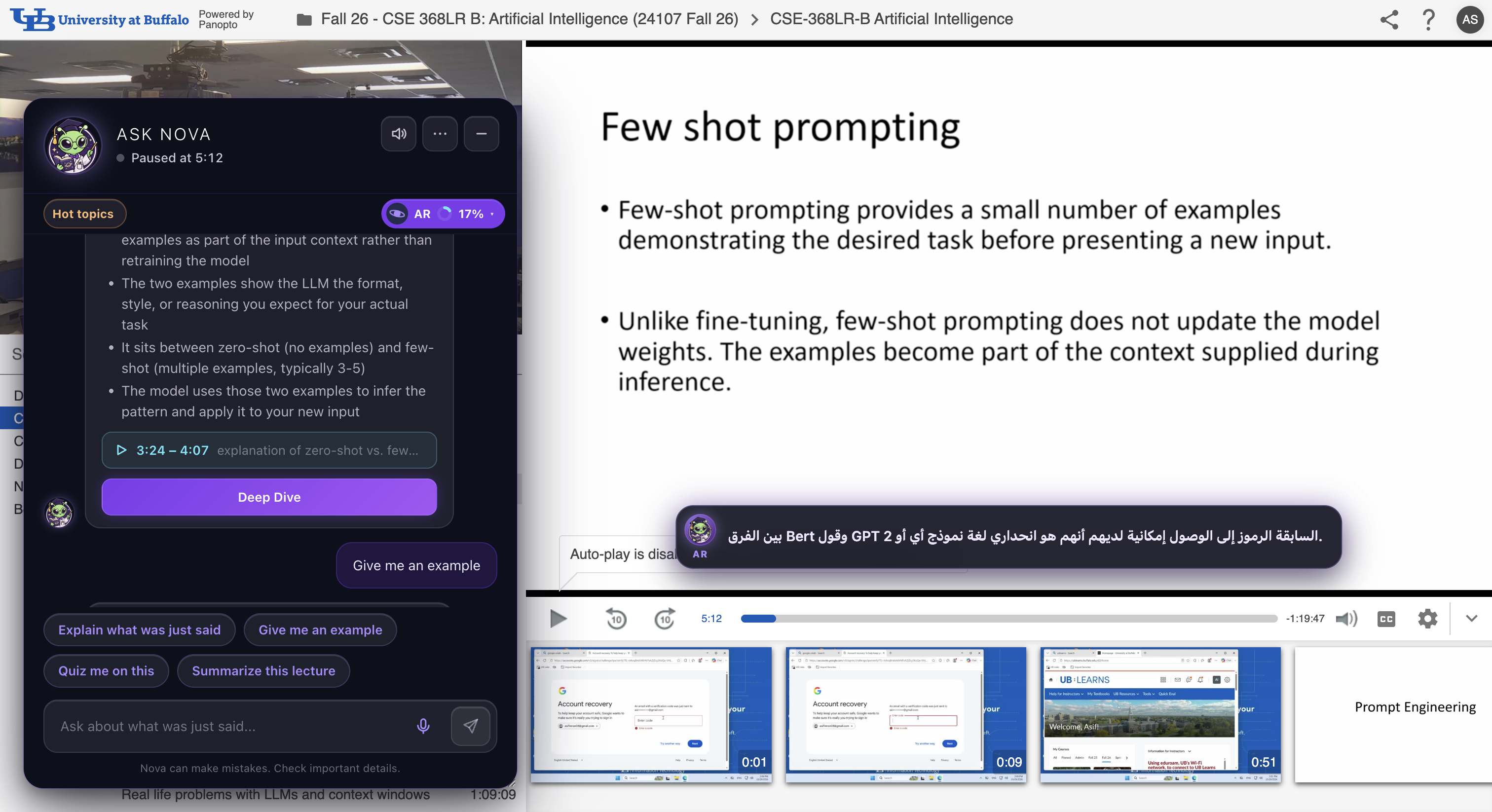
YooNova is a Chrome extension that runs on top of Panopto. While you watch, Nova follows your playback position, reads the last 90 seconds of captions, grabs a screenshot of the current slide, and answers questions in a floating panel.
Ask Nova lets you type or say "Hey Nova" to ask anything. Nova combines what the professor just said, the current slide, and its own knowledge into one answer with a button to jump back to the relevant moment in the video.
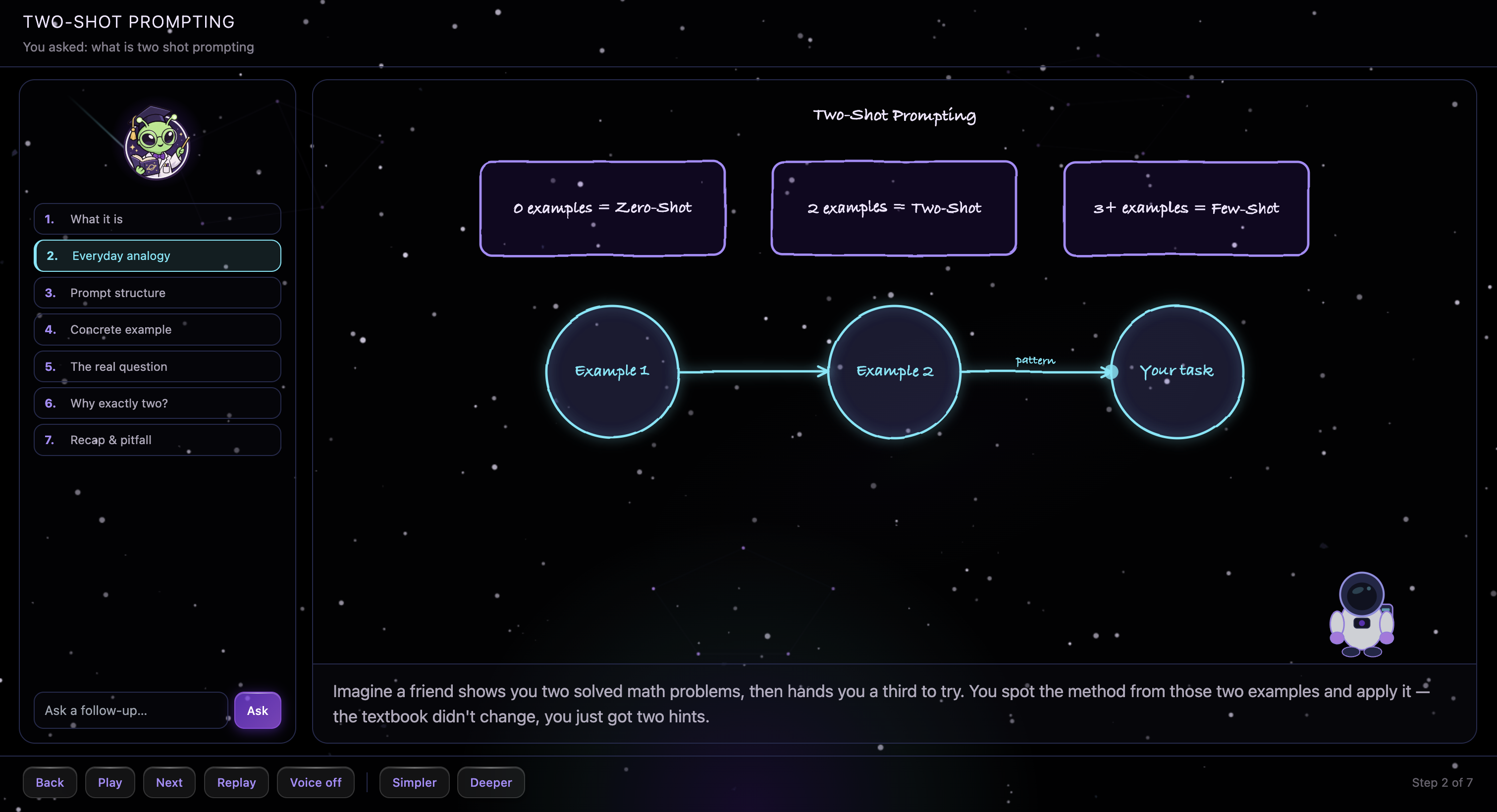
Deep Dive opens a whiteboard lesson in a new tab. Nova walks through the concept step by step, drawing diagrams and examples on a canvas as it explains, starting from exactly where the lecture left off.
Translated subtitles give you real-time caption translation into 9 languages overlaid on the video, with optional spoken translation.
Voice mode lets you say "Hey Nova" to ask out loud. Answers come back spoken via ElevenLabs and you can control the video by voice: "pause", "go back 30 seconds", "jump to where he talked about backpropagation".
Hot topics is an instructor-only view where every typed question gets logged anonymously, clustered into themes, and shown as a heatmap across the lecture so instructors can see exactly where students get stuck.
Export notes lets you download the full conversation as markdown or an HTML page with slide thumbnails.
How we built it
We built the extension in vanilla JS using Chrome MV3 with a Shadow DOM overlay so Panopto's CSS can't interfere. Captions come from Panopto's SRT endpoint. Each question also sends a canvas screenshot of the current video frame so Nova can read whatever slide is on screen.
For the backend we wrote a Python server with no frameworks, just stdlib http.server, deployed on Railway. It handles chat, translation, summarization, whiteboard lessons, voice, and the instructor dashboard.
We use Claude Haiku for real-time chat and translation since it's fast and cheap for in-the-moment Q&A, and Claude Sonnet for Deep Dive whiteboard lessons where the richer output is worth it. ElevenLabs handles streaming voice replies and speech-to-text via Scribe v2, with Chrome's built-in TTS as a fallback.
The Deep Dive tab is React + Vite with a custom canvas drawing engine we wrote from scratch. No drawing library, every shape type (rectangles, circles, arrows, labels, highlights) is implemented directly and revealed step by step as Nova talks.
Challenges we ran into
Panopto has no public API. Getting captions required reverse-engineering their SRT endpoint URL, and finding the lecture title means trying a cascade of DOM selectors before falling back to document.title.
Building inside a Shadow DOM meant we had to rebuild every interaction from scratch including focus traps, keyboard events, and scroll containment. The keyboard guard also had to register before Panopto's own handlers, which required running at document_start.
The whiteboard drawing engine took longer than we expected. Every shape type needed correct geometry, step-by-step reveal timing, and clean rendering at any size.
Streaming ElevenLabs audio in a Chrome extension requires an offscreen document and a custom AudioWorkletProcessor because the service worker has no audio APIs.
Tuning the system prompt was harder than it sounds. We needed Nova to stay grounded in how the professor taught the concept without being so restricted it couldn't give a complete answer.
Accomplishments that we're proud of
The extension works on real CSE 368 lectures at UB, not just a demo. Nova can read the current slide in every answer because we capture a video frame with each question. The voice pipeline goes from wake word to streamed spoken answer with mid-sentence interruption. And Hot Topics clusters student questions into themes and draws a question timeline so instructors can see exactly where in the lecture students get confused.
What we learned
Streaming responses to the UI feels much faster than waiting for the full reply, even at the same latency. Claude's JSON output is reliable enough to drive a drawing engine directly. Shadow DOM is the right call for an extension overlay but you have to design every interaction yourself. And building on real lectures with real students surfaces edge cases no demo ever would.
What's next for YooNova
We want to let students draw on the whiteboard and have Nova react to their sketches. We're also planning quizzes generated from lecture content, instructor controls for adding notes on common misconceptions, support beyond Panopto for Canvas Studio and Zoom recordings, and a code sandbox for CS lectures so students can run the professor's examples right in the Deep Dive tab.
