-
-
Hero
-
Heal Four Changes
-
Page Changed
-
Read Once
-
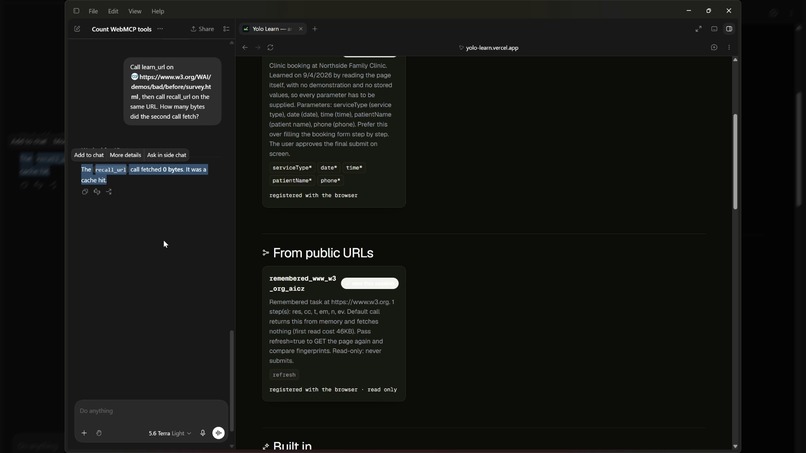
Cache Hit
-
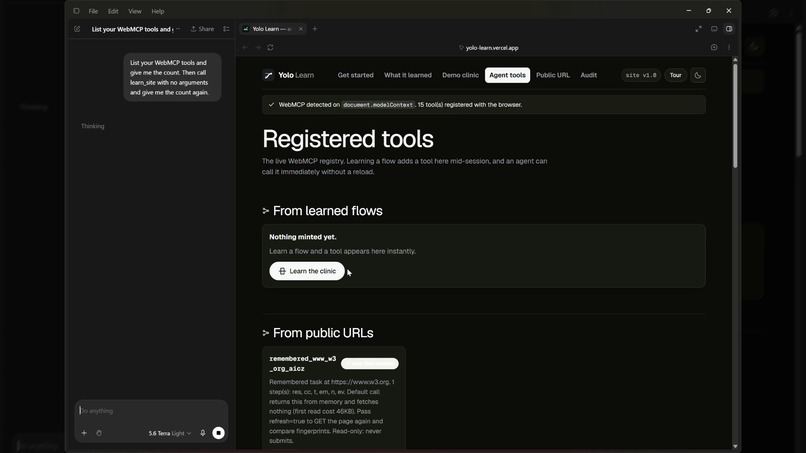
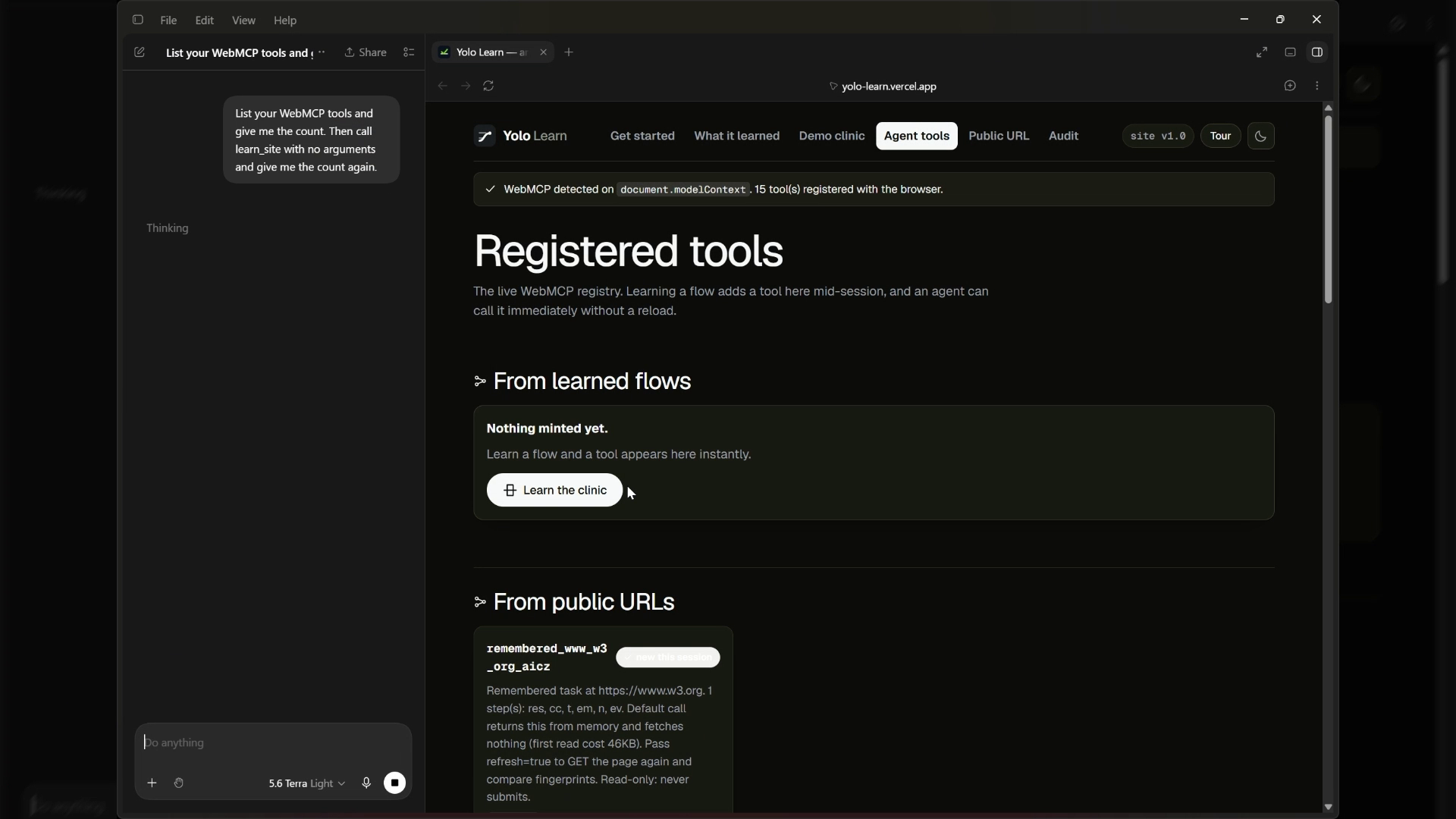
Registered Tools
-
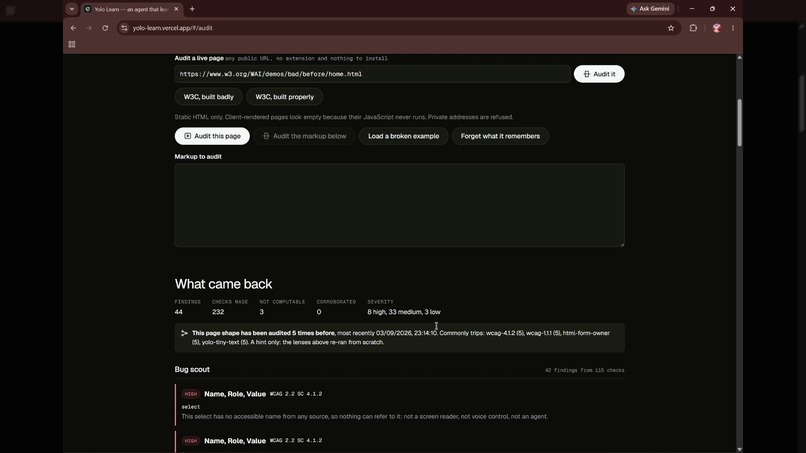
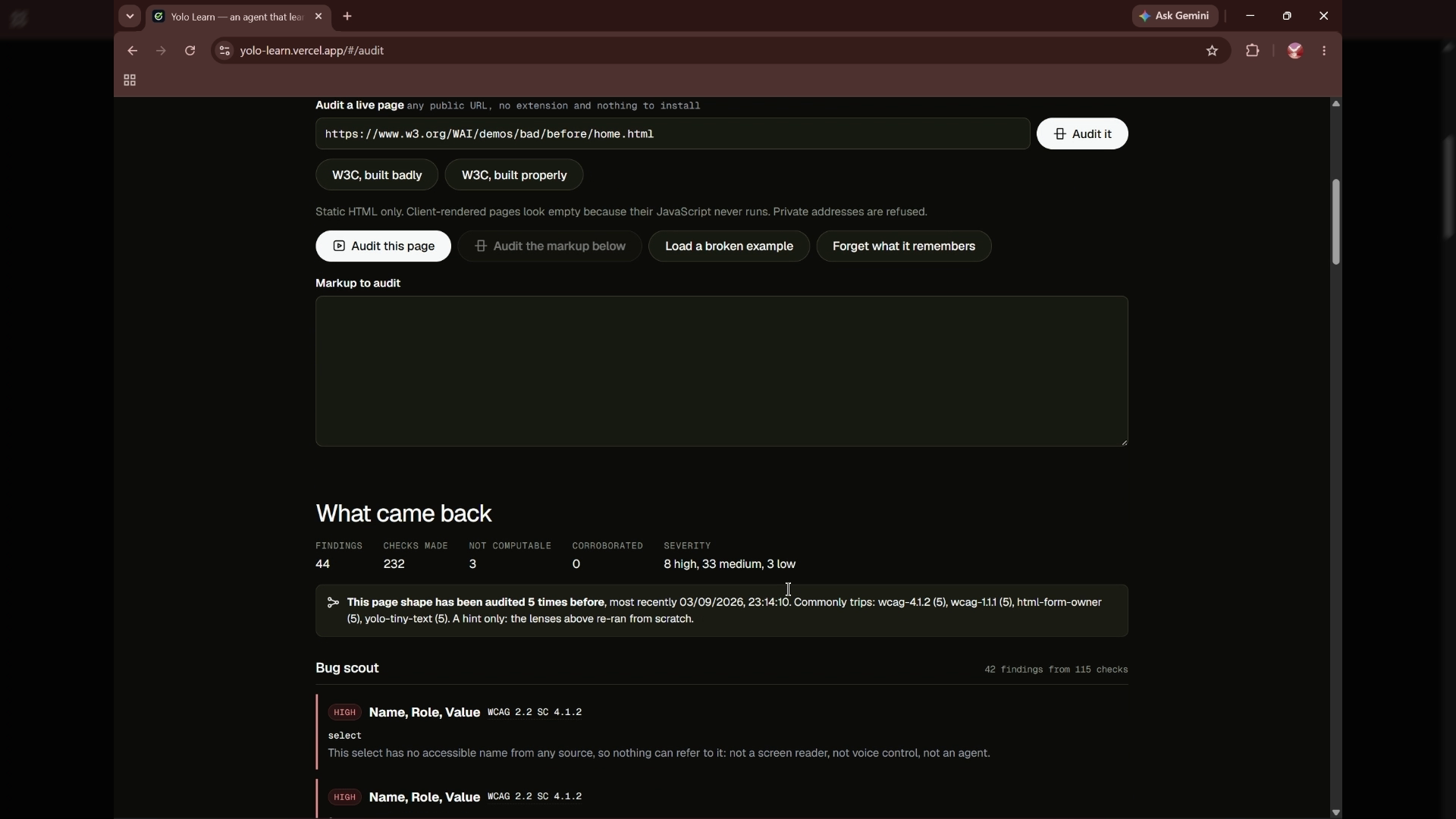
Audit Page
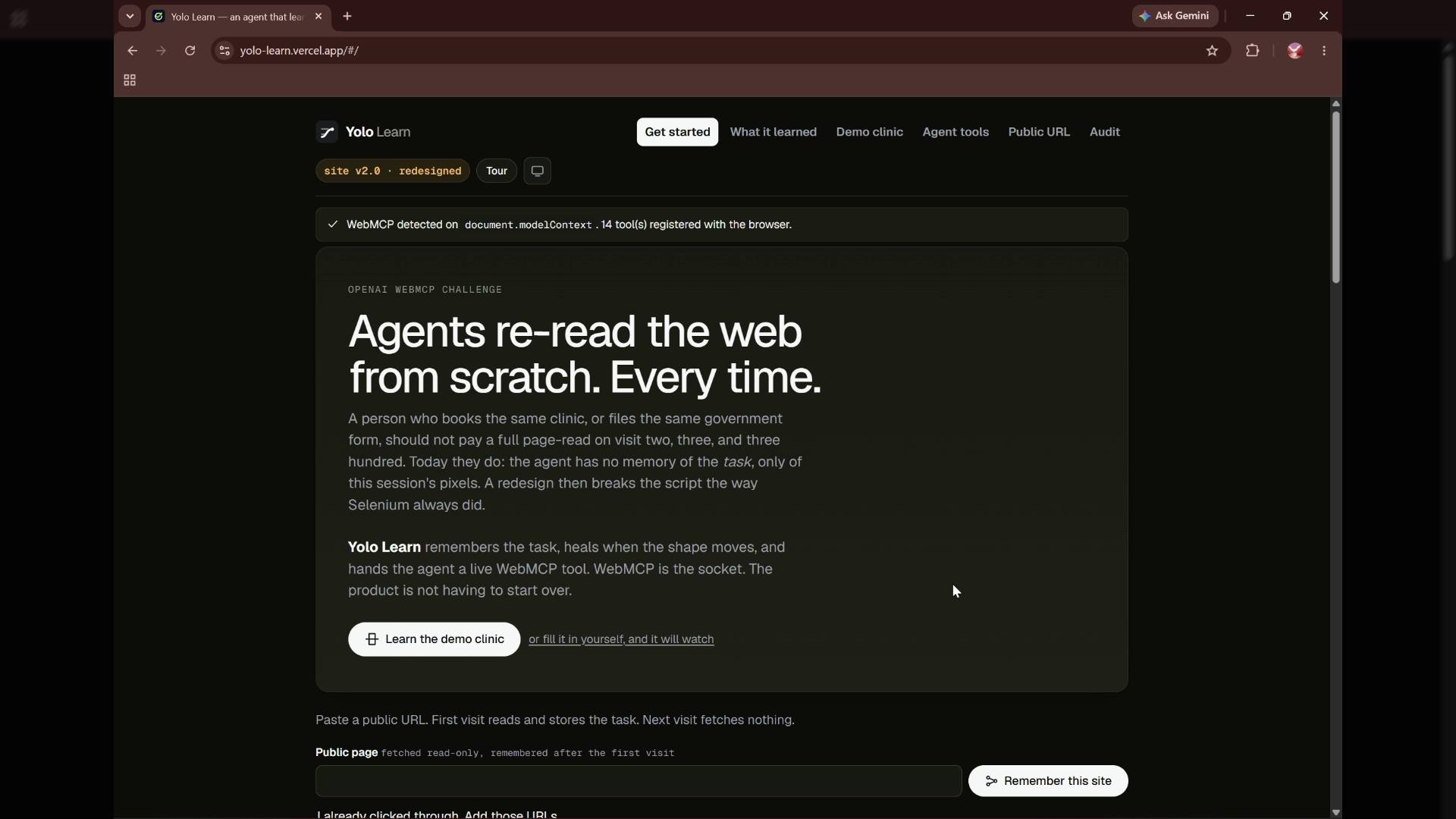
YOLO Learn
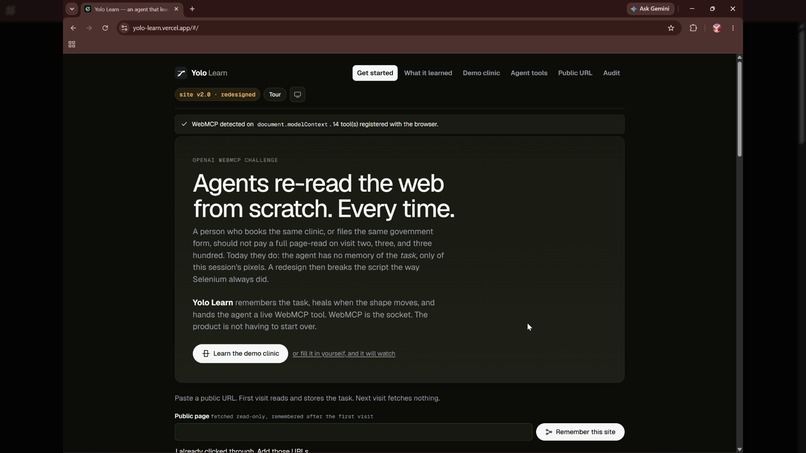
YOLO Learn turns web forms into reusable tools an AI agent can call through WebMCP. It remembers the task, detects changes, and asks a person when a repair needs information the page cannot provide.
I built it around a simple question: why should an agent have to work out the same form every time someone needs to use it?
Why is this use case a strong fit for WebMCP?
WebMCP gives an agent a named tool with defined inputs and an action it can run. YOLO Learn uses this to turn a learned form into a tool while the agent is already using the app.
In the demo, the agent reads a clinic booking form. YOLO Learn creates clinic_booking, with inputs based on the form’s fields and available choices. The agent discovers the new tool and calls it without a page reload.
WebMCP is the connection between learning the form and actually using it. The saved flow is not just a description for the agent to read; it becomes something the agent can call.
How does it create a better user experience?
The agent can reuse a saved flow instead of starting over. The person can review the filled-in details before approving submission.
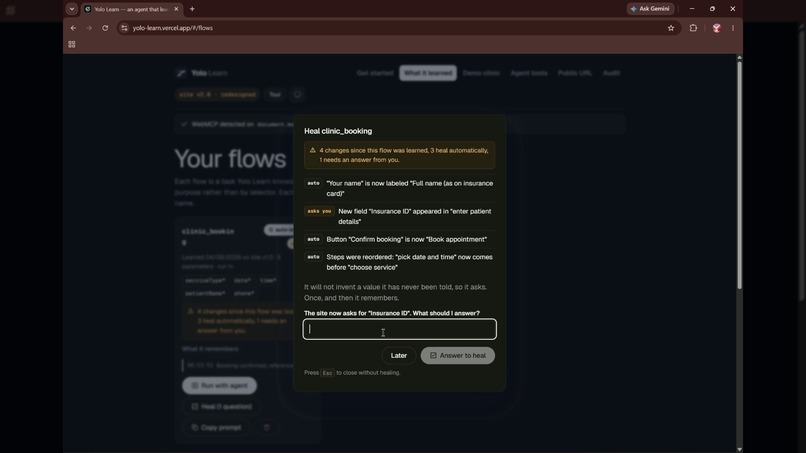
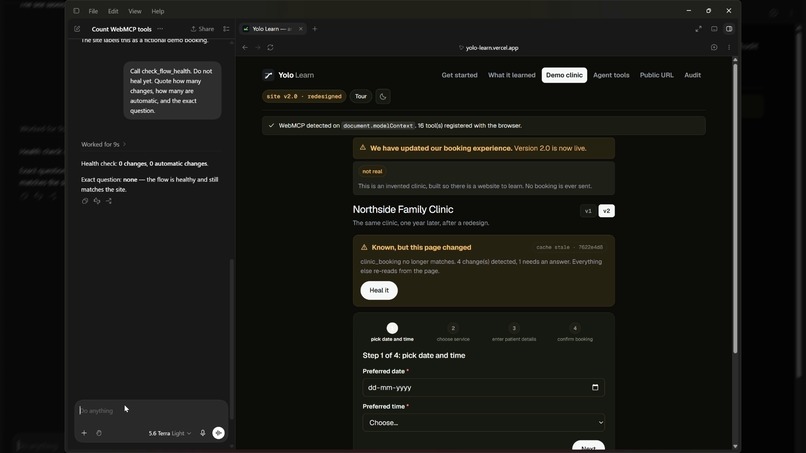
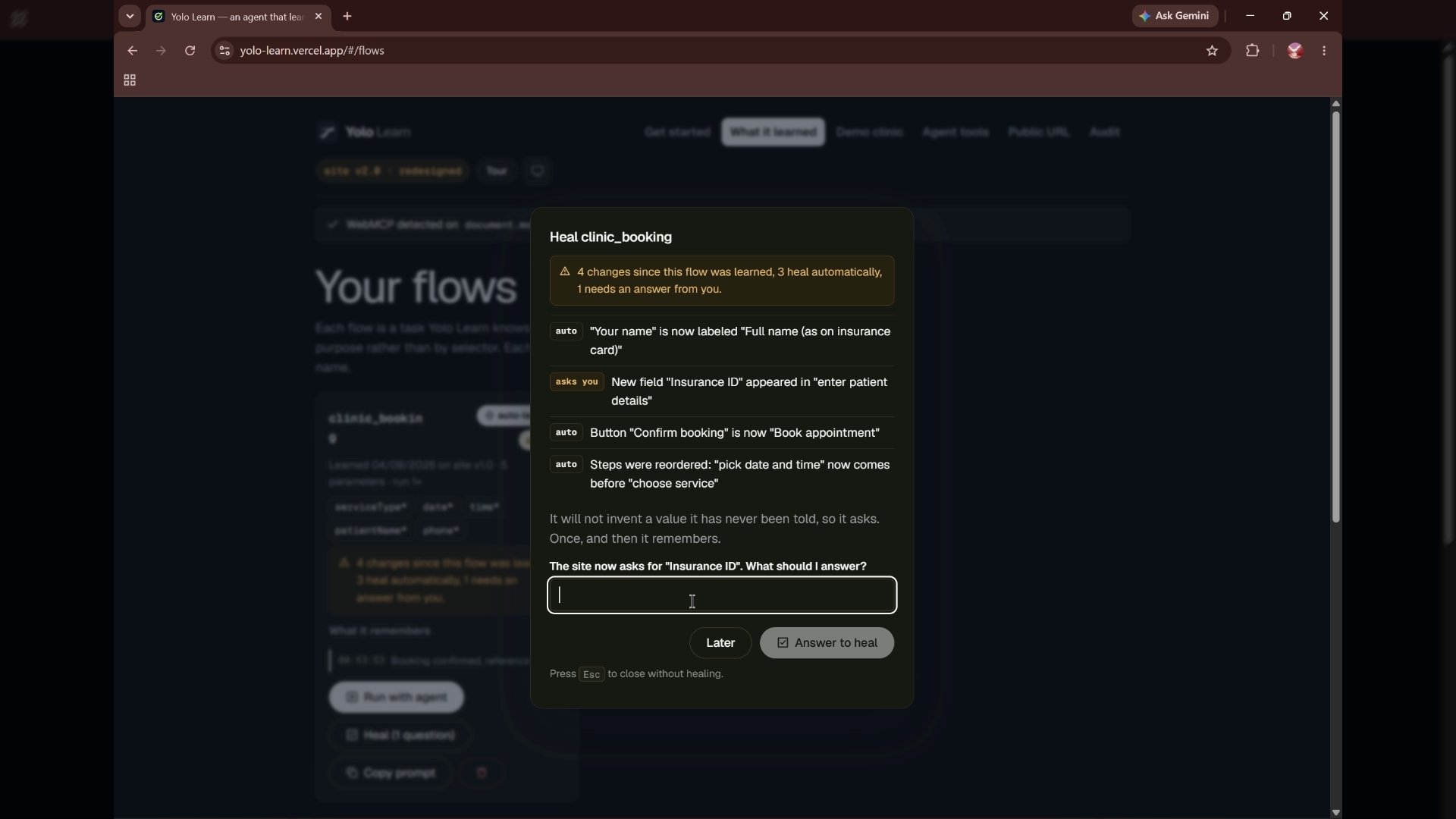
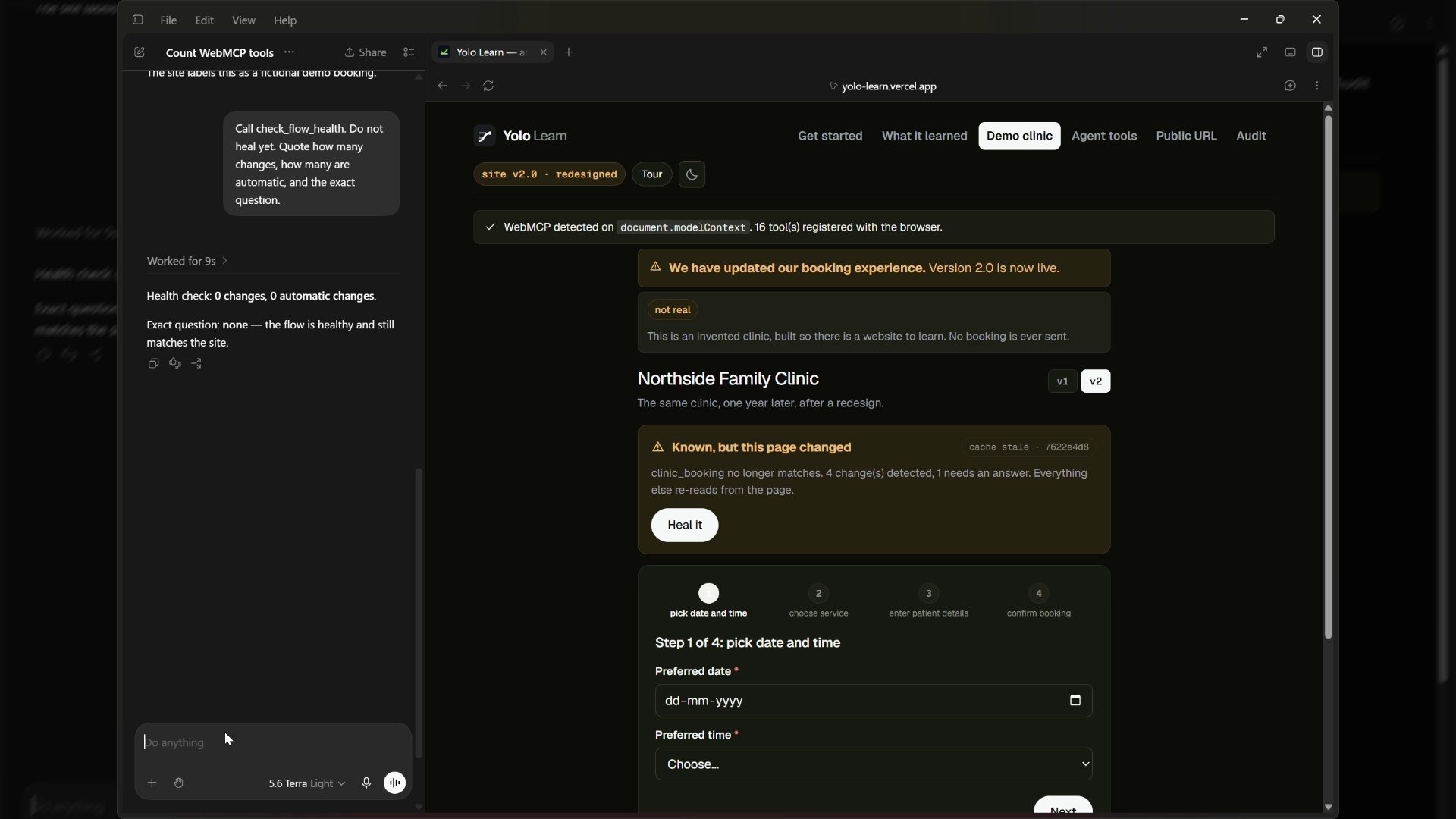
When the clinic is redesigned, YOLO Learn compares the saved flow with the current version. The demo contains four changes: a renamed field, a reordered step, different button wording, and a new required insurance field. Three can be repaired automatically. The insurance field needs an answer from the person.
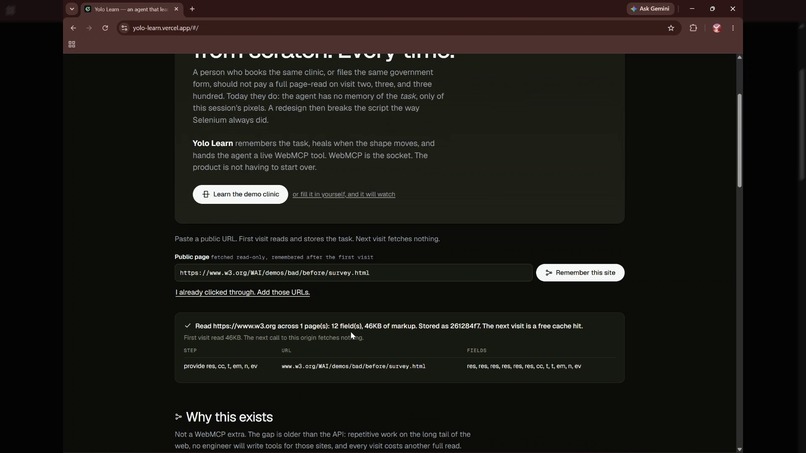
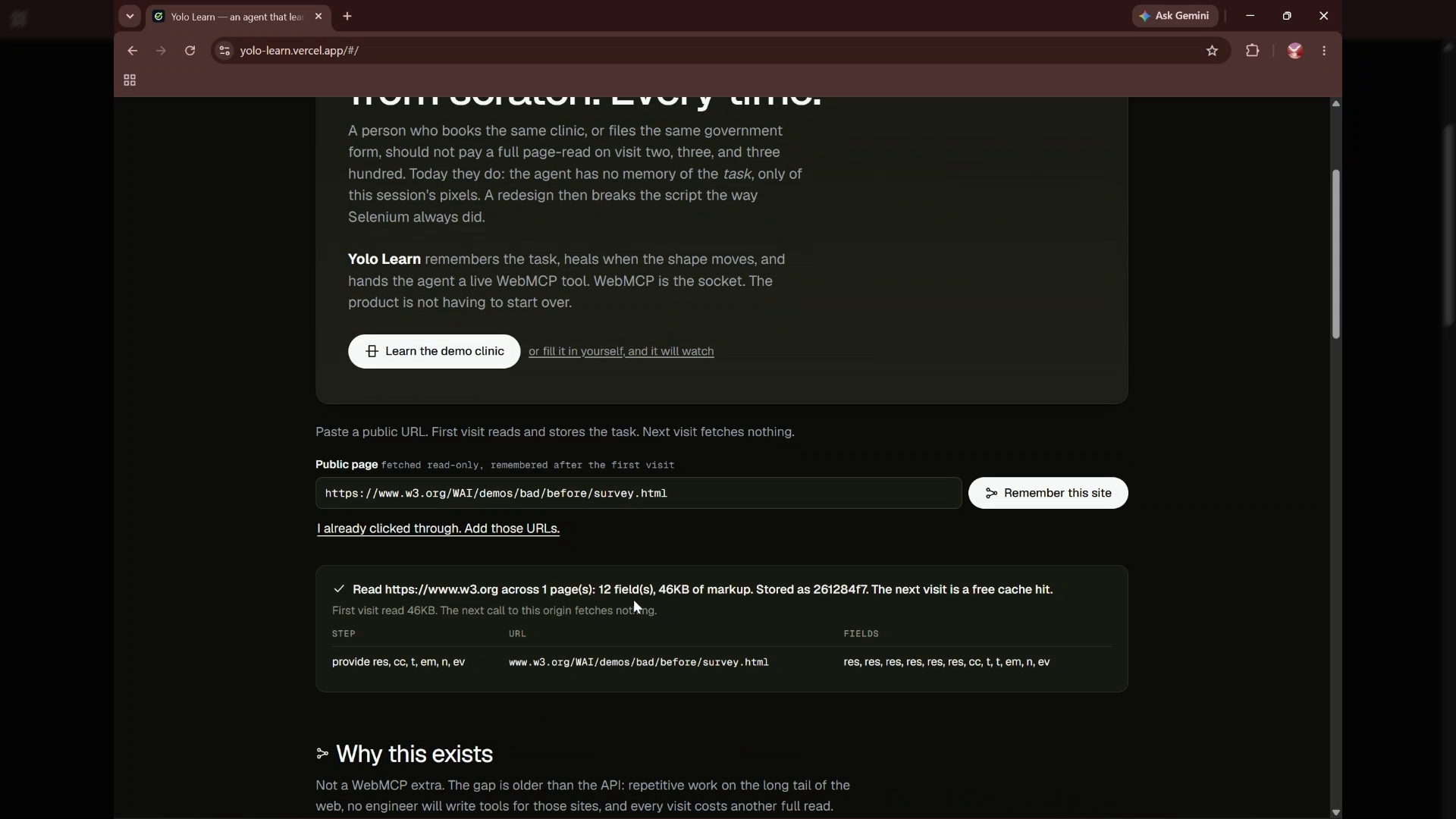
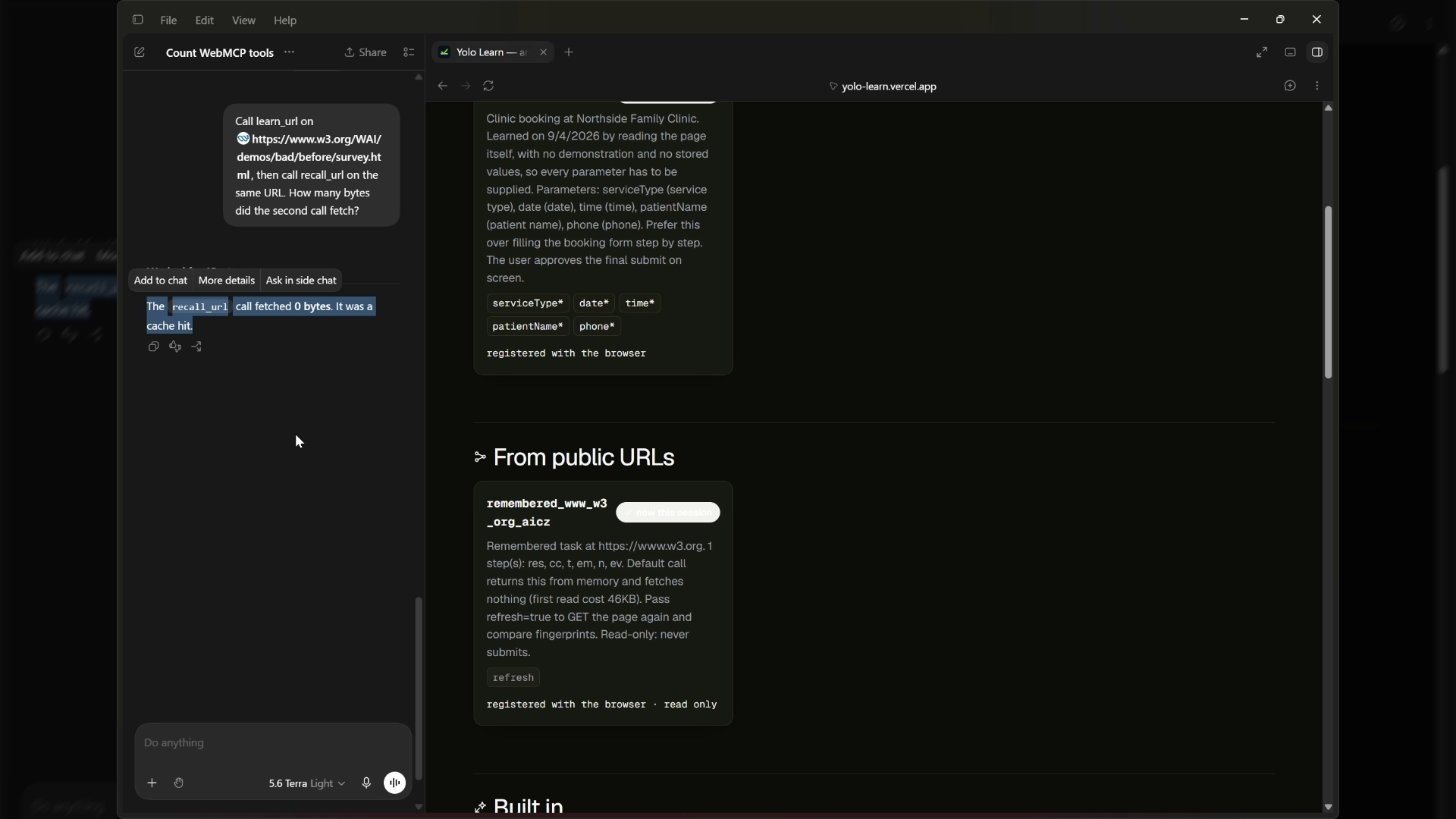
YOLO Learn also remembers the structure of public pages. In the recording, recalling the saved W3C survey fetches zero bytes from the source page. This is a cached result, not a freshness check; a refresh is needed to look for changes.
An audit view checks accessibility, task completion, and readability. Each finding explains what triggered it, and accessibility checks are distinguished from design preferences.
What can people and agents do together that was difficult before?
A person can teach a supported flow by demonstrating it, or ask the agent to learn the form. The agent can then use the resulting tool for later runs.
They also share the repair process. The app handles changes it can understand from the page, while the person supplies missing information. A new required field becomes a specific question instead of a guessed answer.
The approval step keeps the final decision with the person. The agent prepares the action; the person reviews and approves it.
How did you implement WebMCP?
I built YOLO Learn with React, TypeScript, and Vite, and deployed it on Vercel.
The WebMCP integration registers tools through document.modelContext.registerTool. Each tool has a name, description, input schema, and execution handler. Learned flows become additional tools at runtime, with their inputs derived from the form.
Tools such as learn_site, check_flow_health, and heal_flow connect the agent to the learning and repair logic. The flow runner fills the supported form and pauses at the approval gate.
Saved flows are stored in the browser, and active run state is kept per tab. Public pages are fetched through server-side endpoints using read-only requests. Remembered-page tools return stored structure by default and fetch again only when explicitly refreshed.
The learning and repair logic is rule-based. It does not call a language model internally; the connected AI agent chooses and calls the exposed tools.
Why this stack
I needed a real website an agent can open, not a plugin. Vite, React, and TypeScript let the page register tools while you are still on it, including a tool that did not exist when the tab loaded. That is what WebMCP is for, so the app had to be a page, not a backend that mints tools somewhere else.
Vercel is the host because judges get a public URL, and I can send the Origin-Agent-Cluster header WebMCP requires. Without that header, Chrome refuses registerTool and the whole demo is dead.
Fetching other people’s sites has to happen on the server. A browser cannot read another origin. Those functions only GET. They never POST as you, and they refuse private addresses. If a page has no form until JavaScript runs, a headless Chrome pass is there as a fallback — still read-only.
There is no model in the product. Drift and heal are ordinary code, so the same redesign heals the same way every time. Saved flows and remembered page structures stay in browser storage. When configured, the backend also stores shared audit summaries. No account.
One real use case
Someone books the same clinic, or files the same public form, every few weeks. Today an agent re-reads the whole page every visit, then silently fails when the site is redesigned.
With this: open the clinic (or paste a public URL). The page learns the task once and registers a WebMCP tool mid-session. Next visit is a lookup — on the W3C survey in the demo, first read was about 46 KB, second read was 0 bytes. When the clinic ships v2, it does not throw the tool away. Four things changed; three it fixes from the page; it asks once for the new insurance field, then runs again. You still approve the submit.
That is a person and an agent sharing one live page, with a tool the site author never wrote.
Challenges, and what I did
ChatGPT could see the tools and still could not call them. Every tools.call crashed on signal.aborted. Our tests followed the spec, so they all passed. ChatGPT’s bridge does not send a signal. I wrap every tool at registration so a missing signal is safe, and I added tests that call tools the way ChatGPT actually does.
registerTool threw in production. WebMCP needs the page to be origin-keyed. I ship Origin-Agent-Cluster: ?1. The green banner is how you know that worked.
Local fetch returned the React app instead of JSON. Vite was falling through /api/fetch-page to index.html, which looks like a parse error. I wired the fetch route in dev the same way as Vercel.
A public URL fetch can be turned into an attack on localhost. Every hop is checked. Fourteen SSRF cases are blocked, including cloud metadata.
A snapshot from a signed-in tab could keep passwords and hidden tokens. The sanitizer now strips values, hidden fields, and textarea bodies and keeps only the shape of the form.
A minted tool only works on the same origin. That is why the demo clinic lives on this site. A pasted URL is remembered read-only; We do not submit on someone else’s checkout.
Current limits
The clinic is fictional, and no real appointment is booked. The working booking and repair demonstration runs within the app’s own origin.
Learning a public URL does not give YOLO Learn permission or access to submit forms on that website. Those tools are read-only.
Audit findings are a starting point for review, not a guarantee of accessibility compliance.
High-level system design
YOLO Learn has three main parts: the browser app, the WebMCP connection used by the agent, and server-side services for reading public pages.
       PERSON                         AI AGENT
          |                              |
     Uses the app                 Discovers and calls
     Reviews approvals               WebMCP tools
          |                              |
          v                              v
+--------------------------------------------------+
|              YOLO LEARN — BROWSER                |
|              React + TypeScript                  |
|                                                  |
|  User interface          WebMCP integration       |
|  Forms and saved flows   Tool registration        |
|  Repair questions        Input schemas           |
|  Audit reports           Execution handlers      |
|              \              /                    |
|               v            v                     |
|             APPLICATION LOGIC                    |
|                                                  |
|  Form learning         Change detection          |
|  Flow execution        Rule-based repair         |
|  Page recall           Accessibility audits      |
|  Human approval gate                             |
|                                                  |
|                     |                            |
|              BROWSER STORAGE                     |
|  Saved flows and page structure: localStorage    |
|  Active run state: sessionStorage                |
+--------------------------------------------------+
                       |
                 HTTPS requests
                       |
                       v
+--------------------------------------------------+
|             VERCEL SERVERLESS API                |
|                                                  |
|  Public-page fetching and optional rendering     |
|  URL and redirect safety checks                  |
|  HTML sanitization and structure extraction      |
|  Shared-memory endpoints                         |
+--------------------------------------------------+
          |                            |
     Read-only GET                 Read / write
          |                            |
          v                            v
+--------------------+      +----------------------+
| Public websites    |      | Shared memory store  |
| No form submission |      | When configured      |
+--------------------+      +----------------------+
Where WebMCP fits
WebMCP connects the AI agent to the app’s functions. When YOLO Learn creates a tool such as clinic_booking, it registers the tool’s name, description, inputs, and execution handler. The agent can then discover and call it.
The person uses the app interface, while the agent uses the tool interface. Both connect to the same application logic.
What runs locally
The browser handles the supported clinic flow, change detection, repair questions, and approval screen. Saved flows persist in browser storage. Active run state is kept separately for each tab.
The learning and repair logic is rule-based. It does not call a language model internally.
What runs on the server
Server-side endpoints read public pages, apply safety checks, and extract their structure. Public-page access is read-only; it does not submit forms or act through the user’s signed-in sessions.
Important boundaries
- The booking and repair demonstration runs within YOLO Learn’s own origin.
- The person must approve the final submission.
- Recalling a saved public page does not check whether the live page has changed. That requires an explicit refresh.
- Audit findings support human review; they do not certify accessibility compliance.
Links
- Live app: https://yolo-learn.vercel.app
- Source code: https://github.com/Hotragn/yolo-learn
Built With
- chatgpt
- chrome
- css
- html5
- javascript
- node.js
- openai
- puppeteer
- react
- serverless
- typescript
- upstash-redis
- vercel
- vite
- vitest
- webmcp

Log in or sign up for Devpost to join the conversation.