-
-
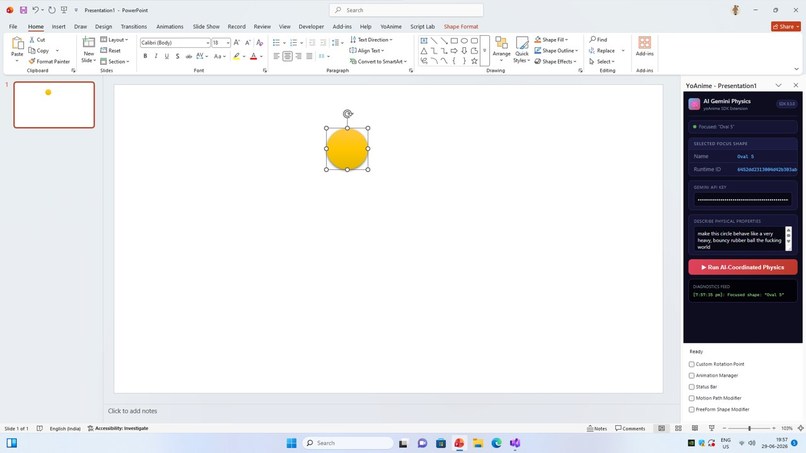
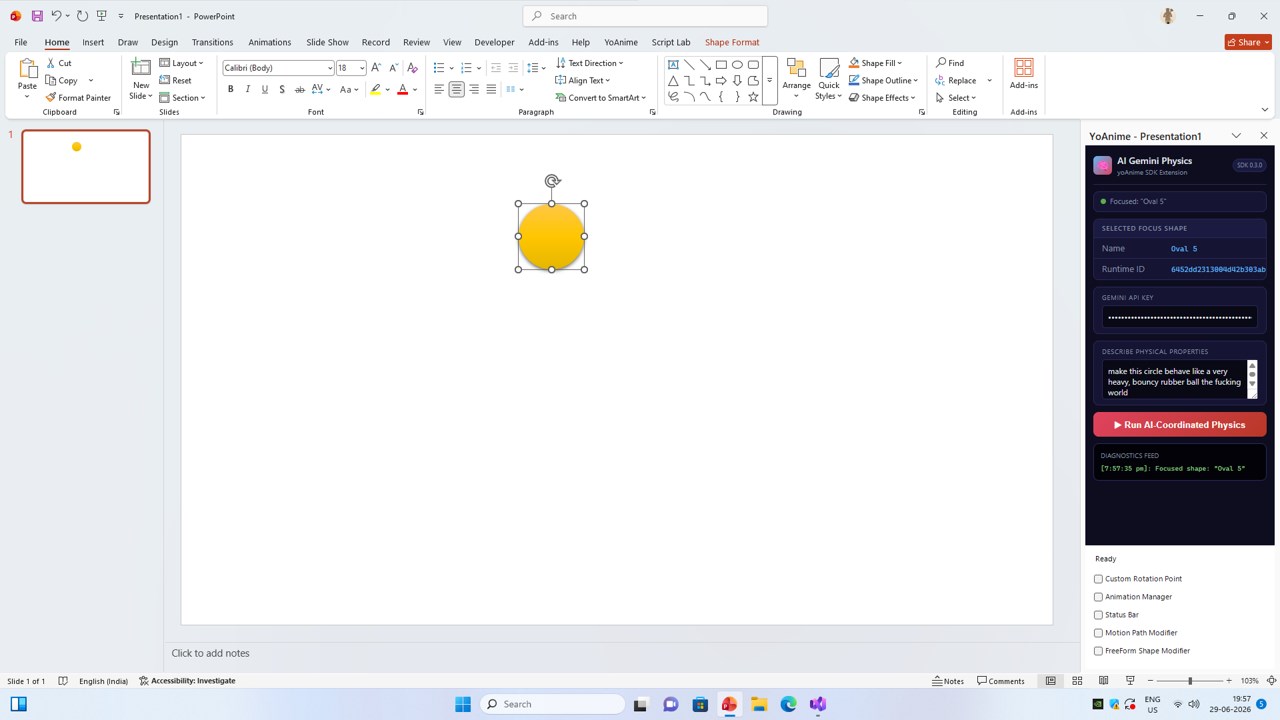
Configure rigid-body properties using natural language prompts to drive deterministic shape simulations via the AI Gemini Physics extension
-
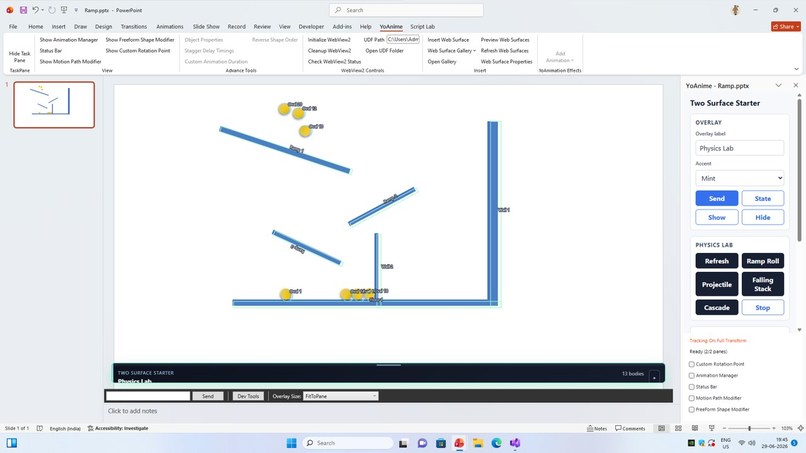
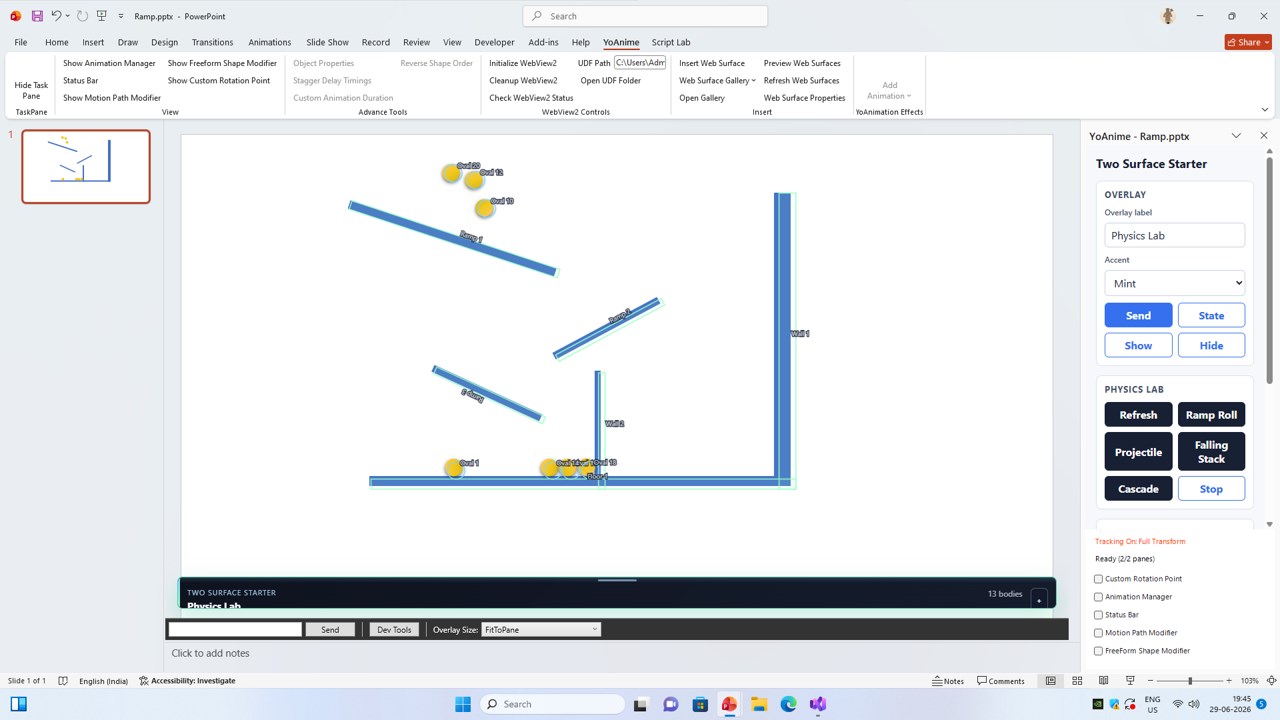
Project tuned rigid-body colliders, static boundaries, and physical ovals directly over shapes using the Two Surface Starter Physics Lab
-
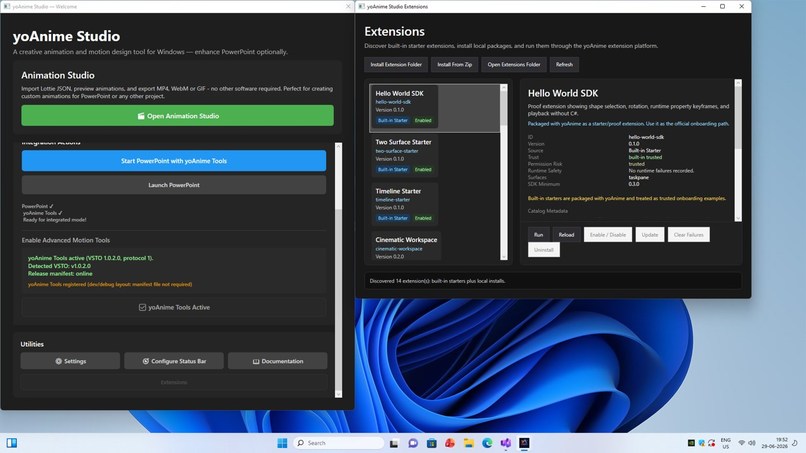
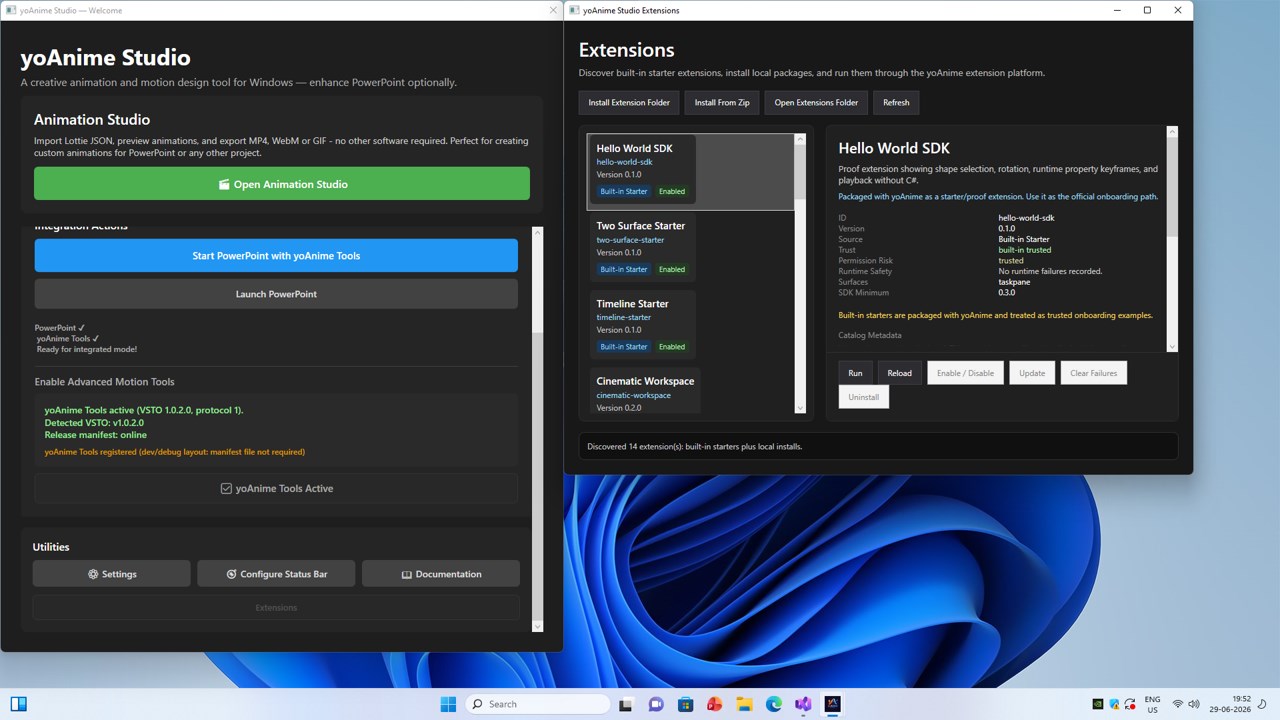
Manage, install, and audit third-party presentation extensions safely using the standalone yoAnime Extension Manager
-
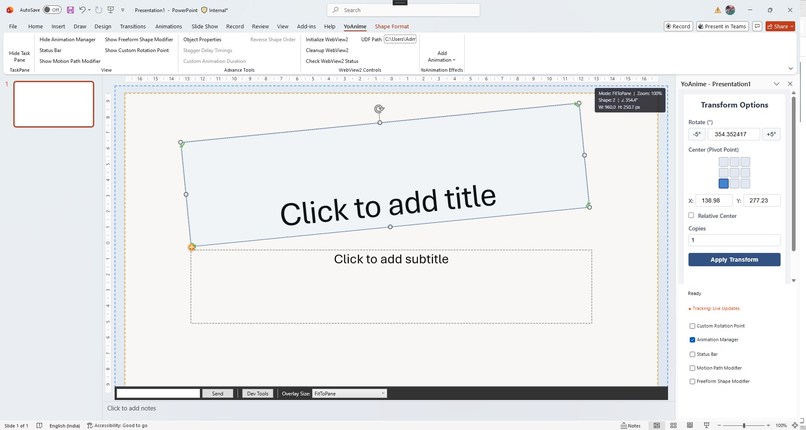
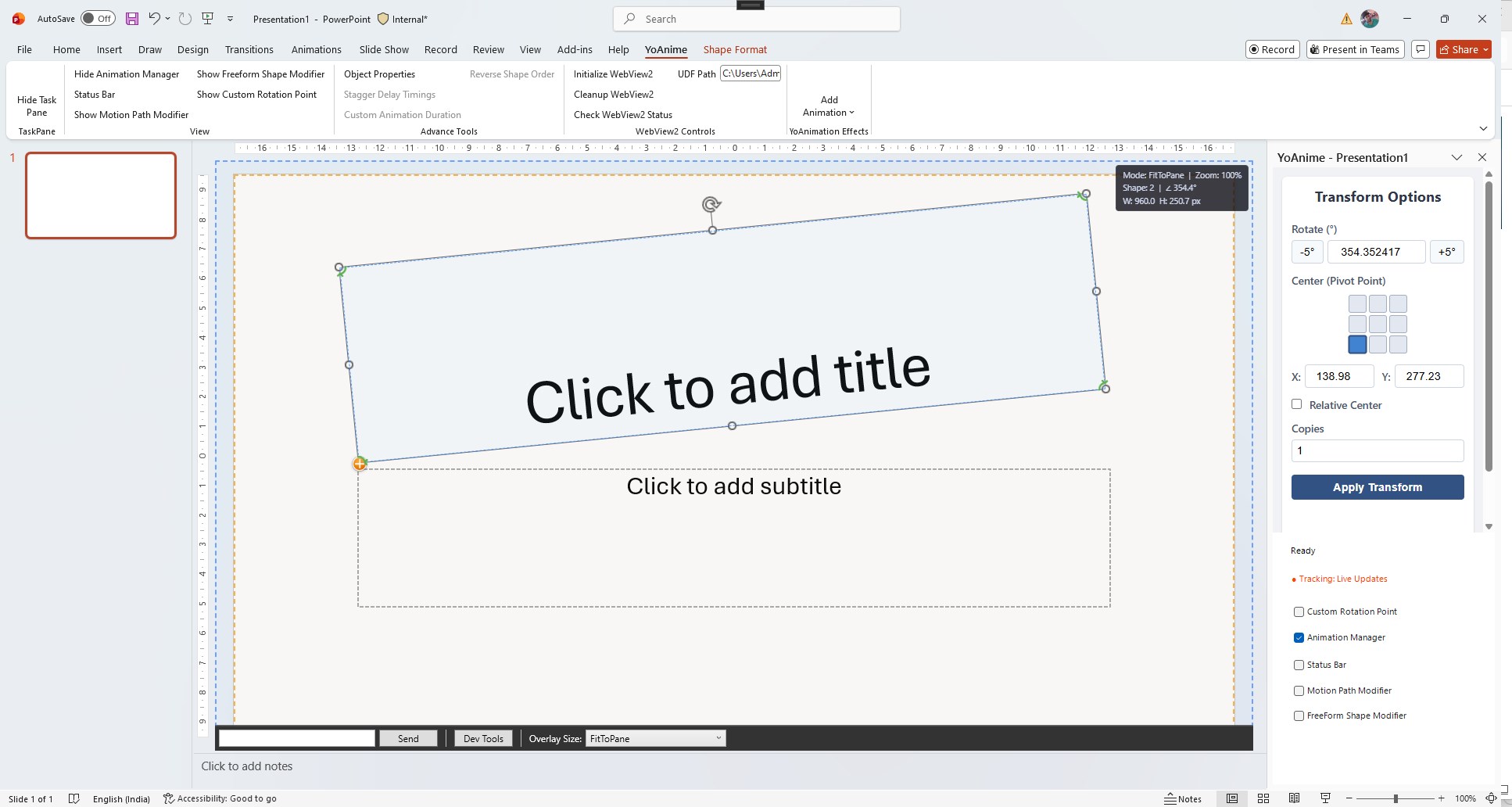
Utilize our embedded HTML/JS to apply precise, multi-copy shape rotations around custom off-center anchors directly on your slide canvas
-
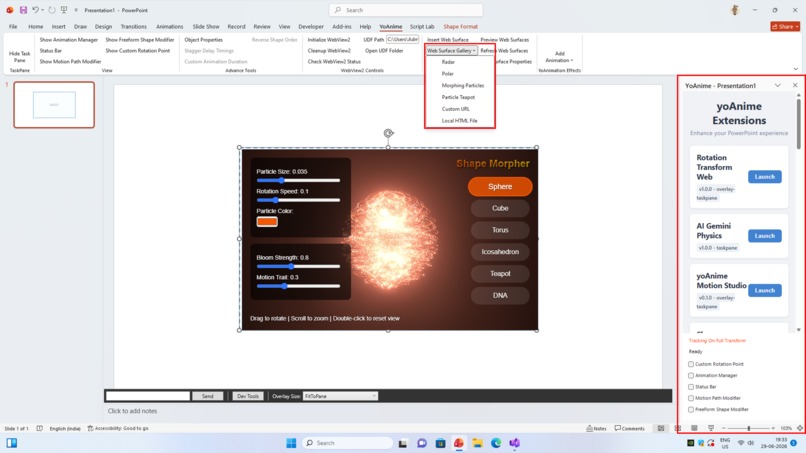
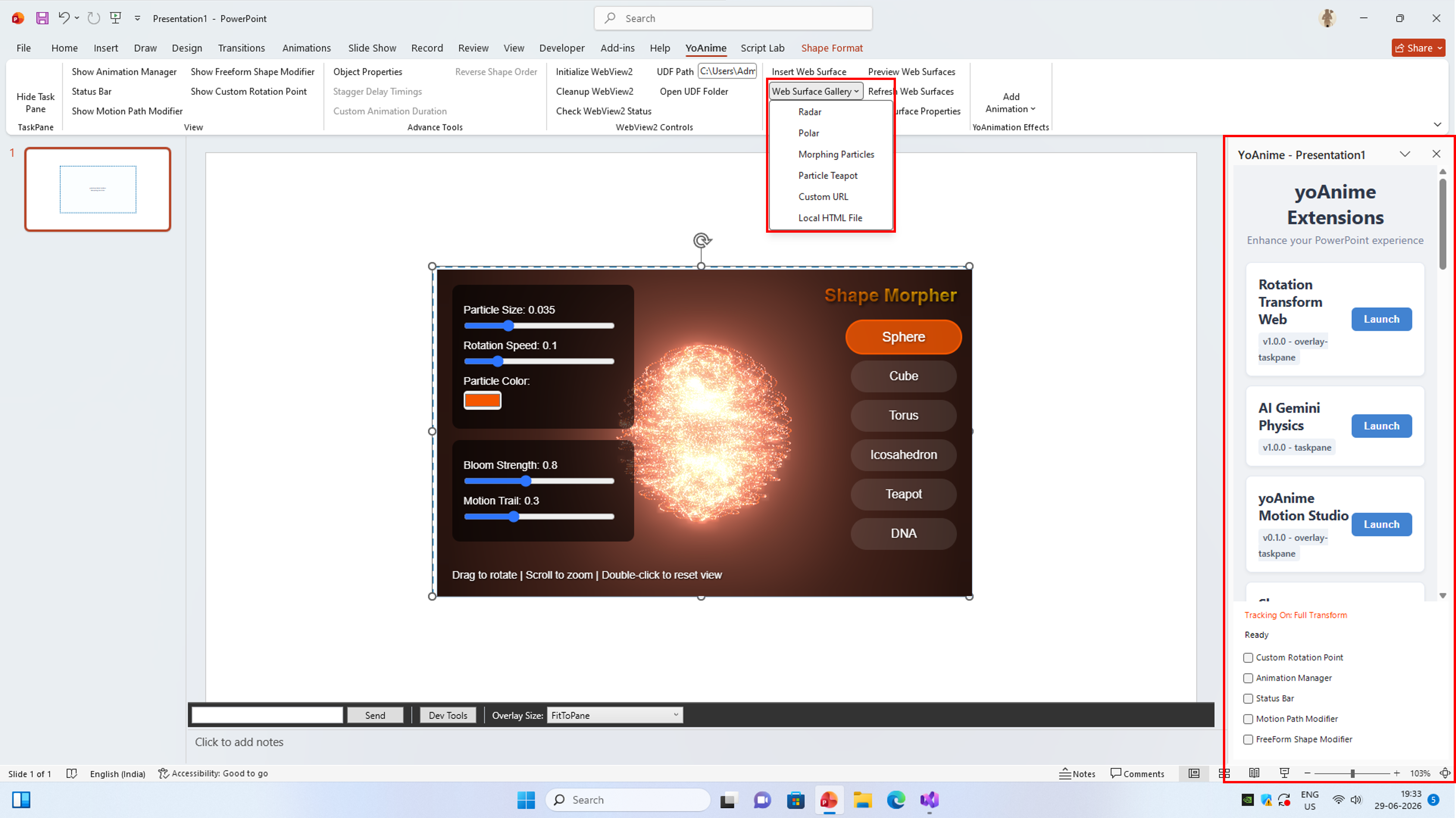
Render and interact with hardware-accelerated, sandboxed 3D Web Surfaces directly inside your slides using the integrated Web Surfaces
Inspiration
I can't write a single line of code.
Two months after ChatGPT launched, I opened it with an idea: make a PowerPoint shape rotate around a custom pivot point instead of the default center. PowerPoint doesn't support this natively.
I asked ChatGPT to build a VSTO Add-in. It wrote C#. I had no idea if it was right — I just copied, pasted, built, and tested. It worked.
That conversation never stopped for three years.
The first challenge — Custom Rotation Point
Rotating a shape around a custom pivot required a native WPF overlay that could be embedded inside PowerPoint. I asked ChatGPT to build the CustomRotationPointManager — a WPF canvas where users drag a pivot point and rotate shapes around it.
The WPF app needed to live inside PowerPoint as a child window. Through hundreds of iterations, we built the parent-child window embedding system using SetParent, SetWindowPos, and Win32 P/Invoke — all written by AI. The WPF overlays now support multiple presentations, multiple monitors, and per-monitor DPI awareness (DPI V2).
Building the platform
Each capability raised the bar. The Animation Manager became a WPF UI with WebView2 for rendering HTML/JS animation tools. Then we built Rotation Transform Web — the same custom pivot rotation but through an HTML/CSS/JS/C# pipeline powered by IPC Named Pipes.
Named Pipes became the backbone of the entire architecture:
VSTO (PowerPoint) ← Named Pipe → WPF Server (yoAnimeServer.exe) ← WebSocket → Browser Extensions
This three-process architecture lets browser extensions send intent through the SDK without ever touching PowerPoint COM objects directly.
The vision expands — Web Surfaces
The Animation Manager proved we could render web content over slides. But we needed a proper architecture — a way for users to embed live web content seamlessly into presentations.
The WebSurfaceRenderer was born: an HTML/JS page that creates dynamic iframes overlaid on PowerPoint slides, with interaction modes, hot zones, and pass-through rendering. Users can embed live dashboards, 3D visualizations, or real-time data into presentations.
The turning point — SDK and Codex
I wanted to share the architecture with the world without exposing the C# codebase. I asked Codex to build a JavaScript SDK.
Within weeks, Codex had built:
- The full SDK contract (
yoanime.sdk.*namespace onwindow.yoanime) - The Extension System — installable extensions with manifest validation
- Web Surfaces API
- Two-surface messaging (taskpane ↔ overlay)
- The public TypeScript type definitions (1564 lines)
The SDK routes JavaScript calls through Named Pipes to VSTO, which executes PowerPoint COM operations and returns results. Extensions never receive raw COM objects — they send intent through the SDK, and the runtime validates, coordinates, and applies changes.
The verification test
Once the SDK was documented on GitHub, we ran an experiment: give the public repository to an external AI coding agent with no access to private source code.
The AI read the docs, generated installable yoAnime extensions using the manifest contract and JavaScript SDK, and those extensions installed and ran through the public SDK. They could read PowerPoint selection data, query scene geometry, and bake animations.
The SDK had reached a level of clarity where AI could independently build on top of it.
The reference application — Ensemble Motion Studio
To demonstrate what the platform enables, we built Ensemble Motion Studio — the first reference application on the Motion Intelligence Engine (MIE).
It does something PowerPoint cannot: coordinate multiple objects with different motion profiles simultaneously. Shape A sways, shape B orbits, shape C pulses — all generated in one click through the per-shape assignment system we built.
Under the hood, the orchestration engine composes behaviors, applies variation, distributes timing offsets, and sequences layers — the kind of architecture you'd expect from a game engine, running inside PowerPoint.
How AI built everything
Every component in this project — VSTO add-in, WPF companion, IPC layer, WebView2 integration, Web Surfaces, SDK, extension system, and the reference application — was written through AI conversation.
When something broke, I described the symptoms. The AI diagnosed, traced through the code, and implemented the fix. I learned the architecture by reading what the AI wrote and asking questions.
The engineering workflow evolved organically:
- SDK contract verification tools
- Documentation synchronization
- Runtime regression testing
- Forensic debugging through the animation pipeline
- Specification documents for every subsystem
What's next
The current 1.0.2.0 is on the Microsoft Store and GitHub. The latest architecture — MIE, Ensemble Motion, physics providers, constraint systems, and the public SDK — will ship in the next version.
The long-term vision: a platform where AI writes extensions, those extensions generate motion, and users describe scenes in natural language — all without writing code.
I started with zero programming knowledge and a conversation. Three years later, I have a published Microsoft Store application with a public SDK that another AI can independently build on.
If that's not what Codex is for, I don't know what is.
Built With
- c#
- chatgpt
- codex
- css
- html5
- javascript
- json
- node.js
- powerpoint
- typescript
- vite
- vs
- webview2
- wpf


Log in or sign up for Devpost to join the conversation.