-
-
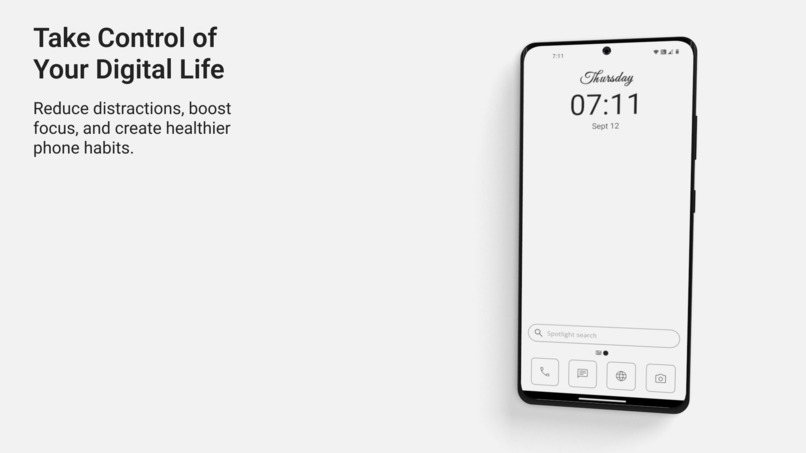
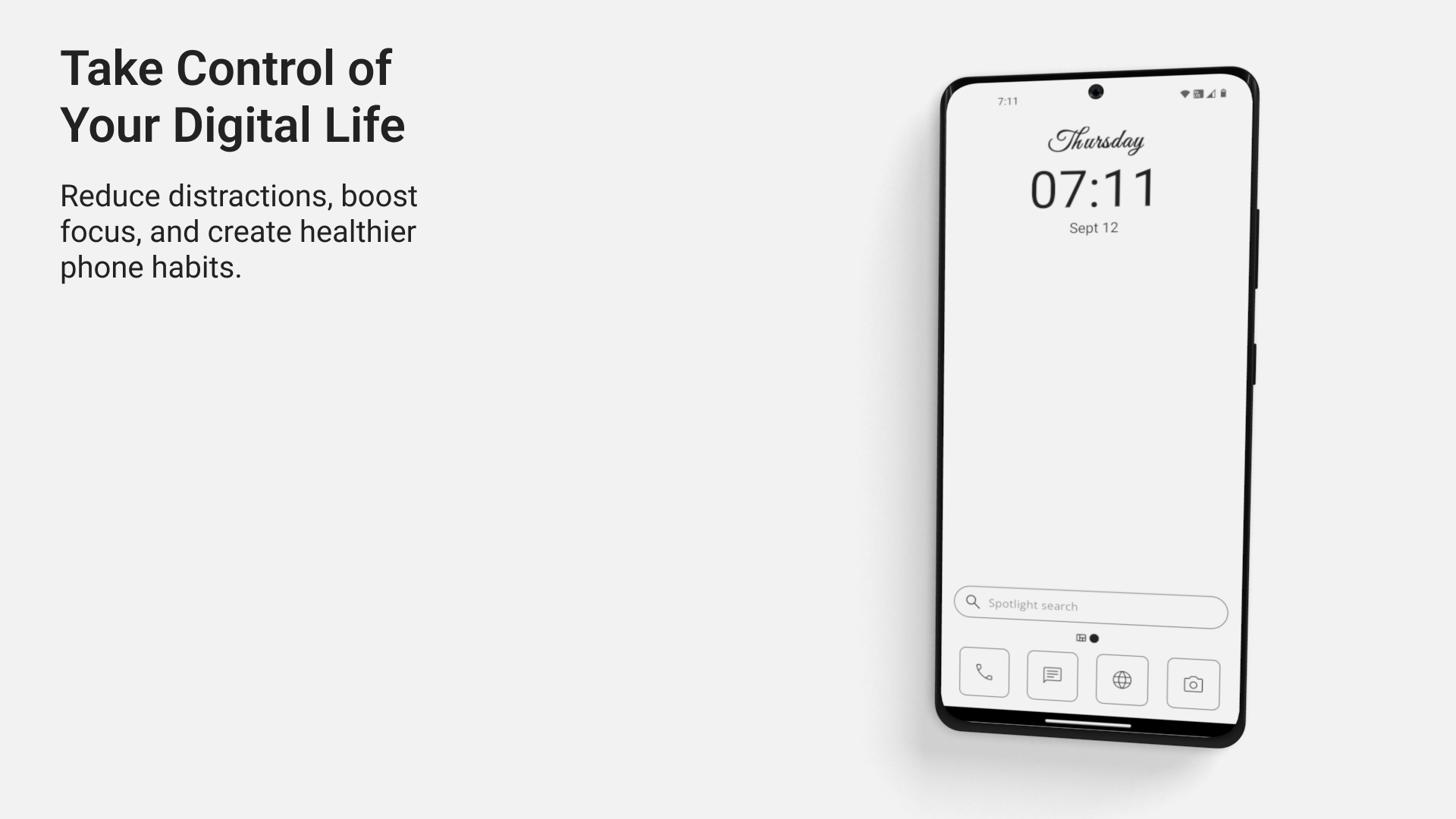
Minimalistic Homescreen
-
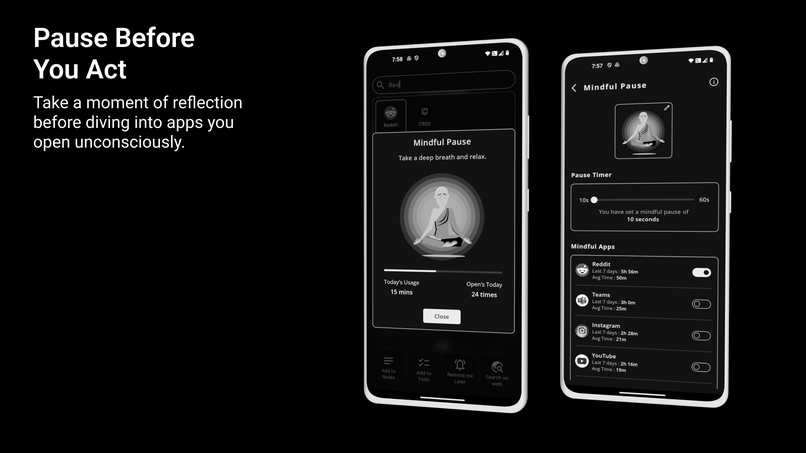
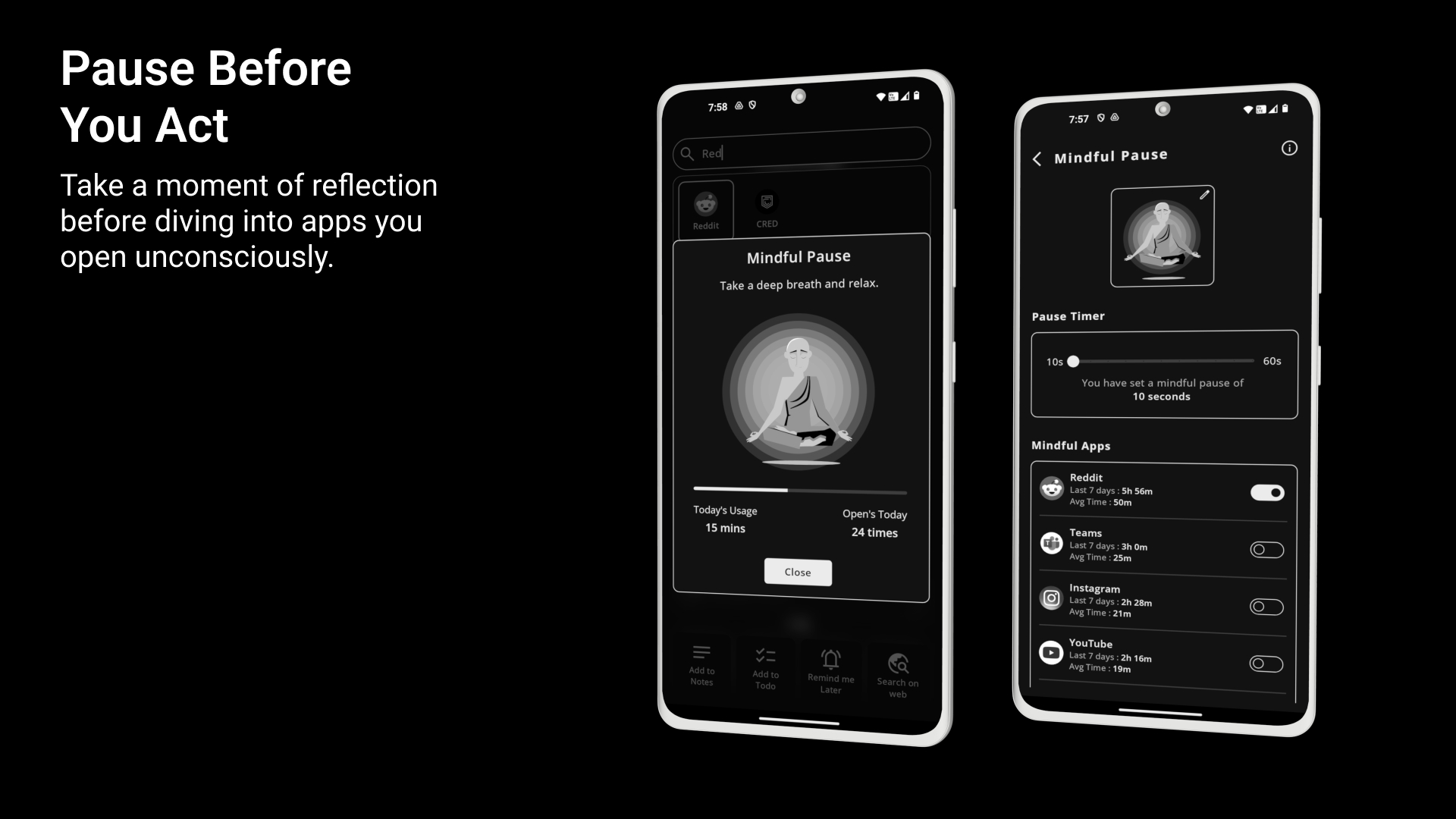
Mindful Pause
-
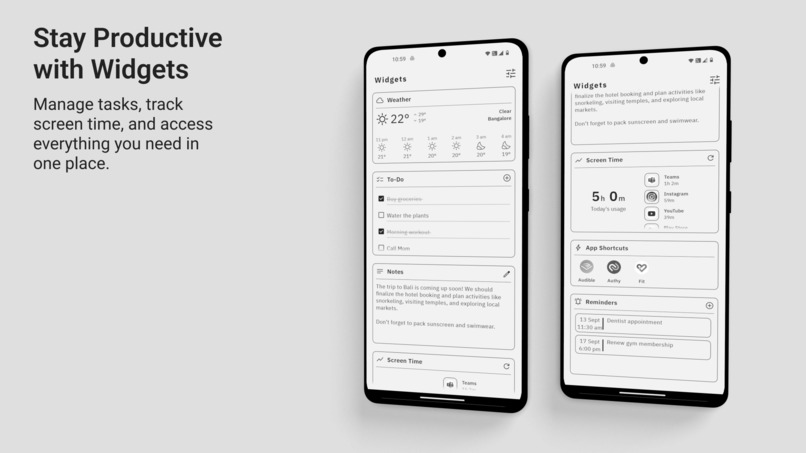
Widgets
-
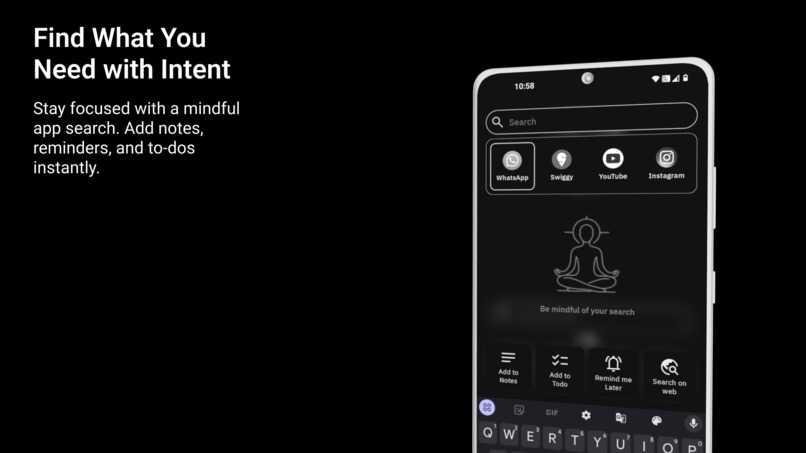
Spotlight Search
-
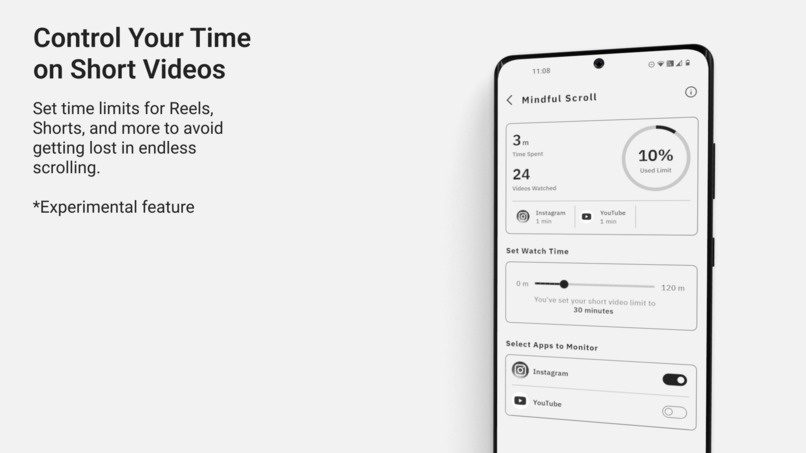
Mindful Scroll
-
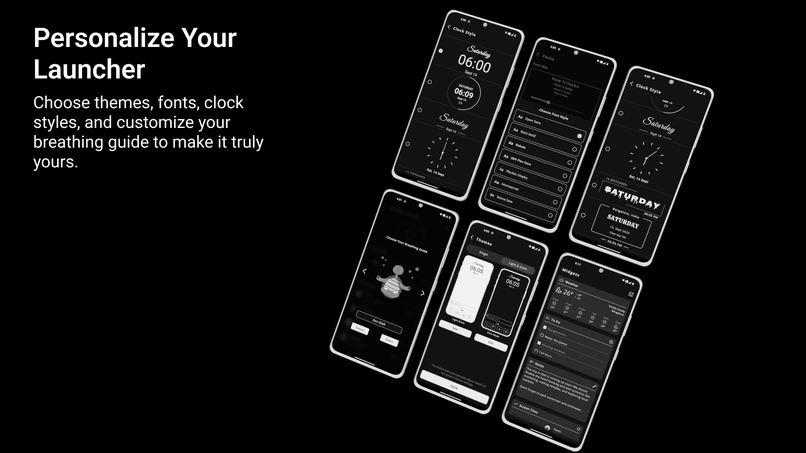
Personalize
Inspiration
Smartphones have undoubtedly become one of the greatest inventions of our time. They allow us to stay connected, capture memories, and perform tasks more efficiently. However, as these devices have become extensions of ourselves, our dependency on them has grown, often leading to unhealthy screen time habits.
I, like many others, found myself spending hours on my phone, often without realizing how much time had passed. When I looked around, I noticed this problem was widespread, yet normalized. People are aware that excessive screen time is an issue, but very few take action to change it. Even with built-in tools on smartphones to manage usage, most users don’t engage with them because they feel cumbersome or too restrictive.
I wanted to break this habit for myself. I needed something minimal that would help me avoid mindlessly scrolling swithout sacrificing the functionality of a modern smartphone. I looked into devices like the Lite Phone, Cat S22 Flip, and Boox Palma, but they all lacked basic functionalities like mobile payments, maps, or a good camera. Additionally, these devices were often slower, and purchasing them as secondary phones felt like an unnecessary step backward.
What I realized was that we don’t need to slow down our phones to regain control. We should still be able to capture moments with a good camera, navigate using maps, and stay productive—all without falling into the trap of constant distractions. That’s when I turned to launchers.
I tried various minimalistic launchers, but they too had their flaws. Many were dull, with uninspired text-based designs that made using the phone feel like a chore. They relied on the idea of abstinence—making the phone less appealing to use. However, I believe that abstinence is rarely effective when it comes to breaking addictive habits. What we really need is moderation.
That’s when I realized we need a better interface—one that didn’t force users to avoid their phones but instead encouraged a healthy relationship with them. A launcher that made users feel productive in various aspects of their lives, without the guilt of overuse. We need balance between the helpful and distracting aspects of our phones.
That’s how Yin Yang Launcher was born—an interface designed for both minimalism and mindfulness, offering users the chance to enjoy the best of their smartphones, while managing their habits effectively.
What it does
Yin Yang Launcher is designed to help users cultivate a healthier relationship with their phones through a combination of minimalism and mindfulness. The app enables users to reduce distractions, stay productive, and mindfully interact with their devices. Here’s what it offers:
Minimalist Home Screen: The app features a clean, distraction-free home screen with only the essentials. Users can focus on what's important without being overwhelmed by a cluttered interface.
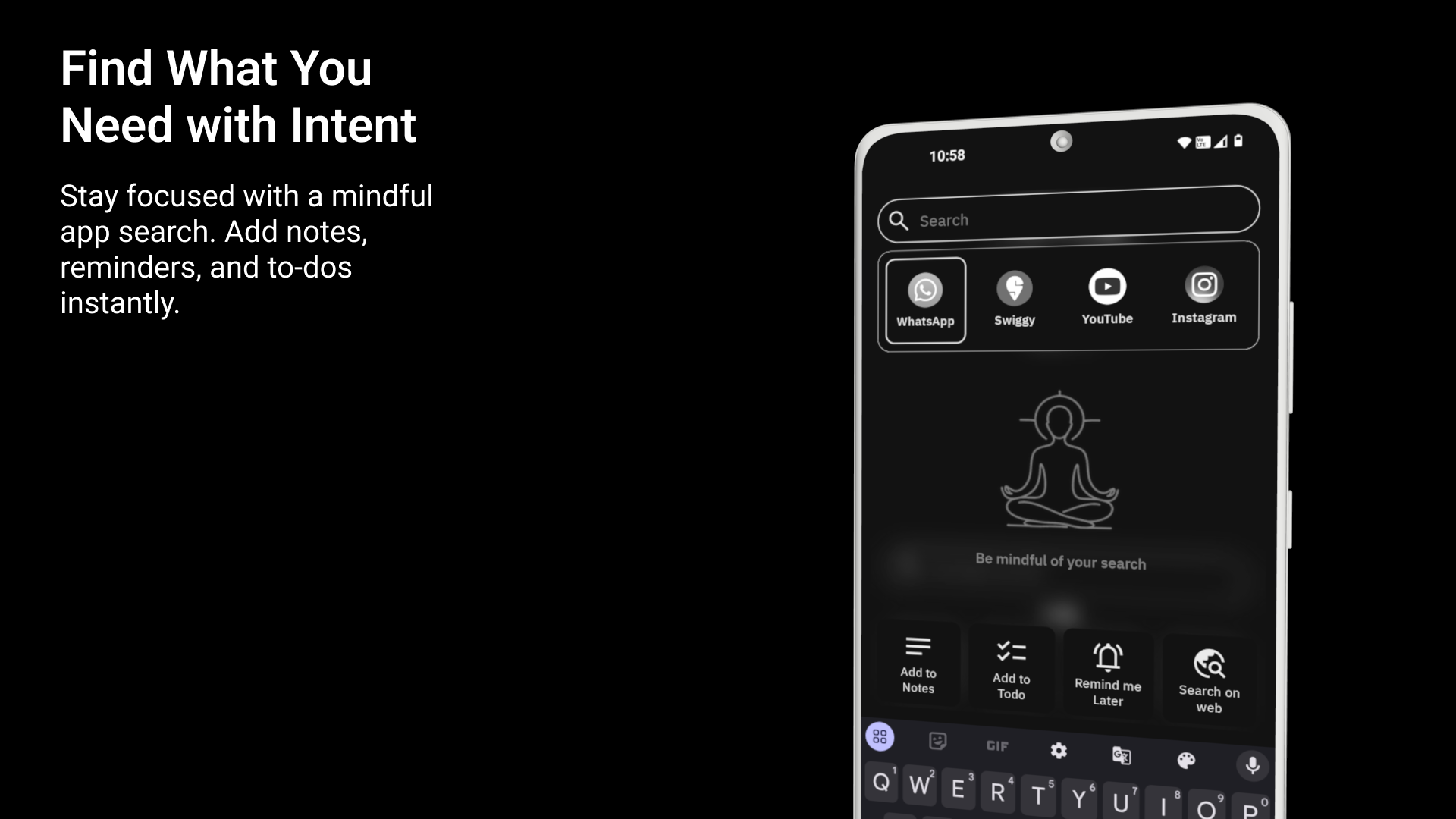
Spotlight Search: With the intuitive Spotlight Search, users can quickly and intentionally find apps, while being limited to seeing only a few results at a time, reducing the temptation for mindless browsing.
Mindful Pause: This feature prompts users to take a short pause before opening apps. By encouraging a few seconds of reflection, Mindful Pause helps break the habit of mindlessly opening apps out of routine.
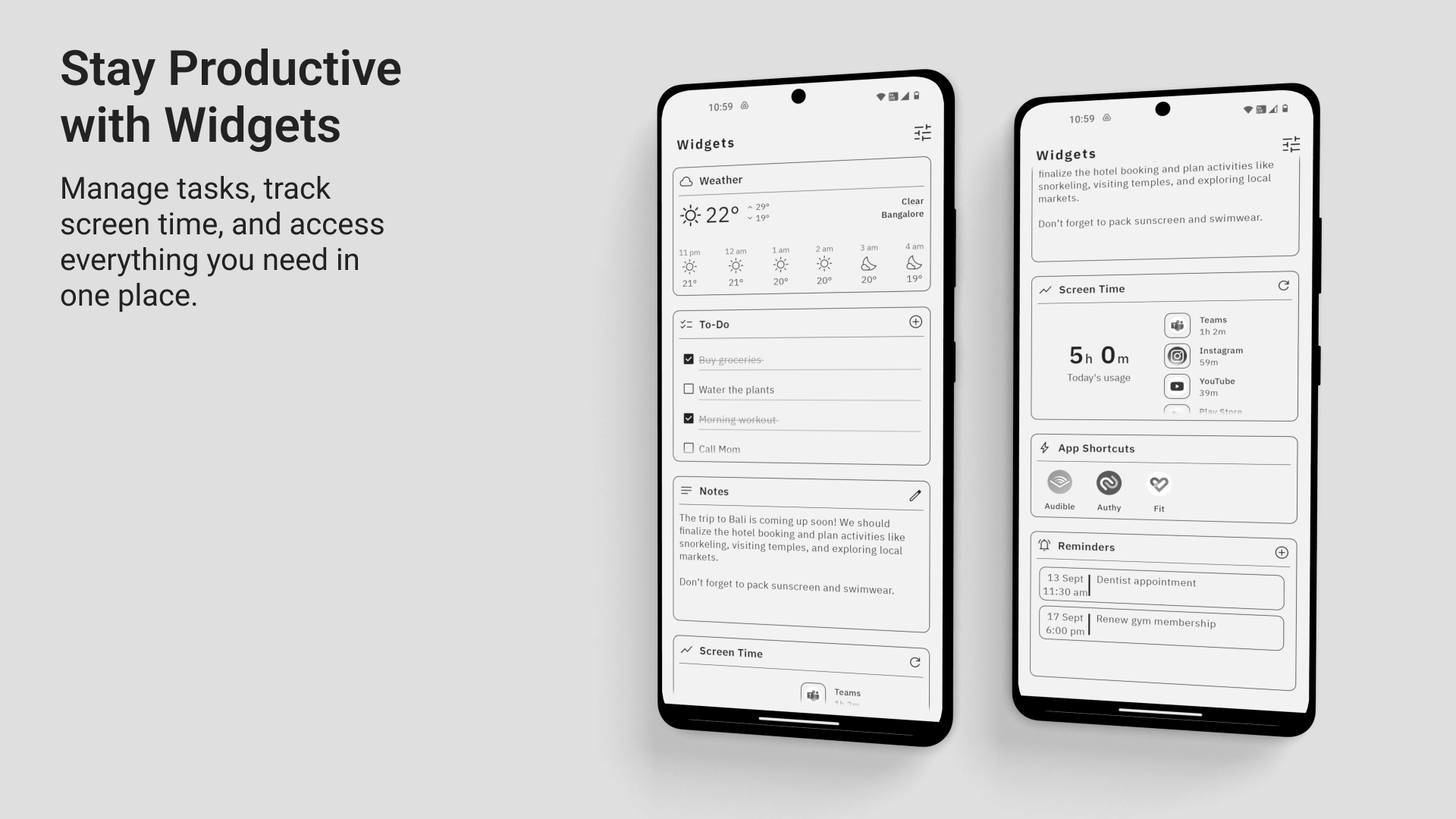
Widgets Panel: The app also includes a Widgets Panel for easy access to productivity tools such as notes, reminders, to-do lists, and a screen time tracker—all in one place.
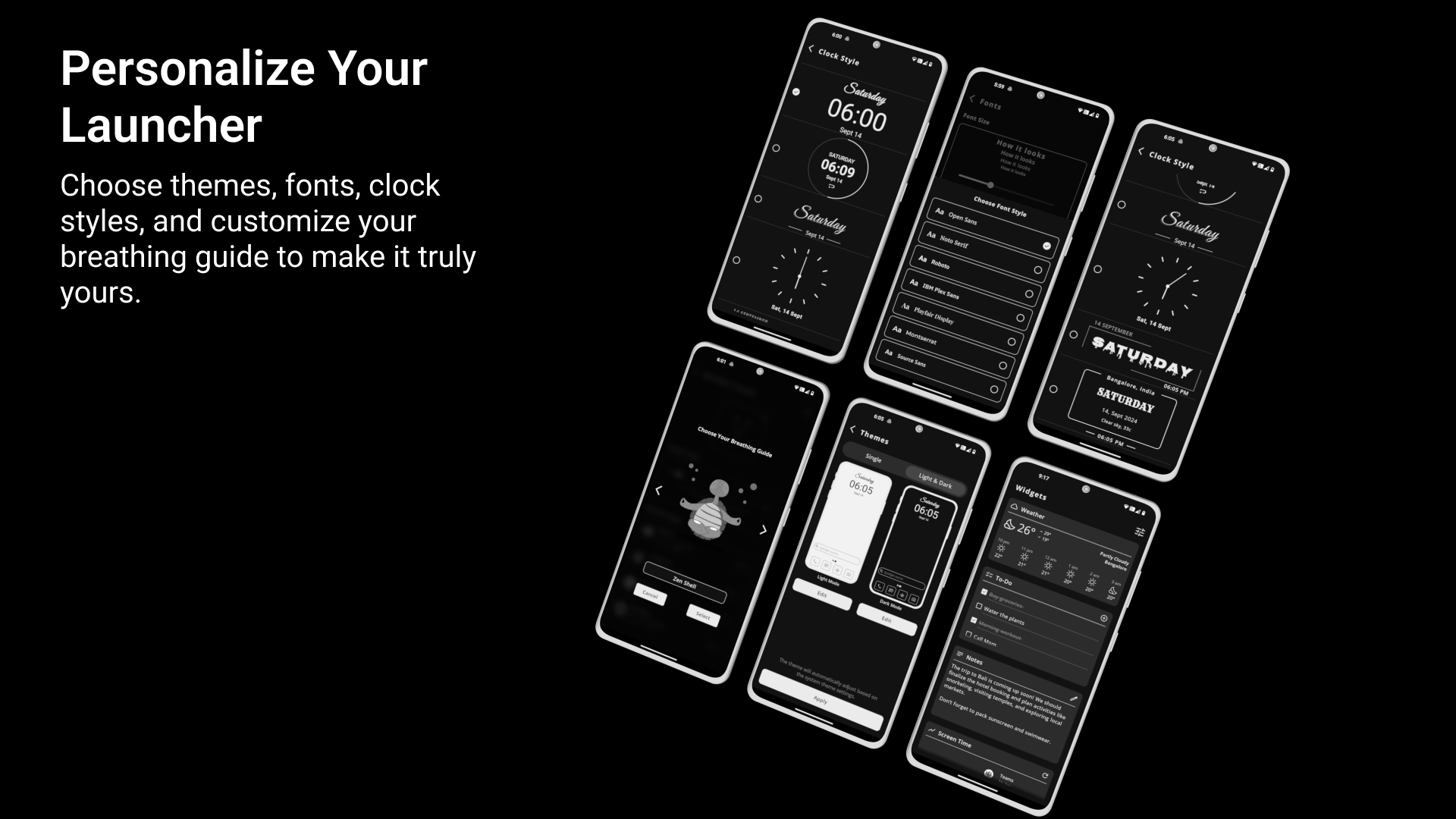
Customization: Users can personalize the look and feel of the launcher with different themes, fonts, clock styles, and even breathing animations, making the experience both practical and aesthetically pleasing.
How we built it
Building Yin Yang Launcher was a process of balancing minimalism with functionality. Here’s how we did it:
Technology Stack: We used Android Studio and Kotlin as the core development tools, ensuring the app was modern and efficient. Firebase was used for authentication, providing seamless sign-ins for users.
Backend Management: We utilized AWS for backend management, ensuring scalability, security, and smooth data handling for features like authentication and future data storage needs.
Design Philosophy: The app was designed with a minimalist focus, using XML layouts for a clean and structured UI. Some features also incorporated Jetpack Compose to enhance flexibility and responsiveness in the design.
Research-Based Decisions: We referenced several research papers on user interface design and digital well-being to make informed decisions about features like greyscale icons and pauses. These choices were based on studies showing how reducing color saturation and introducing pauses could encourage more mindful phone usage.
Feature Development:
- Mindful Pause utilized timers and notifications to encourage reflection before opening certain apps.
- Widgets and Customization features were created to offer users personalization options, such as themes, fonts, and clock styles.
Freemium Model: To manage subscriptions and in-app purchases, we integrated with RevenueCat, allowing users to access premium features like Customization and additional tools with ease.
This approach helped us create an app that balances simplicity with practical tools for mindful phone usage.
Challenges we ran into
Building Yin Yang Launcher presented several challenges, particularly in balancing functionality with the minimalist design and ensuring a smooth user experience:
Mindful Pause Integration: Implementing the Mindful Pause feature with seamless timers and notifications, while ensuring it didn't disrupt the user’s flow, was a technical challenge. We had to fine-tune the timing for a balance between reflection and usability.
Maintaining Minimalism Without Sacrificing Functionality: Creating a launcher that feels minimalistic while offering all essential smartphone functionalities was a constant balancing act. We had to ensure the design remained clean and intuitive, without overwhelming the user with unnecessary features or clutter.
Performance Optimization: Ensuring that Yin Yang Launcher ran smoothly across devices with Android 10 and above was another challenge. We focused on optimizing the app to deliver consistent performance and responsiveness without adding unnecessary weight to the system.
What's next for Yin Yang Launcher
The journey of Yin Yang Launcher is far from over. We have exciting plans to expand the app’s functionality and continue fostering a mindful phone experience:
More Digital Wellness Features: We’re committed to enhancing the app’s digital wellness capabilities by introducing additional tools to help users track and manage their screen time, improve focus, and cultivate healthier habits.
More Productivity Widgets: We plan to add new productivity widgets, such as advanced to-do lists, note-taking, and calendar integrations, making the launcher a hub for both focus and organization.
Refining Existing Features: Continuous improvements to features like Mindful Pause and Customization will ensure the app remains intuitive, efficient, and tailored to user preferences.
User Feedback and Iterative Updates: We are dedicated to listening to user feedback and implementing updates that reflect the real needs of our community, ensuring that the app evolves with its users.
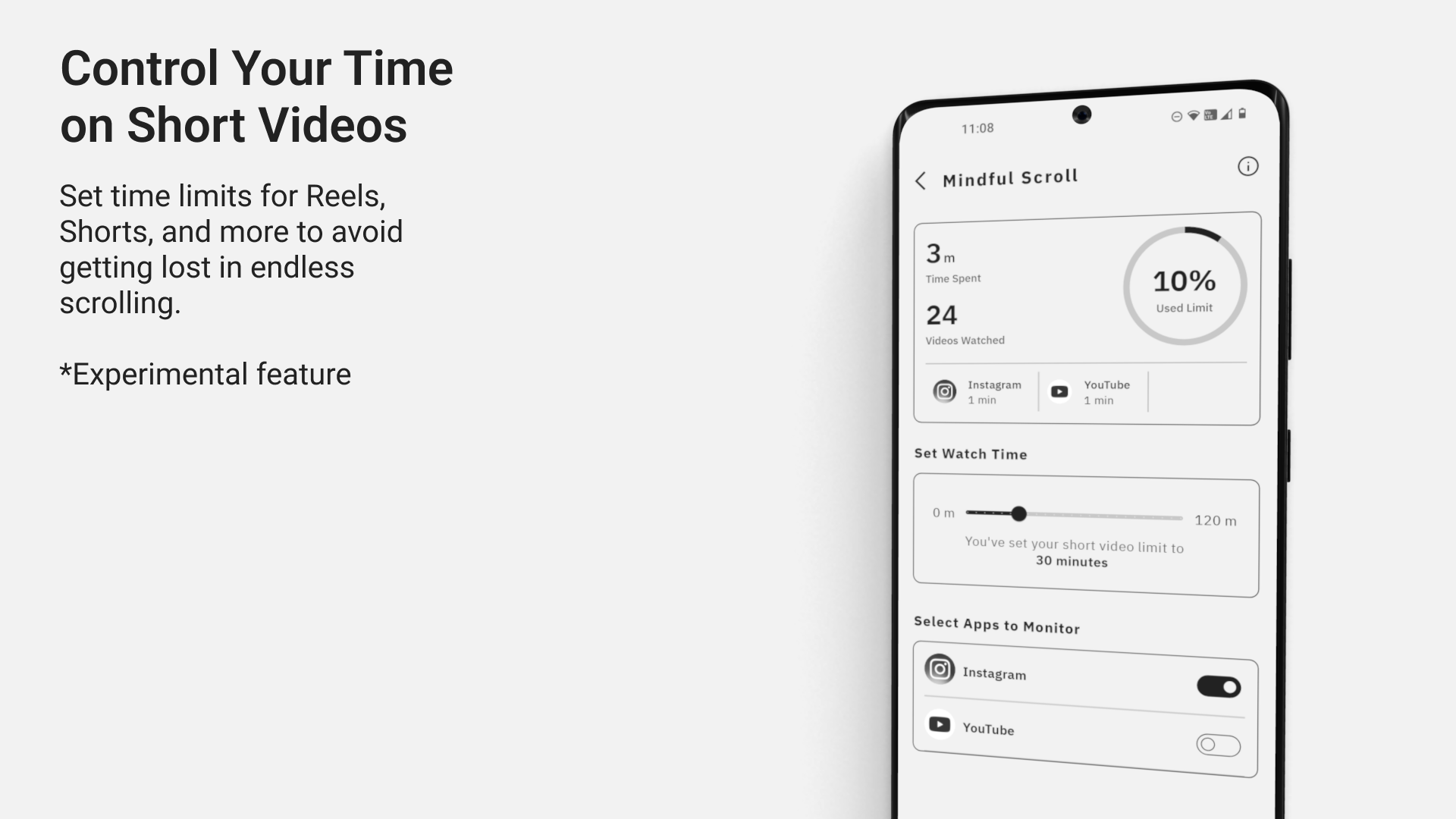
Refining and Expanding Mindful Scroll: We plan to revisit the Mindful Scroll feature, enhancing its functionality for tracking time spent on social media and short video apps. This will give users greater control over their screen time in future updates.
With these enhancements, we aim to provide even more value to users looking for balance, productivity, and mindful phone usage.

Log in or sign up for Devpost to join the conversation.