-
-
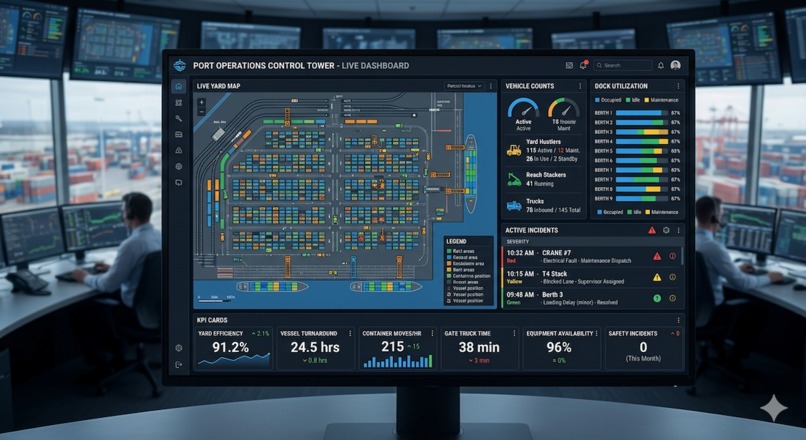
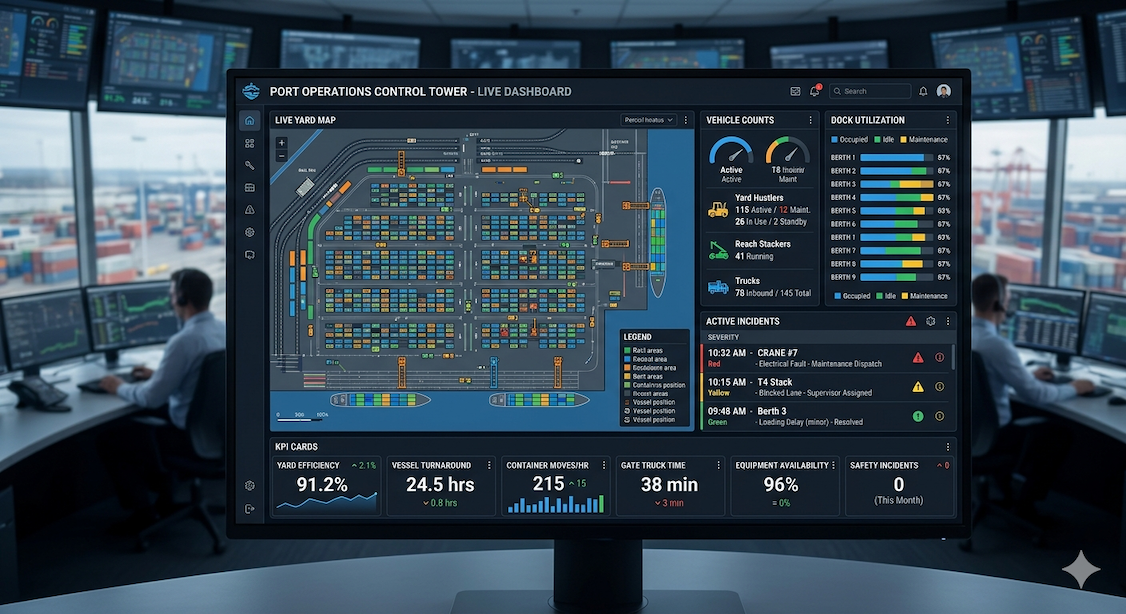
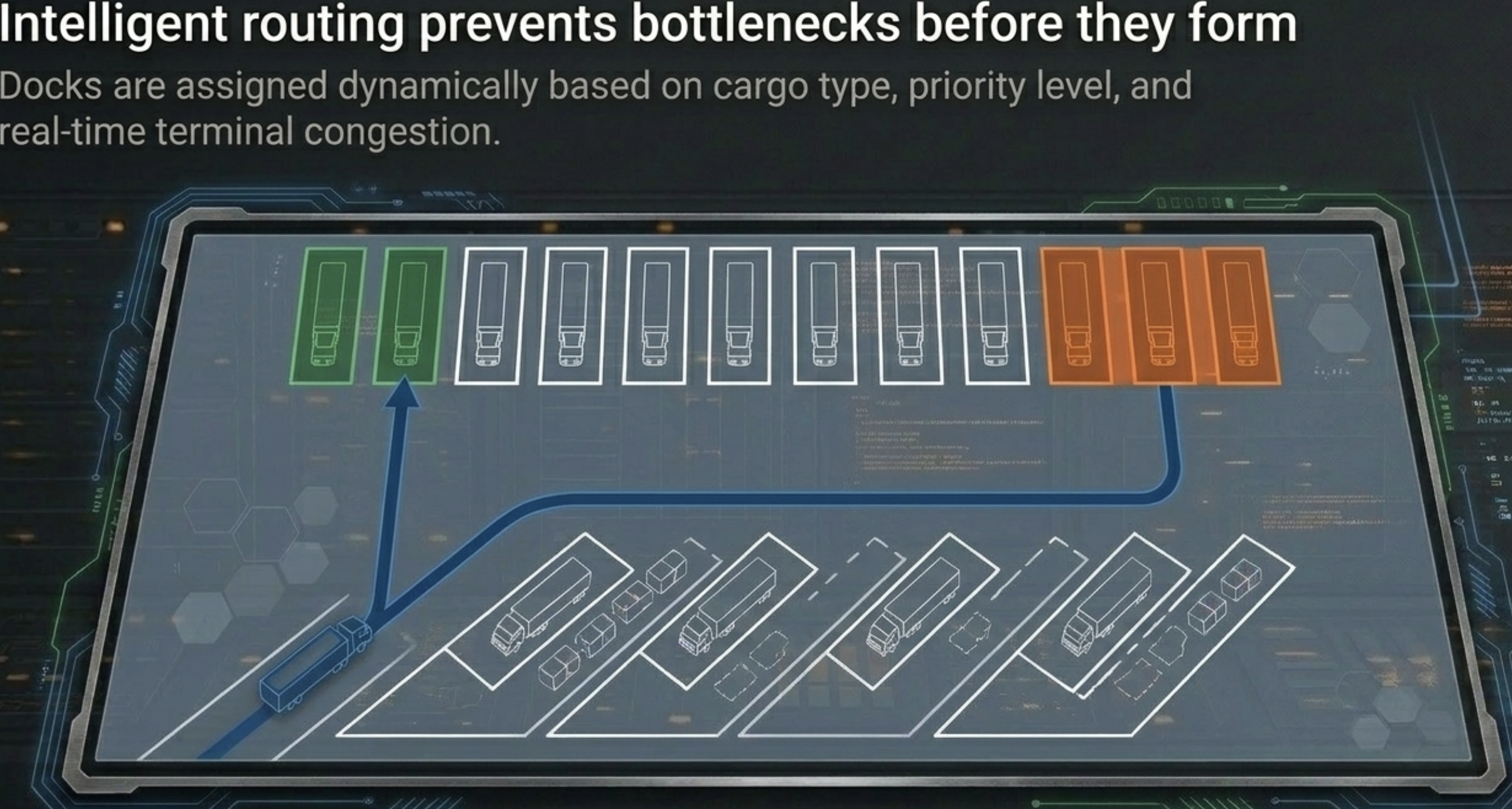
Real-time visibility into yard operations, vehicle movement, dock utilization, and active incidents
-
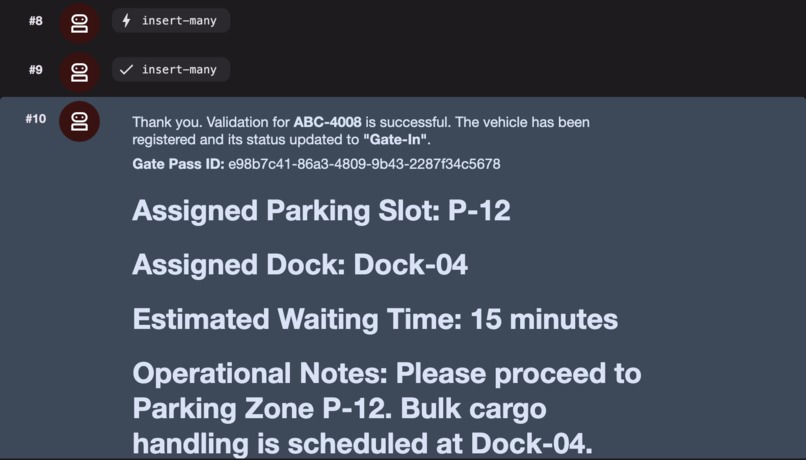
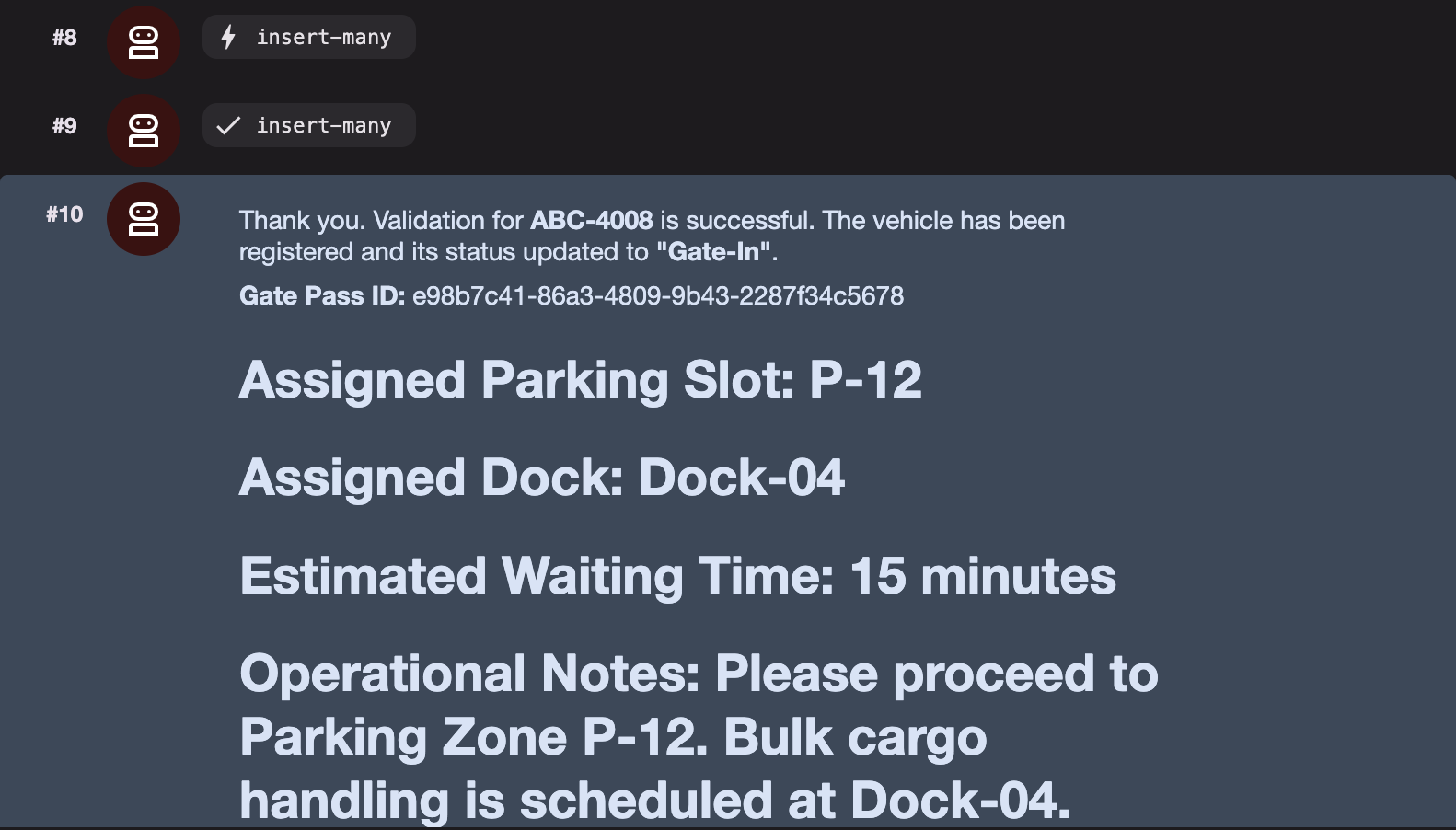
Gate Agent automatically validates incoming vehicles, generates gate passes, and initiates the operational workflow
-
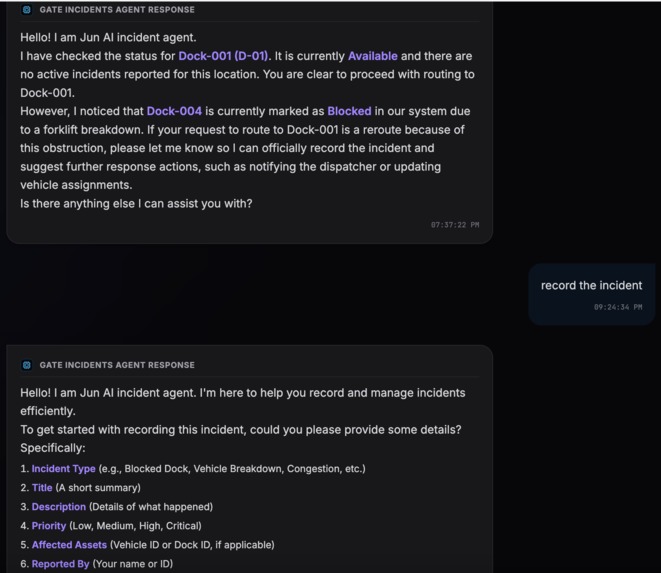
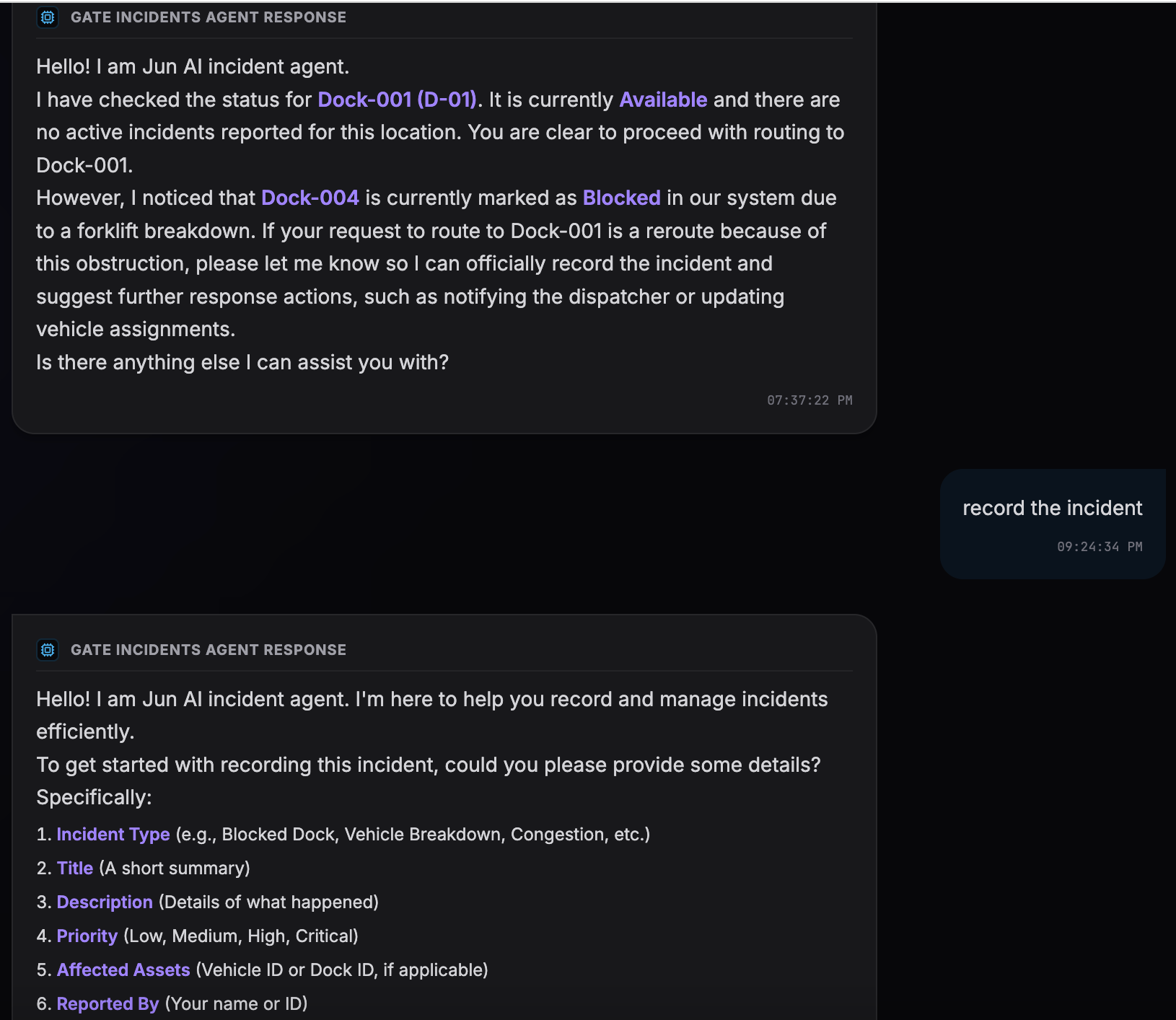
Incident Agent continuously monitors operations and automatically detects disruptions that impact terminal throughput
-
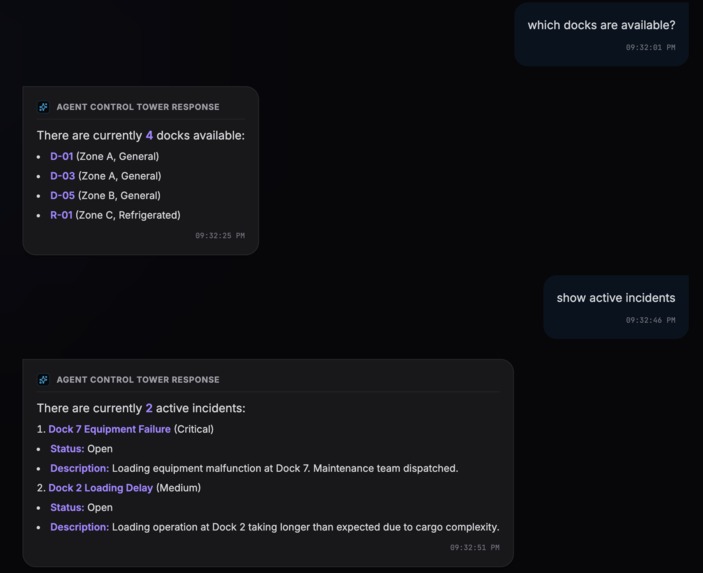
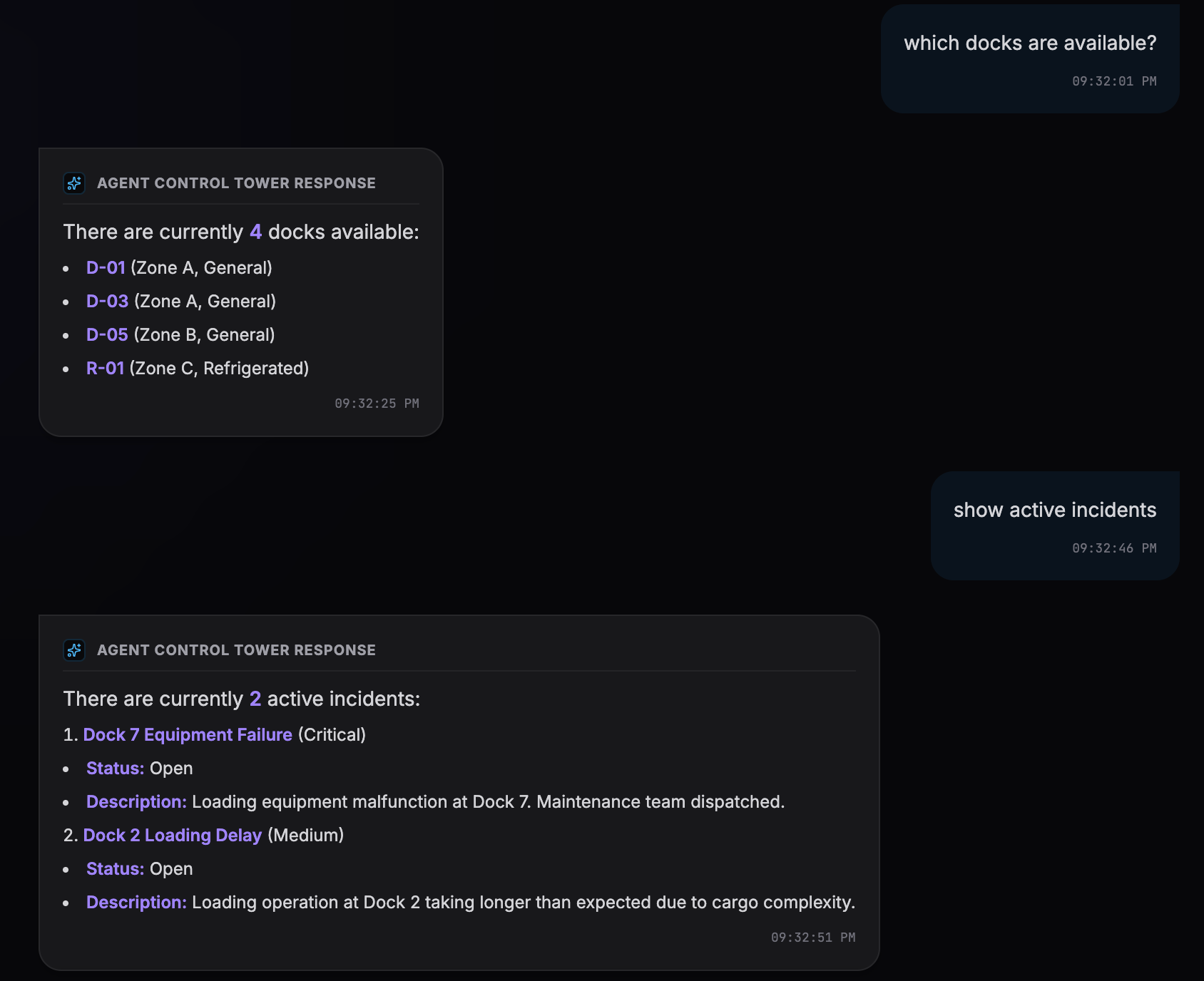
Operations staff can query live yard data using natural language instead of navigating complex dashboards
-
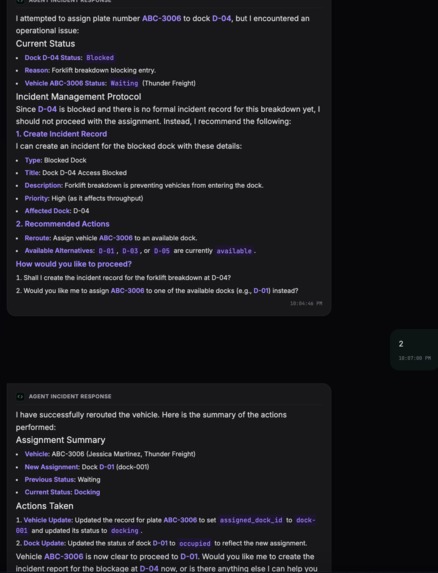
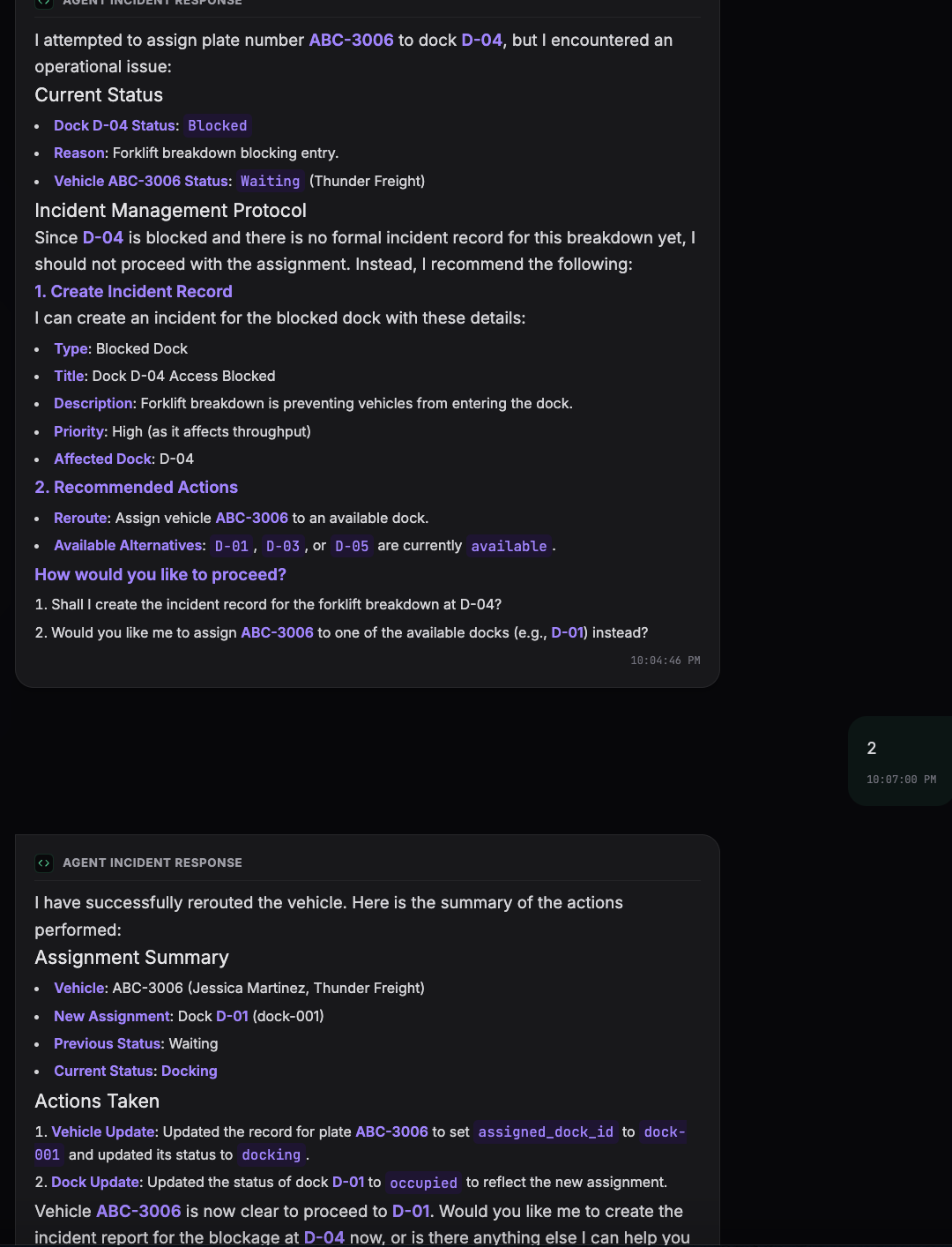
Incident Agent takes action by rerouting vehicles, updating operational records, and notifying
-
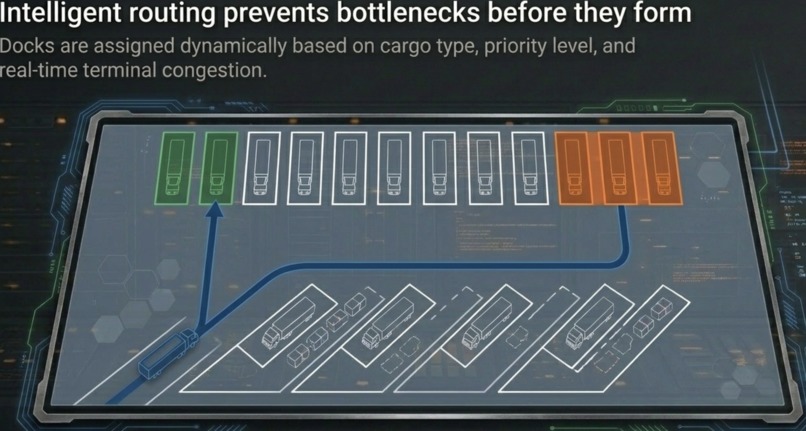
Yard
-
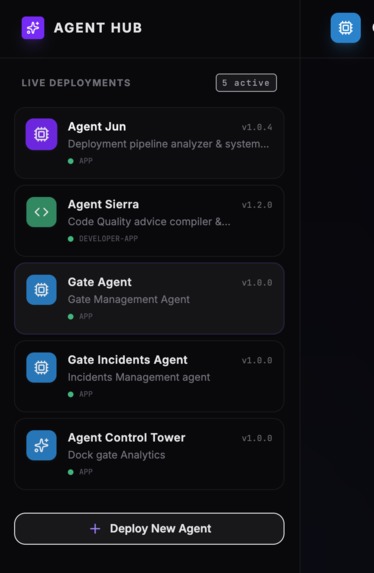
Agent Hub
-
Inspiration
Was inspired by an idea of agent ecosystem for non techies. To demonstrate agents that can manage physical yard logistics like that of software development.Yet many facilities still lack real-time visibility into where vehicles are, which docks are blocked, or how congestion is building across the yard
What it does
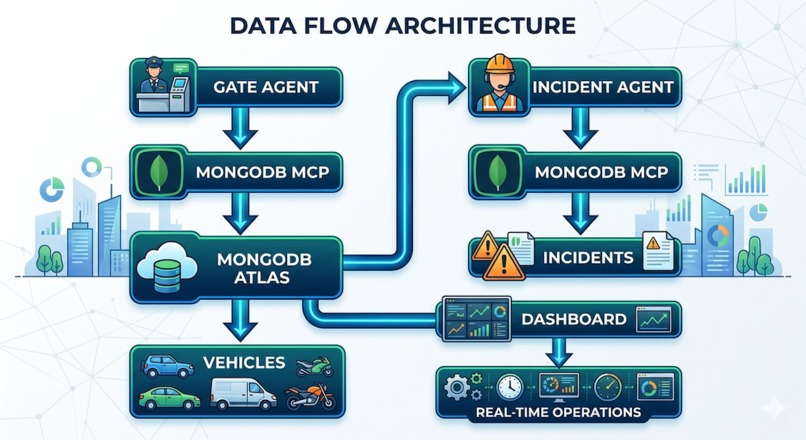
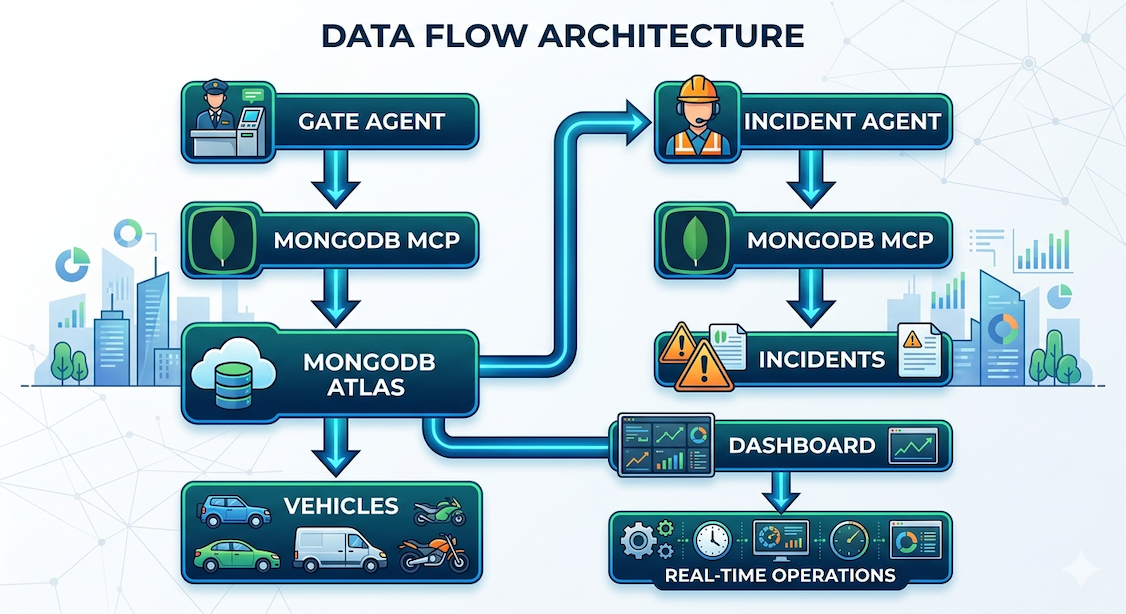
It follows these scenario : Gate Agent registers a truck → Incident Agent detects Dock 5 blockage → Incident Agent automatically reroutes the truck to Dock 7 and creates an incident record in MongoDB with MCP server. The Incident Agent acts as an autonomous operations coordinator for logistics terminals, container yards, and warehouses. The Incident Agent can also interact with live operational data through MongoDB MCP, allowing it to update dock statuses, reroute vehicles, track incident resolution, and maintain a complete audit trail.
How we built it
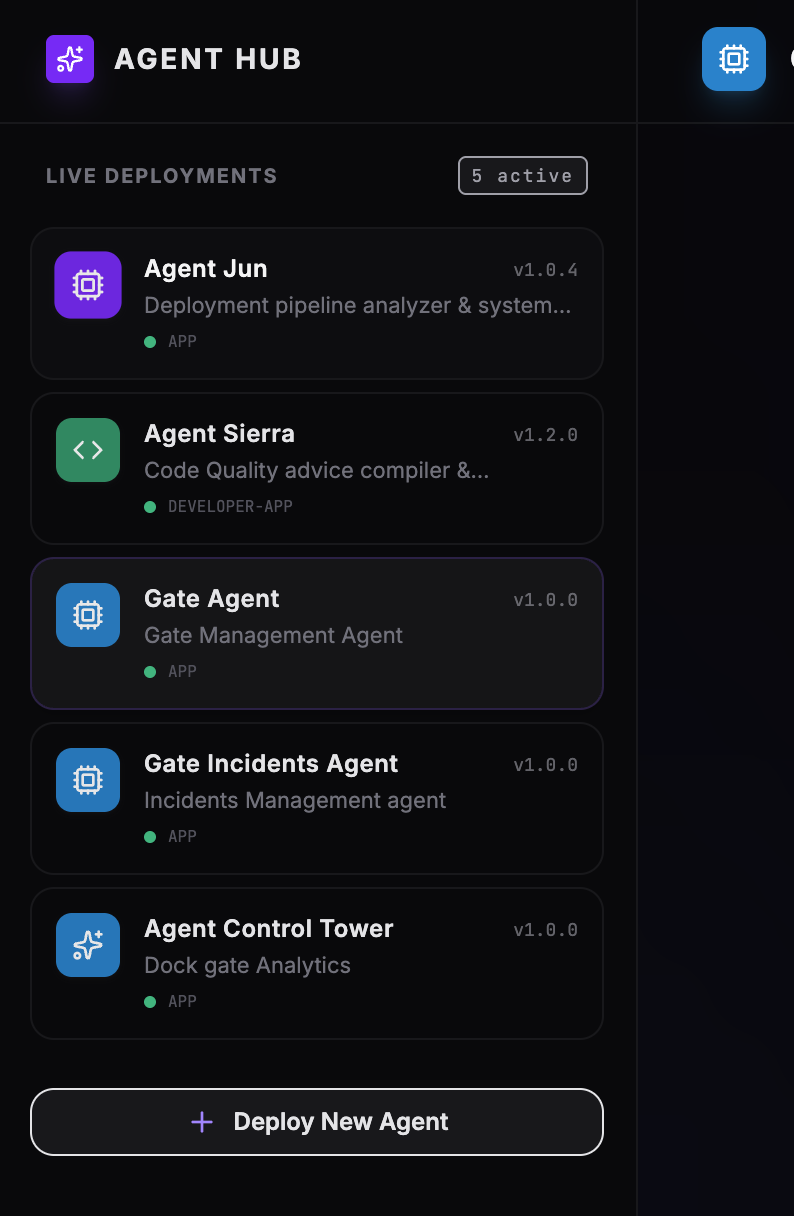
This a complete custom built UI that shows all different agents we built with Google adk . It deploys multiple agents .
- Create Backend Agent use google-adk Starter pack
- Defined core logic and tools:
- Gate Agent** validates and registers a truck
- Incident Agent validates incident and reroutes a truck
- Analytics Agent provides deep dock gate analytical processing. , blocked docks, congestion
- Port agent specializing in general query
- Defined core logic and tools:
- Deploy in Google Cloud Run use env variables
- Host agent on cloud run
- deploy agent docker image to endpoint
- deploy Mongodb Mcp
- Create beautiful UI a dark zinc background in Google AI studio
- Design User Interface with visual builder implement modern interface
- Link UI to cloud run endpoints
- Connect UI to Agent
- custom deploy agents to UI
- YardTwin AI launched as virtual yard
Challenges we ran into
- challenge deploying Mongodb MCP server on Cloud Run that required permissions and environment variables . Without this an agent would not have access to logistics data.
- Linking UI to cloud run endpoint
Accomplishments that we're proud of
We connected operational AI agents directly to logistics infrastructure data using MCP, enabling agents not just to answer questions, but to actively coordinate real-world yard operations.
What we learned
Learned to Build and deploy AI agent with google tools . Learned you can deploy an agent quickly using Agent Starter pack that demonstrates live data querying, priority identification, and dock assignment intelligence in one move .
What's next for YardTwin Agent
Predict dock usage using history

Log in or sign up for Devpost to join the conversation.