Inspiration
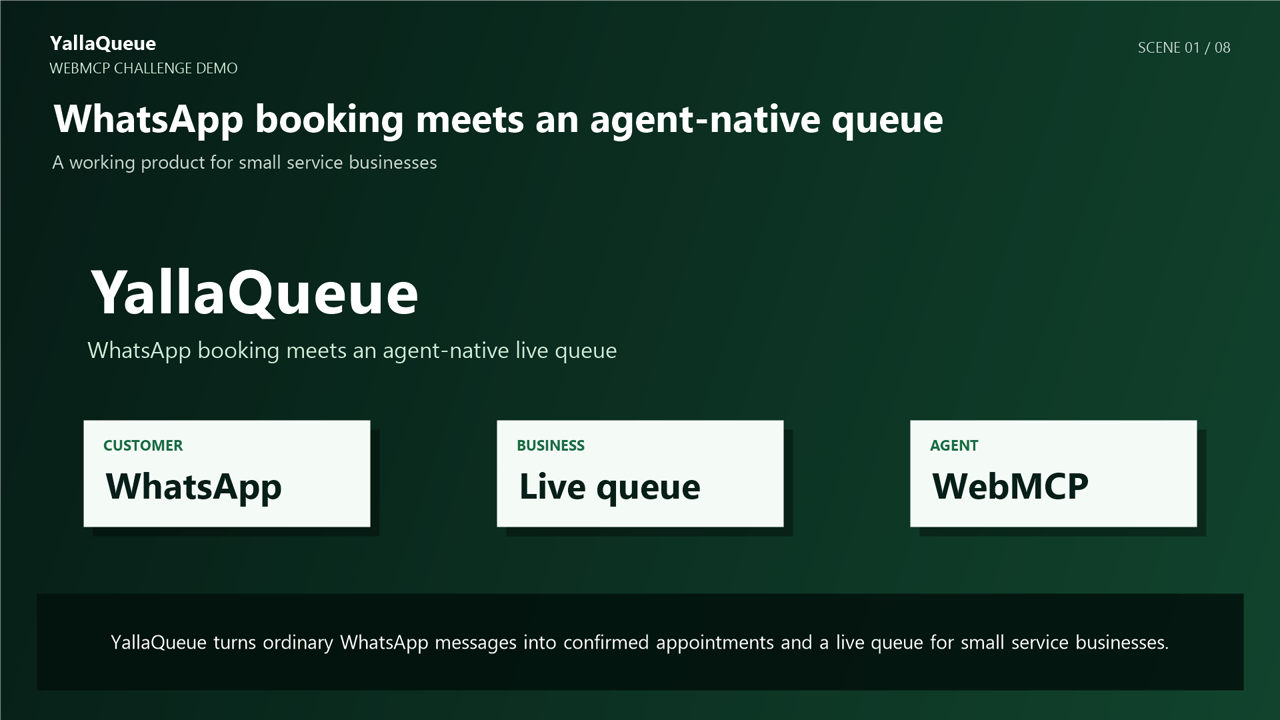
Many small service businesses manage appointments through WhatsApp and then manually transfer those bookings into a schedule or queue. This wastes time, creates booking conflicts, and makes it difficult to keep customers and staff working from the same information.
I created YallaQueue to connect WhatsApp booking, a live business dashboard, and an AI agent.
What it does
YallaQueue converts natural WhatsApp messages into confirmed appointments.
It can:
- Check whether an appointment time is available
- Prevent conflicting bookings
- Assign a queue number
- Save the appointment
- Send a WhatsApp confirmation
- Display the appointment on a live shop dashboard
The signed-in shop owner can also use two WebMCP tools through a browser agent:
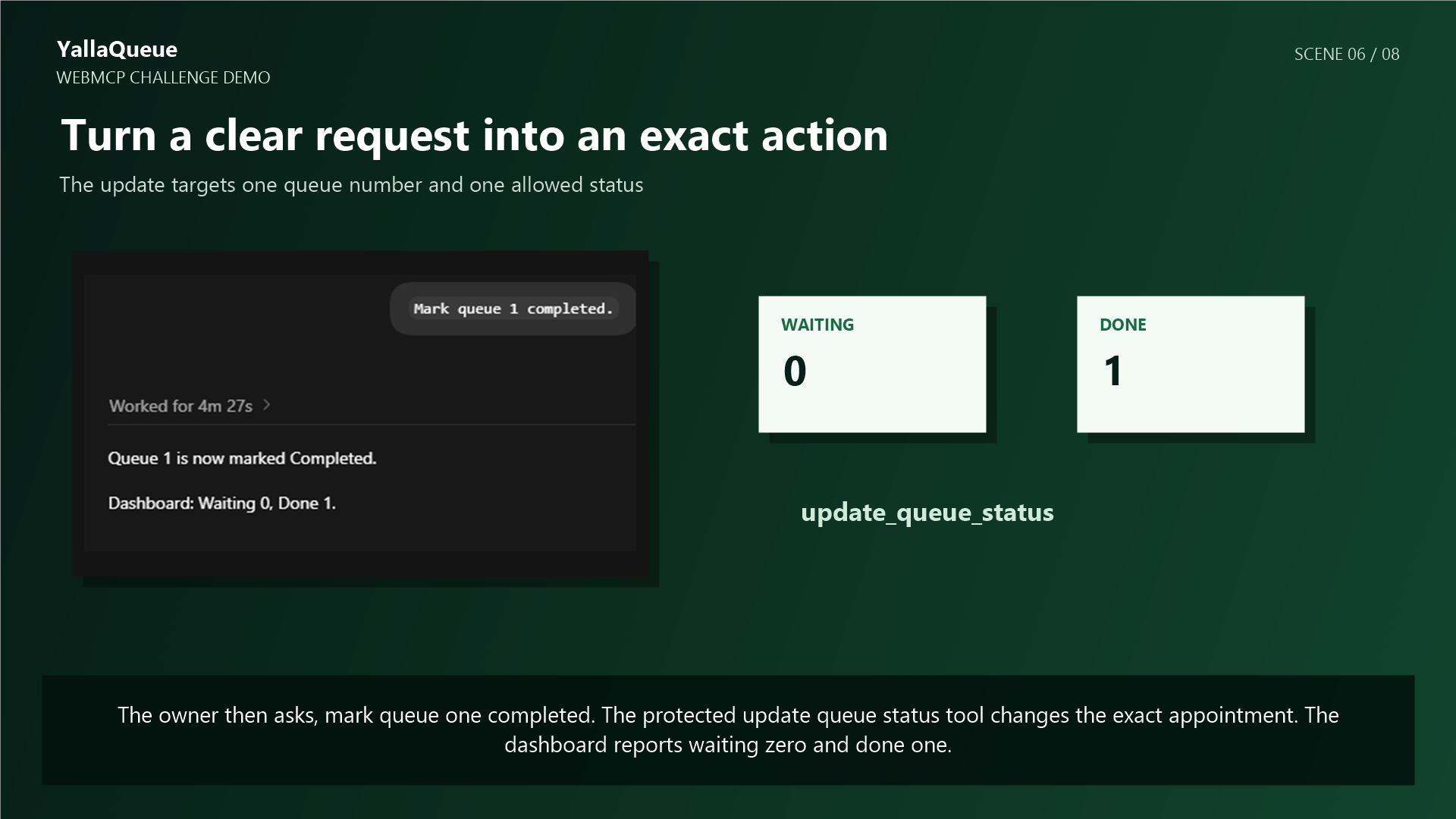
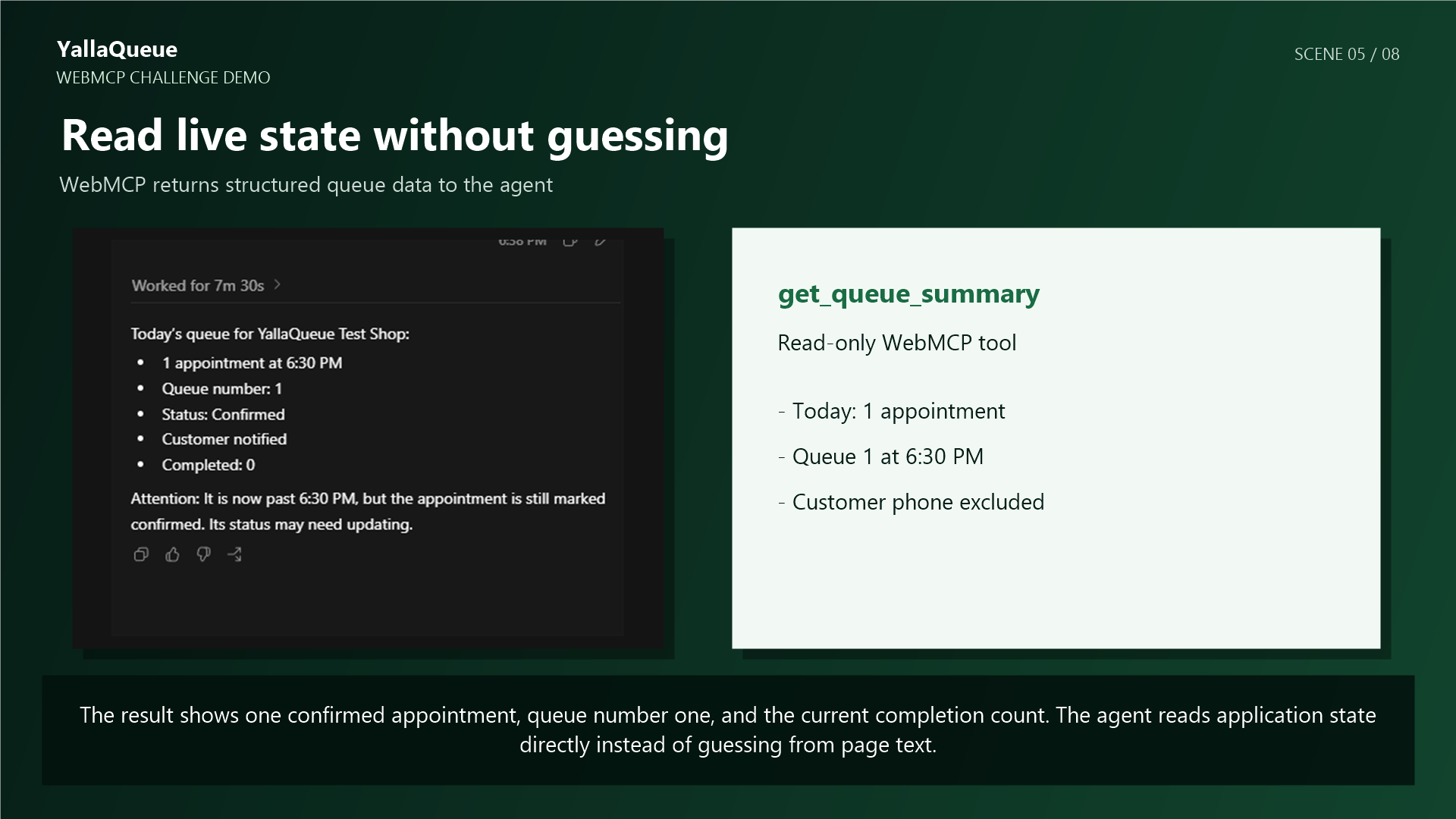
get_queue_summaryreturns the current queue without exposing customer phone numbers.update_queue_statuschanges one appointment to confirmed, completed, cancelled, or no-show.
For example, the owner can ask:
- “Summarize today’s queue.”
- “Mark queue 1 completed.”
The dashboard immediately shows the updated state.
How we built it
YallaQueue uses Next.js and React for the dashboard, Supabase and PostgreSQL for authentication and appointment data, and n8n with the WhatsApp Cloud API for messaging automation.
The dashboard registers two browser-native WebMCP tools using document.modelContext.registerTool().
Each tool calls a protected server route using the owner’s active login. The server checks authentication, shop membership, input validity, appointment ownership, and database row-level security before returning data or making a change.
Challenges we ran into
The biggest challenge was giving the agent useful access without bypassing security.
The agent must only access appointments belonging to the signed-in owner’s shop. Customer phone numbers must not appear in tool results, and an appointment must not be changed without a clear user request.
Another challenge was keeping WhatsApp, the database, the dashboard, and the agent synchronized so they all display the same queue state.
Testing WebMCP also required enabling its experimental Chrome flag and using ChatGPT Work so the browser agent could discover the registered tools.
Accomplishments that we're proud of
- Connected a real WhatsApp booking flow to a live dashboard
- Built and deployed two working WebMCP tools
- Used structured tool data instead of visual browser guessing
- Protected every tool route with server-side authorization
- Excluded customer phone numbers from agent responses
- Successfully tested both reading and updating the live queue through ChatGPT Work
What we learned
I learned how websites can provide structured tools for both humans and AI agents.
I also learned that WebMCP does not replace application security. Agent actions must still pass normal authentication, authorization, input validation, ownership checks, and database security rules.
What's next for YallaQueue
The next steps are adding more carefully controlled tools for availability searches, creating appointments, rescheduling, and cancellations.
I also plan to add clearer confirmation screens for sensitive actions, support multiple shops and staff members, and improve reporting for business owners.
Built With
- amazon-web-services
- javascript
- n8n
- next.js
- postgresql
- react
- rest-api
- supabase
- typescript
- webhooks
- webmcp
- whatsapp-cloud-api

Log in or sign up for Devpost to join the conversation.