
Inspiration
The daily life of a Tableau Developer can be significantly challenging.
It can range from experiencing the satisfaction of completing a client's dashboard and having the opportunity to further enhance one's skills by dedicating time to improving Python proficiency and exploring ways to strengthen the Tableau team's value through the Tableau Rest API to suddenly being confronted with a new email that demands immediate attention and action.
The email reads: "From Cristian. Dear Ruy, I have opened the dashboard and noticed a discrepancy in the data. The sales quota number for 2014 appears to be incorrect. Could you please investigate this matter? Additionally, while addressing this issue, kindly change the color from blue to grey and make the font larger and bolder."
And so is the task of responding to the stakeholder's concerns.
What it does
This tool serves as an improved means of obtaining feedback, aiming to streamline the process for clients and stakeholders. It enables them to provide feedback effortlessly while allowing developers to act upon the input efficiently, thus minimizing the frustration associated with extensive back-and-forth communication via multiple emails, Slack messages, or phone calls.
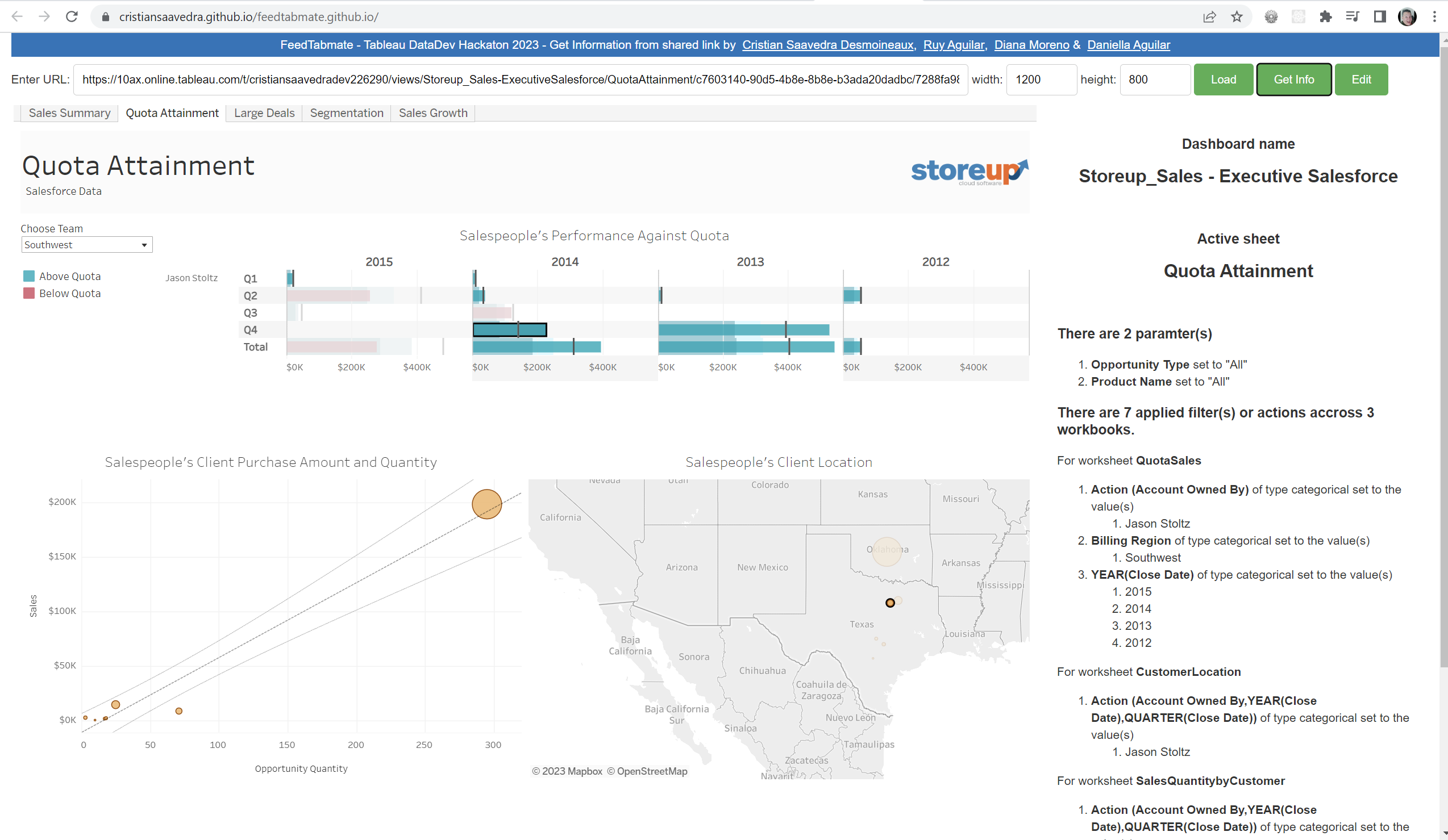
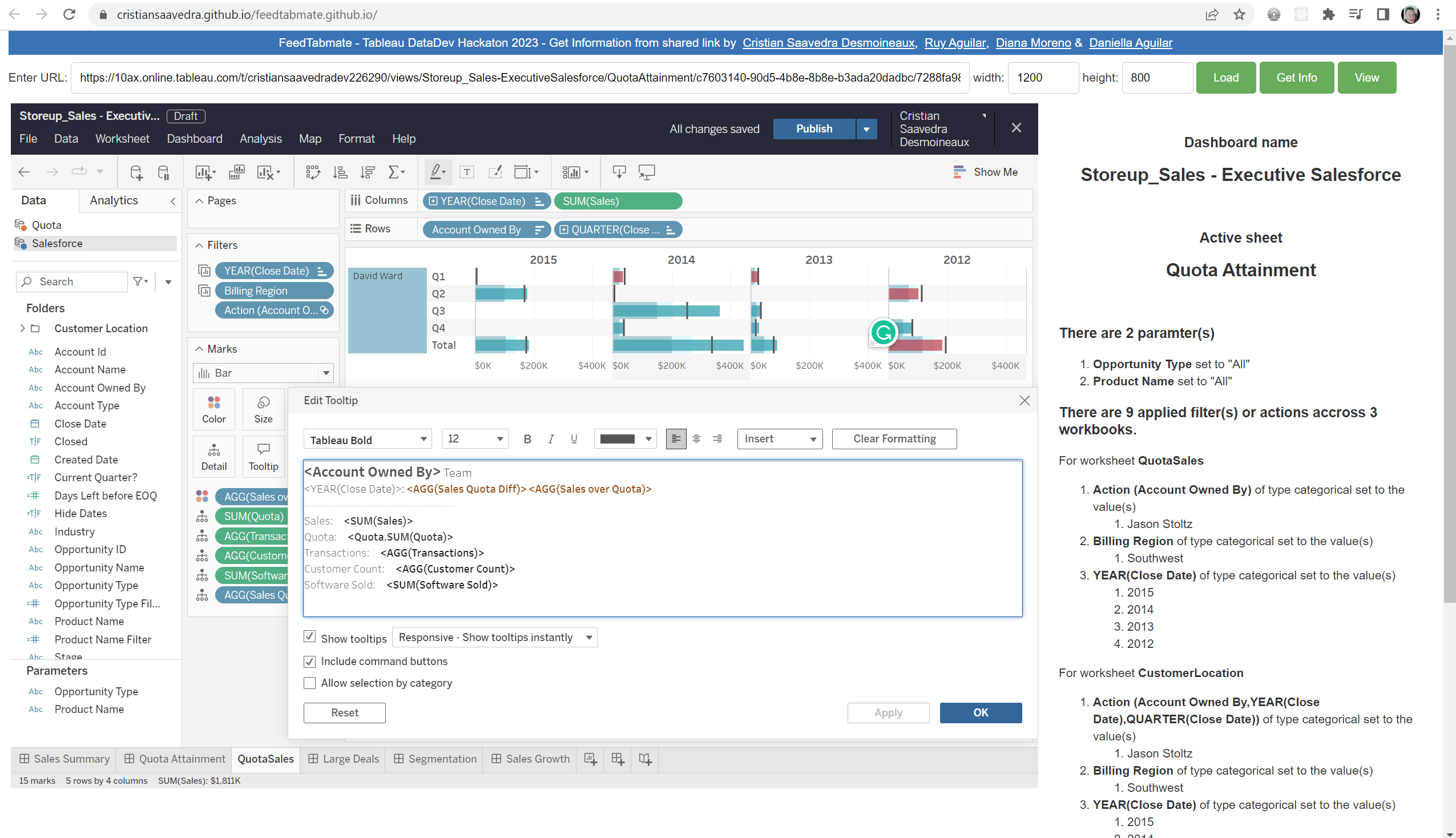
The tool has a user-friendly front end, enabling clients and stakeholders to navigate and interact with the dashboard. It includes a feature that allows users to submit their feedback quickly. Before submitting the feedback, users are guided on how to share the vital link to the current view and are prompted to paste it into the appropriate field. Users can then provide feedback and any additional comments or information.
The Tableau developer will receive all the necessary information to implement the requested changes. The developer can utilize the provided link on the backend to access the relevant details, such as the specific view within the workbook and any applied filters. This streamlines the process of troubleshooting the problem or making the necessary edits to the dashboard, resulting in enhanced efficiency and ease of use.
How we built it
Using Tableau Embedding API, HTML, and Javascript support with the documentation https://www.tableau.com/developer/tools/embedding-api
Challenges we ran into
The documentation is difficult to follow because there are multiple versions and many places to look for it. There are a few examples in GitHub.
Accomplishments that we're proud of
- Putting together a tool for the community that can allow Tableau Developers to be more efficient with one of the most critical flows of their work. Receiving feedback on their work and efficiently acting on it.
- As a diverse team of individuals, we are also very proud of being able to share our knowledge and challenge each other to see other areas of the development process. Most of Ruy’s experience has been working with stakeholders and clients to develop dashboards and other operational tools. Meanwhile, Cristian is an expert on the back-end development of devices using Tableau APIs, JavaScript, and other coding languages. Daniella is an expert in digital strategy and marketing. All of us together were able to form a compelling use case that we all agreed on (Ruy’s area of expertise), understanding what the APIs can do and how it can be done (Cristian’s area of knowledge) and understanding how to market the tool (Daniella’s area of expertise.)
What we learned
- We learned that having a team with diverse backgrounds and experiences allows us to think outside the box. The box can be our area of expertise or the work in front of us that only allows us to see beyond the product or the code.
Built With
- api
- embedded
- html
- javascript


Log in or sign up for Devpost to join the conversation.