


XRPL NFT Generator, Manager and MarketPlace
An XRPL Hackathon Project
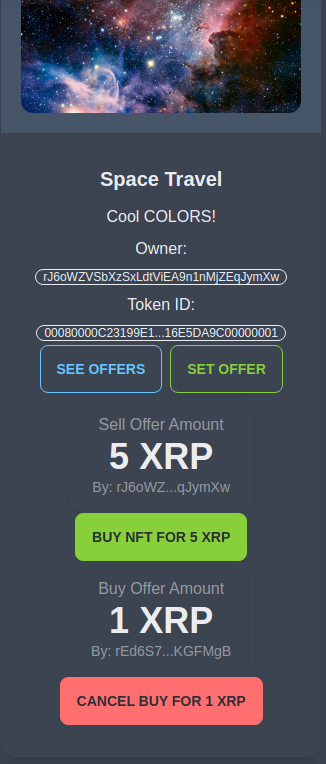
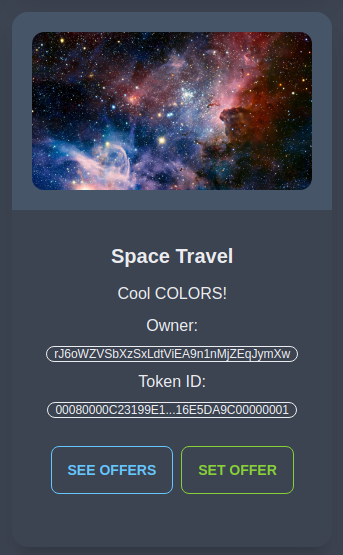
For this project, I made use of the XLS-20 Standard preliminary implementation in the XRP Ledger protocol to create a dapp for NFT minting, management and trading. Build with XRPL, MongoDB, and Svelte. To see more technical details check my blog
Problem and solutions
Following the XRPL NFT minting examples I found 3 big problems:
- For a non-developer create a NFT on XRP is hard (and there is no website to do so!)
- The example tutorial uses a predefined IPFS url, it does not support image with custom metadata
- There are lots of parameters that need to be known by user to interact with the NFTs, making it confusing and tedious
My solution: The easy, no-code, and convenient way to create, manage and trade your own XLS-20 NFT in XRPL
- Simple, Easy To use UI
- Upload Custom Images and descriptions, Images are added to IPFS via Pinanta
- No Configuration, Create Buy and Sell Orders, Manage your NFTs, and trade the on the market
How we built it
SvelteKit for FrontEnd, MongoDB for keeping track of NFTs minted on the app and used NFToken Tester Tutorial to integrate the XRP NFT token standard functions
Challenges we ran into
In order to track the NFTs that are being minted in the Dapp I made use of MongoDB, on each Mint Success the info of the NFT is saved in the database, now I assumed that the ID of the NFTs would match the order of creation and the reponse but it turns out that this is not the case.
To find the tokenId of the latest NFT created by the wallet I had to make 2 account_nfts calls that returns an array of the NFTs held by the account then format the response,compare them and get the difference.
To display the NFTs of a user first I thought that I only needed to call account_nfts and display the NFTs but remember that when we mint a NFT the URI is converted to Hex? Then, I had to converted back to a string.
But thats not all! What is the URI? an IPFS Url! I had to make an extra call for every URI get the info and save it. Then I could display the NFTs.
Unlike in metamask where users can connect to a site I had to create a system that allows the app to use the secret and something to store the secret over sessions.
Extras
- Most actions have error handling and load animations
- Depending on the wallet that is connected buttons are rendered or not (only the creator of a buy offer can see the cancel offer button)
- If you are the creator of a NFT then only you can see the burn button, and so on.
What's next for XRPL NFT Generator and MarketPlace
It was quite fun to create work on this project, it is definitely a new world coming from EVM but the XRPL is well implemented and documented with great examples. This project has the aim to allow any user to get their feet wet into the XRPL NFTs and have a great time doing so. In the future, I may work on this a little more, enable collections creation (instead of single NFTs), add search filters, integrate all the newly minted NFTs (not only the ones minted in the app) and create a royalty system. And of course, I have to work on the UI!
Go mint an NFT on XRPL: https://xrp-nft-minter-hackathon.vercel.app/
Repo: https://github.com/Kayaba-Attribution/XRP-NFTs-Hackathon
Video (This was a one-take before a lot of improvements): https://www.youtube.com/watch?v=N9tE9FJ_zfM&t=23s
Blog: https://www.kayaba-attribution.dev/posts/XRP%20NFTs%20Minting%20and%20Trading%20Dapp
Built With
- javascript
- mongodb
- ripple
- sveltekit
- vercel
- xrpl


Log in or sign up for Devpost to join the conversation.