-
-
xRAI Logo
-
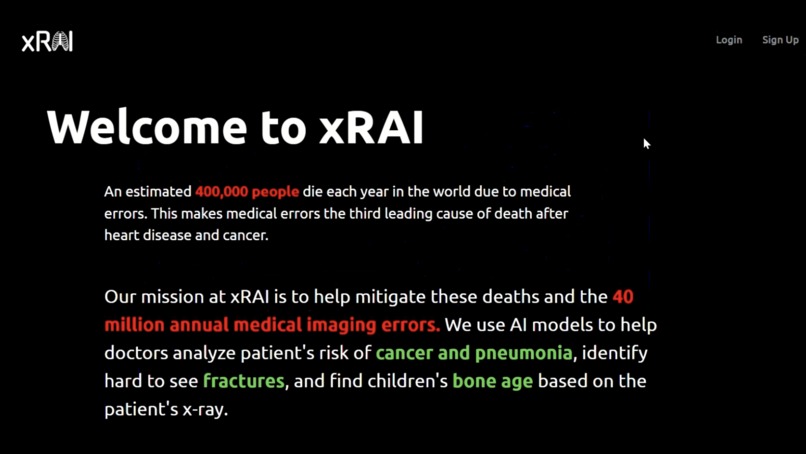
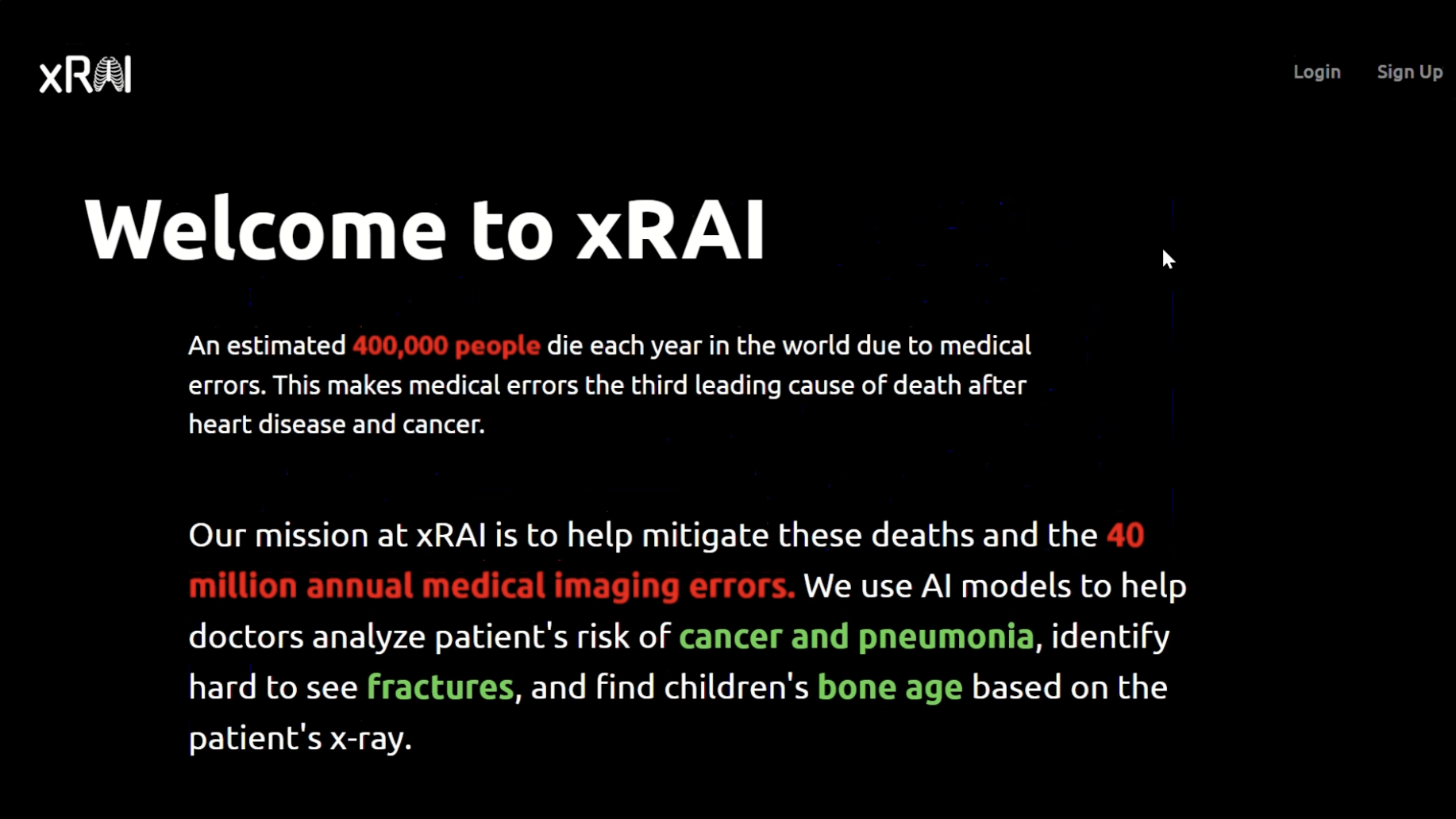
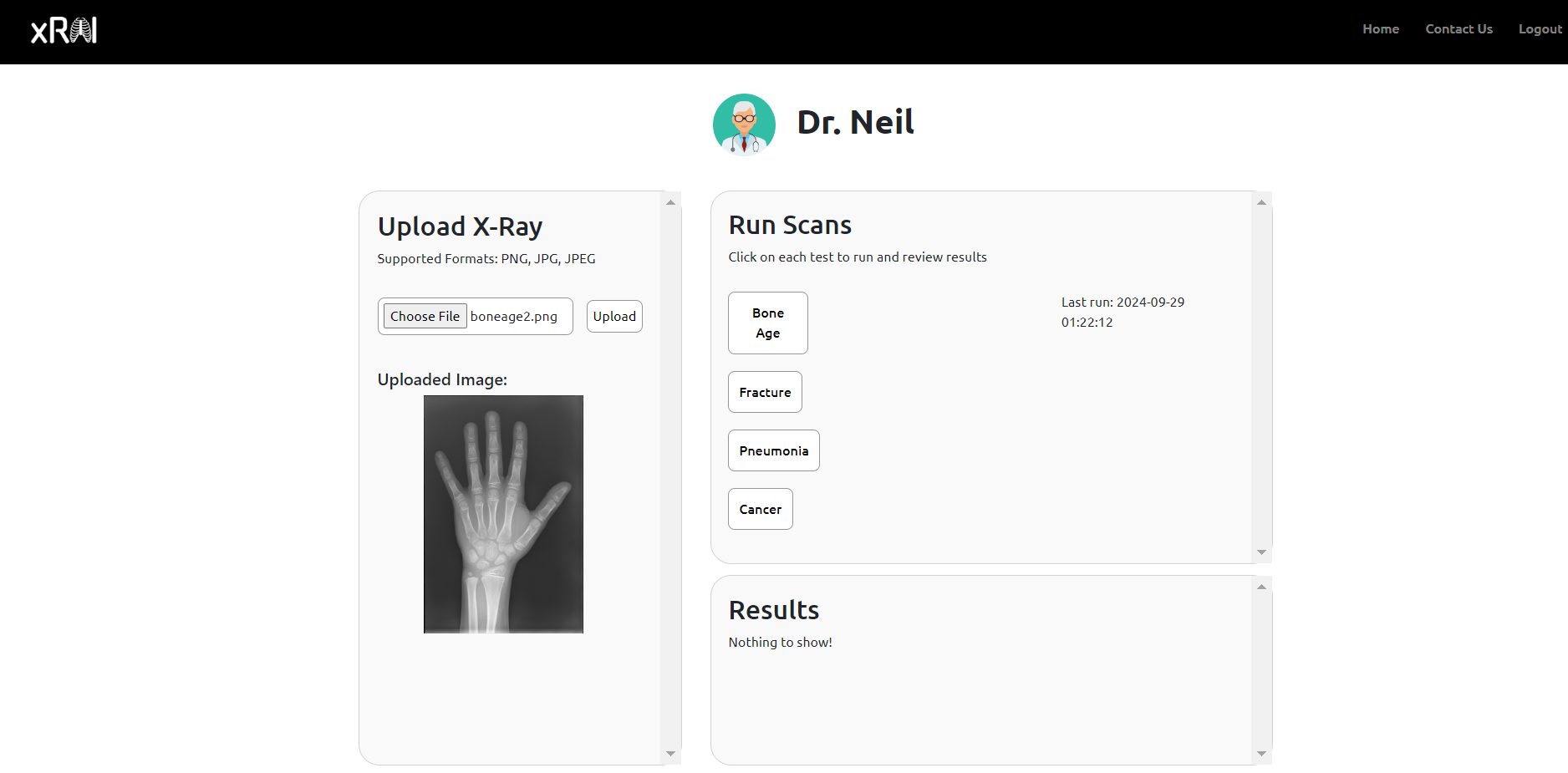
xRAI website homepage
-
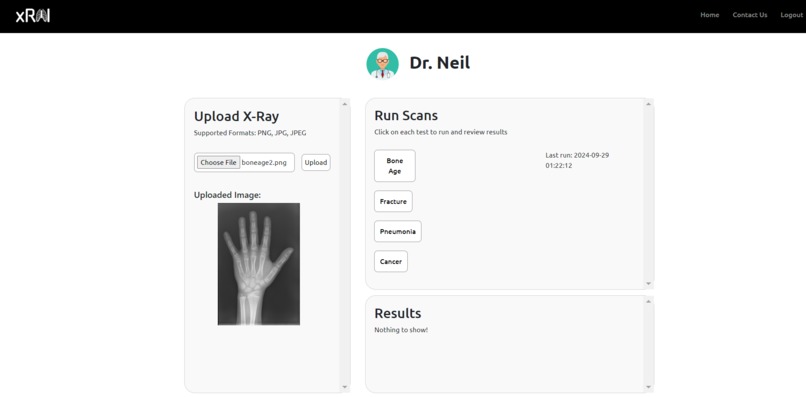
Doctors can upload an X-Ray image to the portal and choose from various types of models to scan for different conditions.
-
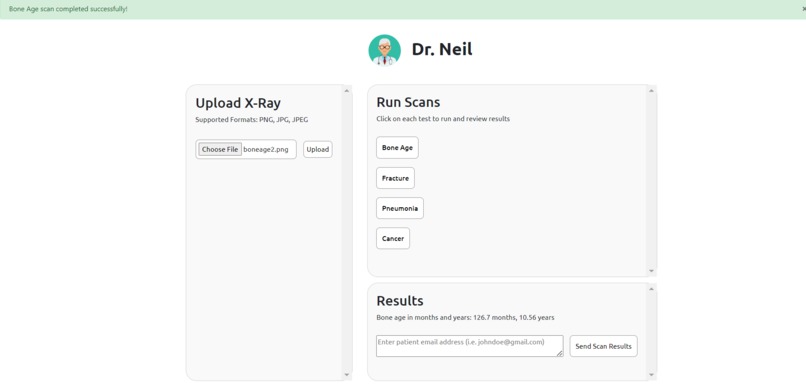
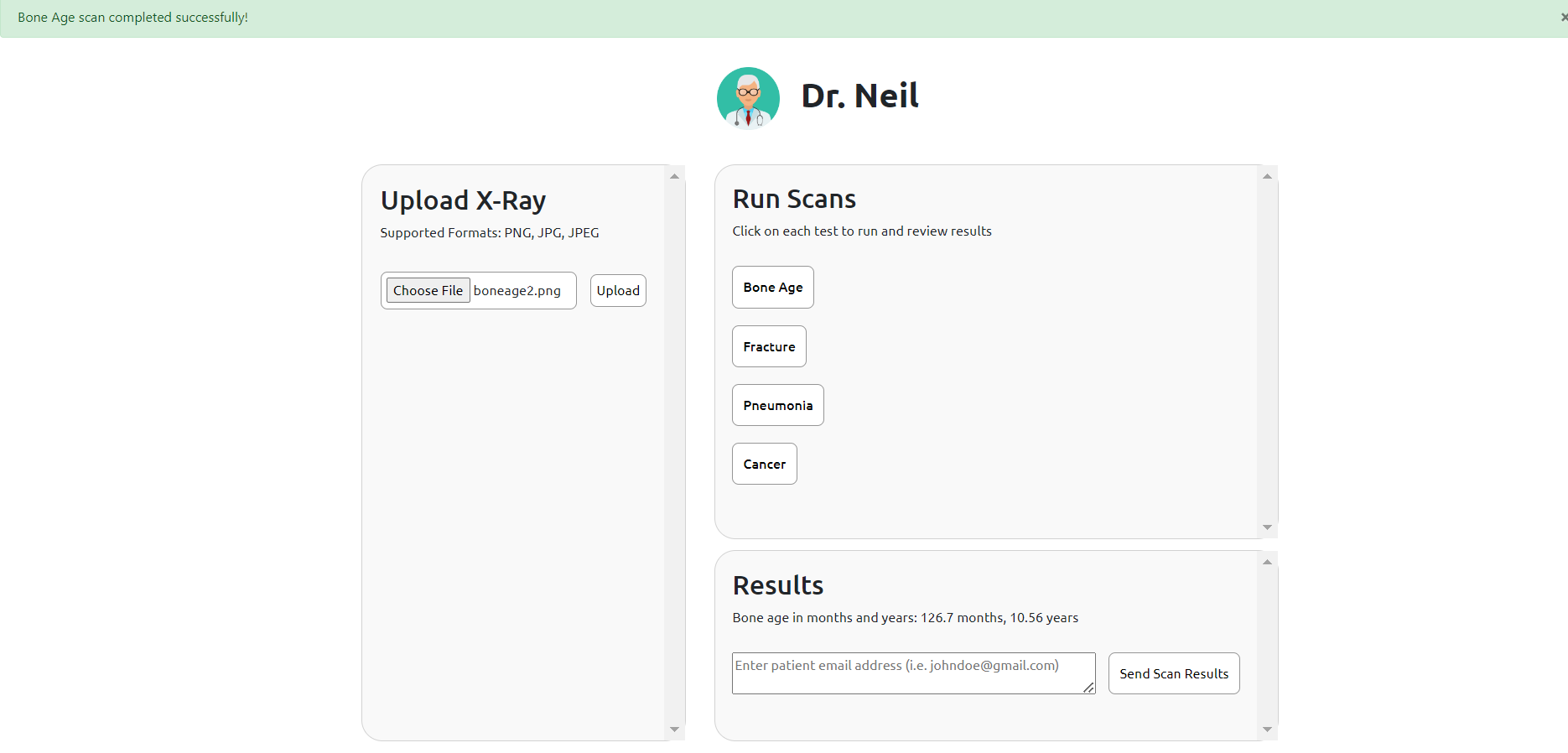
After processing, the portal displays the results of the model for the X-Ray and flags predictions with low confidence.
-
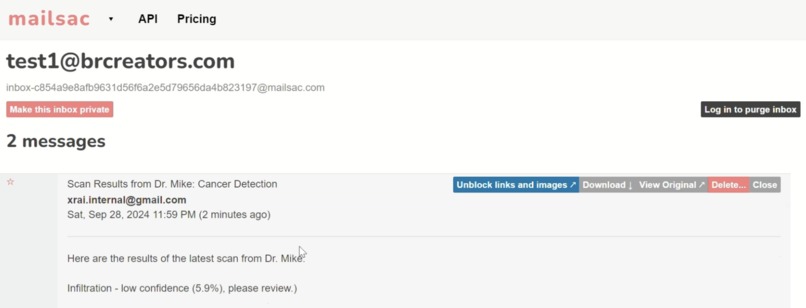
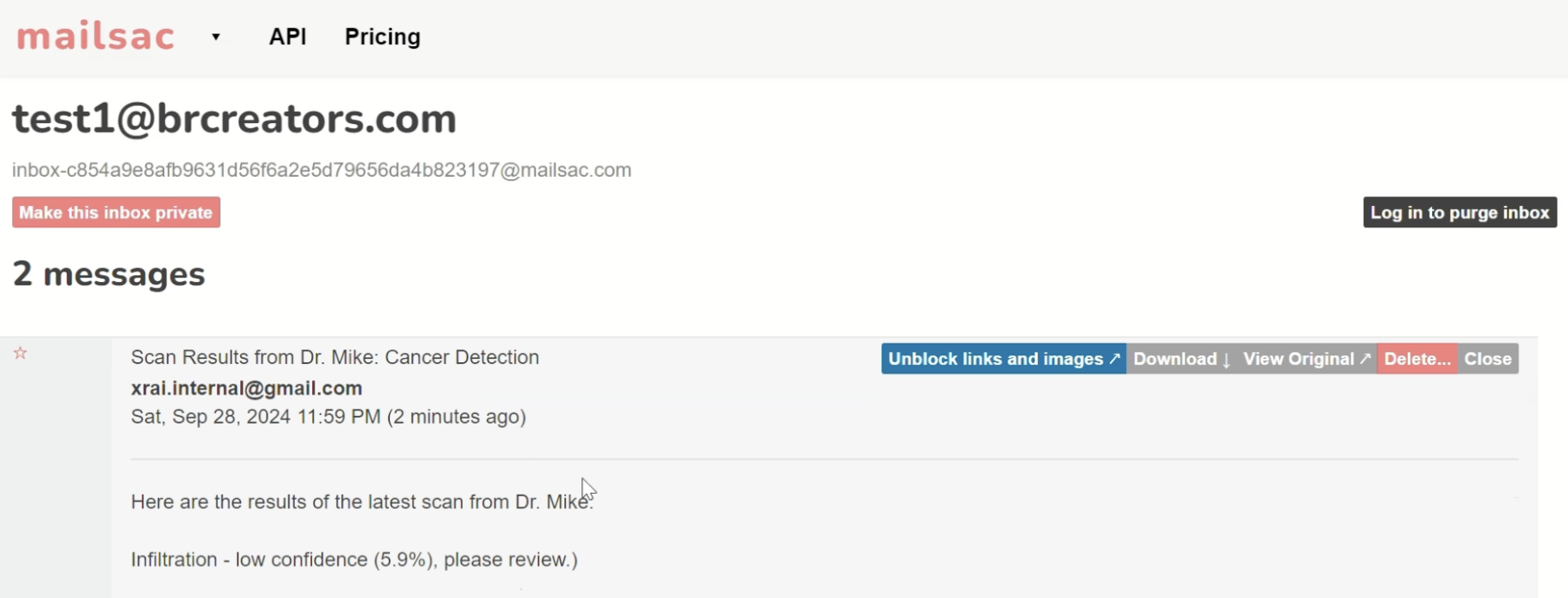
An e-mail is automatically generated and sent to patient from doctor portal after a doctor reviews model results.
-
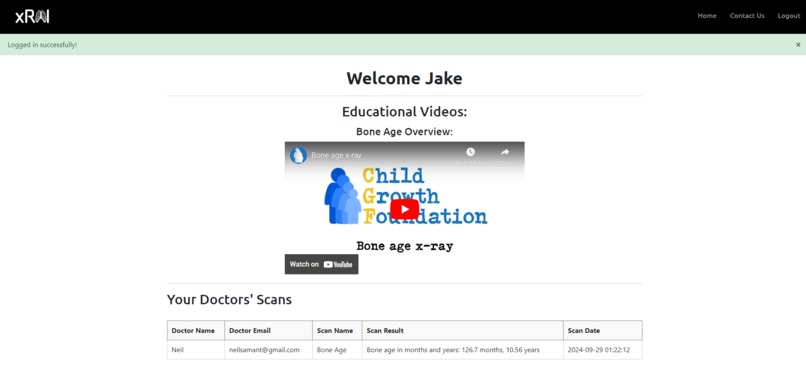
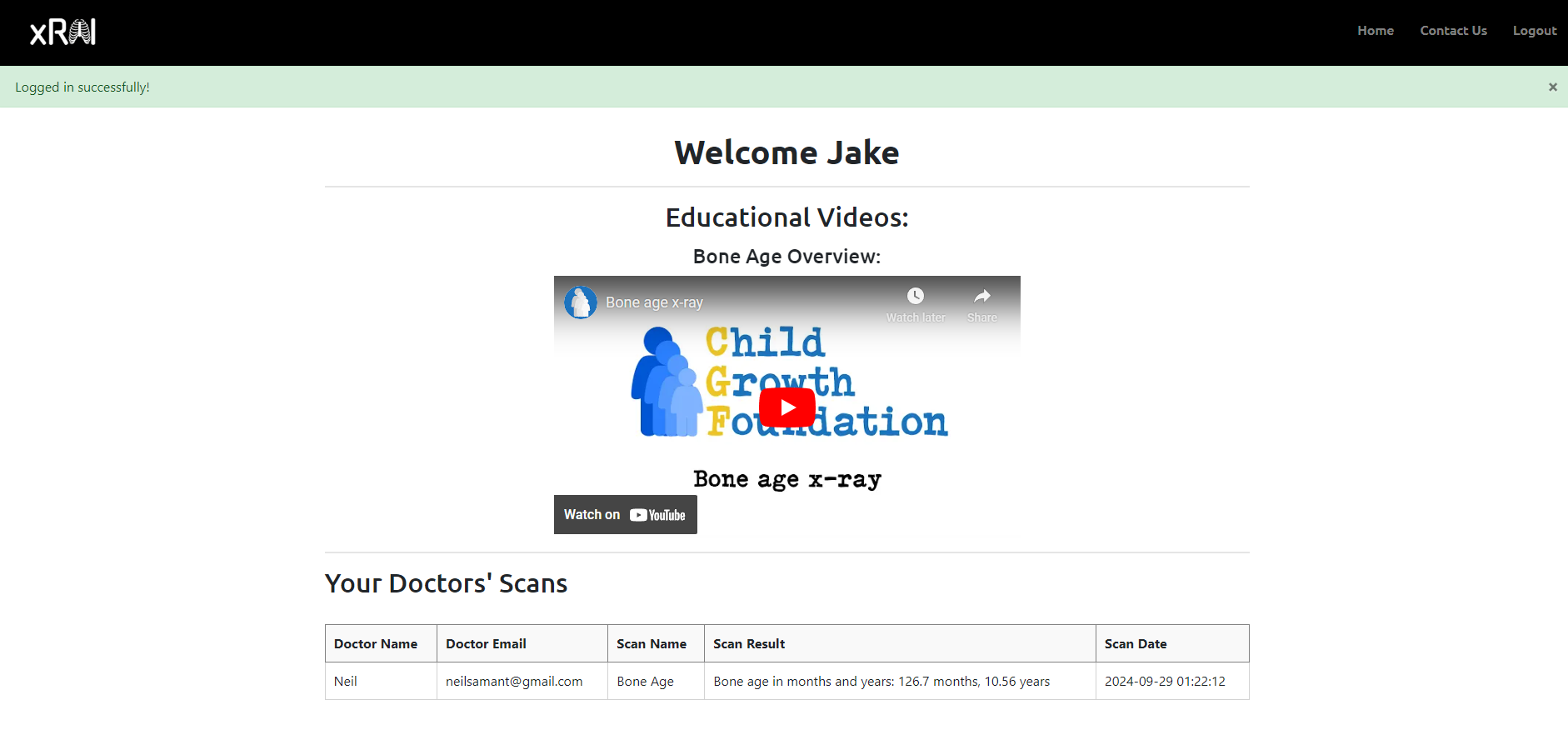
Patients can see their medical imaging records and watch videos to educate themselves on the meaning of their results.
-

Doctors can also see their medical imaging records across all patients, including time, result, type of scan, and patient name and e-mail.

Inspiration
After discovering that medical mistakes are the third leading cause of deaths in America, we were determined to incorporate AI-driven solutions in healthcare. Our research found that medical imaging is one of the most versatile ways to diagnose not only fractures, but also diseases such as cancer and pneumonia, as well as injuries like concussions. We sought to utilize image recognition AI models for which there were many databases and example AI models.
How we built it
The project was started from a Flask application template (credit to https://github.com/techwithtim/Flask-Web-App-Tutorial). This already came with built-in authentication and a SQL database to store user information. From this template, we could create users, login, and add notes. There was minimal CSS and interactivity in the template, and we implemented this ourselves.
We developed certain machine learning models for identifying bone age and pneumonia and utilized existing research for cancer and fracture detection. These models are based on convolutional neural networks due to the image-based nature of the project, and we also created Python scripts to streamline these models and run them in the back-end when prompted with an image.
Parallely, we modeled tables in an SQL database with SQLAlchemy and Flask to safely store user data on account and scan creation. This data was accessed via form fields and changes were submitted to the database tables through Python.
The HTML files also use Jinja, a templating language that allowed us to write Python-like syntax and interact with components on an HTML page. New components were created for different types of scans, and subprocesses were used to run these files at the click of a button. These components were stylized with CSS to increase usability.
We also implemented an e-mail client with an internal email account to programmatically send users emails via Python. This enables swift communication between doctors and patients, eliminating processing time that currently exists.
How the project works
Running the project locally requires downloading all of the contents and for the user to navigate to the “flaskapp” folder. There, they should run “python main.py” and a localhost server will be up and running.
Assuming the database is empty, meaning there are no users (to clear any users in the database, run ‘database_clear.py’ and make sure it is in the same directory as database1.db), you will have to go to the sign up page and create an account. In this version, basic details are asked - but for a full-fledged application, more sensitive data would be collected (such as date of birth and other important medical information). Put a valid email - this is not required for the actual running of the application but if you wish to test out the email functionality, then it will not work if the email is invalid.
You will see an option to check if you are a doctor or not. If you are a doctor, then you will be able to access a different portal that allows you to run various scans on X-Ray images. If you are a patient, you can see scans that different doctors have run on you. Doctors can run scans on multiple patients, and patients can have multiple doctors run scans on them. There is a table that shows up on both the student and doctor portal. The patient page also has videos and frequently asked questions, so patients can be more medically informed. You may have to hit the "home" page when you are logged in as a doctor after completing the scan, to see the most up-to-date data.
There is also a contact information page to contact any doctor in the institution - their name and email address are given. This can only be seen by users who are logged in.
To log out, simply hit the “Log Out” button. To terminate the application running on localhost, just go to the prompt window on which this application is running and type “Ctrl+C” (on Windows and Mac). This will terminate the program. To reset the database of users, simply run ‘database_clear.py’ as mentioned.
Challenges we faced
This was the first time most of us were working on creating a full-fledged application. We did not have much experience using Flask and Jinja, as well as working with an SQL database. We also did not have much front-end experience, but it was reasonable enough to pick up over a day. There were many guides online to help us.
There were also some challenges with the machine learning models itself. Getting the datasets and identifying the proper approach to train these models took a lot of time. There were also issues getting the actual files to run, and some of the processes do not run as fast as we would have hoped. However, none of the processes result in the website crashing - the longest process is the cancer detection which should not take more than 20 seconds on most computers.
A major challenge we faced outside of actual coding, however, was managing collaboration via Git. We frequently ran into merge conflicts and situations where we were just unable to push our code for some reason. There was even a very scary instance where an attempt to merge resulted in all of Neil’s files being overwritten to a very old version, but luckily enough, this change could be reversed. We must learn how to use Git better for the next hackathon as we even had to create a new repository after the first four hours of hacking on the first day.
Accomplishments that we're proud of
Despite all of these challenges, we’re proud of creating a working application that uses many different components. We did not have much experience in this space and to come out with a product like this makes us feel happy and satisfied. Most of the functionalities that we originally intended to implement ended up working.
What We Learned
Every member of our team learned the uses of GitHub the hard way through this project because we did not have previous experience with working in teams of developers. We also learned how to train image recognition models and the effort that goes into training them. While training the model may only have taken a few steps, much of our time after that was spent allowing the model to train while blindly building the backend hoping that it does what we want. When it worked, it felt great, but when it didn’t our efforts of making it work were met with an even greater feeling of accomplishment. We also learned how to store data and use authentication methods effectively.
What's next for xRAI
As mentioned in our inspiration, we want to develop models for all the various uses of medical imagery. To further advance this project, we will add an AI model that analyzes MRIs, CT scans, and various other types of medical imaging. This feature will help doctors in identifying additional diseases, such as spinal cord injuries and brain tumors, which are more challenging or have higher chances of sparking medical error. At the same time, for models of conditionals that may not be as difficult to identify, such as lung cancer, future improvements will provide a second source of scrutiny in helping them confirm their diagnosis.
In addition to developing new AI models and enhancing previous AI features of the website, we want to allow the doctor to personalize the email sent to the patient and allow the patient to view messages from the doctor through a chat feature on the website. This feature will eliminate the chance of patients missing their important message in their email or having to search for it specifically in their email. This will also foster greater doctor-patient relationship by allowing faster responses from both sides and creating a greater sense of collaboration.
Disclaimer This application is intended for informational purposes only and should not be used as a substitute for professional medical advice, diagnosis, or treatment. The scan results generated by this tool are based on machine learning models and may not always be accurate. Always consult a qualified healthcare provider for medical concerns.


Log in or sign up for Devpost to join the conversation.