XNode LifeFlow AI — Plan Smarter. Do More. Live Better.
Inspiration
In today's fast-paced digital world, managing tasks, projects, personal goals, and daily schedules often requires switching between multiple applications. This creates unnecessary complexity, distractions, and productivity challenges.
We envisioned a better experience: one beautiful, intelligent, and intuitive workspace where productivity feels effortless rather than overwhelming.
XNode LifeFlow AI was inspired by the idea that technology should not only help people accomplish more but also support focus, creativity, and personal well-being.
Our goal was to combine thoughtful UI/UX design, productivity tools, and AI-inspired assistance into a unified digital experience.
Rather than building another traditional task manager, we wanted to create a productivity environment that feels calm, motivating, accessible, and enjoyable to use.
What it does
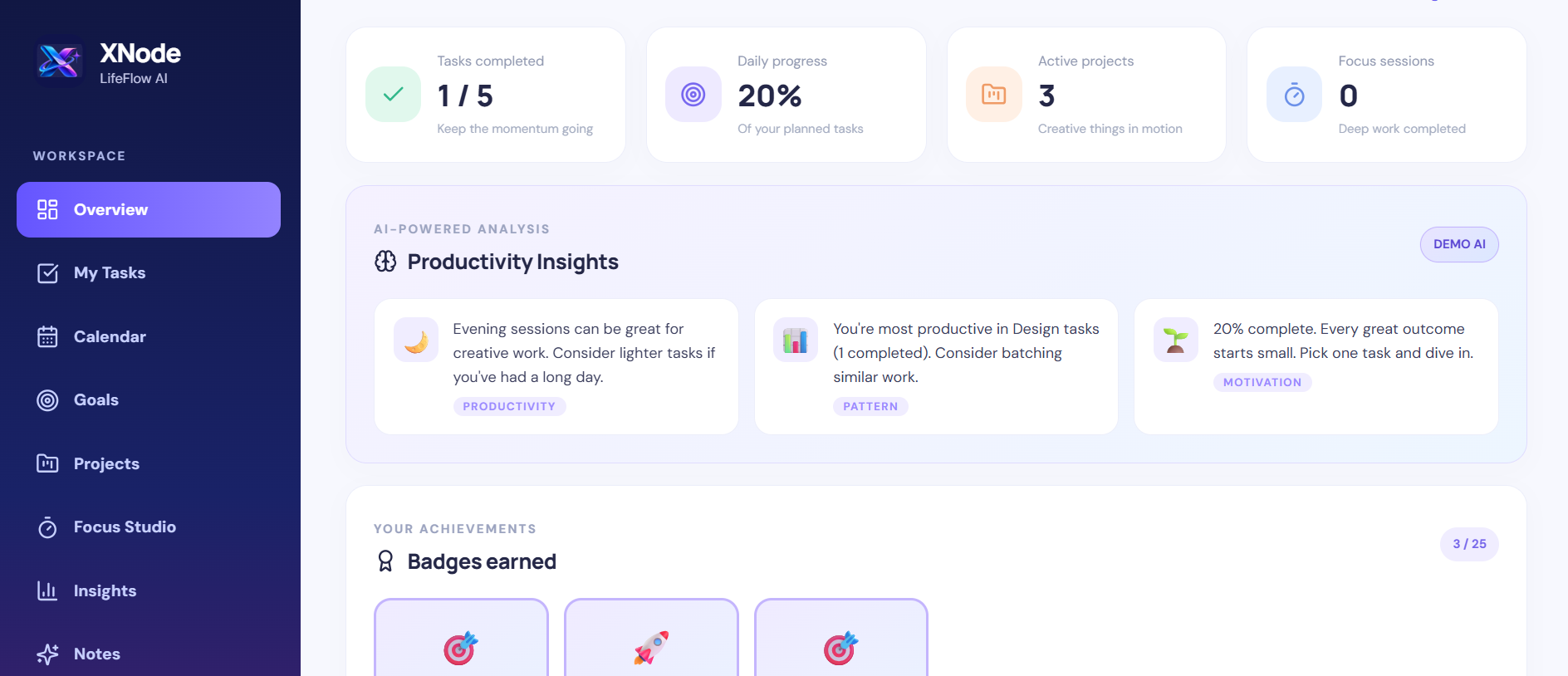
XNode LifeFlow AI is a modern productivity dashboard that brings together essential planning and organization tools within a visually engaging interface.
The application provides:
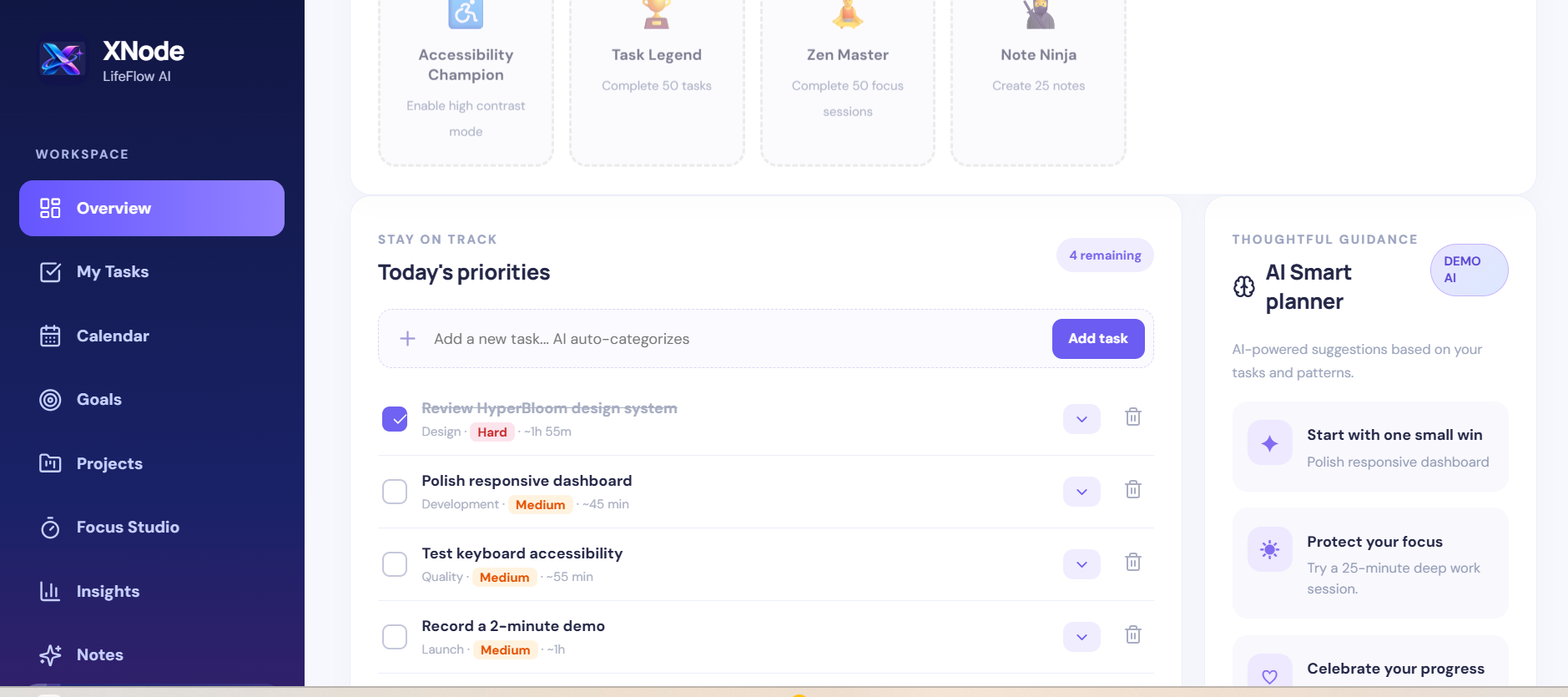
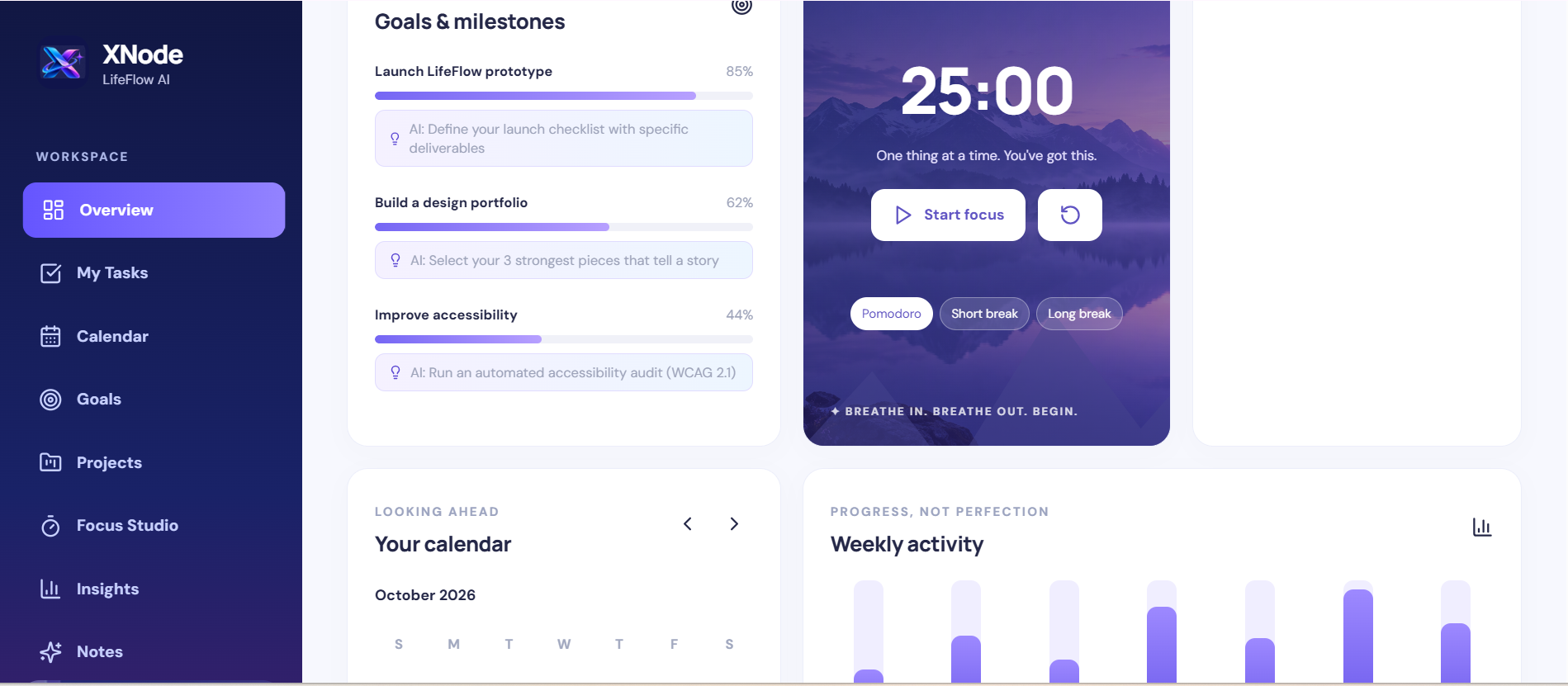
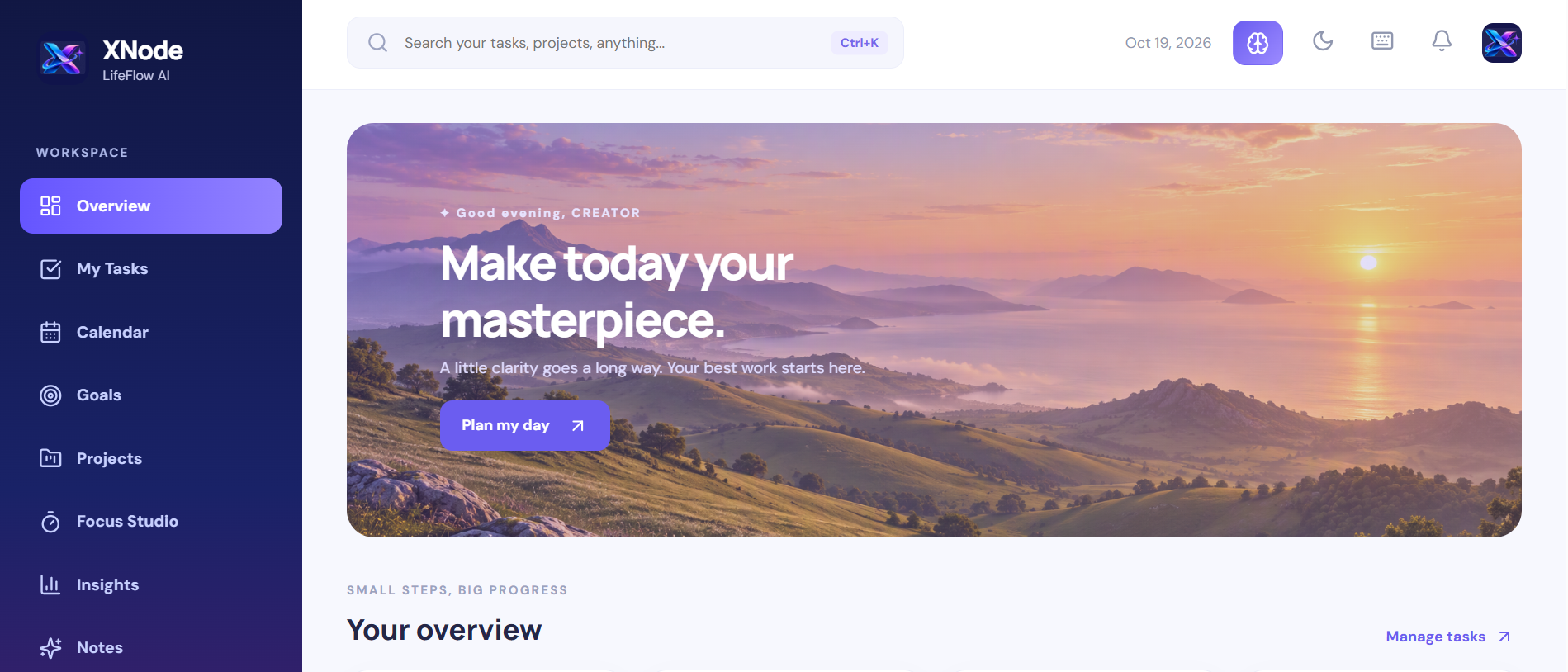
- Smart Dashboard: A centralized overview of tasks, priorities, goals, and productivity progress.
- Task Management: Create, organize, filter, complete, and delete tasks.
- Project Management: Create projects, monitor progress, and manage milestones.
- Goal Tracking: Define personal or professional goals and visualize progress.
- Interactive Calendar: Schedule events and navigate monthly activities.
- Focus Studio: A distraction-reducing workspace featuring Pomodoro sessions and customizable break presets.
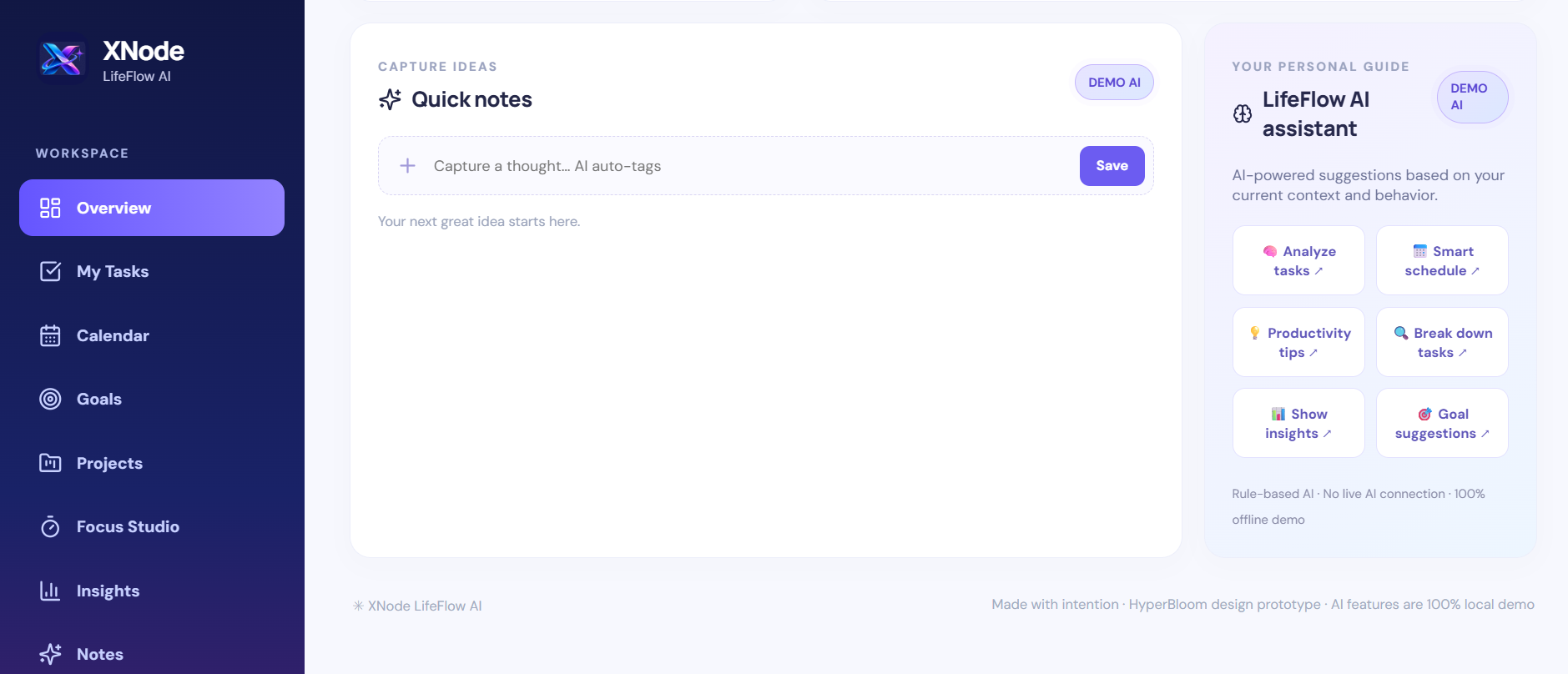
- LifeFlow Assistant: A rule-based planning assistant that provides productivity suggestions and task guidance.
- Quick Notes: Capture ideas and important information.
- Productivity Insights: View task completion rates and progress indicators.
- Responsive Design: Access the interface across desktop, tablet, and mobile screen sizes.
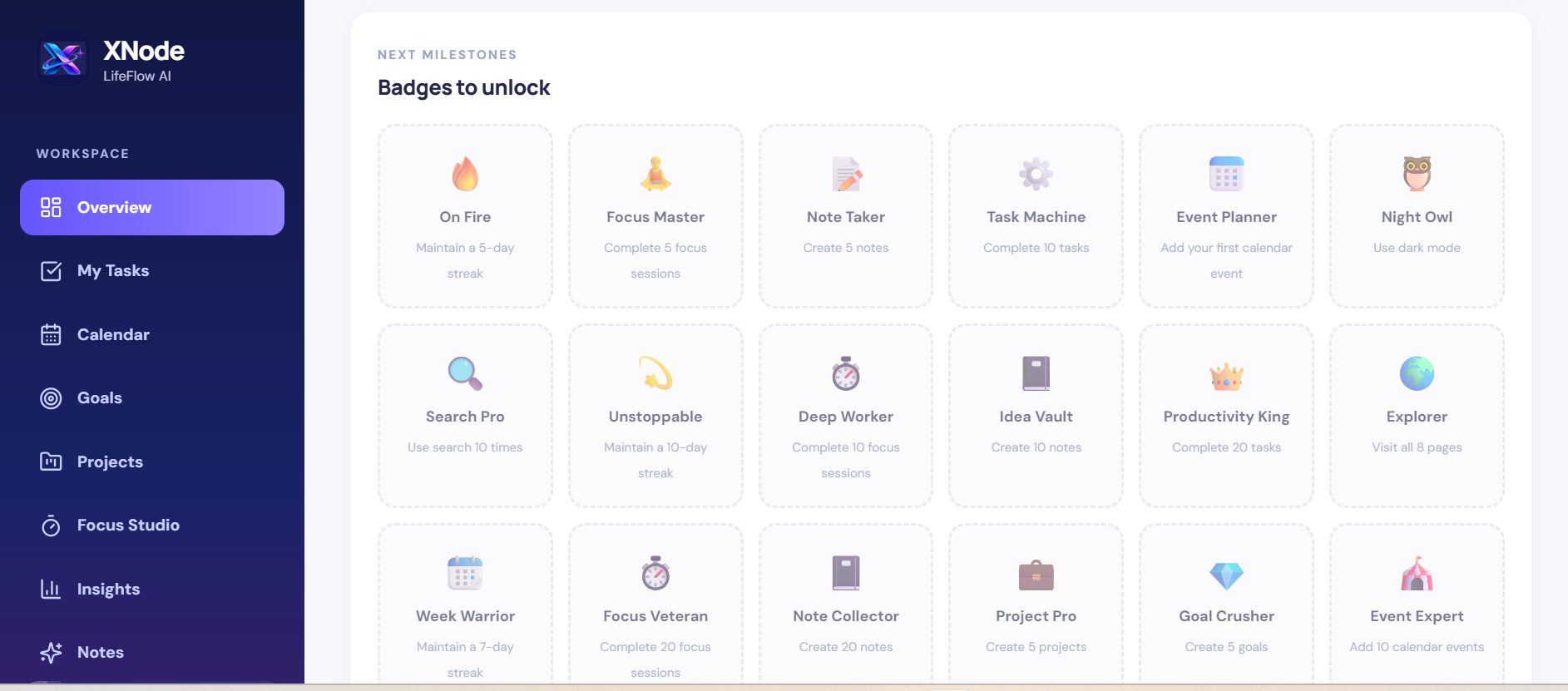
- Personalization: Light and dark appearance options and accessibility-focused interface controls.
The platform uses a distinctive visual identity featuring purple and blue gradients, scenic backgrounds, soft shadows, rounded components, and an original XNode logo.
Our design philosophy is simple:
Productivity should feel inspiring, not exhausting.
How we built it
XNode LifeFlow AI was developed as a modern, component-based web application using a lightweight frontend architecture.
Technologies used
- React.js: For reusable UI components and interactive application features.
- JavaScript and JSX: For application logic, state management, and user interactions.
- Vite: For the development environment and frontend build tooling.
- CSS3: For responsive layouts, gradients, transitions, animations, and visual styling.
- Lucide React: For consistent, lightweight interface icons.
- Browser LocalStorage: For persisting tasks, projects, goals, notes, and calendar events without requiring a backend.
- AI-assisted design and development: To explore interface concepts, improve layouts, and accelerate prototyping.
Development process
We started by identifying common productivity challenges and mapping out the essential features users need throughout their day.
Next, we developed the application's visual identity, including the XNode branding, typography, color palette, and dashboard layout.
We then implemented interactive components for task management, projects, goals, scheduling, and focus sessions.
As development progressed, we expanded the original dashboard into dedicated application screens with improved navigation and responsive layouts.
Finally, we refined the visual experience with scenic imagery, accessibility considerations, subtle animations, and an integrated productivity assistant prototype.
The result is an interactive frontend application designed to demonstrate both practical functionality and thoughtful user experience.
Challenges we ran into
1. Balancing visual appeal with usability
One of our biggest challenges was creating an interface that looked distinctive without becoming overwhelming.
We addressed this through clear visual hierarchy, consistent spacing, reusable components, and carefully selected colors.
2. Bringing multiple productivity tools together
Tasks, goals, projects, calendars, and focus sessions have different interaction requirements.
Designing a consistent experience across these features required careful planning and iterative interface improvements.
3. Responsive design
Creating layouts that remain intuitive across desktop and smaller screens required adjustments to navigation, cards, grids, and interactive controls.
4. Managing application state
We needed users to interact with the application and retain their information between browser sessions.
Browser LocalStorage provided a practical solution for the prototype, although it does not yet offer cloud synchronization.
5. Building useful assistance without a live AI backend
We wanted to demonstrate how intelligent guidance could improve productivity while keeping the prototype lightweight.
We implemented rule-based suggestions and clearly identified them as demonstration functionality rather than presenting them as a connected AI service.
6. Testing and reliability
The application evolved through multiple design and feature iterations. Ensuring consistency across screens remains an important part of the final testing process.
Accomplishments that we're proud of
We are particularly proud of transforming a productivity concept into an interactive, visually distinctive web application.
Our key accomplishments include:
- Creating an original XNode LifeFlow AI visual identity.
- Designing a cohesive dashboard with scenic backgrounds and modern interface elements.
- Implementing interactive task, project, goal, calendar, and note management.
- Developing a dedicated Focus Studio with Pomodoro and break timers.
- Introducing contextual productivity suggestions through the LifeFlow Assistant prototype.
- Building responsive layouts for different screen sizes.
- Adding persistent browser storage for essential user data.
- Including accessibility-conscious features such as semantic controls and reduced-motion support.
- Packaging the project as standalone source code that can be developed and hosted independently.
Most importantly, we created a foundation for a productivity platform that prioritizes both functionality and the human experience.
What we learned
Building XNode LifeFlow AI reinforced several important lessons.
Great UI/UX design goes beyond appearance. An effective interface should reduce friction, communicate clearly, and help users complete meaningful actions.
Simplicity requires thoughtful decisions. Combining several tools into one application is valuable only when navigation and interactions remain intuitive.
Visual consistency builds trust. A unified design system helps users understand and navigate complex functionality.
Accessibility should be considered from the beginning. Responsive layouts, readable typography, keyboard-friendly controls
Built With
- accessibility
- ai-assisted-development
- css
- css3
- frontend-development
- html5
- javascript
- jsx
- localstorage
- lucide-react
- react
- responsive-design
- responsive-web-design
- ui/ux-design
- vite
- web-development

Log in or sign up for Devpost to join the conversation.