XNode AI Command Center One Intelligent Assistant to Connect, Automate, and Simplify Your Digital Life.**
Inspiration
The inspiration behind XNode AI Command Center came from a simple question: What if one intelligent assistant could understand our needs, coordinate digital services, and complete everyday tasks while keeping humans in control?
Today, people manage multiple applications for productivity, home security, scheduling, business operations, and communication. These disconnected systems create unnecessary complexity, repetitive work, and fragmented experiences.
With advances in conversational AI, Amazon Bedrock, Model Context Protocol (MCP), and agent-based automation, we saw an opportunity to create something more powerful than a traditional chatbot.
We envisioned an intelligent command center where users could interact naturally through voice or text, automate multi-step activities, monitor events, and approve important actions from a unified interface.
The Amazon Developer Hackathon inspired us to explore how an Alexa+-style conversational experience could connect AI reasoning with practical automation.
Our vision is to make intelligent automation accessible to households, entrepreneurs, professionals, and small businesses, regardless of their technical expertise.
What it does
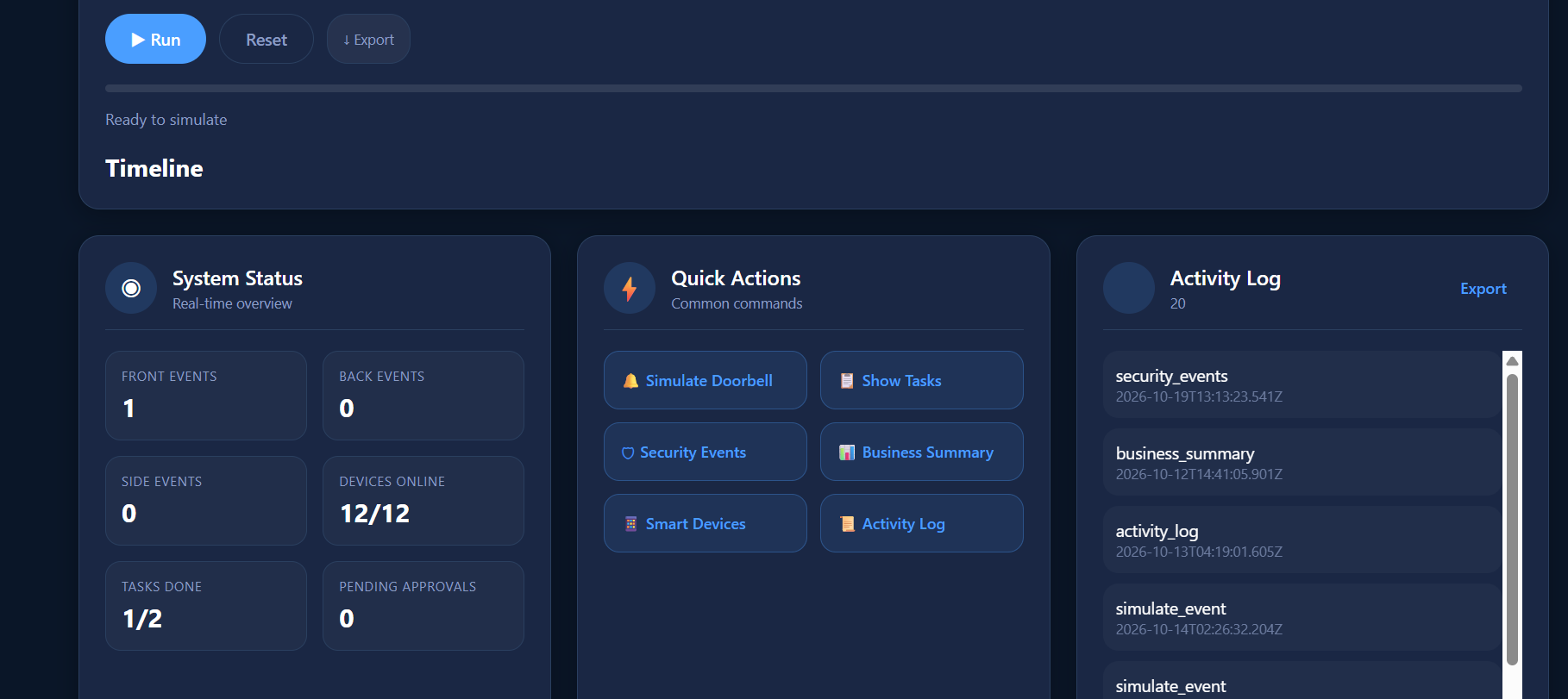
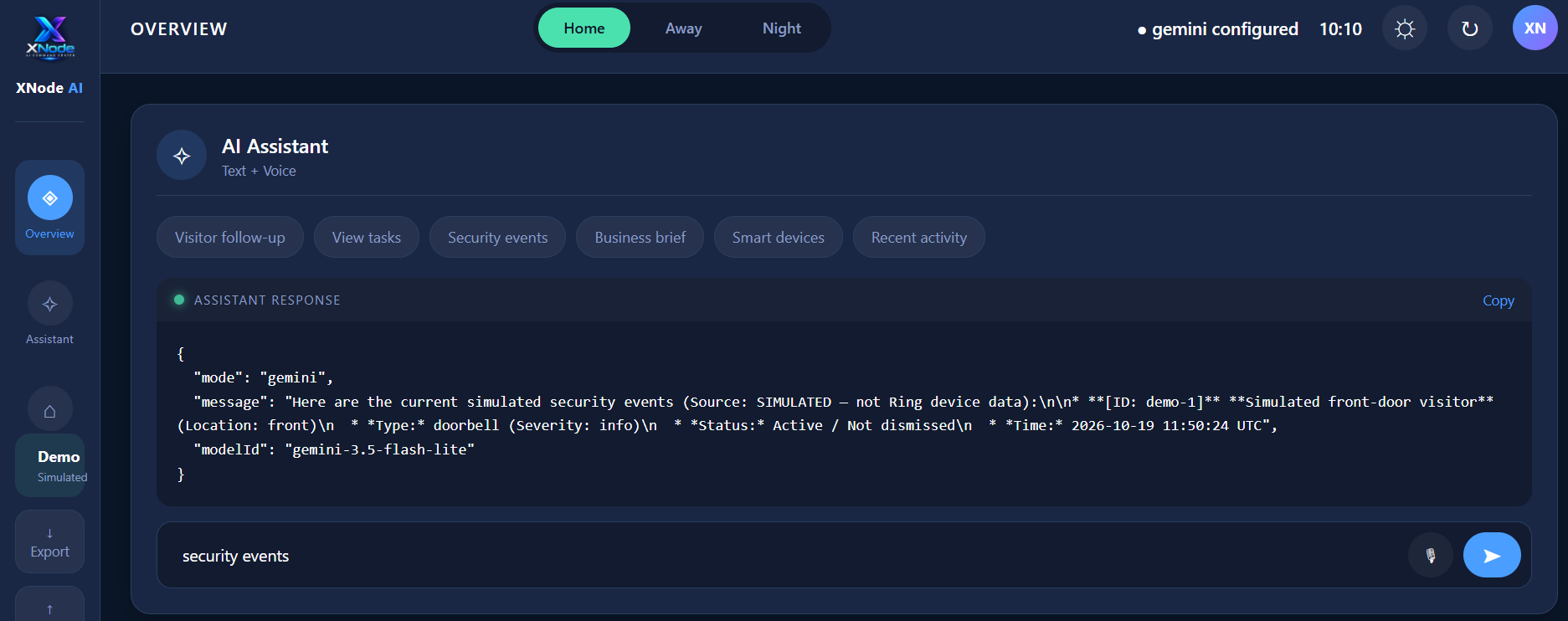
XNode AI Command Center is an AI-powered productivity and automation platform that brings intelligent assistance, task management, workflow orchestration, and simulated smart-home security into one responsive dashboard.**
Instead of switching between applications, users can interact with a central assistant to manage activities and coordinate workflows.
Key Features
- Conversational AI Command Center
Users interact with the assistant through text commands or browser-supported voice input. The system provides an interactive environment for managing tasks, requesting information, and initiating workflows.
- Visual AI Workflow Studio
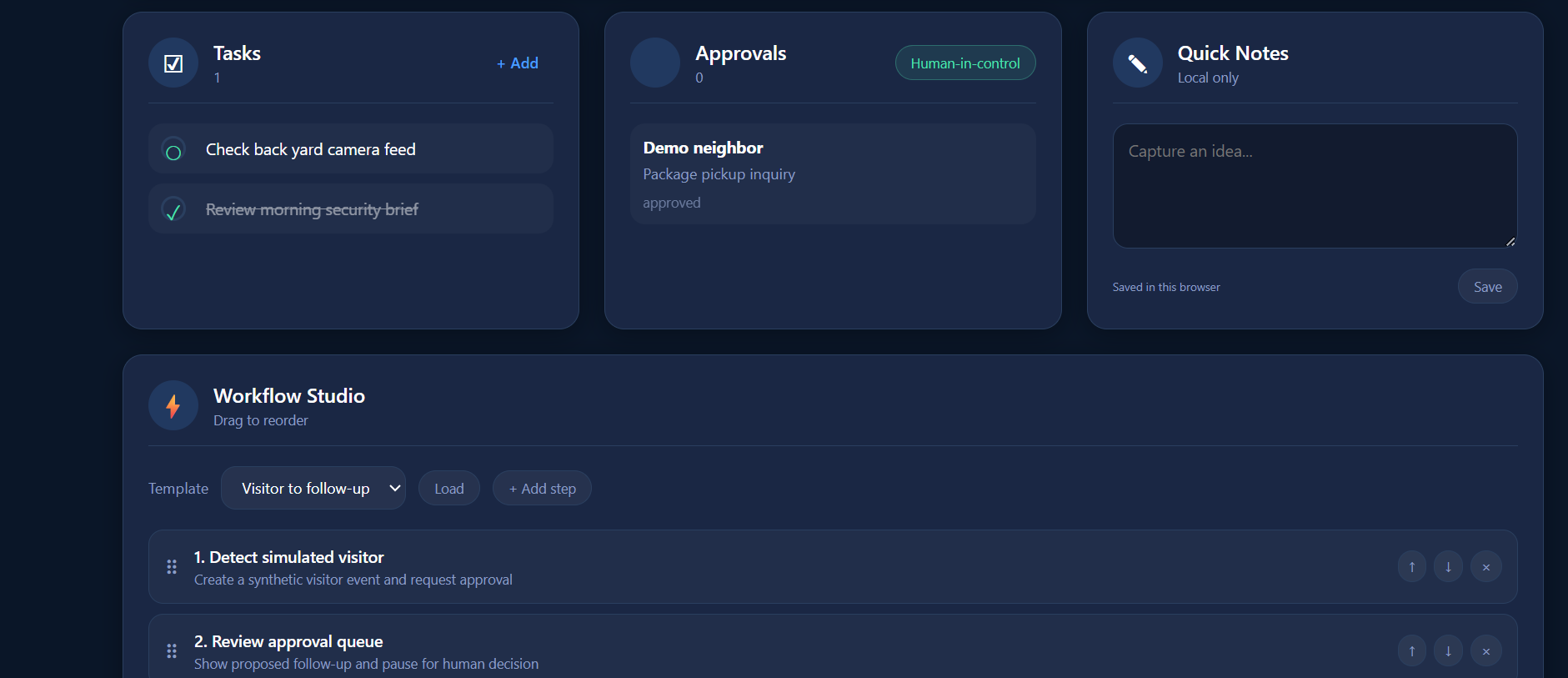
An interactive workflow builder allows users to create, organize, and execute predefined automation sequences.
Features include:
- Visual workflow creation and step reordering
- Reusable workflow templates
- Execution progress indicators
- Activity timelines
- Human approval checkpoints
- Workflow export
- Human-in-the-Loop Automation
XNode is designed around responsible automation.
When a workflow requires an important decision, the system can pause and request user approval before proceeding.
Users can review, approve, or reject proposed actions, improving transparency and control.
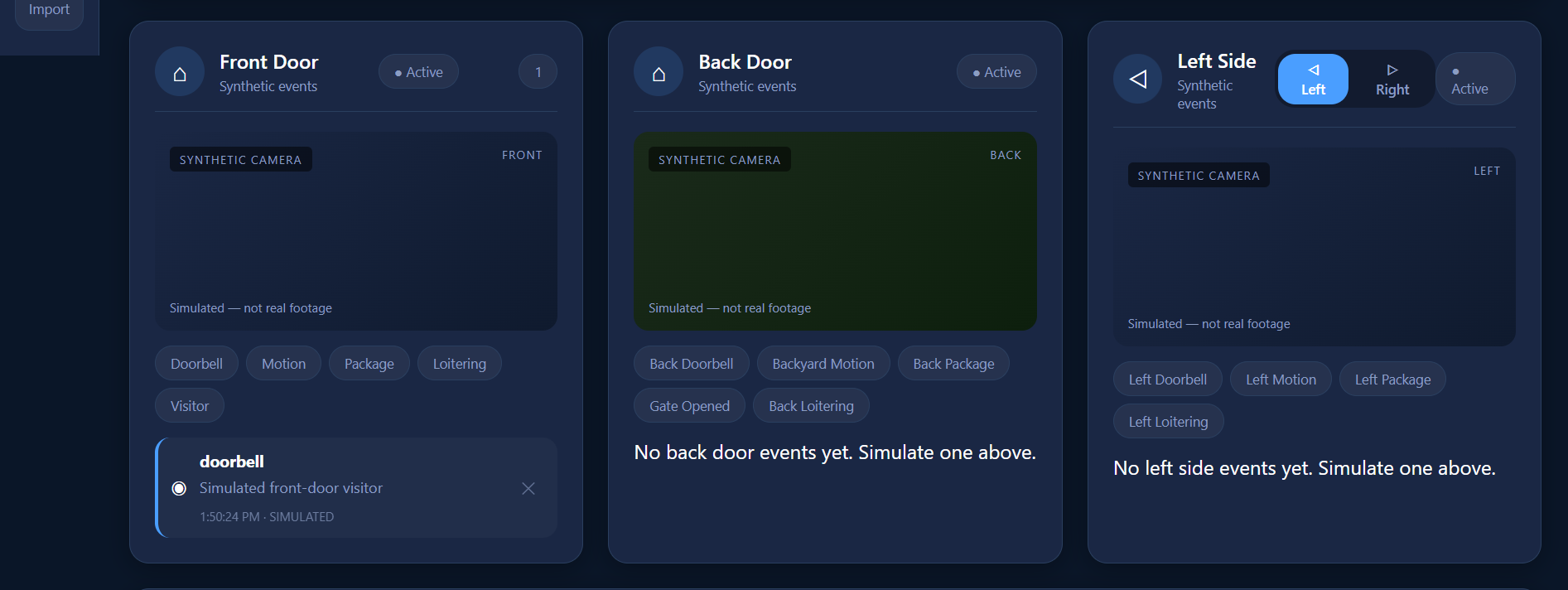
- Smart Security Simulation
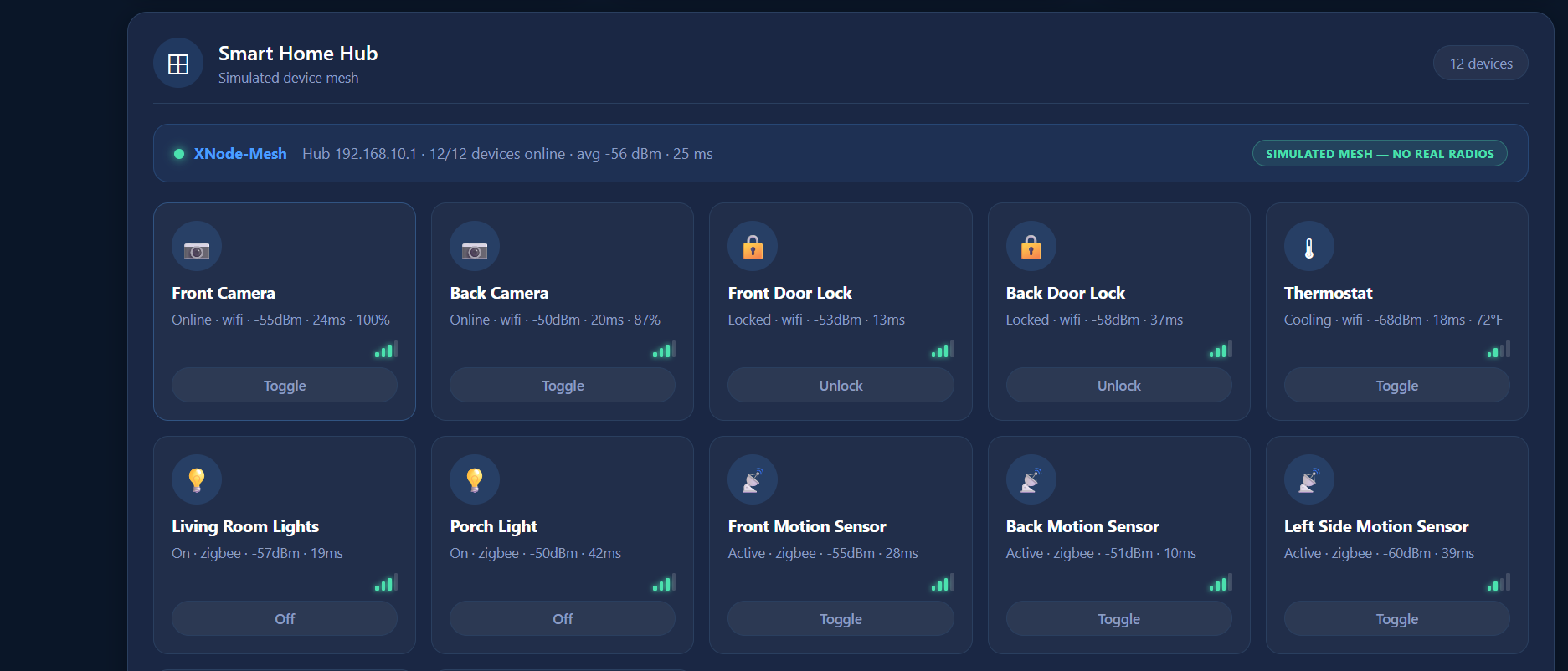
The platform demonstrates how security events could be incorporated into an intelligent assistant.
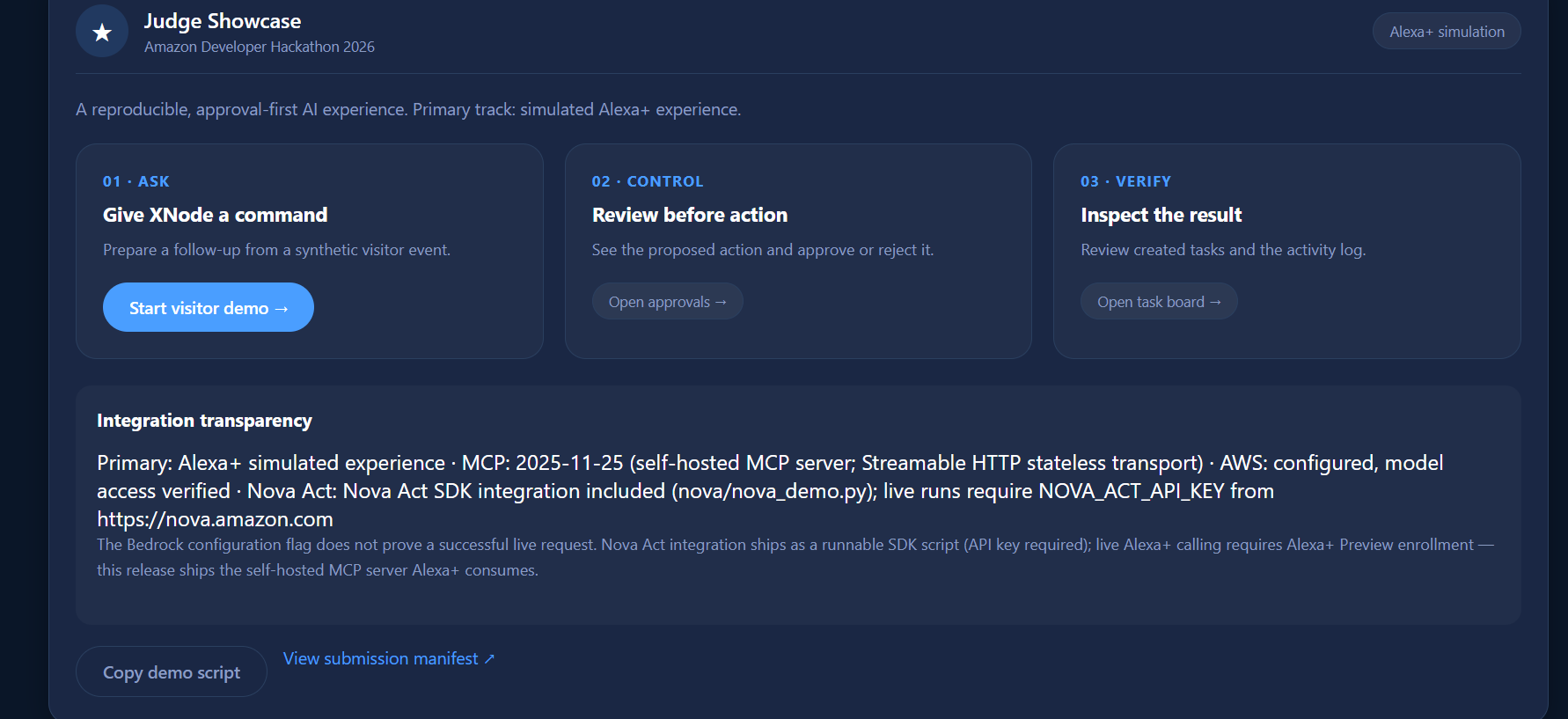
For example, a simulated front-door visitor event can initiate a follow-up workflow, request approval, and create a task.
This demonstrates an approach to connecting home events with productivity automation without requiring physical security hardware.
- Productivity and Task Management
Users can create, organize, monitor, and complete tasks from the dashboard.
The system also includes quick notes, activity tracking, and productivity workflows.
- MCP-Based Tool Architecture
XNode includes a self-hosted MCP-style server that exposes application functions through structured tool interfaces.
This establishes a foundation for connecting conversational agents to actionable services.
- Interactive Judge Showcase
A guided demonstration presents the application's capabilities through a structured workflow, allowing judges to explore its functionality and observe simulated actions.
- Modern Responsive User Interface
The application includes:
- A responsive dashboard
- Dark and light themes
- Custom XNode branding
- Interactive navigation
- Visual activity cards
- Clickable workflow controls
- Security event visualization
- JSON data export
Example User Experience
A user receives a simulated visitor notification.
XNode displays the event and prepares a follow-up action.
The user reviews the proposed action and approves it.
The system creates a corresponding task and records the activity.
This workflow demonstrates how conversational assistance, event handling, automation, and human oversight can operate together.
How we built it
XNode AI Command Center was developed using a modular architecture combining modern web technologies, backend APIs, agent-oriented design, and workflow automation.
Frontend Development
We built a responsive web interface using HTML, CSS, and JavaScript, focusing on accessibility, usability, and clear visual feedback.
The dashboard provides centralized access to AI commands, workflows, tasks, simulated security events, and system activity.
Backend Architecture
The backend uses Node.js, providing HTTP endpoints for application functionality, workflow execution, and communication between interface components.
Model Context Protocol (MCP)
We implemented an MCP-style JSON-RPC server supporting tool discovery and execution.
The server provides a foundation for exposing task-management and workflow operations to AI agents.
Additional protocol conformance and production security validation remain part of our development roadmap.
Amazon Bedrock Integration
We developed optional Amazon Bedrock integration code to support future live model inference and AI-assisted tool execution.
Our AWS setup work includes evaluating model access, authentication, and secure integration using AWS credentials.
Live Bedrock functionality requires deployment-specific configuration and end-to-end verification.
Workflow Orchestration
The Workflow Studio coordinates predefined automation steps and provides visual feedback about their execution.
Human approval checkpoints help ensure that important actions remain under user control.
Testing and Quality Assurance
We developed automated tests covering core application behavior, including:
- Task management
- Command execution
- MCP initialization
- Tool discovery and execution
- HTTP request handling
- Workflow approval and rejection
- Activity recording
- Judge demonstration functionality
The latest local automated test suite completed successfully with 17 passing tests.
Technologies Used
- JavaScript
- Node.js
- HTML5 and CSS3
- REST-style HTTP APIs
- JSON-RPC
- Model Context Protocol concepts
- Amazon Bedrock integration code
- AWS IAM authentication configuration
- Browser Speech Recognition API
- GitHub
- JSON-based workflow definitions
Challenges we ran into
Building XNode AI Command Center involved several technical and design challenges.
- Connecting AI Reasoning to Real Actions
One major challenge was moving beyond a conventional chatbot interface toward an assistant capable of coordinating useful actions.
We approached this by separating conversational commands, application tools, workflow execution, and approval decisions.
- Designing Responsible Automation
Autonomous systems can create risks when executing actions without sufficient user oversight.
We addressed this by introducing human approval checkpoints, activity records, and explicit action confirmation.
- Integrating Multiple Technologies
Combining frontend interactions, backend services, MCP-style tools, and workflow orchestration required careful coordination.
We developed a modular structure to keep the system maintainable and extensible.
- Working Without Physical Amazon Devices
We wanted to demonstrate meaningful intelligent-home functionality without depending on physical hardware.
We developed simulated security events and an Alexa+-inspired interaction experience to demonstrate the intended user journey.
- AWS Authentication and Service Configuration
Configuring AWS credentials, model access, permissions, and regional availability introduced additional integration considerations.
These challenges reinforced the importance of secure authentication, clear configuration instructions, and verifiable service connections.
- Balancing Features With Reliability
Building a comprehensive platform within a hackathon timeline required balancing ambitious functionality with stability.
We prioritized demonstrable workflows, modular architecture, and automated testing rather than presenting unfinished integrations as complete.
Accomplishments that we're proud of
We are particularly proud of turning an ambitious AI assistant concept into a working interactive prototype.
Our major accomplishments include:
A unified command center:** We brought productivity, workflow management, security simulation, and AI-oriented interaction into one interface.
A visual Workflow Studio:** Users can create and execute structured automation sequences rather than relying exclusively on chat commands.
Human-centered automation:** Approval checkpoints demonstrate that intelligent systems can be useful without removing user control.
MCP-oriented architecture:** The application establishes a technical foundation for agent-to-tool communication.
An accessible demonstration:** Judges can explore key workflows through a browser without needing dedicated Amazon hardware.
Modern application design:** We developed a responsive interface with custom branding, visual components, and interactive controls.
Automated verification:** Our latest local test suite achieved 17 passing tests, providing a foundation for continued development.
Most importantly, we demonstrated how AI assistance can evolve from answering questions into coordinating practical tasks.
What we learned
This project strengthened our understanding of intelligent agents, workflow orchestration, cloud AI services, and human-centered application design.
We learned that:
AI becomes more valuable when connected to useful tools.** Conversational interfaces are only the beginning. Practical value emerges when an assistant can help users complete tasks.
Human oversight is essential.** Approval mechanisms, transparent execution records, and clear feedback are important foundations for trustworthy automation.
Interoperability matters.** Protocols such as MCP offer a promising way to connect AI systems with external applications and services.
User experience is as important as technical capability.** A powerful system must remain intuitive, accessible, and understandable.
Simulation is useful for prototyping, but real integration requires verification.** Demonstrating a concept and validating a production service are different milestones.
Modular architecture accelerates innovation.** Separating the interface, tools, workflows, and AI services makes it easier to expand functionality without rebuilding the entire system.
The experience reinforced our belief that the next generation of intelligent software will combine natural interaction, practical automation, and responsible decision-making.
What's next for XNode AI Command Center
Our long-term vision is to transform XNode AI Command Center from a hackathon prototype into a secure, extensible intelligent automation platform.
Phase 1 — Live AI Integration
Complete and verify Amazon Bedrock integration for contextual conversations, task planning, and structured tool execution.
Phase 2 — Advanced Agent Automation
Integrate Amazon Nova Act SDK workflows to support approved browser-based automation, execution monitoring, and cloud observability.
Phase 3 — Enhanced Alexa+ Experience
Expand the conversational simulation with contextual memory, multi-turn interactions, personalized recommendations, and more sophisticated task coordination.
Explore official Alexa+ integration opportunities as developer access becomes available.
Phase 4 — Persistent Data and Security
Introduce persistent storage, user authentication, role-based access controls, audit retention, and secure deployment infrastructure.
Phase 5 — Expanded Smart-Home Integration
Explore supported smart-home and security APIs, including potential Ring integrations, subject to API access and authorization.
Phase 6 — AI Productivity Ecosystem
Expand XNode into a platform supporting:
- Personal AI assistants
- Business workflow automation
- Smart-home event coordination
- Scheduling and task management
- AI-assisted reporting
- Reusable automation templates
- Third-party integrations
Phase 7 — Open-Source Development
Continue developing reusable tools, workflow components, and integration examples that other developers can build upon.
Our Vision
We believe the future of AI is not simply about generating answers. It is about helping people accomplish meaningful work through intelligent, transparent, and accessible automation.**
XNode AI Command Center represents our first step toward that future.
One intelligent assistant. One connected experience. Unlimited possibilities.
Built With
- amazon
- amazon-bedrock
- amazon-web-services
- aws-iam
- css3
- github
- github-actions
- html5
- javascript
- json
- json-rpc
- model-context-protocol
- node.js
- nova
- rest-api
- web-speech-api

Log in or sign up for Devpost to join the conversation.