-
-
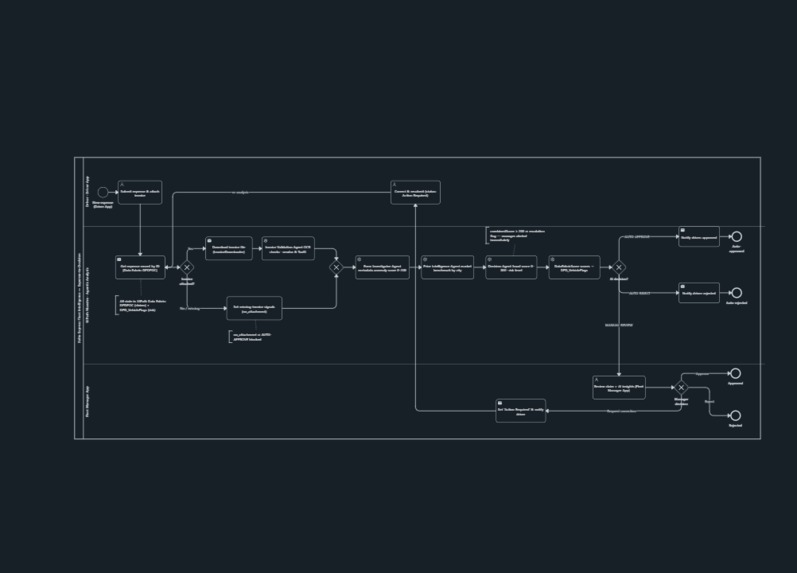
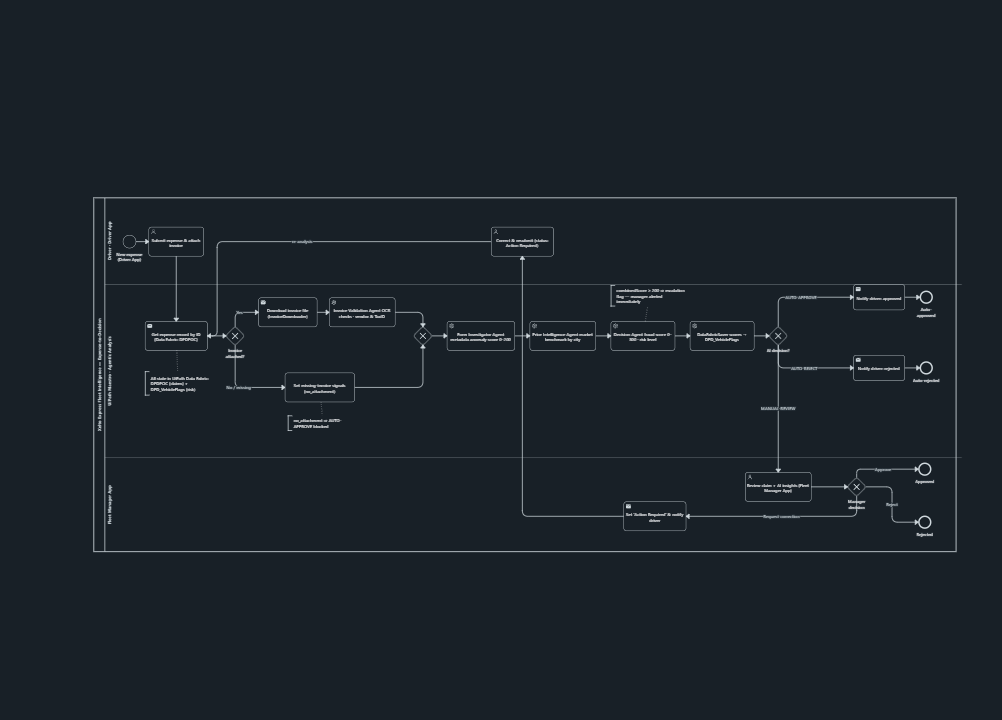
Project BPMN Diagram
-
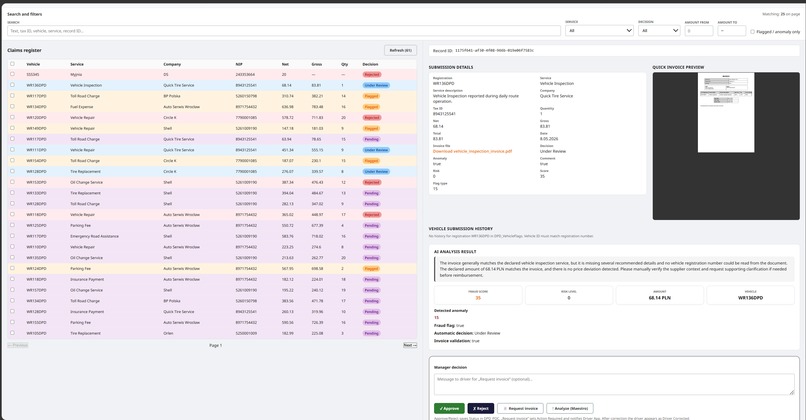
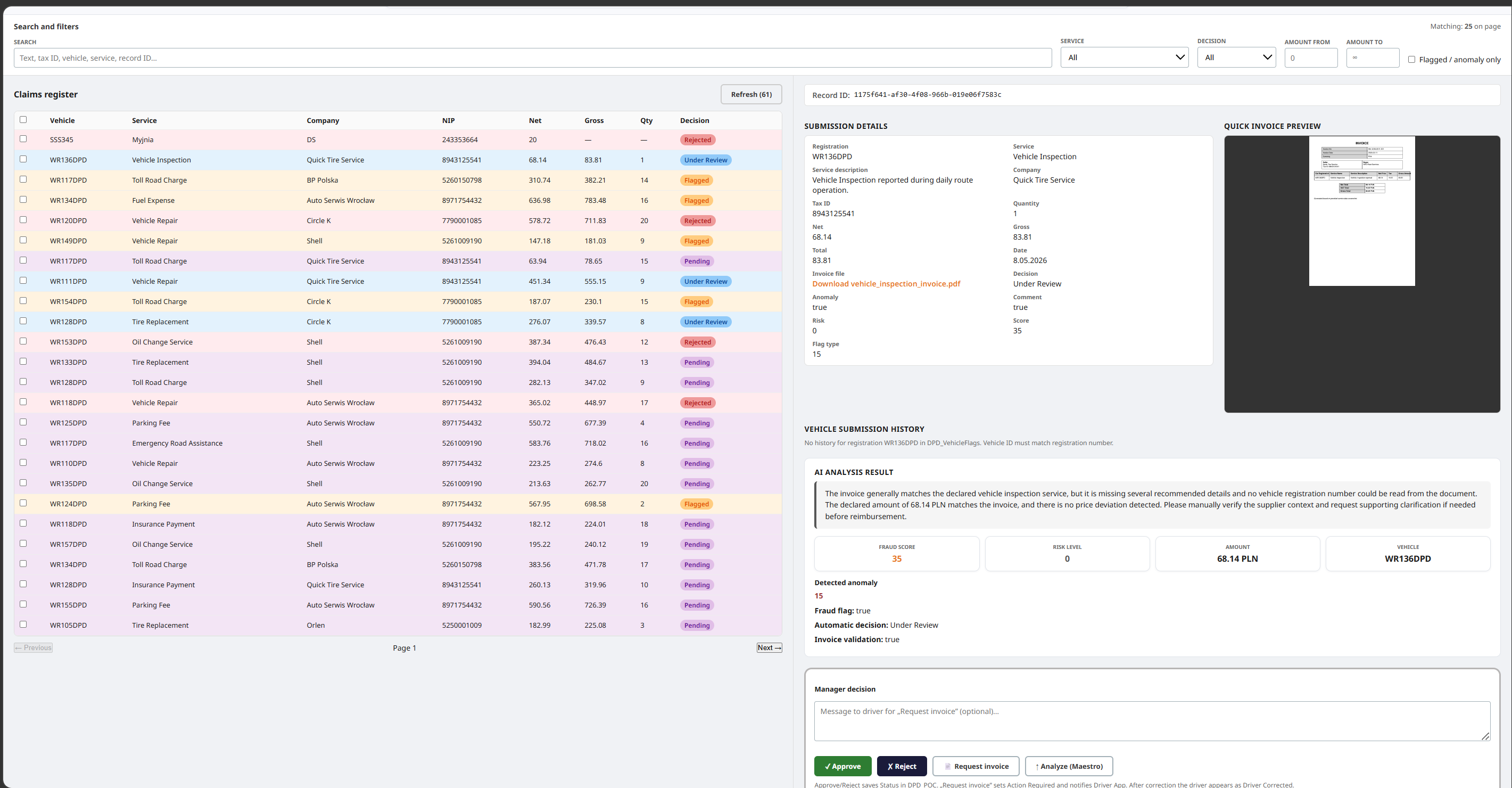
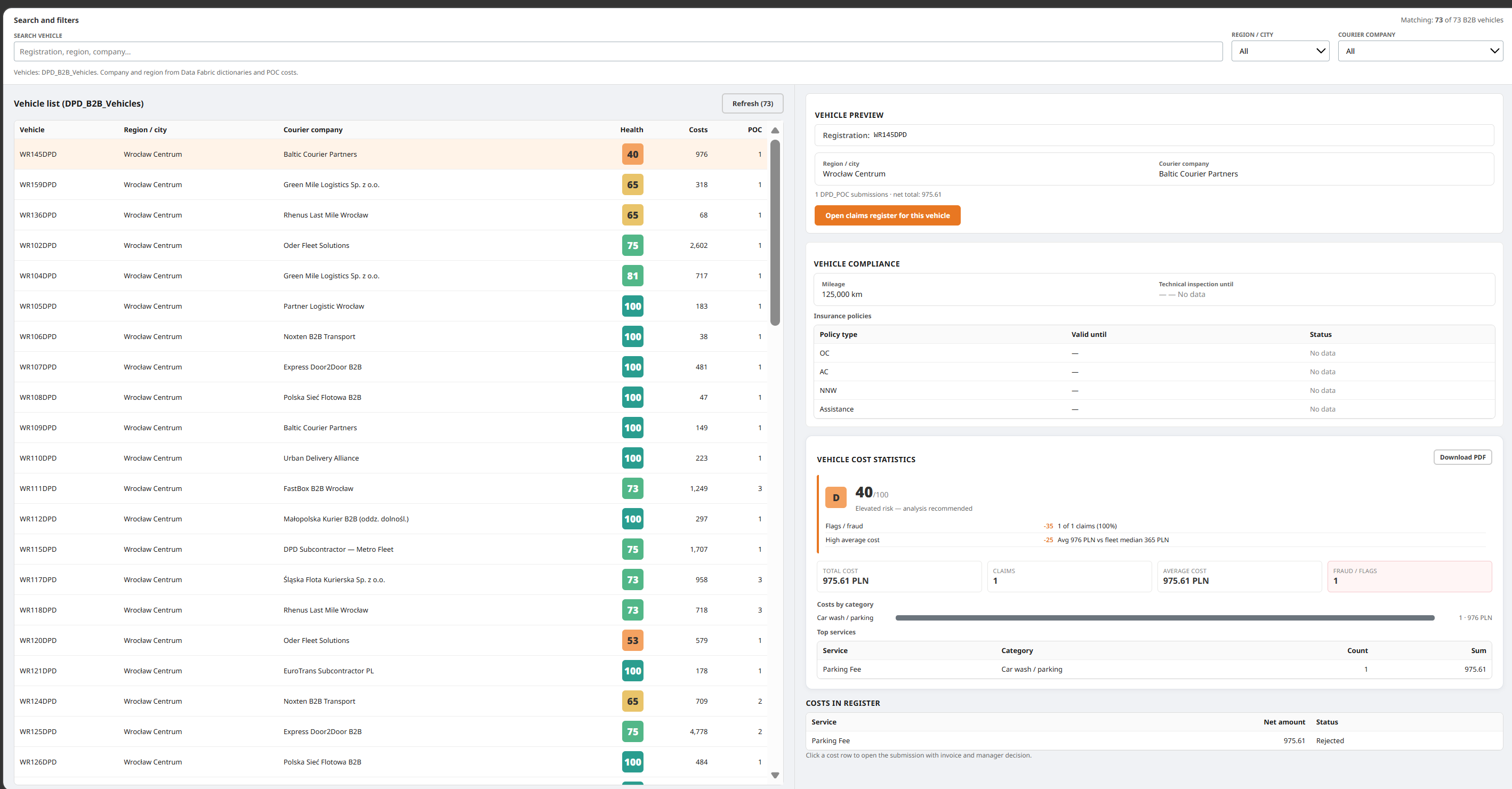
Fleet Manager - Cost Approval / Monitor
-
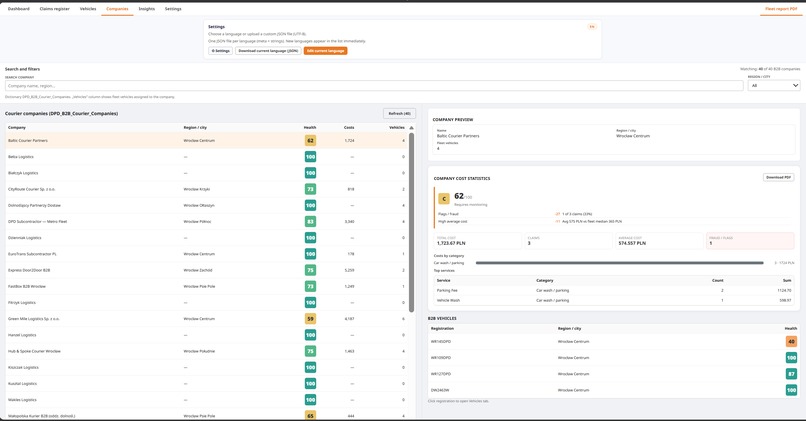
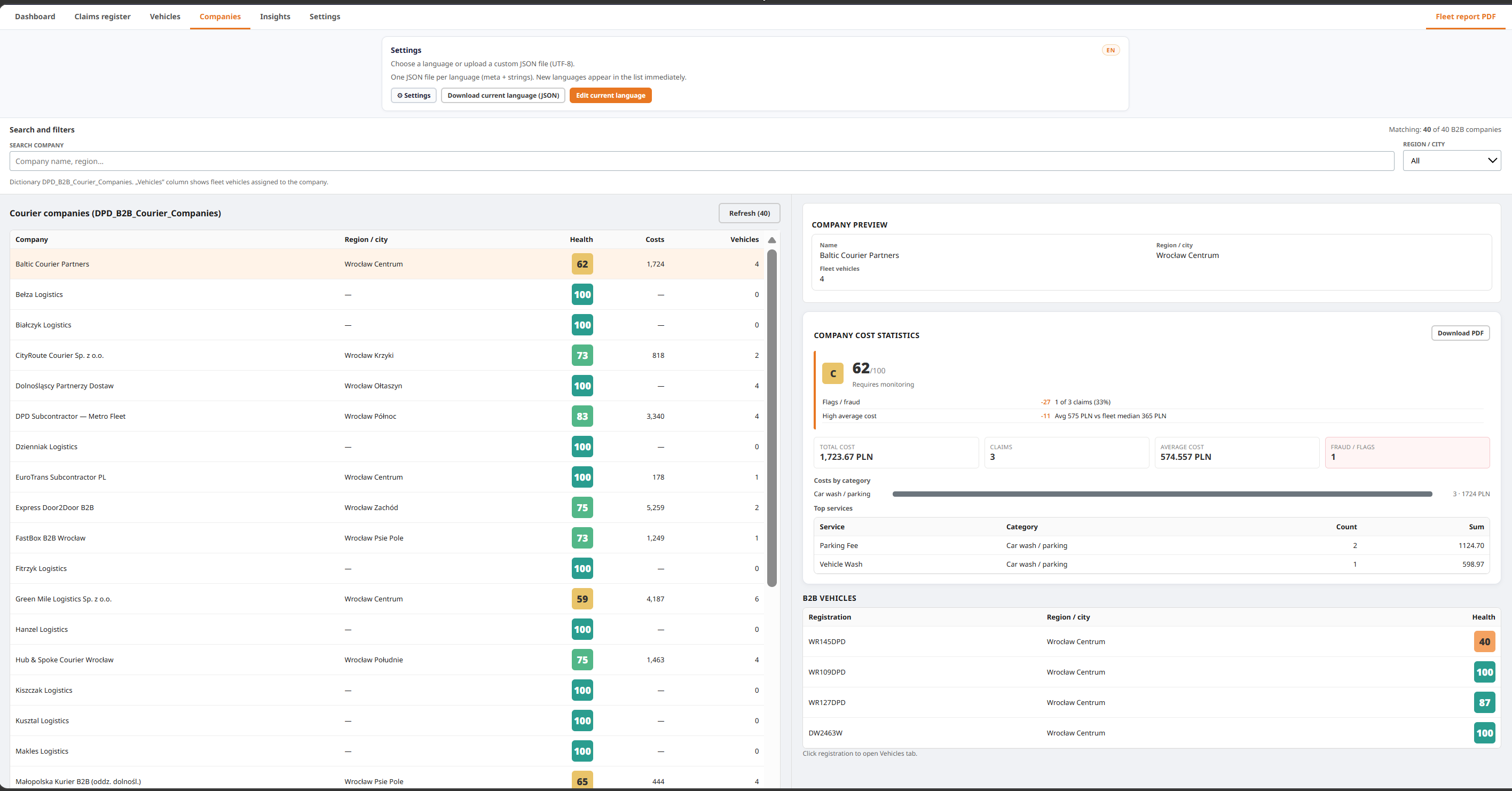
Fleet Manager - Company View
-
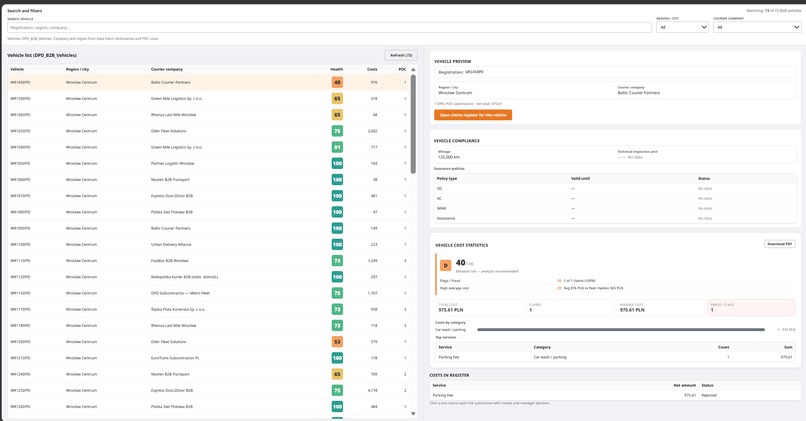
Fleet Manager - Fleet View
-
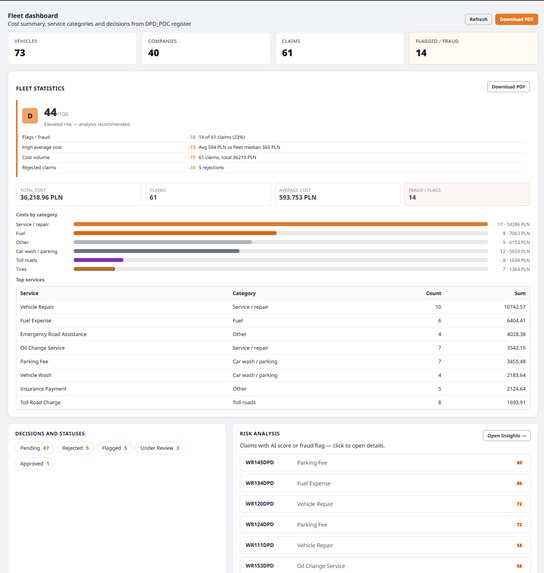
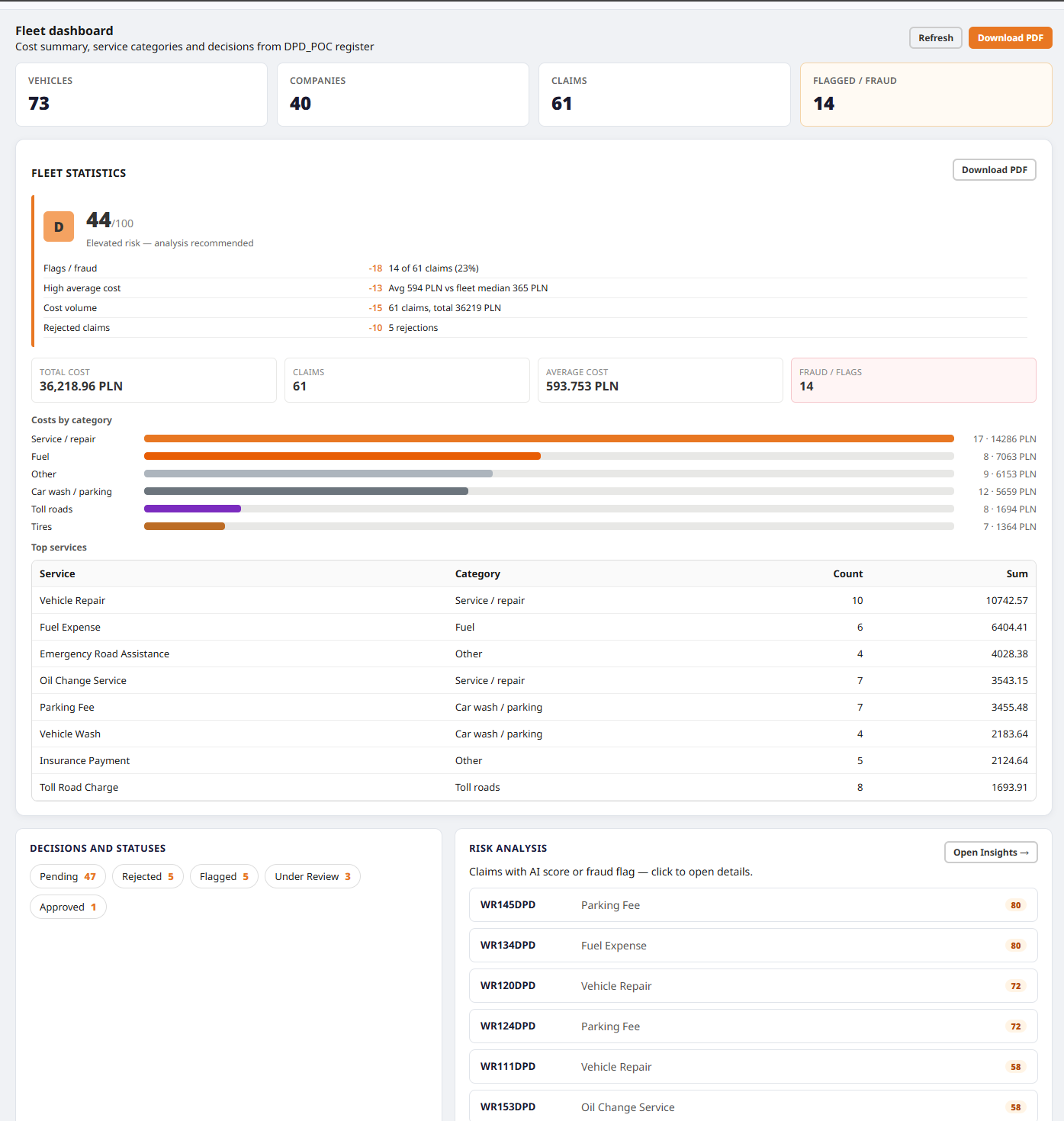
Driver App - Fleet Dashboard
-
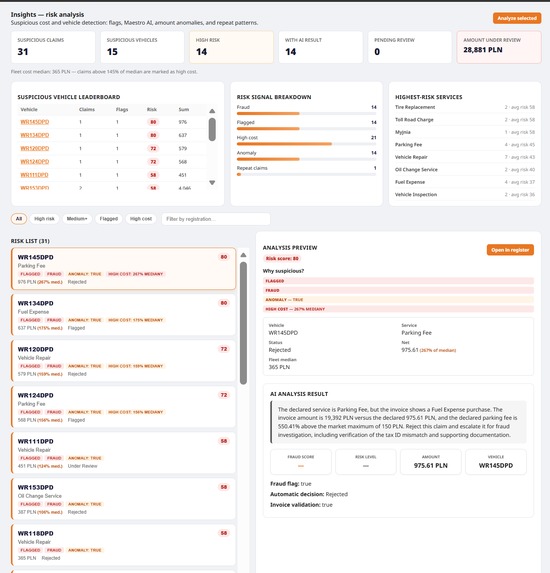
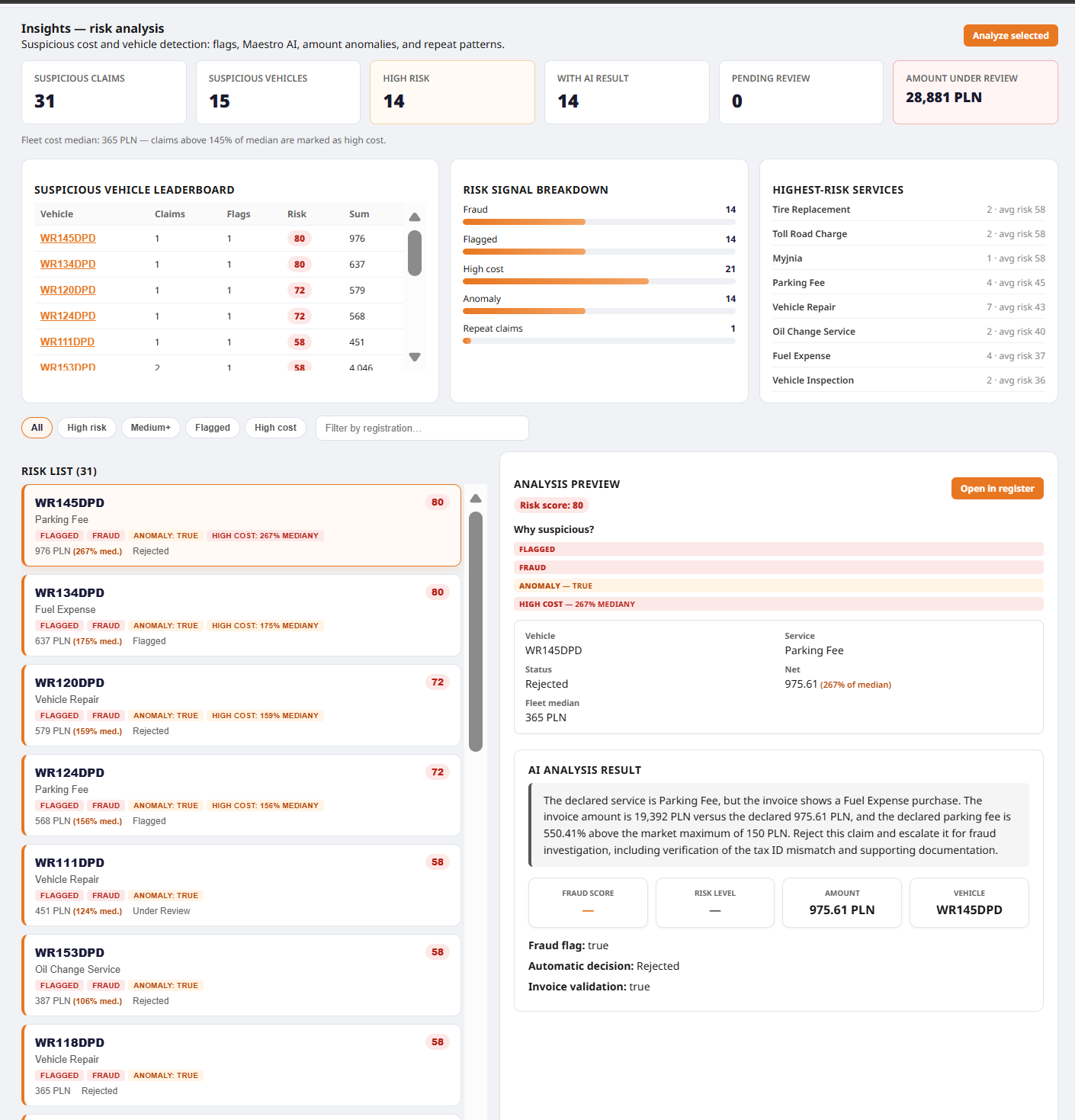
Fleet Manager - Fraud Inisights
-
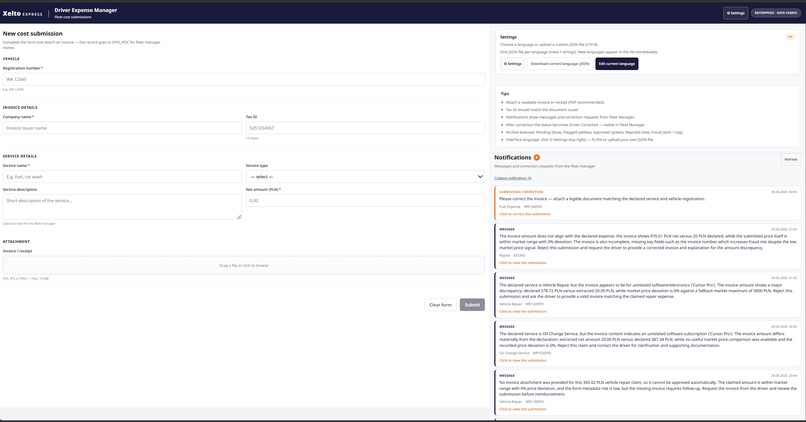
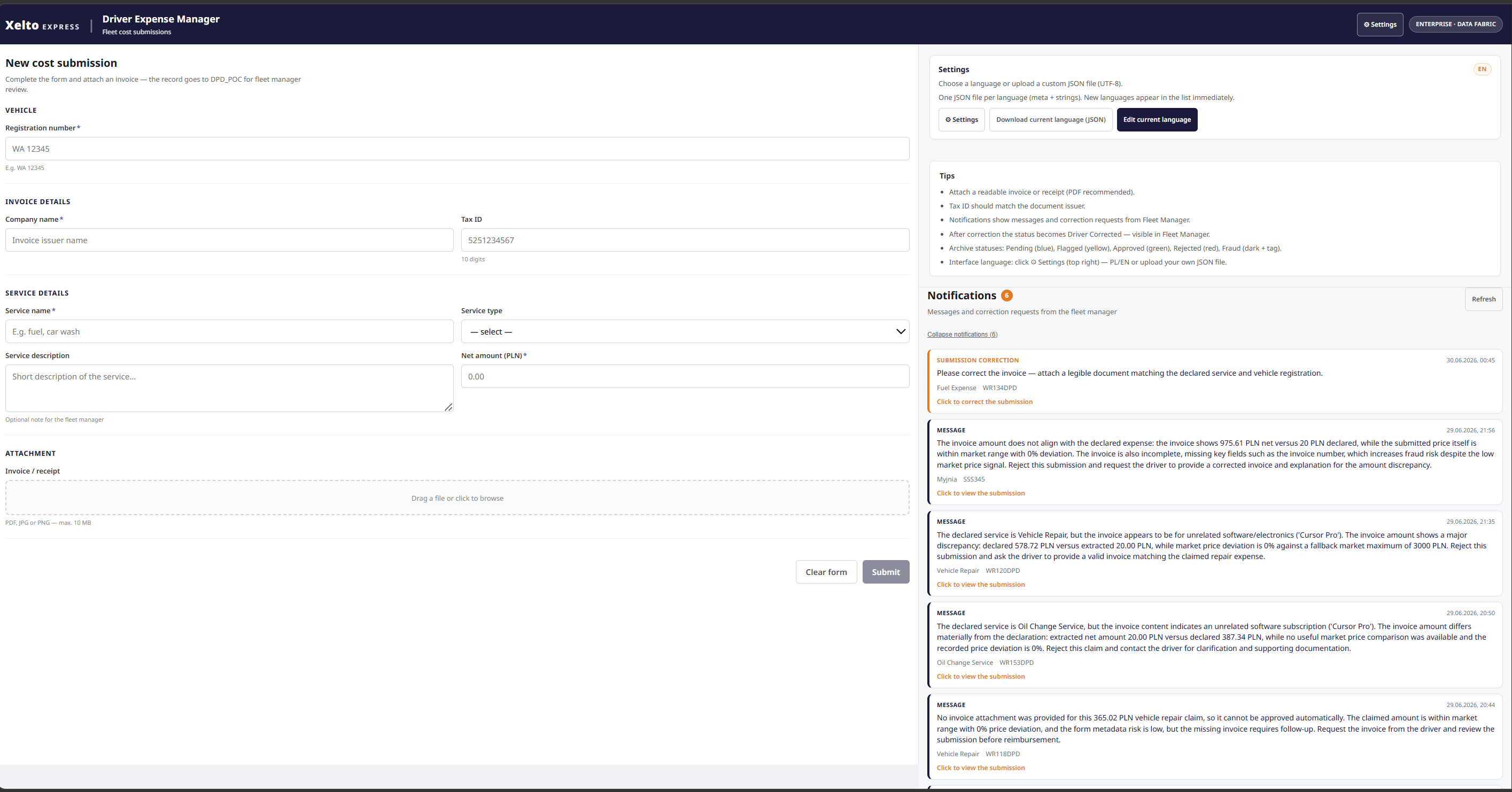
Driver App - Web version
-
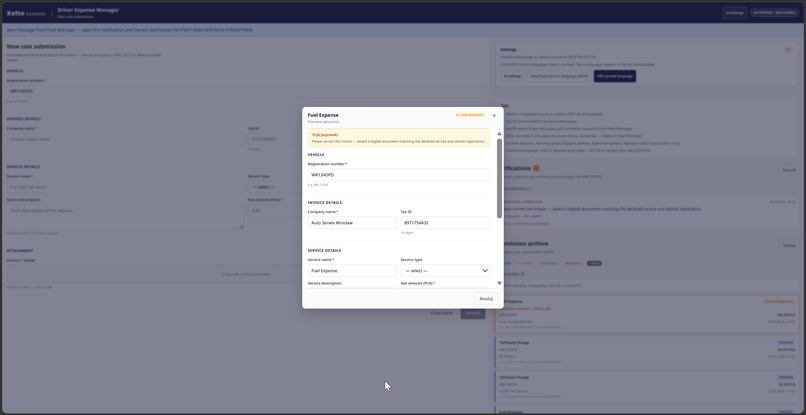
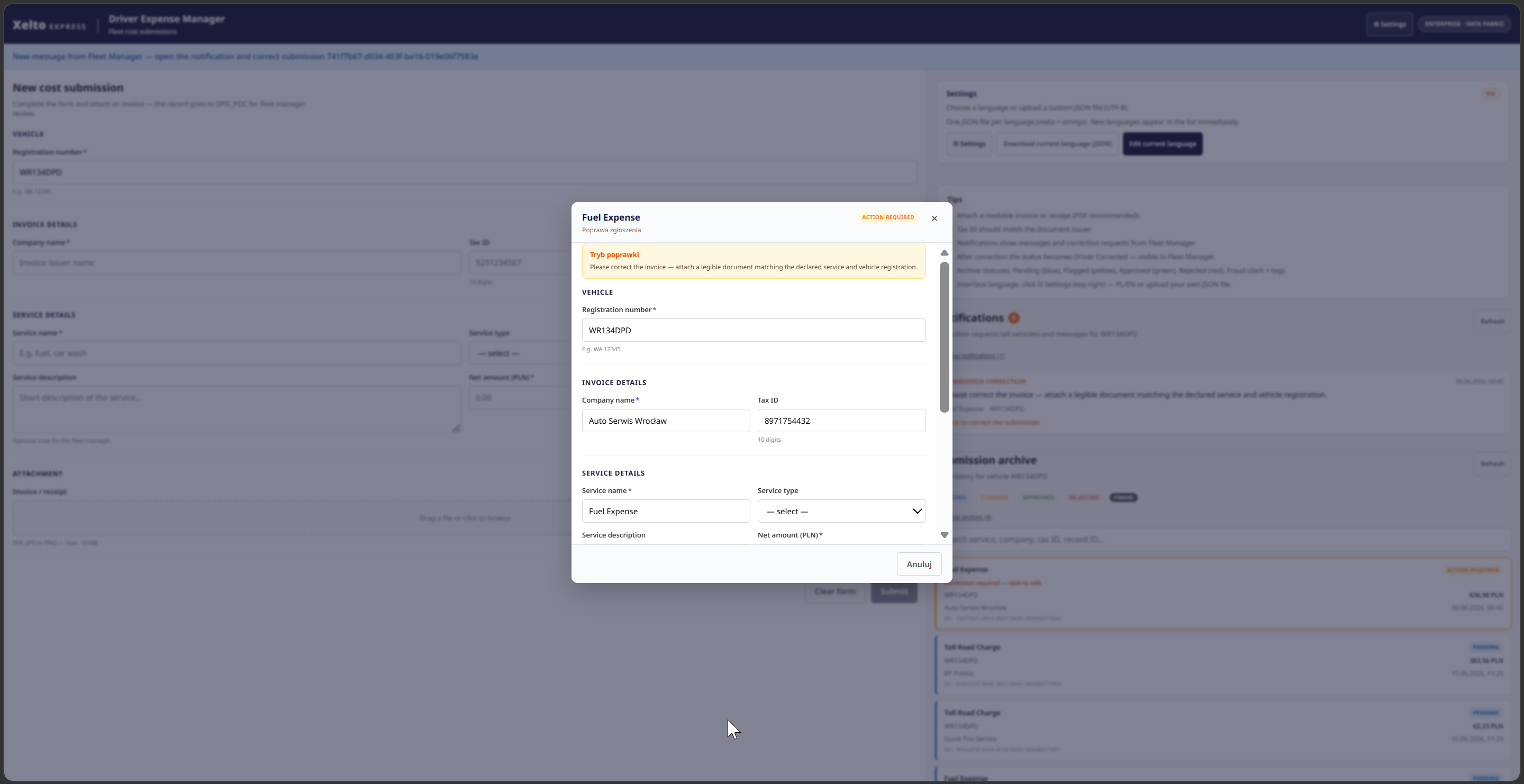
Driver App - Update Entry
-
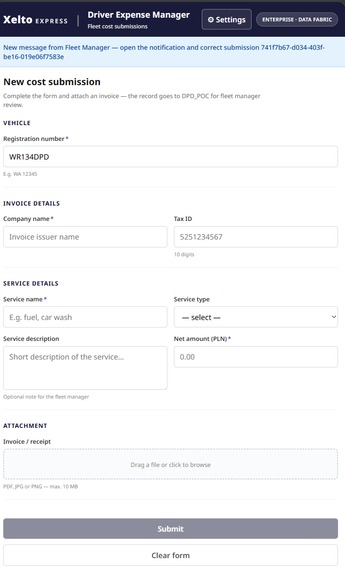
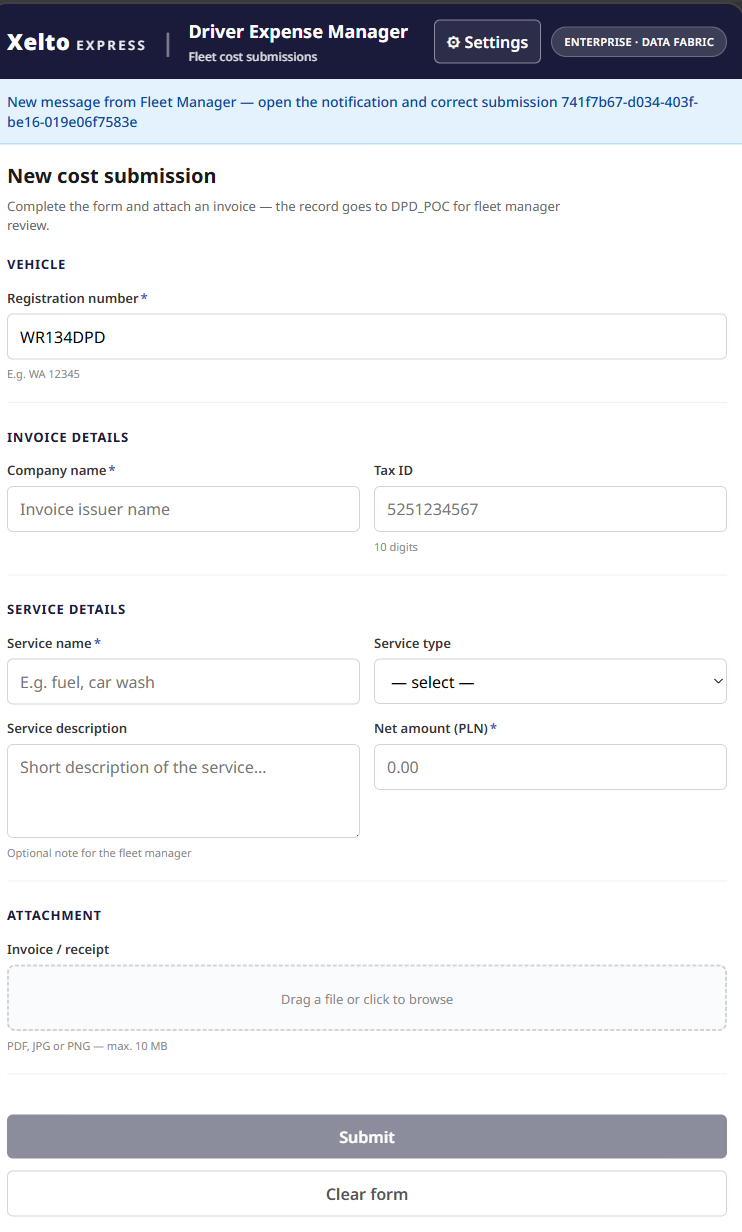
Driver App - Mobile
What inspired us
Courier fleets run on thin margins. Every fuel receipt, toll, service bill, and parking fee must be captured, checked, and approved. Often a driver is on the road and a fleet manager is in the office, with spreadsheets and email in between.
We built Xelto Express Fleet Intelligence because that gap is expensive: slow approvals, missing invoices, duplicate claims, and fraud that only shows up weeks later.
Our goal is simple: one data layer, two roles, zero friction. Drivers submit costs in seconds. Managers see risk, invoices, and fleet health in one place.
This is our Track 2: Maestro BPMN entry — an Agentic Process orchestrating a hybrid of low-code and coded AI agents end to end.
What we built
We shipped two UiPath Coded Web Apps on UiPath Data Fabric, tied together by a Maestro BPMN Agentic Process:
- Driver App — couriers submit expenses and attach invoices
- Fleet Manager — managers review claims, preview invoices, approve or reject, and run AI analysis
UiPath Maestro (BPMN) orchestrates the workflow; five AI agents do the analysis and the decision — 3 Agent Builder agents + 2 Python coded agents:
- XEInvoiceValidation (coded) — validates the PDF invoice: vendor, tax ID, document integrity
- FormInvestigator (Agent Builder) — cross-checks the driver form against the invoice
- Service Prices Investigator (Agent Builder) — benchmarks declared price vs regional market
- DecisionAgent (Agent Builder) — synthesizes signals into AUTO-APPROVE / MANUAL-REVIEW / AUTO-REJECT
- XEDataFabricSaver (coded) — writes status, fraud flag, manager note, and vehicle flags back to Data Fabric
Critical business rule: never AUTO-APPROVE without an invoice — those records always route to MANUAL-REVIEW, enforced in the BPMN gateway and in both the decision and saver agents.
How we built it
Built with coding agents
We used Cursor as our primary build tool alongside UiPath Studio Web and the uip CLI: scaffolding both React coded apps, implementing the XEDataFabricSaver coded agent and Maestro integration fixes, writing deploy scripts and Orchestrator folder hygiene, and consolidating the HckFleetInteli judging repo and docs. Runtime AI (invoice analysis, fraud decision) runs separately on UiPath Agent Builder + Coded Agents — distinct from the tools used to build the repository.
Data Fabric as single source of truth
All submissions go to shared entities (XEPOC costs, XEVehicleFlags, B2B fleet catalog). Both apps read and write the same data. No duplicate databases and no manual sync.
Two apps, one design
Shared Xelto Express branding (navy and orange), bilingual PL/EN UI, and an in-app language editor. Users can download, upload, and edit translation JSON without redeploy.
Human-in-the-loop plus AI
Managers approve, reject, or ask for invoice corrections. Drivers get notifications in Driver App, and a correction automatically re-triggers Maestro analysis. Maestro adds risk level, fraud score, and anomaly flags in the Insights view and in each claim detail — but humans keep approve and reject authority.
Fleet health score
We compute a score from 0 to 100:
$$ \text{Health} = 100 - \sum_{i} w_i \cdot f_i $$
Here \(f_i\) are risk factors (flagged claims, average cost vs fleet median) and \(w_i\) are weights. The result maps to grades A to F on dashboards.
Deploy on UiPath staging
Both apps publish as coded app packages to Orchestrator on the canonical folder. We verify CDN bundles after each release.
What we learned
- OAuth scopes matter. DataFabric.Data.Write must be in the login scope, or managers cannot approve or send corrections.
- CDN caching can serve old JavaScript. We bump the version and verify the live bundle after deploy.
- i18n in the UI helps. Editable locale JSON let us switch PL and EN live during demos.
- AI works best as support. Maestro flags risk, but humans keep approve and reject authority.
- Master-detail UX scales. A claims list plus detail pane works better than one crowded screen.
Challenges we faced
Stale staging after deploy — fresh package uploads and deployVersion checks.
Driver and manager correction loop — Action Required status in Data Fabric, driver notifications, and a link back to the claim that auto-re-runs analysis.
Scattered analysis UI — dedicated Insights tab, dashboard risk cards, and analysis in claim detail.
Polish characters in PDF — jsPDF with Helvetica and transliteration.
Impact
Xelto Express Fleet Intelligence connects the full courier expense pipeline.
Drivers submit once with proof attached. Managers decide with context: vehicle, history, invoice, and AI score. Fleet leads track health KPIs, cost categories, and risk lists.
In our live POC the pipeline flagged 28,805 PLN across 33 suspicious claims, with 100% of submissions automatically screened and review time per claim cut from an estimated ~20 minutes to ~3 (time figures are estimates from CLI/UI runs; the flagged amount is actual POC data).
Built for Track 2 (Maestro BPMN) with two UiPath Coded Apps, Data Fabric, 5 AI agents (3 Agent Builder + 2 coded), and Maestro — assembled primarily in Cursor AI.
Built With
- css3
- cursor
- html5
- javascript
- jspdf
- node.js
- oauth-2.0
- react
- typescript
- uipath
- uipath-agents
- uipath-coded-web-apps
- uipath-data-fabric
- uipath-maestro
- uipath-orchestrator
- vite


Log in or sign up for Devpost to join the conversation.