-
-
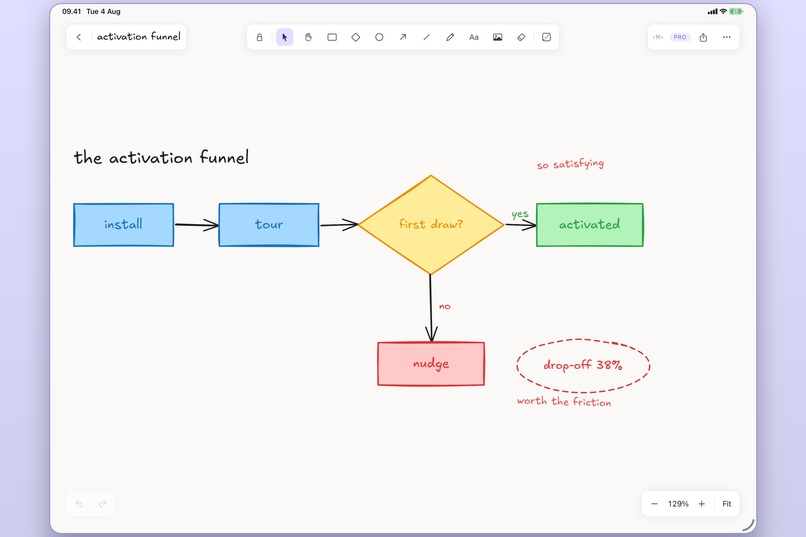
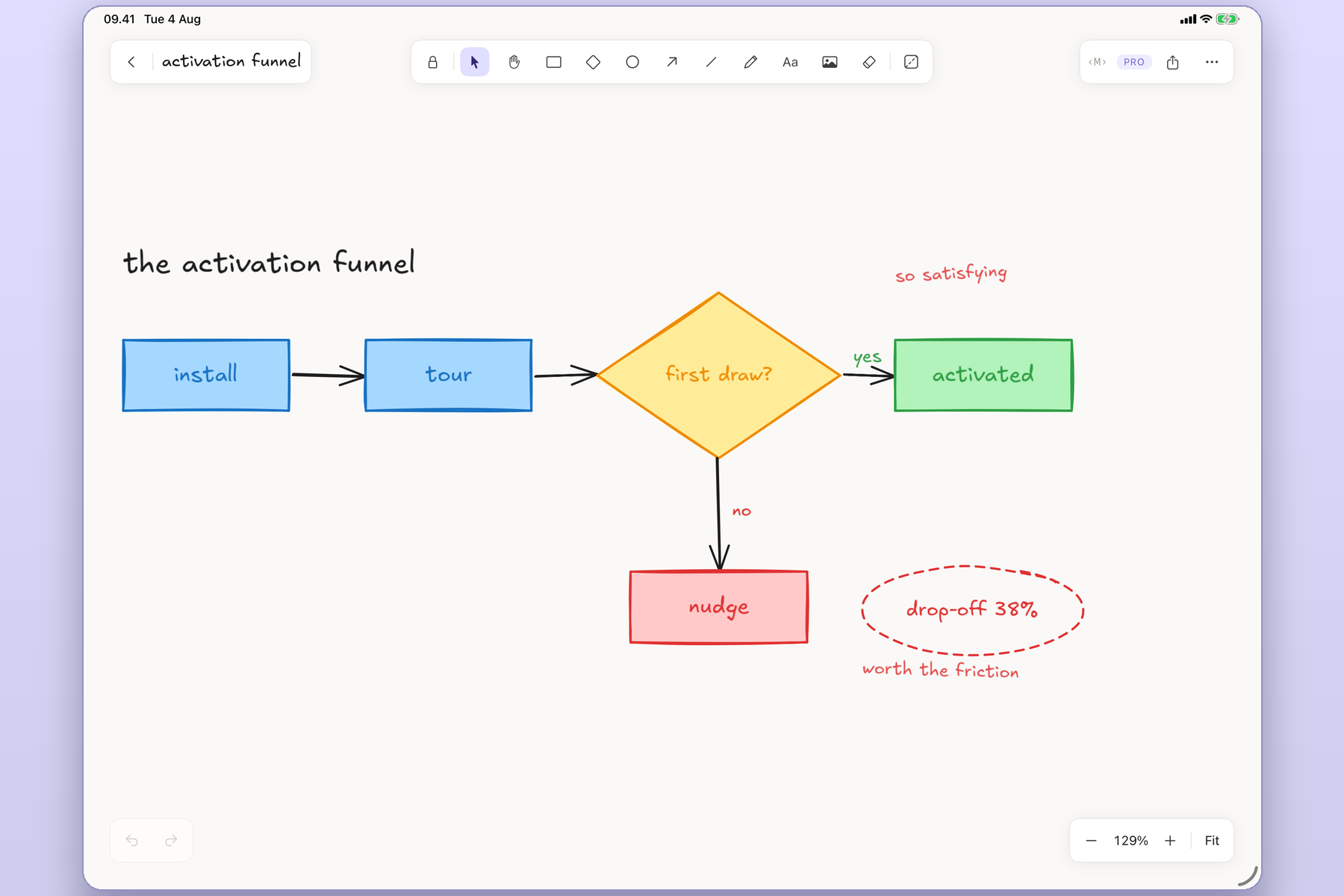
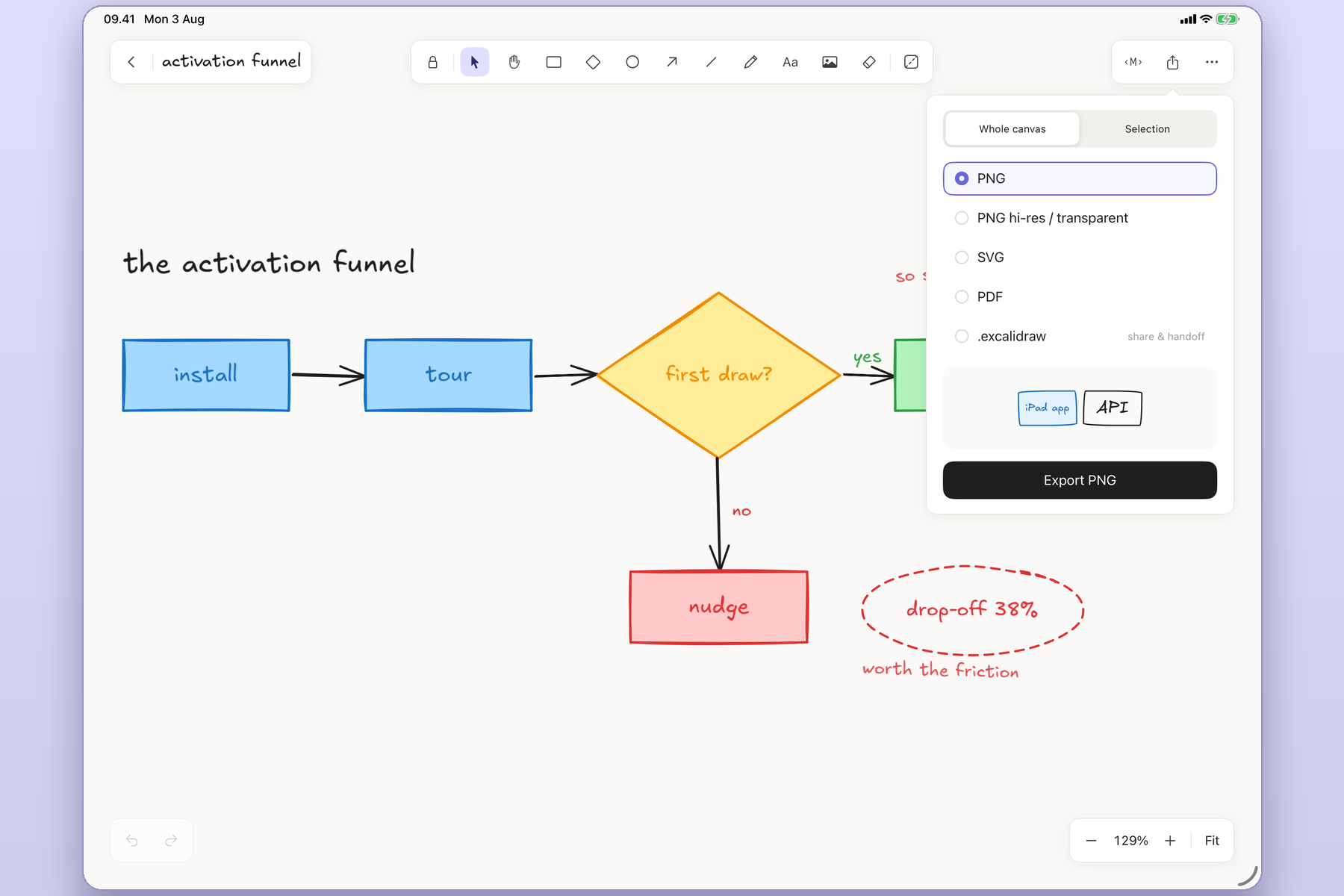
A hand-drawn flowchart on the canvas, showing the rough rendering
-
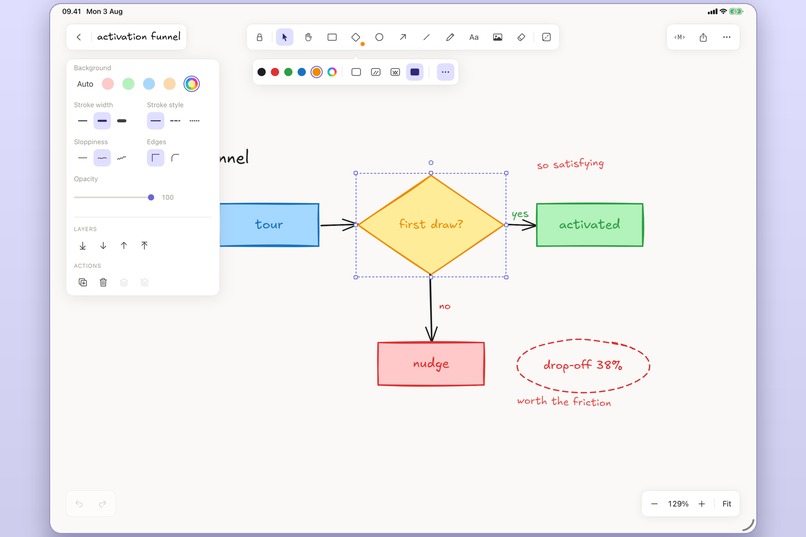
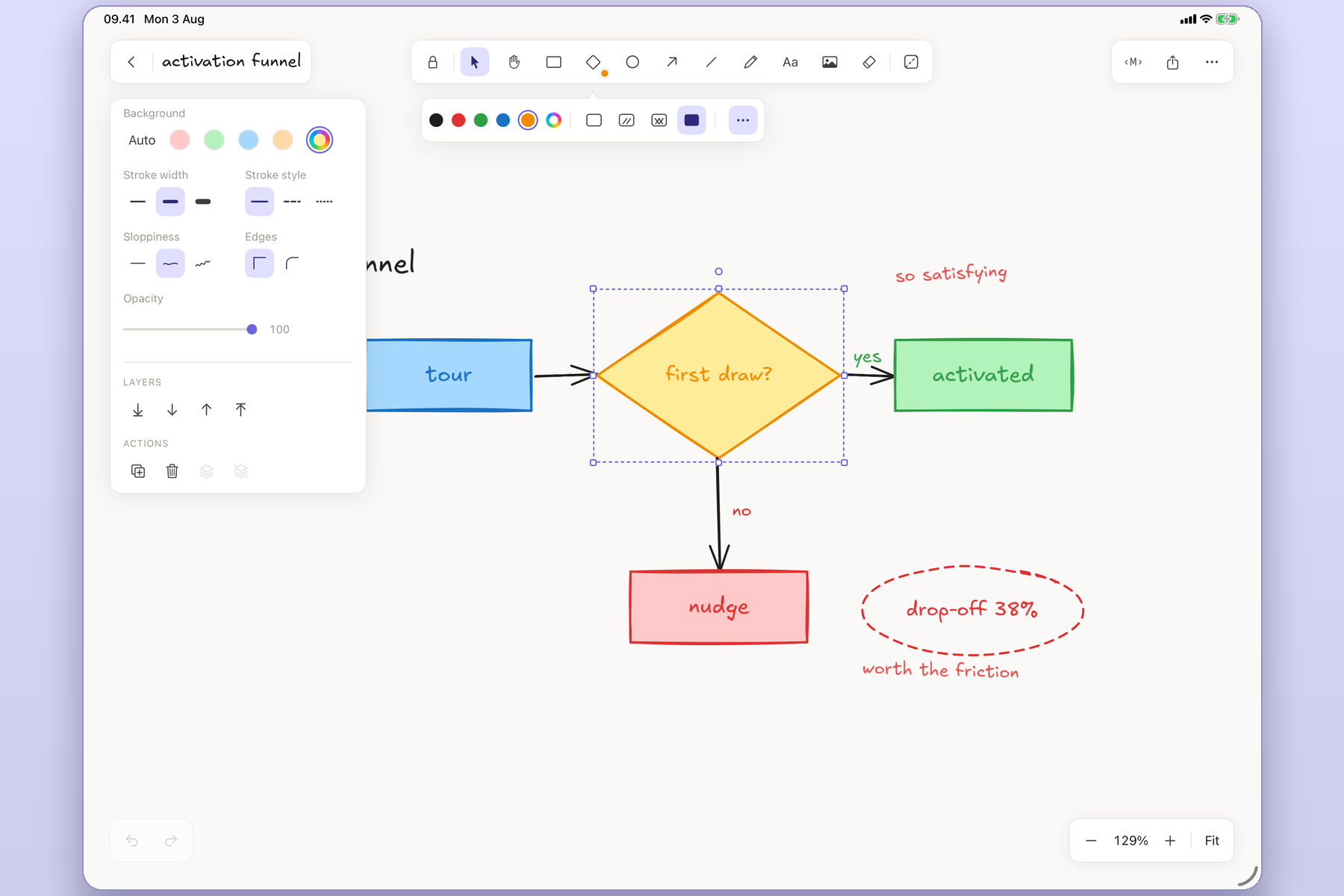
The full toolbar and the style panel open
-
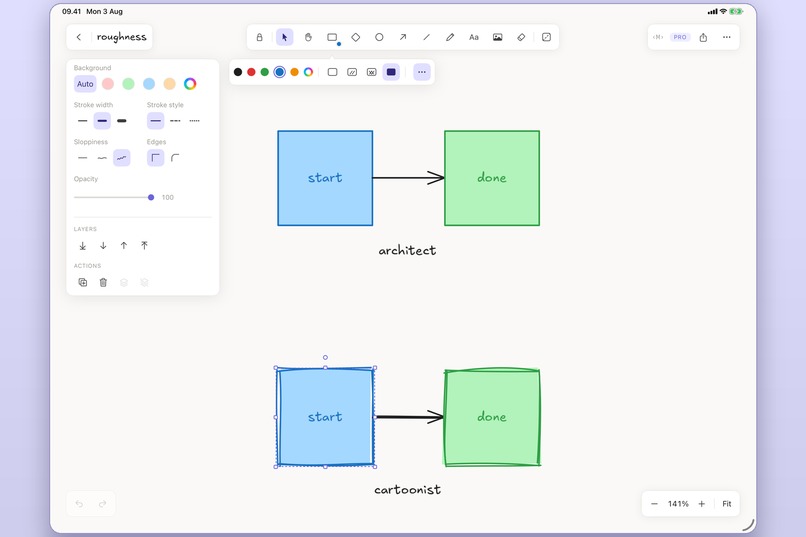
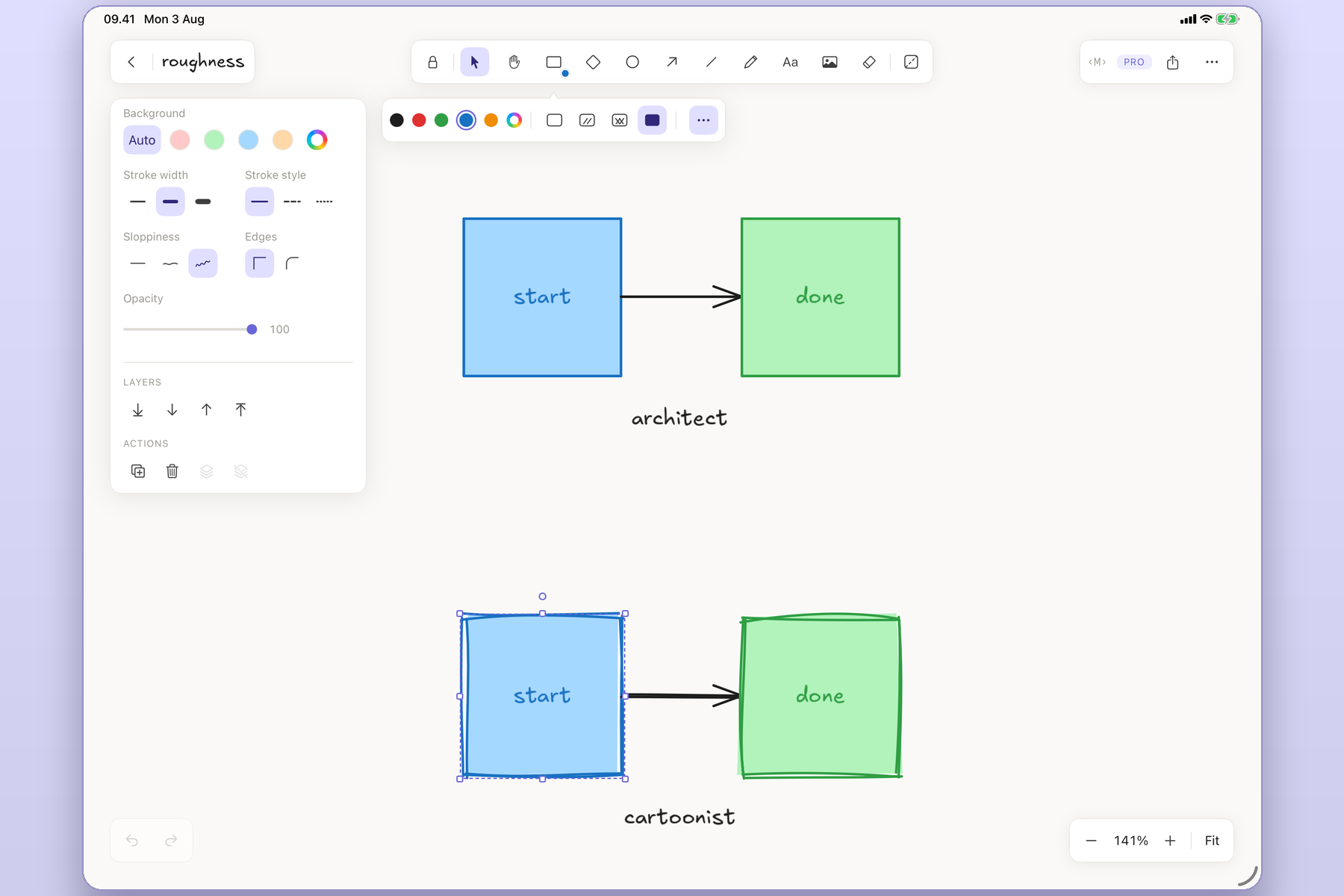
The sloppiness setting: the same diagram, architect vs cartoonist
-
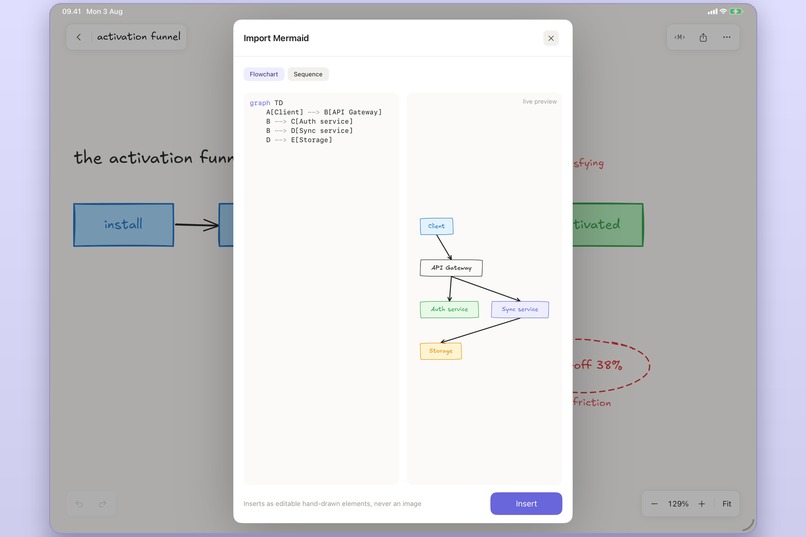
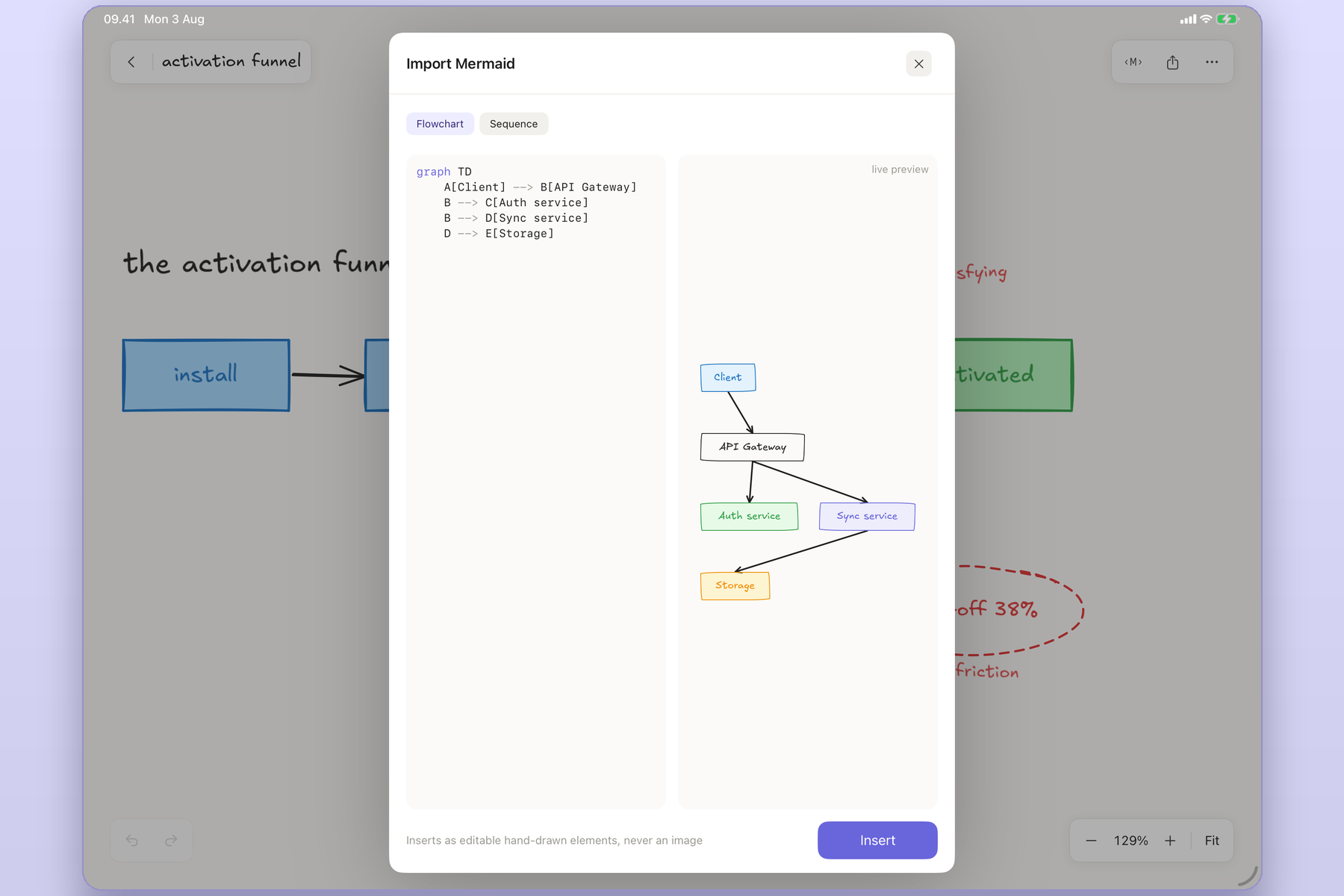
Mermaid text imported as editable native elements
-
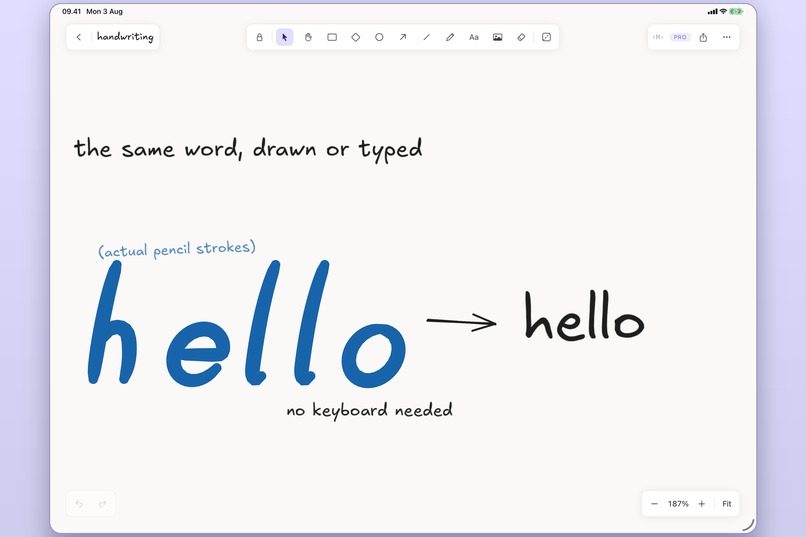
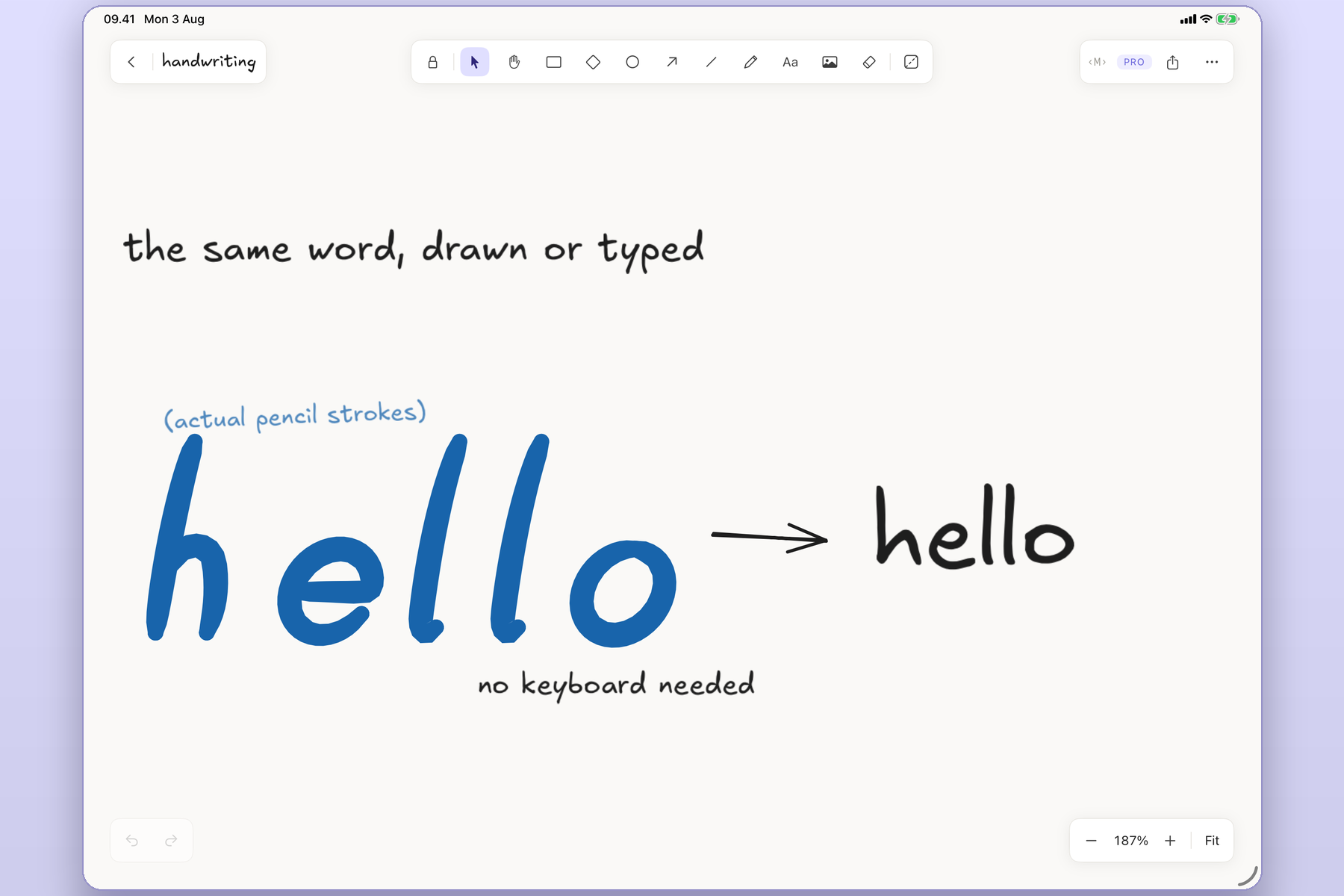
Pencil handwriting "hello" converted to typed text
-
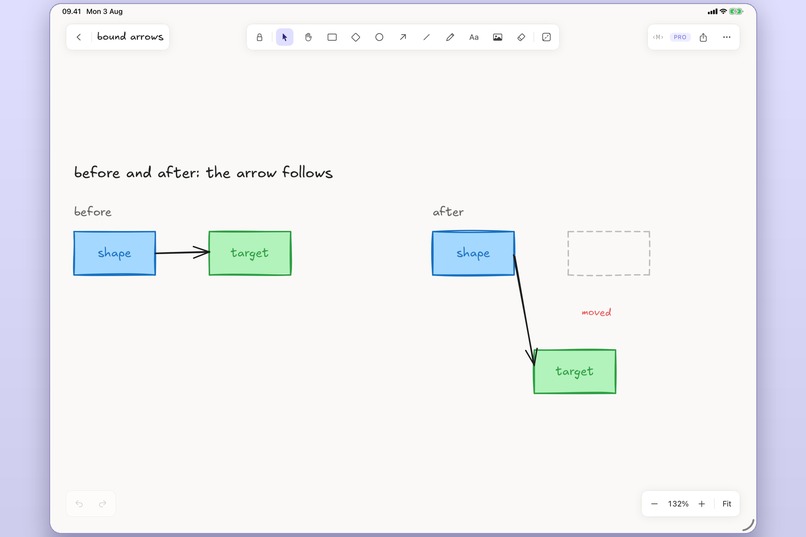
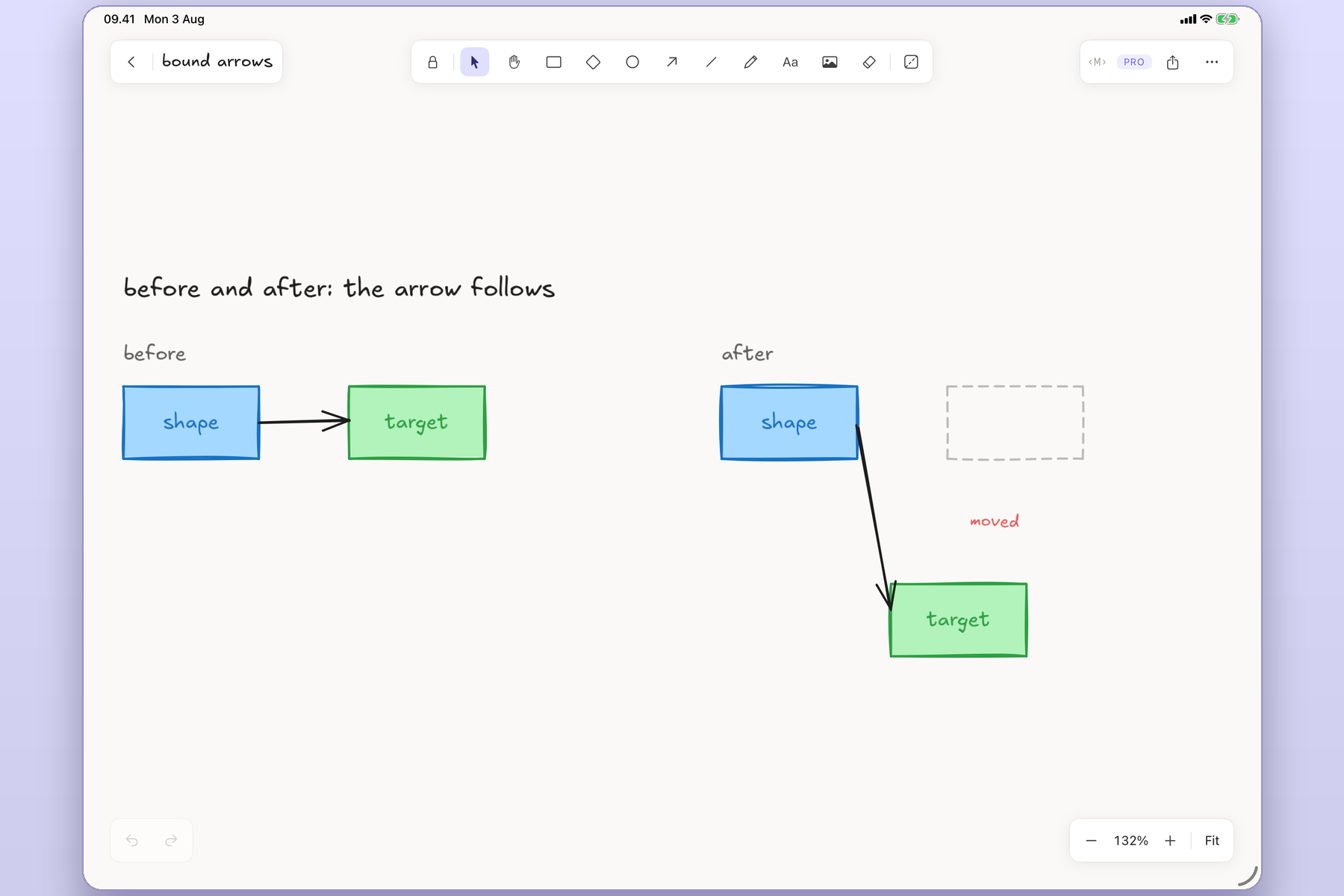
An arrow staying bound as its shape is moved
-
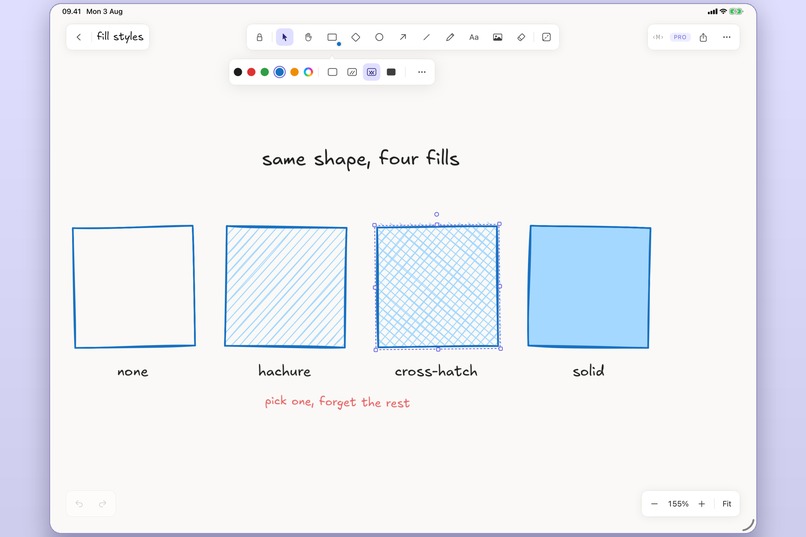
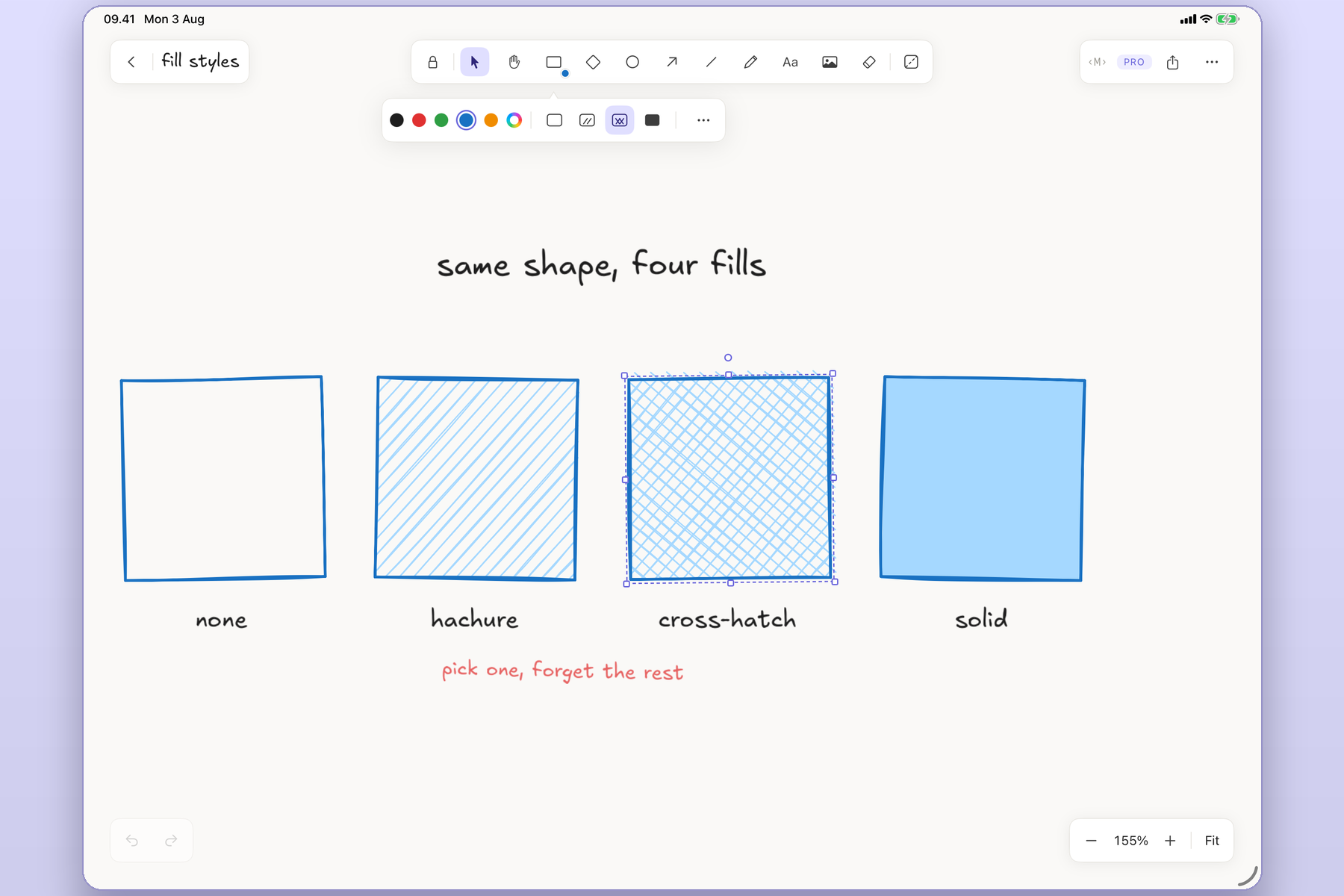
One shape in four fills: none, hachure, cross-hatch, solid
-
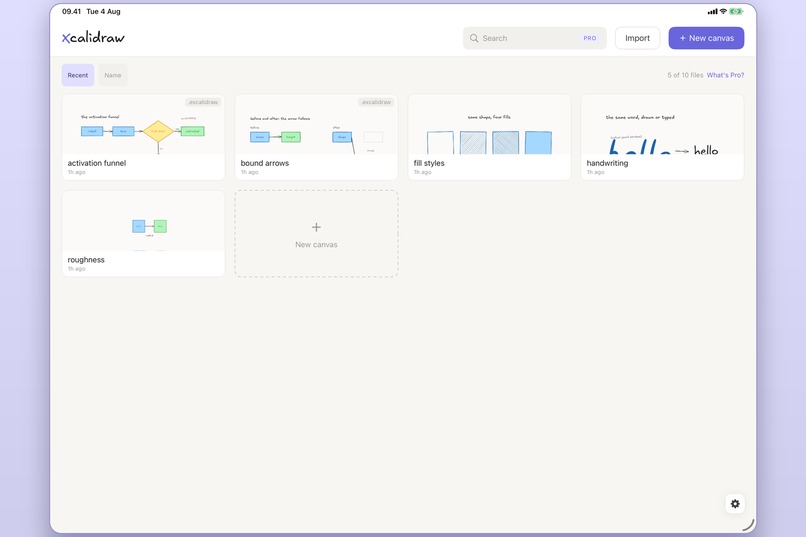
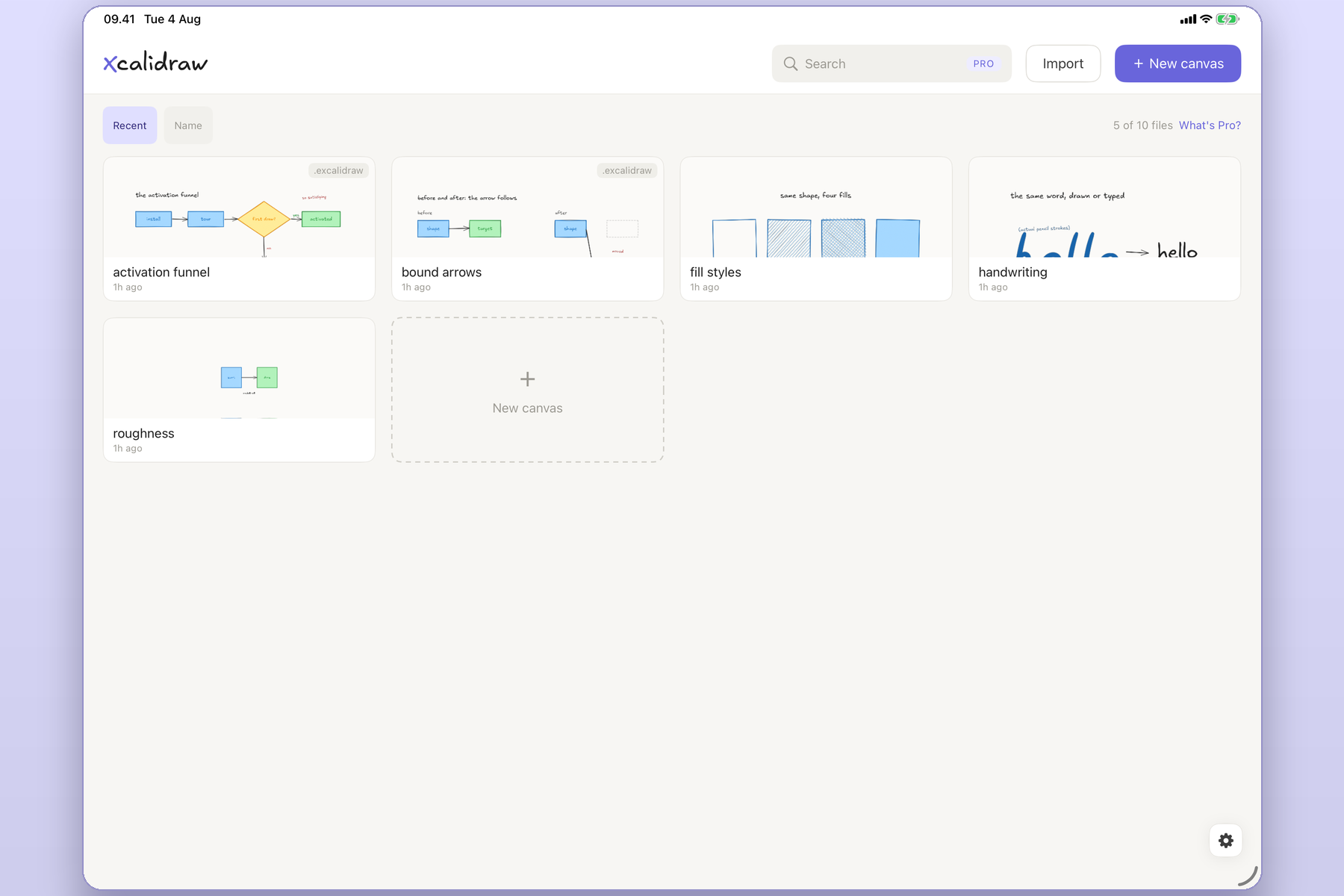
The file library with .excalidraw badges and the Pro file count
-
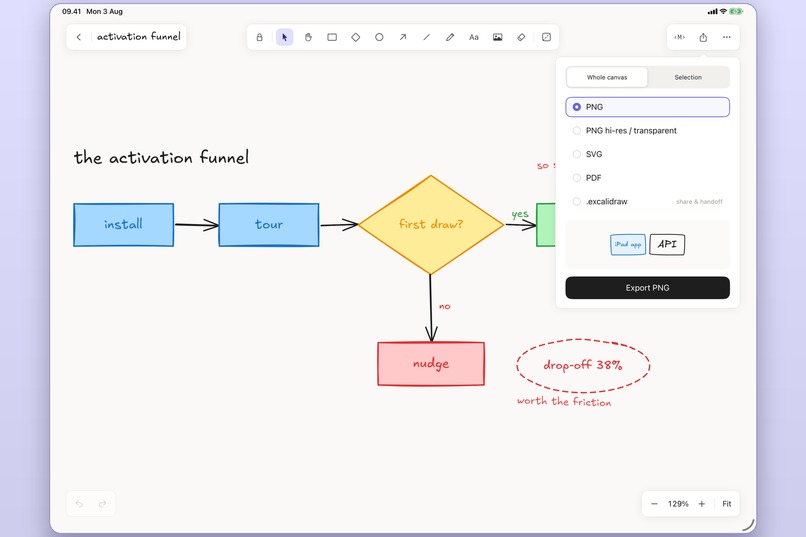
The export sheet: PNG, SVG, PDF, and .excalidraw
-

Xcalidraw Logo

Inspiration
Excalidraw is the diagramming tool developers actually like, and on iPad you are stuck in a browser tab. The web version fights the Apple Pencil: your palm leaves marks, undo hides, panning smears the canvas. The hand-drawn look is the whole appeal, and a Pencil is the right tool for it, and the two never met.
Xcalidraw started from one refusal: no WebView. If the answer were a wrapper around the web app, it would already exist. The hand-drawn rendering had to be rebuilt natively, or the Pencil would keep losing.
What it does
Xcalidraw is a native iPad canvas for Excalidraw's hand-drawn diagramming. It opens
the .excalidraw files you already have, draws them with a real Pencil, and imports
Mermaid flowcharts and sequence diagrams as editable elements rather than pictures.
Palm rejection is on by default, and panning and zooming never leave a mark. That is the product, not a setting.
Nothing needs an account. Files are local, offline, and yours. Export All Data hands
every canvas back as .excalidraw at any time, on every tier, free.
| The web version does | Xcalidraw does |
|---|---|
| Marks the canvas when your palm lands | Rejects the palm; only the Pencil draws |
| Renders strokes in a WebView | Renders them in CoreGraphics, natively |
| Treats a file as an export target | Treats .excalidraw as the storage model, 1:1 |
| Pastes Mermaid as a diagram you cannot edit | Imports Mermaid as native, editable elements |
A .excalidraw file round-trips: unknown and newer fields are preserved, so a canvas
saved by a future web build survives a trip through Xcalidraw untouched. It is a
compatible client, not a lossy importer.
How we built it
Three pure-Swift packages, Foundation and CoreGraphics only, no SwiftUI or UIKit inside them, so the drawing logic is testable on the host in seconds instead of a simulator:
- ExcalidrawScene: the element model and the
.excalidrawcodec. - SketchyGeometry: from-scratch ports of Rough.js's hand-drawn geometry and perfect-freehand's stroke outlines. A golden-fixture suite pins the output against the reference so a rendering regression fails a fast host test, not a store review.
- CanvasEngine: hit-testing, selection, transform, snapping, and binding geometry.
The app target renders one scene through two chromes: iPad is the full drawing surface; iPhone is view and light edit of the same scene, not a second render path. Both light and dark are hand-mapped palettes, built independently rather than one filtered from the other.
RevenueCat holds the Pro entitlement behind a bespoke SwiftUI paywall. The paywall
renders Apple's displayPrice, never a hard-coded number, so a price change in App
Store Connect needs no build. The SDK reads the entitlement; it never becomes the
source of truth for what a user drew.
SwiftUI on iOS 18, Swift 6 with strict concurrency, Swift Testing for logic and XCTest for the UI. Six locales, each joining the device language picker only once it clears native review.
Challenges we ran into
The hand-drawn look is deterministic pseudo-randomness, and "close enough" is visible.
Rough.js and perfect-freehand had to match the reference, not merely resemble it, or a
.excalidraw file would look wrong the moment it crossed between the web app and ours.
The golden-fixture suite exists because eyeballing strokes does not scale.
Palm rejection was the fiddliest thing in the app. A Pencil-first canvas that drops one stray mark per session is not Pencil-first. Getting pan and zoom to never leave a mark, while a real drawing stroke always does, is the difference between the wedge and a gimmick.
Mermaid forced a gating decision. Import is wholly Pro, but locking the parse would make it read as broken. So a free user gets the real parse, layout, and live preview. Only Insert is locked. Gating reads as locked, never as broken. We support flowchart and sequence only, and say "Mermaid import," never "support," because ER, gantt, state, and class are not offered at all.
What we learned
The compatible-client discipline is the whole product. The shortcuts were always there to take: rasterize a Mermaid import, drop an unknown field on save, filter the dark theme instead of mapping it. Taking any one of them turns Xcalidraw into a worse Excalidraw instead of the native one. Every refusal that made the build harder is a reason the file you already have still opens.


Log in or sign up for Devpost to join the conversation.