-
-
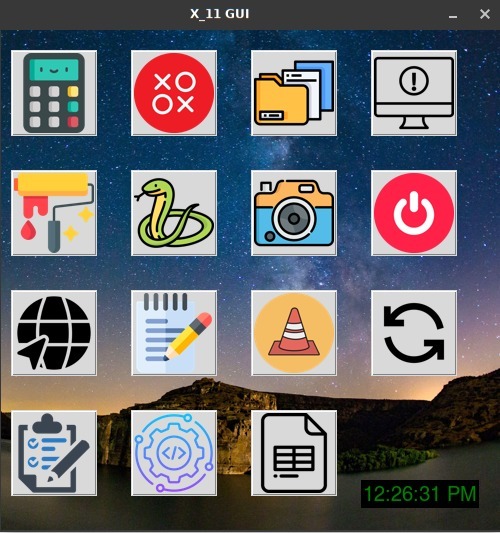
UI of X_11-apps
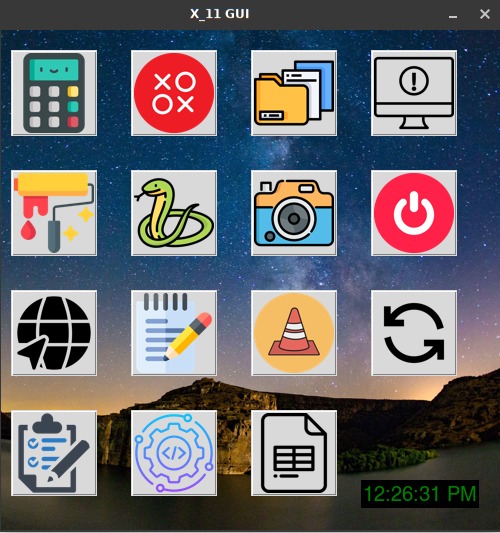
X_11 GUI Inspiration The inspiration behind X_11-apps was to create a unified desktop application that offers users a range of essential tools in a single, easy-to-use interface. Whether you need a calculator, notepad, or games like Snake, this all-in-one app streamlines productivity for both beginners and advanced users. It’s especially handy for users of CLI-based operating systems, bringing graphical functionality to environments that might otherwise lack a full-fledged desktop experience.
What it does X_11-apps combines multiple utility apps and games into a single graphical interface. It provides:
A Calculator for quick arithmetic. A Notepad for taking notes. A Paint app for simple drawings. A Browser for basic web browsing. A To-Do List to track tasks. Fun Games like Snake and Tic-Tac-Toe. A File Manager to organize your files. A Media Player and Camera app. System commands like shutdown and restart. Real-time clock for timekeeping. All of this is integrated into an intuitive image-button interface, allowing easy access to all apps from a single window.
How we built it We used Tkinter, Python’s standard GUI library, to design the interface. The project is modular, with each sub-application built as a Python script, executed when its corresponding button is clicked. For image handling, we used the Pillow library to load and resize the icons for each button. The system shutdown and restart functionality leverages the os and platform modules, enabling cross-platform commands.
Here's the core setup:
Python for logic. Tkinter for GUI design. Pillow for image manipulation. Challenges we ran into Some of the major challenges we faced included:
Cross-platform compatibility: Ensuring the system shutdown/restart commands worked consistently across Windows, Linux Image scaling: Resizing images for the buttons without losing clarity. Event handling: Managing multiple apps opening and closing without causing conflicts or lag. X server integration for CLI environments: We had to ensure the app could run in CLI-based OS environments with minimal setup. Accomplishments that we're proud of We’re particularly proud of the following achievements:
Successfully integrating multiple sub-applications into a cohesive GUI. Smooth, user-friendly interface with image-based buttons. Cross-platform system control commands (shutdown, restart) working effectively. Creating a tool that bridges the gap between command-line environments and GUI functionality, enhancing productivity for CLI-based users. What we learned Tkinter is powerful for creating simple yet effective GUIs, but requires careful attention to detail when dealing with image assets and event loops. Cross-platform development introduces unique challenges, especially for system-level commands. Building modular applications ensures that features can be added or removed with minimal impact on the overall design. What's next for X_11-apps We have several exciting ideas for future development, including:
Adding customization options for themes and button layouts. Expanding the app library to include more productivity tools, like a PDF viewer and an email client. Enabling cloud syncing for the To-Do List and Notepad apps. Enhancing the media player to support more file formats. Improving performance and startup times on low-resource CLI-based environments.
Built With
- python
- tkinter


Log in or sign up for Devpost to join the conversation.