-
-
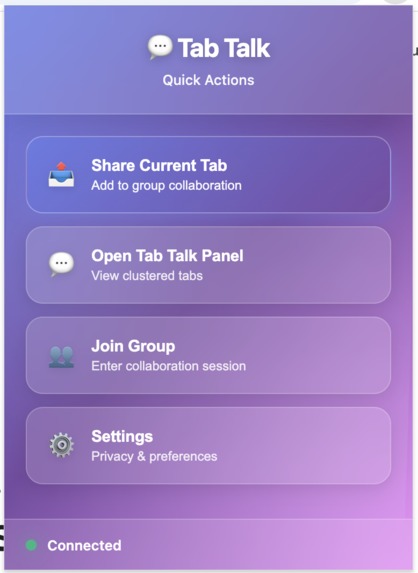
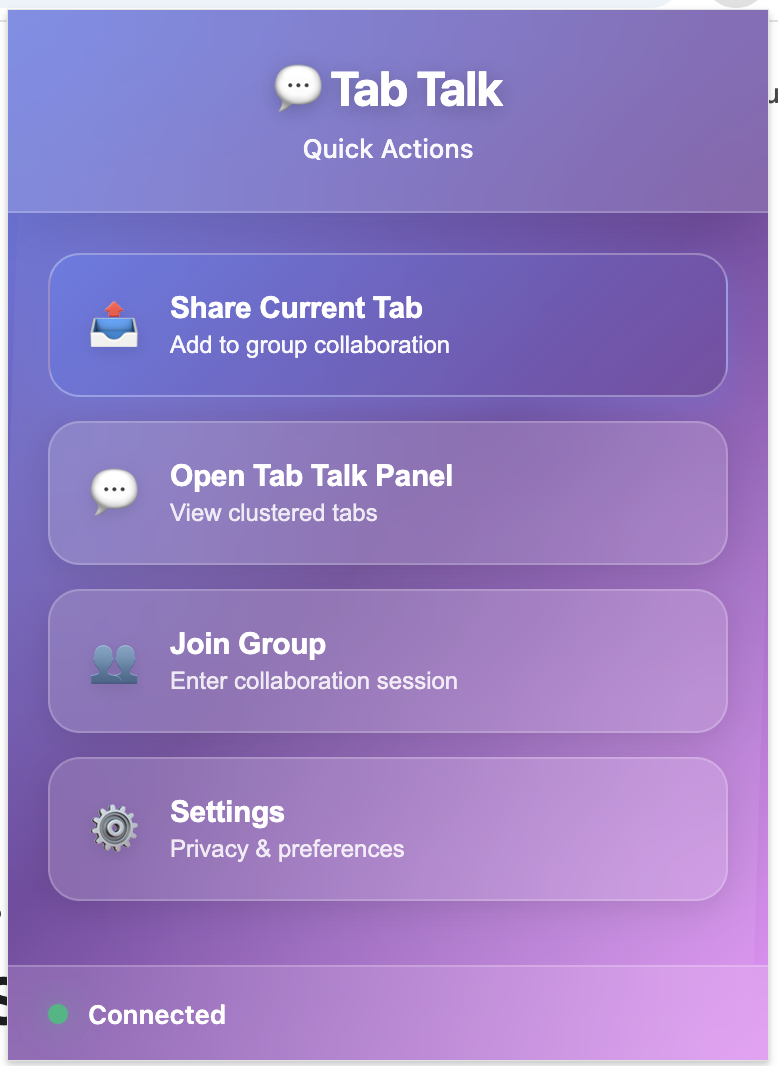
Main pop up of the extension
-
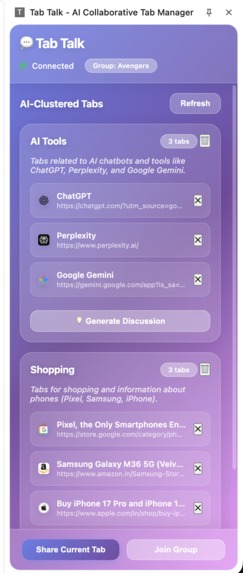
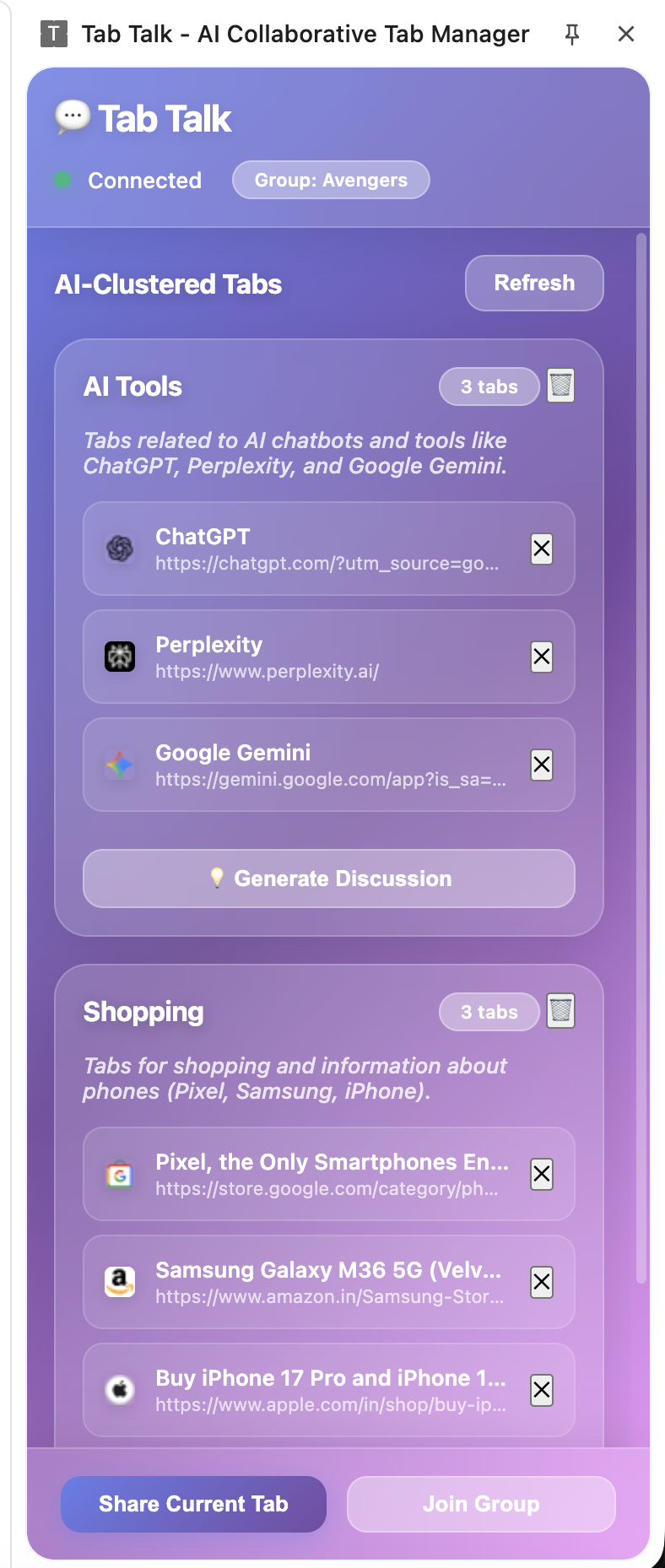
Sidepanel where the tabs are organised and discussion generated
-
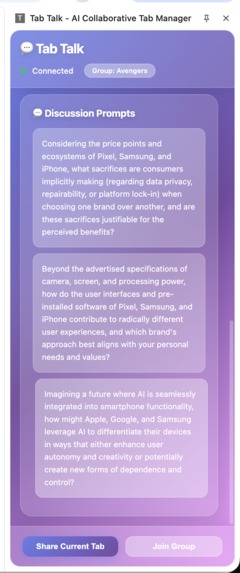
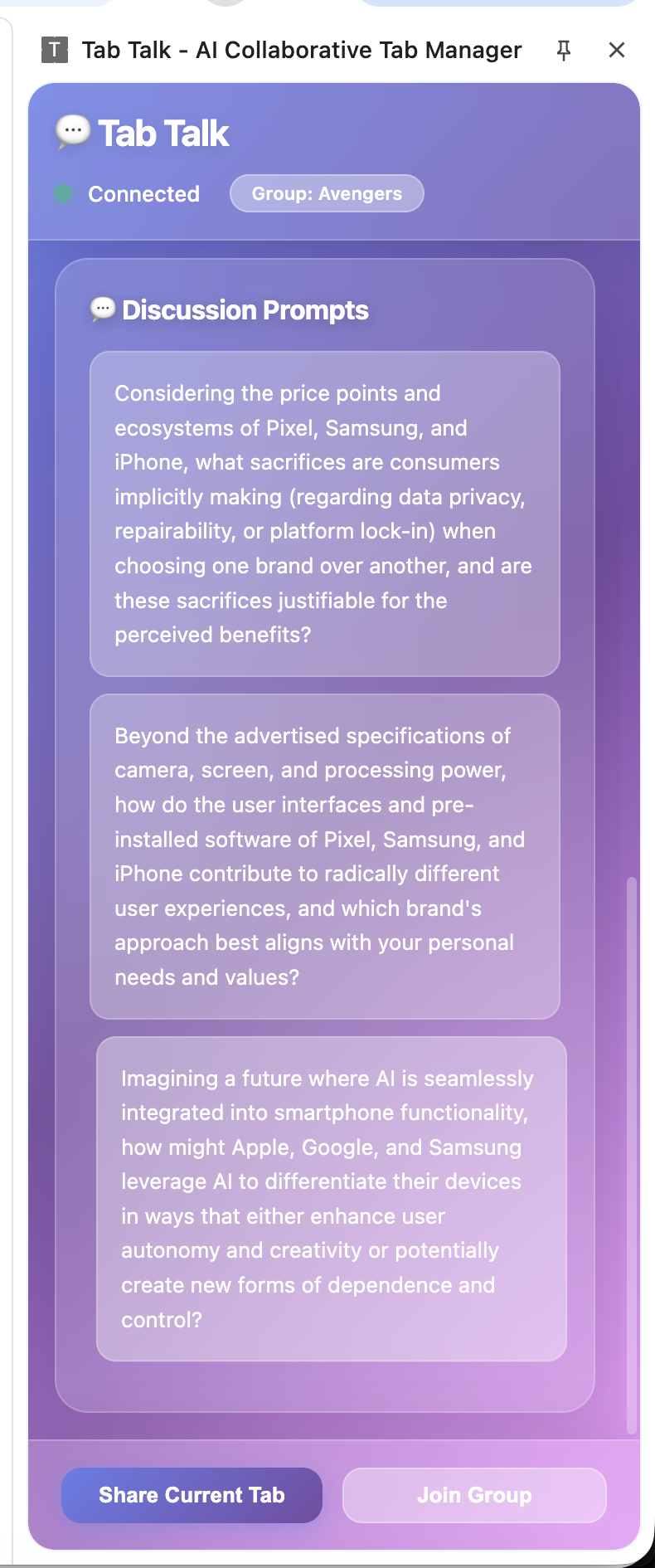
Sample discussion generated by Gemini
Inspiration The inspiration behind Tab Talk comes from the challenge of fragmented browsing experiences in group settings. When multiple people research or collaborate, their browser tabs become scattered and isolated, making it difficult to share knowledge efficiently. We wanted to harness real-time collaboration and AI-powered organization to unify shared tabs across users into meaningful clusters that spark insightful discussions.
What it does Tab Talk enables multiple users on a Chrome extension to join the same collaboration group, share tabs they are actively viewing, and see an integrated, AI-organized overview of all shared tabs in the group. It automatically clusters tabs by topics and generates discussion prompts. This helps teams collaboratively discover, explore, and discuss relevant content without losing context.
How we built it We built Tab Talk as a Chrome extension paired with a WebSocket server for real-time collaboration. The extension lets users join groups, share current tabs, and view the shared tabs in a side panel with AI-powered clustering. We leveraged Google Gemini AI through an offscreen document for content understanding and organization. The UI uses modern React-style architecture with efficient state management. We incorporated fallback clustering by domain to ensure continuous functionality even if AI APIs are unavailable.
Challenges we ran into Key challenges included integrating Chrome's experimental built-in AI APIs and managing API key authentication securely. We also faced issues with offscreen document communication and ensuring smooth real-time synchronization between multiple clients through the WebSocket server. Handling continuous UI rendering while preserving scroll position and responsiveness required careful optimization.
Accomplishments that we're proud of We successfully created a seamless collaborative environment where users can share, view, and discuss browser tabs in real-time across systems. The AI clustering adds intelligent organization, turning noisy tab lists into digestible topical groups. The extension gracefully falls back to simpler clustering if AI services fail. The user experience combines real-time collaboration, AI insights, and smooth interface interaction—an all-in-one solution to group browsing.
What we learned We learned the intricacies of Chrome's extension APIs, especially service workers and offscreen documents for AI workloads. Real-time collaboration demands robust WebSocket server design and efficient message handling at scale. AI integration requires careful key management and fallback strategies. UI reactivity in extensions must be balanced to avoid janky updates or lost scroll position. Overall, this project deepened our understanding of modern web extensions, real-time networks, and AI-enhanced UX.
What's next for Tab Talk Next, we plan to further enhance AI capabilities with custom models and personalized user clustering. We want to expand beyond Chrome to other browsers and mobile platforms. Integrating voice commands and richer annotation tools will empower users to collaborate more naturally. Additionally, we aim to build a cloud-hosted server solution for frictionless onboarding and persistent sessions. Ultimately, Tab Talk will evolve into the go-to platform for collaborative knowledge browsing and discussion.

Log in or sign up for Devpost to join the conversation.