
Wysp:
Category: Skeleton Crew. Only the video link is left to fill in before submitting (deadline: 4 December 2026, 2:00 PM Pacific). Every claim below is backed by the repository; keep it that way when you edit.
Tagline
A small light that guides you through unfamiliar software: one reusable AI-tutor skeleton, proven on Blender and on IntelliJ IDEA, with a Chrome connector as a third, optional application.
Inspiration
Learning a big application (a 3D tool, an IDE) means switching between the application and tutorials about someone else's project. We wanted a tutor that looks at your project, explains what is really on your screen, points at the exact control, and checks that you did the thing. And we wanted the tutor to be a skeleton other people can reuse, not a one-off.
What it does
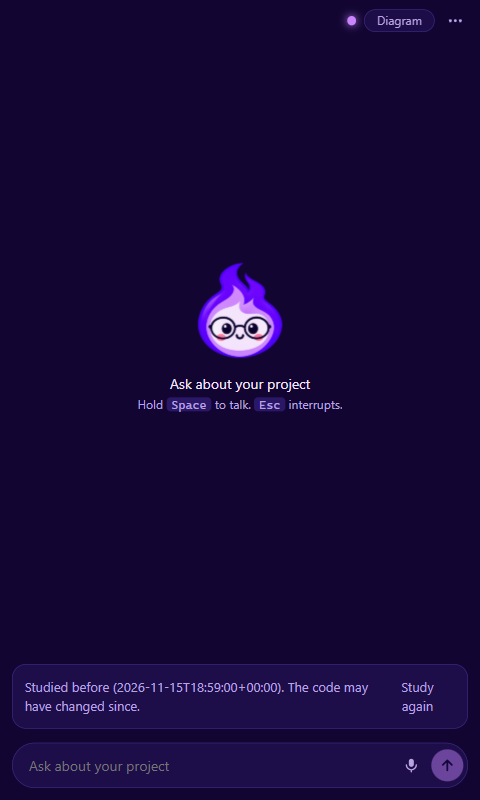
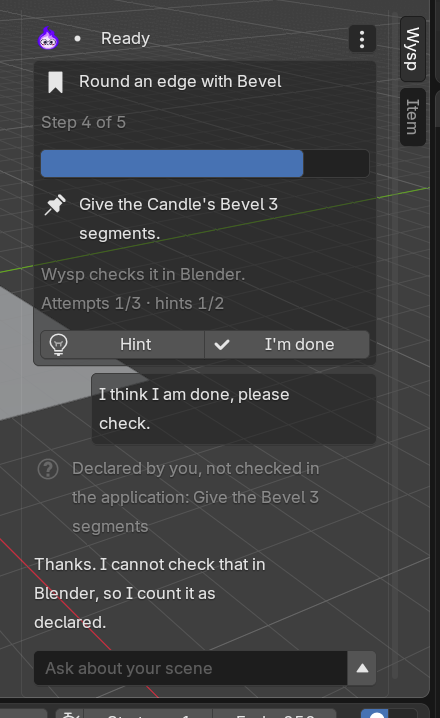
Wysp is an open-source framework for AI tutors. A tutor observes the real state of an application, explains it on an interactive board with spoken, interruptible narration, guides the user through actions (the user acts, Wysp watches), and verifies the result in the application.
Two very different tutors run on the same Core, Panel and protocol:
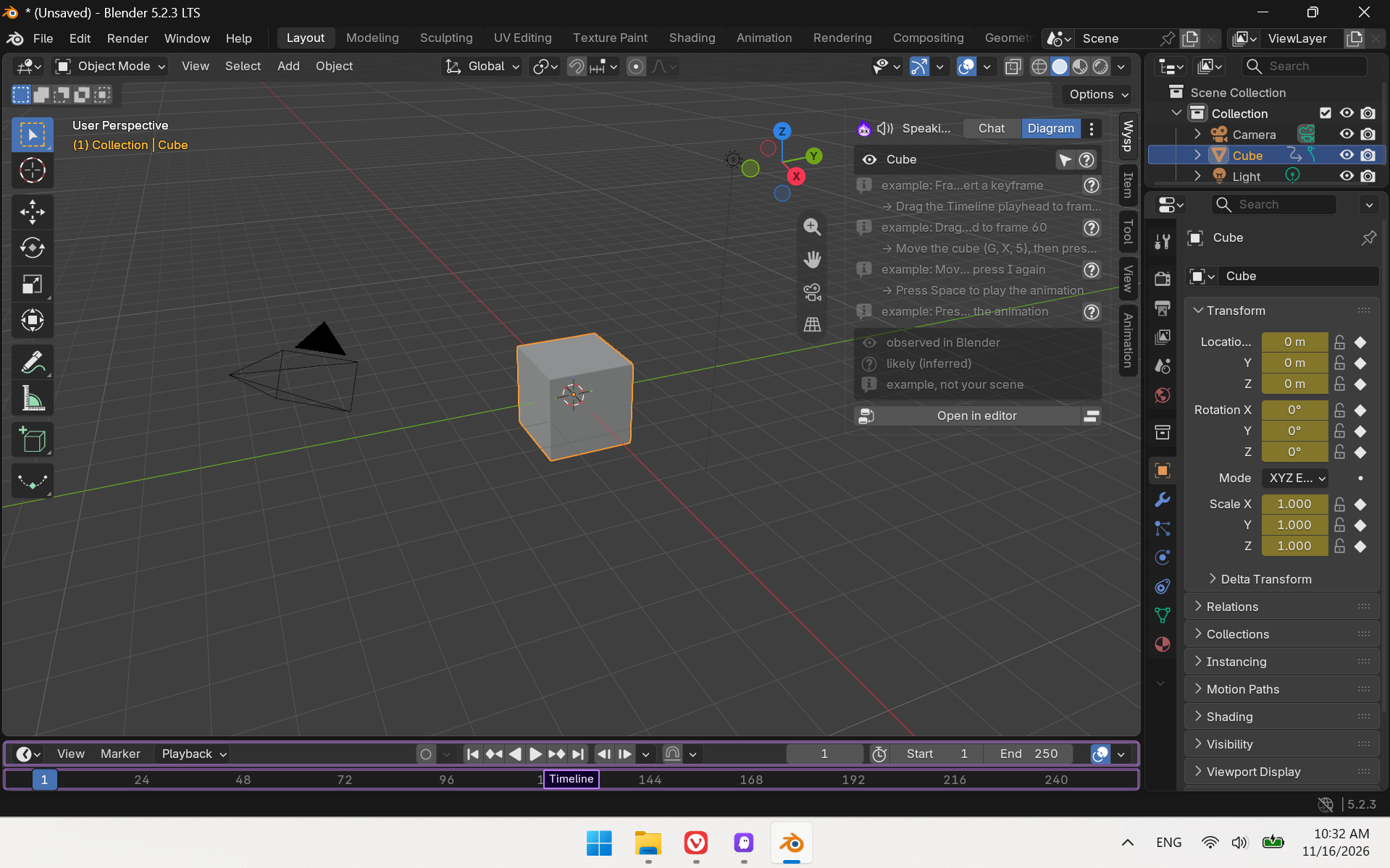
- Blender tutor (native, Python API): explains an object and its modifiers while the board builds up, points at Blender's interface, applies a change only after approval, and verifies it. Everything is undoable.
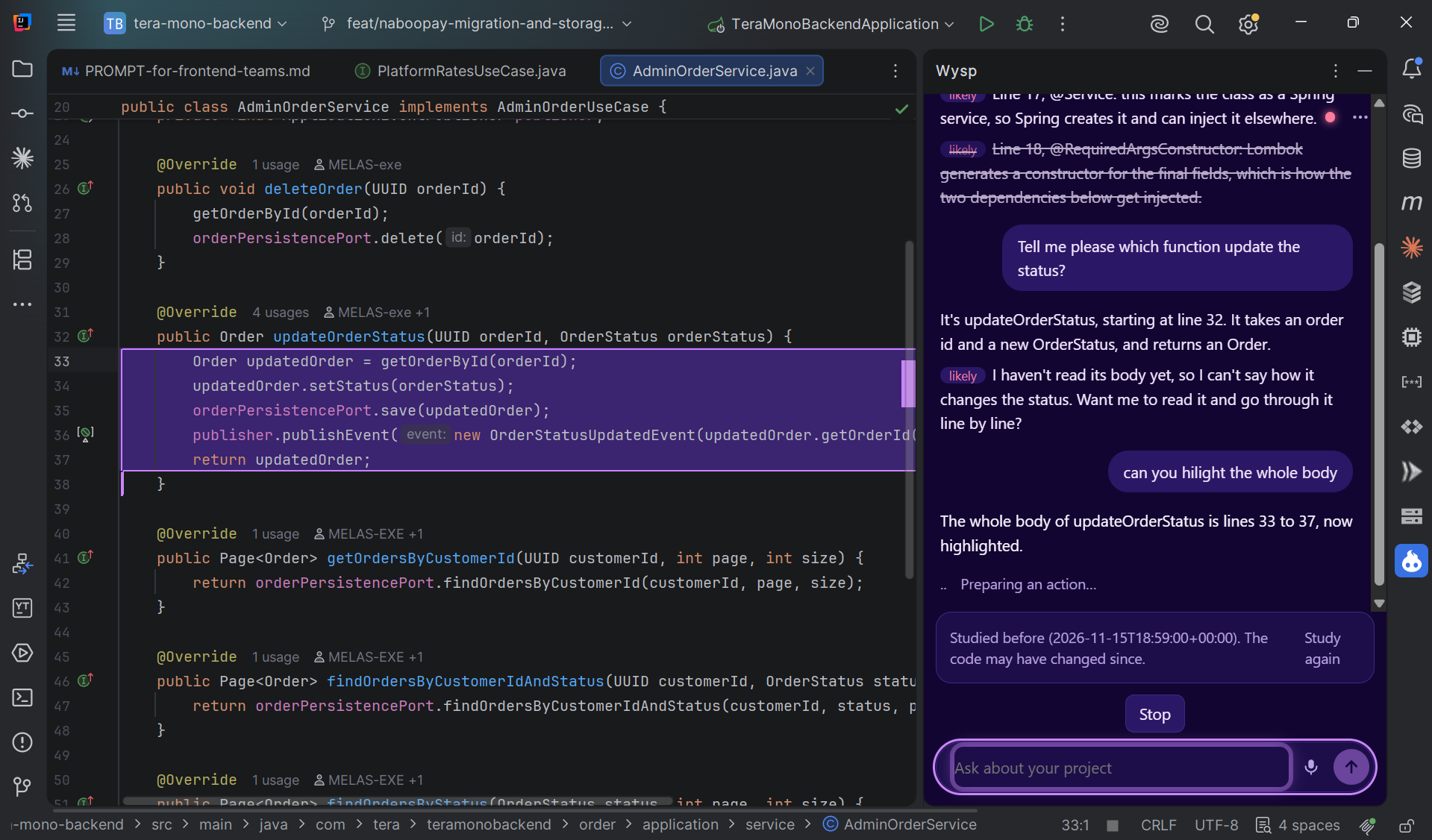
IntelliJ tutor (native, IntelliJ Platform API): surveys the student's project when it connects, explains the function under the caret line by line, highlights the exact IDE control or code and keeps it highlighted until you use it, guides a rename refactoring and verifies it in the code.
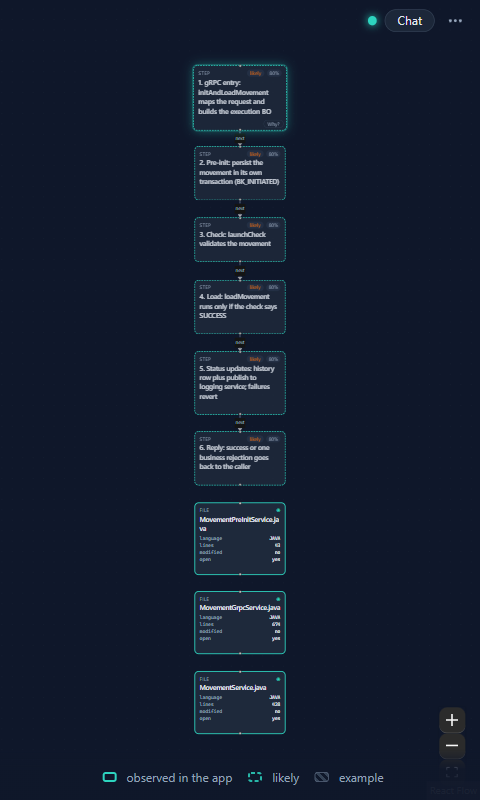
Browser connector (optional extra, Chrome extension): reads the pages you allow through the accessibility tree (never password, card or hidden values), points at the exact element with a persistent highlight and opens the same Panel in Chrome's side panel. It added no line to the Core.
What stays the same between them: the Core, the Panel, the protocol. What changes: one adapter and one profile. That is the skeleton claim, and it is checked by tests, not asserted (see "Skeleton" below).
Trust is part of the product:
- Every board element and spoken fact carries a provenance:
observed(from the application),inferred, orillustrative. The model cannot create an "observed" fact; Core code projects them from real observations. - The model never executes anything. It can only propose an action from the adapter's closed catalog; a permission gate asks the user (irreversible actions need an explicit click with a preview and can never be approved by voice), then the adapter runs it and the Core verifies the postconditions, undoing automatically if they fail.
- Everything is local: the Core listens on
127.0.0.1only, with a pairing token and an Origin allowlist. Secrets and sensitive files are never read.
How we used Kiro
Kiro is how this project was built, and also what drives the tutor.
- Specs first. Seven specs in
.kiro/specs/(adapter contract, core orchestrator, tutor panel, pedagogy, Blender tutor, IntelliJ tutor, web tutor) with EARS requirements, design documents with numbered correctness properties, and task lists. Contract changes follow a recorded process (spec first, version bump, regenerate schemas, run the kit). Persistent highlights, for example, started as requirements 8.3 to 8.6 in the contract spec before any code. - Steering. Ten steering files encode the rules that must never regress: the trust and safety rules (provenance, permission gate, no code-running actions), the Core/adapter boundary (no application vocabulary in
core/), the contract summary, testing and design-system rules. - Hooks and agents. Hooks run the boundary check, contract checks and formatting when files change. Specialised agents (Blender adapter, browser adapter, a read-only contract guardian) did scoped work; the Blender adapter agent upgraded that adapter to contract 1.1 and added its test suite.
- Kiro as the tutor's brain.
wysp serve --llm externalserves an authenticated MCP endpoint. Thewysp-tutorKiro agent connects to it, so the user's own Kiro subscription does the thinking while Wysp provides the live application state, the board, the voice and the permission gate. The agent has no file or shell tools of its own on purpose. - Live sessions found real bugs, recorded in
docs/kiro-journal.md: the IDE's slow-operation check caught PSI work on the UI thread, the Core was crediting the student when Wysp had done a step itself, and a second Panel window was reading every sentence twice. Each was reproduced against the mock adapter first, then fixed.
How we built it
- Wysp Core (Python 3.13, FastAPI, Pydantic v2): orchestration, board, narration, permission gate, verification (JMESPath predicates), audit log, session telemetry. Pydantic models are the single source of truth for the contract; JSON Schemas are generated from them.
- Adapters: a Blender 5.2 extension (Python, main-thread dispatcher) and an IntelliJ plugin (Kotlin, no third-party runtime dependencies).
- Panel: React 19 + Vite,
@xyflow/reactand ELK for the board. Minimal by design: a conversation, or a full-panel diagram. Voice: an offline female neural voice (Kokoro, Apache-2.0) or the Windows voices, and Whisper on Groq for listening (the only audio that leaves the machine, and it can be turned off). - Contract: JSON-RPC 2.0 over WebSocket. Version 1.1 added persistent highlights.
- Pedagogy: authored lessons and exercises per application. Success criteria are predicates written in the profile; Wysp checks them on a fresh observation after a change the user made (never one Wysp made) and records evidence as verified, answered or declared, which updates a per-skill mastery estimate (simplified Bayesian knowledge tracing).
- Tests: 225 Python tests plus 12 that need headless Blender (run live), including Hypothesis property tests for the numbered correctness properties (pedagogy, board patches, redaction, tool capabilities, contract and digest invariants), scenario tests against a mock adapter over a real WebSocket, and a fake
bpy; 29 Vitest tests for the Panel with fast-check properties (patch parity with golden fixtures generated by the Core, layout determinism, narration order); 78 for the Chrome extension; JUnit and IntelliJ platform tests for the plugin; and a live harness for a sandbox IDE. The property tests found three real bugs, listed indocs/kiro-journal.md.
Skeleton: what you write to add an application
An adapter (observe, context, a few actions, highlight) and a YAML profile. docs/adapter-guide.md walks through a complete example adapter that is itself tested against the Core's contract models. The Core contains no application vocabulary; a boundary check enforces it in CI.
Challenges
- Honesty about what the tutor knows. A tutor that sounds sure about things it guessed is worse than none. The provenance model and the validator exist so that "observed" can only come from the application.
- Slow, busy applications. On a 177,000-file project the IDE answered too slowly while indexing. The Core's survey degrades gracefully to a summary and retries with backoff until a full observation succeeds.
- Voice in an embedded browser. The IDE's browser has no speech recognition, so the Core records and transcribes, with the microphone gated by the pairing token.
- Pointing that stays. Highlights must outlive a sentence, but disappear when the user uses the thing or the conversation moves on.
Accomplishments
- Two unrelated applications on one Core, Panel and protocol.
- A trust model with provenance, a permission gate, verification, automatic undo and an audit log, tested.
- A tutor that runs on the user's own Kiro subscription through MCP.
What we learned
Writing the contract and the trust rules before the adapters made the second application much cheaper than the first. Live sessions with real projects found bugs that no mock could.
What's next
- More lessons per application and an adaptive path built on the mastery estimate.
- The browser connector beyond a demo page: custom drop-downs, iframes, a store release.
- Click detection for interface highlights in Blender.
Try it
uv sync
npm install ; npm run build -w panel
uv run wysp serve --llm scripted --scenario apps/intellij-tutor/demo/scenario.yaml   # no model, no key
Blender: uv run python scripts\build_blender_extension.py --install. IntelliJ: build apps/intellij-tutor/plugin (gradlew.bat buildPlugin) and install the ZIP. See the root README.
Built With
- blender-`bpy`
- chrome-manifest-v3
- elk
- fastapi
- jmespath
- kokoro-(onnx)
- kotlin
- mcp
- pydantic
- python
- react
- react-flow
- the-intellij-platform
- typescript
- vite
- whisper-(groq)
- windows-speech-(sapi)


