-
-
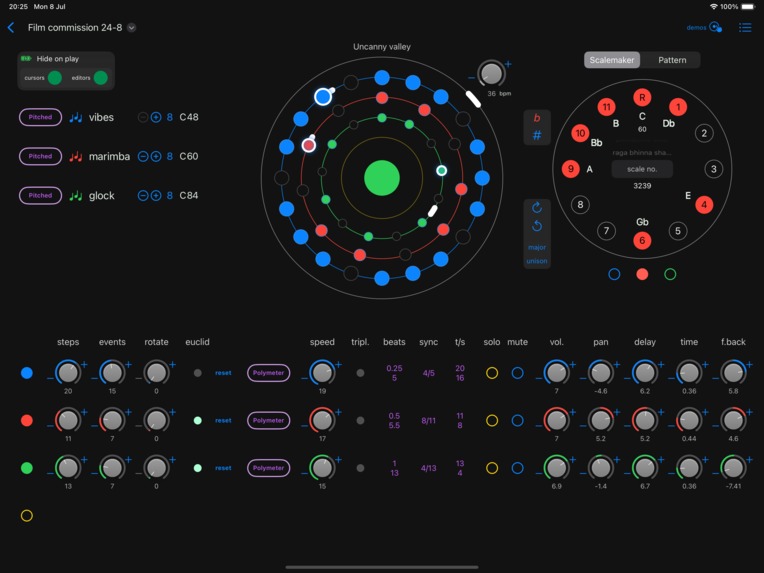
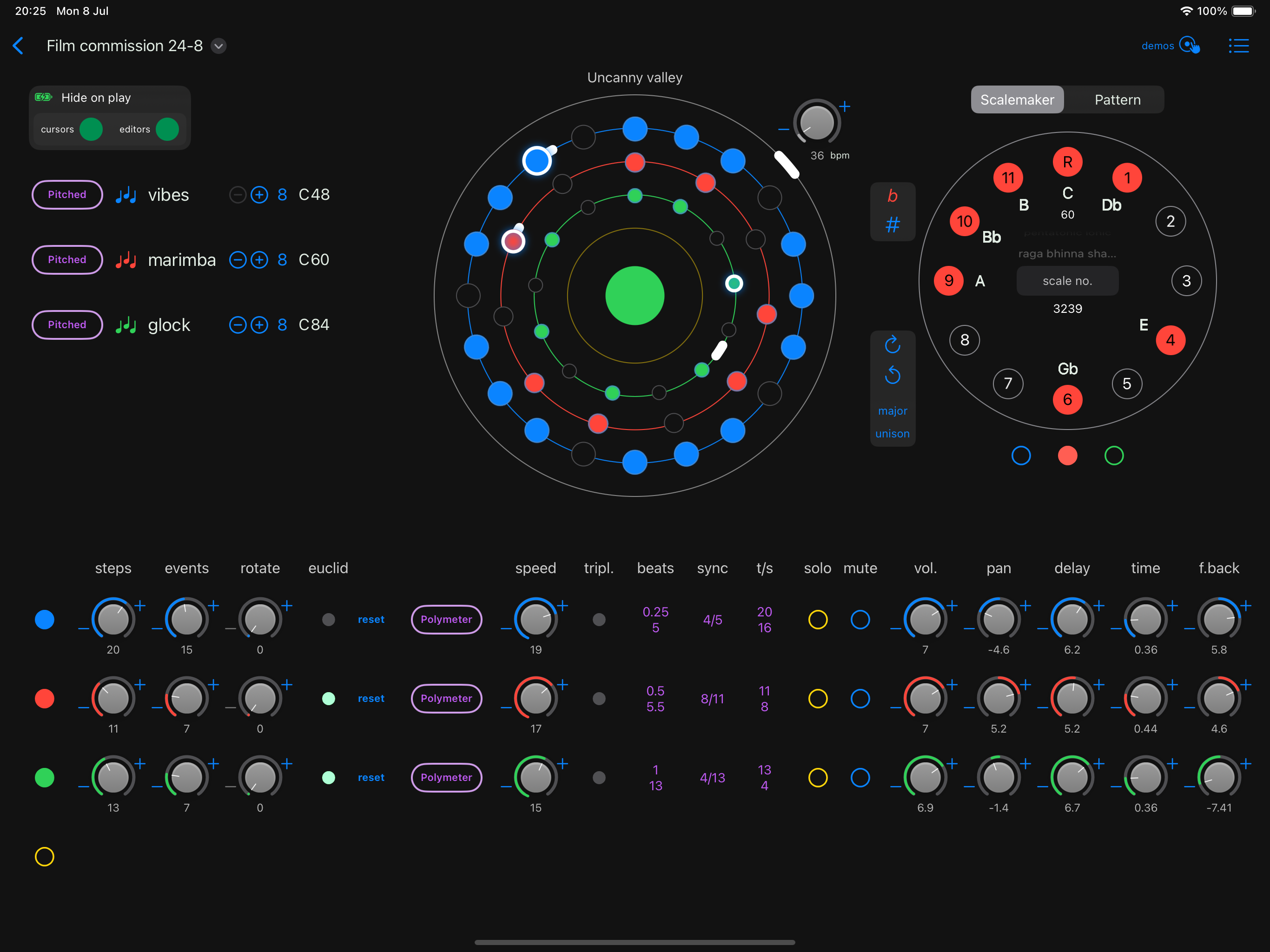
Frameless screenshot: iPad showing scale maker
-
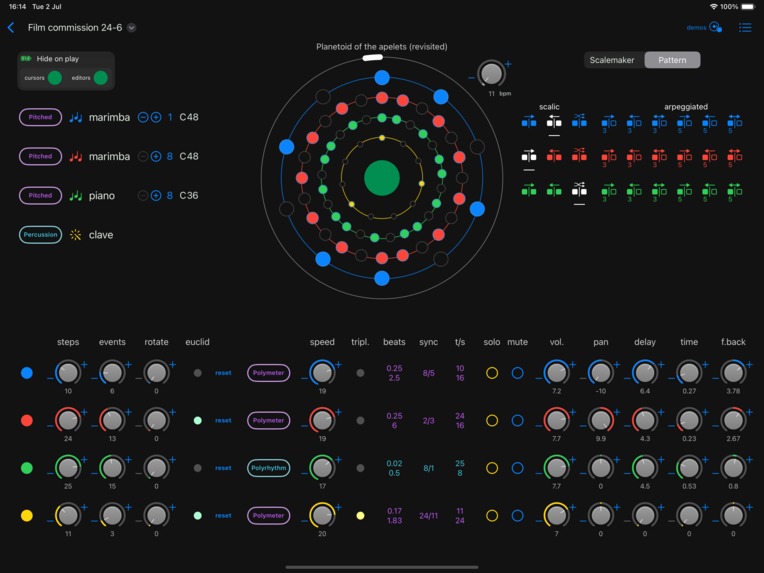
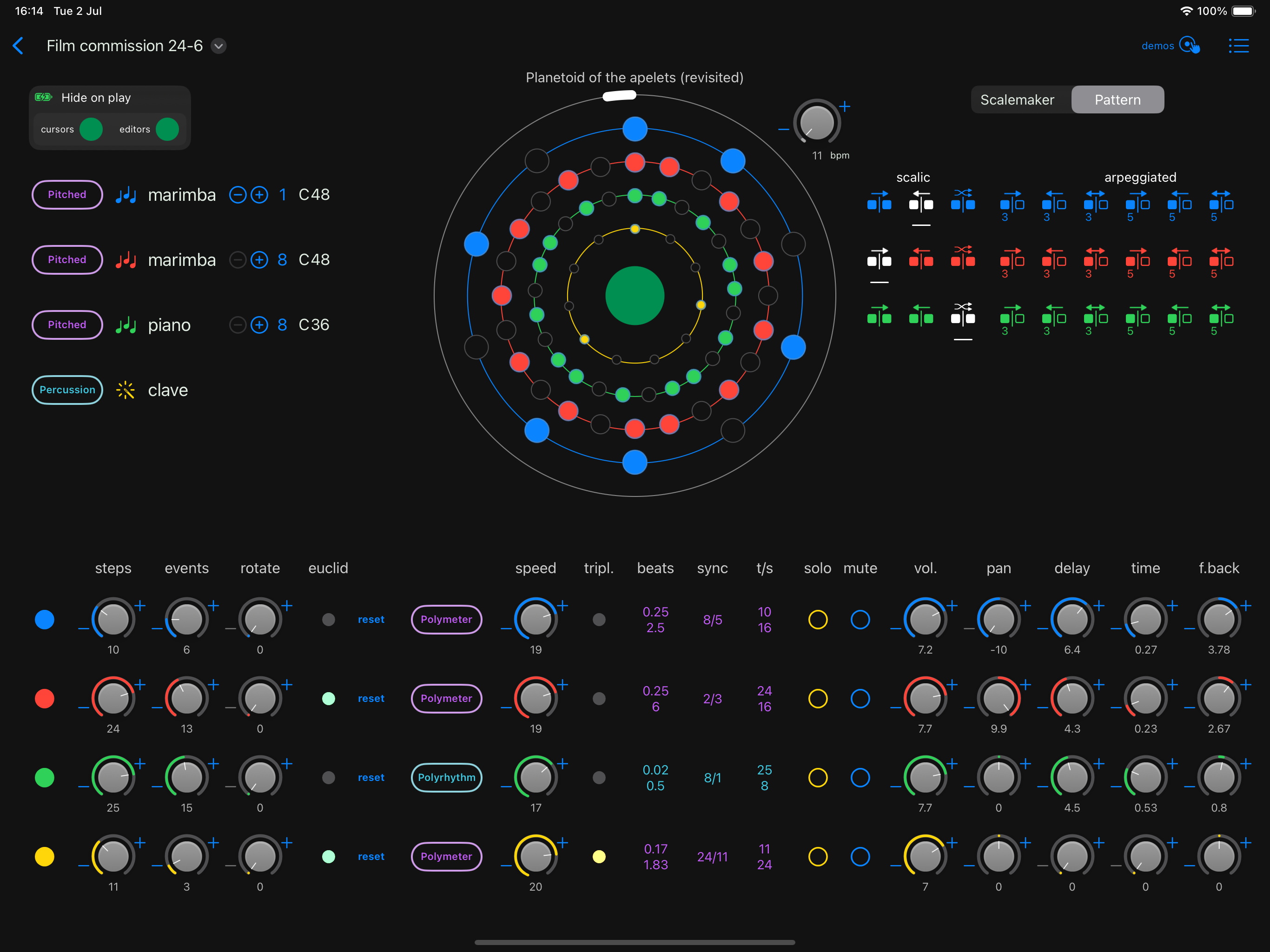
Frameless screenshot: iPad showing pitch pattern controls
-
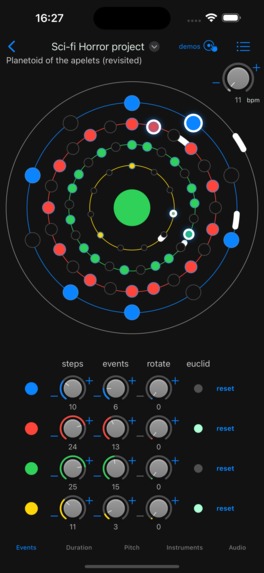
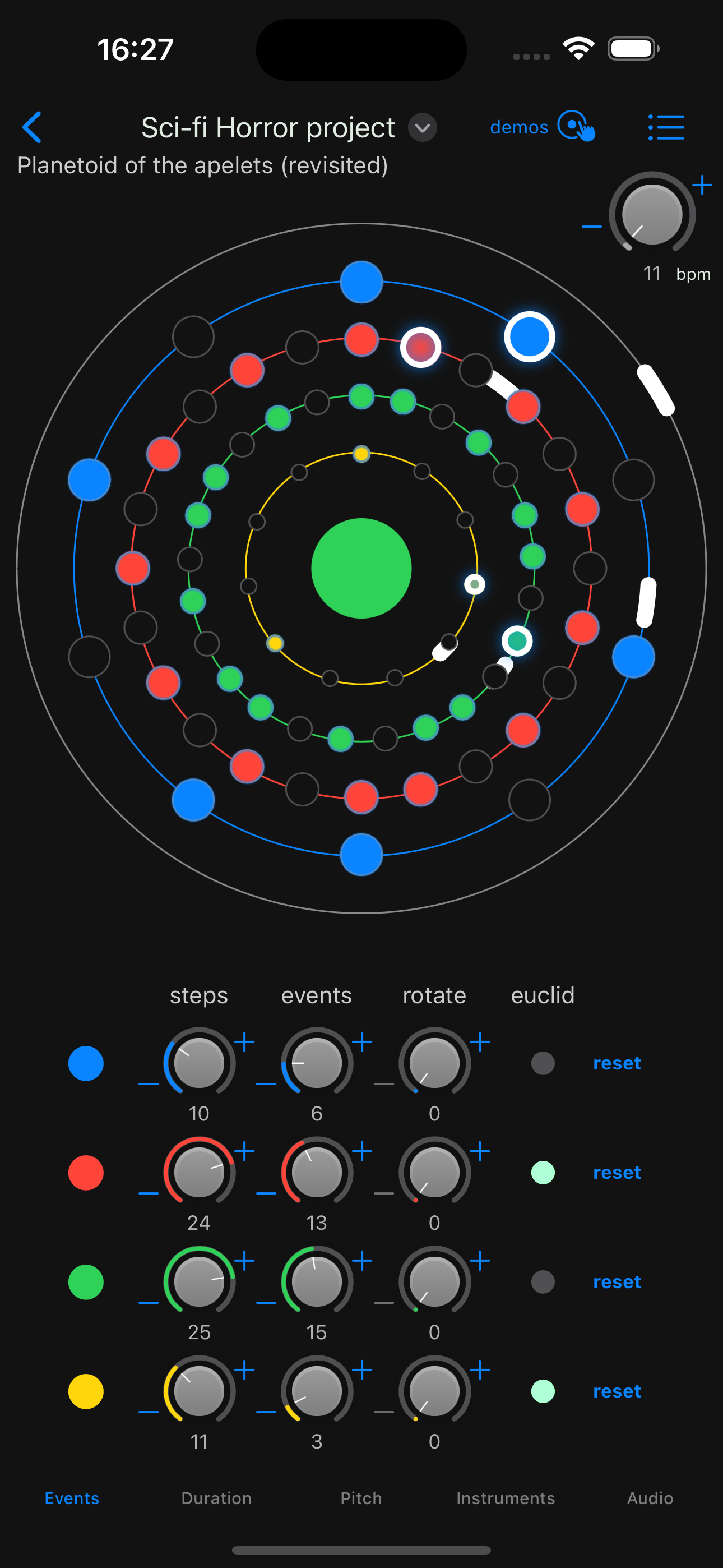
Frameless screenshot: iPhone showing Euclidean controls
-
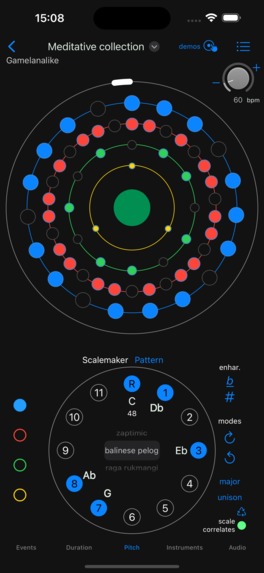
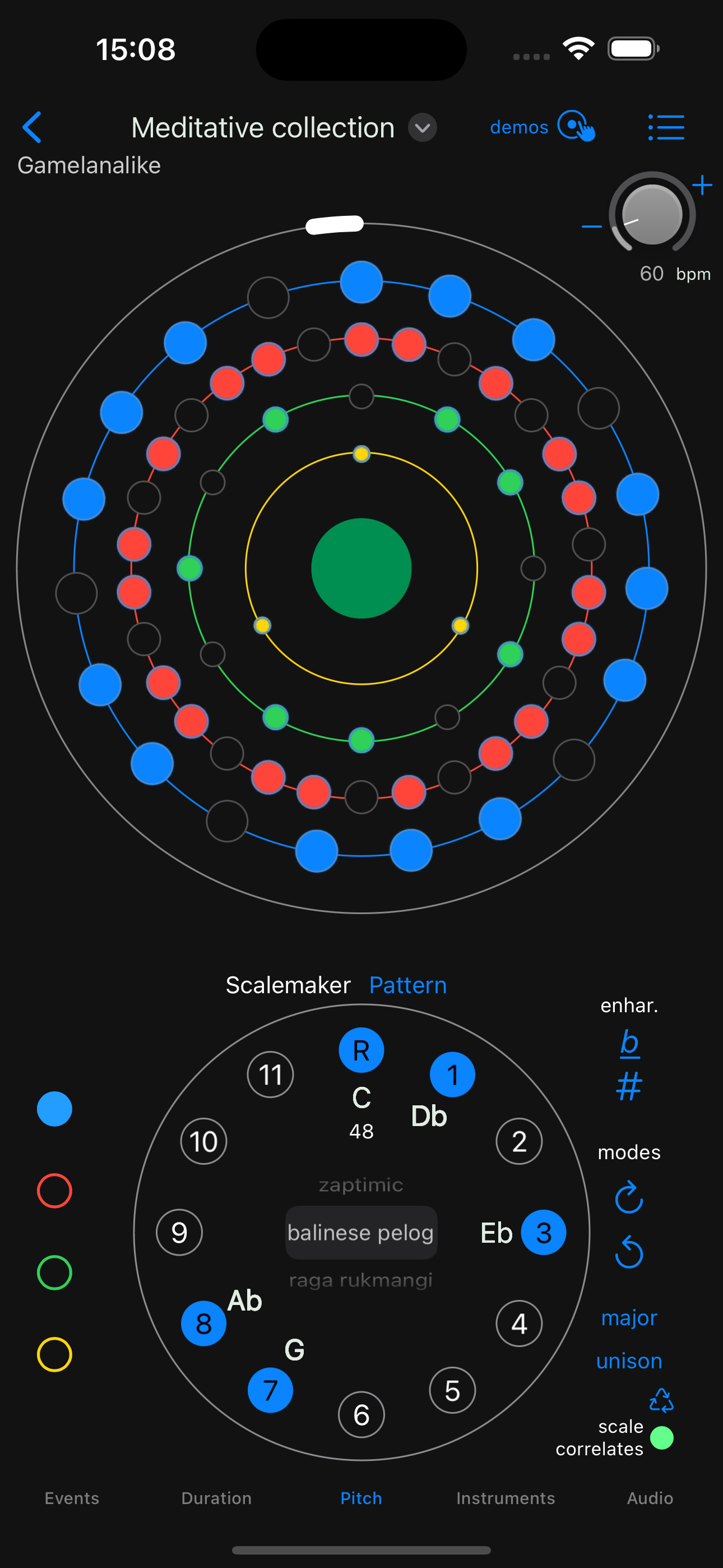
Frameless screenshot: iPhone showing scale maker
-
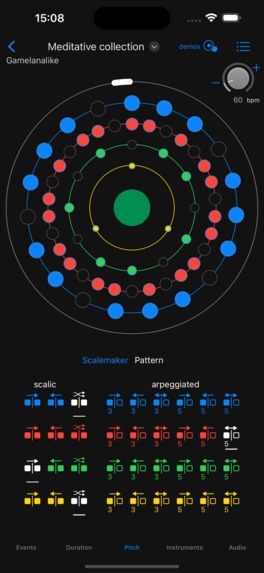
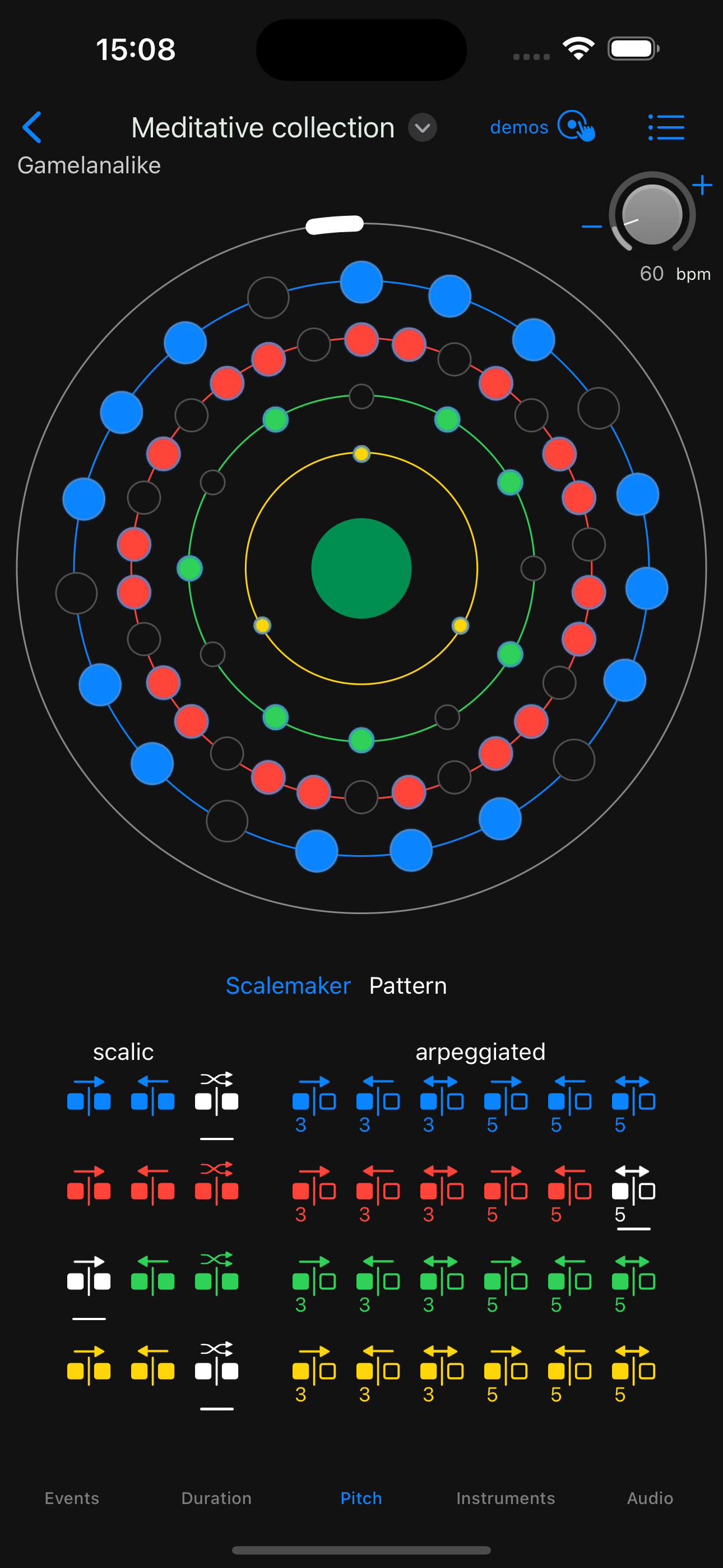
Frameless screenshot: iPhone showing pitch pattern controls
-
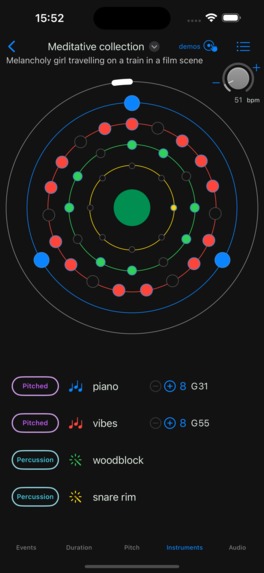
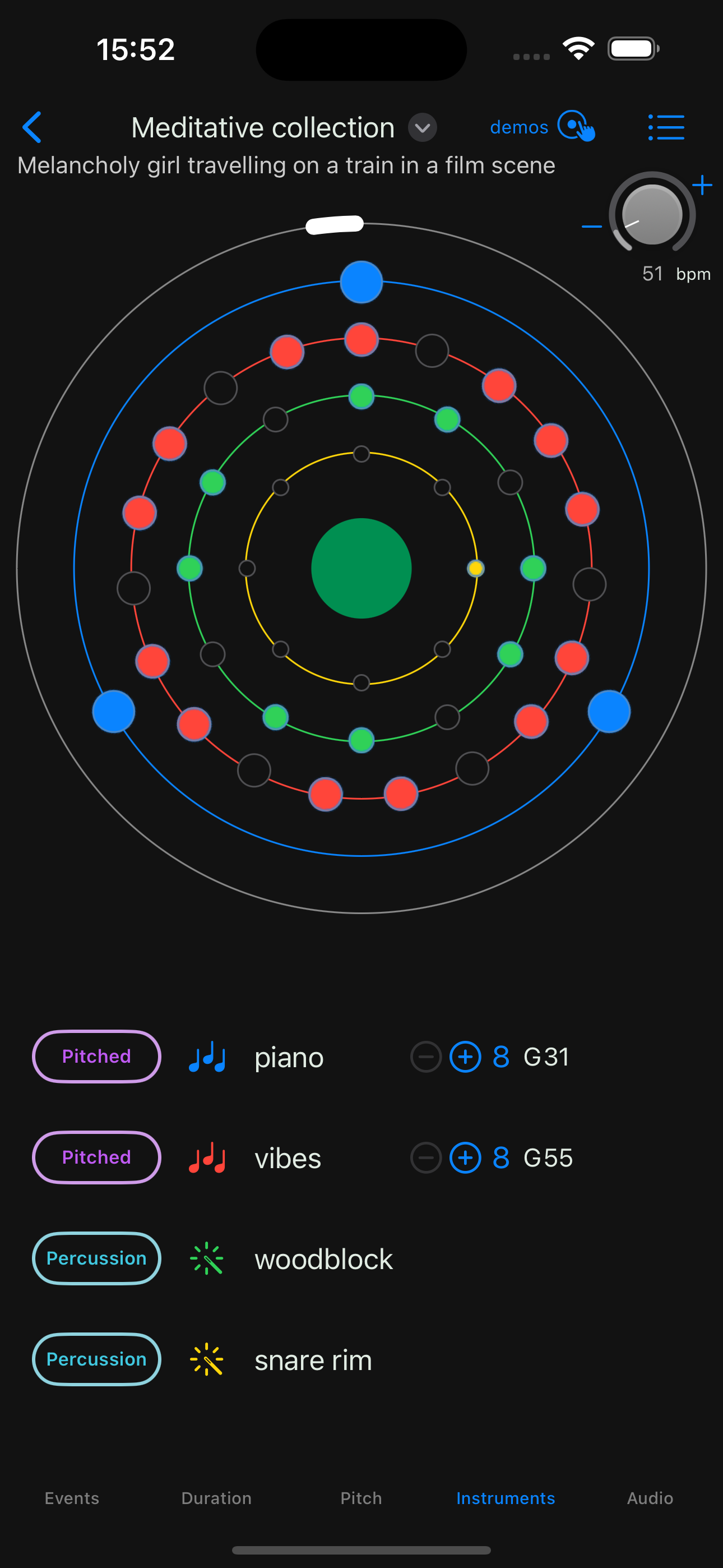
Frameless screenshot: iPhone showing instrument selector
-
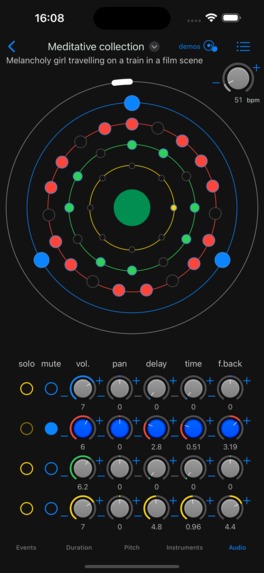
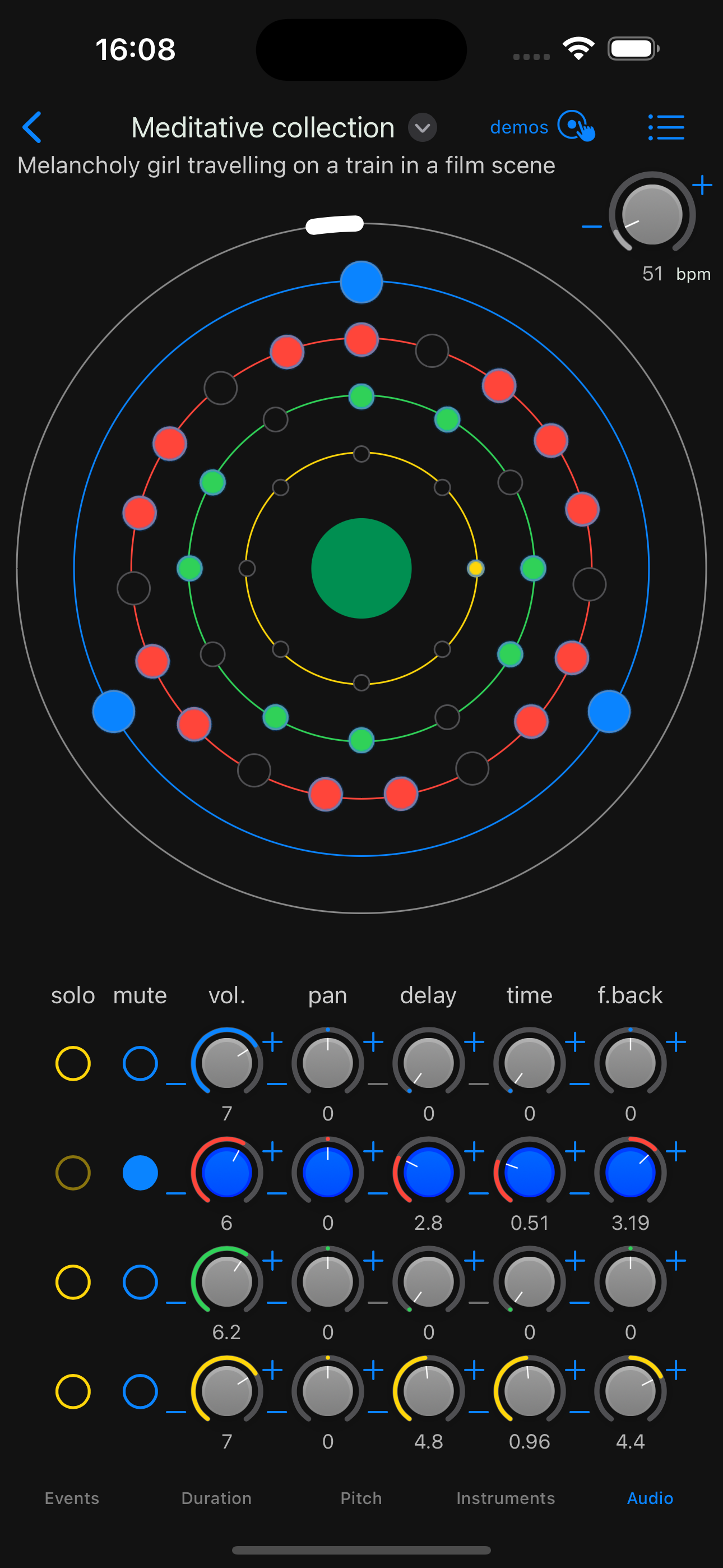
Frameless screenshot: iPhone showing audio controls
-
Wurlygig app icon
-
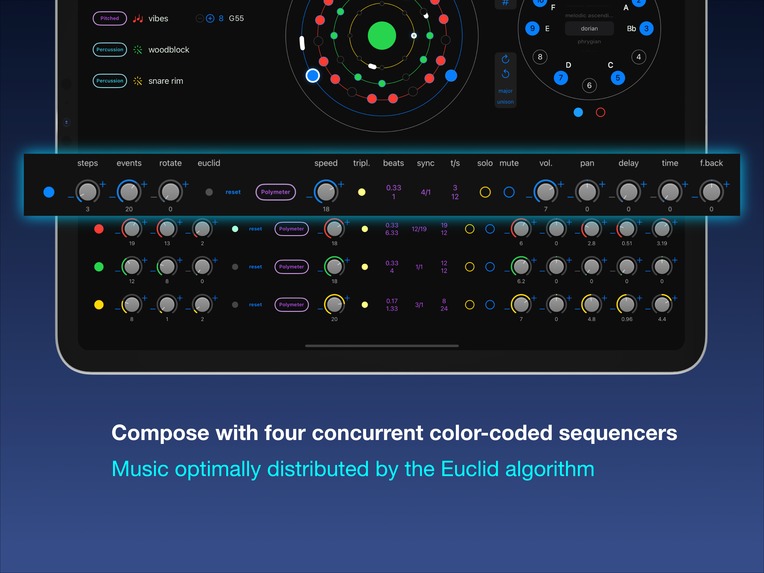
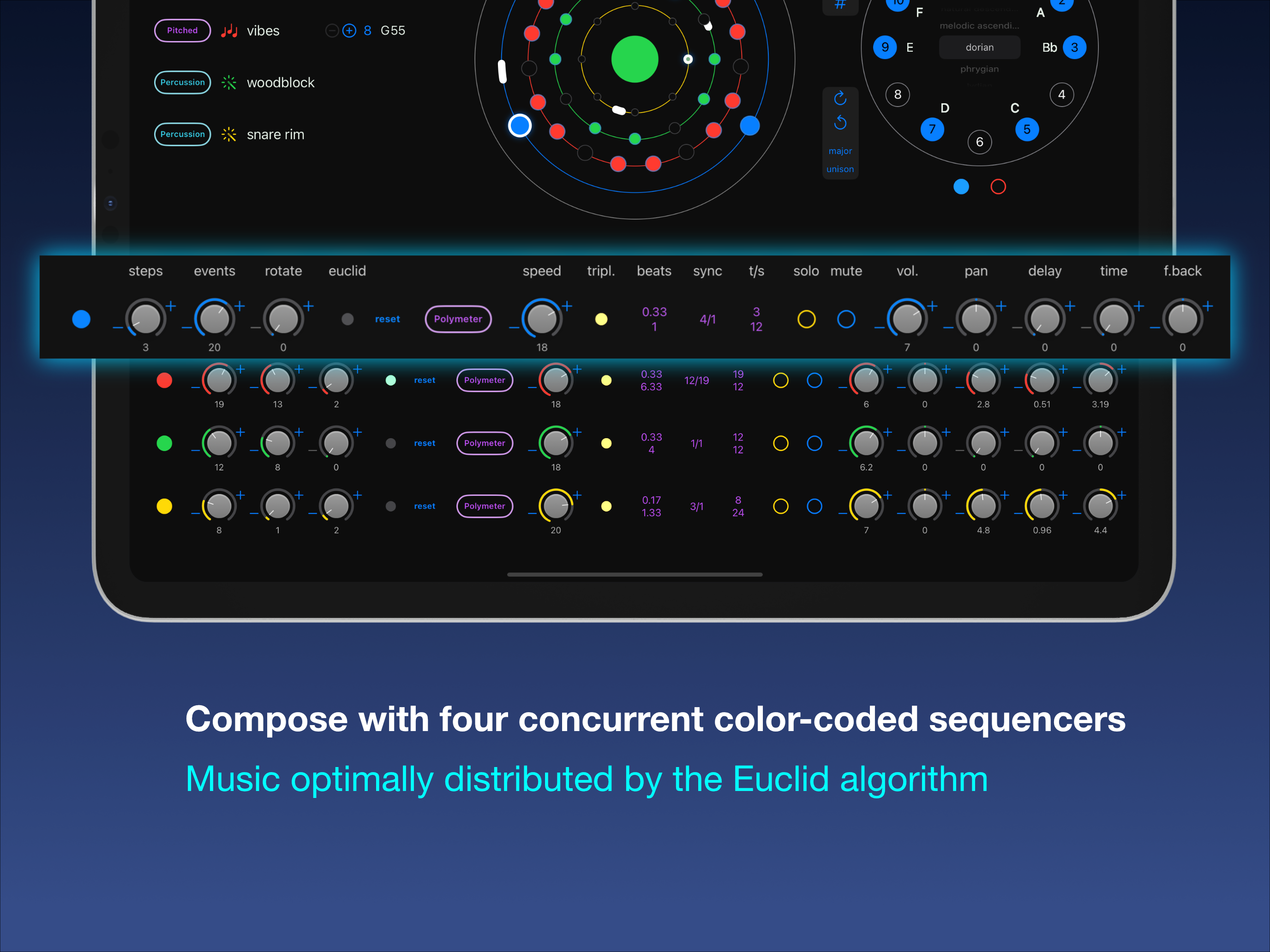
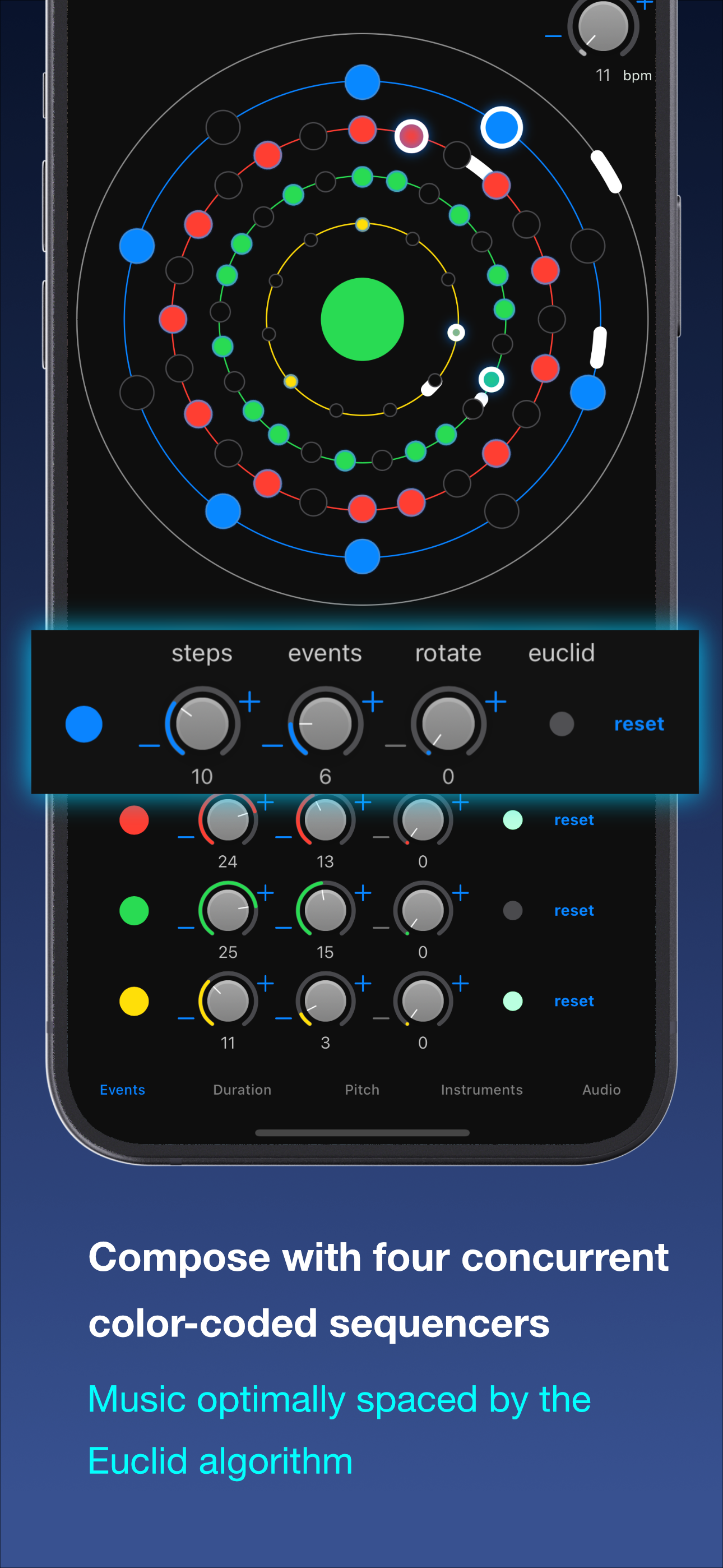
Compose with four concurrent colour-coded sequencers: music events are optimally distributed by the Euclidean algorithm
-
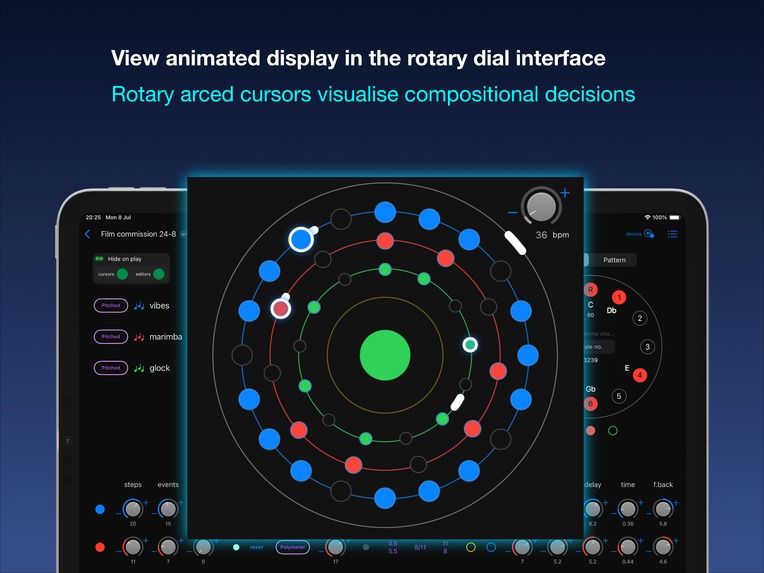
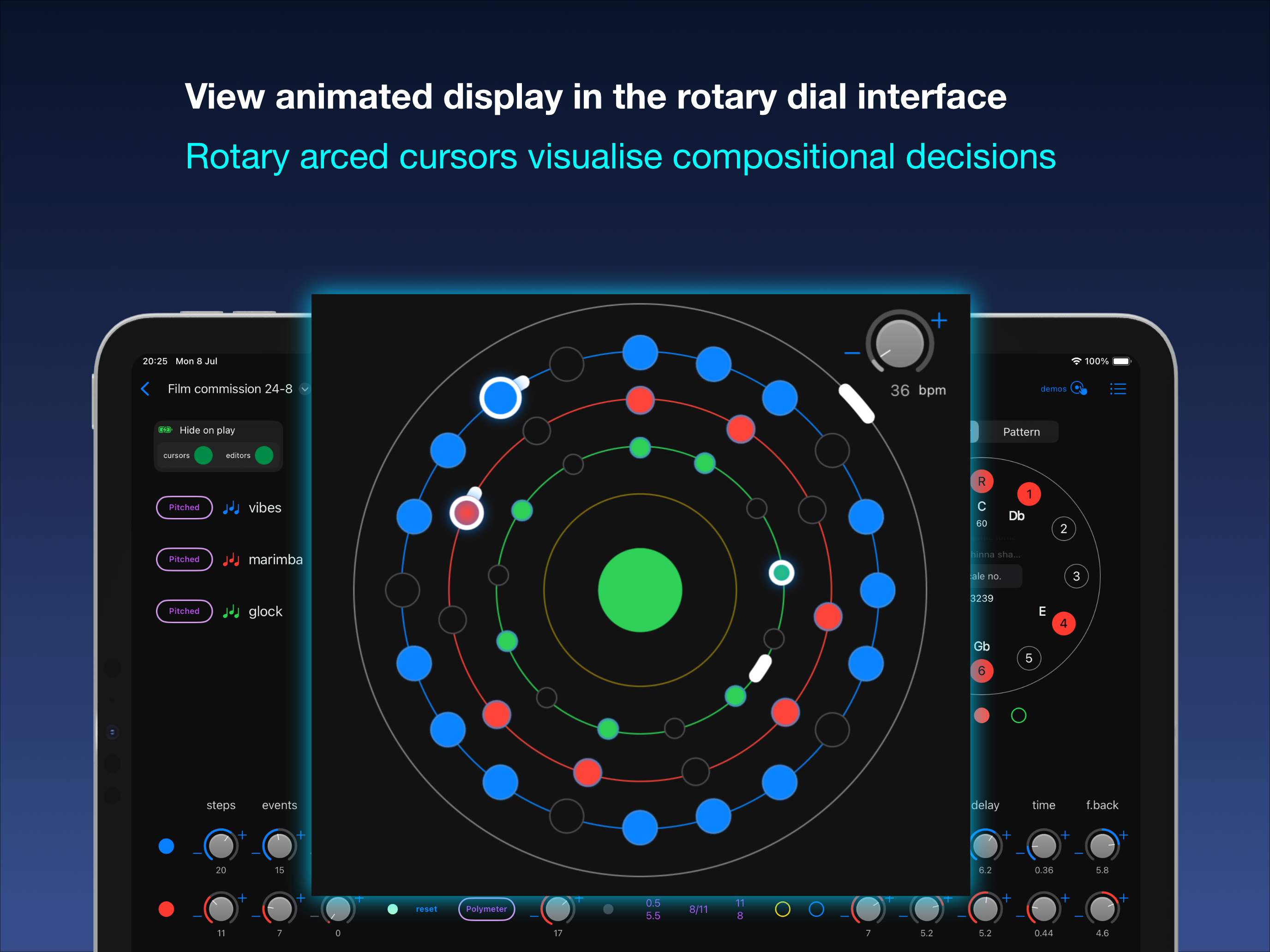
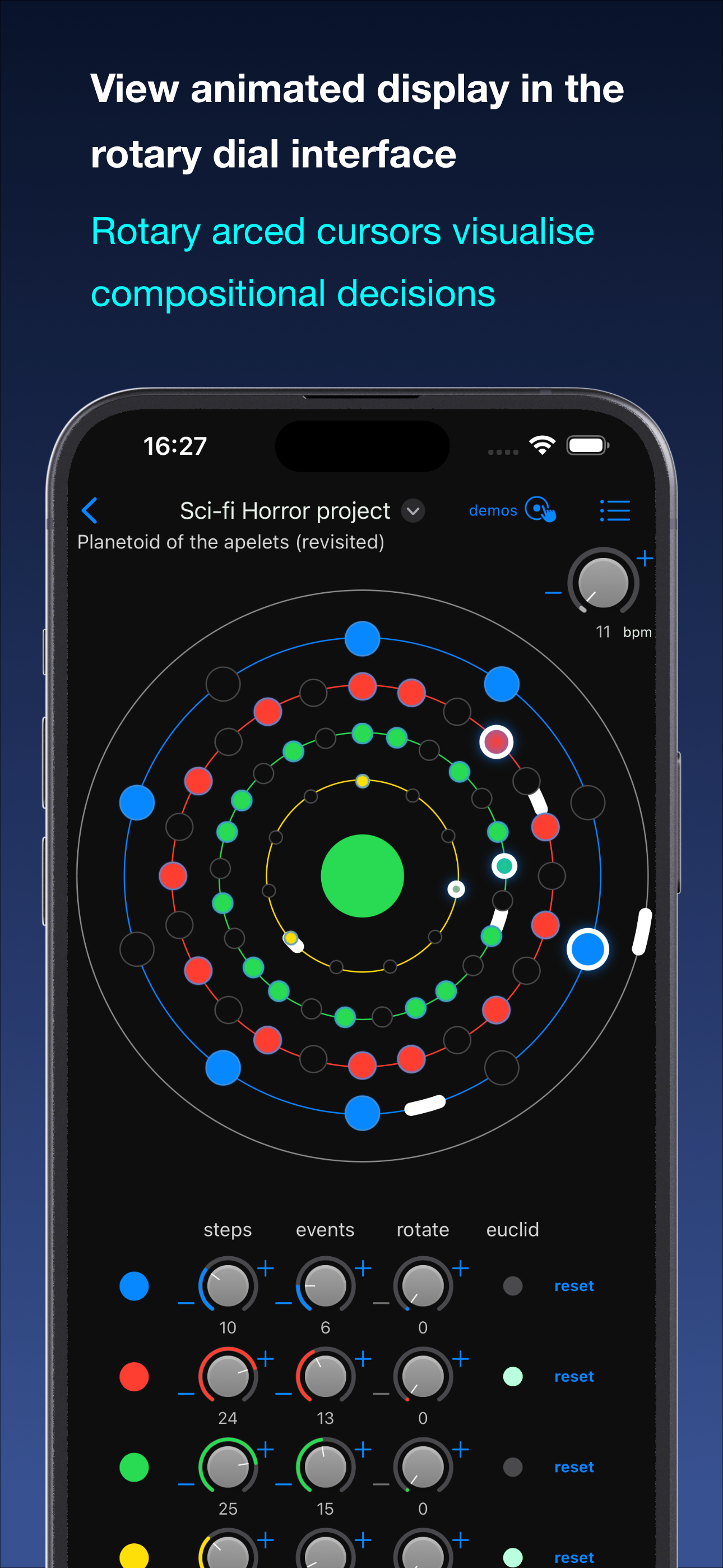
View animated display in the rotary dial interface: rotary arced cursors visualise compositional decisions better than the radial versions
-
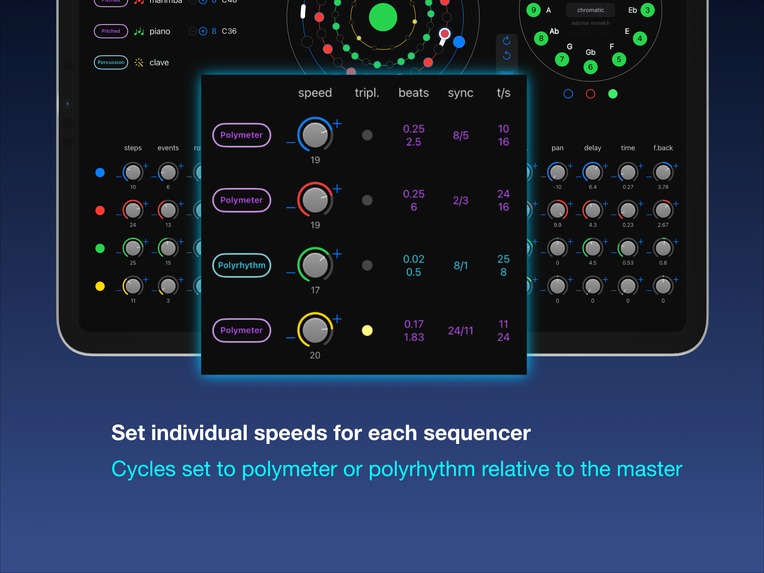
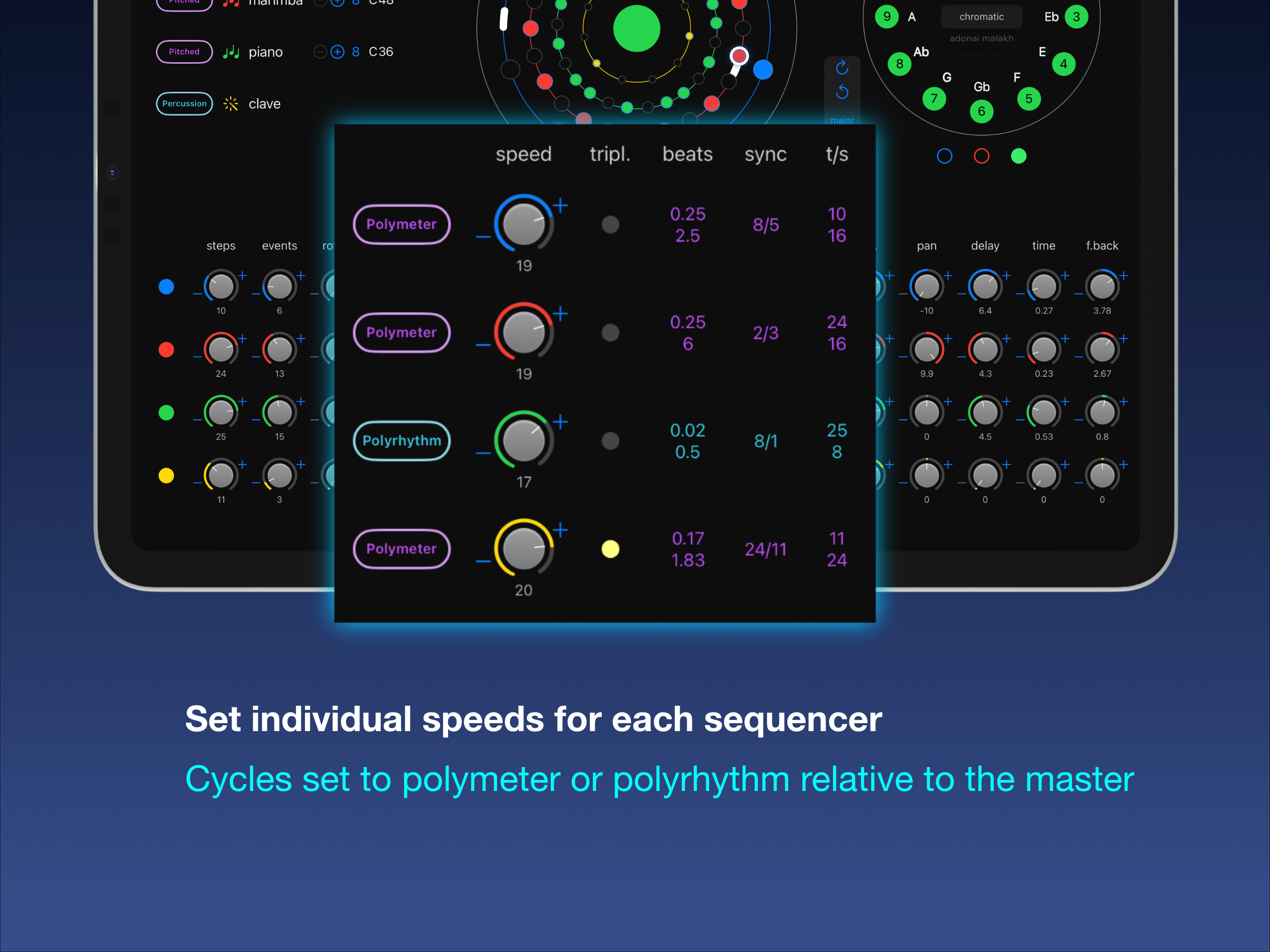
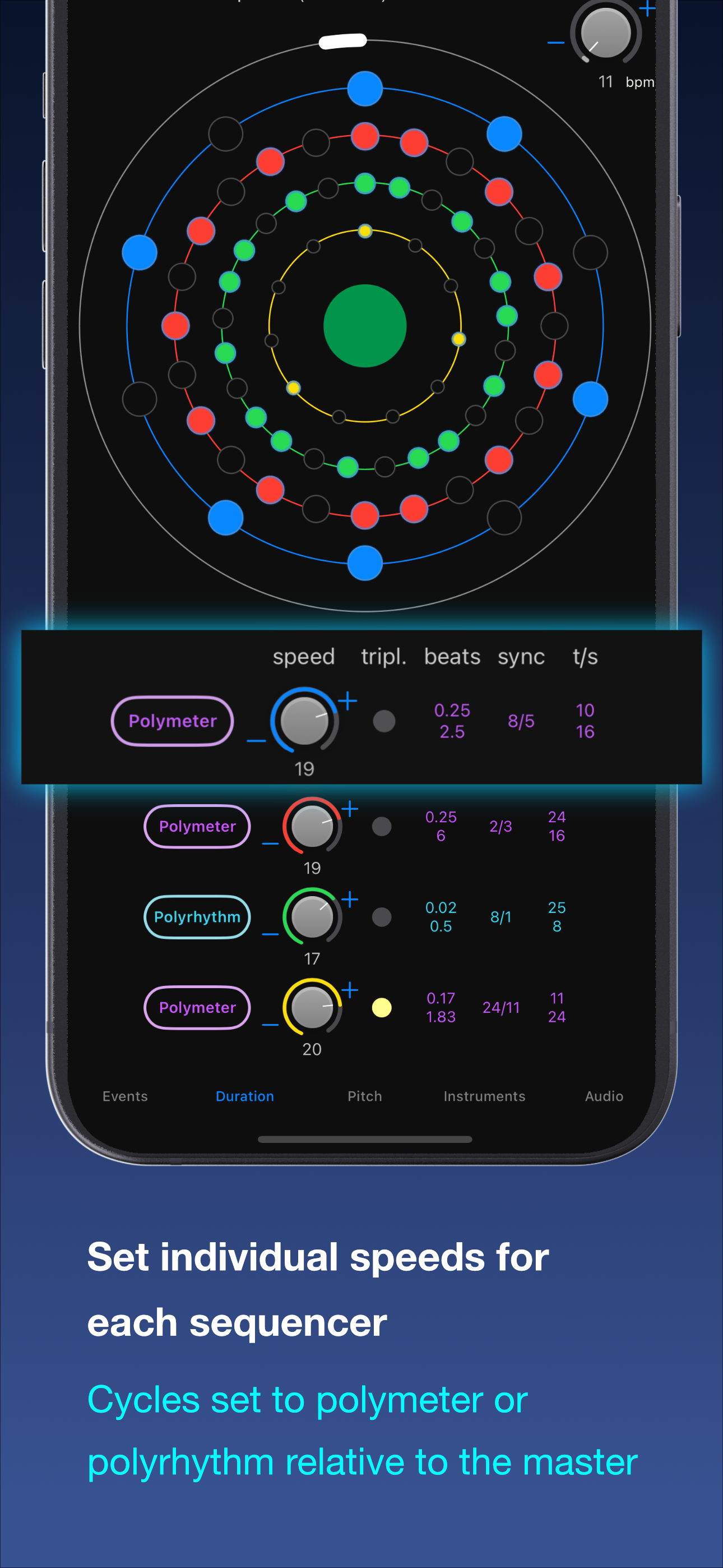
Set individual speeds (cycle/event duration) for each sequencer: cycles can be set to polymeter or polyrhythm relative to the master
-
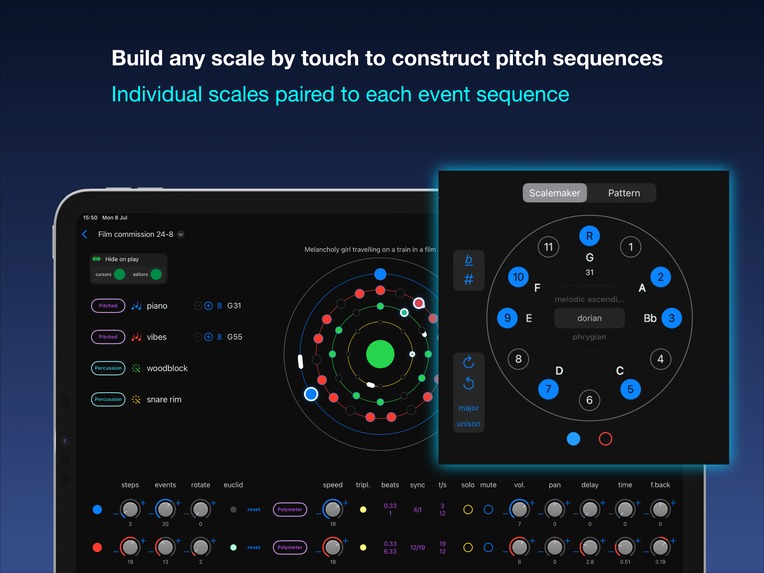
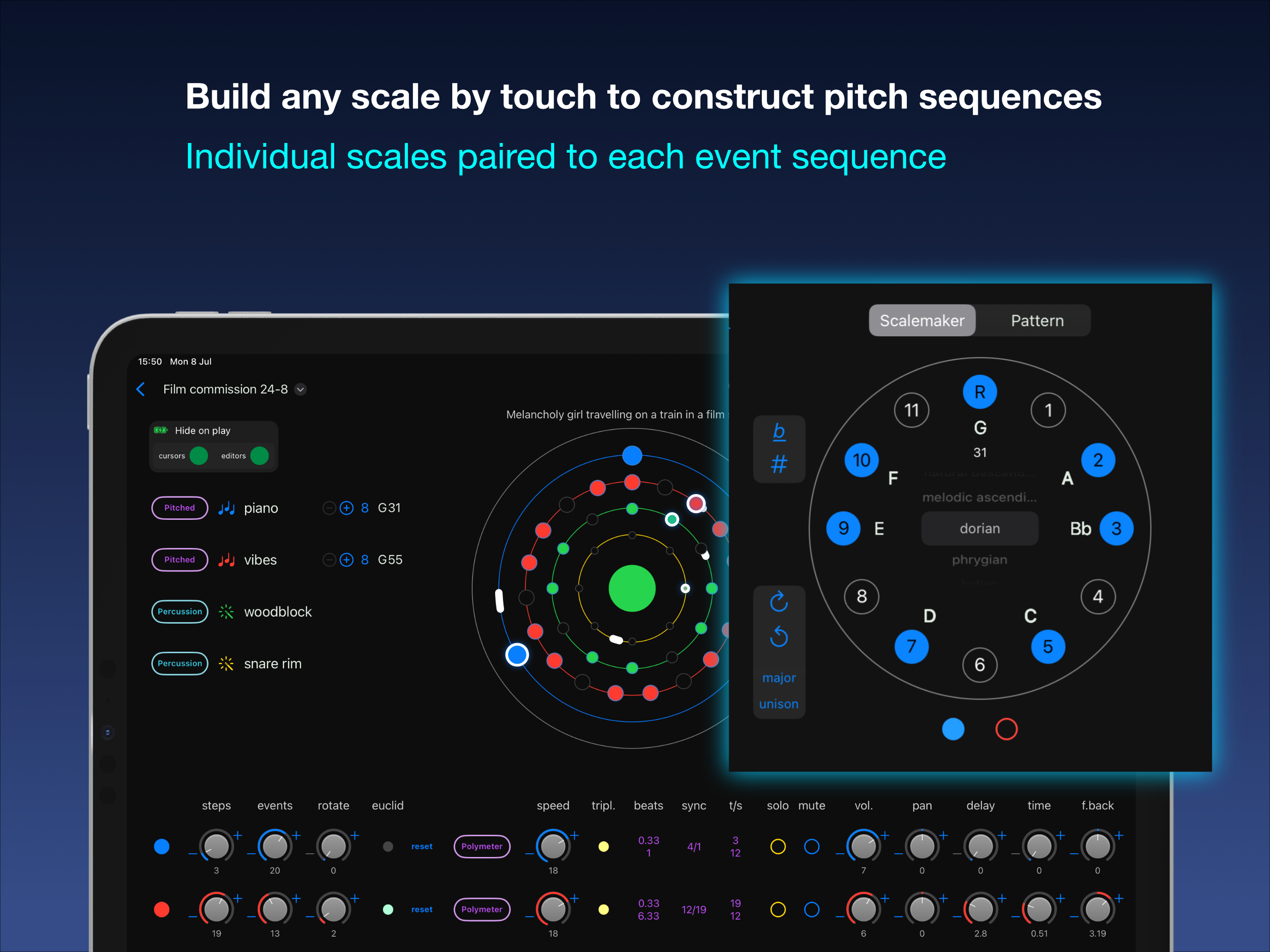
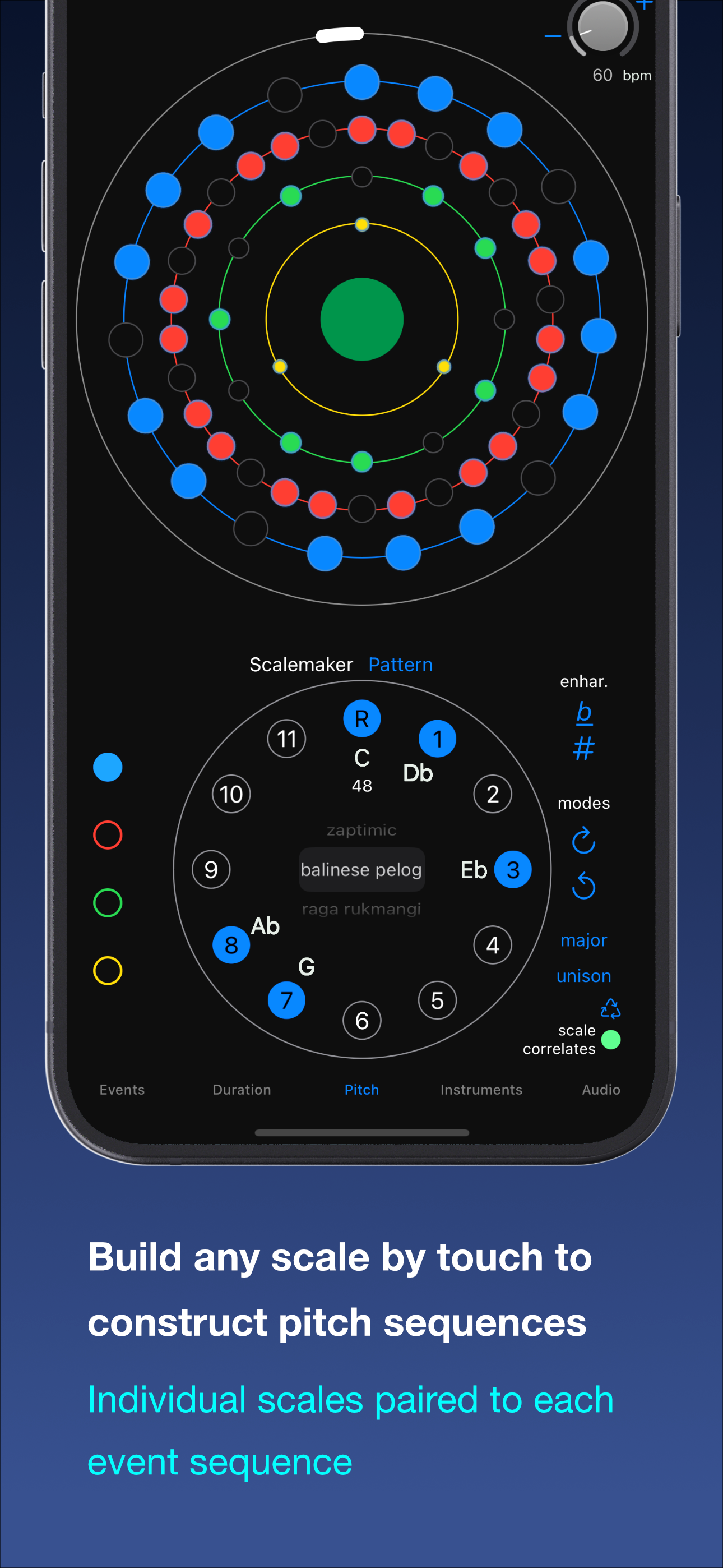
Build any scale by touch to construct pitch sequences: the individual scales are paired to their respective event sequence
-
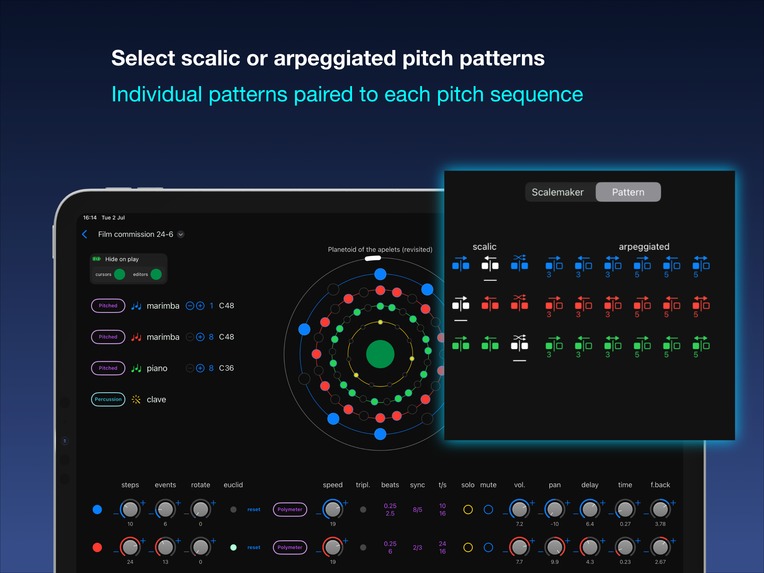
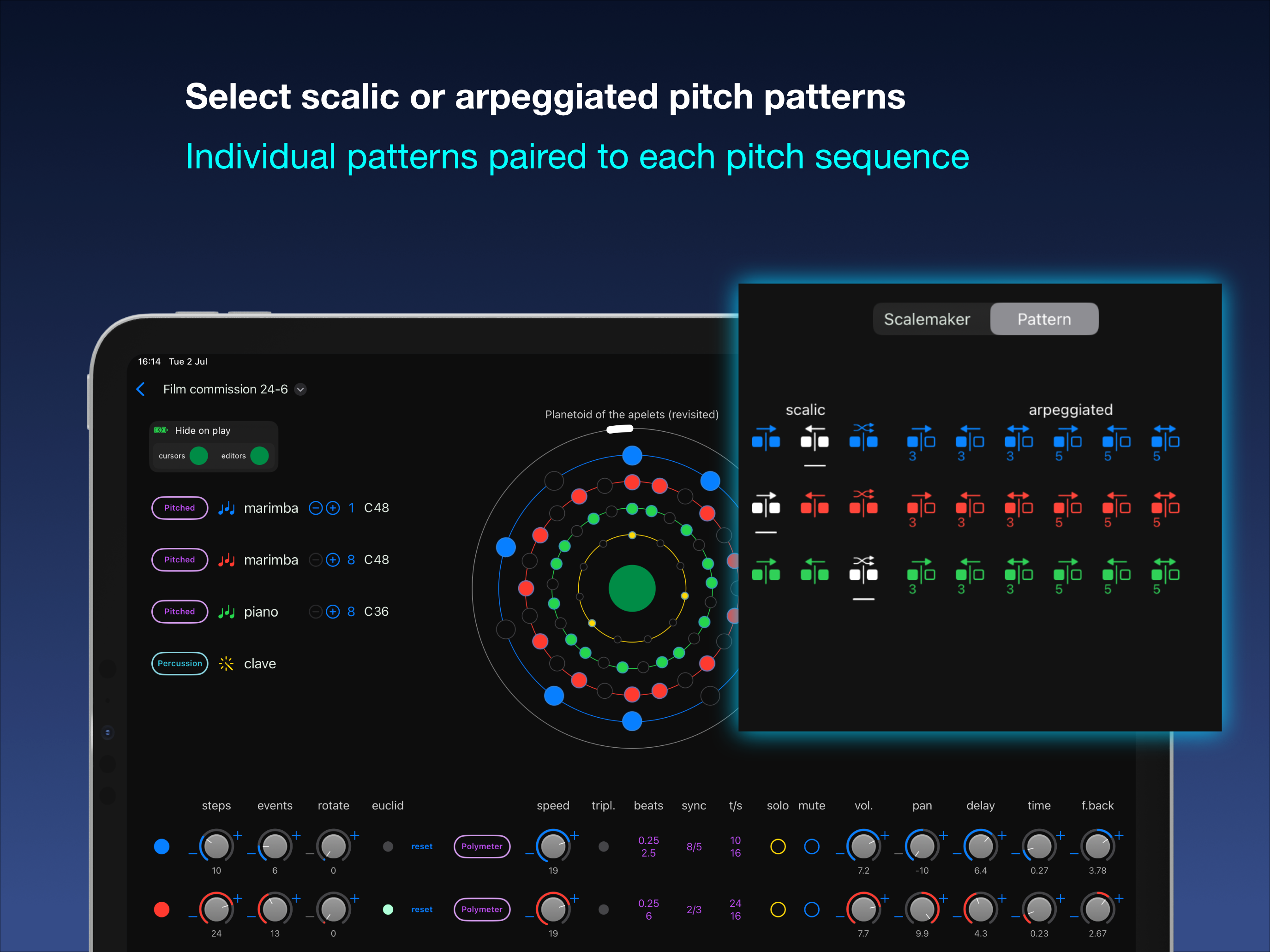
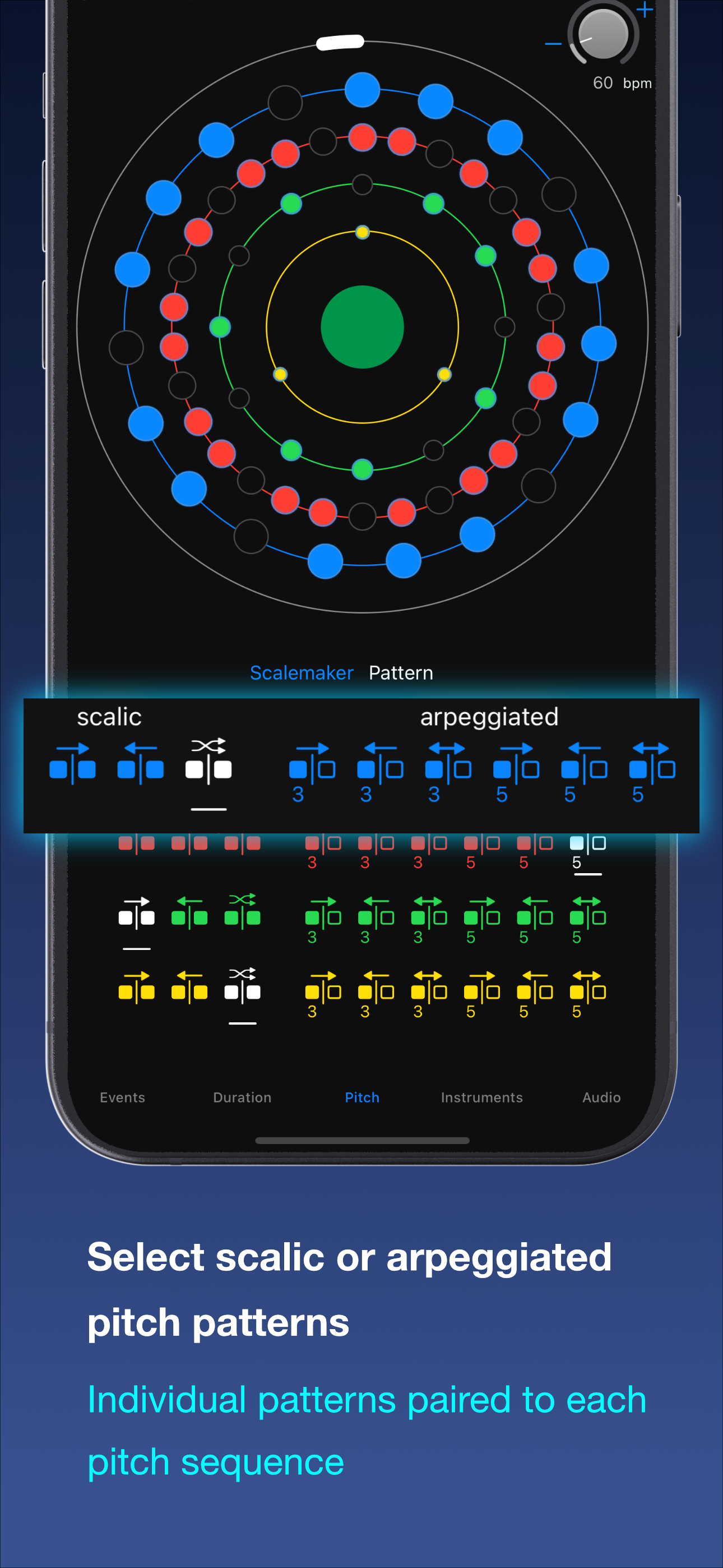
Pitch sequences can be set to scalic or arpeggiated pitch patterns
-
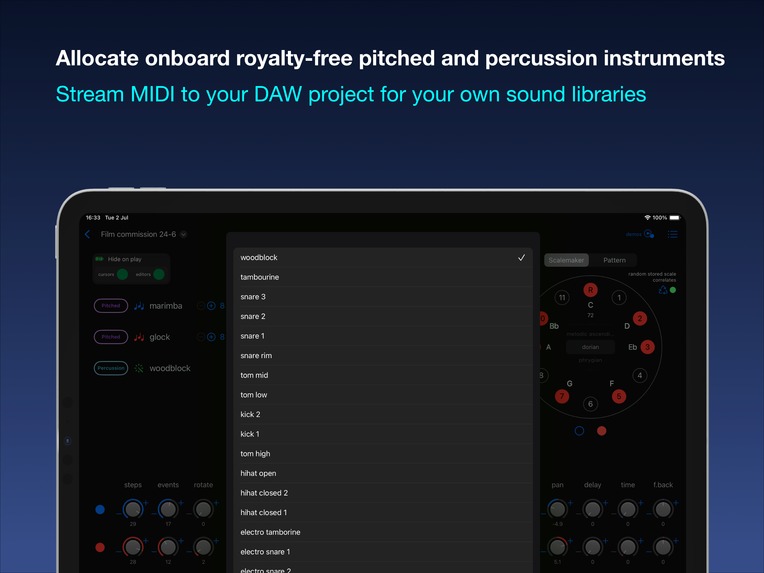
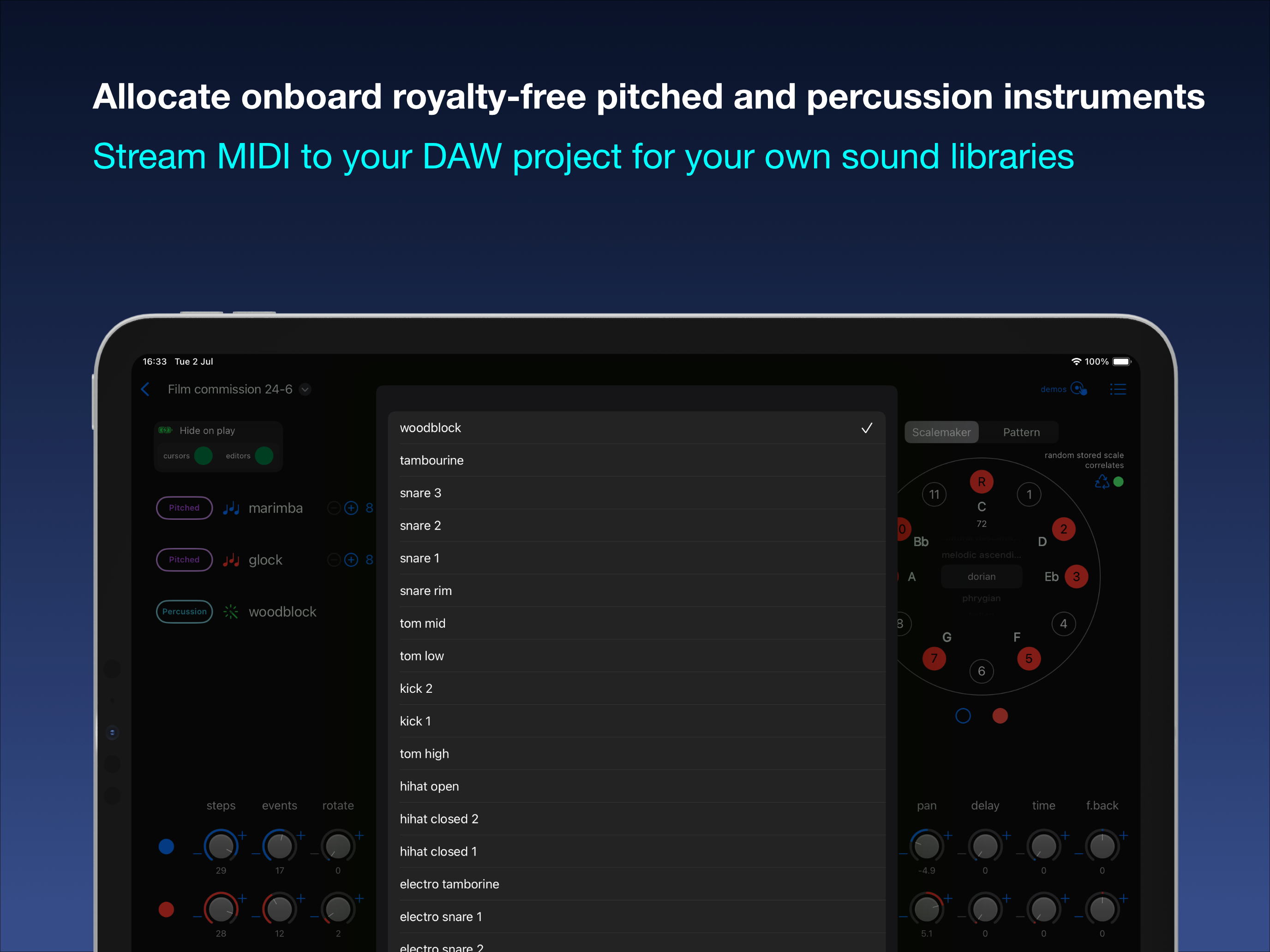
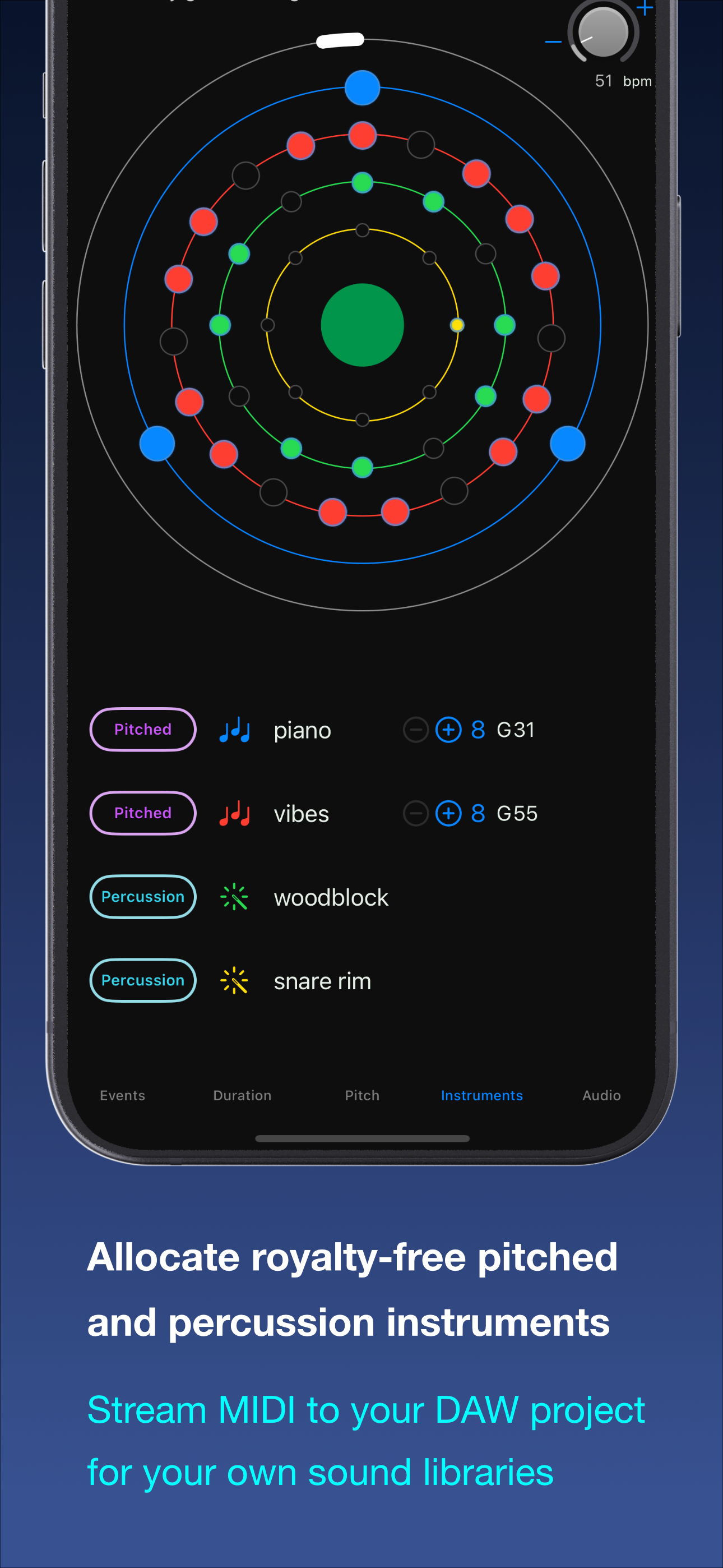
Allocate onboard royalty-free pitched and percussion instruments: then stream MIDI to a DAW to output to (users) custom sound libraries
-
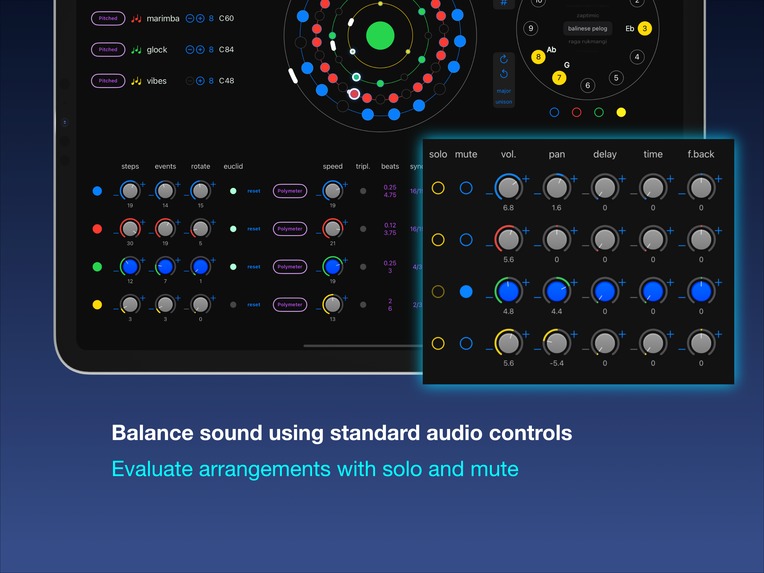
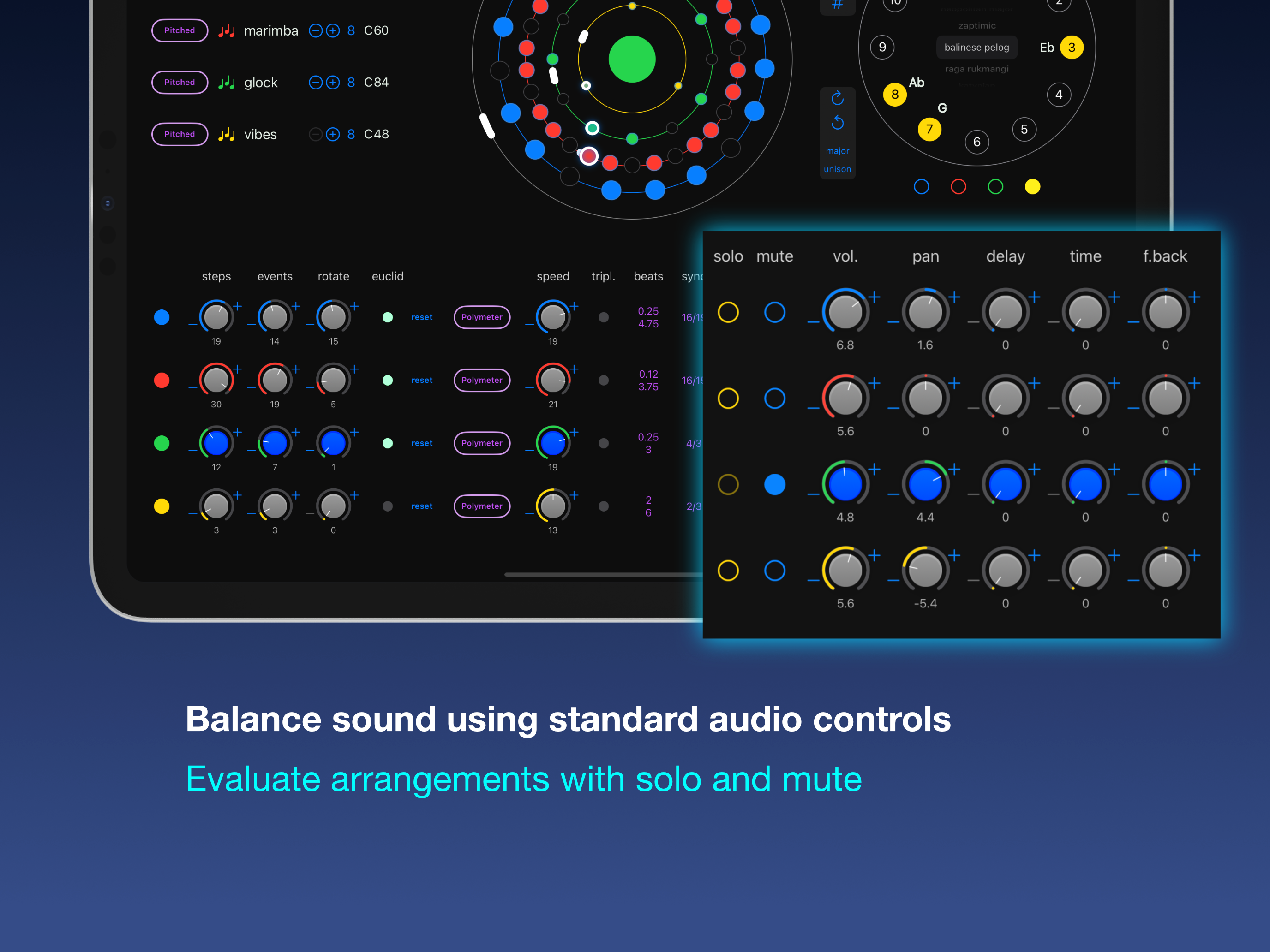
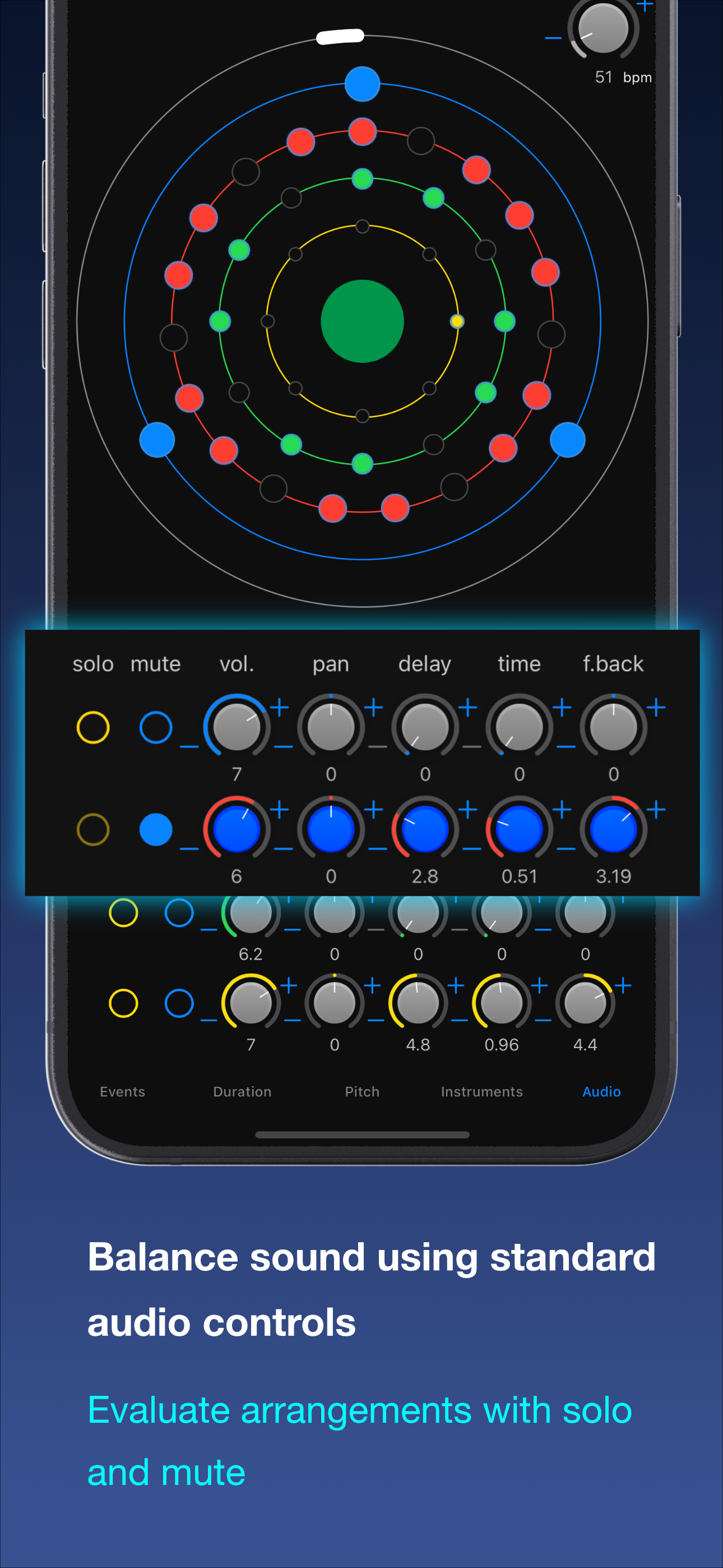
Balance sound using standard audio controls: evaluate arrangements with solo and mute: add delay effects
-
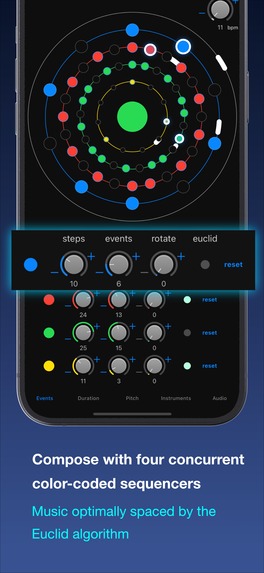
Four concurrent colour-coded sequencers: iPhone version – racks split across five tab views: music optimally spaced by the Euclid algorithm
-
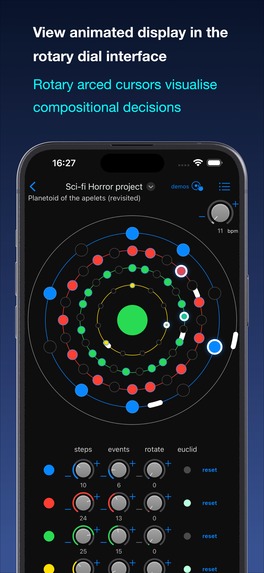
View animated display in the rotary dial interface: rotary arced cursors visualise compositional decisions better than radial cursors
-
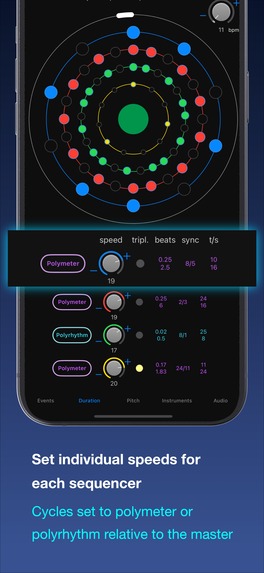
Set individual speeds (cycle/event duration) for each sequencer: cycles can be set to polymeter or polyrhythm relative to the master
-
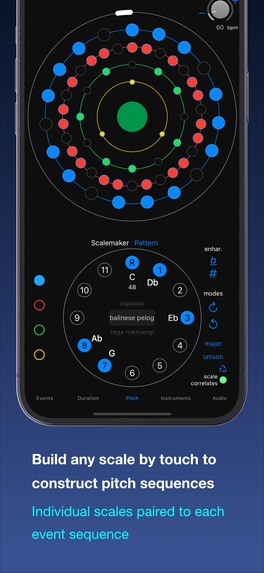
Build any scale by touch to construct pitch sequences: the individual scales are paired to their respective event sequence
-
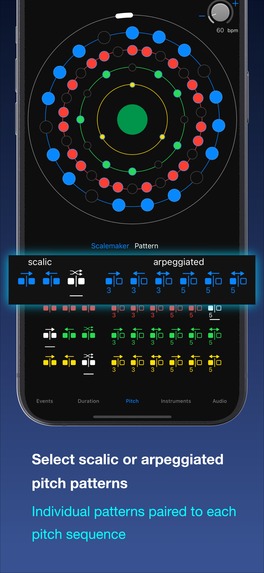
Pitch sequences can be set to scalic or arpeggiated pitch patterns
-
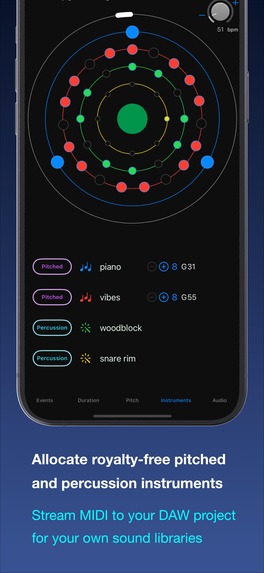
Allocate onboard royalty-free pitched and percussion instruments: then stream MIDI to a DAW to output to (users) custom sound libraries
-
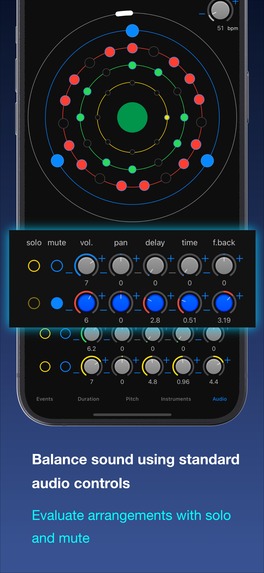
Balance sound using standard audio controls: evaluate arrangements with solo and mute: add delay effects
Inspiration
The motivation for this project was rooted in my aspiration to return to iOS development, inspired by the possibilities SwiftUI has to offer. What started as a desire to master SwiftUI and experience the full app development cycle by creating an app for the App Store soon became a journey filled with moments of inspiration. Each step — from embracing modern frameworks to solving technical challenges — ignited creativity and uncovered new ways to innovate, bringing the project to life in unexpected ways.
In parallel, I aimed to implement professional project management standards using SCRUM methodology in an Agile-like setting with a focus on enhancing my employability. The previous 18 months had been dedicated to learning Swift and TDD in another learning project: Clarity, a Swift package logging framework (publicly available on GitHub) – and the Wurlygig project completes a conversion to current technologies from my former working practices using objective c and UIKit.
I also wanted to improve my decision making in terms of what would be the best strategy for success as an indie developer. As such, I made the decision to make a fully featured niche application in the subject area I know the best – music.
It was a critical milestone for me to build an application from user stories (requirements) alone and avoid the temptation to follow a "cookie cutter" approach — simply building to the technologies commonly used in available tutorials. My goal was to create something with unique value, not currently found in other apps on the App Store.
The initial proposal was to make a training app for drummers after reading articles on the principles of representing beats in divisions of a circle. But during further research I discovered the concept of Euclidean rhythms and that they could be mapped to pitch sequences to create melody. So I decided to create a Euclidean music generator application for composers.
What it does
Wurlygig is a music generator designed for professional composers. It features a four-band, 32-step Euclidean rotary sequencer combined with a unique rotary scale generator that provides access to all 1,500 possible scales made from the 12 chromatic tones.
The rotary scale generator is what makes Wurlygig unique, empowering composers to produce nearly limitless usable musical sequences. Unlike other music generators that often create random and unusable results, Wurlygig is designed to ensure most output has musical value.
There are four simultaneous sequencers that can be combined to create complex polymeter and/or polyrhythms relative to the master cycle.
Wurlygig contains a selection of onboard royalty-free sample instruments — both pitched and percussion — to allow composers to quickly draft ideas. The intention is that the results are streamed as MIDI output into a DAW so that sequences can be modified and played using professional sound libraries.
It is aimed primarily at composers working in the film, television and media industry but could also be used by musicians and beat makers such as DJs, rap and hip hop artists looking for innovative new rhythms.
Wurlygig helps composers save time by quickly generating complex rhythm and scale patterns in response to their creative decision making: the resulting musical output being advanced memorable thematic material that can be easily varied and built into larger scale works as required. Although AI music generation is currently fashionable, this application generates music based entirely on the composer’s input, using a musical algorithm. It empowers users to create new, original music that reflects their vision, making them the true authors of the content produced.
The app is priced as a premium tool, reflecting the productivity gains it offers and its positioning as a professional product. This is not a toy or novelty for mass-market use but rather a tool for composers seeking to set themselves apart from the competition by using advanced, professional-grade technology.
How I built it
1. Product Owner Phase
In the first instance I learned basic use of Jira and SCRUM methodology and began a ‘Product Owner Phase’.
During this phase I decided what to build, researched competitors, designed UI prototypes and compiled a project route map with requirements as user stories organised into epics. I then subdivided the user stories vertically into potential versions and version 1 issues into sprints.
The next step involved working on the mathematics as it pertains to note duration values in polyrhythm, polymeter and hertz divisions (though I eventually decided to bump the hertz implementation to a later version).
2. Early Project Prototype Phase
The next phase involved building in Xcode according to the UI prototype and the Jira sprint plan.
I wrote up daily progress in an ongoing Confluence blog – which I used to review each morning in a form of SCRUM meeting with myself to plot the tasks for the day in hand in conjunction with the Jira board.
I made rapid progress and within four months had a working prototype very similar to the finished project released to the App Store.
Challenges I ran into
3. Final Project Product Phase
Architecture issue
However, a serious issue presented itself during the attempt to finish the project by implementing persistence. I had built each feature as its own encapsulated entity with a separate View Model according to SOLID principles.
This did not correlate with the ability to save model data as a whole for distinct presets or the project as a document.
The architectural issue was caused by a mismatch between trying to adhere to the principle of encapsulation to the detriment of considering the requirement for an overarching model that can be easily persisted.
I had assumed that View Models could communicate directly, but in SwiftUI’s declarative system sharing state between them is non-trivial. The solution appeared to be to choose between implementing the coordinator pattern or to amalgamate the different feature View Models into a single entity. I opted against the coordinator pattern to maintain simplicity and reduce architectural overhead, choosing instead to consolidate the View Models into a unified entity – albeit split into extensions (which seems to be the recommended pattern).
The architectural change involved was so fundamental my system could not cope with the number of error messages – as a result errors were not listed in the source code and source completion was lost. This forced the decision to build a fresh Xcode project and sequentially import and amend existing code into new entities in a manageable way.
However, while the rethink of my architectural design was a setback, the experience improved my problem-solving skills and deepened my understanding of SwiftUI's declarative model.
Once this task was complete it became necessary to make various optimisation improvements because the UI became noticeably sluggish referencing the integrated model in comparison to the distributed version.
I made the project a ReferenceFileDocument based application – this came with many benefits but also presented challenges: for instance the NavigationStack handed on by the system from the Files app meant having to fallback on UIKit in order to modify some of its appearance.
Equipment issues
I developed Wurlygig with a 2014 Mac Mini and this presented workflow challenges especially when dealing with major issues such as the architecture change. This was compounded by usage restrictions on the development device that I needed to borrow because mine were incompatible with iOS 16. Similar technical limitations with my audio equipment meant having to devise various other workarounds.
Animated cursor issue
The other major challenge presented by the project was animating the rotary cursors. Most other rotary sequencers employ radial cursors but radial relationships have limited musical value in a multi sequencer context and can complicate the UI. (Similarly, including an option for reverse direction isn’t necessary, as certain Euclidean rotate values achieve the same effect). Instead I devised the idea of using individual arced cursors for each sequencer display that would make the visual cues clear for the composer.
In keeping with best practice I decided to build for the current and previous iOS (16 and 17) – this meant I was limited to using animation API from iOS 16. Backwards incompatibility issues also meant that the project could not be migrated to use the Observation framework: its implementation would have made dealing with the performance implications of both the architectural change mentioned above and animation easier.
There are several different ways of implementing rotary animations (including TimeLineView) but they all cause a significant decrease in CPU performance compared to using the simple SwiftUI animations (especially when they are set to rotate for ever).
The issue with SwiftUI animations (especially iOS 16) is that they have a limited API with regard to controllability – this was complicated by the fact that the set duration of each 'for ever' rotation is not stable – the inconsistent rotation durations impacted cursor-event timing. SwiftUI’s animation API, while effective, lacked fine-grained control over perpetual animations. It was imperative that the sequencer cursors-event collisions coincided with the midi triggered event animation (with concurrent sound). It was also important from a UX perspective that the cursors were arced (rather than be a single point) and that they rotated smoothly in perpetuity until stopped.
This was difficult to achieve while maintaining performance – but I achieved it.
Accomplishments that I'm proud of
Solving the cursor animation issue to allow individual arced sequencer cursors resulted in a precise user experience where every musical event aligns perfectly with other visual cues in the sequencer.
Although it was satisfying to solve the cursor issue the feature I am most pleased to have accomplished is the rotary scale maker.
The original plan had been to pair the event sequences with a linear piano roll style UI for setting the pitch. I have also built demo projects in the past for constructing a limited range of scales but neither seemed to be the right choice for Wurlygig.
The idea for a rotary scale maker to compliment the event dial suddenly came to me as I sat down to begin work on the original design. Enthused by this inspiration I built a fully working prototype in under an hour – this is by far the fastest I have ever successfully coded anything – so it made me very happy!
Ironically, the scale maker was the only component to cause major problems during the architecture change. The two way setting of the scale via the dial and the picker caused issues when referencing the integrated model. It needed significant code alteration and the final version took a lot longer to implement for it to work as well as the prototype.
I am also pleased with my work devising mathematical models to handle polymeter and polyrhythm values with a special focus on how Euclidean distributions can be applied to these concepts.
I also achieved my UX philosophy to deliver complex utility within the simplest possible UI: avoiding any requirement for a deep navigation structure. Achieving this goal involves good decision making on the way data is structured including the selection of default values.
The app icon took a lot of work before the design was finalised. I prefer app icons to be instantly recognisable at a distance, to clearly encapsulate the meaning and purpose of an application and to avoid overly detailed or text-heavy designs. In this case the intention was to instil a sense of rotary movement so the serendipitous optical illusion that makes the icon appear to rotate when the app is opened or closed was the cherry on the cake!
4. Post completion Phase
Sean Allen mentioned the concept of two 90% completion phases in one of his YouTube videos and this chimes with my experience with the early prototype and the second architecture version mentioned above – however, in my case I would add two more 90% completion phases!
The first is the addition of a paywall with an onboarding flow. This concept was not well founded at the time of my initial experience of the early years of the App Store and I have not implemented one before.
I do have memories of navigating In-App purchases using the original StoreKit so it was an immense relief to discover RevenueCat and to be able to use their SDK to lighten the burden of ensuring this difficult task was implemented correctly.
The second related phase is building out a marketing identity and ensuring a successful submission to App Store Connect.
What I learned
One of the most valuable lessons from developing Wurlygig was transitioning from an imperative to a declarative mindset as demanded by SwiftUI. This shift not only broadened my technical skills but also allowed me to appreciate the elegant simplicity of declarative coding.
It has been difficult at times but from the moment SwiftUI was announced at WWDC 2019 I knew that it was a game changer and a reason to return to iOS development. SwiftUI has proven itself to be an efficient framework, greatly simplifying the complexities of UI development compared to its predecessors.
The decision to professionalise my planning and project management paid dividends. Obviously a single person agile team is not going to be super fast but using Jira and Confluence meant I was able to methodically work through the tasks in hand and complete the project successfully.
In the late phases I also learned and utilised Gitflow procedures and the importance they have in helping the regularity of future releases.
What's next for Wurlygig Euclidean sequencer
Immediately:
Marketing – make Wurlygig known to the musical community.
Technical:
Convert to use the Observation macro – to make it possible to implement additional features without compromising performance.
It could be argued that I took a maximal approach to the idea of a MVP for Wurlygig but there are many additional and enhancing features that were put into the backlog.
Those at the top of the list include:
Sequence: a third item in the scale maker section – a rotary interface presenting the notes of the scale in the order they are sounded that can be modified using a drag gesture.
Event dial: the ability to break out of the Euclidean distribution by adding the ability to select / deselect events within the steps available (via tap gesture).
These two improvements would make it possible to create virtually any musical combination for each sequence.
Event dial: (user convenience improvement) make it possible to set the step total using pinch gestures.
For later versions: The ability to sequence presets to allow the ‘whirls’ to modify over time during play.
Convert to AUv3 to enable a plugin version.

Log in or sign up for Devpost to join the conversation.