Inspiration
3D modeling is still mostly done with a mouse, keyboard, and flat screen, even though the objects themselves exist in three dimensions. We wanted to make the process feel more natural by letting people interact with 3D models directly using their hands. Inspired by futuristic interfaces like JARVIS, we built Narvis to combine hand tracking, AI-assisted modeling, and a holographic-style display into one more intuitive way to create in 3D.
What it does
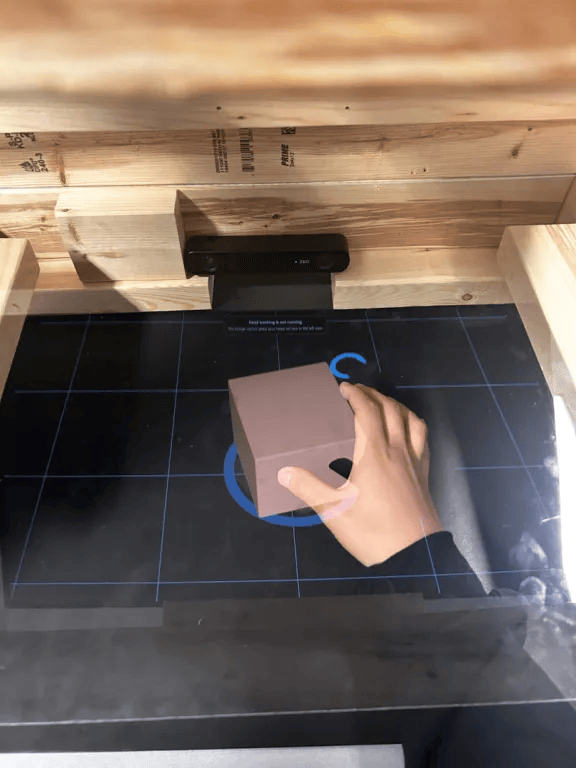
Narvis lets users create and manipulate 3D objects naturally using their hands and voice, while seeing those objects appear in a holographic-style display in front of them. Users can move, rotate, scale, zoom, extrude, and smooth models in a more spatial and intuitive way, with AI assistance helping with more complex modeling tasks. Beyond 3D creation, Narvis can also act as a holographic visualization tool for complex systems, such as exploring a software project’s file structure, seeing how different components connect, and understanding how an entire codebase works together in three-dimensional space.
How we built it
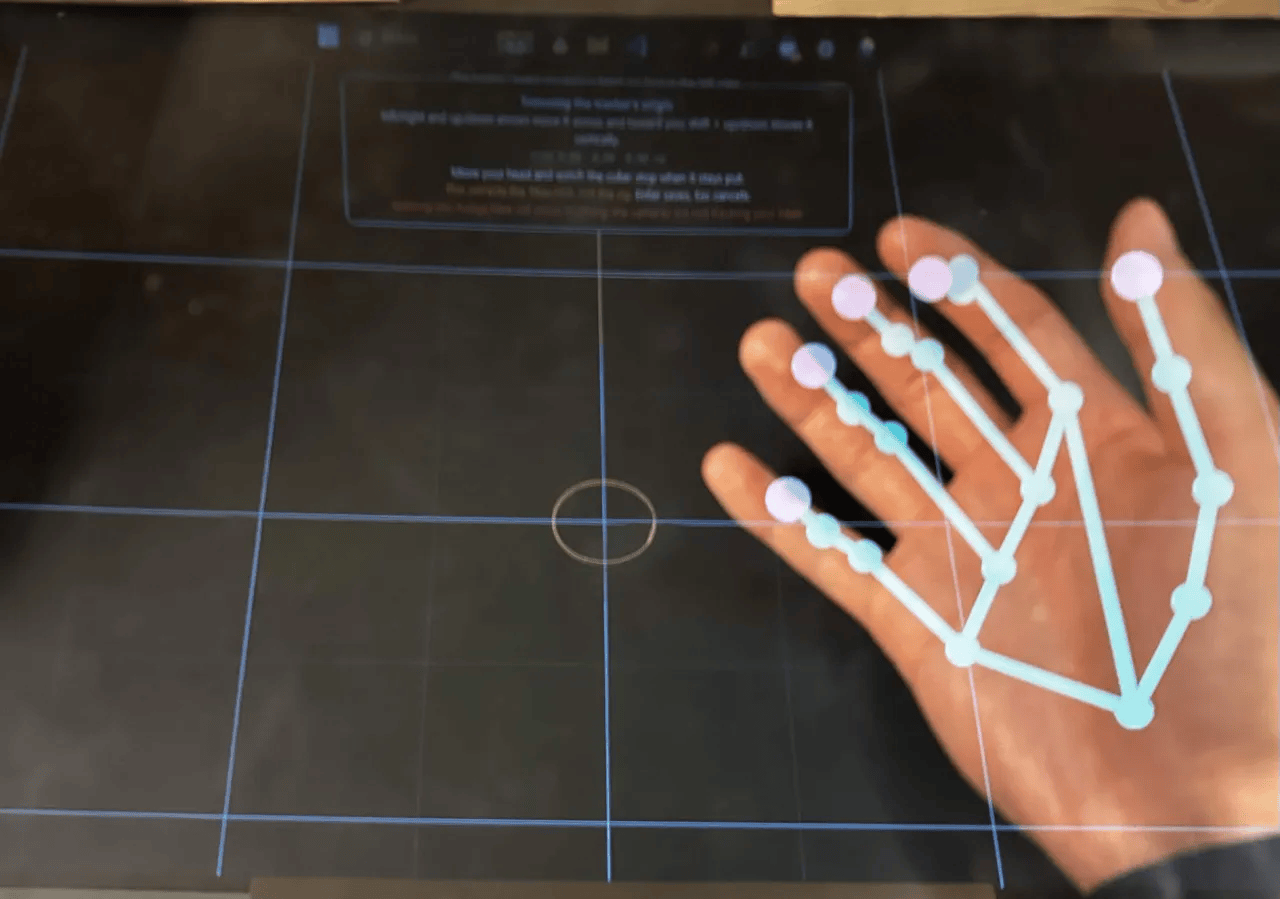
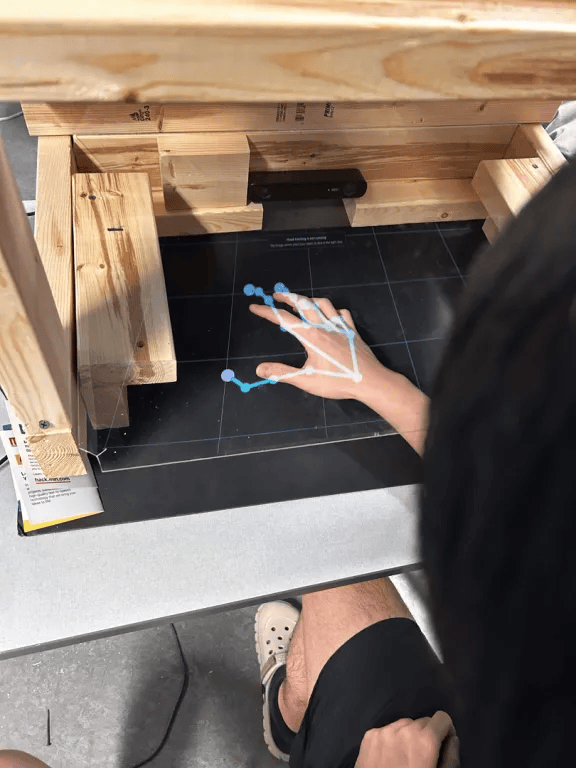
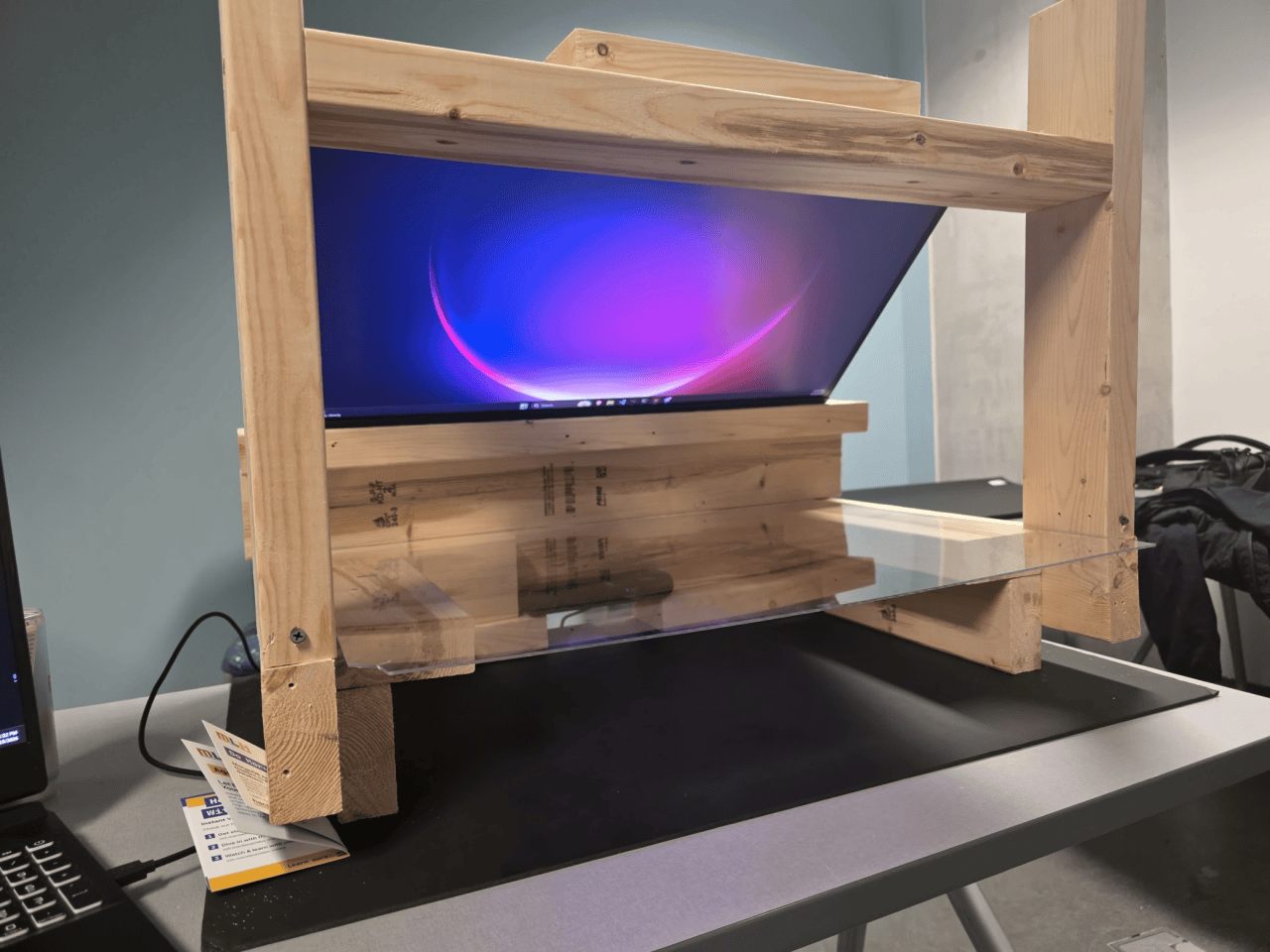
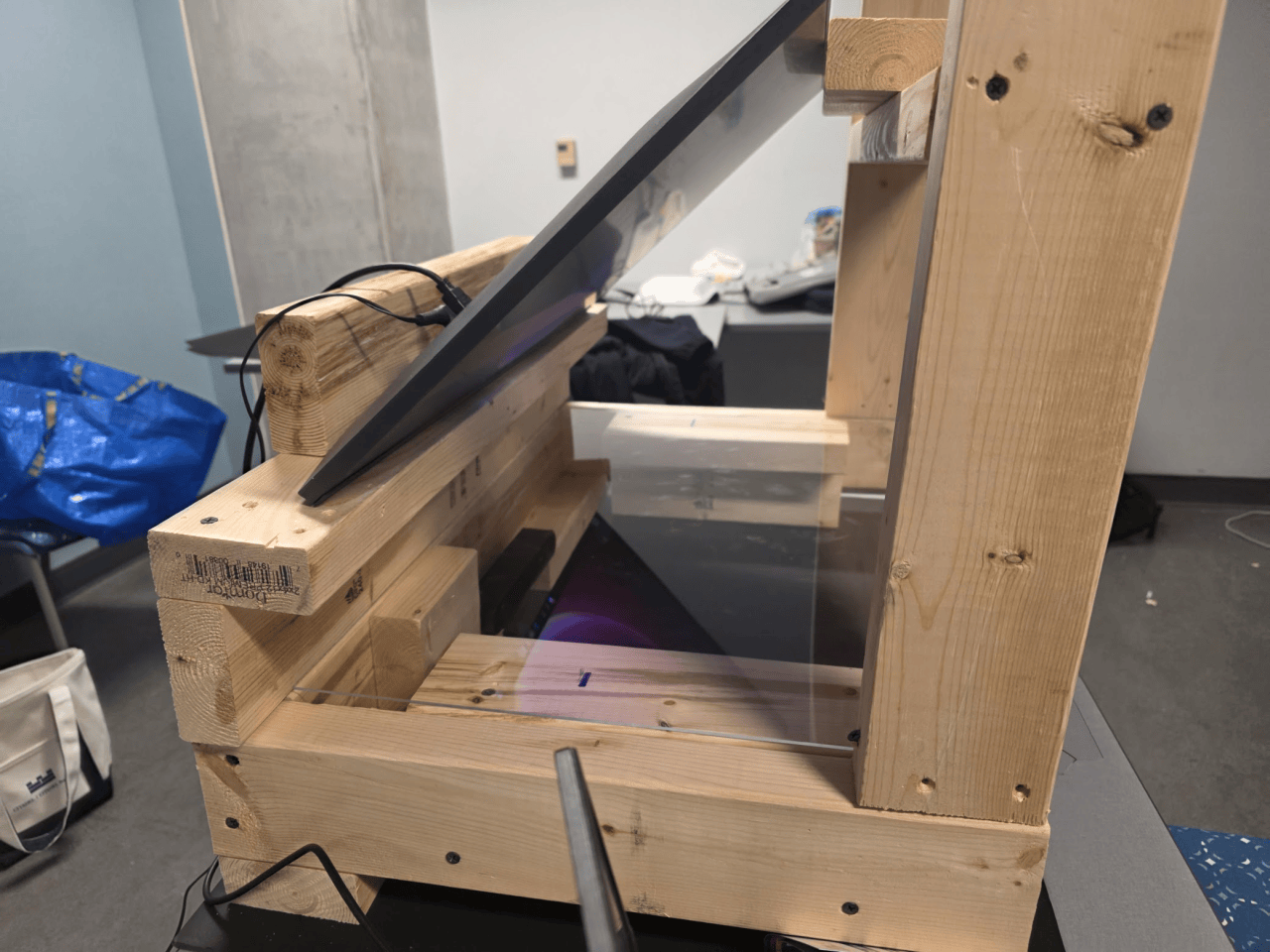
Narvis combines computer vision, AI, voice interaction, 3D modeling, and a custom physical display. We use a Stereolabs ZED stereo camera for depth perception, while OpenCV and MediaPipe handle hand tracking, gesture recognition, and 6DoF head tracking through a single camera. These inputs are translated into spatial modeling interactions, allowing the system to respond to both the user's hands and viewing position. OpenAI GPT-6 Astra powers the AI assistance through an indirect Blender integration, allowing it to create and edit Blender models while the results are displayed in real time through our Three.js frontend. ElevenLabs provides the voice layer for conversational control, while MongoDB stores model states and versions so users can undo changes and return to earlier iterations. The final visuals are displayed through an angled acrylic setup that creates the holographic-style effect.
Challenges we ran into
A major challenge was having to pivot our hardware setup multiple times. We originally planned to use an Xbox Kinect for depth tracking, but our Kinect was faulty, forcing us to switch to a Stereolabs ZED camera and adapt our tracking system around it. Our original holographic display also used a projector, acrylic panel, and rear-projection screen, but we couldn't get the rear-projection material in time, so we redesigned the setup around a monitor instead. On top of that, we had to calibrate hand tracking and bring the AI, voice interaction, 3D modeling, and physical display together into one coherent system.
Accomplishments that we're proud of
We're especially proud that the holographic display worked as well as it did, even after we had to redesign the entire setup around a monitor at the last minute. We successfully combined hand tracking, voice control, AI assistance, real-time 3D manipulation, version history, and a physical holographic-style display into one working prototype. Users can do more than simply view a model, since they can actually manipulate geometry through gestures and commands while seeing the result spatially in front of them. We also built a versioning and undo system with MongoDB, making Narvis feel more like a usable creative tool instead of just a visual demo. Finally, we were excited to discover that the same interface could extend beyond 3D modeling into spatial visualization, including helping developers understand file structures, component relationships, and how complex codebases fit together.
What we learned
We learned how difficult it is to bridge software and physical hardware, especially when depth tracking, gesture recognition, rendering, AI, and display calibration all need to work together in real time. We also learned the importance of being able to pivot quickly, since two major parts of our original hardware plan had to change during the hackathon. Most importantly, we learned that spatial interfaces can make digital information feel much more intuitive when users can interact with it using natural movements instead of only a mouse and keyboard.
What's next for Narvis
Next, we want to make the hand tracking more precise, expand the number of supported gestures and modeling operations, and improve the connection between Narvis and existing 3D modeling tools. We would also like to add more sensors, including an Xbox Kinect, and use a stronger hand-position detection model to improve accuracy and make interactions feel more natural. Another direction we want to explore is a haptic feedback glove that could let users physically feel responses when grabbing, moving, or shaping virtual objects. We also want to revisit our original projector and rear-projection display design to create a stronger holographic effect. Longer term, we see Narvis becoming a broader spatial computing interface for AI-assisted 3D creation, software visualization, engineering workflows, and other applications where interacting with complex information in three-dimensional space could be useful.


Log in or sign up for Devpost to join the conversation.