-
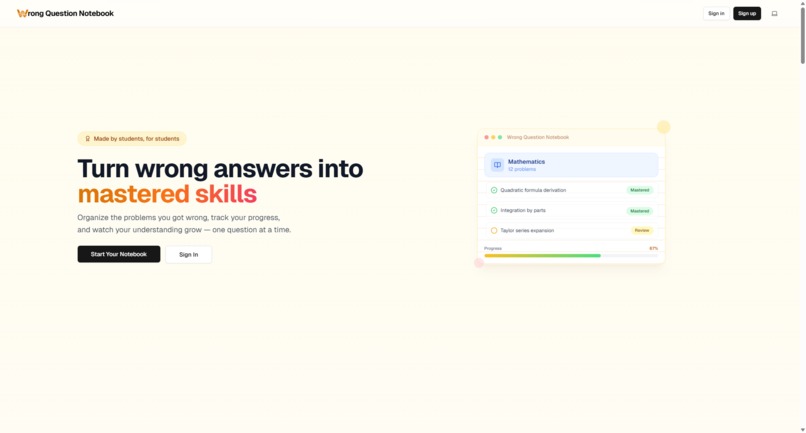
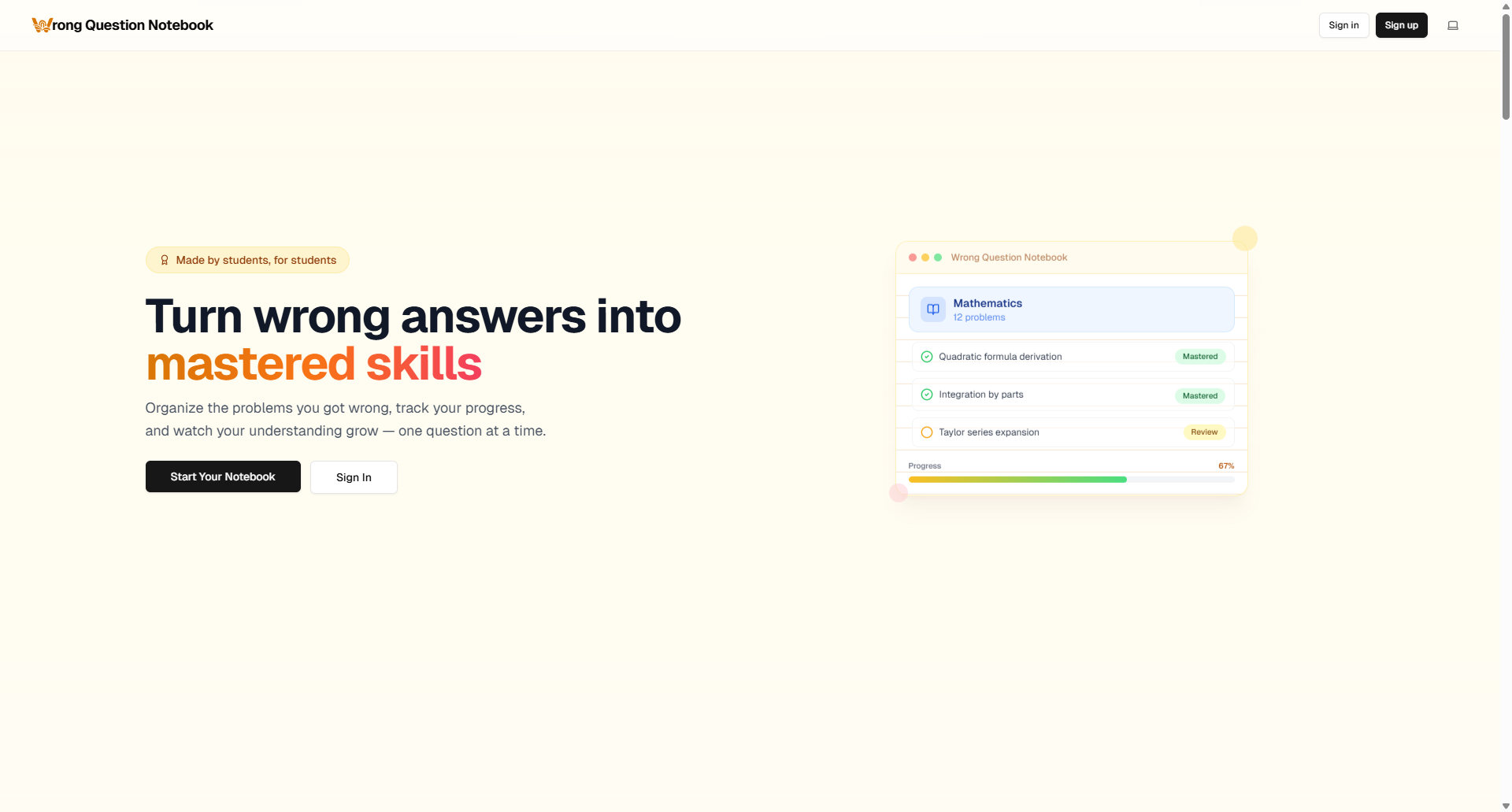
Landing Page
-
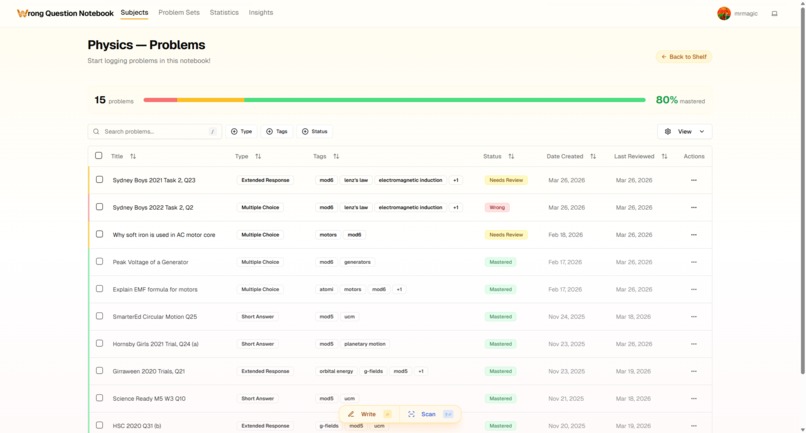
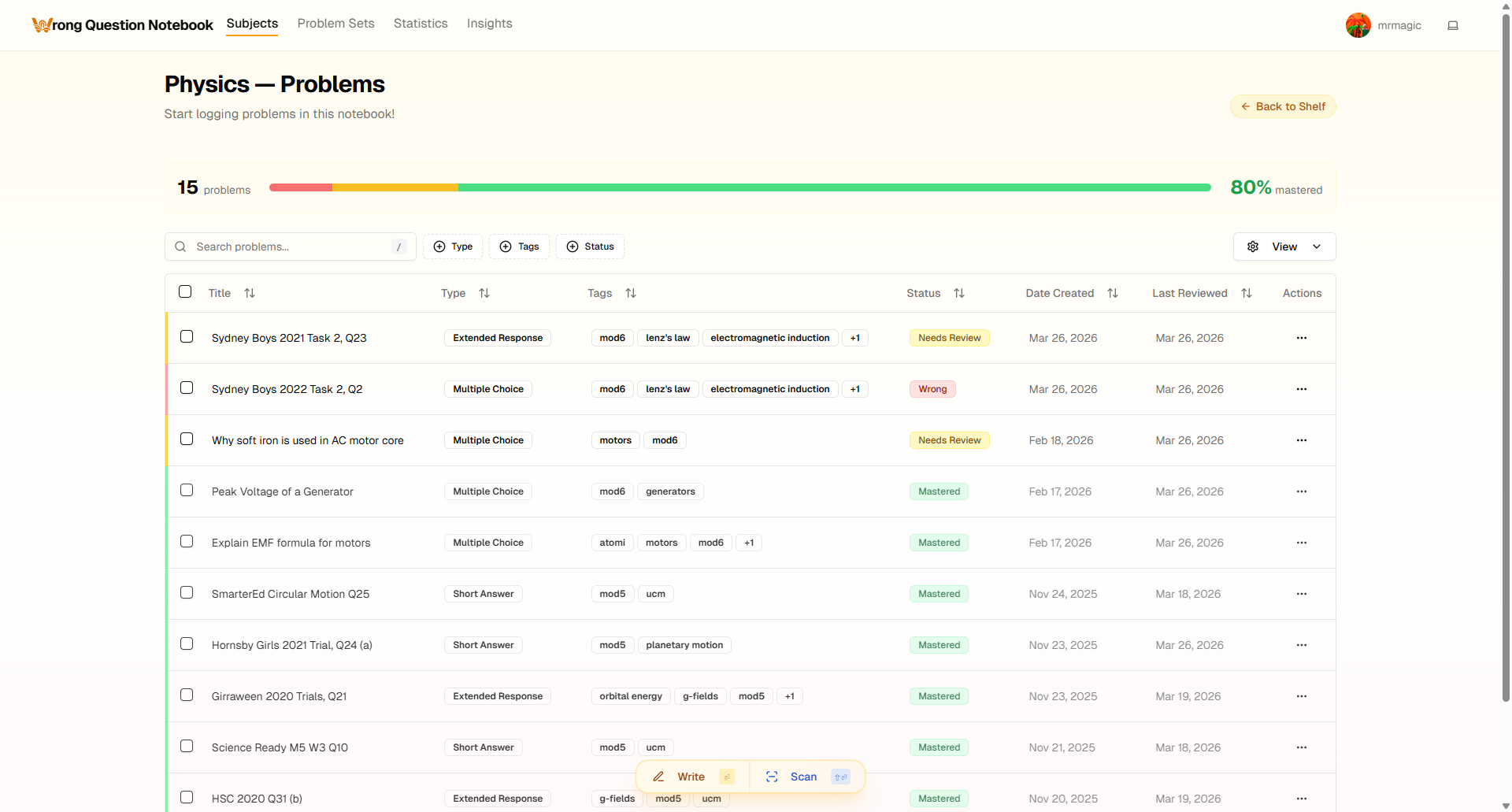
Notebook Page
-
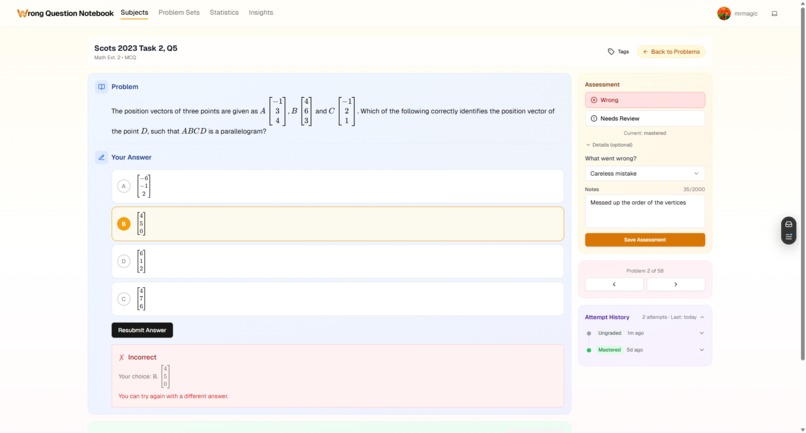
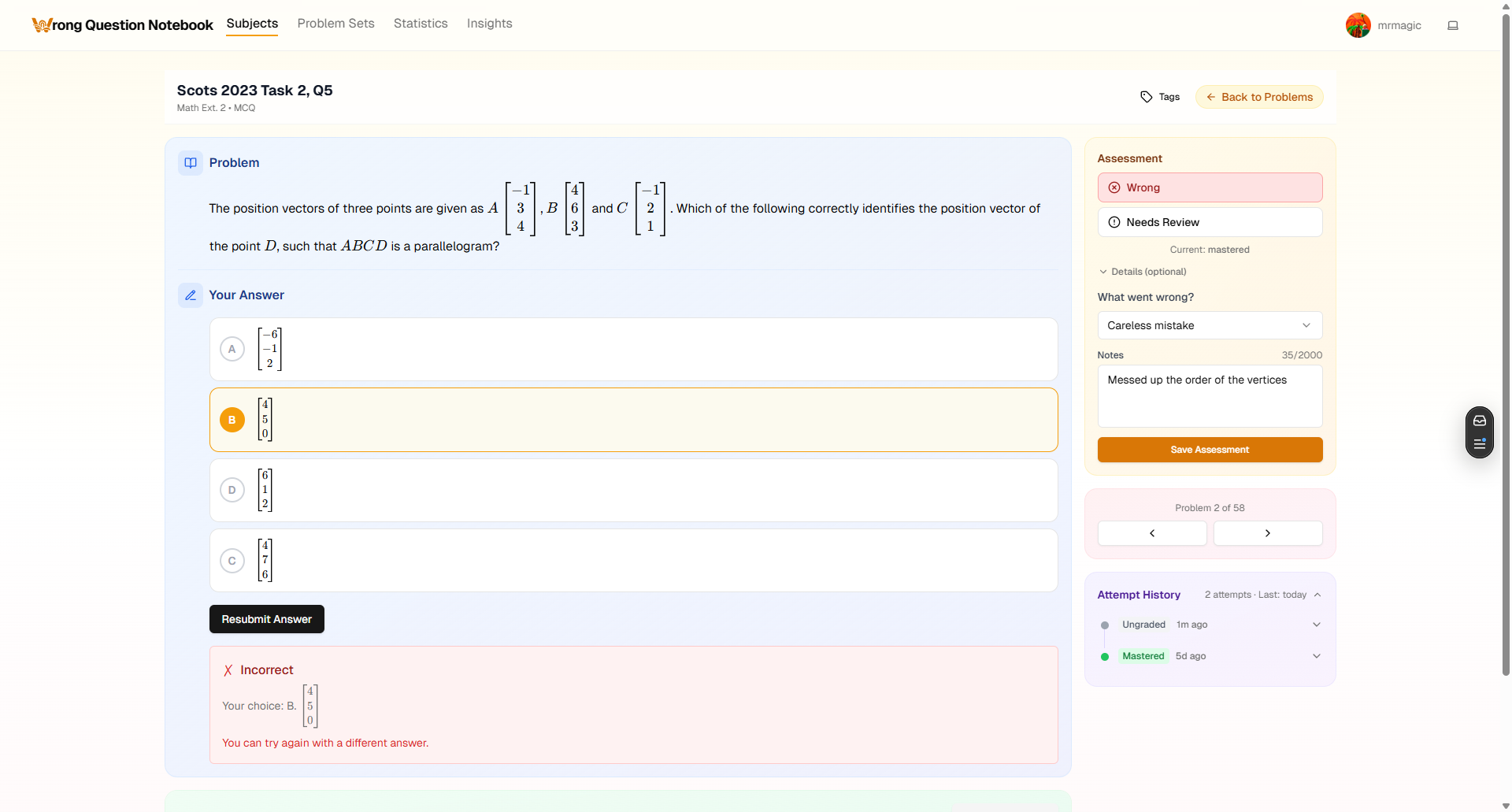
Problem Review
-
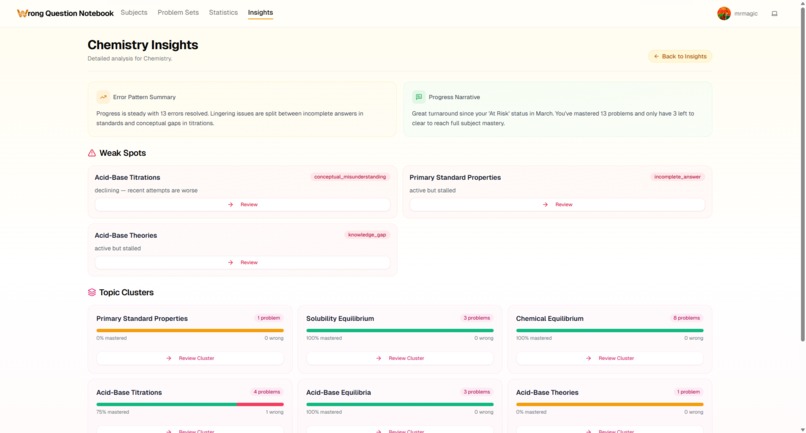
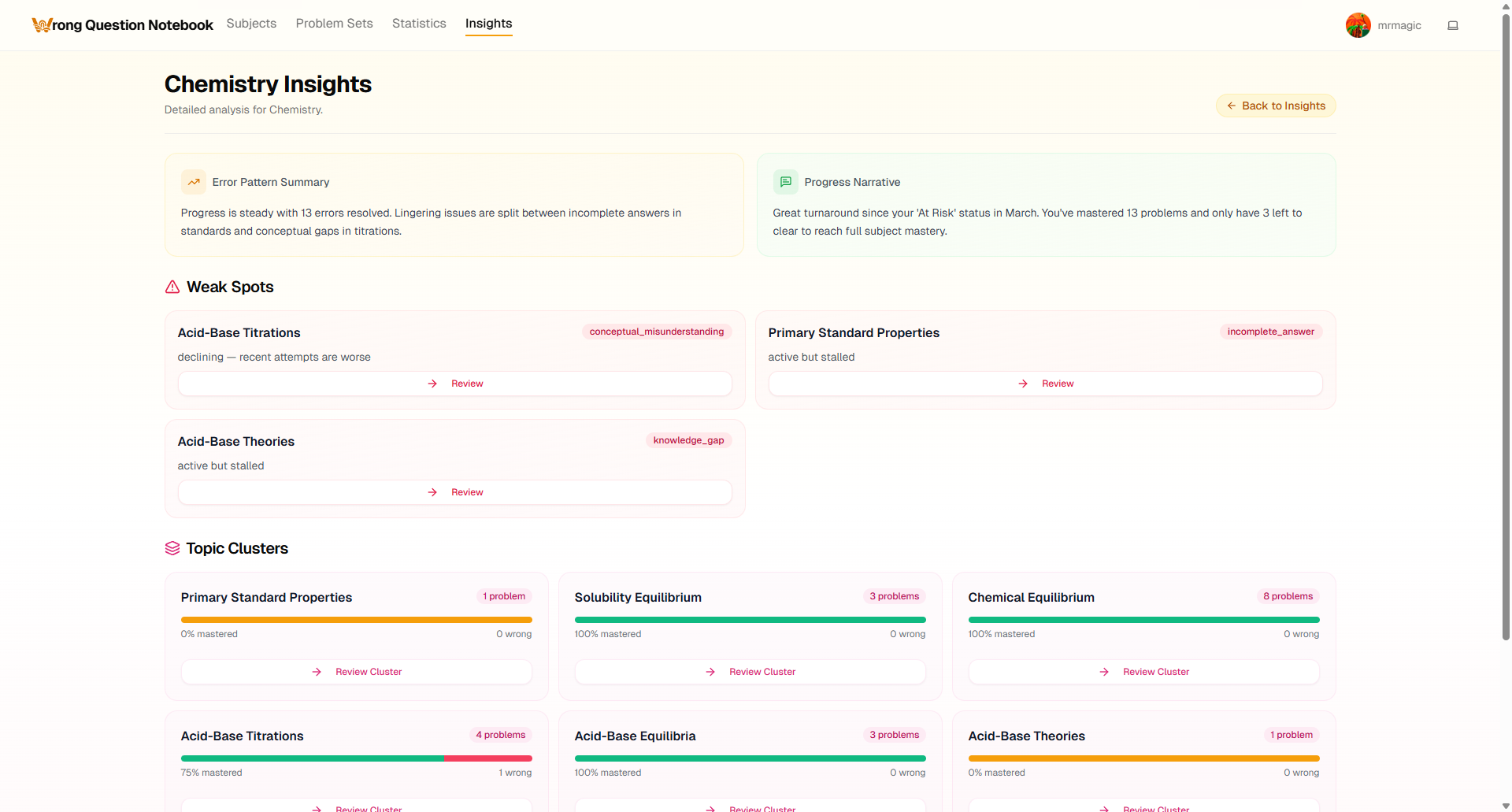
Per-subject Insights
-
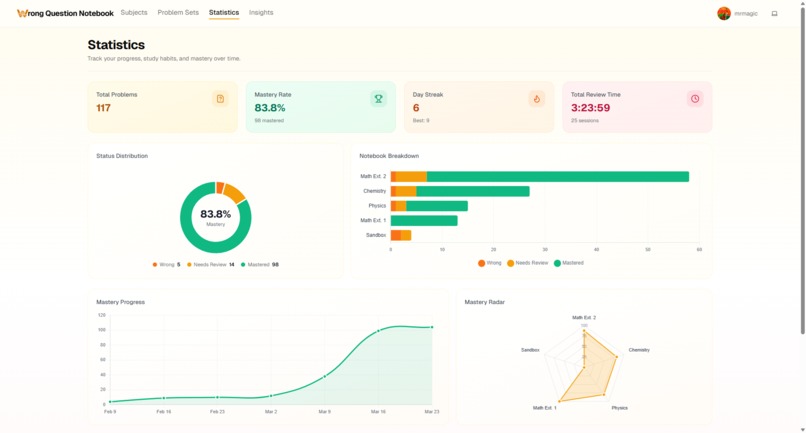
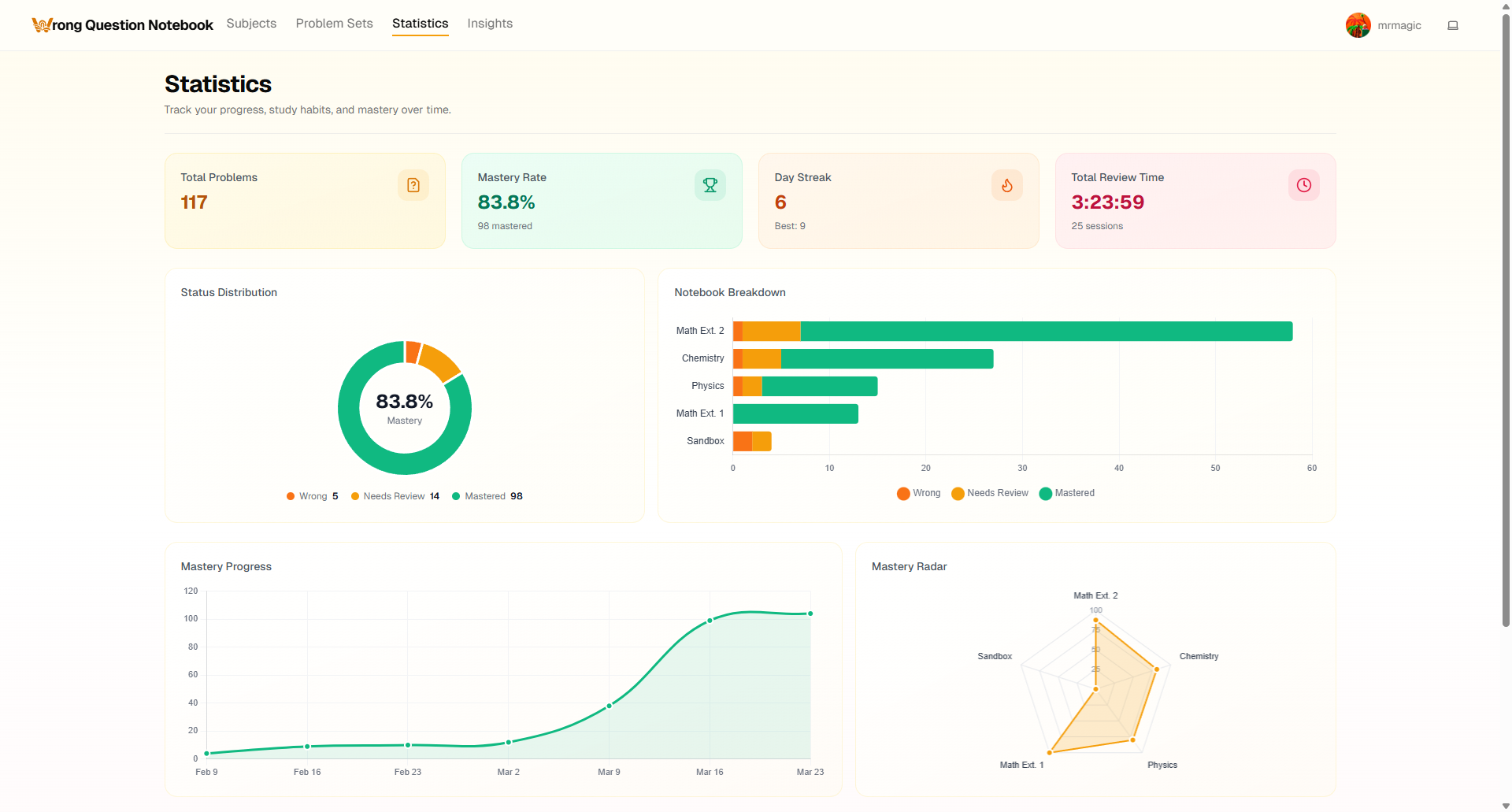
Statistics
-
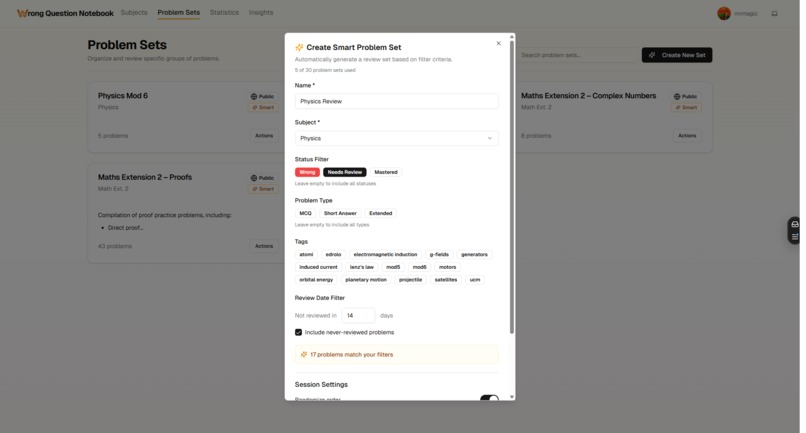
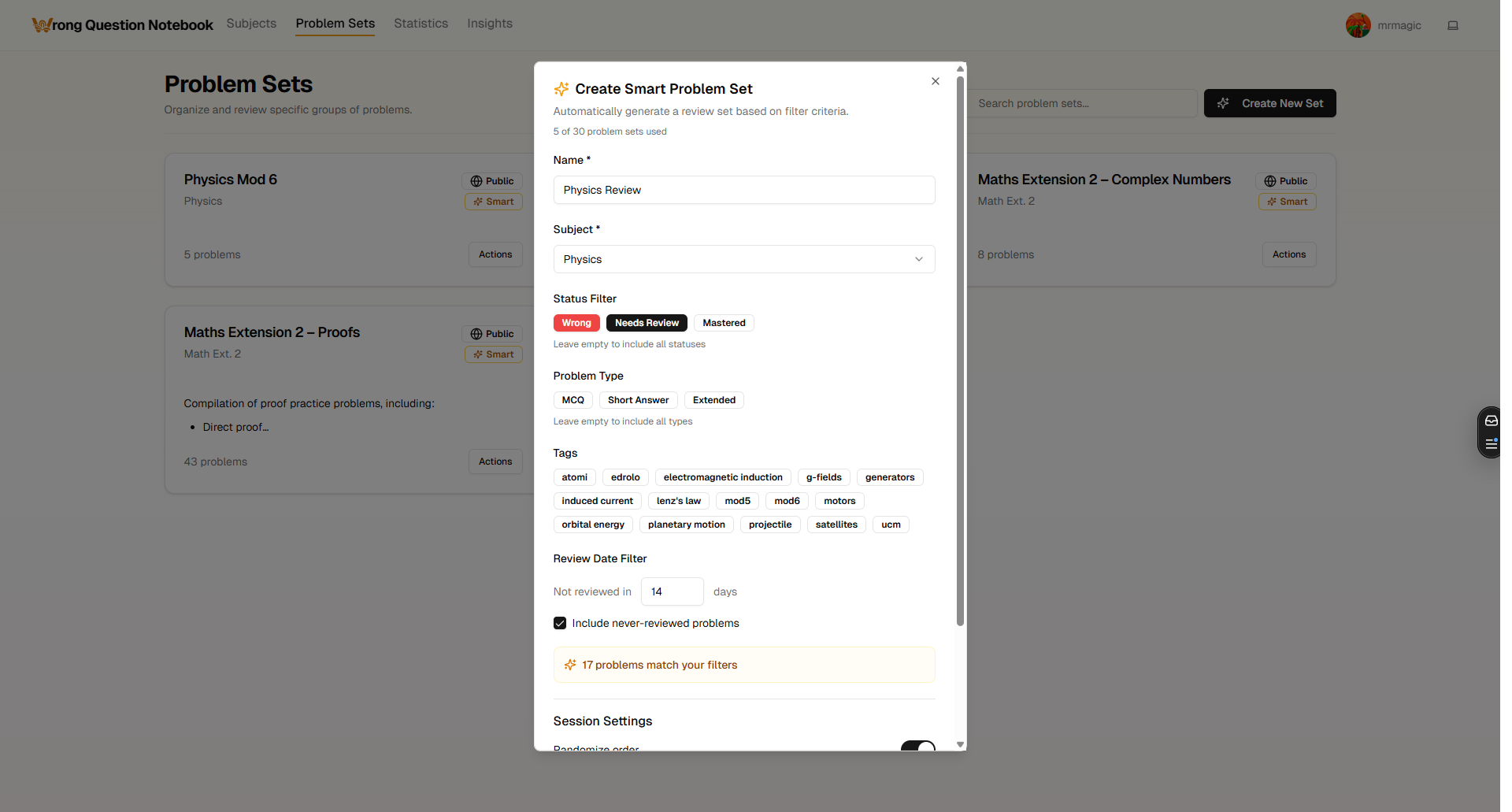
Create Smart Sets
-
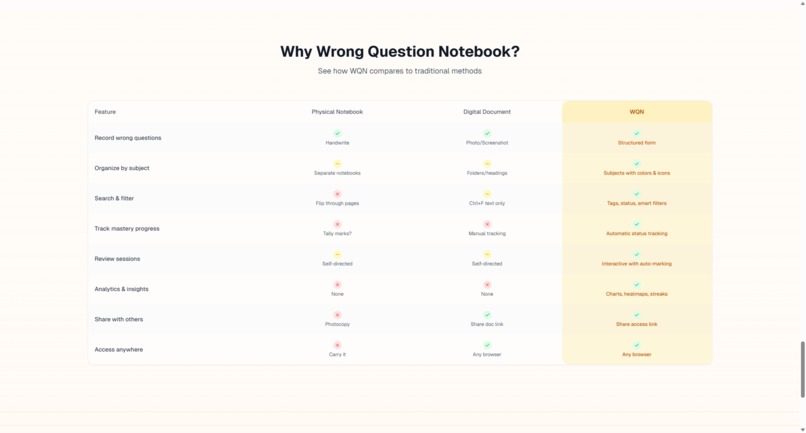
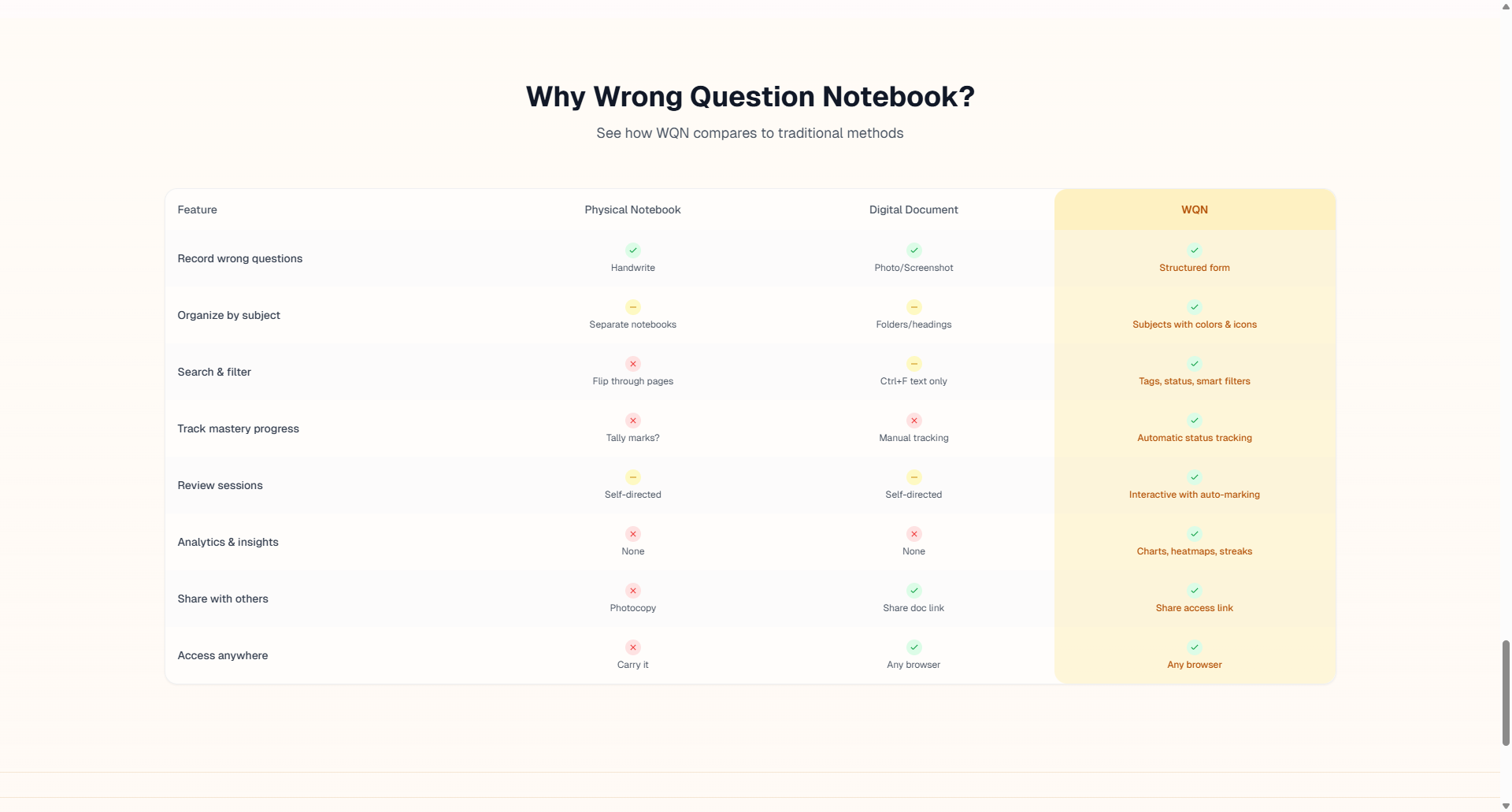
Feature Comparison
Inspiration
In Year 11, I sat down for a high-stakes physics exam and forgot to include Earth's radius when calculating the potential energy of a satellite. The moment I walked out and realised what I'd done, the frustration wasn't just about the lost marks. It was the fact that I'd made the exact same mistake months earlier in an internal assessment. I'd told myself I'd remember. I didn't.
That experience got me thinking about how I was handling the questions I got wrong. My system at the time was Google Docs: separate documents for each subject, separate tabs for questions and answers, and a text-based tagging system that relied entirely on Command-F. It worked -- barely. I could store problems, but I had no sense of which mistakes I was repeating, and no way to measure whether I was genuinely improving. Every revision session started with scrolling through walls of text, trying to remember where I'd left off.
I went looking for a better tool -- something purpose-built for tracking wrong questions -- and came up short. Flashcard apps like Anki were designed for memorisation, not for understanding why you got something wrong. Note-taking apps were too general. Nothing addressed the specific workflow I needed: capture a wrong question, record what went wrong and why, organise it, revisit it, and track my progress toward actually mastering it.
So I decided to build it myself. What started as a simple tool for storing, filtering, and tracking problems has since grown into Wrong Question Notebook. A full-stack web application with AI-powered features, \(\LaTeX\) support, and a vision to become an intelligent study companion for students everywhere.
What it does
Wrong Question Notebook (WQN) is a web-based study application that helps students systematically track, organise, and revise the problems they answered incorrectly.
The core workflow is simple: when you get a question wrong, you log it into WQN. You record the problem, your incorrect answer, the correct answer, and -- crucially -- why you got it wrong. WQN then helps you organise these problems by subject, track your revision progress, and work toward mastery of each one.
Key features include:
- Subject and problem set management -- organise wrong questions by subject and group them into problem sets for targeted revision
- Multiple problem types -- support for multiple choice, short answer, and extended response questions
- Rich text editor with \(\LaTeX\) support -- write mathematical expressions, chemical equations, and formatted explanations directly within the app
- AI-powered problem extraction -- snap a photo of a problem and let Gemini 2.5 Flash extract the content automatically, reducing the friction of manual entry
- Progress tracking -- mark problems as "Wrong", "Needs Review", or "Mastered" and watch your overall mastery percentage grow over time
- Image support -- attach images to problems for diagrams, graphs, or handwritten working notes
The app is live at wqn.magicworks.app and the source code is publicly available on GitHub.
How we built it
I built WQN as a solo developer using a modern full-stack web development approach:
- Frontend: Next.js with React and TypeScript, styled with Tailwind CSS and shadcn/ui components
- Backend & Database: Supabase for authentication, database (PostgreSQL), and file storage
- AI Integration: Google Gemini 2.5 Flash API for extracting problem content from uploaded images
- Deployment: Hosted on Vercel with continuous deployment from the GitHub repository
The development process was iterative. I started with the core data model -- subjects, problems, and tags -- and built outward from there. The rich text editor with \(\LaTeX\) support was one of the earlier priorities, since maths and science students (me) need to write equations naturally. The AI image extraction feature came later as a way to reduce the biggest friction point in the user experience: the effort required to actually log a wrong question.
Challenges we ran into
Reducing entry friction. The biggest challenge with any study tool is getting students to actually use it consistently. Logging a wrong question requires effort -- typing out the problem, the answer, the explanation -- and if that process feels like homework on top of homework, students won't stick with it. The AI-powered image extraction was my answer to this: snap a photo, let the AI handle the data entry. Getting this to work reliably (without emptying my wallet) across different question formats (handwritten, printed, multiple choice, free response) was a significant challenge.
Building a rich text editor that handles \(\LaTeX\). Students studying maths, physics, or chemistry need to write expressions like \(\int_0^1 x^2 \, dx\) or \(\text{Fe}_2\text{O}_3\) naturally. Integrating a rich text editor that supports both formatted text and inline \(\LaTeX\) took pains to set up.
Designing for real study workflows. It's easy to build a tool that stores information. It's much harder to build one that actually changes how students study. I spent a lot of time thinking about architecture and UX: too simple and WQN becomes just another notes app; too much and it becomes tedious.
Accomplishments that we're proud of
- It's real and it's live. WQN isn't a concept or a mockup -- it's a fully functional application that real students can use today at wqn.magicworks.app.
- Built entirely by one student. I designed, developed, and deployed the entire application as a solo high school developer -- from the database schema to the UI to the AI integration.
- AI that actually reduces friction. The Gemini-powered image extraction isn't a gimmick; it directly addresses the core usability problem of study tools by making it fast to log problems.
- A polished, modern user experience. WQN looks and feels like a professional product. The warm-themed interface, smooth interactions, and thoughtful UX were all intentional design choices.
What we learned
Building WQN has been a crash course in full-stack product development. On the technical side, I deepened my understanding of Next.js and React, learned how to architect a Supabase backend with row-level security and robust auth, and gained hands-on experience integrating AI APIs into a production application.
But the bigger lessons were about product thinking. I learned that the hardest part of building a tool isn't the code -- it's understanding your users well enough to build something they'll actually come back to. Every feature decision in WQN came back to one question: does this make a student more likely to log and review their wrong questions? If the answer was no, it didn't make the cut.
I also learned the value of shipping early and iterating. WQN isn't finished -- it's a living product that I'm still actively improving.
What's next for Wrong Question Notebook
WQN's long-term vision is to leverage AI and study pattern analysis to provide fully customised study experiences for individual users. The planned roadmap includes:
- Auto-generated explanations -- AI-powered step-by-step breakdowns of why an answer is correct, tailored to the student's level
- Smart spaced repetition -- intelligently scheduling problem reviews based on each student's forgetting curve and performance history
- Problem similarity and auto-categorisation -- clustering related problems together so students can identify patterns in what they're getting wrong
- Personalised weak-spot analysis -- using accumulated data across hundreds of logged problems to pinpoint exactly which concepts a student struggles with most
- Mobile optimisation -- ensuring the experience is seamless on phones and tablets, since students often study on the go
The goal is to evolve WQN from a tracking tool into an intelligent study companion that knows each student's weaknesses better than they know themselves -- and helps them systematically eliminate those weaknesses, one question at a time.
Built With
- cloudflare
- gemini
- github
- node.js
- postgresql
- react
- supabase
- tailwind
- tiptap
- turnstile
- typescript
- vercel

Log in or sign up for Devpost to join the conversation.