-
-
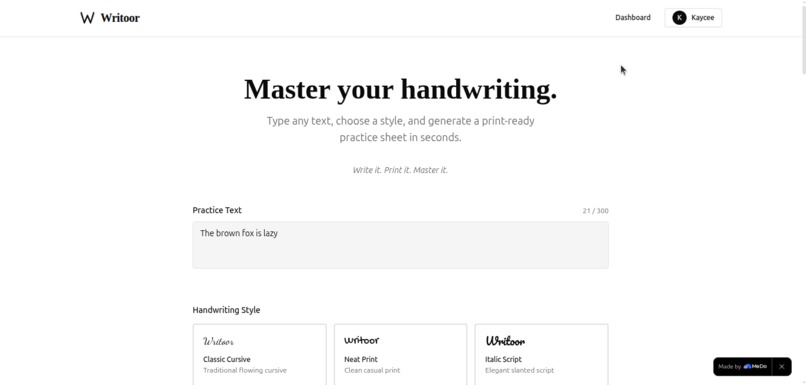
Landing Page
-
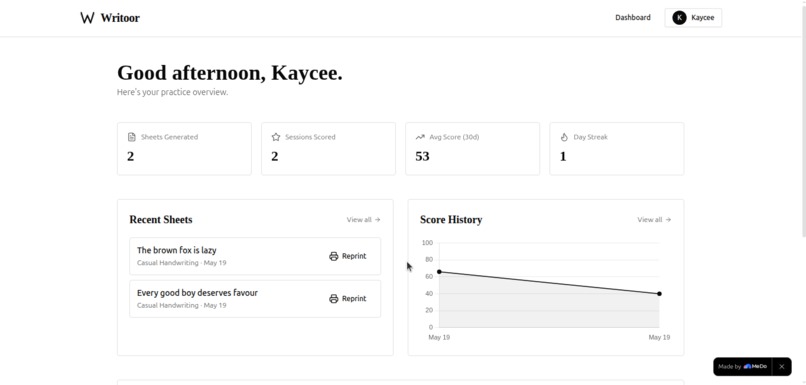
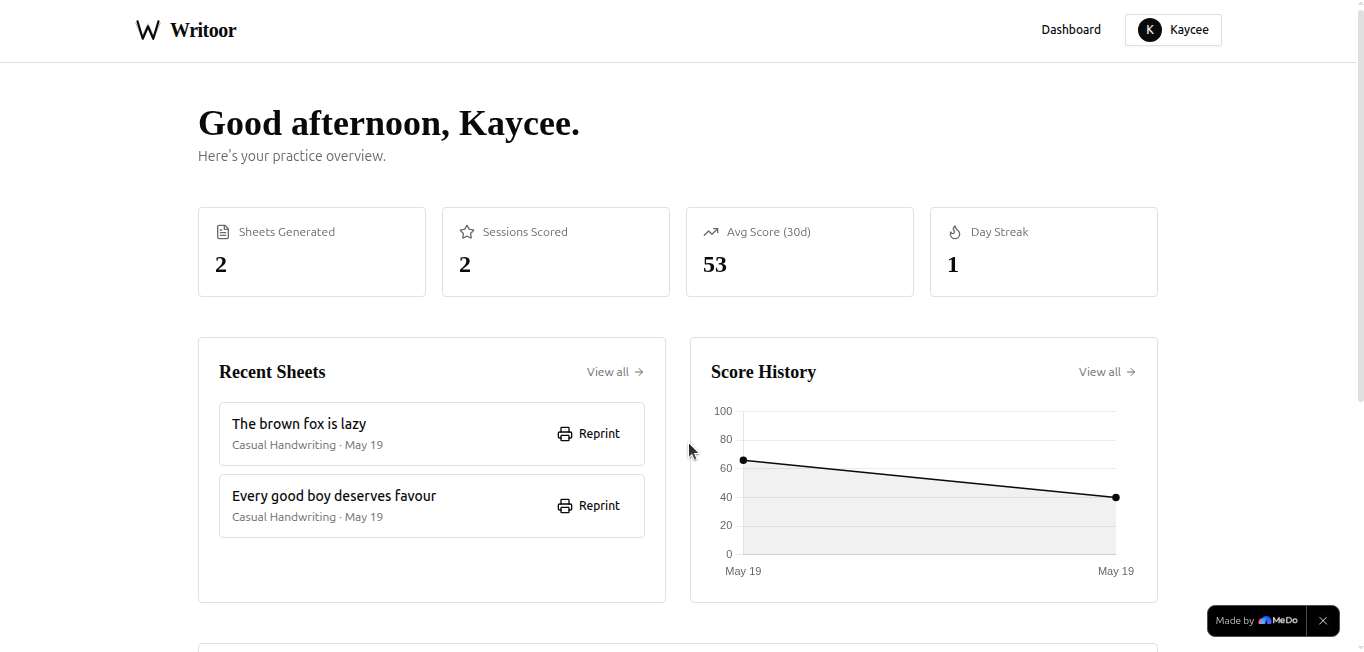
Writoor dashboard
-
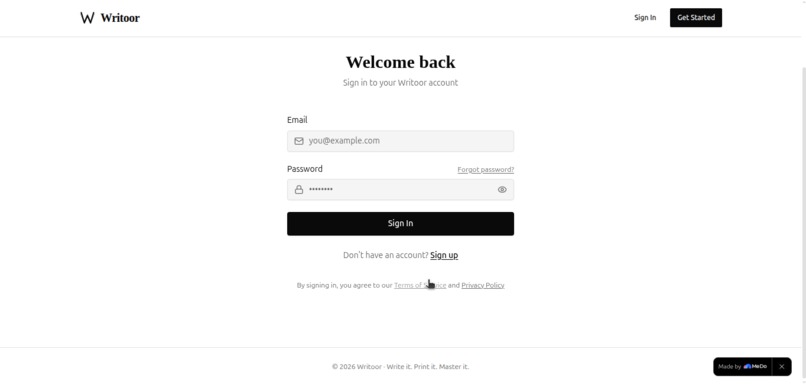
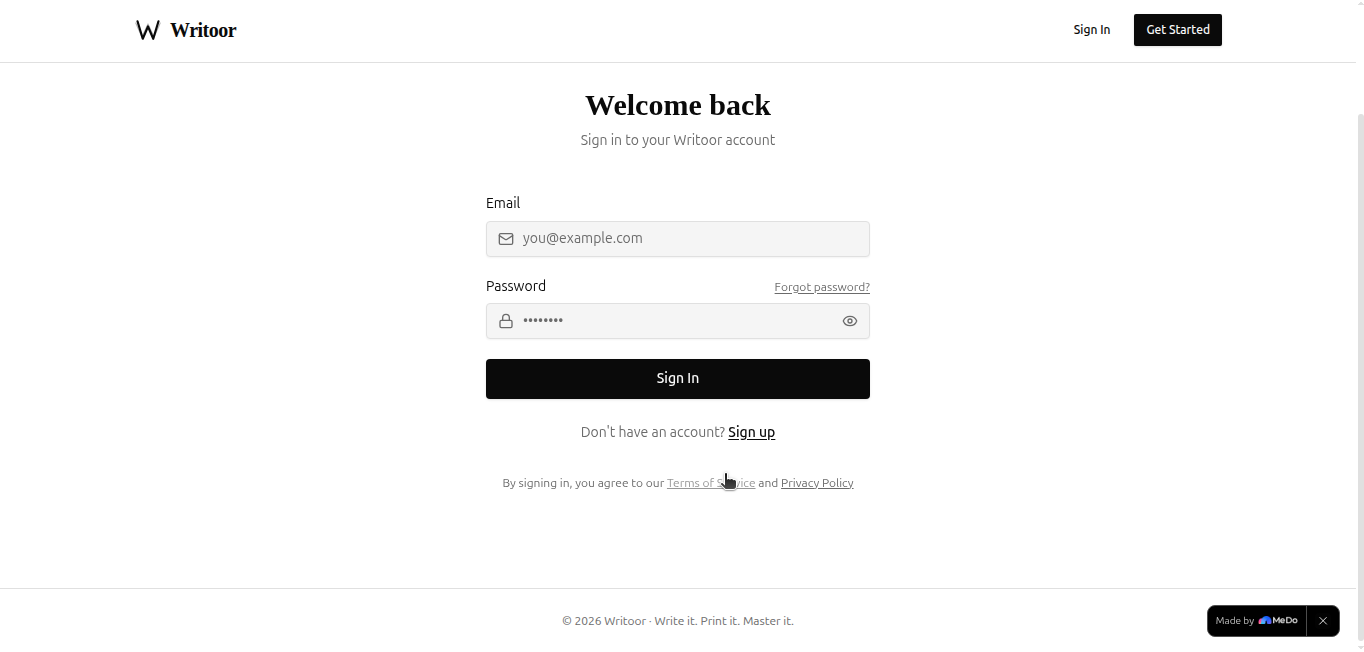
Sign-in page
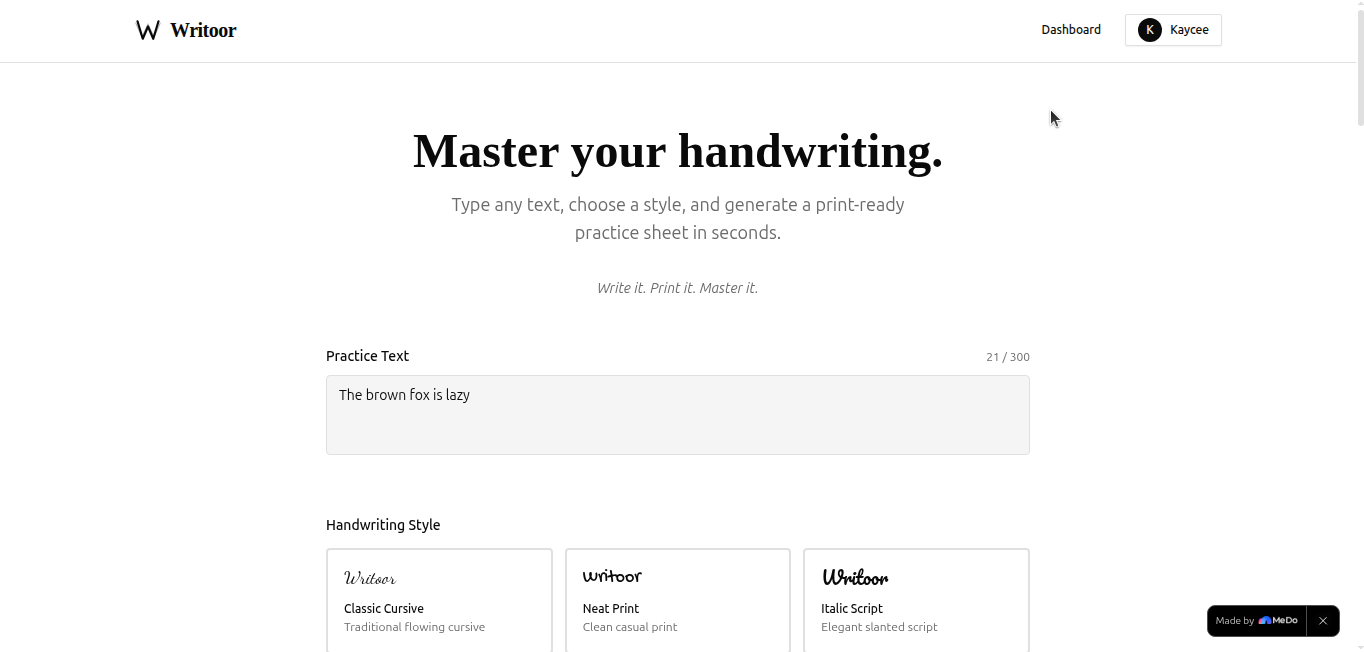
Inspiration
There is something quietly disappearing from modern life — and most people don't notice it until they pick up a pen and struggle to write a birthday card.
Handwriting is fading. Keyboards, touchscreens, and voice notes have replaced the pen for almost everything. But the research is clear: handwriting engages the brain differently from typing. Studies show it improves memory retention, sharpens focus, and strengthens the neural pathways associated with learning. Children who learn to write by hand read faster. Adults who take handwritten notes retain more. And yet, there is almost no accessible, modern tool that makes practising handwriting feel good.
The tools that exist are either expensive (calligraphy kits, specialist apps for tablets with styluses), overly childish (worksheet generators built for kindergarteners), or completely analogue with no feedback loop. We wanted to build something in between — something that respects the intelligence of the user, works with equipment everyone already has (a printer and a phone), and gives honest, measurable feedback on improvement.
That is what inspired Writoor.
What it does
Writoor is a handwriting practice app that turns any text into a beautiful, printable practice sheet — and then scores your handwriting when you're done.
Here is the full workflow:
Create a practice sheet — Type the text you want to practise (a quote, a sentence, a passage). Choose from 6 handwriting styles: Classic Cursive, Neat Print, Italic Script, Casual Handwriting, Formal Script, or Block Print — each rendered in a real handwriting font so you can see exactly what you're aiming for.
Configure your session — Set how many blank ruled lines appear beneath each sample line (1–5), choose your font size, and toggle writing guidelines on or off.
Print and practise — Download your sheet as a PNG or send it straight to your printer. The sheet is formatted for A4, with the sample text at the top of each line and blank ruled space beneath for you to trace and rewrite.
Snap and score — When you're done, photograph your completed sheet and upload it to Writoor. The app analyses your handwriting across 4 dimensions using canvas-based pixel analysis:
| Dimension | Weight | What it measures |
|---|---|---|
| Consistency | 30% | Uniformity of each letter across repetitions |
| Spacing | 25% | Regularity of letter and word spacing |
| Alignment | 25% | How well your writing sits on the ruled lines |
| Coverage | 20% | How fully your letterforms match the sample |
The final score is a weighted average:
$$S_{final} = 0.30 \cdot C_{consistency} + 0.25 \cdot C_{spacing} + 0.25 \cdot C_{alignment} + 0.20 \cdot C_{coverage}$$
Scores are mapped to letter grades (A: 90–100, B: 75–89, C: 60–74, D: 45–59, F: <45), and personalised feedback is generated based on the lowest-scoring dimension.
- Track progress — Authenticated users get a full dashboard with score history, practice streaks, and a trend chart showing improvement over time.
How we built it
Writoor was built entirely through MeDo's AI editor, driven by a detailed requirements.md document we wrote upfront as the single source of truth for the entire build.
Our process:
Step 1 — Requirements First. Before touching MeDo, we wrote a comprehensive specification covering the design system, all 5 features, the Supabase schema, every edge case, and the print CSS rules. This gave the MeDo AI editor enough context to scaffold the app coherently in one session rather than piecing it together feature by feature.
Step 2 — Design System. We committed to a brutally minimal black-on-white aesthetic — Muji meets Montessori. Playfair Display for headings, DM Sans for UI, and six handwriting fonts (Dancing Script, Gochi Hand, Pacifico, Caveat, Great Vibes, Schoolbell) loaded on demand via Google Fonts to avoid performance penalties on page load.
Step 3 — Print Engine. The printable sheet uses window.print() with carefully crafted @media print CSS that hides every UI element except the .practice-sheet container. The download feature uses html2canvas to capture the preview div and export it as a PNG.
Step 4 — Scoring Engine. The Snap & Score feature is built entirely on the browser's native Canvas API — no AI, no external service. The uploaded image is converted to grayscale, thresholded to black and white, and compared against the expected letterform regions using a structural similarity approach. All image processing happens client-side.
Step 5 — Supabase Integration. Authentication uses Supabase Auth (email + password, no email confirmations required). User data — sheets generated and scores recorded — is stored in a PostgreSQL database via Supabase with Row Level Security enabled on every table so users can only ever access their own data.
Step 6 — Deploy. MeDo deployed the finished app to a public URL in one click.
Tech stack:
- Frontend: React + Tailwind CSS (via MeDo)
- Auth & Database: Supabase (Auth + PostgreSQL + RLS)
- Print:
window.print()+ CSS@media print - Download:
html2canvas - Scoring: Native Canvas API
- Fonts: Google Fonts (loaded on demand)
- Deployment: MeDo hosting
Challenges we ran into
1. Getting print CSS exactly right
Making a web page print cleanly — no UI chrome, no cut-off lines, correct margins, correct A4 proportions — is surprisingly tricky. We went through several iterations of the @media print rules before the sheet printed exactly as it appeared in the preview. The key insight was using visibility: hidden on the entire body and selectively restoring visibility on the sheet container, rather than using display: none which can cause layout reflow issues.
2. Canvas-based scoring without AI
Building a handwriting scorer entirely in the browser — no API, no ML model — required thinking carefully about what "good handwriting" actually means in pixel terms. We decomposed it into four measurable properties (consistency, spacing, alignment, coverage) and built a weighted scoring formula rather than trying to do end-to-end comparison. The hardest part was handling photos taken at slight angles or in uneven lighting — we added EXIF orientation correction and a Laplacian variance check to warn users when their photo is too blurry to score accurately.
3. Font loading performance
Loading six handwriting fonts on page load caused a noticeable delay and layout shift. We solved this by loading fonts on demand — only the selected style's font is fetched from Google Fonts at generation time, not at app boot. This brought the initial page load down significantly.
4. Supabase RLS policy debugging
Row Level Security policies in Supabase are powerful but easy to misconfigure. We hit a bug where authenticated users couldn't read their own sheets because the RLS policy was comparing auth.uid() to user_id before the profile row had been created. The fix was to create the profile row immediately on sign-up via a Supabase database trigger, guaranteeing it exists before any other table operation.
5. The "no email service" constraint
We had no transactional email service available — no SMTP, no SendGrid, nothing. This meant removing email confirmation on sign-up and the password reset flow entirely. Rather than fighting this constraint, we leaned into it: instant sign-up with no verification step actually makes the onboarding feel faster and more frictionless. Sometimes constraints produce better UX.
Accomplishments that we're proud of
A genuinely useful print engine — The practice sheets look beautiful on paper. Clean ruled lines, the sample text in the chosen handwriting font, proper A4 margins. This was the hardest part to get right and the part we're most proud of.
Zero-AI scoring — Building a handwriting scorer entirely on the Canvas API — no external API calls, no ML model, no cost per score — means the feature works offline, scales infinitely, and never has a cold start. It's also honest: it scores what it can measure, and tells you clearly when it can't.
25 edge cases handled — From blurry photo detection to RTL language support to EXIF orientation correction to mobile print warnings. The app fails gracefully in every scenario we could think of.
Supabase RLS from day one — Every table has Row Level Security enabled. Users can never read, write, or delete another user's data — not because we block it in application code, but because the database itself enforces it. Security as infrastructure, not as an afterthought.
Speed of build — A full-stack app with authentication, a database, a print engine, a canvas-based scoring system, and a dashboard — built in a single MeDo session from a requirements document.
What we learned
Print is a first-class feature, not an afterthought. Most web developers treat @media print as an edge case. Building Writoor made us realise that for apps where the output is a physical document, the print experience is the product. We spent more time on print CSS than on any other single feature.
Constraints sharpen thinking. Not having AI, not having email, not having a backend — each constraint forced a more creative solution. The canvas scoring engine exists because we couldn't use an AI API. It's arguably more interesting than an API call would have been.
MeDo works best with a detailed spec. The quality of what MeDo generates is directly proportional to the quality of the requirements you give it. Vague prompts produce vague apps. A tight, detailed requirements.md — with edge cases, schema, design tokens, and component behaviour all spelled out — produces a tight, detailed app.
Handwriting fonts are not all created equal. Some Google Fonts handwriting families have inconsistent baseline positioning, varying cap heights, and poor spacing at larger sizes. Choosing fonts that behave predictably on ruled lines took more testing than expected.
What's next for Writoor
The core loop works: generate → print → practise → score → improve. Here is where we take it next:
Short term
- [ ] Transactional email — Add password reset and welcome emails once an email service is integrated
- [ ] More handwriting styles — Expand to 12+ styles including regional styles (Copperplate, Spencerian, D'Nealian)
- [ ] Score sharing — Generate a shareable score card image users can post on social media
Medium term
- [ ] Guided programmes — 30-day handwriting improvement courses with daily practice sheets that progressively increase in difficulty
- [ ] Improvement analytics — Track score trends per dimension over time so users can see exactly which aspect of their handwriting is improving
- [ ] Custom text packs — Pre-built practice packs (pangrams, poetry, alphabets, numbers) that users can load in one click
Long term
- [ ] School & classroom tier — Teachers generate sheets for entire classes; students submit photos and the teacher sees a class-wide score dashboard
- [ ] Mobile app — Native iOS/Android app where the camera integration is seamless — photograph directly in-app without downloading and re-uploading
- [ ] Offline PWA — Full offline support so students in low-connectivity environments can still generate and download sheets
The vision is simple: make practising handwriting as frictionless as possible, and make improvement visible. Because you can't improve what you can't measure — and you won't practise what isn't enjoyable.
Built With
- api
- auth
- canvas
- caveat
- chart.js
- css
- css3
- dancing
- display
- dm
- exif-js
- fonts
- gochi
- great
- hand
- html2canvas
- html5
- javascript
- level
- medo
- pacifico
- playfair
- postgresql
- react
- row
- sans
- schoolbell
- script
- security
- supabase
- tailwind
- vibes
- vite


Log in or sign up for Devpost to join the conversation.