-
-
Welcome to...
-
WriteRight!
-
Meet Sho and Sumi
-
Our overview
-
How-To
Inspiration
Learning to write Japanese kanji can be challenging for many students. Traditional practice methods can be boring and painful. WriteRight emerged from a desire to make kanji practice more fun, engaging, and accessible for Japanese language learners without requiring special equipment.
What it Does
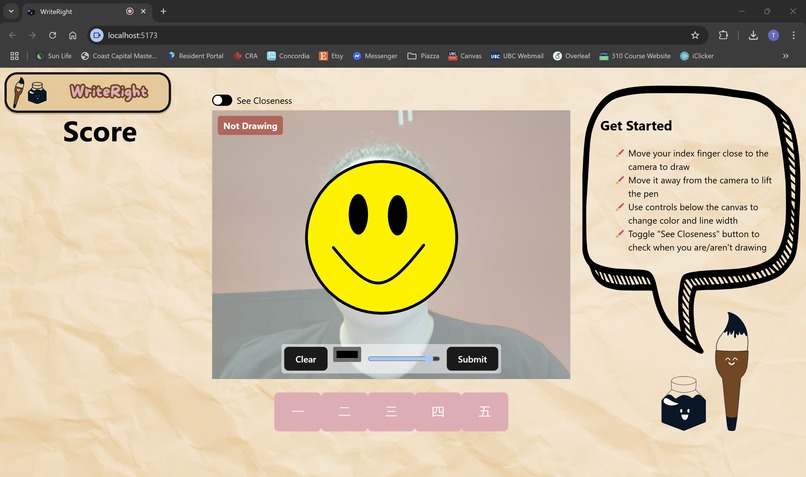
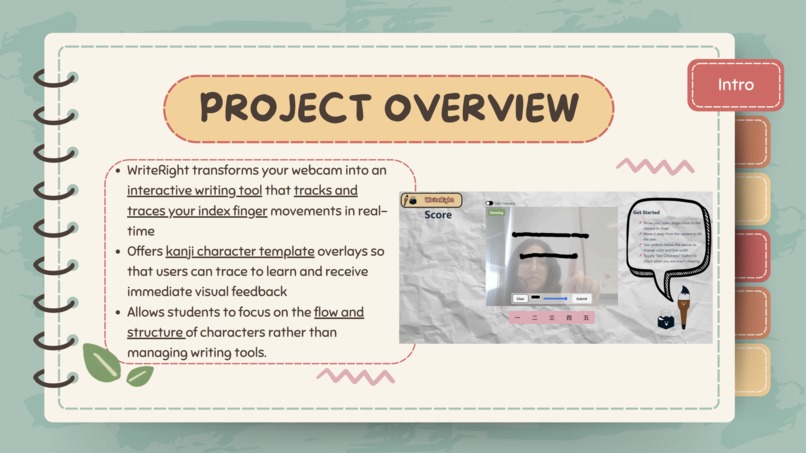
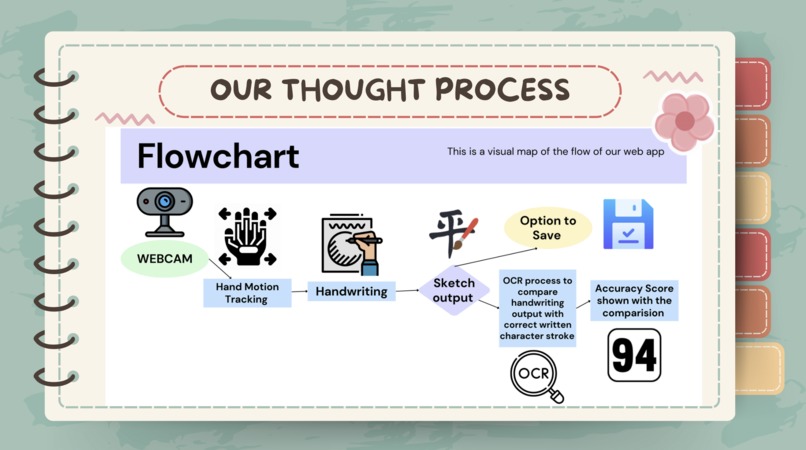
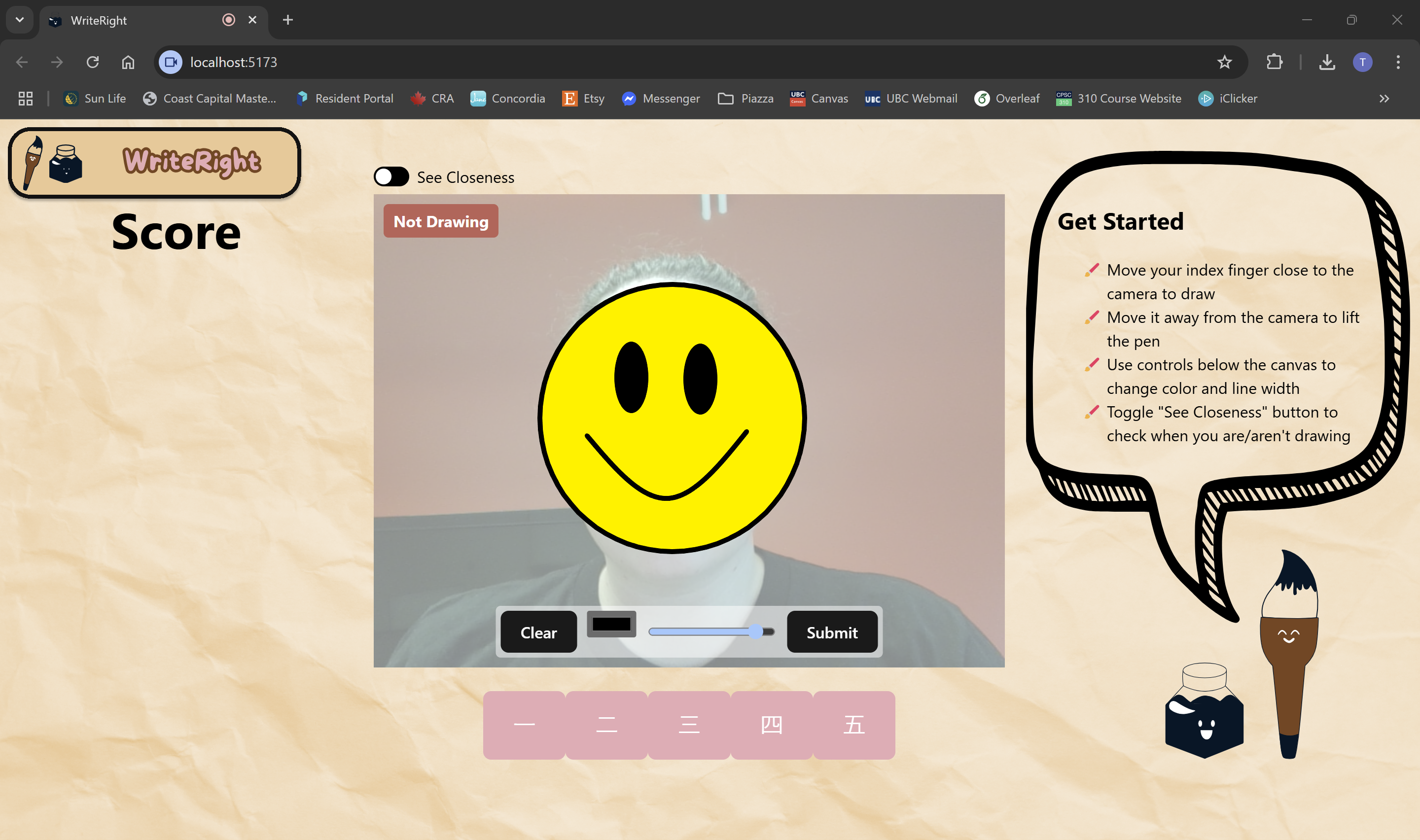
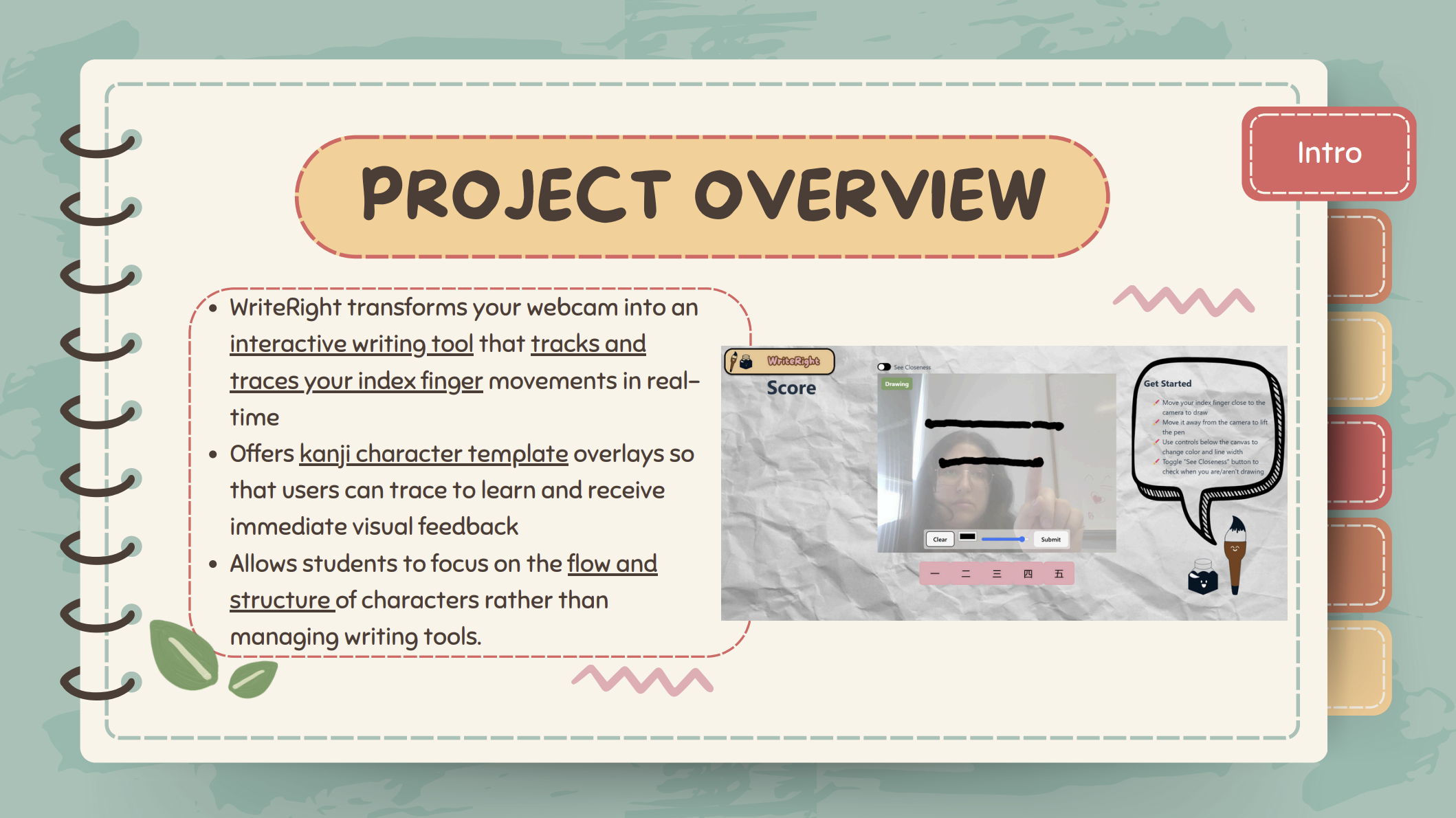
WriteRight transforms your webcam into an interactive writing tool that tracks and traces your index finger movements in real-time. The application offers kanji character template overlays so that users can trace to learn and receive immediate visual feedback as they practice. Unlike traditional pen-and-paper methods, WriteRight makes learning to write kinesthetic by allowing students to focus on the flow and structure of characters rather than managing writing tools.
How we built it
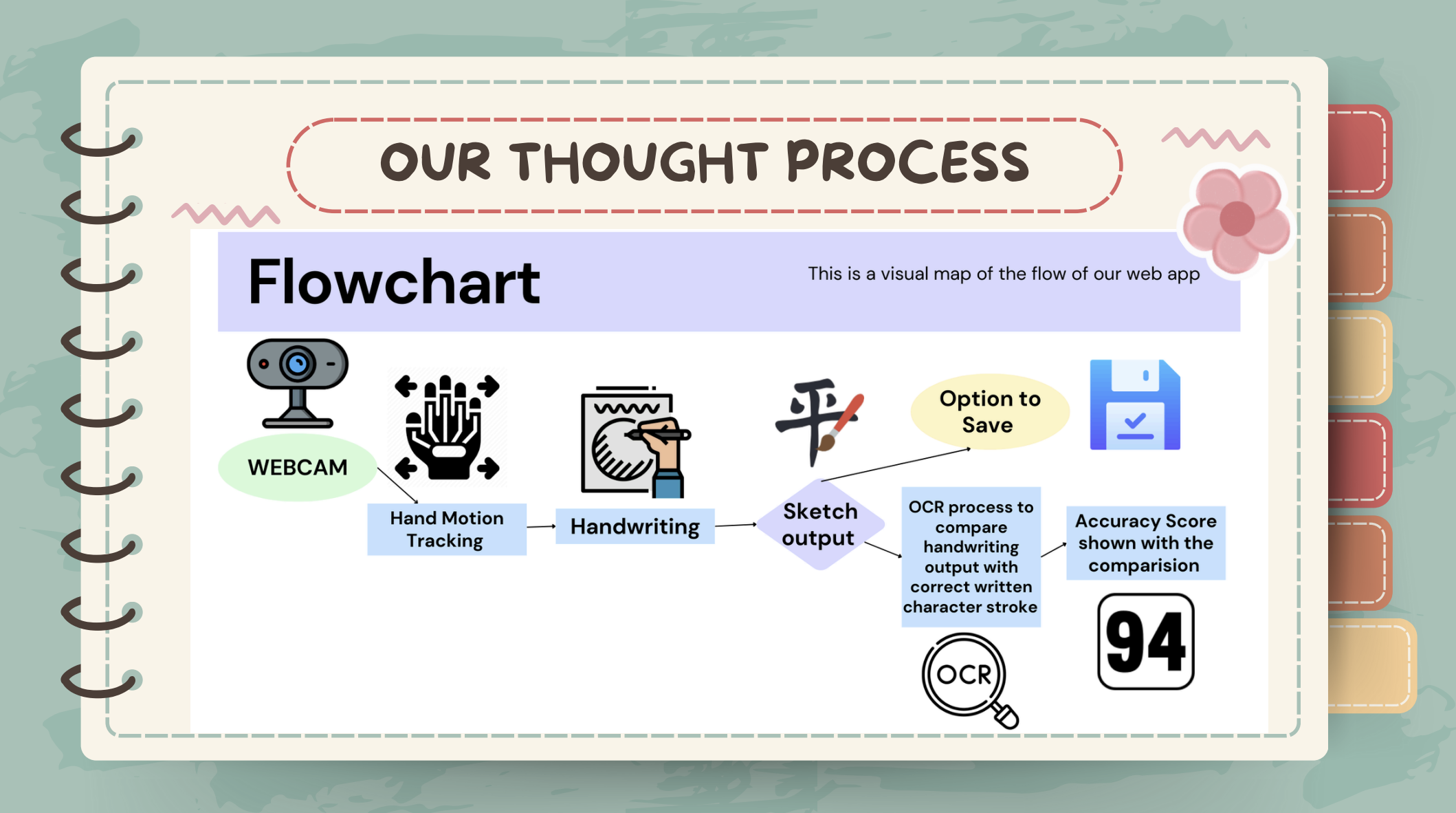
We used Google's MediaPipe hand-tracking API to identify and track the position of the user's index finger in three-dimensional space. The application detects when the finger is positioned to "draw" (closer to the camera) versus when it's "not drawing" (further from the camera), creating a natural writing experience. The front-end was developed using React for its component-based architecture, which allowed us to cleanly separate the video input, hand tracking, and drawing canvas elements. We implemented custom canvas rendering to mirror the webcam feed appropriately and create a seamless user experience where the writing appears exactly where the user expects it to.
Challenges we ran into
Our biggest technical challenge was implementing Optical Character Recognition (OCR) to evaluate the accuracy of users' written characters. While we were able to capture the drawn strokes accurately, creating an algorithm that could meaningfully assess how well a character matched its template proved more complex than anticipated, especially given the variations in handwriting styles. We also faced challenges with optimizing performance across different devices and browsers, as hand tracking can be computationally intensive. Finding the right balance between tracking accuracy and application responsiveness requires careful tuning of detection thresholds and rendering techniques.
Accomplishments that we're proud of
We're particularly proud of creating a fully functional minimum viable product that delivers on our core promise: making kanji writing practice more accessible and engaging. The straightforward nature of the interface—requiring only a webcam and your hand—means that students can practice anywhere. The real-time visual feedback system provides immediate reinforcement during practice, which is crucial for learning complex characters. We're also pleased with how we implemented the opacity controls for overlay templates, allowing users to use guides when they begin and remove them as they master it.
What we learned
This project provided valuable experience with version control using Git in a collaborative environment. We learned how to effectively manage branches and resolve merge conflicts while working on different aspects of the application simultaneously. Working with the MediaPipe API taught us about the complexities and possibilities of computer vision applications, particularly the challenges of creating responsive interfaces based on spatial tracking data. We also gained insights into effective canvas manipulation in web applications and the importance of user experience design in educational tools.
What's next for WriteRight
We hope to expand WriteRight to support multiple writing systems beyond Japanese kanji, including Korean hangul, Arabic script, and more. We also plan to implement different learning modes to suit various study styles and goals:
- Learn Mode: Stepwise overlays that break down stroke order
- Quiz Mode: Timed challenges to test recall and writing accuracy
- Practice Mode: Structured repetition with decreasing guidance
- Freestyle Mode: Open-ended drawing for creative expression
Finally, we would like to make the hand tracking even more precise, smooth, and responsive, potentially incorporating finger angle and pressure sensitivity to create an even more natural writing experience.
Built With
- azure
- chatgpt
- claude
- css
- express.js
- html
- javascript
- mediapipe
- ocr
- react


Log in or sign up for Devpost to join the conversation.