-
-
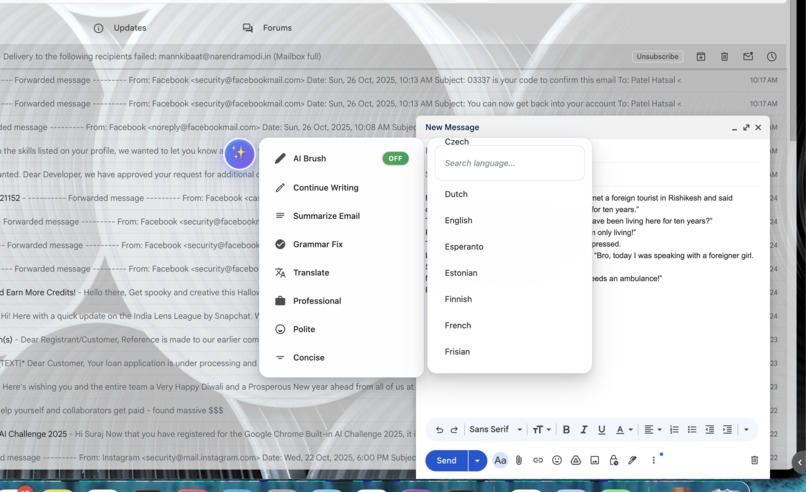
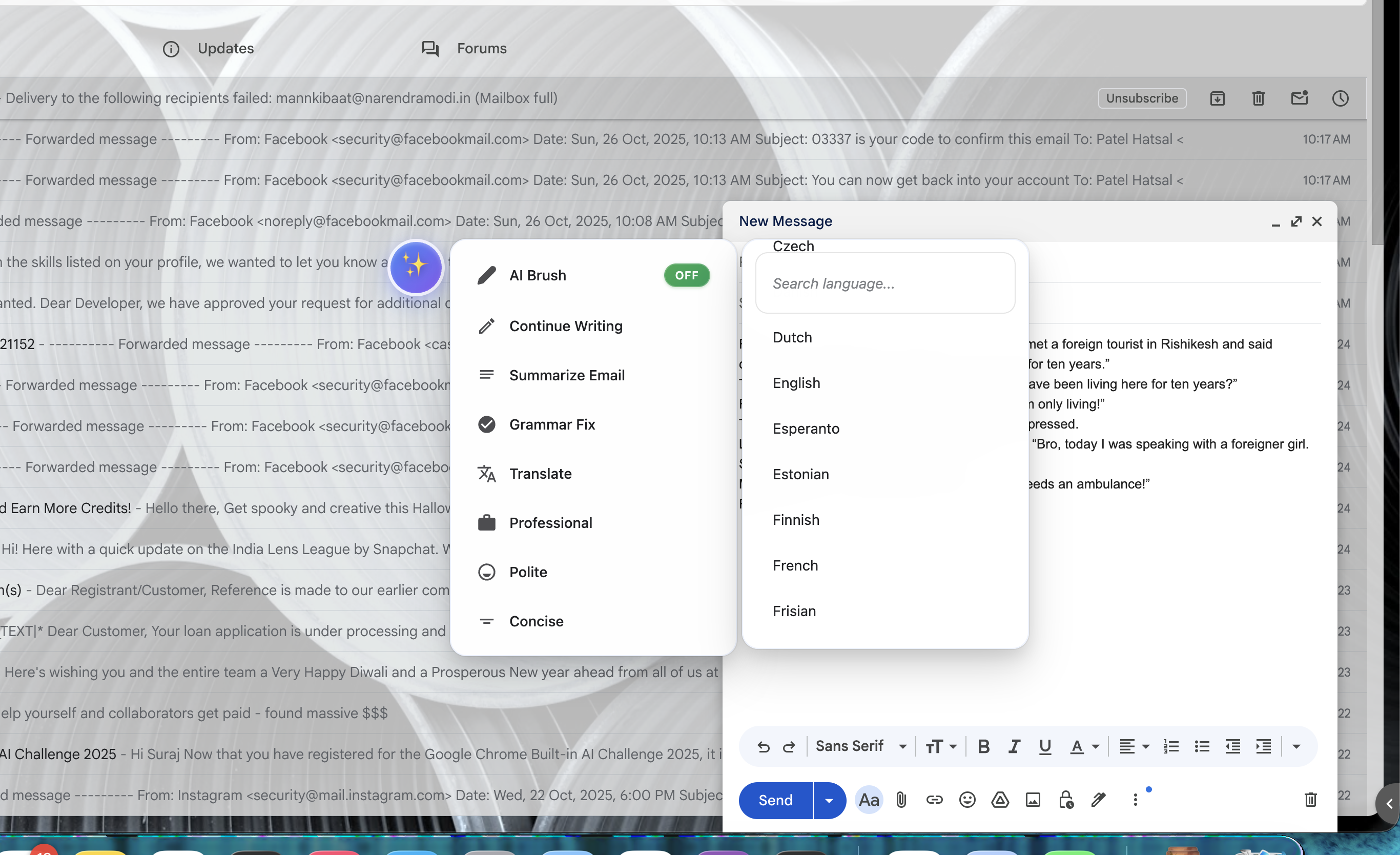
Enhancing email composition with an integrated AI suite that includes Grammar Fix, Polify, and Professional writing modes.
-
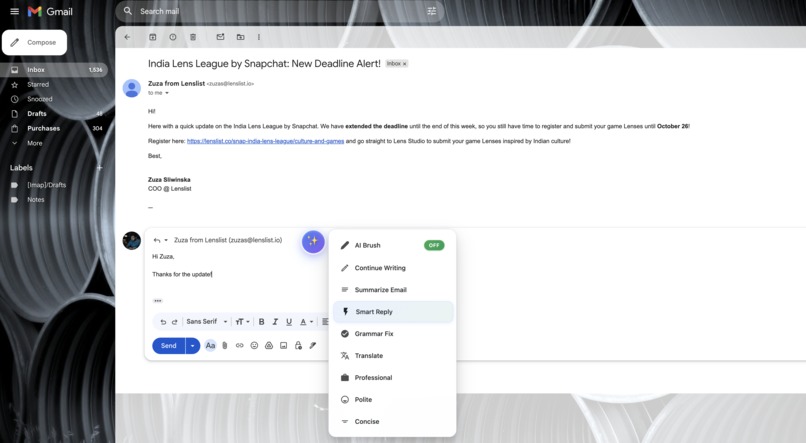
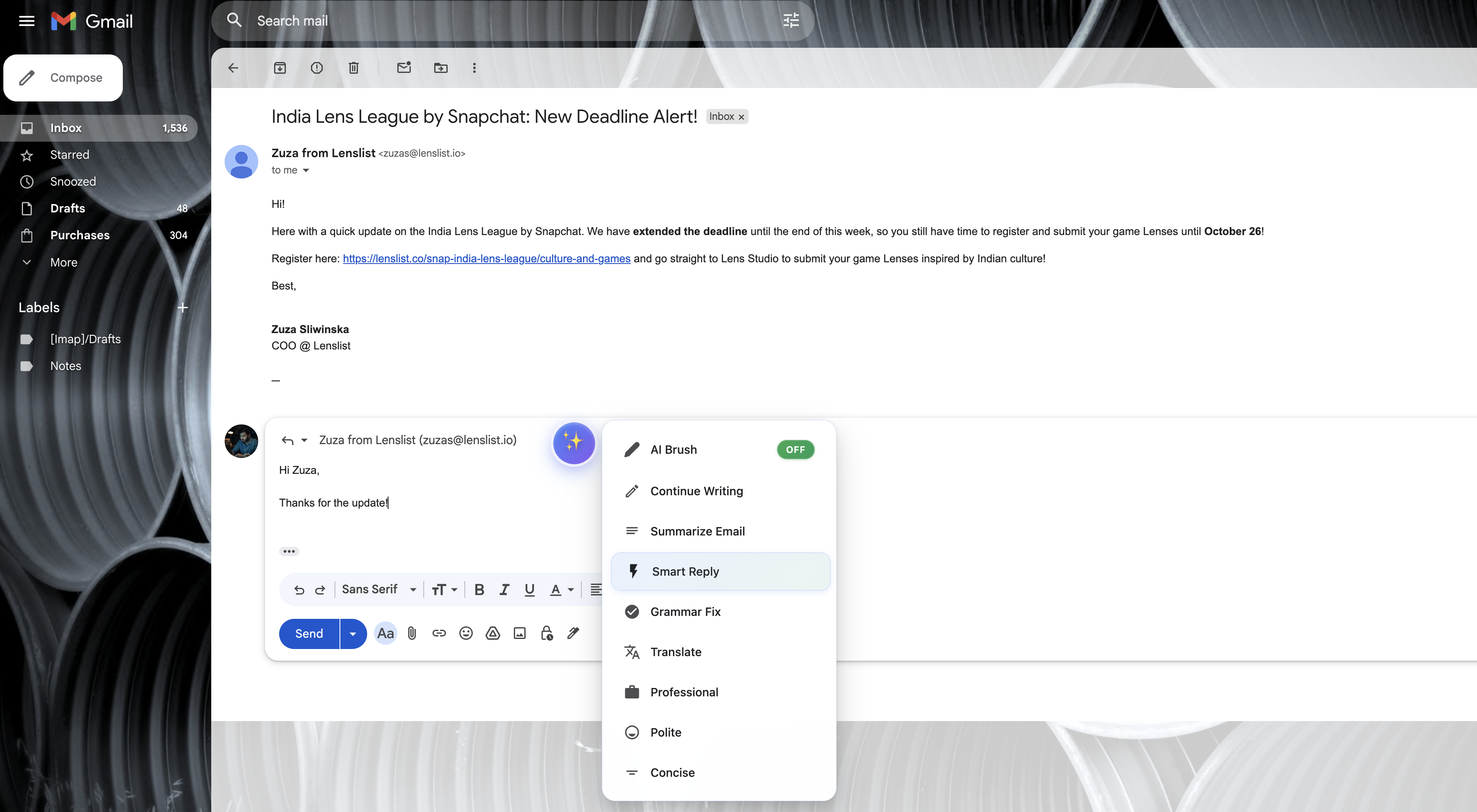
The AI writing toolkit is open within an email reply window, showcasing powerful features like 'Smart Reply,' 'Grammar Fix,' and 'Translate'
-
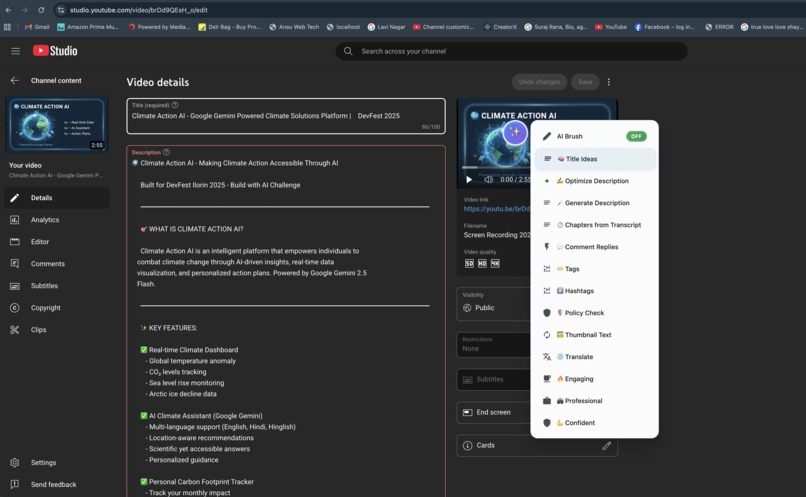
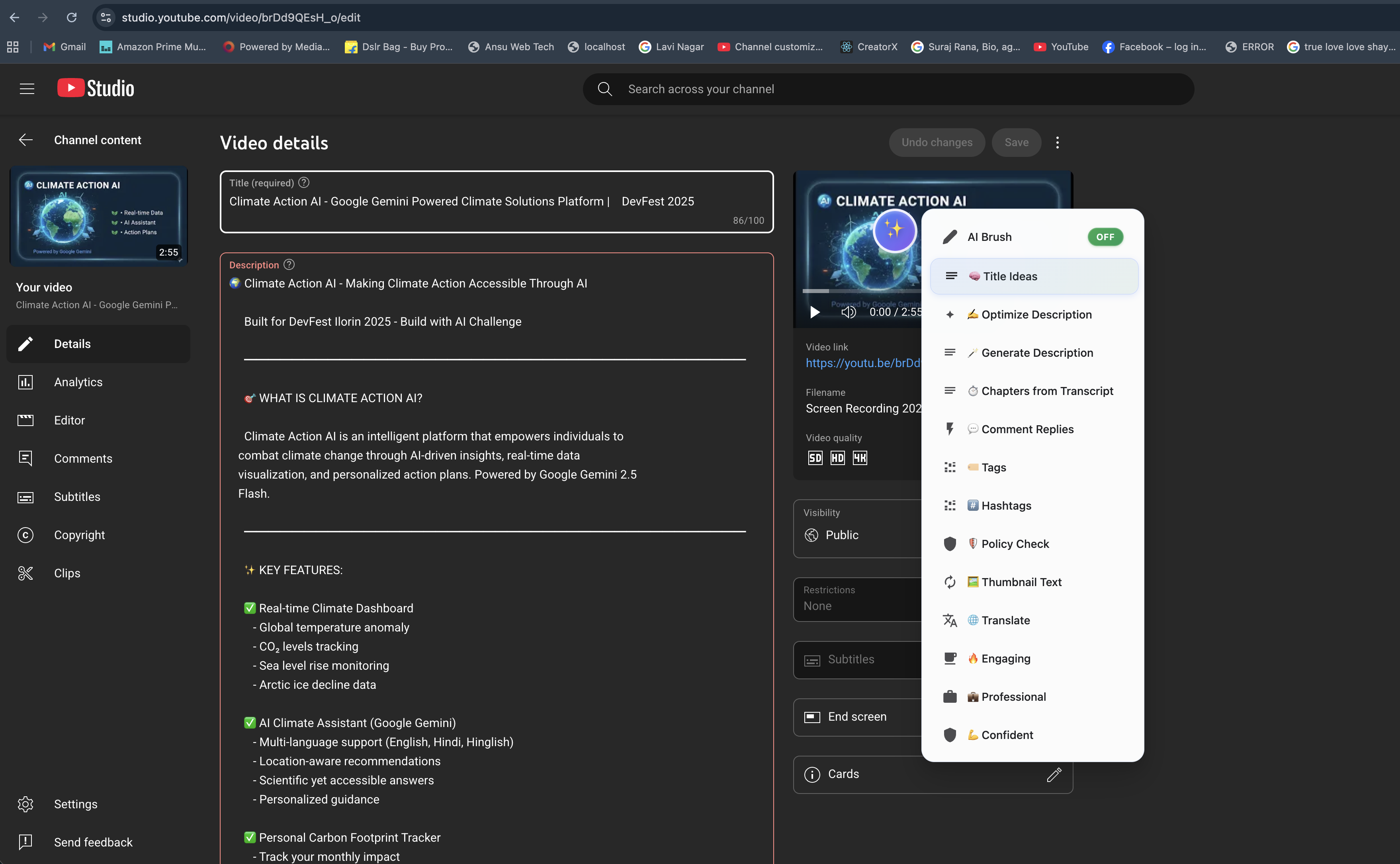
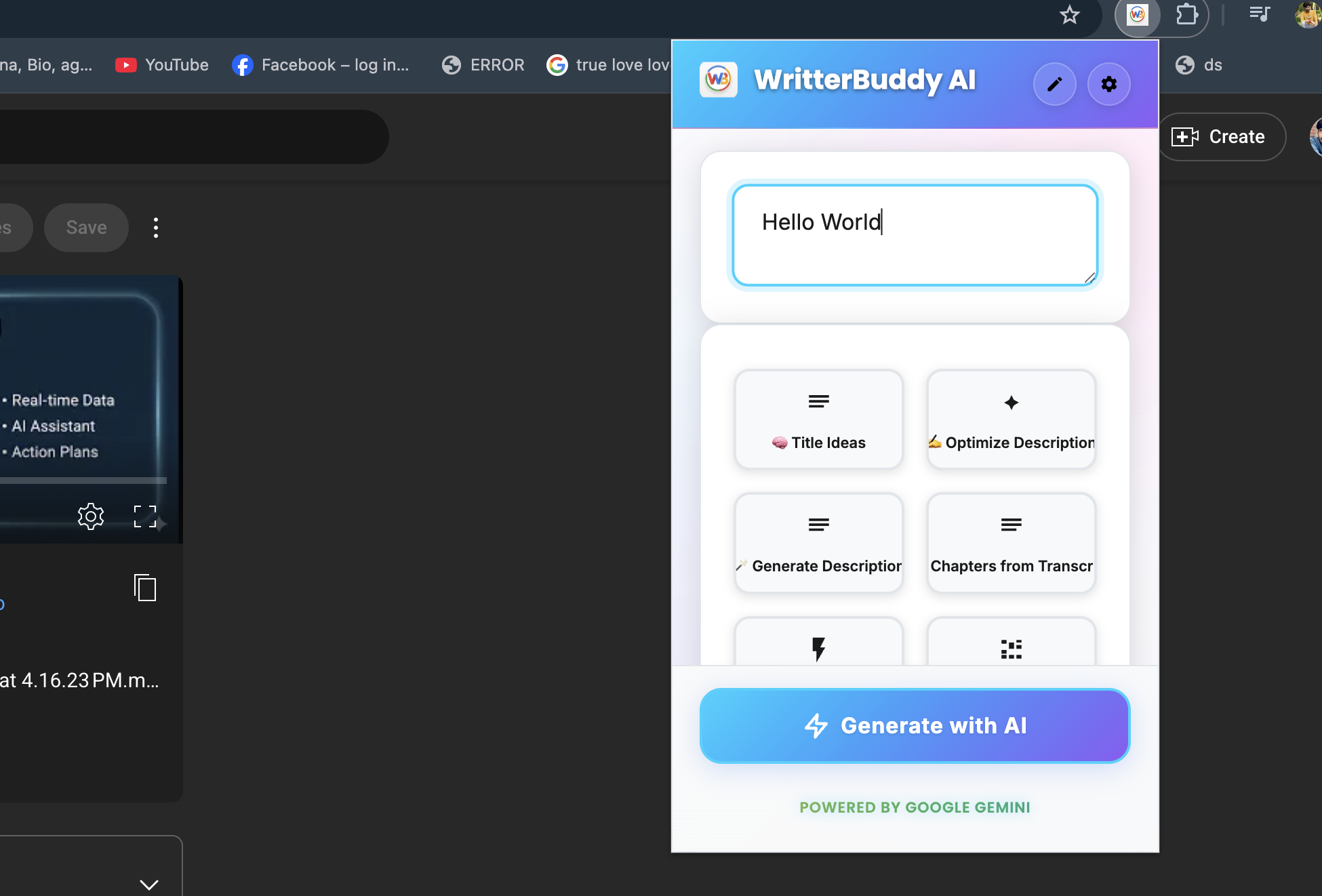
Using a Gen AI assistant (the 'In-Brush' menu) within YouTube Studio to optimize video details, with options for 'Optimize Description
-
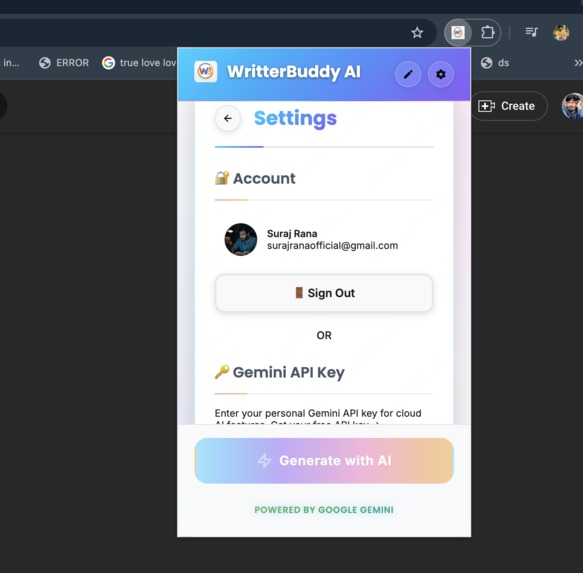
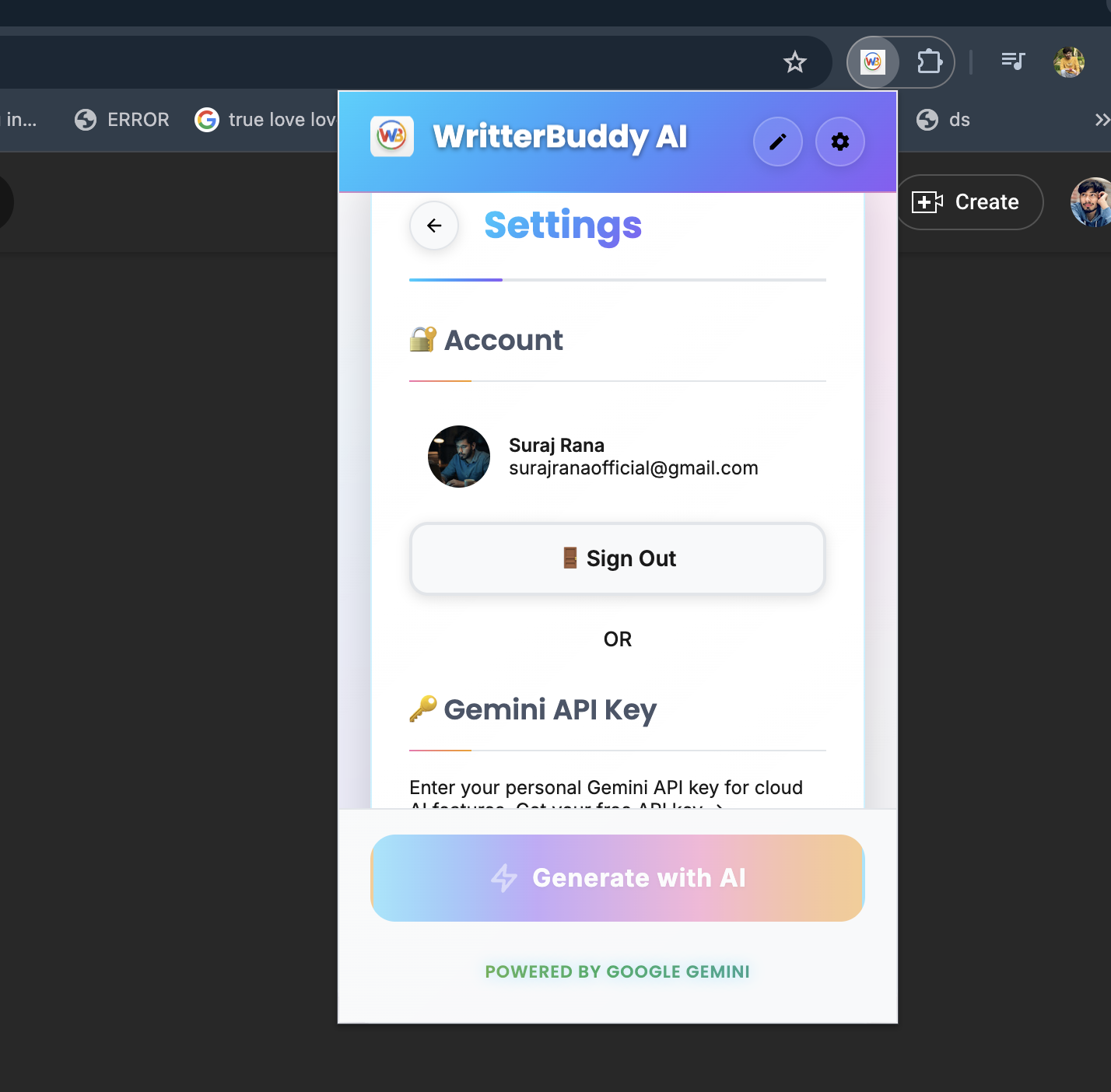
User profile and configuration page, highlighting the seamless integration and setup for utilizing the Gemini API.
-
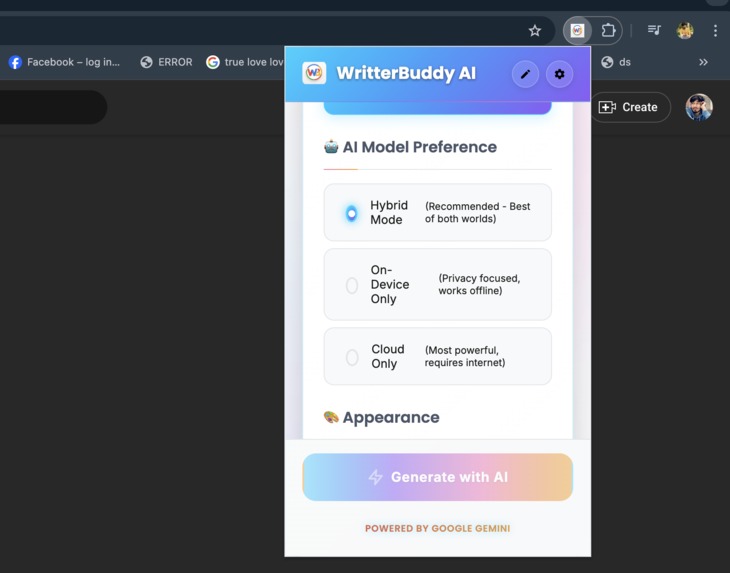
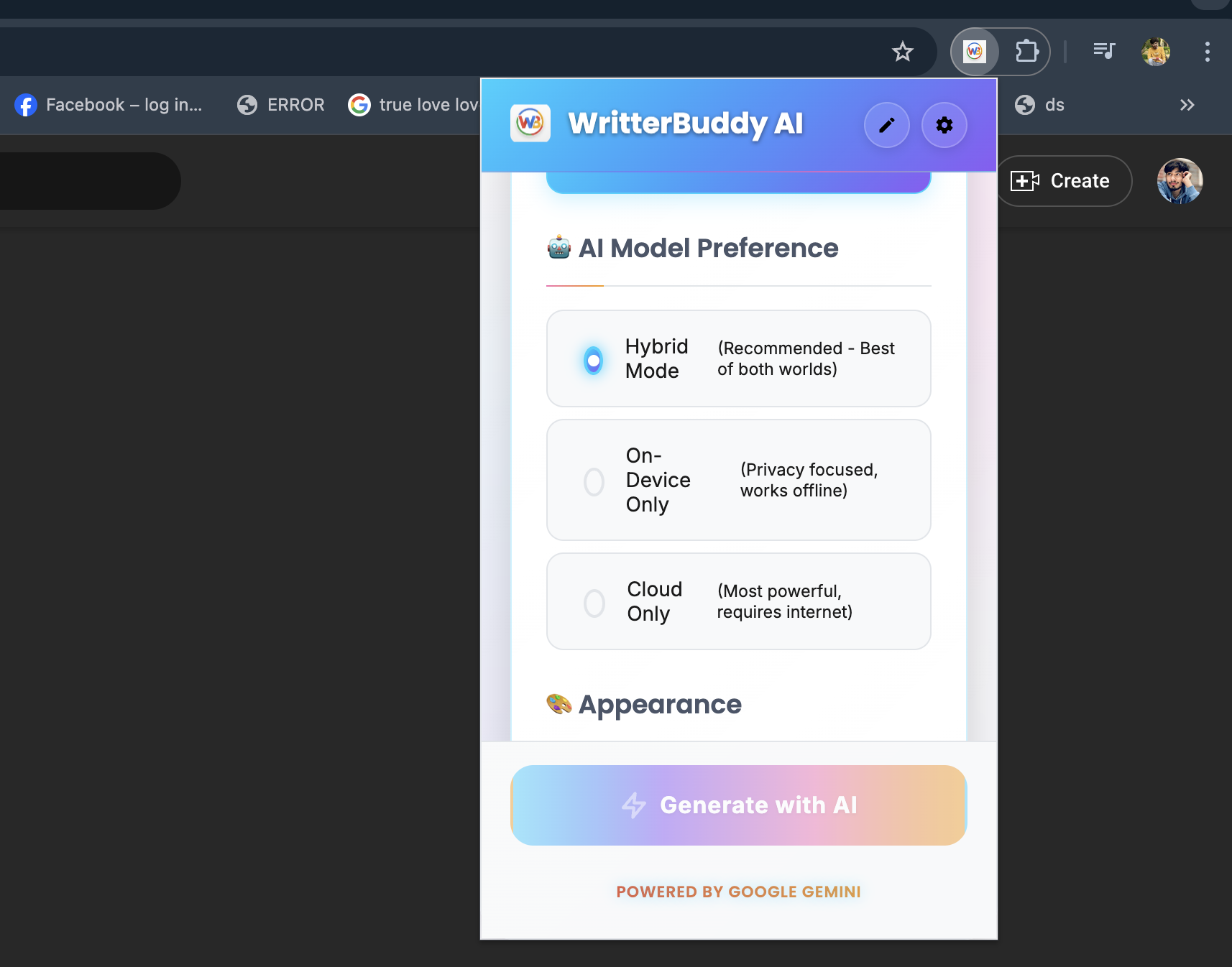
Customizing the AI experience: Selecting the preferred processing method in WritterBuddy AI before hitting "Generate with AI."
-
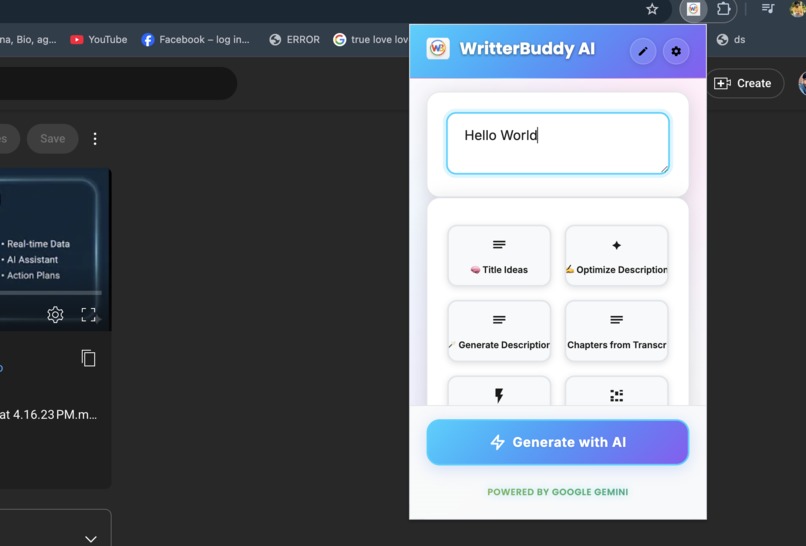
Initiating content creation with the WritterBuddy AI pop-up, powered by Google Gemini, and preparing to hit the "Generate with AI" button.
-
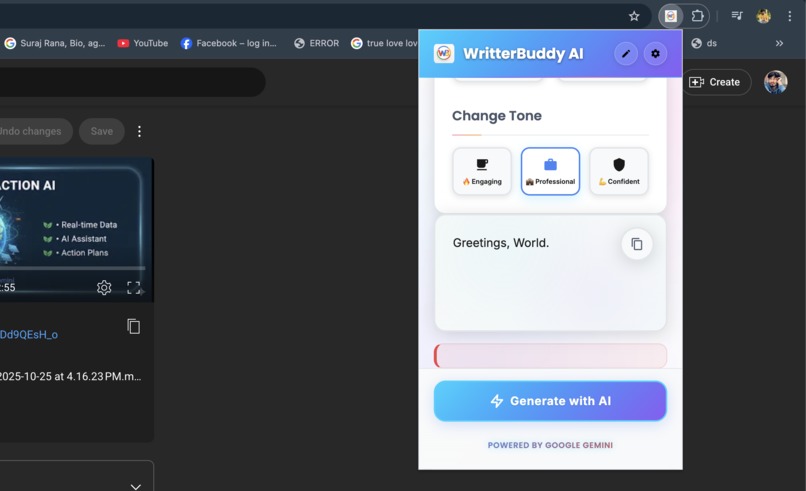
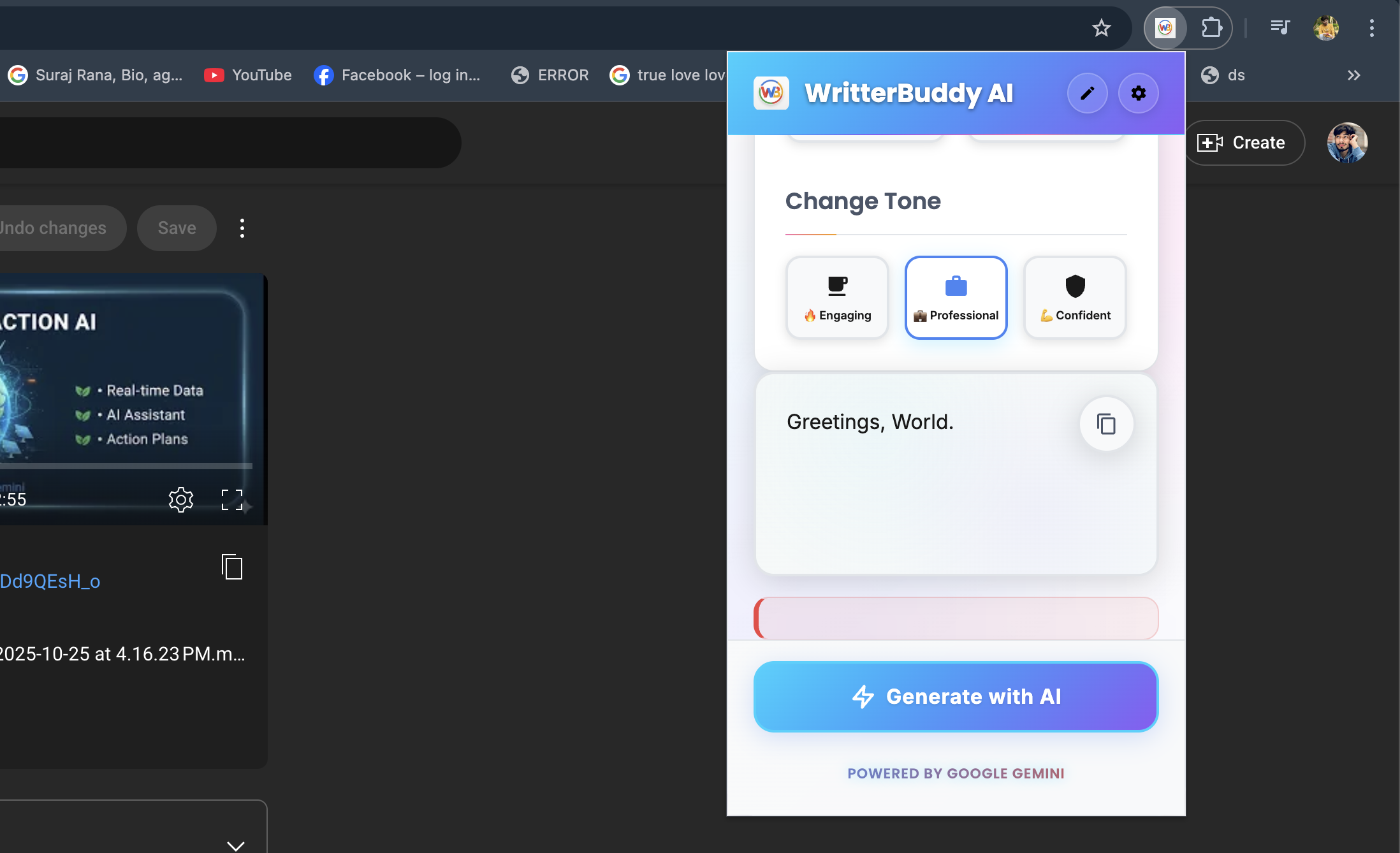
Polishing your text with an AI assistant: The pop-up shows quick tone adjustments to make content more Engaging
-
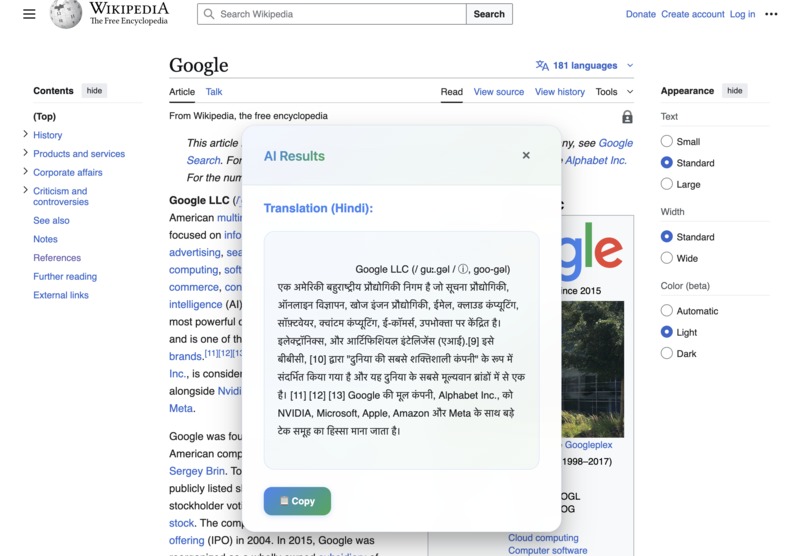
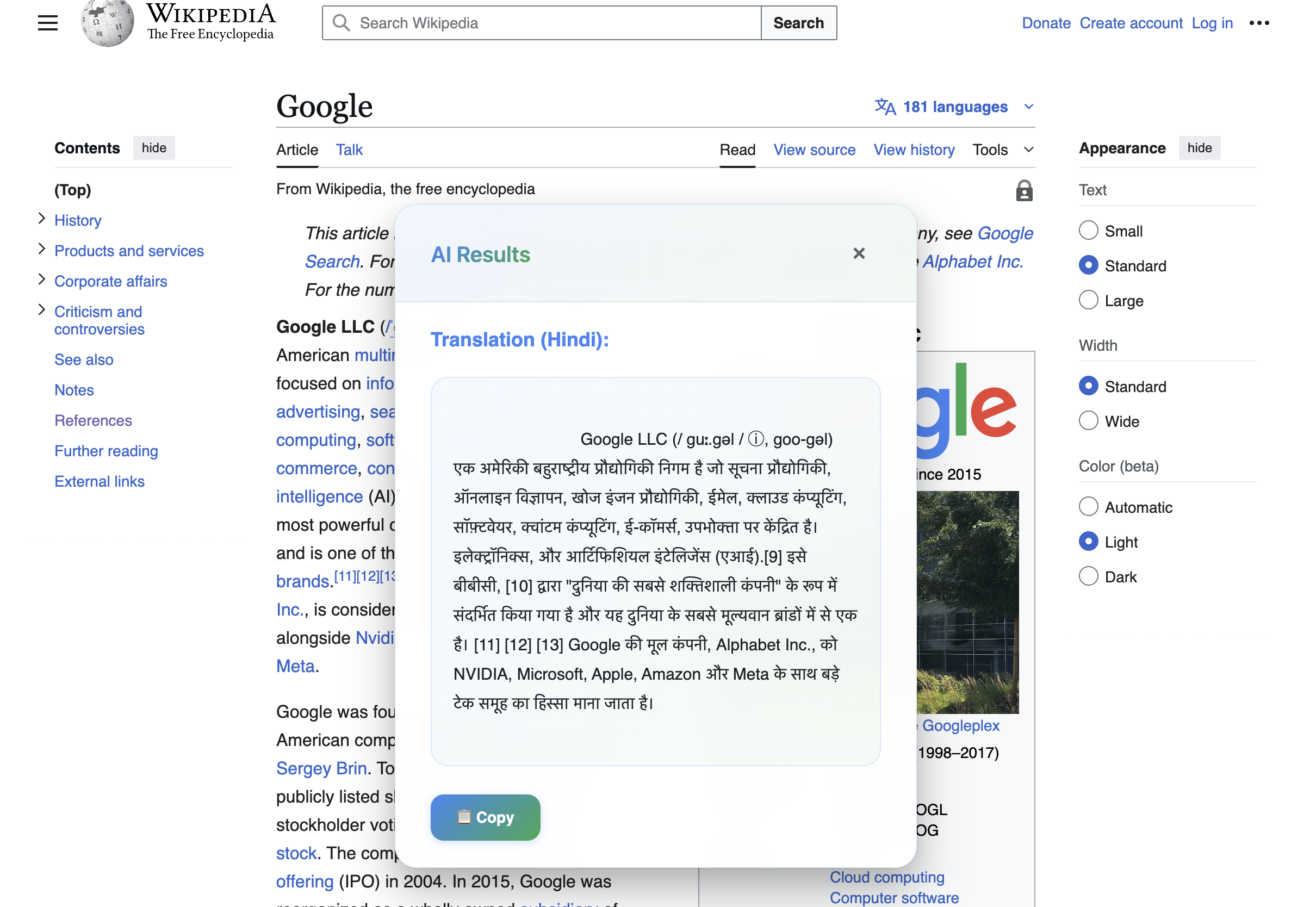
Bridging language gaps: An AI tool providing an accurate Translation (Hindi) of web content, accessible directly on the page.
## 🎯 Inspiration
Writing assistance tools either require uploading data to cloud servers
(privacy concerns) or lack context-awareness for different platforms. WriterBuddy AI solves this by leveraging Chrome's Built-in AI APIs to provide on-device, privacy-first writing assistance with intelligent fallback to cloud for complex tasks.
 ## 🛠️ What it doe

 WriterBuddy AI is an intelligent Chrome extension that provides:

 ✨ **AI Brush Mode** - Select any text anywhere and apply AI actions
instantly: - Rewrite, Improve, Simplify - Translate to 100+ languages (with auto-detection) - Summarize content - Change tone (Professional, Casual, Friendly) - Fix grammar and spelling
 📧 **Context-Aware Features**:
 - Gmail: Smart reply generation with sentiment analysis
 - YouTube Studio: SEO-optimized title/description generation
 - Universal: Works on ANY website

 🔒 **Hybrid AI Approach**:
 - On-device processing for privacy (Chrome Built-in AI)
 - Cloud fallback for complex tasks (Gemini API)
 - Smart caching reduces API costs by 60%

 ## 🏗️ How we built i

 ### Chrome Built-in AI APIs Used (7 APIs):

 1. **Prompt API** - Text generation and creative writing
 2. **Summarizer API** - Content summarization
 3. **Translator API** - Multi-language translation (100+ languages)
 4. **Language Detector API** - Auto-detect text language
 5. **Rewriter API** - Tone changes and improvements
 6. **Proofreader API** - Grammar and spelling correction
 7. **Writing Assistance API** - Context-aware suggestions

 ### Architecture:

 - **Frontend**: Vanilla JavaScript, Material Design 3, Shadow DOM
 - **Background**: Service Worker (Manifest V3)
 - **AI Integration**: Hybrid approach (Chrome AI + Gemini API fallback)
 - **Optimization**: Smart caching system, streaming support
 - **Security**: Encrypted storage, OAuth authentication

 ### Key Technical Features:

 - Streaming support for real-time generation
 - Shadow DOM for clean CSS isolation
 - Multiple AI modes (Hybrid, On-device only, Cloud only)
 - Smart caching reduces API calls by 60%
 - Context extraction for platform-specific features

 ## 🚧 Challenges we ran into

 1. **API Availability** - Chrome Built-in AI APIs are experimental and
have varying availability - Solution: Implemented robust hybrid approach with Gemini API fallback and status checking
2. **Translation API Status Codes** - Chrome's Translation API uses 5
different status codes
- Solution: Created comprehensive status handling for readily,
after-download, downloadable, available, and no states
3. **Context Preservation** - Maintaining user context across different
websites - Solution: Shadow DOM isolation and intelligent context extraction
 4. **Performance vs Quality** - Balancing speed with AI quality
    - **Solution**: Smart caching system with 1-hour TTL and streaming
support
 ## 🏆 Accomplishments that we're proud of

 1. **7 Chrome AI APIs Integration** - One of the most comprehensive uses
of Chrome Built-in AI 2. AI Brush Innovation - Revolutionary text selection → instant AI actions concept 3. Privacy-First Design - On-device processing wherever possible 4. 60% API Cost Reduction - Through intelligent caching 5. 100+ Languages Support - With automatic language detection 6. Universal Compatibility - Works on ANY website 7. Beautiful UX - Non-intrusive, Material Design 3 UI
 ## 📚 What we learned

 1. Chrome Built-in AI APIs capabilities and limitations
 2. Hybrid AI architecture design patterns
 3. Shadow DOM for CSS isolation in content scripts
 4. Performance optimization with caching strategies
 5. Manifest V3 service worker patterns
 6. OAuth integration for Chrome extensions
 7. On-device model downloading and caching

 ## 🚀 What's next for WriterBuddy AI

 ### Short-term:
 - More platform integrations (LinkedIn, Twitter, Slack)
 - Voice input support
 - Custom prompt templates
 - Keyboard shortcuts

 ### Long-term:
 - Browser extension for Firefox, Edge
 - Mobile app version
 - Advanced writing analytics
 - Industry-specific writing modes (Legal, Medical, Technical)
 - Team collaboration features
Built With
- ai
- chrome
- chrome-built-in-ai
- gemini-api
- javascript
- language-detector-api
- machine-learning
- manifest-v3
- material-design
- natural-language-processing
- on-device-ai
- privacy
- prompt-api
- rewriter-api
- summarizer-api
- text-generation
- translation
- translator-api
- writing-assistant

Log in or sign up for Devpost to join the conversation.