-
-
Wrapkit Logo
-
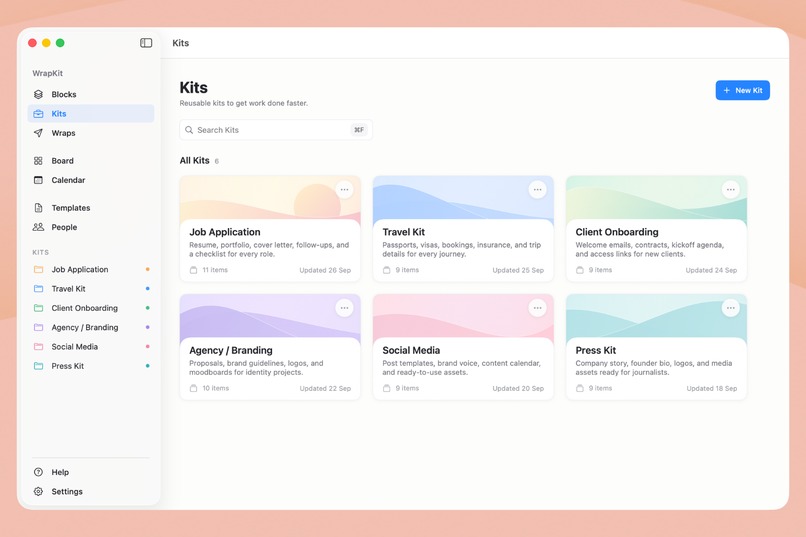
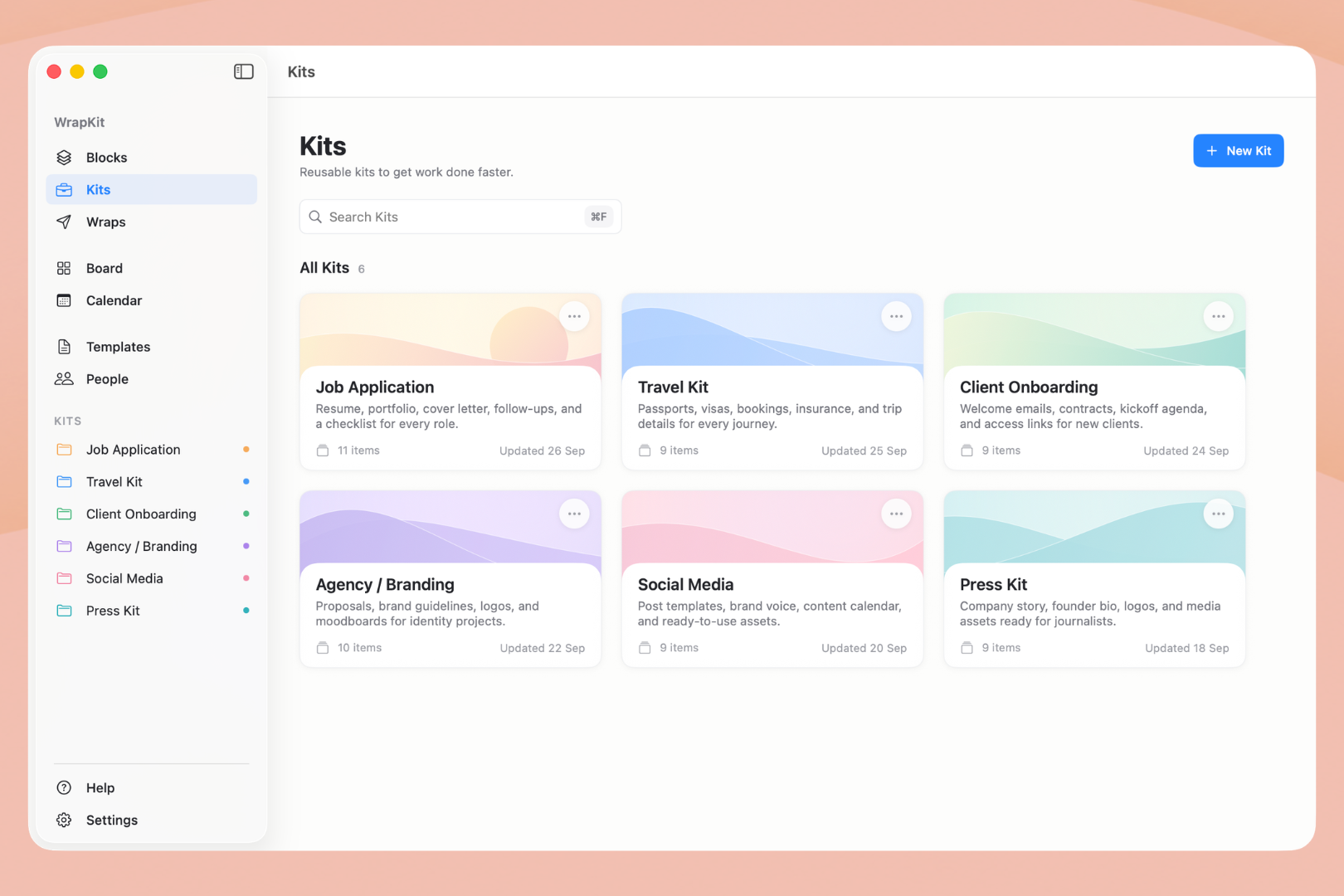
Kits: Bring related Blocks together into a reusable Kit for work you do again and again.
-
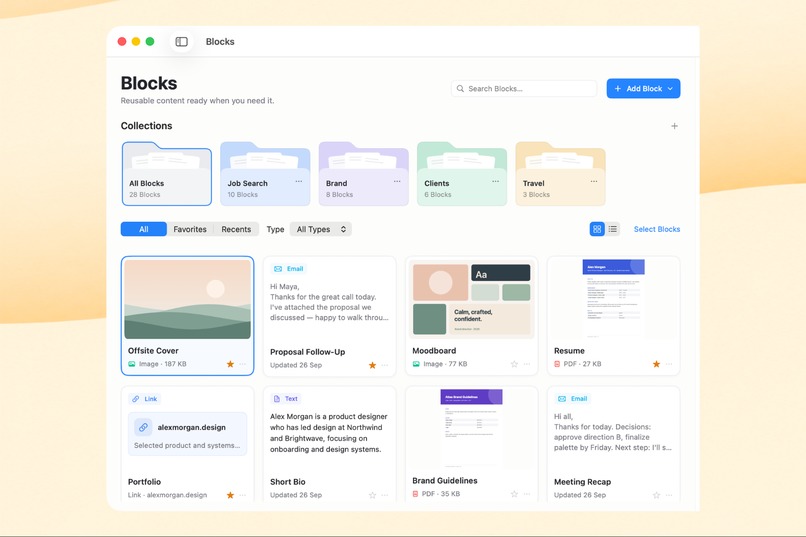
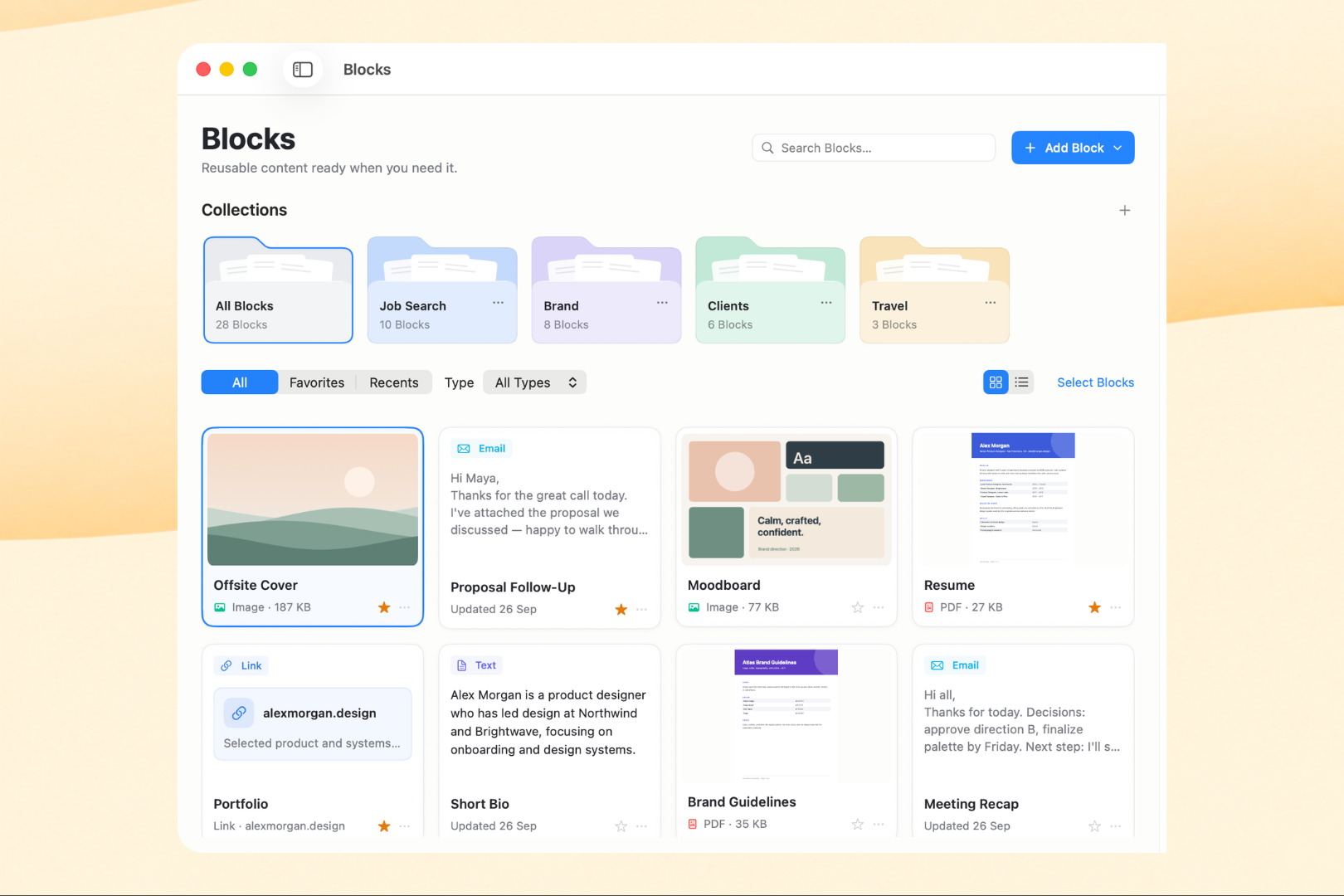
Blocks: Save useful text, emails, links, images, PDFs, and files once, then keep them ready to reuse.
-
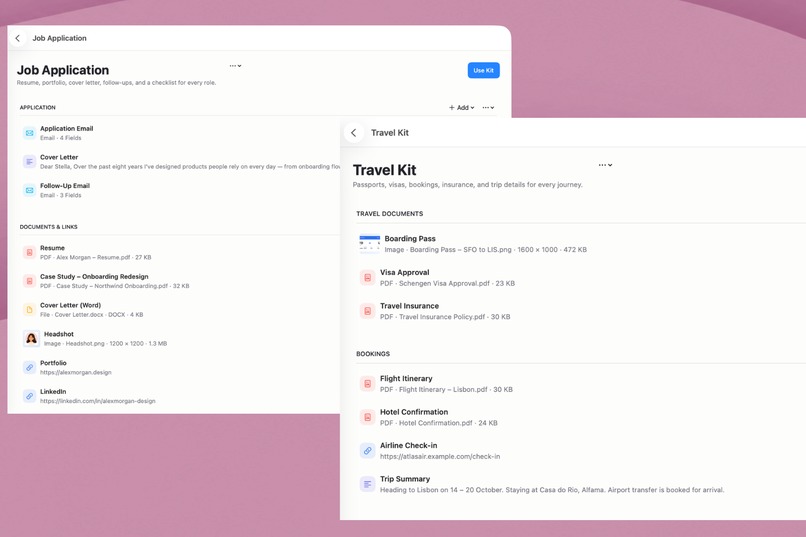
Kits Organised
-
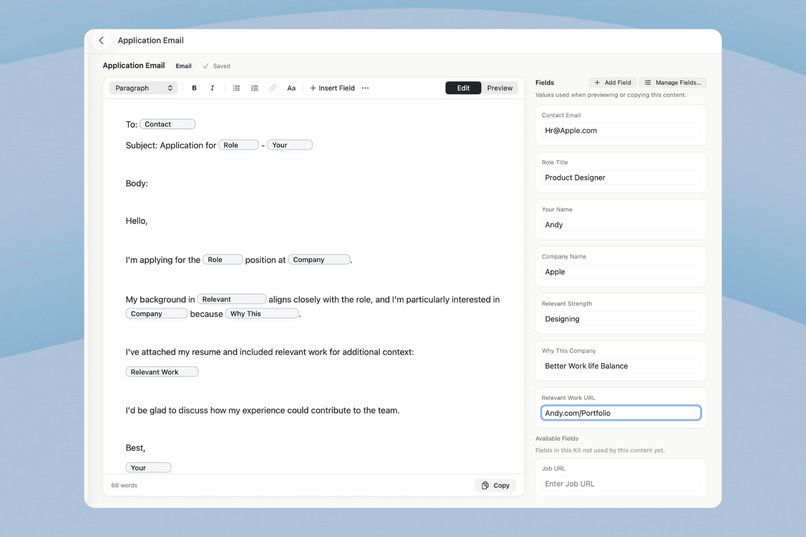
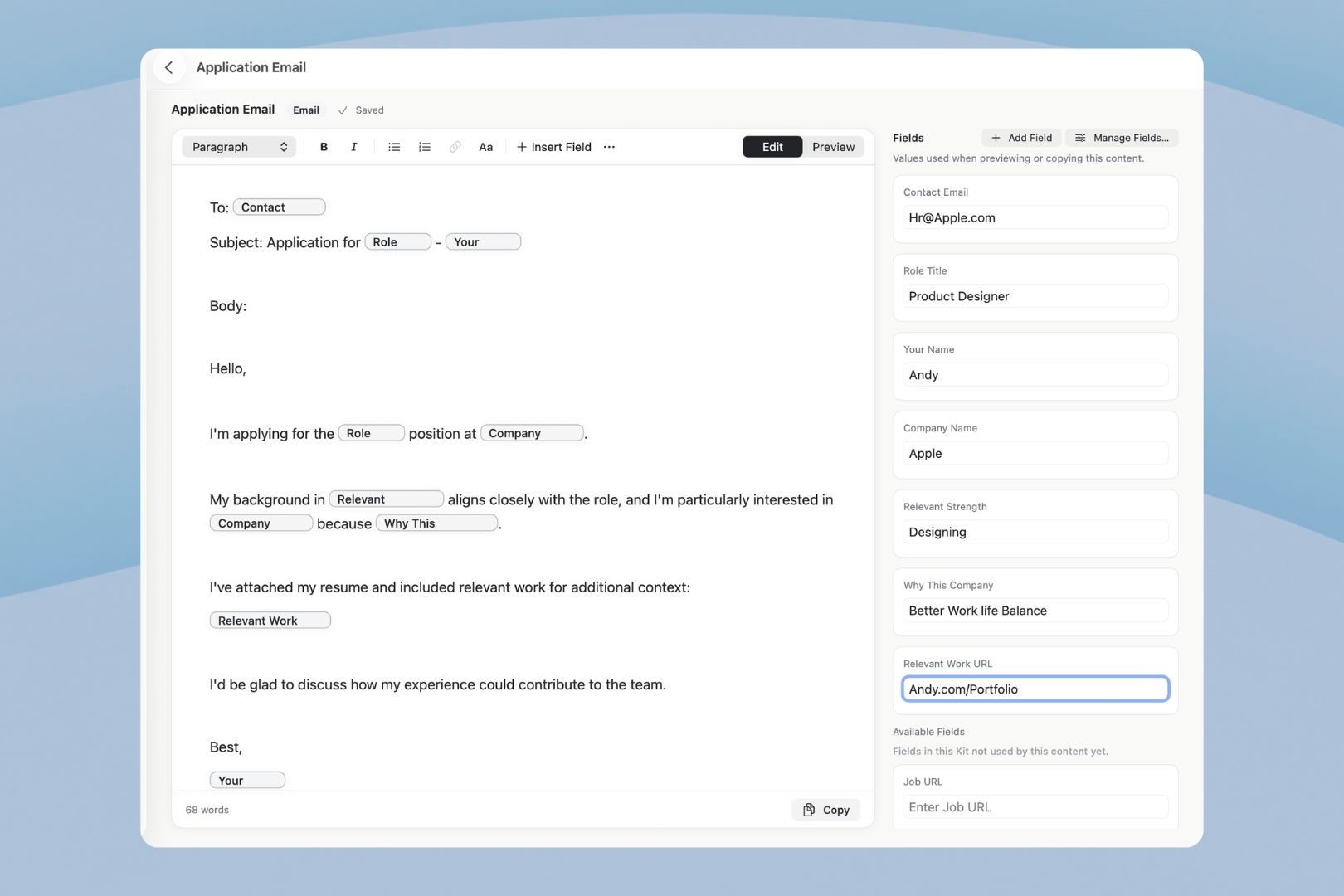
Personalization : Personalize reusable emails and text with fields like company, role, client, or brand without rewriting everything.
-
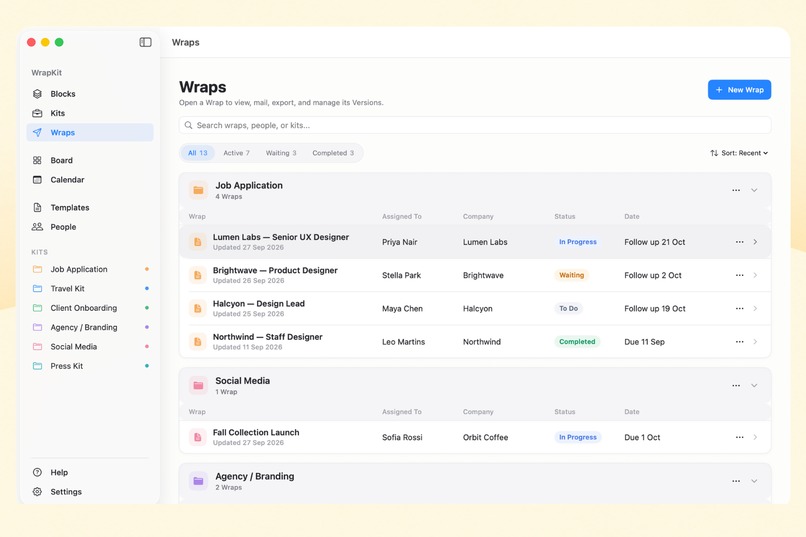
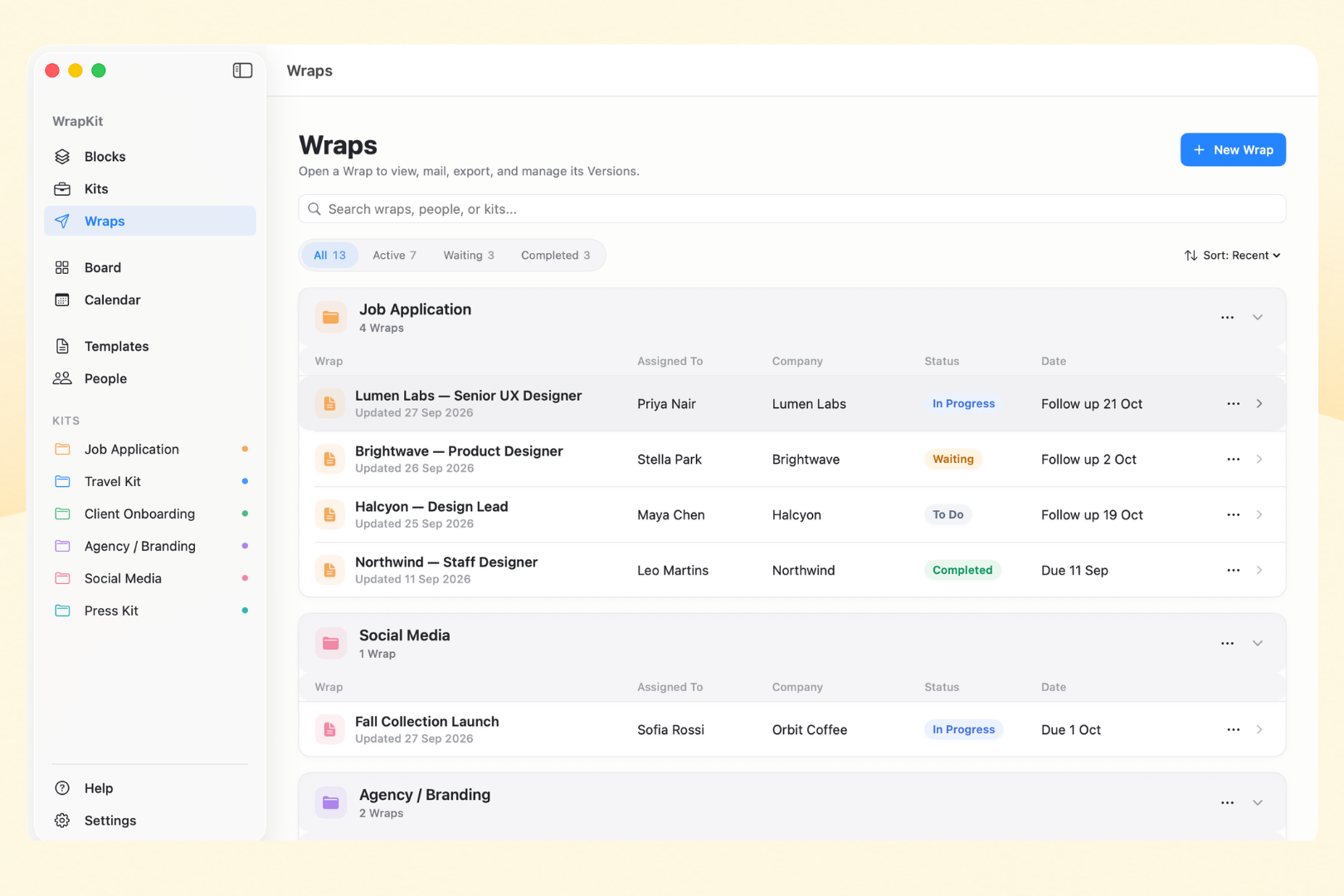
Wrap : Create a Wrap from your Kit when real work comes up—choose what you need, personalize it, and get it ready to send
-
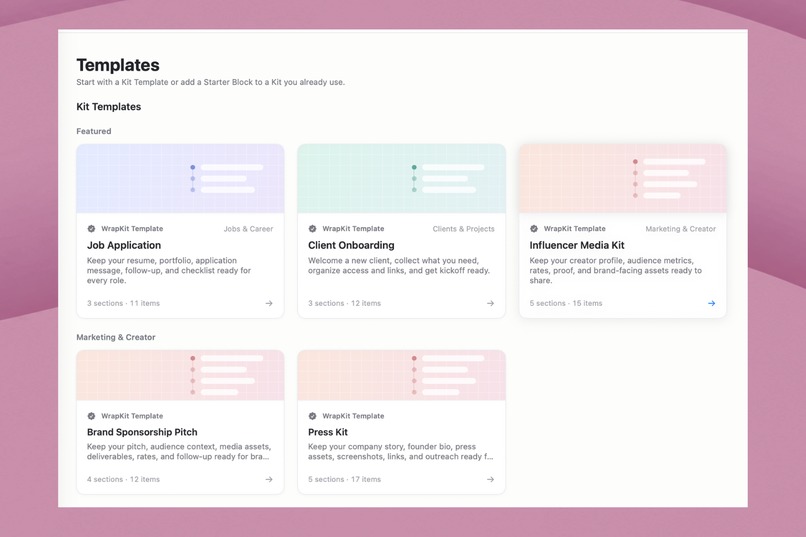
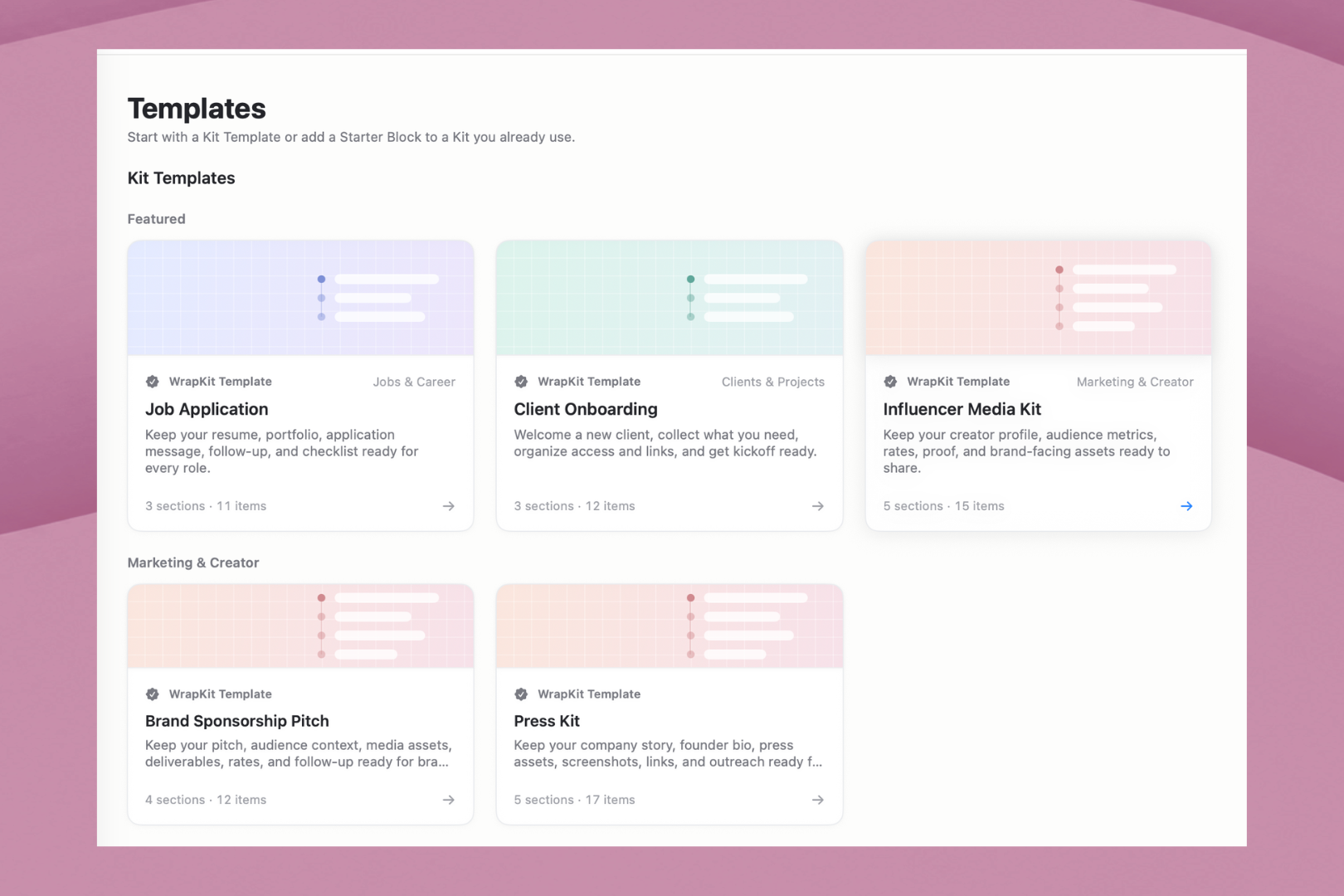
Templates: Start quickly with ready-made Kits for job applications, client onboarding, sponsorships, travel, media kits, and more.
-
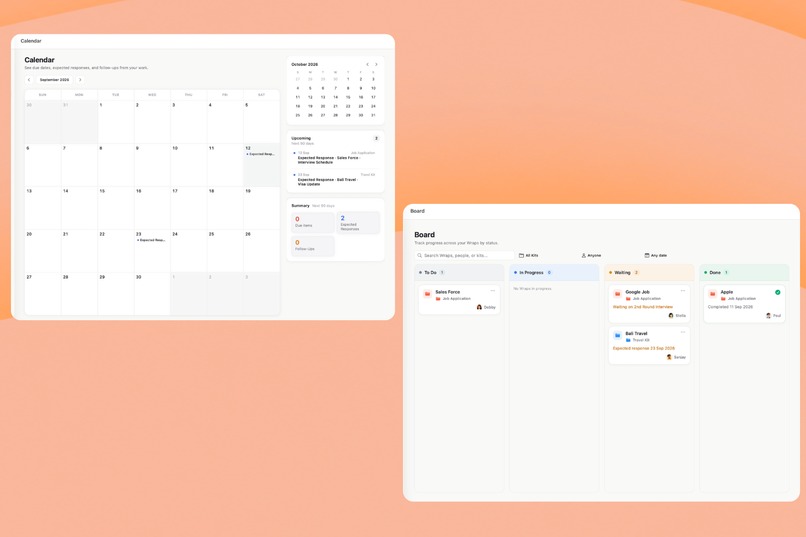
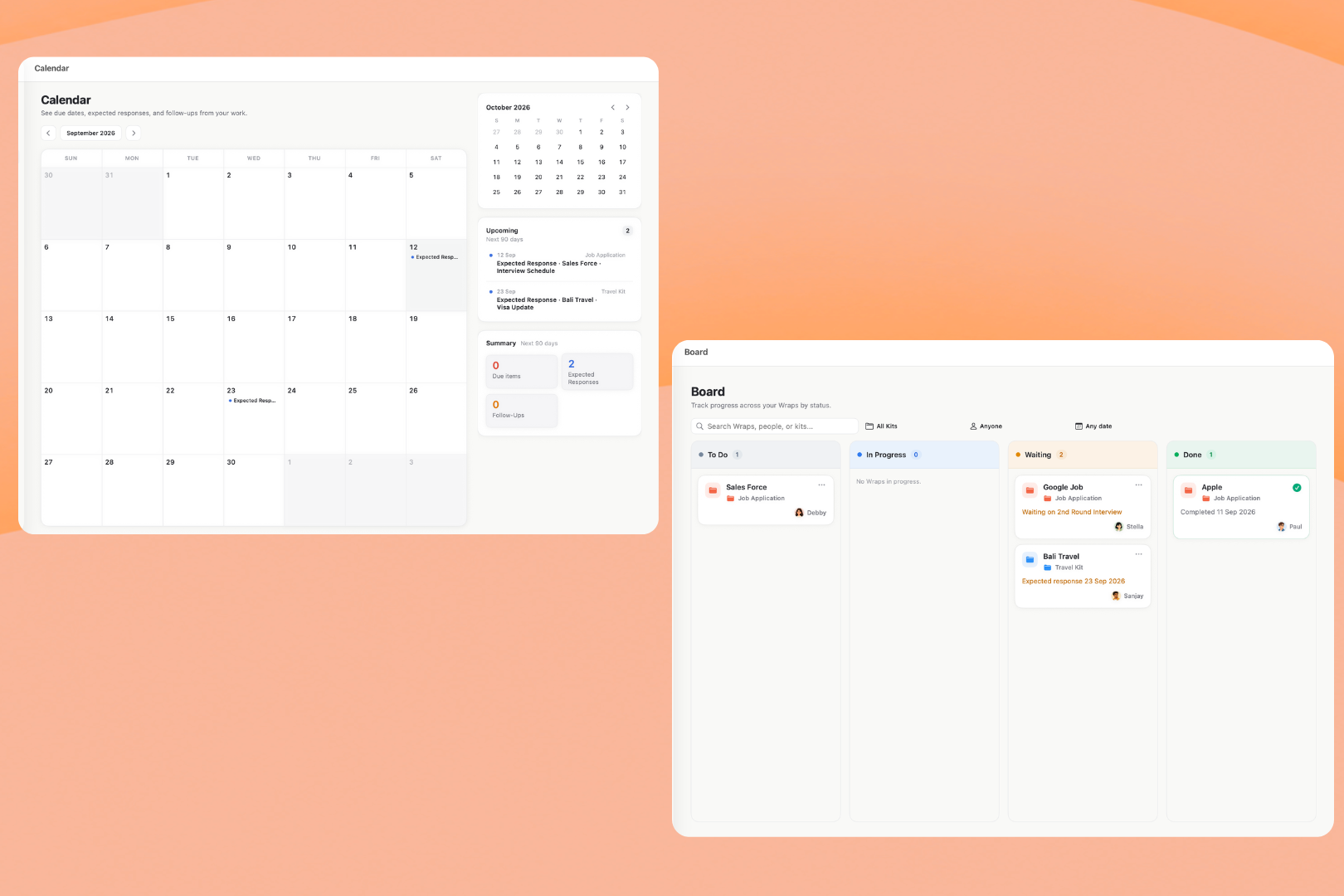
Calendar and kanban Boards : Keep important dates, expected responses, and follow-ups visible across all your active Wraps.
Inspiration
WrapKit started with a problem I kept running into in my own work. I'd reuse the same files, emails, links, and documents across different jobs, but every time I needed them, I was back to digging through folders, old messages, and past projects.
The content already existed. What wore me down was finding the right pieces, bringing them together, and getting them ready to send over and over again.
So I built a better way.
In WrapKit, you save reusable content once as Blocks, organize related Blocks into Kits, and create a Wrap whenever you need to use or send them.
The idea is simple: do the setup once, then reuse the same work without rebuilding it every time.
What it does
Save as Blocks → Organize into Kits → Personalize → Create a Wrap → Send → Track
WrapKit follows one simple flow: save content as Blocks, organize them into Kits, create a Wrap, personalize it, send it, and track what happens next.
A Block can be an email, text, a link, an image, a PDF, or another file. Instead of leaving useful content scattered across folders and apps, you save it once and keep it ready to reuse. Save to Blocks (⌃⌥⌘B) lets you capture something while you're working in another app, and Collections like Email Templates, Brand Assets, Client Files, or Research keep everything organized. When you need something again, Quick Access (⌃⌥⌘K) finds your Blocks, Kits, and Wraps without navigating through the main app.
A Kit brings the right Blocks together for something you do repeatedly.
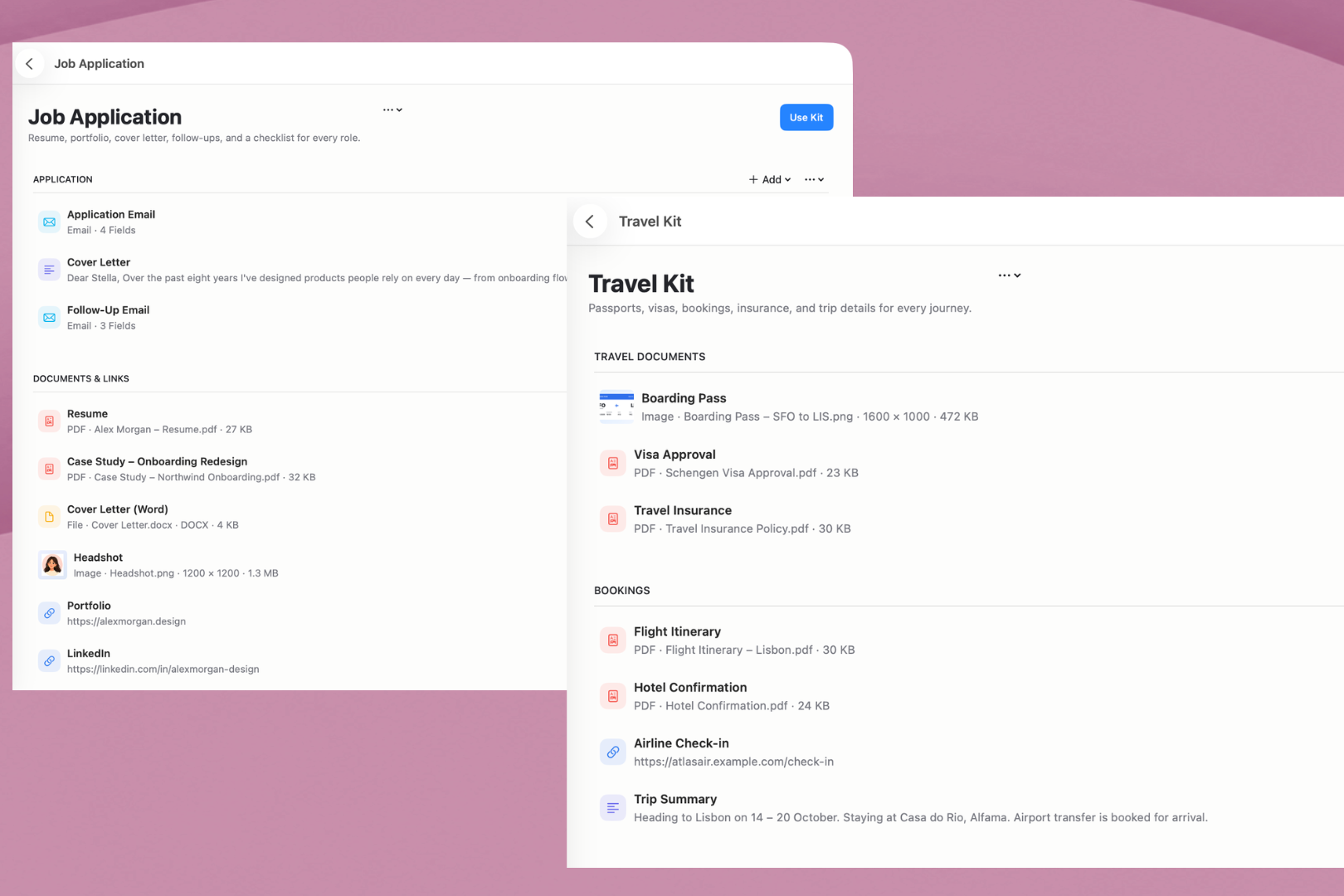
- A Job Application Kit might hold your resume, cover letter, application email, follow-up email, portfolio, and useful links.
- A Brand Sponsorship Kit might hold a media kit, rate card, pitch email, brand assets, and portfolio links.
- A Travel Kit could hold booking confirmations, itineraries, travel documents, PDFs, links, and notes. You can build your own Kit or start from a ready-made Kit Template and customize it.
That's where Personalization Fields come in. Instead of rewriting, your reusable emails and text adapt to each Wrap. Example A job application picks up the new company and role, a client proposal uses the client's name, and a sponsorship pitch speaks to that particular brand.
The Kit always stays reusable. A Wrap is one real use of that Kit — the content you prepare for a specific job, client, brand, project, or trip. When a role opens at Google, you create a Wrap from your Job Application Kit, choose what that application needs, and fill in fields like Company Name, Role Title, or Contact Email. The original Kit doesn't change, so it's ready for the next opportunity.
A Wrap can also have multiple Versions, so you send exactly what's needed at each stage. The first version of a job application might include the application email, resume, and cover letter. When it's time to follow up, a new version might contain only the follow-up email. Earlier versions stay unchanged, giving you a clear history of what was prepared or sent. When you're ready, WrapKit hands the content to Apple Mail, the standard macOS share options, or an export.
Every Wrap keeps its own status, person, dates, notes, checklist, and follow-ups. The Board shows where things stand across To Do, In Progress, Waiting, and Completed, while the Calendar keeps important dates, expected responses, and follow-ups in view.
So WrapKit isn't just a place to store reusable files. It carries your work all the way from saving it to sending it, tracking it, and using it again.
How we built it
WrapKit is a native macOS app built with Swift and SwiftUI, with AppKit stepping in where native Mac behavior matters most: Apple Mail, sharing, text editing, and global keyboard shortcuts.
SwiftData handles local persistence, and imported files are kept in managed local storage. WrapKit is local-first, so there's no WrapKit account to create.
For Pro, we integrated RevenueCat with the App Store purchase flow. WrapKit Pro Lifetime is a one-time purchase that unlocks unlimited Kits and active Wraps.
Challenges we ran into
The hardest part was making Blocks, Kits, and Wraps feel like one simple idea instead of three separate features.
We also had to make emails, text, links, PDFs, images, and files behave consistently across saving, personalization, sharing, and export. On top of that, we wanted WrapKit to feel truly native on macOS, which meant getting global shortcuts, Apple Mail integration, accessibility, and layouts right at every window size.
Accomplishments that we're proud of
We took WrapKit from an idea to a complete native Mac app that's now approved and available on the Mac App Store.
What we're most proud of is that the whole experience connects: save, organize, personalize, send, track, and reuse. You can capture content from anywhere on your Mac, shape it into reusable Kits, create separate Wraps for real work, and track each one without changing the original Kit.
What we learned
Building WrapKit taught us that making something feel simple usually means solving a lot of complexity underneath.
Blocks, Kits, Wraps, and Versions each needed a distinct purpose, or the app quickly became confusing. A lot of our work went into refining those ideas until the flow felt natural.
We also learned that small native details can completely change how polished a Mac app feels.
Most importantly, we learned to build around real use instead of adding features for their own sake. Every part of WrapKit got better when we asked one question: does this make repeated work easier the next time?
What's next for WrapKit
We're now building an iPhone and iPad companion app, with sync so your Blocks, Kits, and Wraps can stay available across your devices.
We also plan to explore Apple Intelligence to help write and improve reusable emails and text inside WrapKit, along with a more integrated mailbox experience for follow-ups, so sent work, replies, and next steps can stay connected to the Wrap they belong to.
Through all of it, we want to keep the simple idea WrapKit started with:
Save once. Reuse when the work comes back.

Log in or sign up for Devpost to join the conversation.