-
-
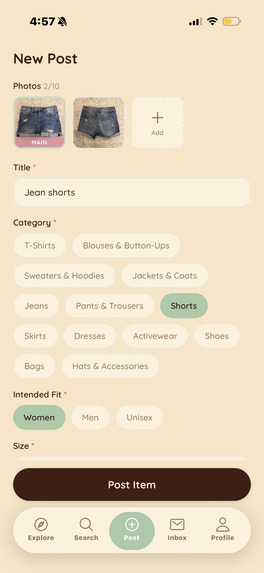
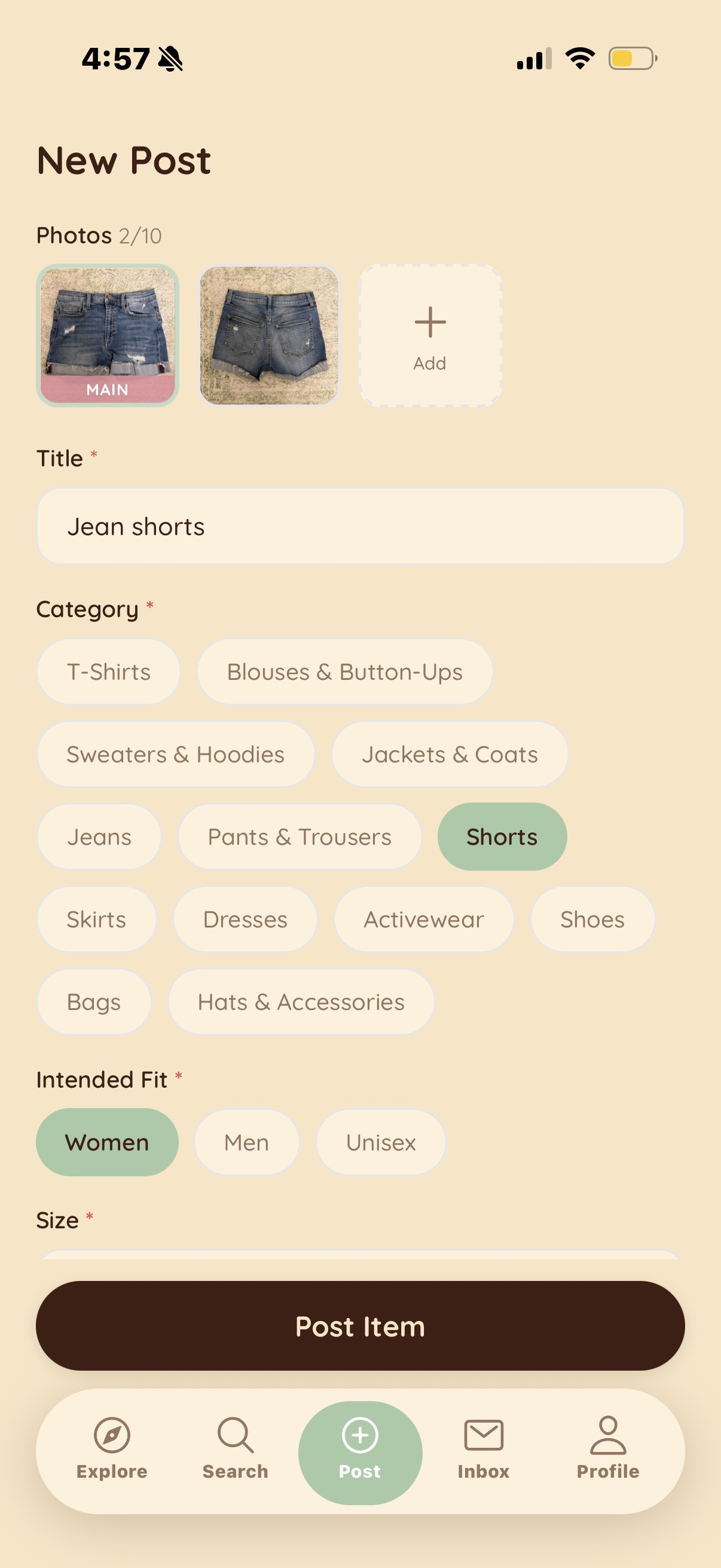
Creating a new item listing with pictures and tags
-
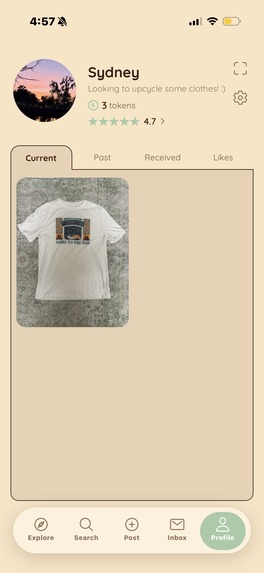
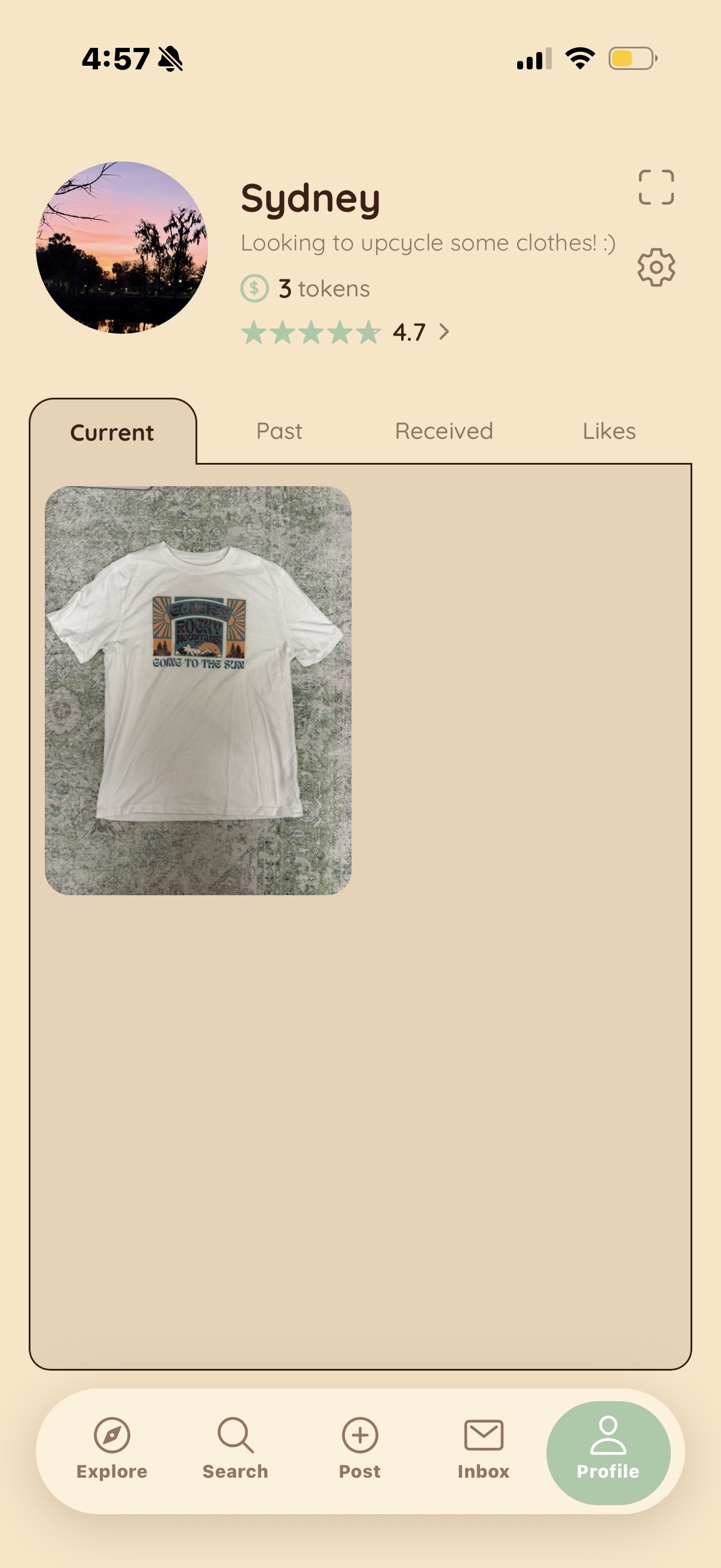
Profile page with your current item listings
-
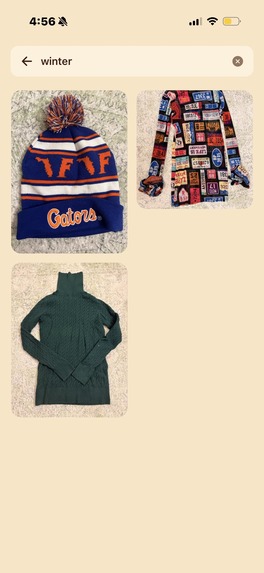
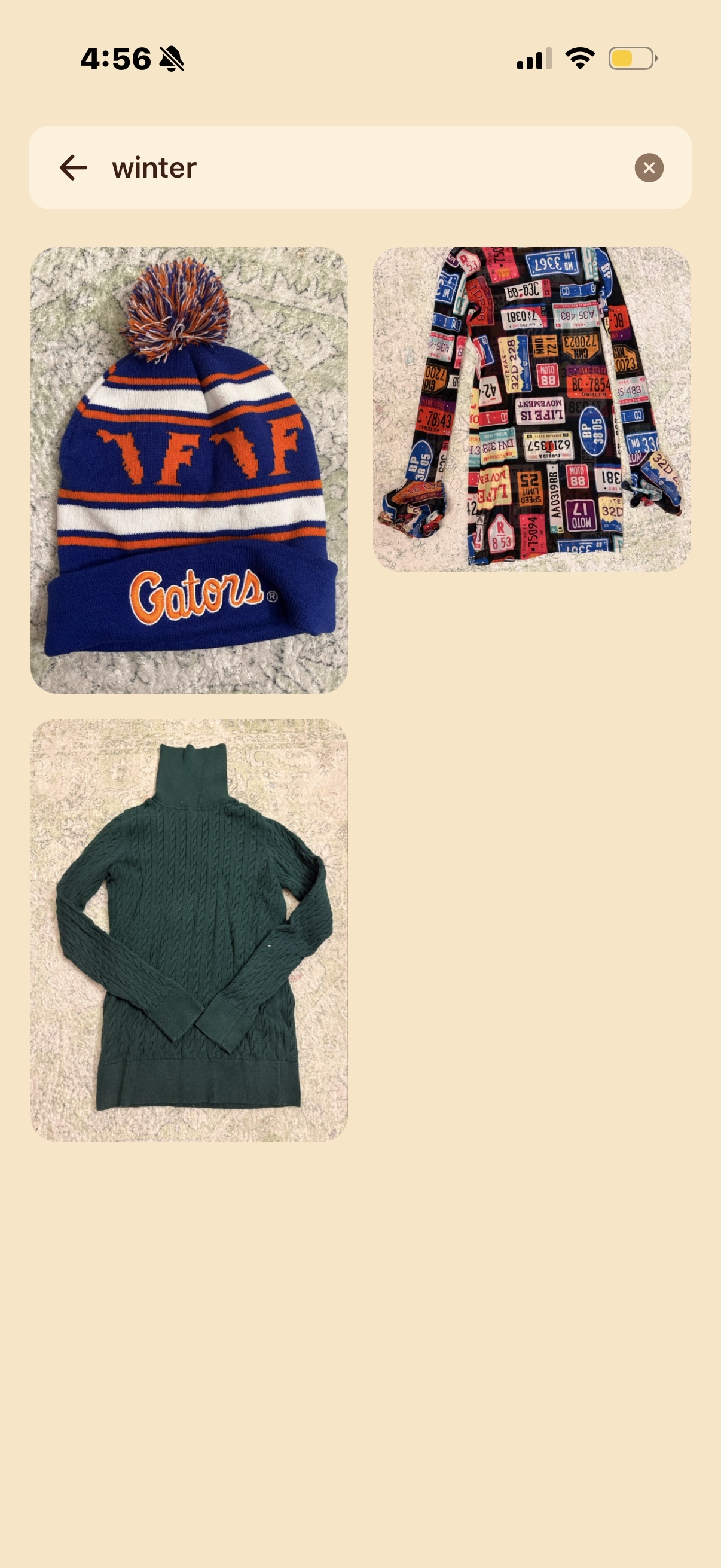
Our vector search functionality to find related items
-
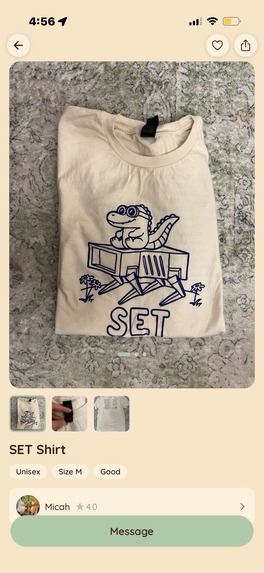
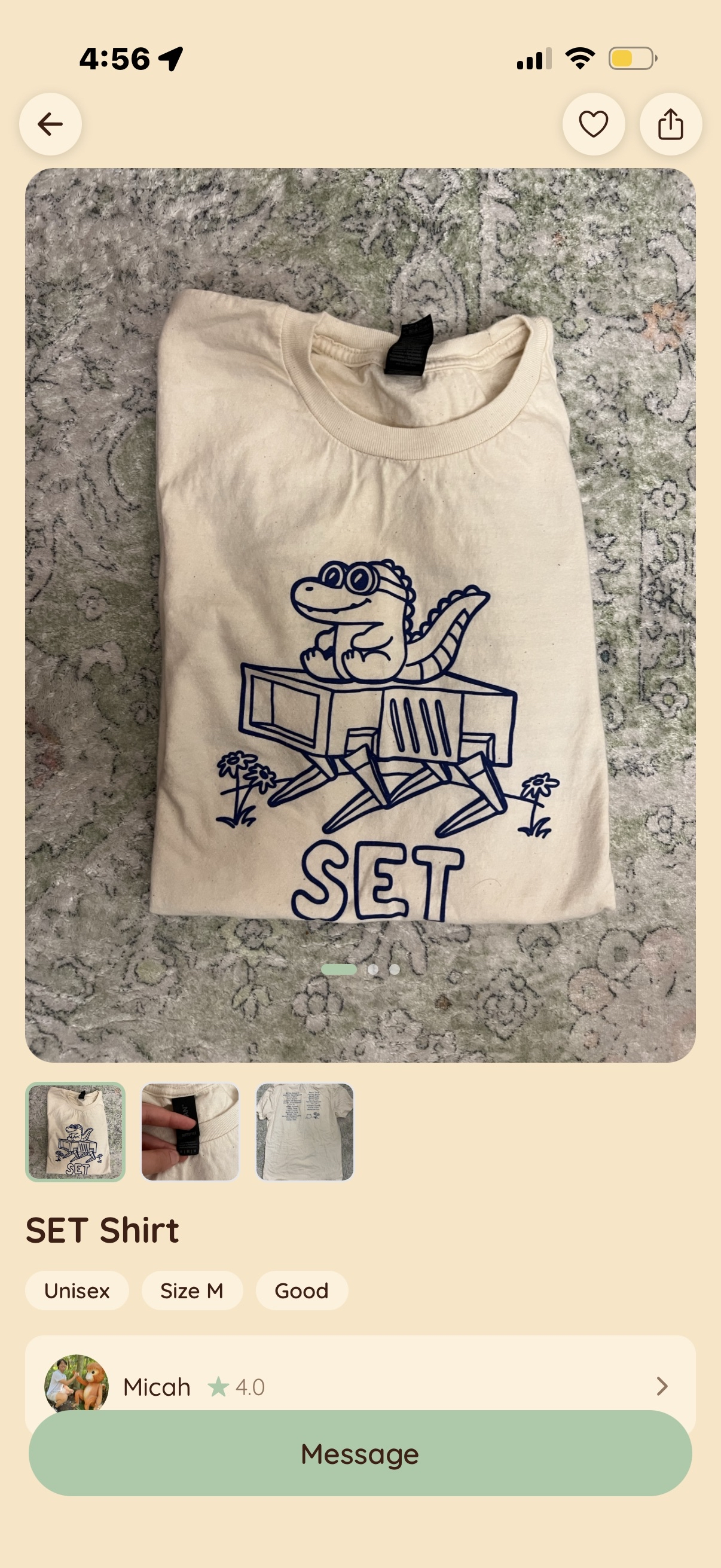
An example product page with a scrolling gallery and tags
-
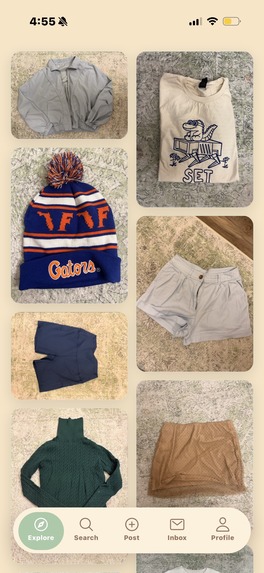
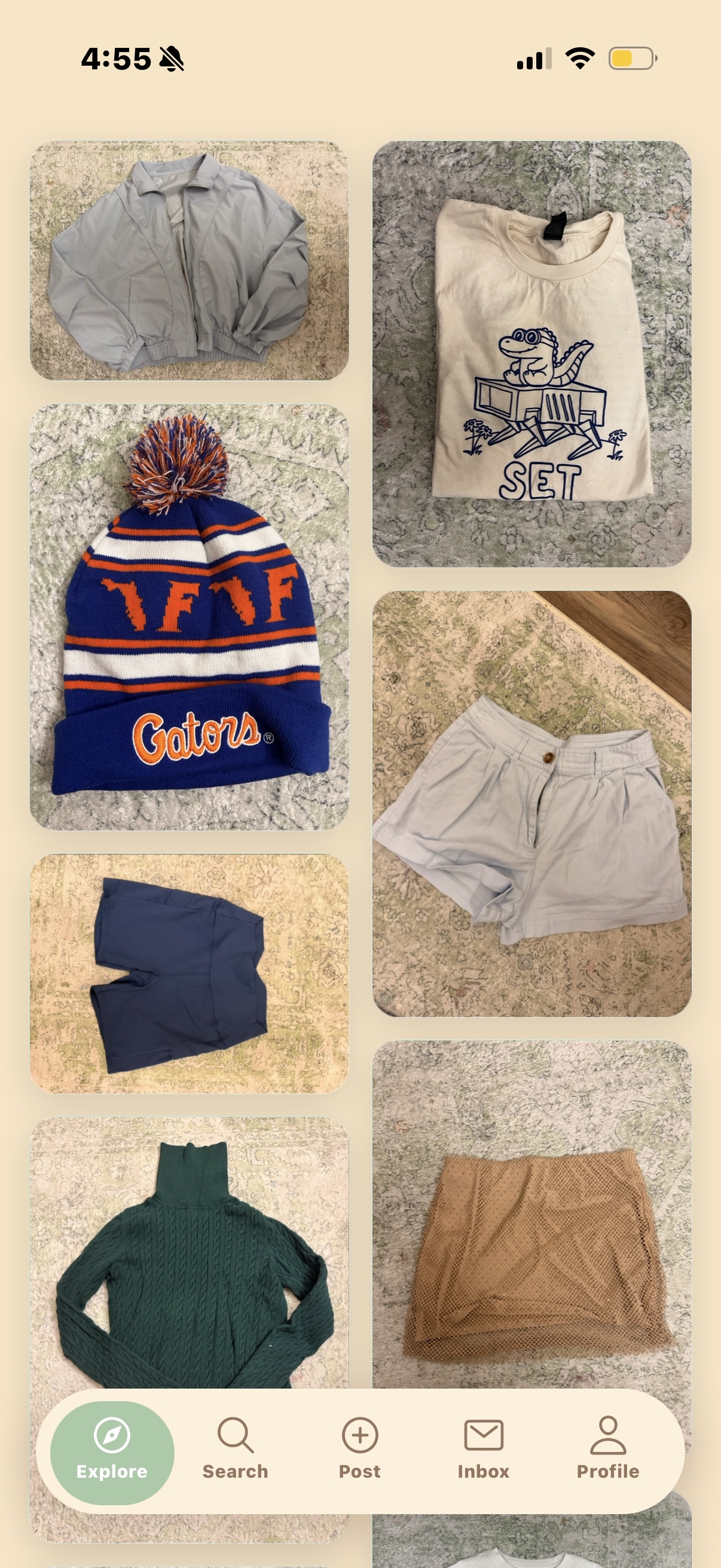
Your explore page with various item listings
Inspiration
We all have clothes that sit in our closets, gather dust, and never get worn. We wanted to create a platform that encourages people to organize their closets and help strengthen the well-being of the community around them.
What it does
woven is a community-centric platform that facilitates the trading and upcycling of clothing. Built with no monetary gain in mind, it's a simple exchange platform. Users can list items they no longer wear, earn trade tokens by "selling" their clothes, and use tokens to "purchase" other pieces of clothing that catch their eye.
How we built it
We built woven as a mobile app using Expo, React Native, and TypeScript for the frontend and Express.js with MongoDB for the backend. Our search is based on semantic search via OpenAI’s vector store. For messaging we used Socket.io for the WebSocket layer, providing instant, no-refresh messaging. For storing our images, we chose Cloudinary for its free 25gb tier. Finally we deployed our backend with Railway.
Challenges we ran into
There were several challenging features in our project:
Real-time chat: Setting up the WebSocket was challenging at first because I’ve never done real-time messaging before. While everything seemed to work on local dev, as soon as I deployed the app, the connections became confusing since the logging wasn’t as thorough so debugging was a challenge. However, most of this was due to deployment configuration and once this was fixed, it worked smoothly.
Search feature: Setting up vector search for our search bar was quite challenging. Initially, we thought we could use MongoDB to conduct vector search as they have Atlas features called “vector search”. After a lot of trial and error, we found that MongoDB could not actually vectorize items, it could use a vector store. We then had to research and integrate new external tools to help vectorize our data. We ultimately decided on using OpenAI. During the testing/optimizing phrase, we had a lot of issues deciding how similar we wanted semantics results to reflect in our search results. Too high of a similarity would result in options we wanted filtered out while too low of a similarity rating would cause irrelevant posting to be included. We decided on 0.6 as a final bar through testing to see varying levels of similarity and what would provide the best results with the pool of words we were working with.
Adding photos to the post: Adding images for each post proved to be its own challenge in several ways. While trying to add a crop feature to the image upload, we found the default cropping functionality to be extremely robotic, rigid, and hard to maneuver. As a result, we had to manually implement free form cropping to give the user more control. It was also difficult to implement the scrolling feature with different sized images on one post. We tried several fixes, including a fixed aspect ratio and scaling to the first image, but none of these would properly display all of the images. As a solution, we found that the best way to overcome this was to use the tallest image from the group as the frame and center all other images inside this “container.”
Accomplishments that we're proud of
We’re extremely proud that we were able to implement so many features in such a short amount of time. We spent a significant amount of time on the planning stage, developing the exact functionalities and workflow we wanted to follow, which paid off later on, making it much simpler to convert our mockups to a working application. We’re also proud that we created a fully functioning mobile application, even when most of us have only worked with web development before. Finally, we’re proud to complete an application whose functionality doesn’t directly revolve around AI API calls. With how prevalent AI integrated apps have become, we enjoyed the challenge of fleshing out a more traditional app, connecting a database with backend behavior to a visually appealing frontend.
What we learned
One of the biggest lessons we’ve learned is how important planning is. We spent a good two hours at the start of the hackathon drawing out what each app page would look like and discussing features to implement. While this seemed slow in the beginning, it allowed us to efficiently split off tasks while remaining on the same page across the board. We felt much more comfortable throughout development. We also had less mental load as less decisions needed to be made while we were heavily thinking about how to implement code. Another big takeaway from this hackathon is our experience working with coding agents. I was able to try a bunch of different models comparing their accuracy and efficiency. We learned a lot about how to prompt correctly to receive the exact results we wanted. This process also shone a lot of light on the efficiency of AI agents. We were able to delegate tasks that were more mundane or repetitive to allow more of our brainpower to be put towards making decisions about the product.
What's next for woven
The next step for woven is a beta trial run with real users. The majority of the functionality is present, which means we now need users to break our app. Having real user interaction will be extremely beneficial in knowing what other features the app needs and where potential bugs are. Since the hackathon had a short time span, we were rushed to make fast decisions about the UI/UX. Having beta users would allow us to conduct research and gain a better understand of the app from the user’s perspective.


Log in or sign up for Devpost to join the conversation.