-
-
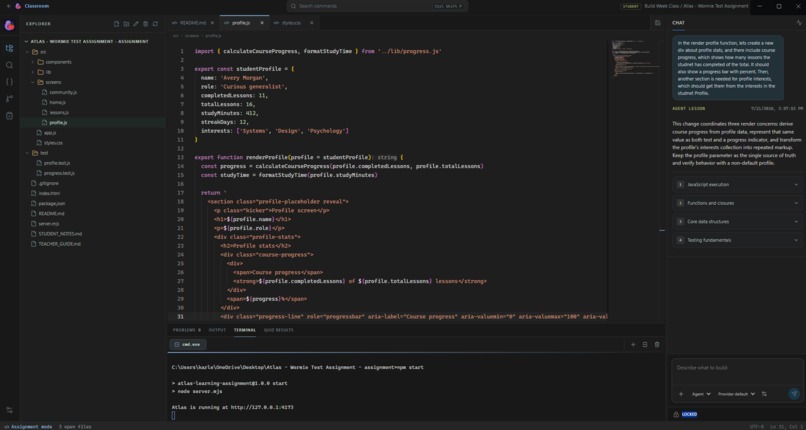
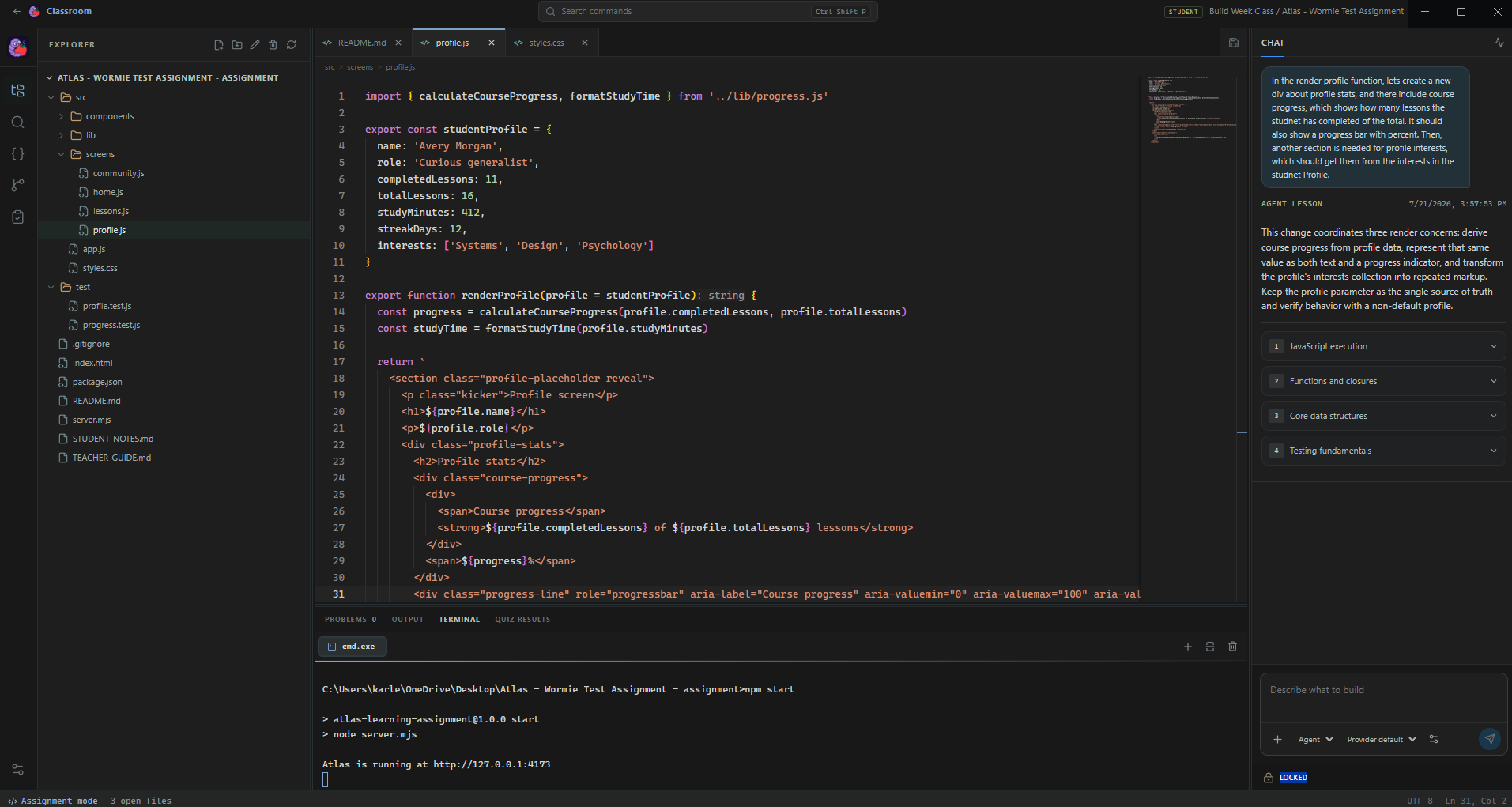
Full IDE view
-
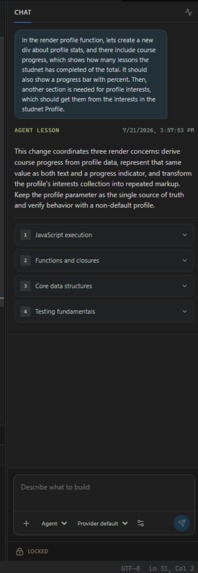
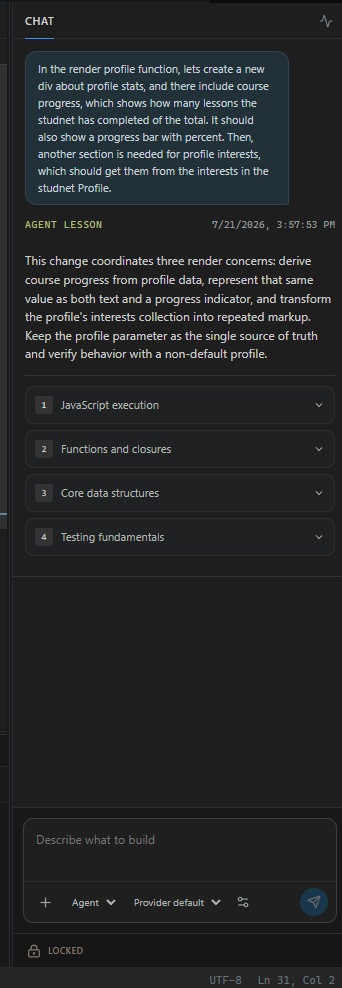
Agent interface and generated lesson
-
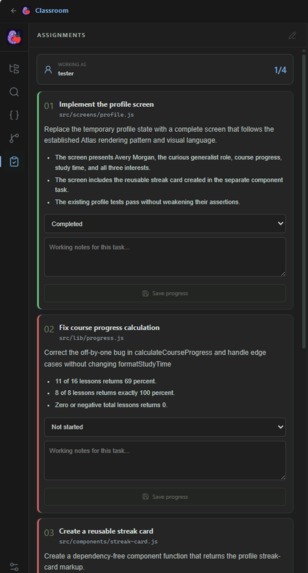
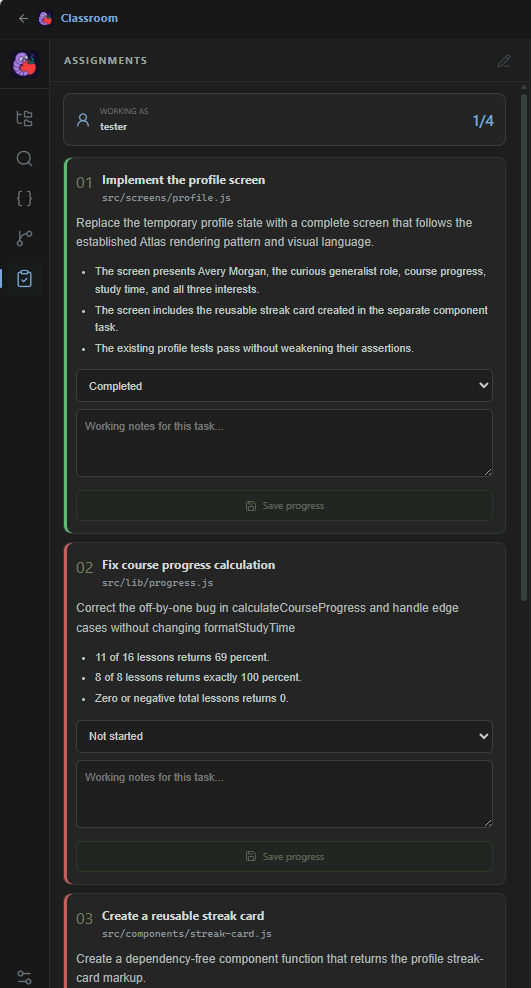
Assignment tasks view for students
-
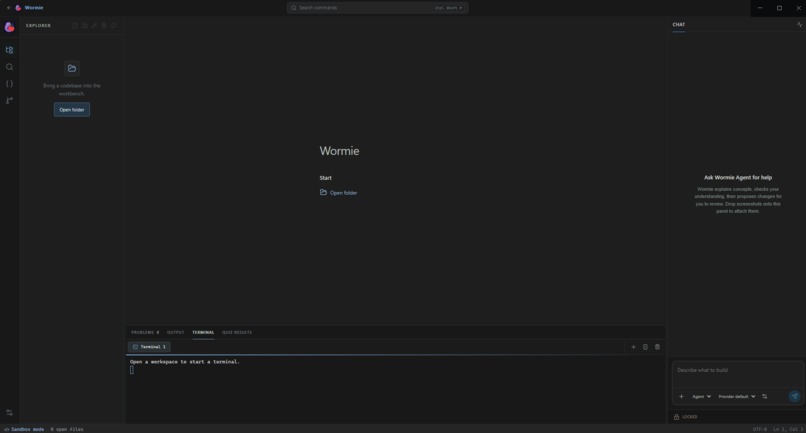
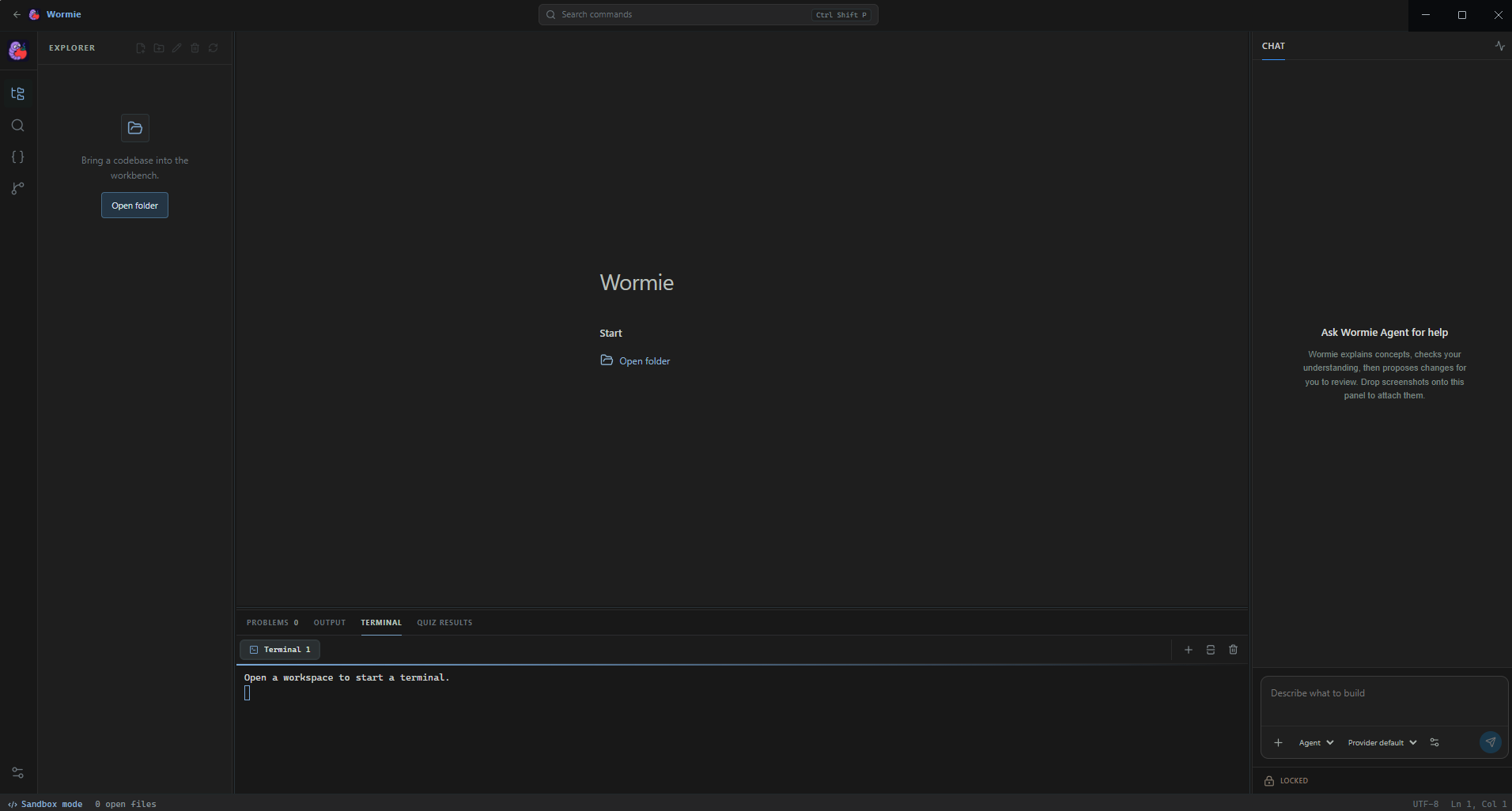
Sandbox mode base IDE screen
-
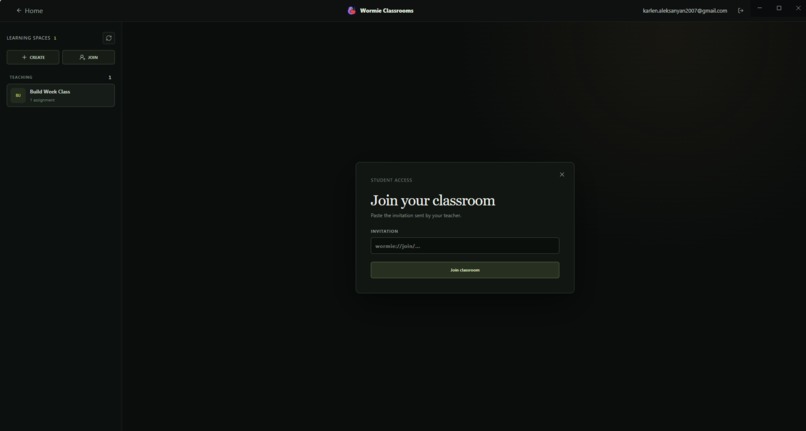
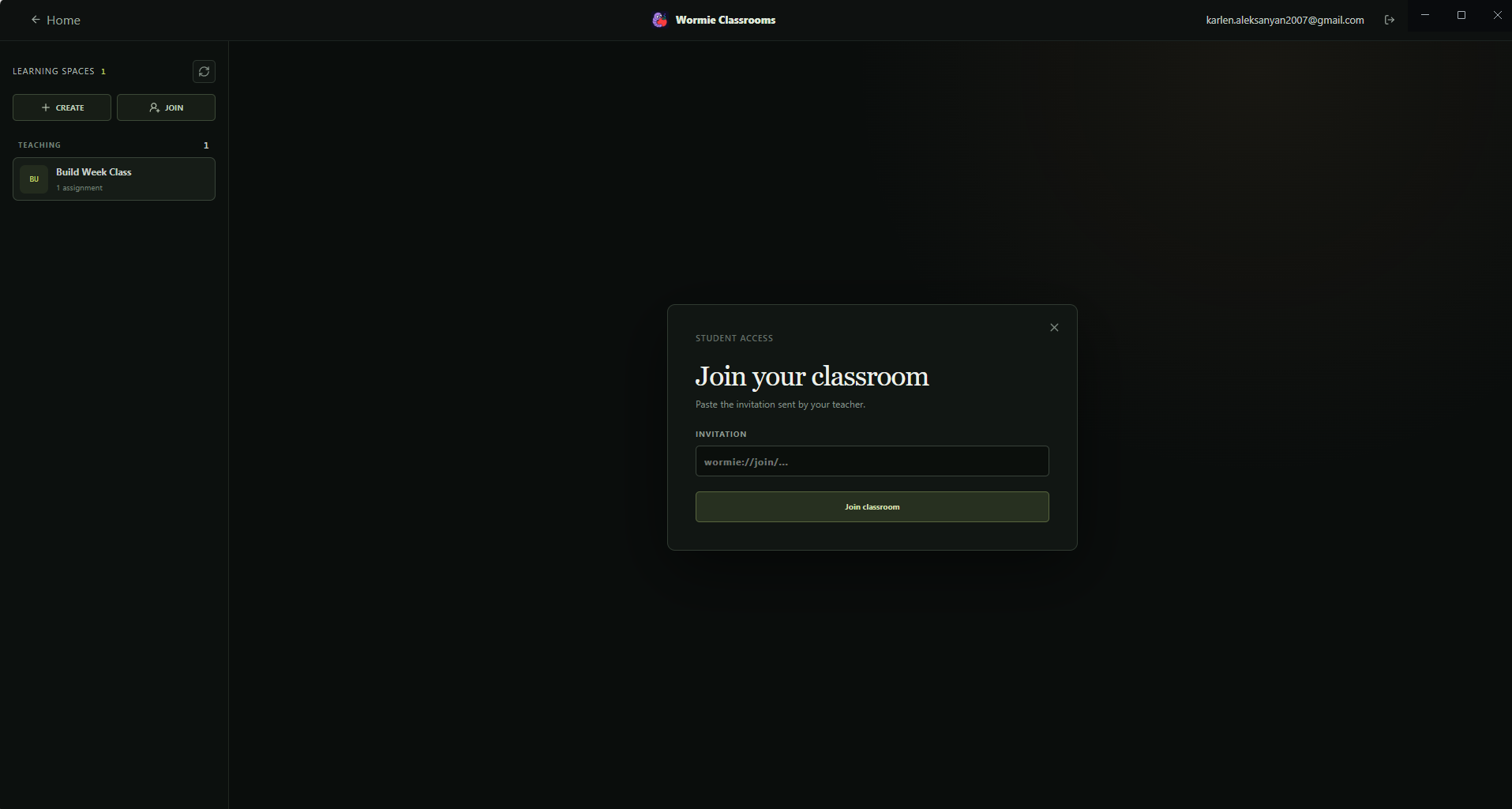
Join a classroom screen
-
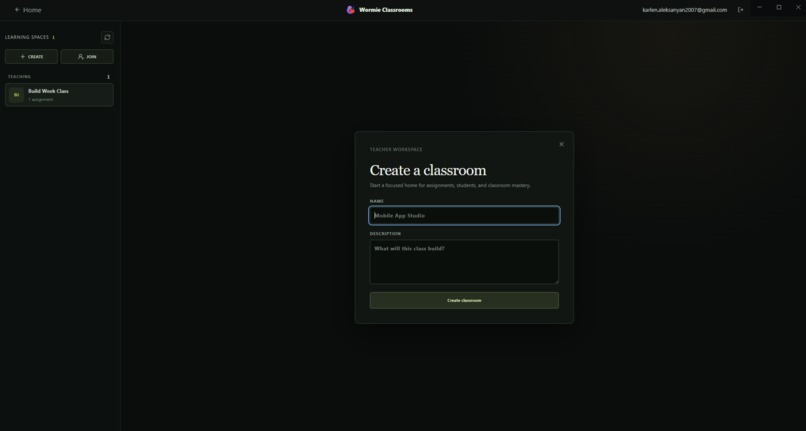
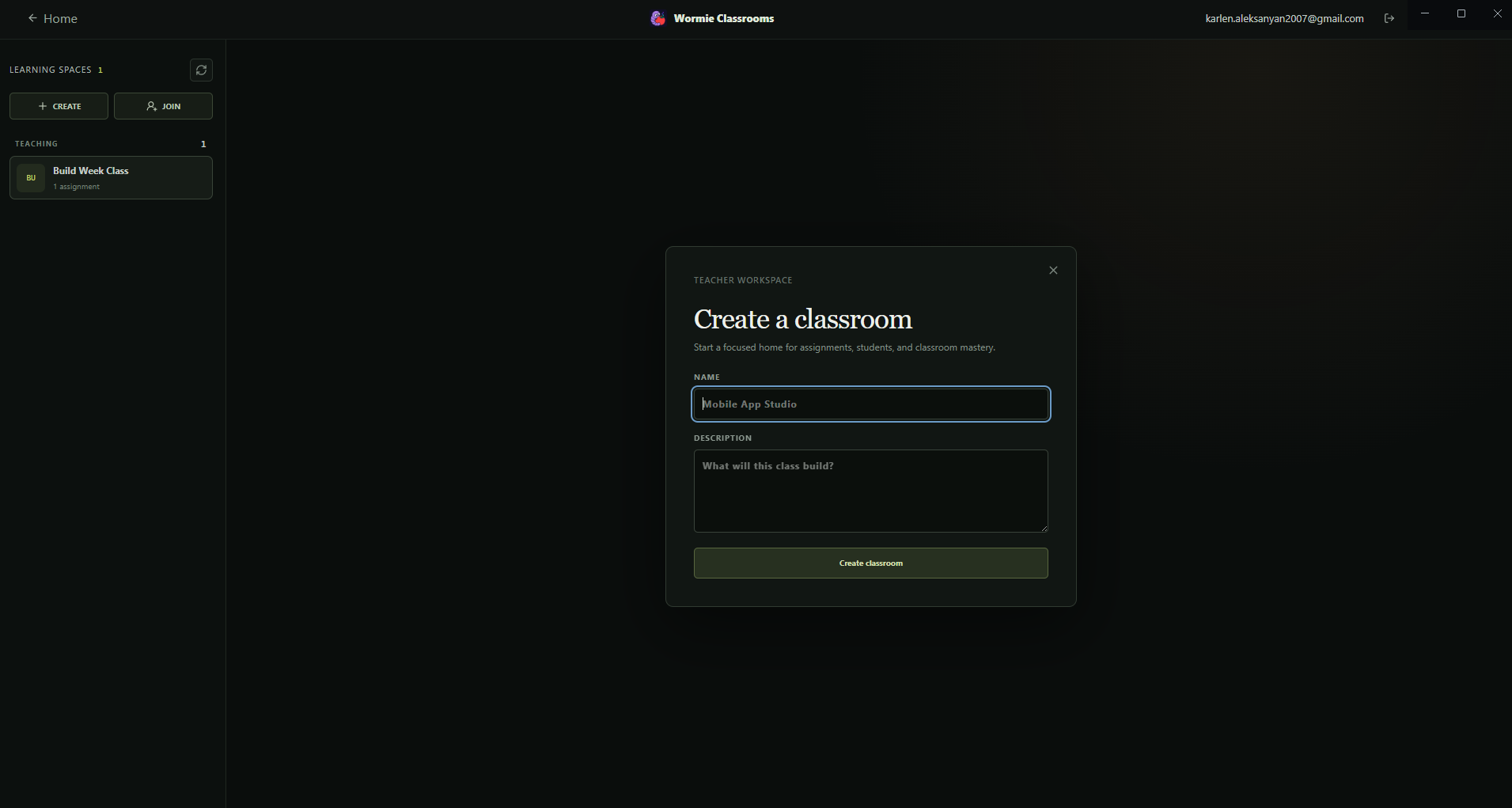
Create a classroom screen
-
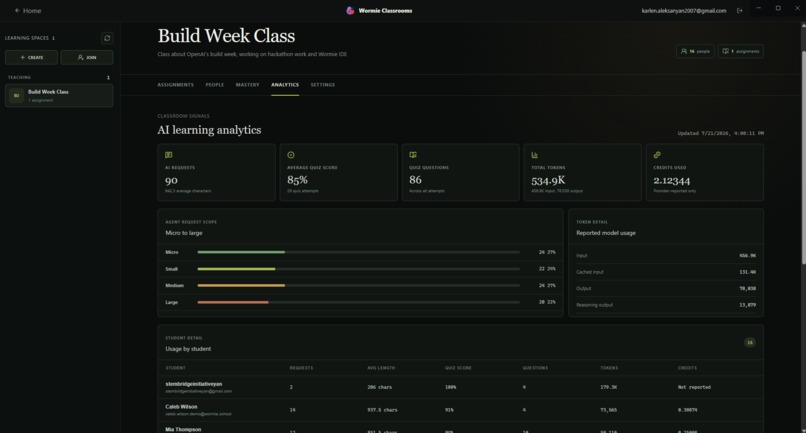
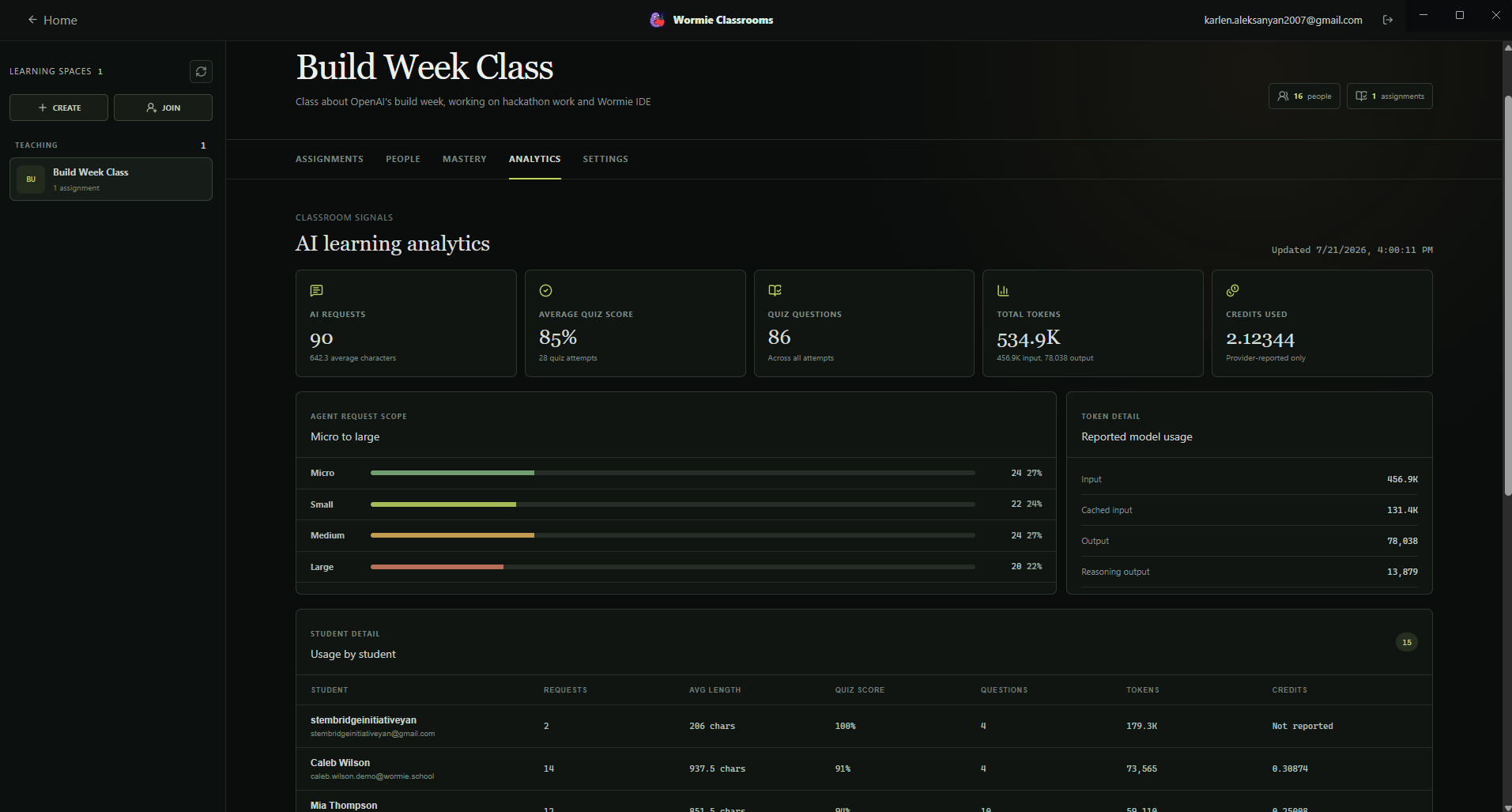
Teacher's classroom management, analytics screen
-
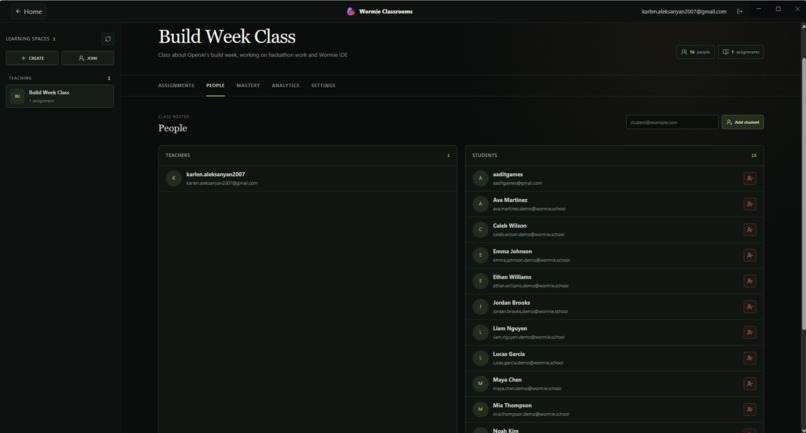
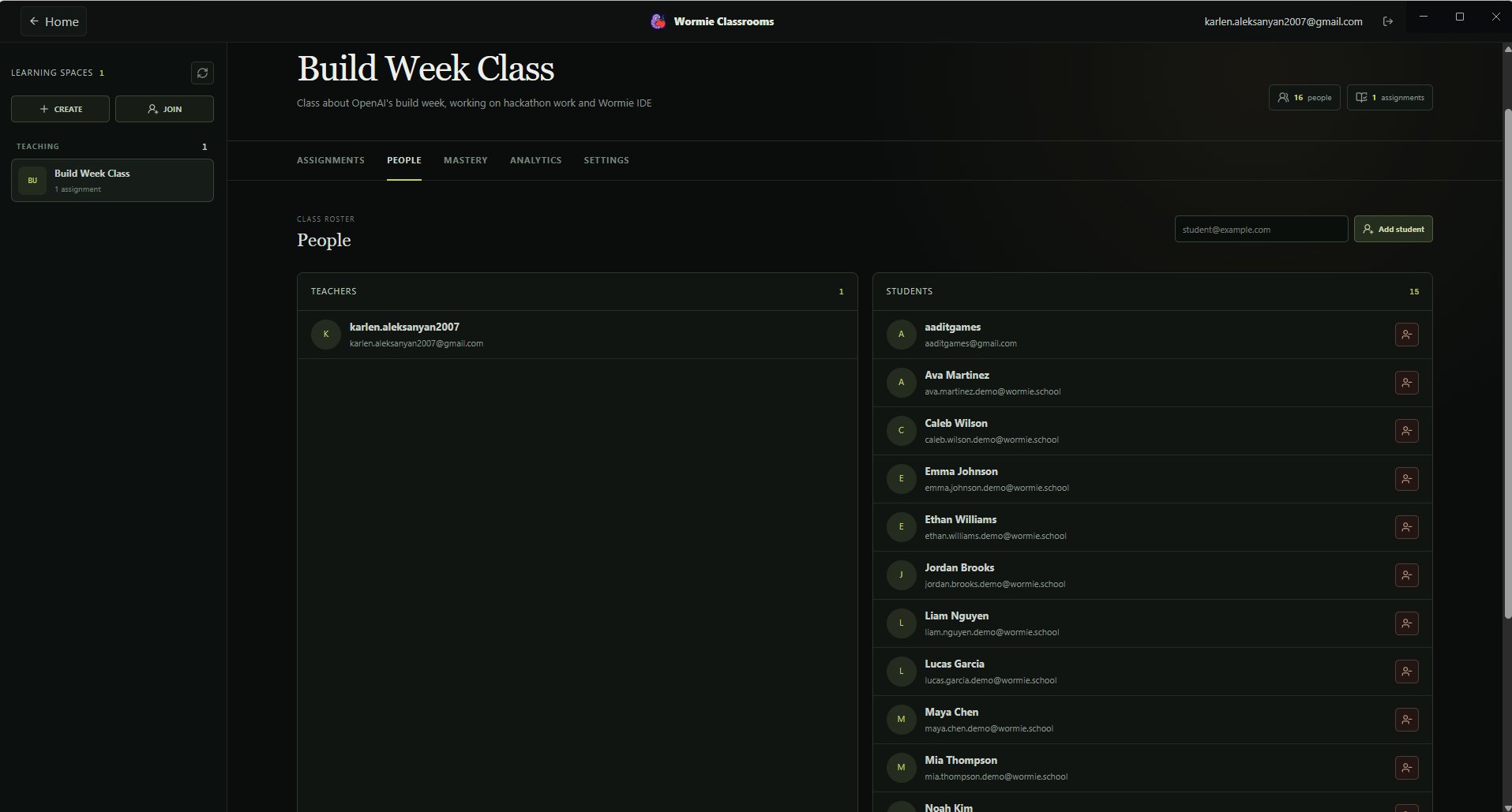
Teacher's classroom management, students screen
-
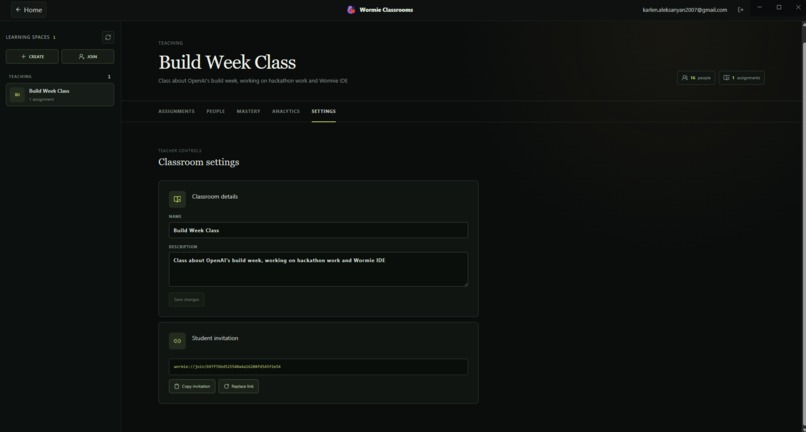
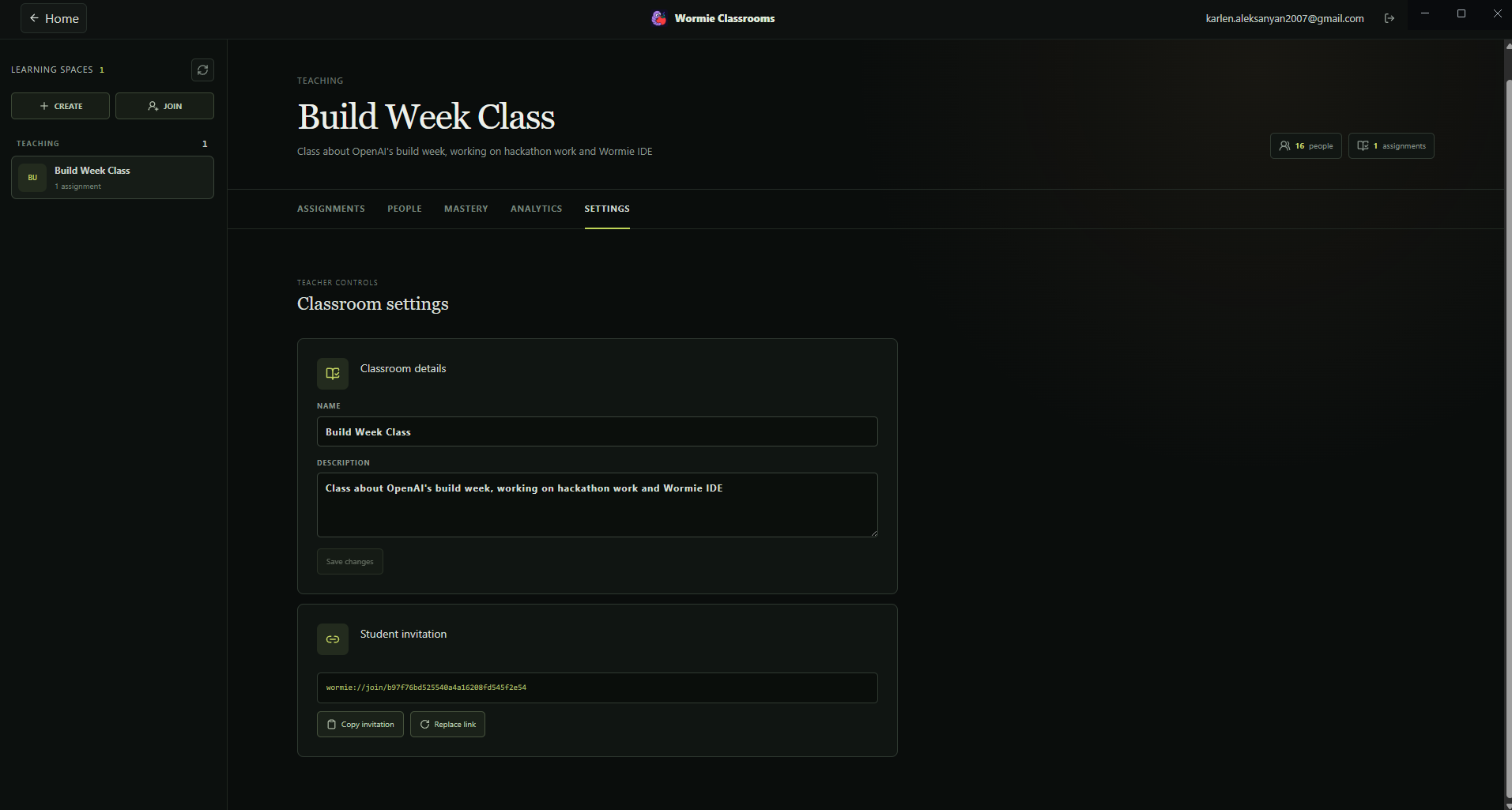
Teacher's classroom management, settings screen
-
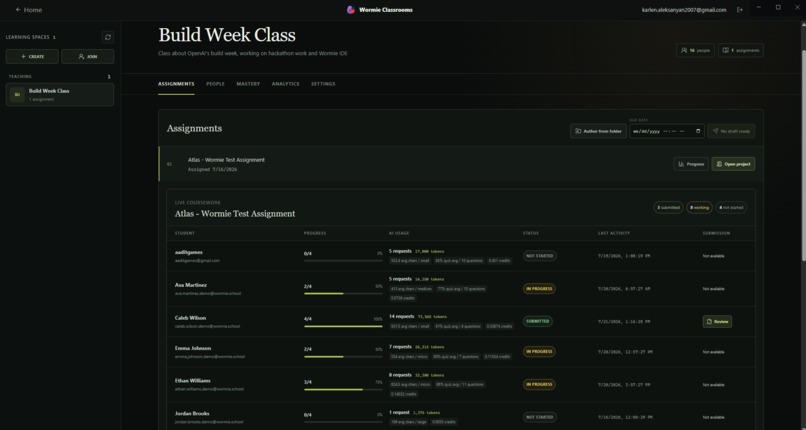
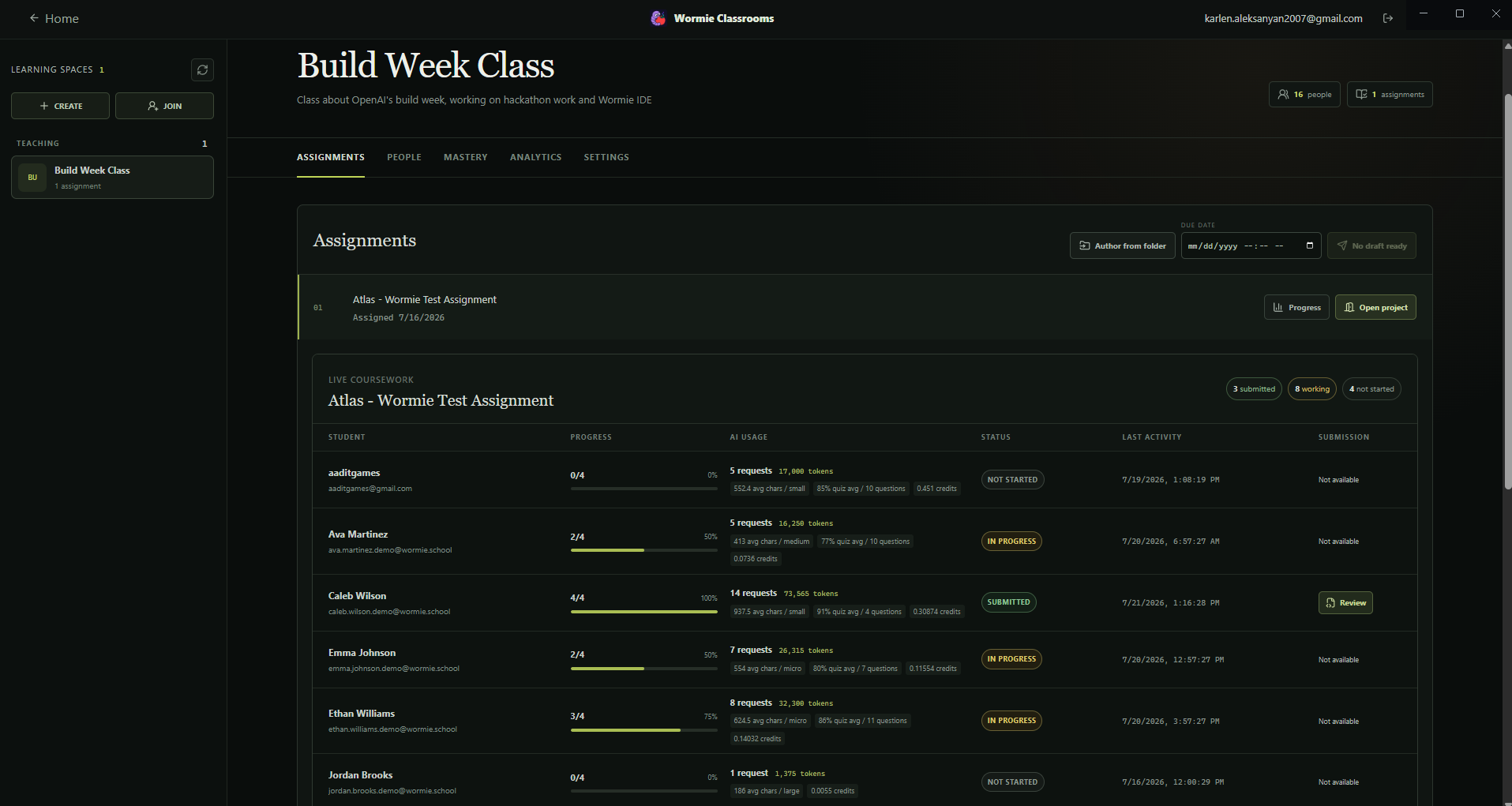
Teacher's classroom management, assignment progress screen
Inspiration
Just one year ago, we were high school students, excitedly taking CS classes. However, the CS curriculum has not adapted to the AI revolution. The class became a game of who could take the most advantage of AI without the teacher noticing. To end this cat and mouse chase, and instead introduce schools and classes to the age of AI, we built Wormie.
What it does
Wormie has two core components - Wormie Classrooms, and the Wormie IDE. Wormie Classrooms is an easy way for teachers to assign computer science projects and assignments. It starts with creating a classroom, which students can then join with an invite code. Teachers upload an incomplete codebase, which the student has to work with, then add specfic tasks that the student must complete. This assignment is automatically given to the students, who can then see their own versions, and complete the code in the Wormie IDE. There, they also have access to our key feature, Wormie Agent. It functions similarly to Copilot within VSCode, but with the crucial difference that it doesn't give free edits and answers. Once a prompt is submitted, the agent forms an appropriately sized mini reading lesson and short quiz to test that the student has an idea of what is going on. If the student passes the quiz accuracy threshold, which can be set by the teacher, then Wormie Agent goes ahead and edits the code within the tight bounds of the student's prompt, so as to not give the student unnecessary help. The student is forced to review each diff before fully accepting the changes.
How we built it
We built Wormie as a cross-platform Electron application using React and TypeScript. The editor is powered by Monaco, with Zustand for local state, React Query for asynchronous workflows, Tailwind CSS and custom CSS for the interface, and Framer Motion for interaction polish.
The Electron main process handles filesystem access, Git operations, terminal sessions, authentication, AI requests, and security-sensitive validation. The renderer communicates with it through a secure IPC bridge with context isolation enabled.
For AI capabilities, we integrated the OpenAI Codex API with structured model outputs, streaming activity, workspace context, and proposal generation. We validate model responses with schemas before they reach the user or the filesystem.
Wormie Classrooms uses Supabase for authentication, classroom membership, assignment publishing, and teacher-student workflows. Local project data and assignment state are kept close to the workspace so the IDE remains fast and resilient.
Throughout development, we treated workspace files and model output as untrusted input. We added path validation, secret redaction, protected-file rules, assignment policies, diff review, and tests around the most important boundaries.
Challenges we ran into
The hardest challenge was making AI helpful without making learning optional. A normal coding assistant can generate an answer immediately, but Wormie needed to create a meaningful pause for understanding without making the experience feel frustrating.
We solved this with structured learning sessions, local quiz grading, adaptive remediation, and a clear proposal review step. The AI can explain concepts and prepare a plan, but code generation stays behind an understanding gate.
We also had to make the AI agent safe around real workspaces. Model output can contain invalid paths, unsafe edits, secrets, or assumptions based on incomplete context. We built validation and review systems so the AI can propose changes without silently overwriting files.
Another challenge was building a complete classroom workflow alongside a desktop IDE. Authentication, invitation codes, assignment packaging, isolated student workspaces, progress tracking, and teacher review all had to work together as one product.
Accomplishments that we're proud of
- Built an end-to-end classroom workflow for teachers and students.
- Created a learning-first AI coding assistant instead of another code autocomplete tool.
- Added concept lessons, adaptive quizzes, confidence scoring, and remediation.
- Added reviewable AI proposals with accept, reject, and partial-change controls.
- Built protected filesystem and IPC boundaries for safer AI interaction.
- Added Ask, Plan, and Agent modes directly inside the coding composer.
- Added support for Codex accounts and OpenAI-compatible model providers.
- Created a polished, cross-platform Electron IDE experience.
- Developed a system that helps teachers introduce AI without abandoning the educational goals of programming classes.
What we learned
We learned that building an AI product is not only about model quality. The surrounding workflow matters just as much: context gathering, structured outputs, validation, permission boundaries, feedback, and user trust all determine whether the system is useful.
We also learned that educational guardrails have to be part of the product architecture, not just a message in the interface. If understanding is important, it needs to be represented in the data model, enforced in the backend, and reflected in the user experience.
Building Wormie also taught us a lot about Electron security, secure IPC, filesystem handling, authentication, Git workflows, and designing interfaces that make complex AI behavior understandable.
What's next for Wormie IDE
Next, we want to make Wormie even more adaptive and useful for both students and teachers.
Planned improvements include:
- A persistent knowledge graph that tracks mastery and prerequisite concepts.
- More adaptive quizzes based on each student’s mistakes.
- Challenge mode, where students implement the solution themselves before comparing it with AI.
- Reverse-engineering mode for understanding existing codebases.
- Better teacher dashboards with progress, misconceptions, and concept-level analytics.
- More assignment templates and classroom collaboration tools.
- Offline-first workflows for schools with unreliable connectivity.
- More AI providers, models, and agent integrations.
- Improved accessibility and support for more languages and learning styles.
Built With
- codex
- css
- electron
- framer-motion
- html
- javascript
- node.js
- react-query
- supabase
- tailwind-css
- typescript
- vscode
- zustand


Log in or sign up for Devpost to join the conversation.