Inspiration
The inspiration for WorldWide Rover came from the idea of bridging the gap between autonomous robotics and global remote control. We were fascinated by the concept of allowing someone anywhere in the world to control a rover in real-time, similar to how NASA operates Mars rovers. This idea sparked our mission to create an accessible, web-controlled rover that would be ideal for hands-on learning and exploration in robotics and remote operation.
What it does
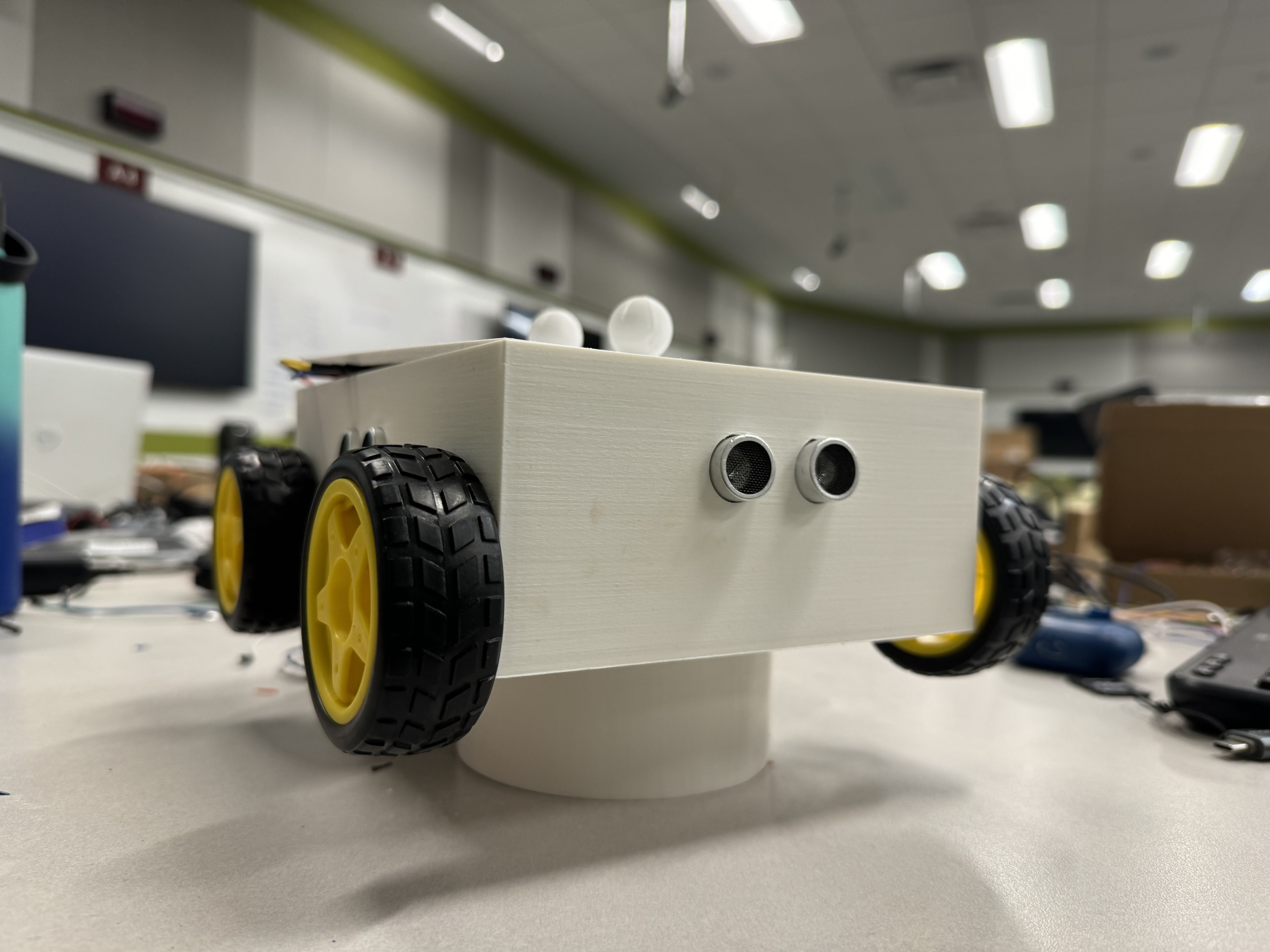
WorldWide Rover is an autonomous rover equipped with maze and object avoidance capabilities. The rover can navigate complex environments and avoid obstacles, while users can access it through a web interface to control it remotely. Through this interface, anyone with the link—whether they're on the West Coast or even in a different country—can guide the rover in real time, making it a versatile platform for research, education, and remote robotics exploration.
How we built it
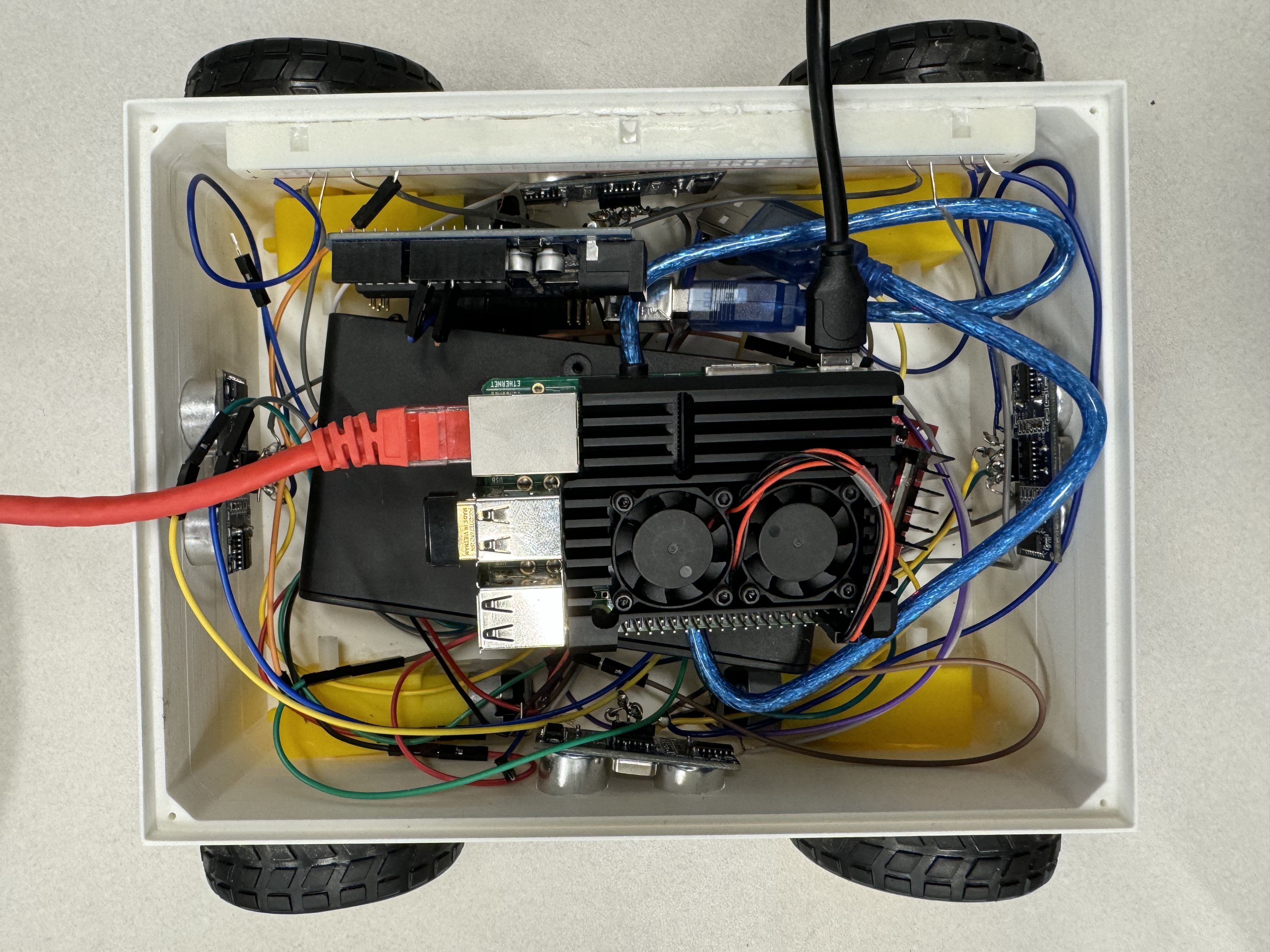
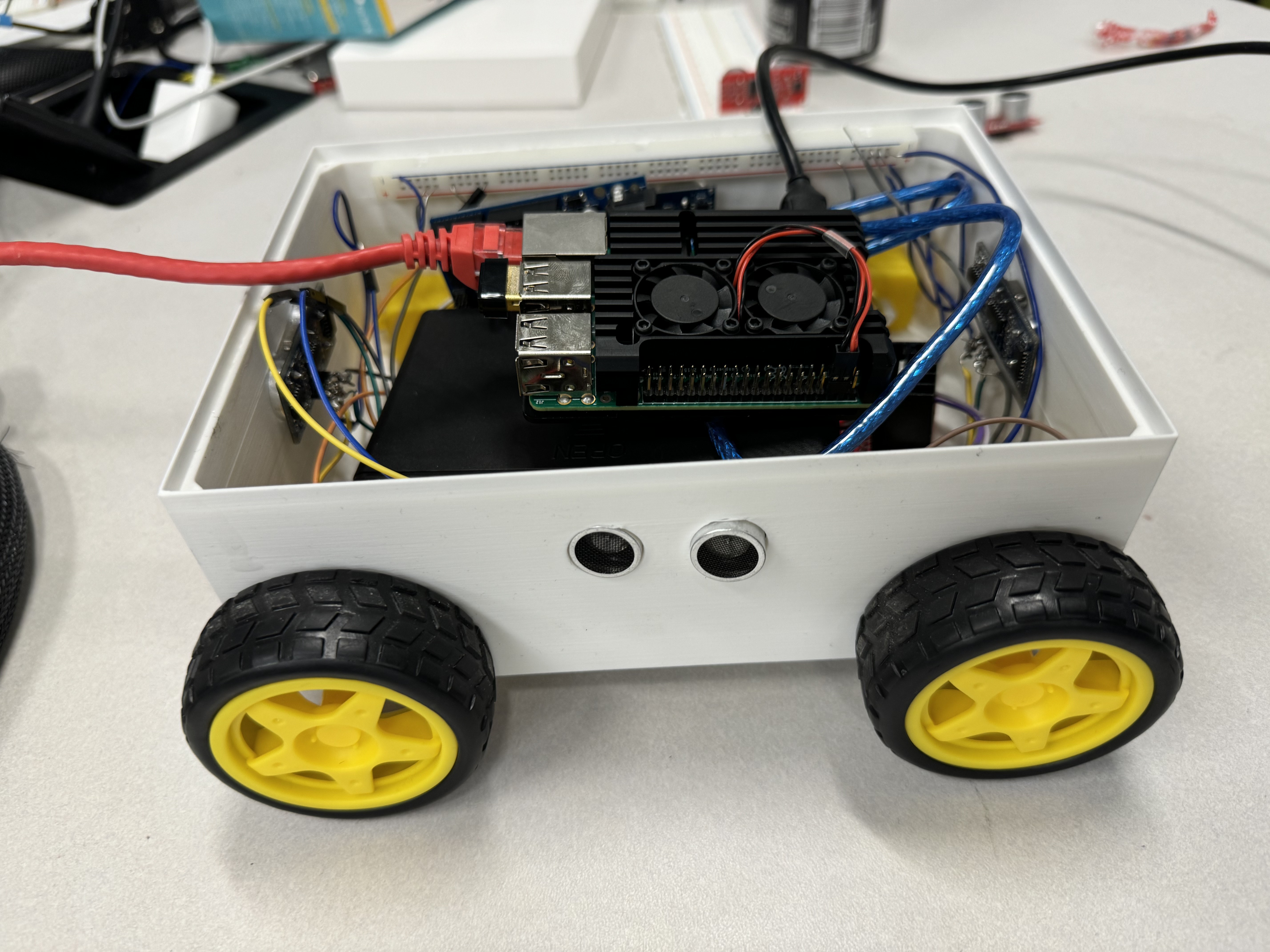
We used Python on the Raspberry Pi to control the rover’s movements and handle GPIO signals for motor control. The front wheels are independently powered, allowing for precise navigation. The web interface was built with React, CSS, and HTML, hosted via AWS and connected through ngrok for secure access. The backend, created with Flask, facilitates HTTP communication between the web app and the rover’s control system, allowing commands to be instantly relayed to the rover. Additionally, we used RPi.GPIO and Arduino libraries for efficient GPIO handling and motor control.
Arduino and Raspberry Pi Communication
For global web interfacing, we set up serial communication between the Arduino and Raspberry Pi. The Arduino code interprets commands received from the Pi via UART and controls the motors accordingly.
Code Snippets
void setup() { Serial.begin(9600); // Match baud rate with Pi's serial port pinMode(IN1, OUTPUT); pinMode(IN2, OUTPUT); pinMode(IN3, OUTPUT); pinMode(IN4, OUTPUT); } if (command == 'f') { // Move Forward digitalWrite(IN1, HIGH); digitalWrite(IN2, LOW); digitalWrite(IN3, HIGH); digitalWrite(IN4, LOW);
Server code snippets at the end
Challenges we ran into
One major challenge was managing latency, as we wanted users from distant locations to experience real-time control. Another was ensuring efficient power management, particularly with the 12V battery setup required for motor operation. Integrating the web interface with hardware was also complex, requiring smooth communication between the front-end commands and the physical rover’s responses. Additionally, implementing reliable maze and object avoidance in real-time posed difficulties, as it required precise sensor calibration and control logic.
Accomplishments that we're proud of
We’re proud to have created a functional prototype of WorldWide Rover that demonstrates both autonomous navigation and remote operation. We achieved a fully functional web interface that allows for global accessibility, a proof of concept inspired by space exploration rovers. Our work in integrating multiple technologies—React, Flask, Figma, ngrok, and Python with GPIO handling—resulted in a cohesive system that’s accessible and versatile.
What we learned
Throughout this project, we gained insights into real-time remote control, communication protocols, and robotics. We strengthened our skills in front-end and back-end development by building a user-friendly interface and linking it with physical hardware. Additionally, we learned about latency management, power optimization, and the challenges of connecting a web interface to physical devices.
What's next for WorldWide Rover
Looking ahead, we aim to expand WorldWide Rover’s capabilities by refining the control experience and enhancing its obstacle detection. We plan to test the remote control feature with users from different parts of the world to further validate its global accessibility. Future iterations may include advanced AI for autonomous navigation and additional sensor integration for more robust object recognition, making it even more valuable for educational and research purposes.
Server code snippets
@app.route('/move', methods=['POST']) def handle_action(): global current_direction, stop_event direction = request.json.get('direction') # get the action performed by the AWS possible_directions = ['f', 'b', 'l', 'r', 's']
if direction not in possible_directions:
    return {"status": "error", "message": "Unknown action"}

with action_lock:
    # Signal any ongoing action to stop if a new action is requested
    if direction != current_direction:
        stop_event = True
        print(f"Stopping current action: {current_direction}")
        time.sleep(1)  # Short delay to allow the previous action to stop

        # Set the new action and clear the stop flag
        current_direction = direction
        stop_event = False
        print(f"New action set: {current_direction}")

if direction == 's':  # Special case for stop action
    send_command(current_direction)
    print("Stop action completed.")
    return {"status": "completed", "message": "Stop action completed"}

# Process the new action in a loop
while not stop_event:
    send_command(current_direction)
    time.sleep(1)   # Optional delay between commands
    print("Moving...")

return {"status": "interrupted", "message": "Move action was interrupted"}
Close the serial connection when the app shuts down
@atexit.register def close_serial(): if ser.is_open: ser.close() print("Serial connection closed.")
Built With
- amazon-web-services
- arduino
- css
- css-frameworks:-flask
- flask
- html
- http
- javascript
- libraries
- ngrok
- ngrok-apis:-http-(between-web-interface-and-uart)-database:-none-(real-time-operation)-additional-libraries:-rpi.gpio-(for-gpio-control-on-raspberry-pi)
- python
- react
- rpi.gpio
- uart


Log in or sign up for Devpost to join the conversation.