-
-
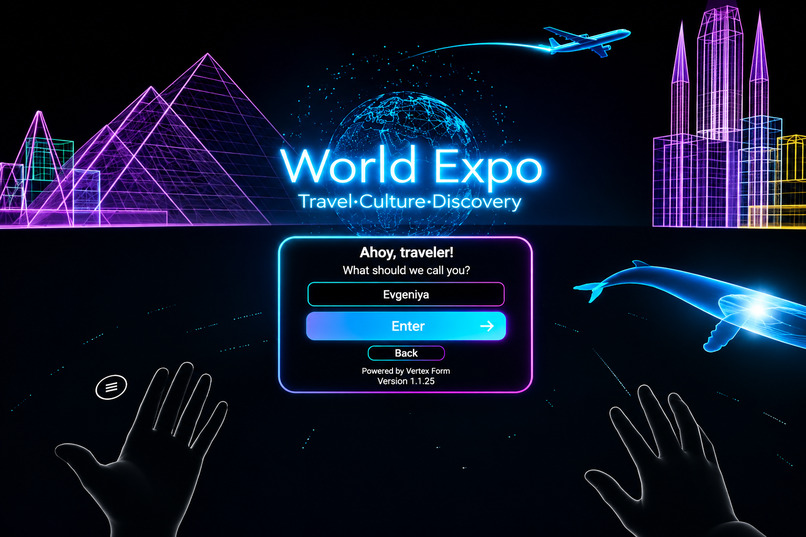
Login Scene
-
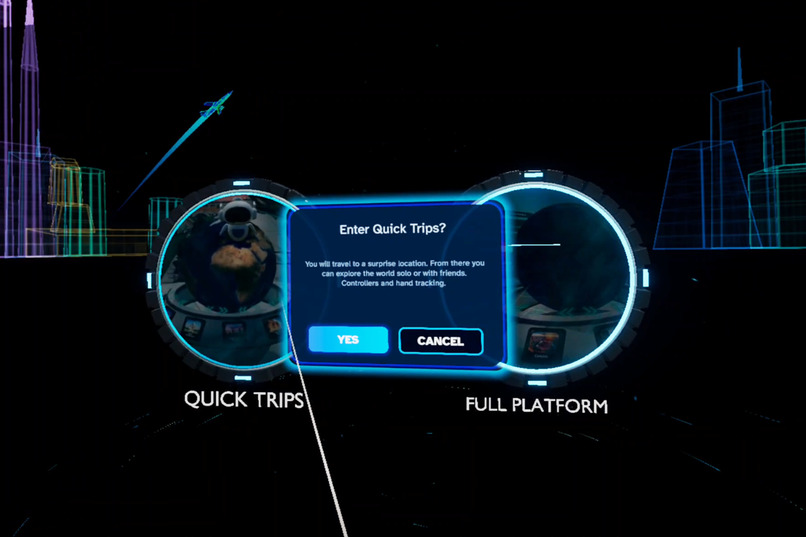
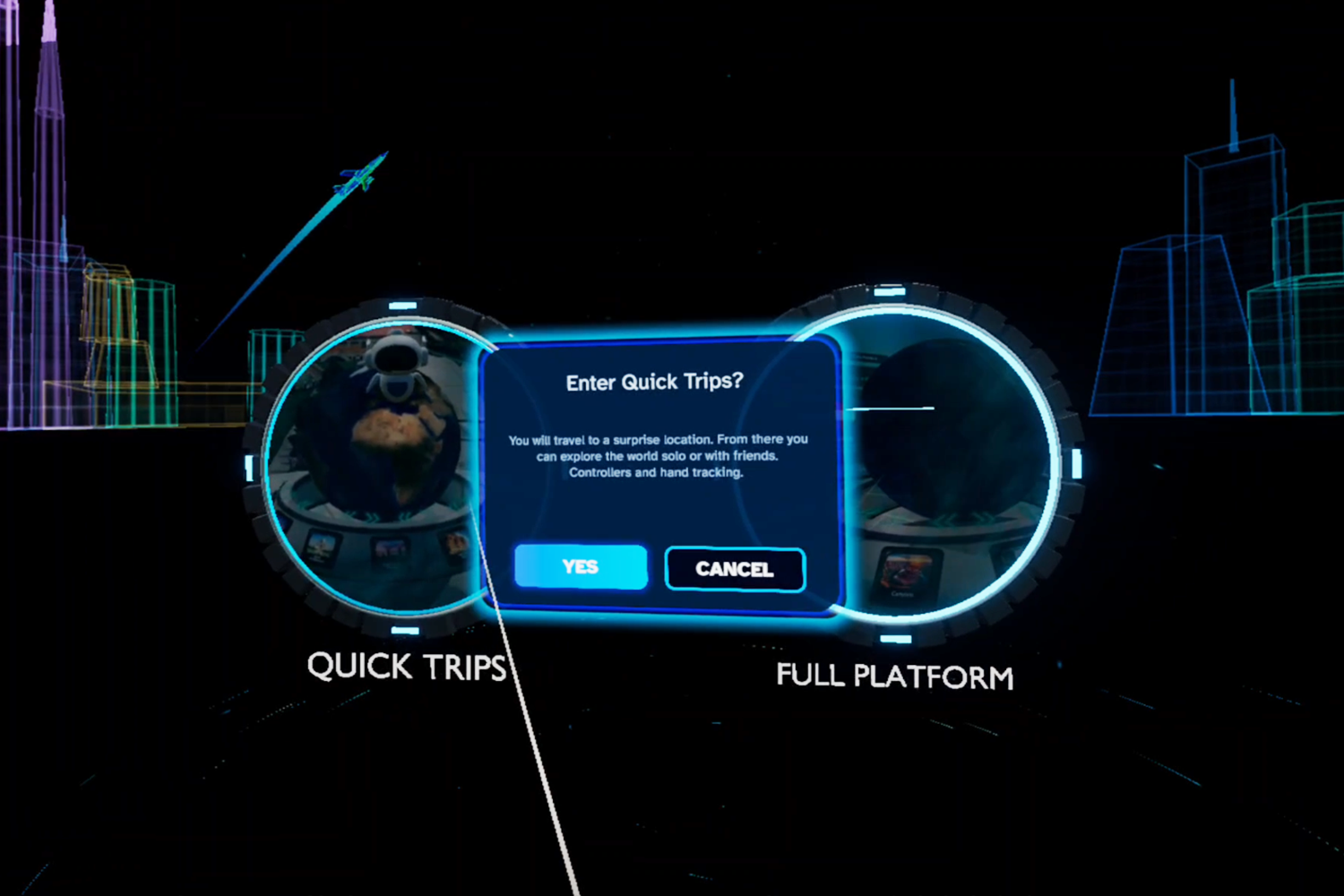
Select how you want to enter: Through Quick Trips or to a Full Platfrom
-
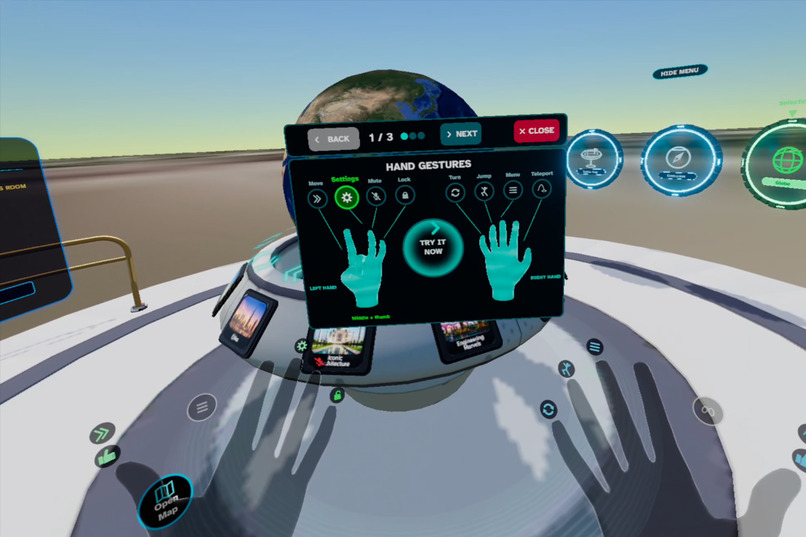
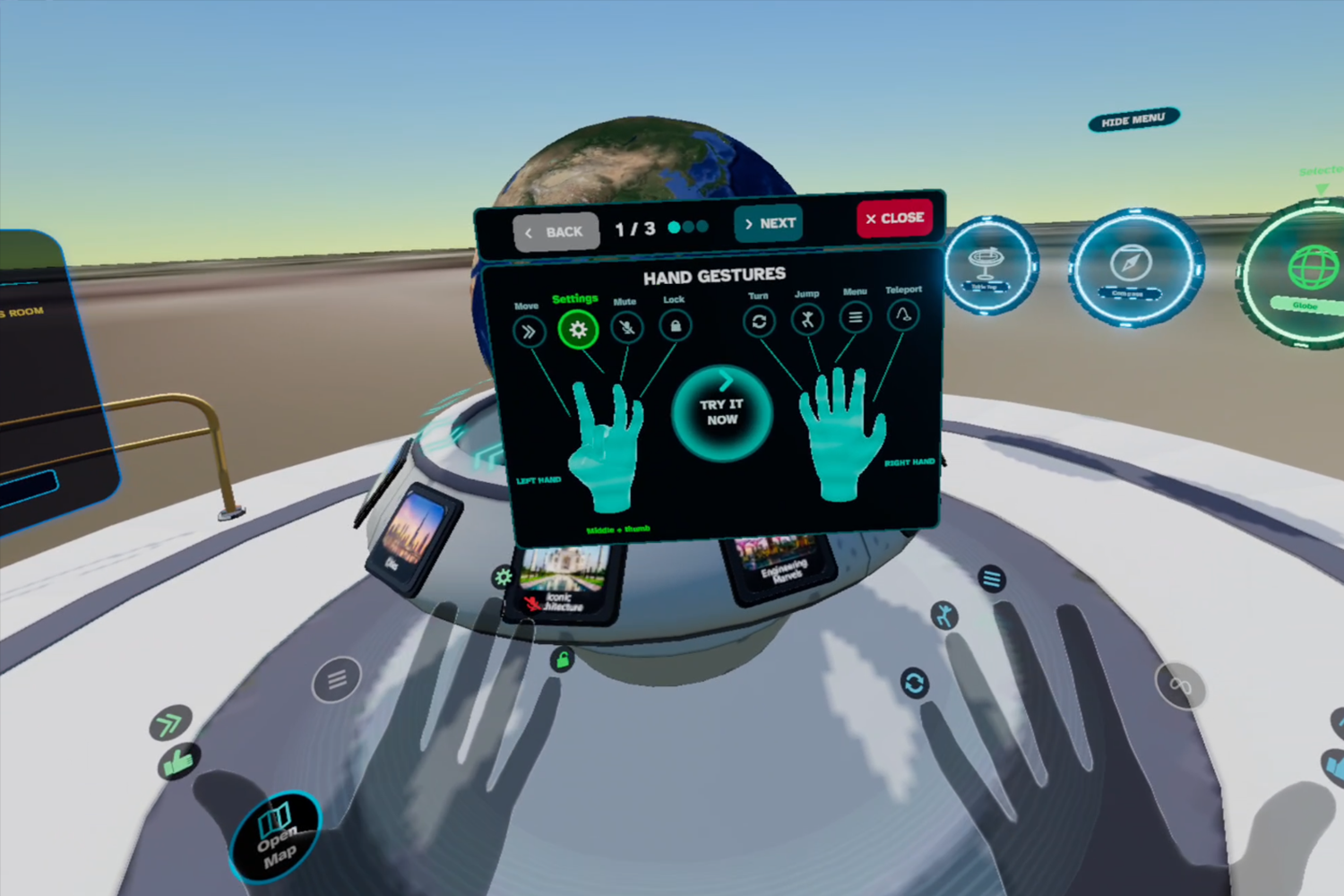
In Quick Trips finish onboarding first to get comfortable with hand gestures
-
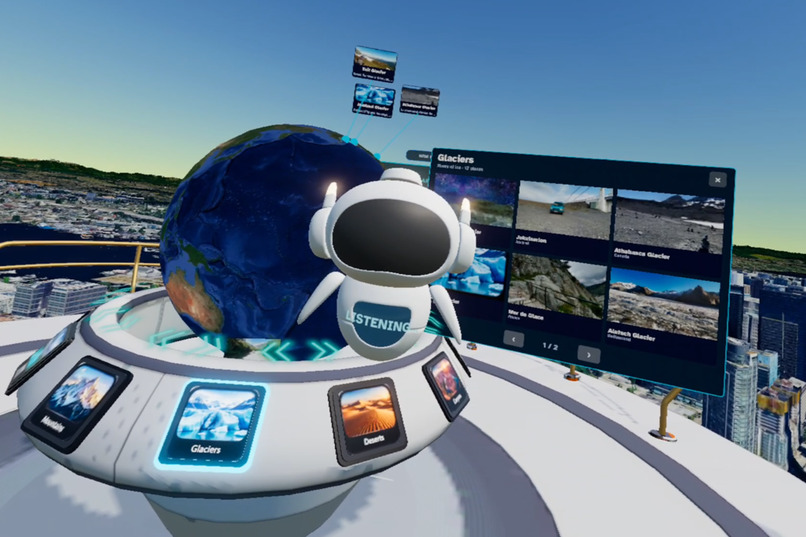
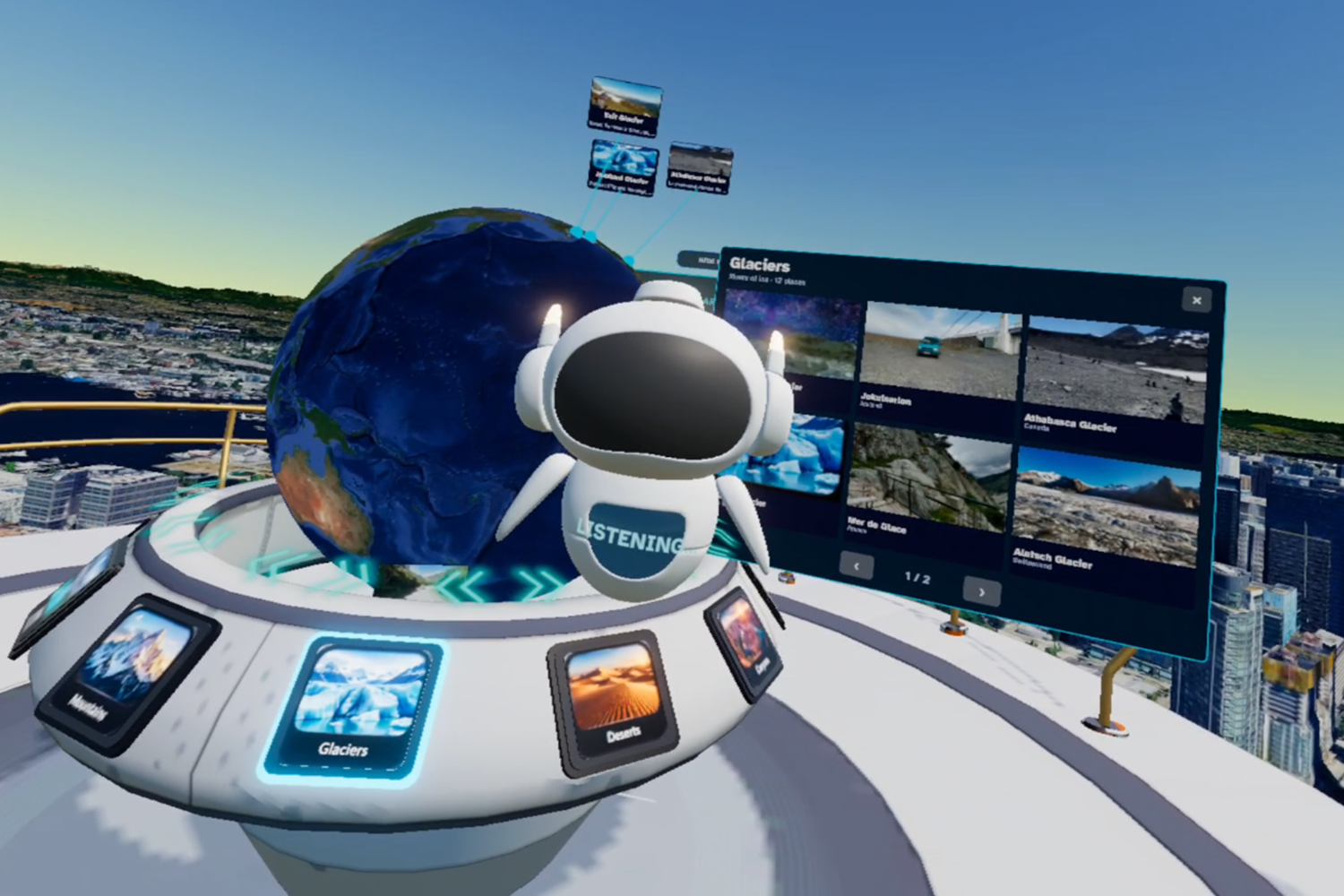
Select a destination using the globe of ask AI
-
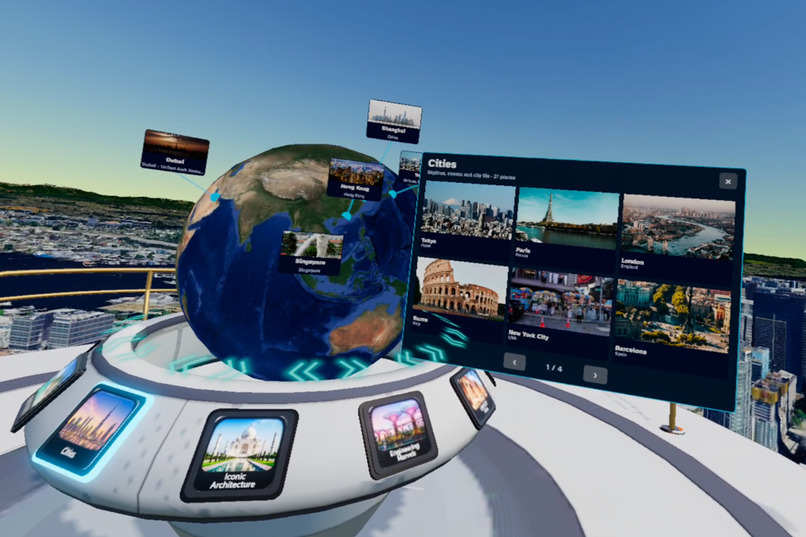
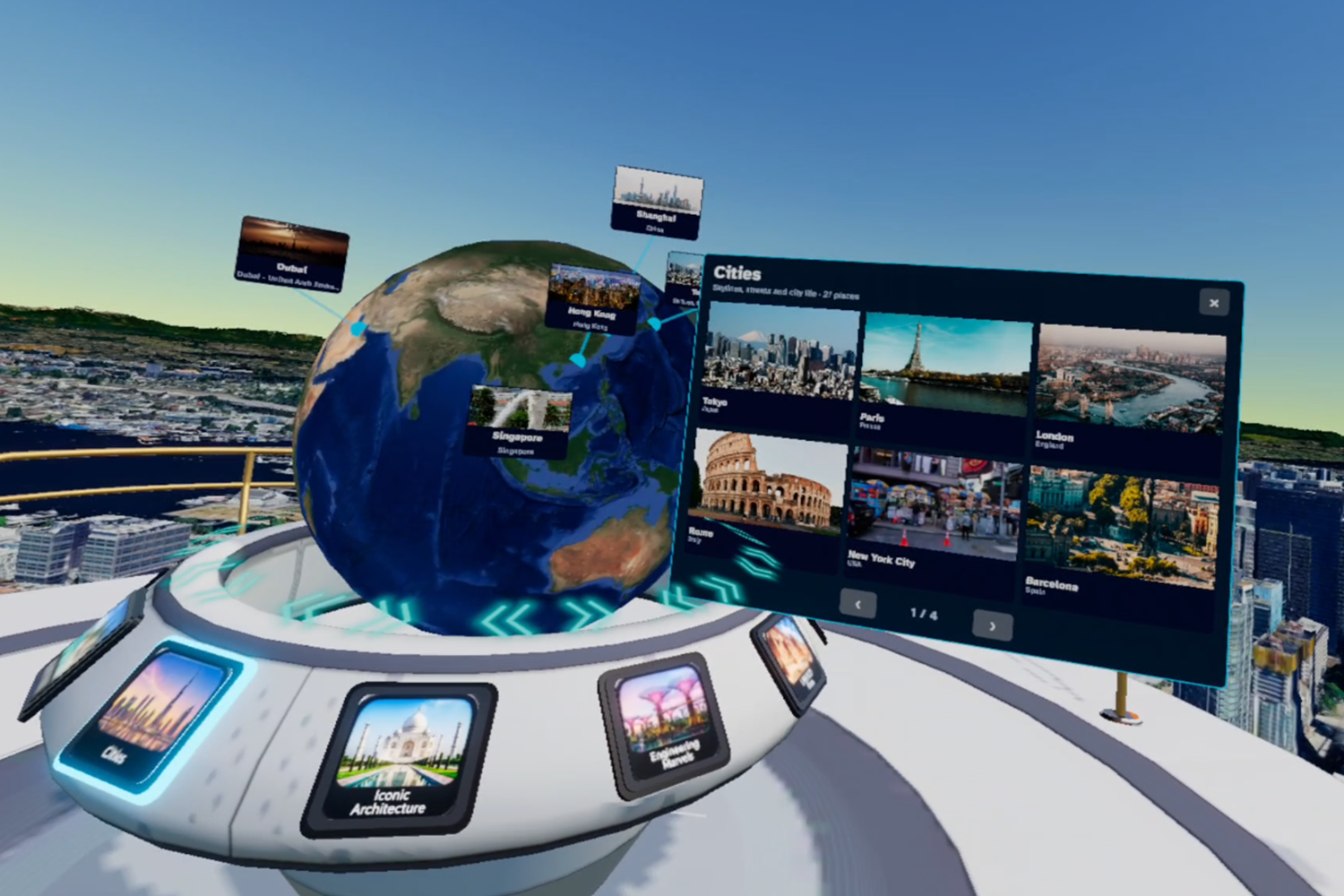
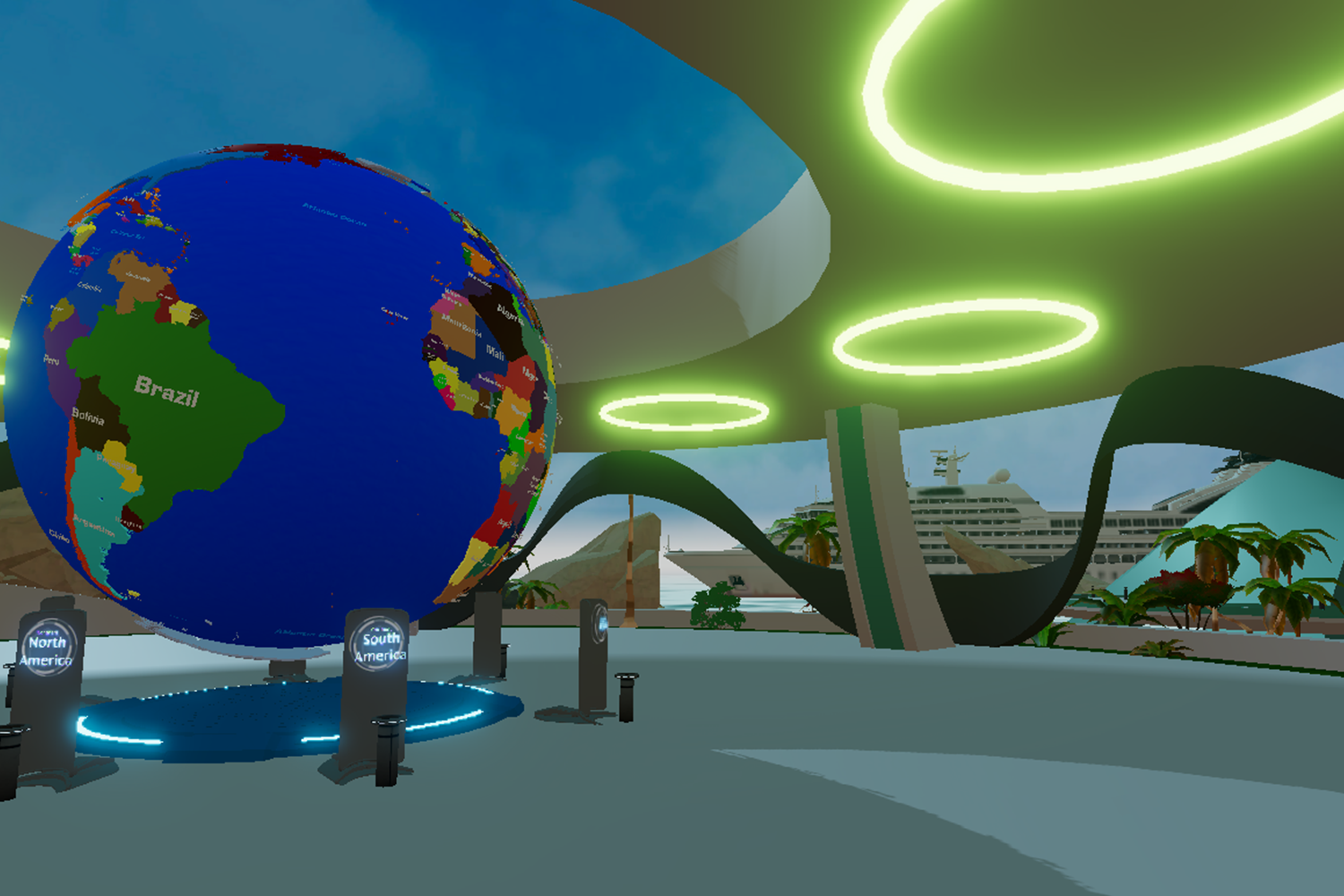
Select a new destination on the globe
-
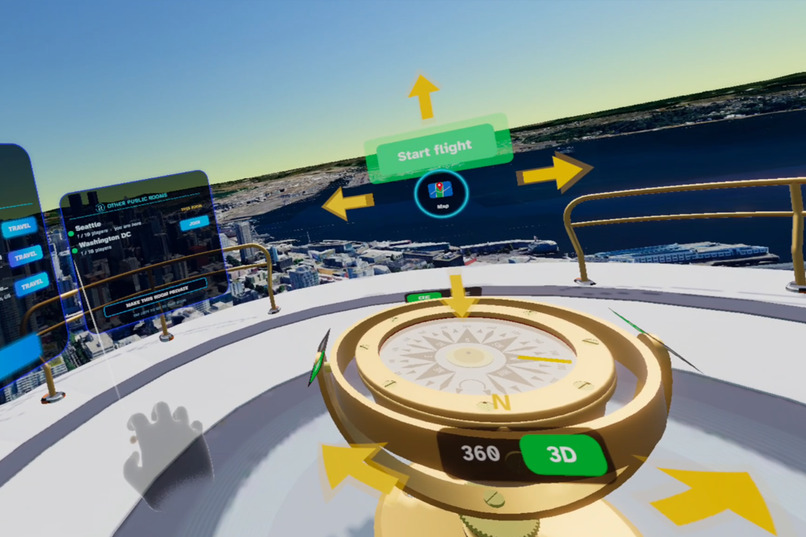
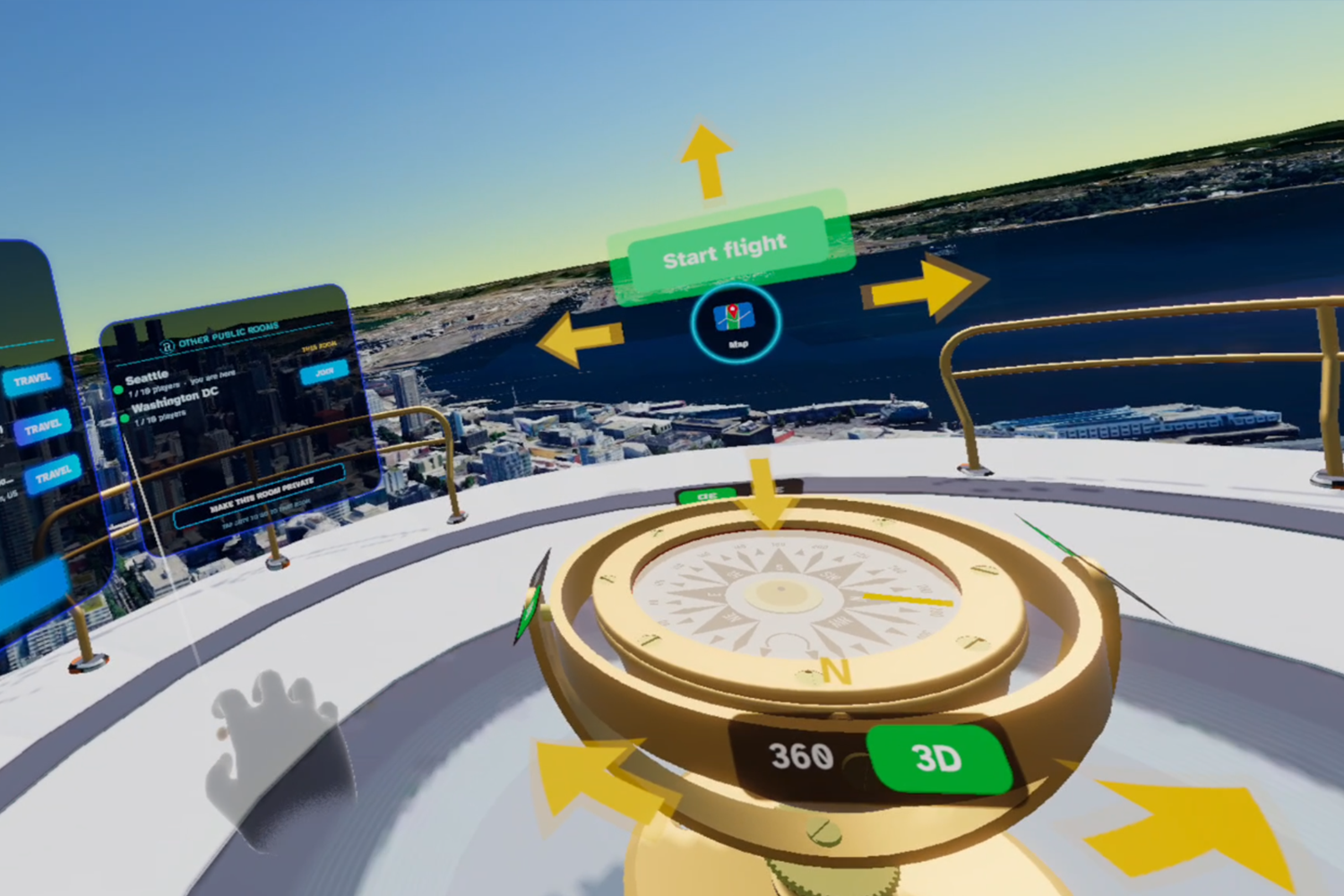
Navigate with the compass
-
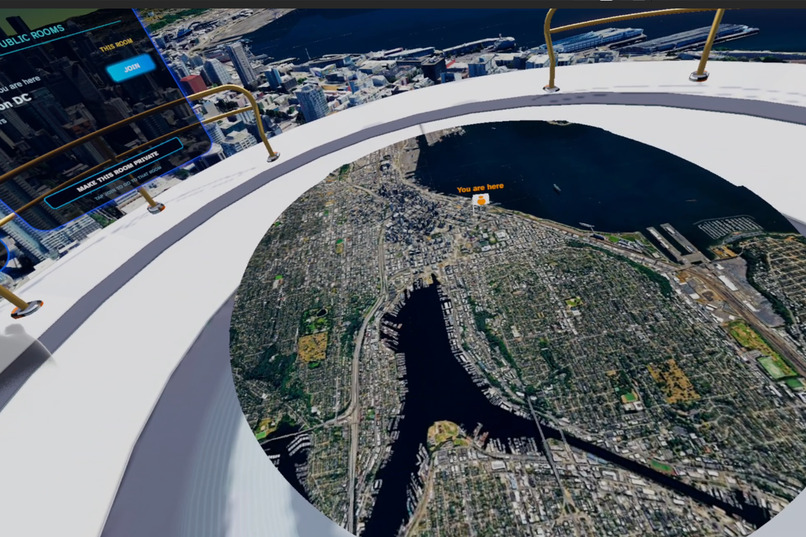
-
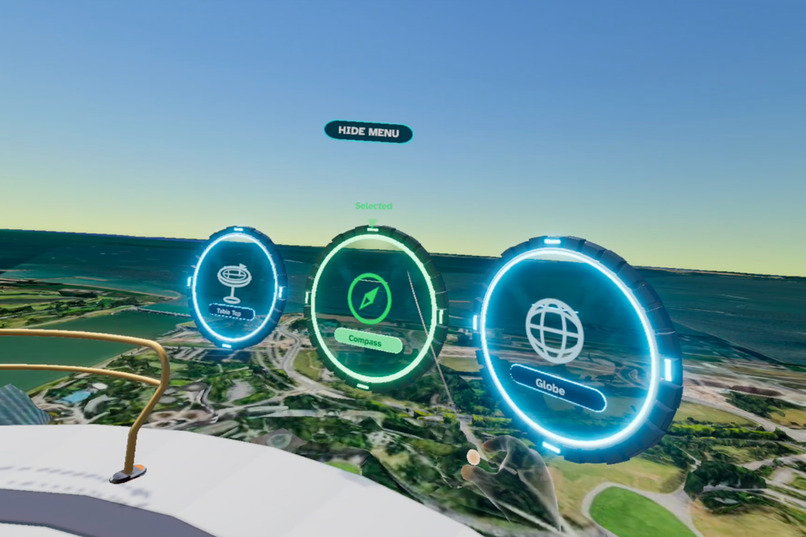
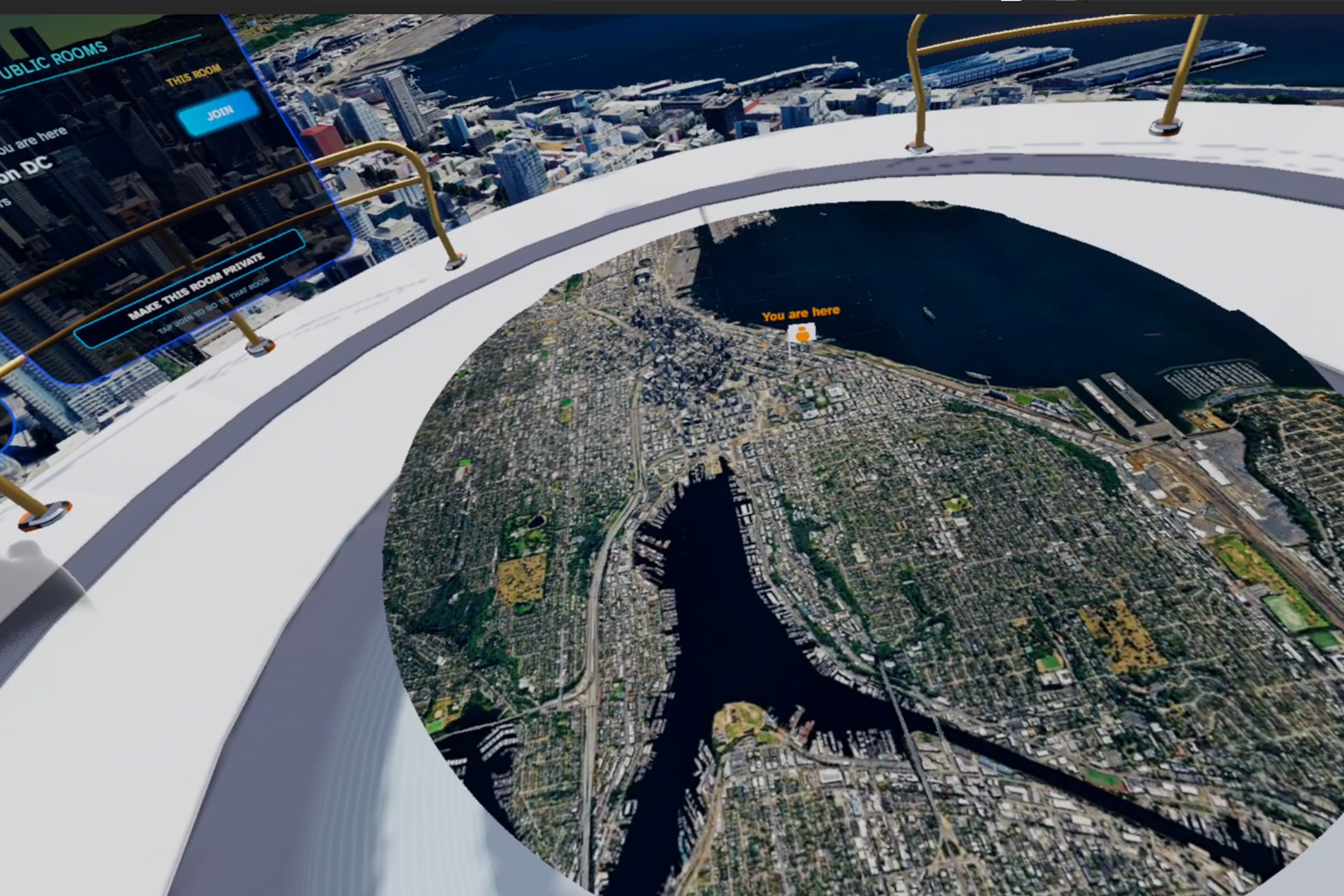
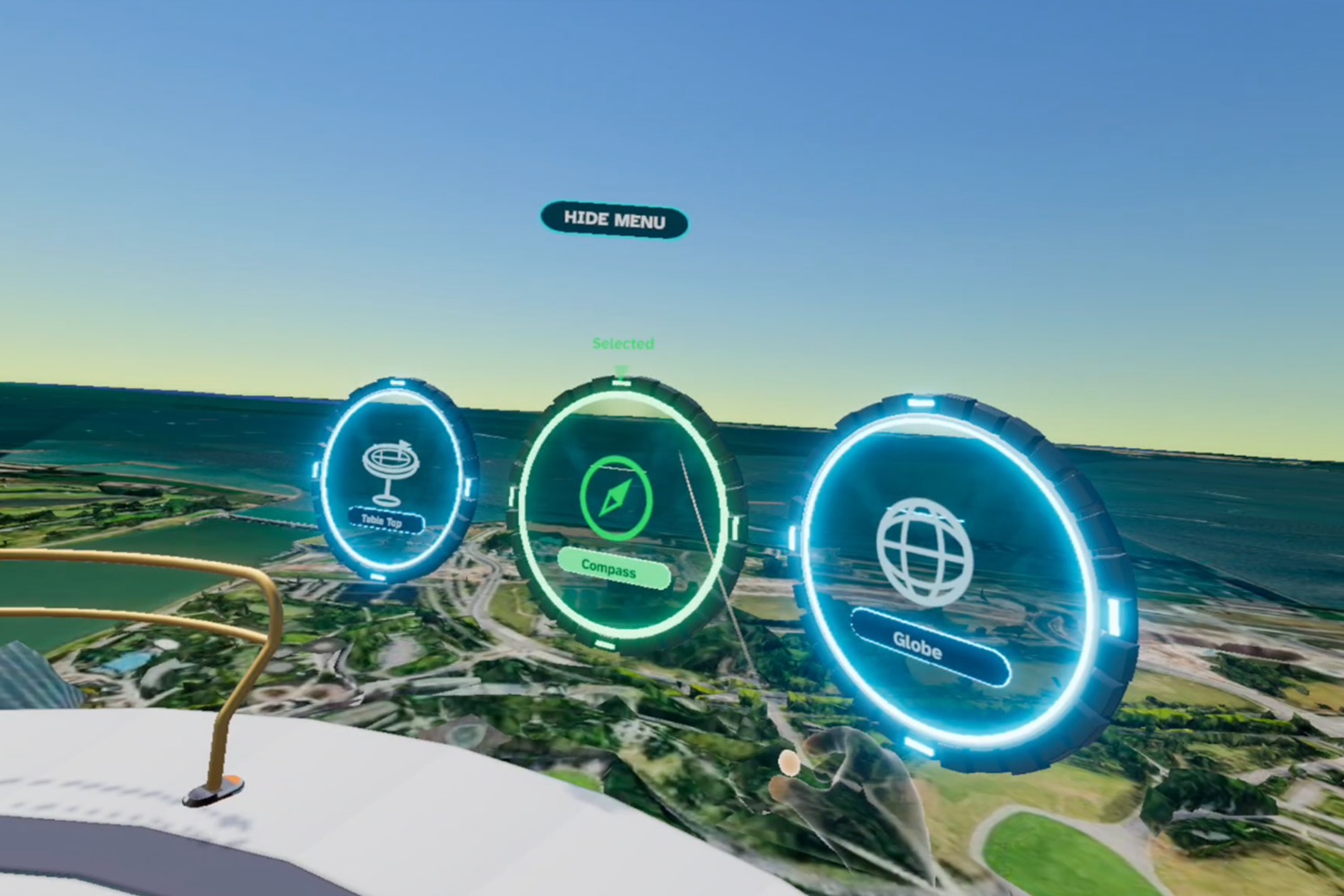
Three options to navigate: Globe pick a new destination, Compass navigate current environment, and Tabletop see where you are in this space
-
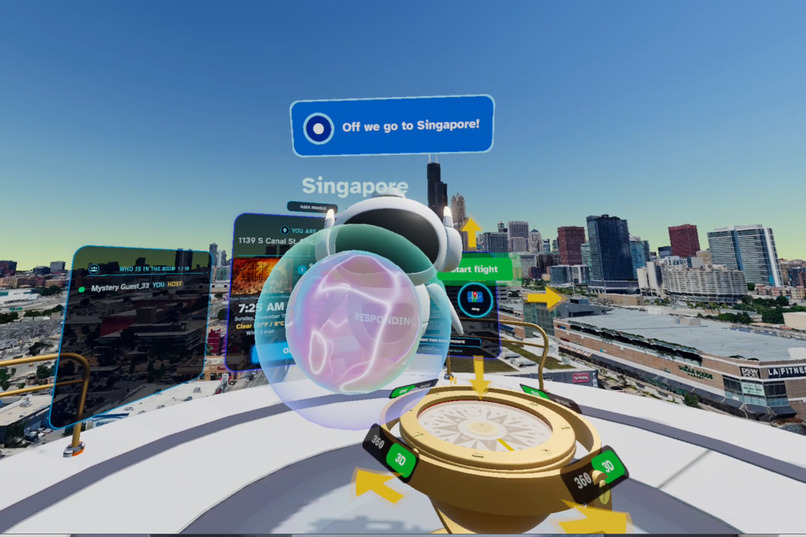
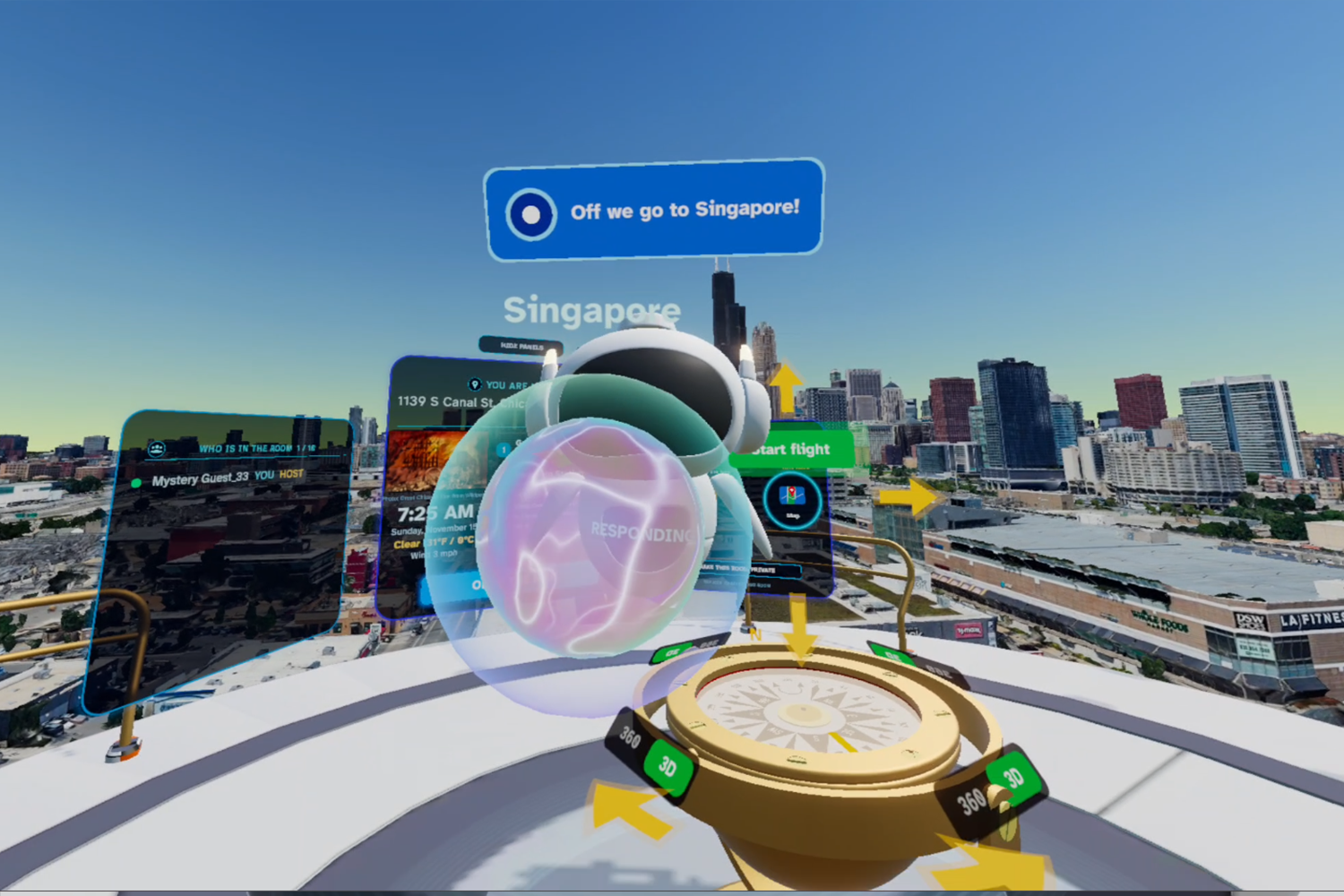
Ask AI to teleport you to a new destination
-
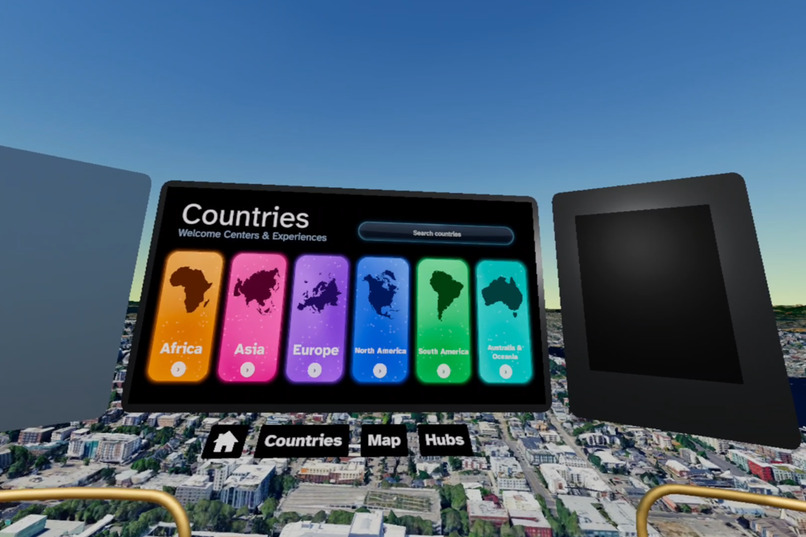
Navigate the full platform with the Main Map
-
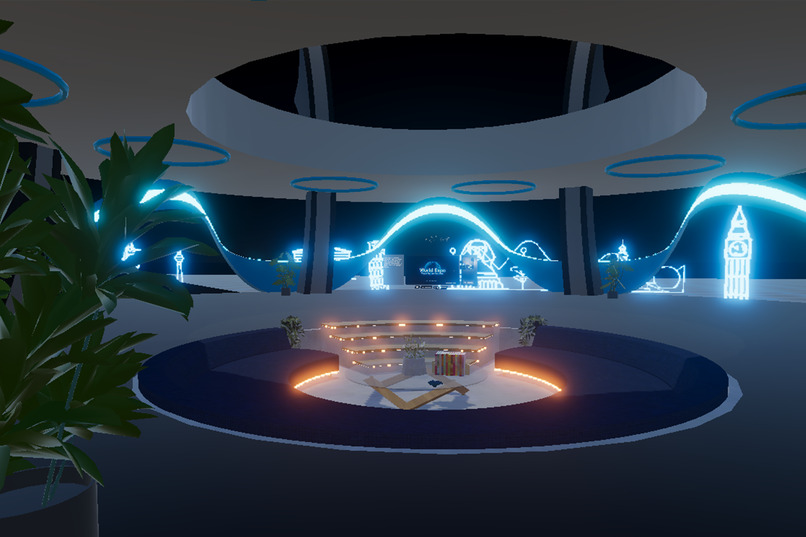
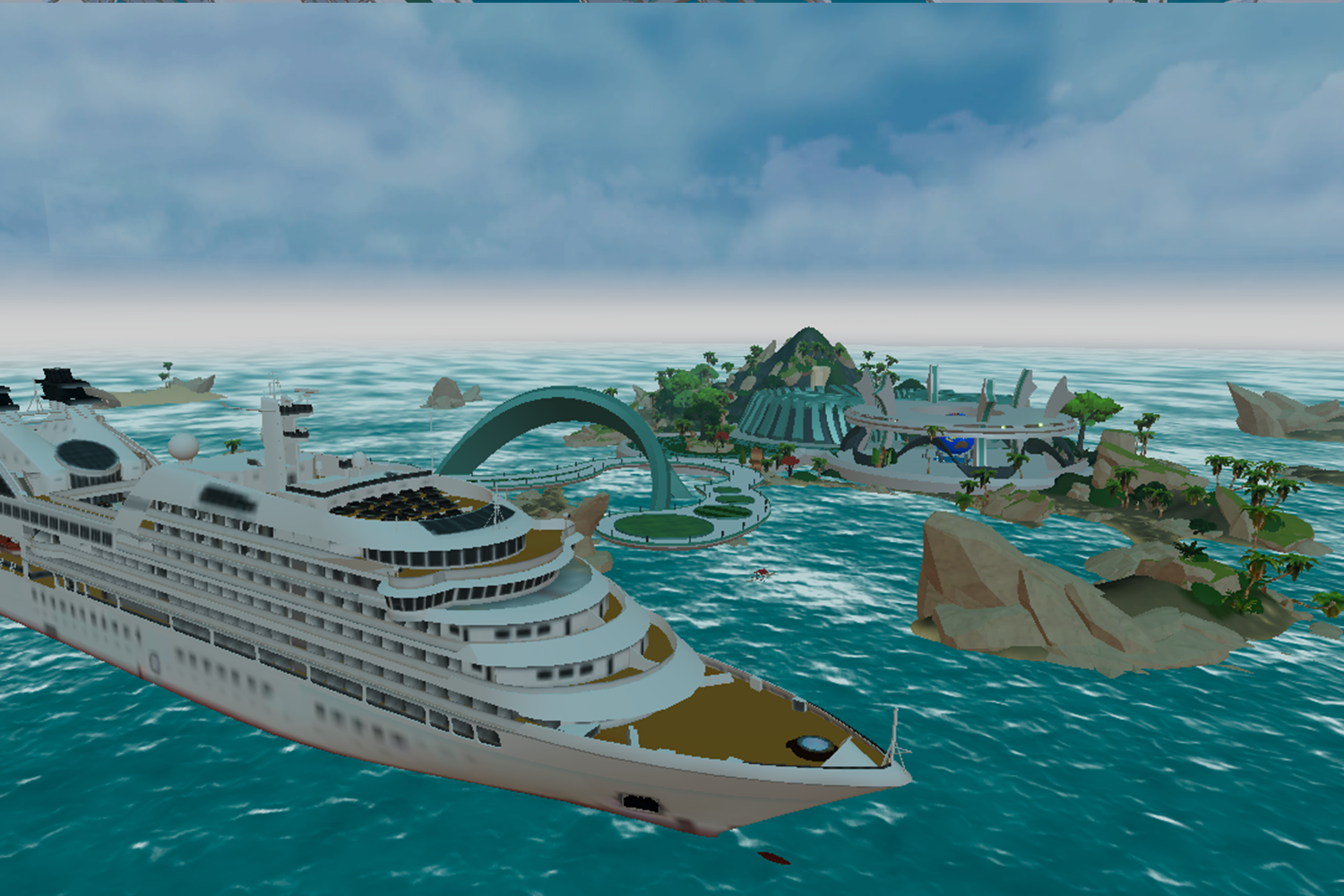
Full Platform: Home environment
-
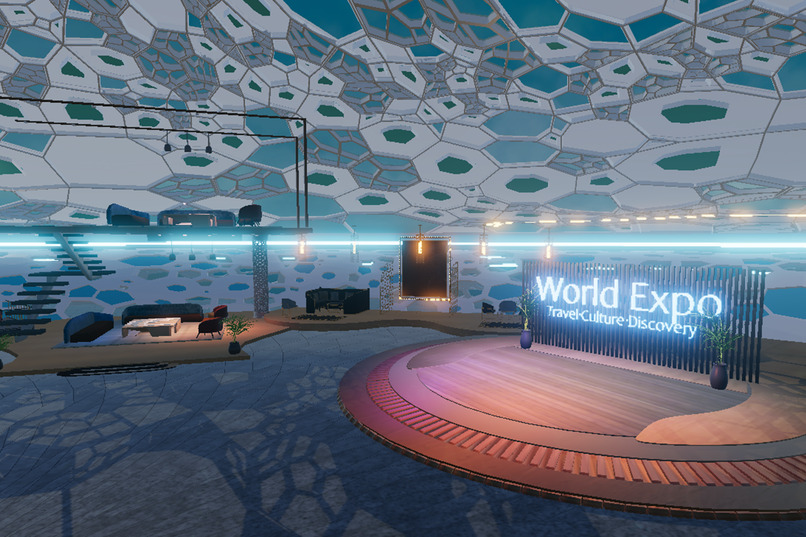
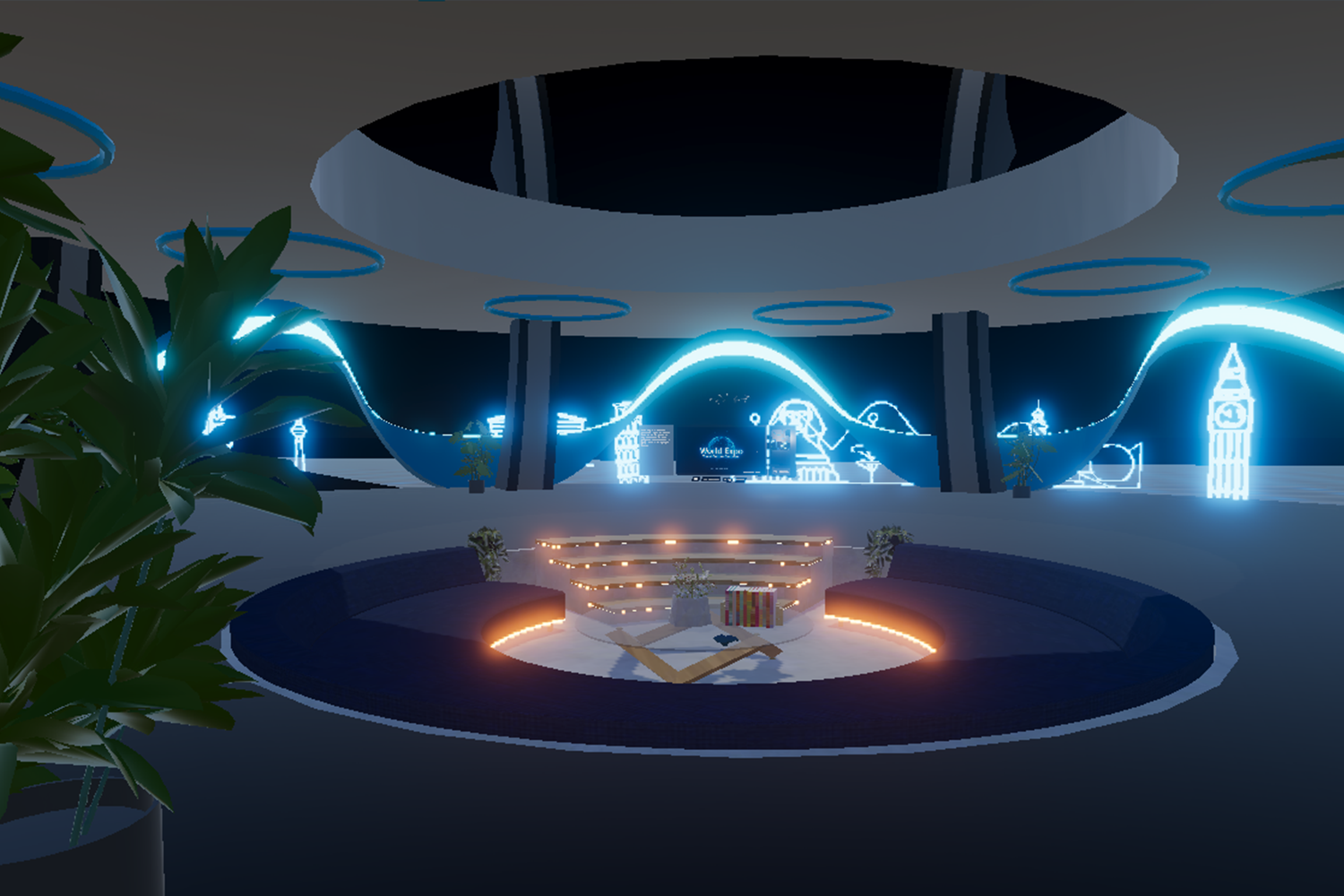
Full Platform: Global Lounge - meet your friends here before the tour. Attend events
-
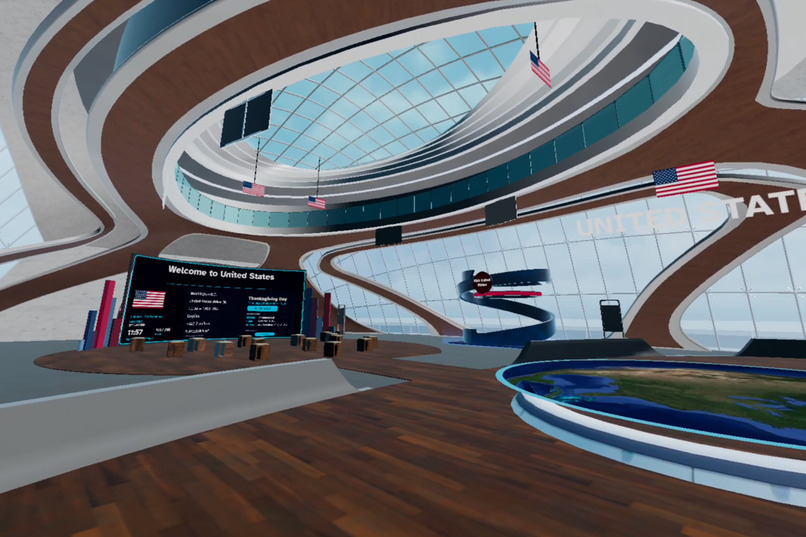
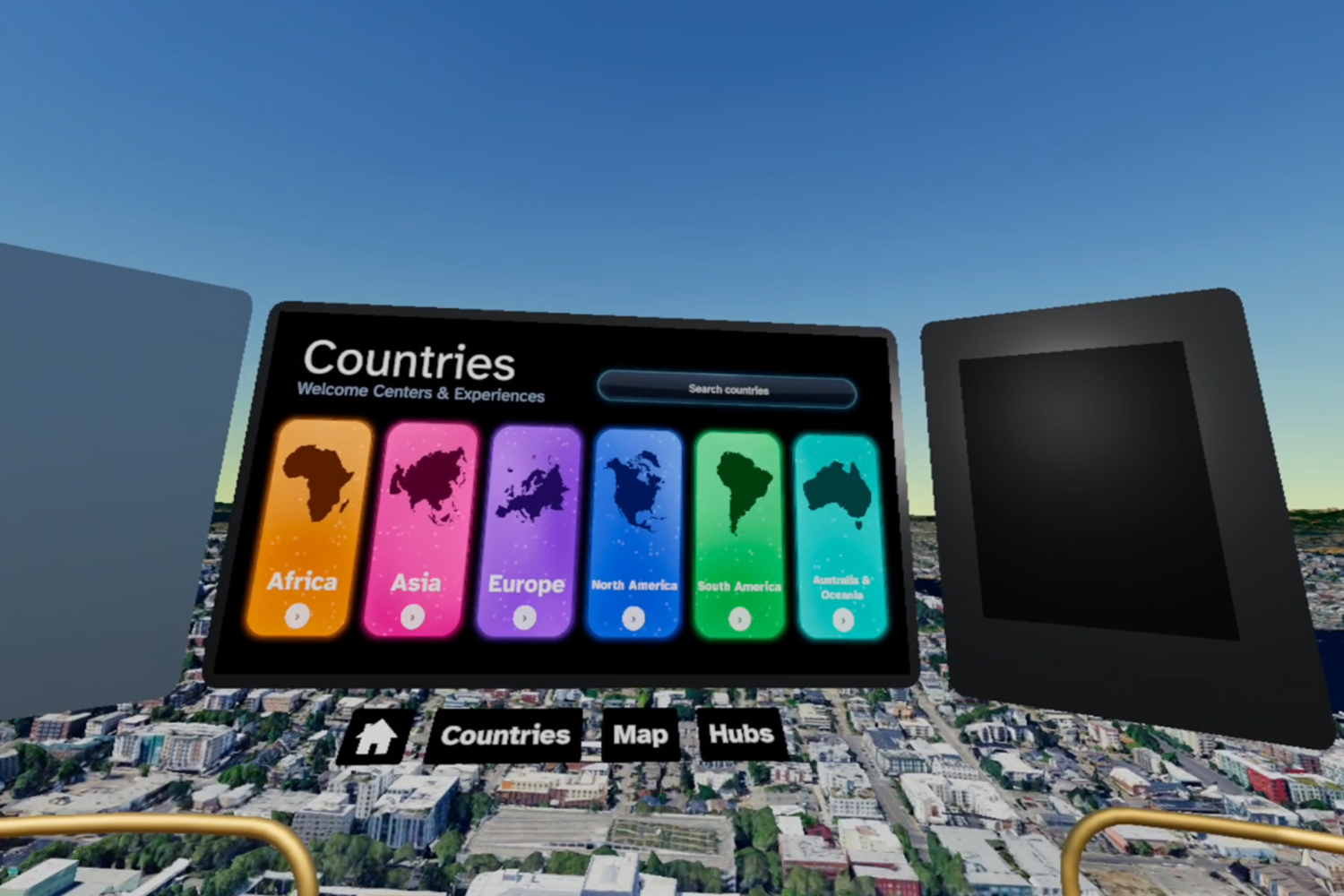
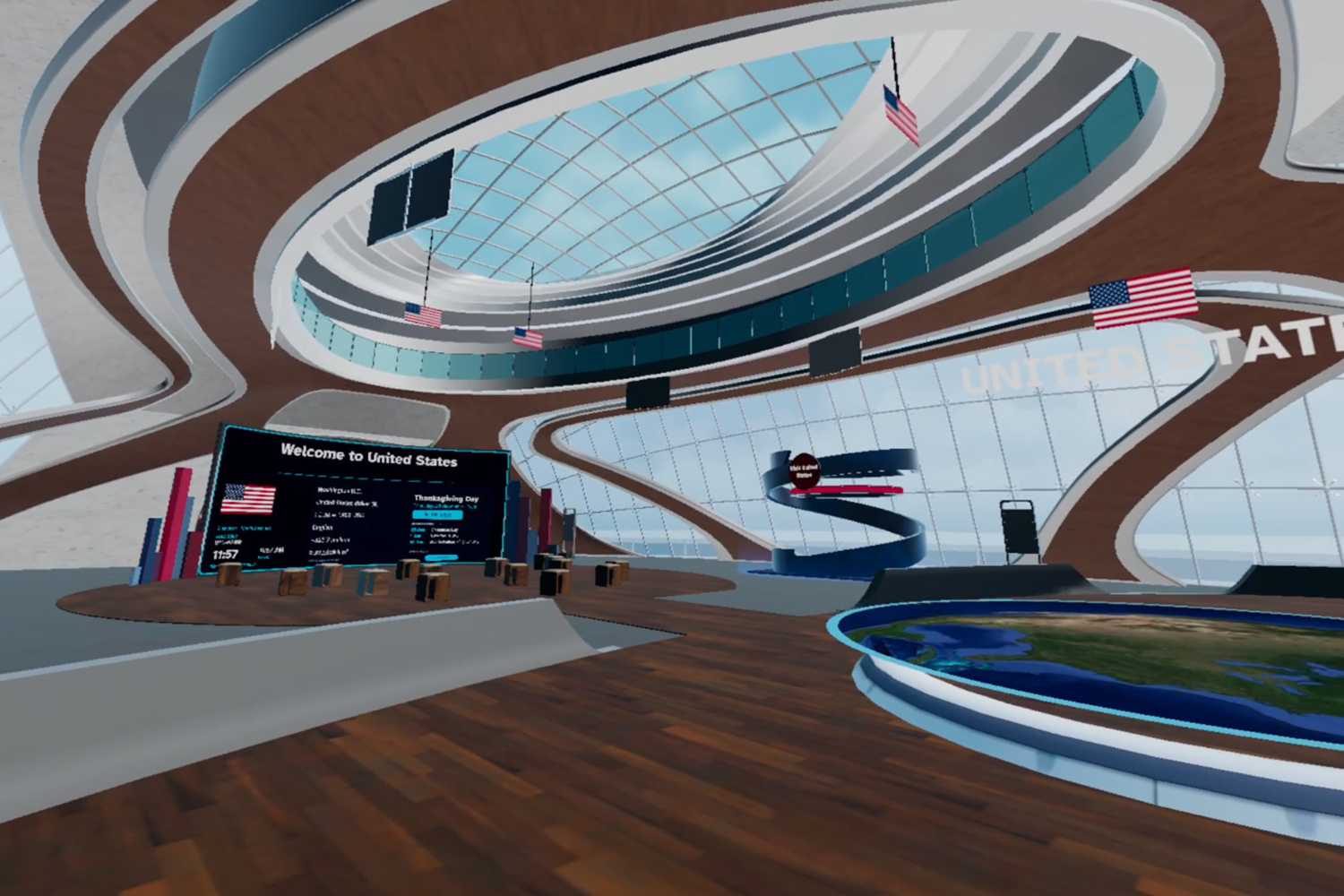
Each country has a dedicated visitor center
-
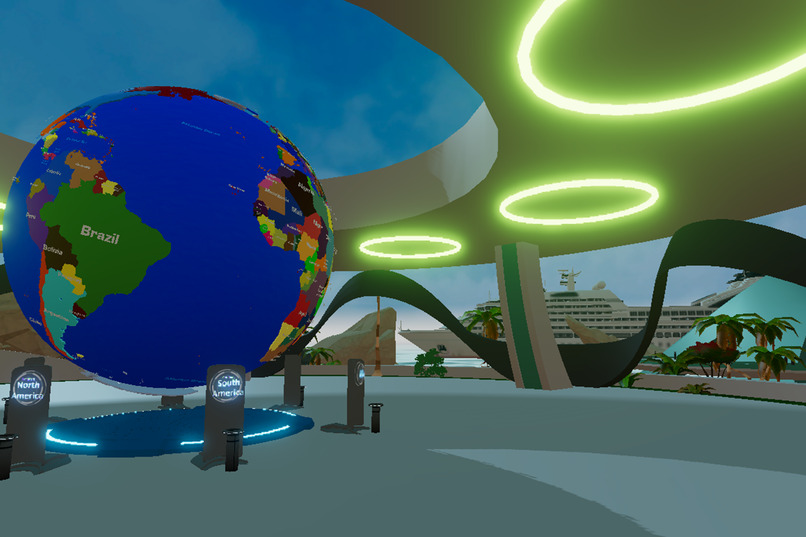
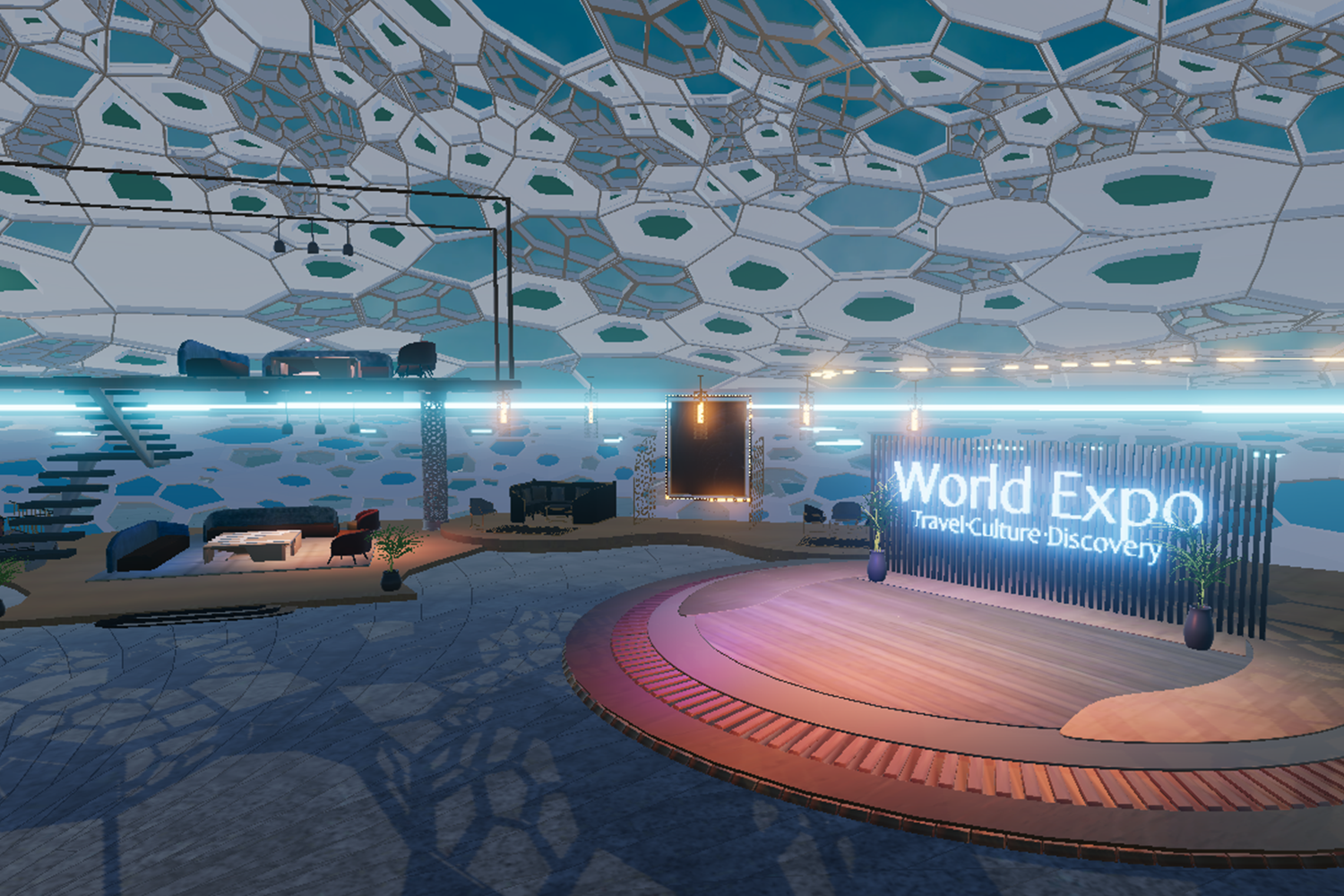
Full Platform: Tropical Pavilion, a place for meetups, exhibitions and hang outs
-
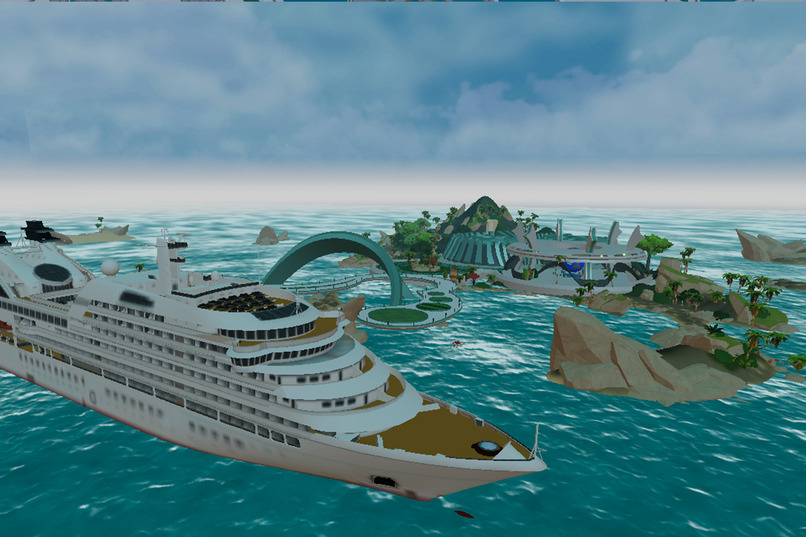
Full Platform: Tropical Pavilion
Inspiration
World Expo was born from our curiosity about the world and a belief that exploring it should be more than simply picking places on a map. After all, it's one thing to wander the world, and another to understand it.
Travel is more than sightseeing. It's about discovering cultures, hearing stories, meeting people, and seeing familiar things from entirely new perspectives. We wanted to bring that deeper sense of discovery into immersive technology, creating a place where curiosity leads to meaningful experiences and connections.
But our vision goes beyond virtual travel. We want World Expo to become a platform where communities, educators, researchers, and storytellers can share the stories of our planet, raise awareness about climate change, celebrate cultural heritage, and inspire people to protect the world we're so curious to explore.
What it does
World Expo has two ways in. Quick Trips is for first-timers (and recommended for Meta Judges): step onto a flying platform and be somewhere new in seconds, with a voice guide to help. The Full Platform is for regular users: visitor centers, community hubs and places to explore around the world, together with others.
Quick Trips is a fast way to explore the real world in VR. You step onto a flying platform with a cockpit, then choose a place on a globe, tabletop map or search, or by asking the voice guide. You arrive at a real location in 3D or 360 Street View. You steer with the wheel and the guide’s blue route line, fly with your hands or the fly wand, and bring a group along with you as the leader. It’s built for jumping between places in a few seconds. Navigation: The Flying Saucer
Full Platform is a persistent, multiplayer virtual destination for cultures, travel and discovery. It includes: Visitor centers for tourism boards and cultural institutions. Each country has a dedicated visitor center. Community hubs where people meet before the tour starts Immersive Trips explore the world together, just like in Quick Trips, with the same Street View navigation tools and voice guide, all within a shared immersive environment.
Our Flying Saucer, as we like to call it, offers three ways to navigate the world:
- Globe – Discover and select new destinations around the world.
- Tabletop – Explore a 3D terrain map to see where you are and understand your surroundings.
- Compass – Navigate through cities, moving up, down, left, and right, with the ability to switch between 3D and 360° views.
How we built it
We built World Expo on top of our open-source multiplayer XR framework, Vertex Form 3D, using a modular architecture designed for scalability and cross-platform experiences.
Our technology stack includes Unity 6, Photon Fusion 2 for multiplayer networking, OpenXR for hand tracking, and Cesium with Google Photorealistic 3D Tiles for immersive geospatial environments.
We integrated several Google Maps Platform services, including the Geocoding, Maps JavaScript, Places, and Elevation APIs, to support global navigation, location discovery, and geographic information within the experience.
Our 3D environments combine assets from various sources with custom environments modeled and optimized in Blender.
For the virtual voice guide, we use Meta's Wit.ai to recognize spoken questions and commands, enabling users to interact with the experience through natural language.
Challenges we ran into
Hand tracking without controllers: making finger taps, fist flying and gesture menus reliable, so people don't trigger the wrong thing by accident. With no universally adopted standard for controller-free VR menus, we had to design our own. Since World Expo is built for multiplayer exploration, users need intuitive access to a variety of controls, including settings, the main menu, and navigation tools.
We experimented with numerous designs and refined them through multiple rounds of group testing. The current approach, with menu options appearing at the user's fingertips, proved to be the most intuitive and popular among testers.
Comfortable movement: our first guided flight turned the player too sharply and caused headaches, so we rebuilt it to steer slowly and gradually onto the route line.
Flying over real terrain: the platform could sink through the ground or drift off course, so we added ground avoidance and clamps to keep it above the terrain.
Keeping groups together: a tour leader steers and brings everyone along, so travel, loading screens and destinations all had to stay in sync across every player.
Places with no 360 coverage: many destinations have no Street View, so we added fallbacks, such as opening the place in 3D instead.
Voice guide accuracy: speech recognition mishears names and phrases, so the guide now confirms where you want to go before taking you there.
Accomplishments that we're proud of
We are incredibly proud of how far World Expo has come. What began as a vision for an immersive, inclusive platform, with a small demo inside AltspaceVR, has evolved into a fully standalone application with a solid technical foundation and an architecture designed to scale.
We are particularly proud of our custom hand-tracking menu system and the multiplayer architecture we've developed to make shared exploration feel seamless and intuitive. Throughout development, we've placed a strong emphasis on performance optimization, user comfort, and accessibility, ensuring that even complex immersive experiences feel natural and easy to navigate.
What we learned
Accessibility goes beyond hand tracking. During testing with older adults from the Thrive Pavilion, we discovered that some participants had limited hand and finger mobility due to arthritis, while another had the use of only one hand. This challenged our assumptions about hands-first interaction and encouraged us to explore alternative navigation methods for users with different physical abilities.
Real-world geographic data is unpredictable. Elevation data, Street View coverage, and geographic coordinates don't always align. We learned to design flexible systems with fallback options, such as switching to 3D exploration when 360° imagery is unavailable.
Hands and controllers require different interaction designs. Hand tracking introduces challenges such as accidental selections and unintended gestures. We learned that reliable hands-first experiences require deliberate interaction safeguards and intuitive onboarding.
Voice interactions need confirmation. Speech recognition can misinterpret destination names. Adding a confirmation step before traveling helps prevent users from being transported to unintended locations.
Real users reveal what developers overlook. Testing with people outside our development team exposed usability issues we hadn't anticipated. Their feedback helped us identify opportunities to simplify interactions and improve the overall experience.
Shared exploration requires coordinated leadership. In multiplayer tours, allowing one person to guide the group helps keep everyone synchronized. Transferring leadership between participants introduced unexpected technical and interaction challenges, highlighting the importance of clearly defined roles.
What's next for World Expo
Our immediate objective is to officially launch World Expo, subject to available funding and development resources.
Our next priority is integrating Muse AI, allowing users to connect their personal AI assistants directly to the platform. These assistants would accompany users throughout their virtual journeys, provide personalized recommendations, and help turn virtual discoveries into real-world experiences.
For example, users could explore a destination in VR and ask their AI assistant to find travel packages, make restaurant reservations, or book activities and experiences they discover within the app.
We envision a commission-based revenue model, with opportunities to share revenue with Meta from travel bookings and purchases facilitated through the platform.
Our long-term goal is to bridge virtual exploration and real-world travel, transforming World Expo from a discovery platform into a complete travel experience.
Our next goal is to take World Expo beyond virtual sightseeing and turn it into a platform for storytelling, education, and cultural discovery.
We envision a Story Builder that allows educators, researchers, travel professionals, and local communities to create and share immersive journeys about places that matter to them. From exploring cultural heritage and endangered communities to understanding climate change and environmental conservation, we want to give people the tools to tell meaningful stories about our planet.
We also plan to continue improving our geospatial exploration tools, expanding our virtual voice guide, and making multiplayer experiences even more intuitive and accessible across different devices.
Longer term, we want to introduce customizable Visitor Centers, guided experiences, and opportunities for creators and travel professionals to connect with global audiences.
Our ultimate goal is to make World Expo more than a place to visit the world virtually. We want it to become a place where people can explore, understand, and share the world together.


