-
-
Homepage UI
-
Homepage UI
-
Prompt and Response
-
Prompt and Response
-
Prompt and Response
-
Edge Case - Too Low Budget
-
Edge Case - Too Low Budget
-
Edge Case - Too Low Budget
-
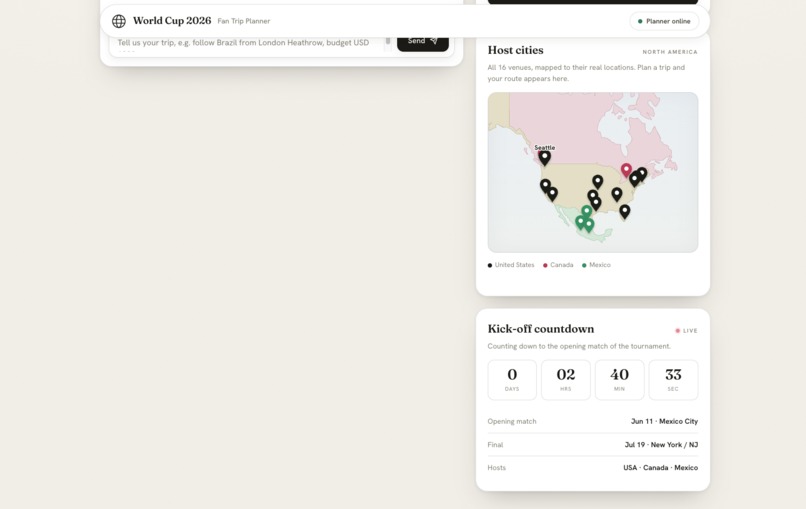
Hover Label
-
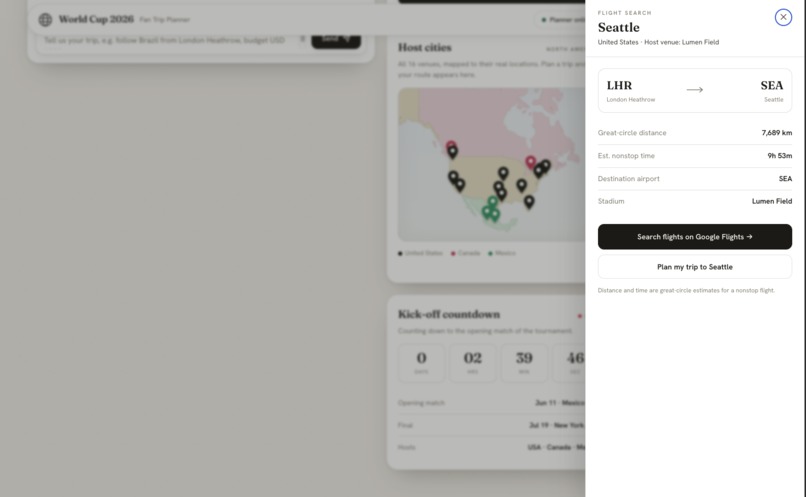
Flights Search
-
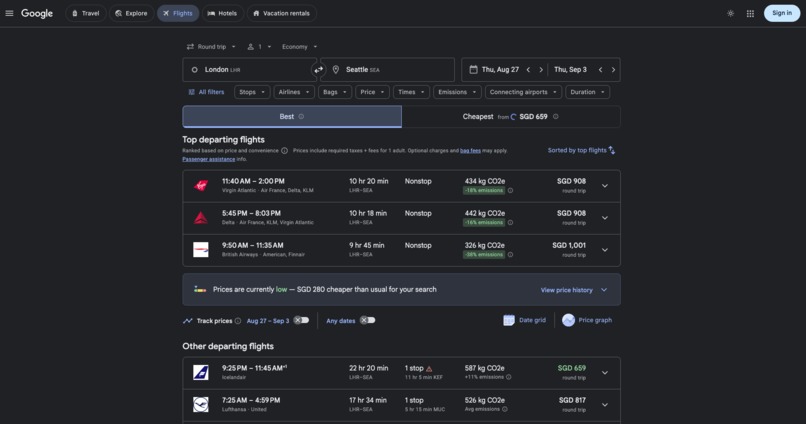
Page opened on Google
Inspiration
The idea came from a simple question: if I wanted to follow my favourite team across the 2026 World Cup, how would I actually plan it?
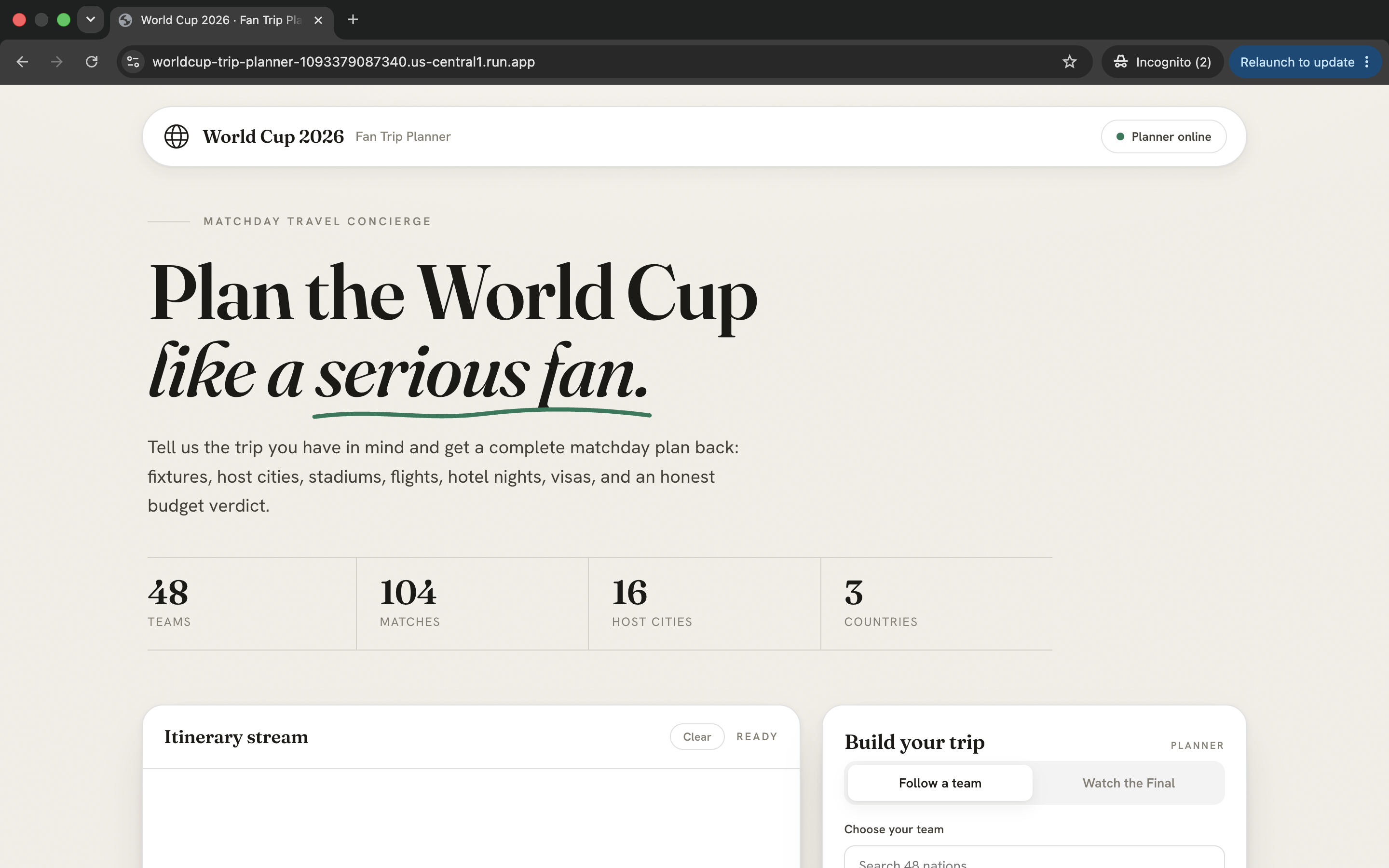
A normal football trip is already stressful. But the 2026 World Cup is spread across the USA, Canada, and Mexico, with 48 teams, 104 matches, 16 host cities, different stadiums, different visa rules, flights between cities, hotel nights, and budget limits. A fan does not just need match information. They need a practical travel plan.
We wanted to build something that feels like a real matchday travel concierge: a planner that understands what the fan wants, pulls together the important details, and turns a messy trip into a clear itinerary.
What it does
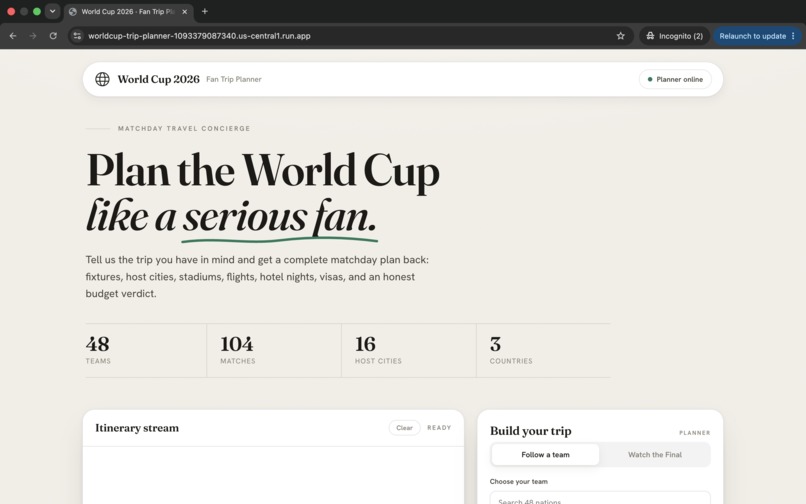
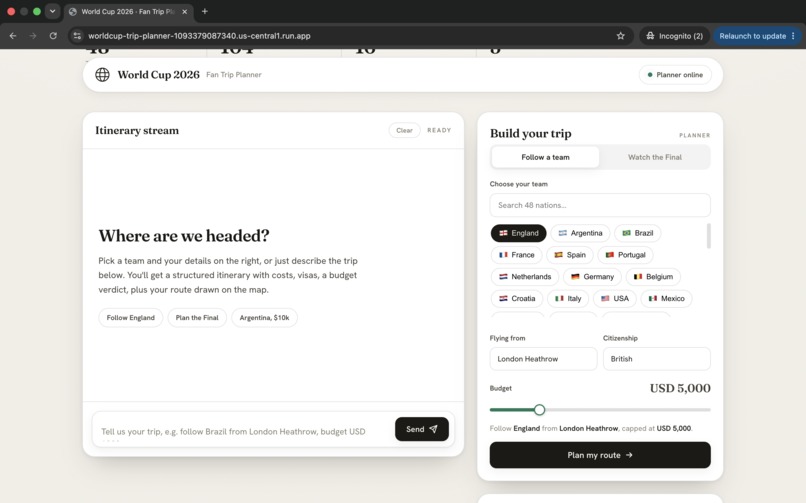
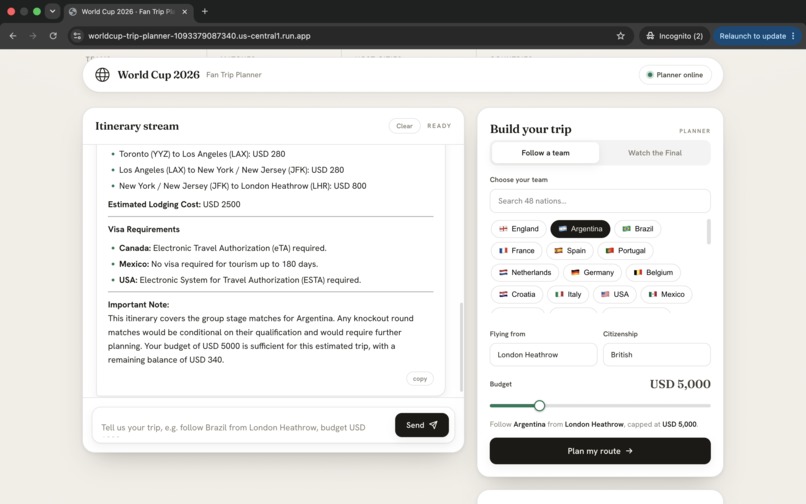
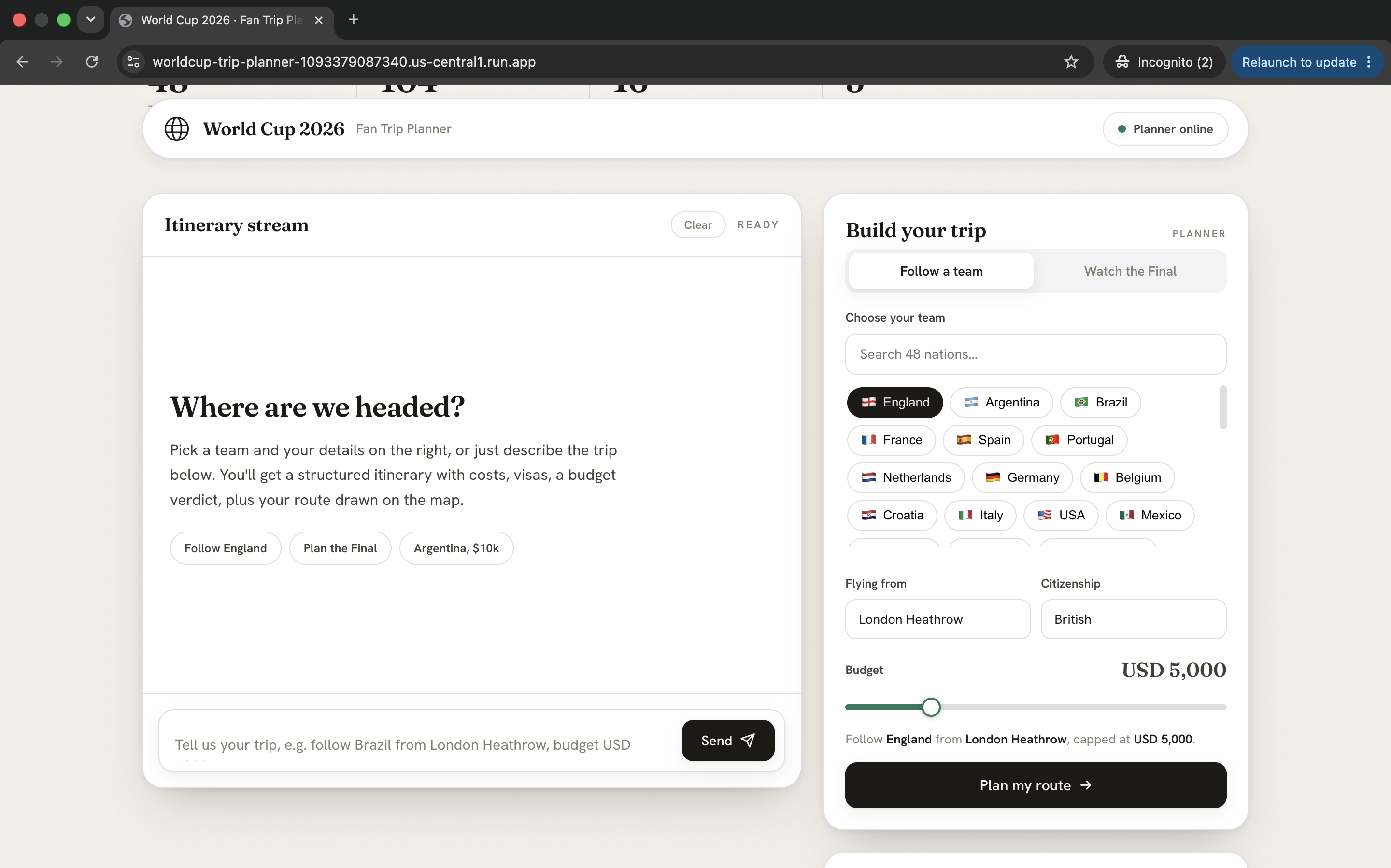
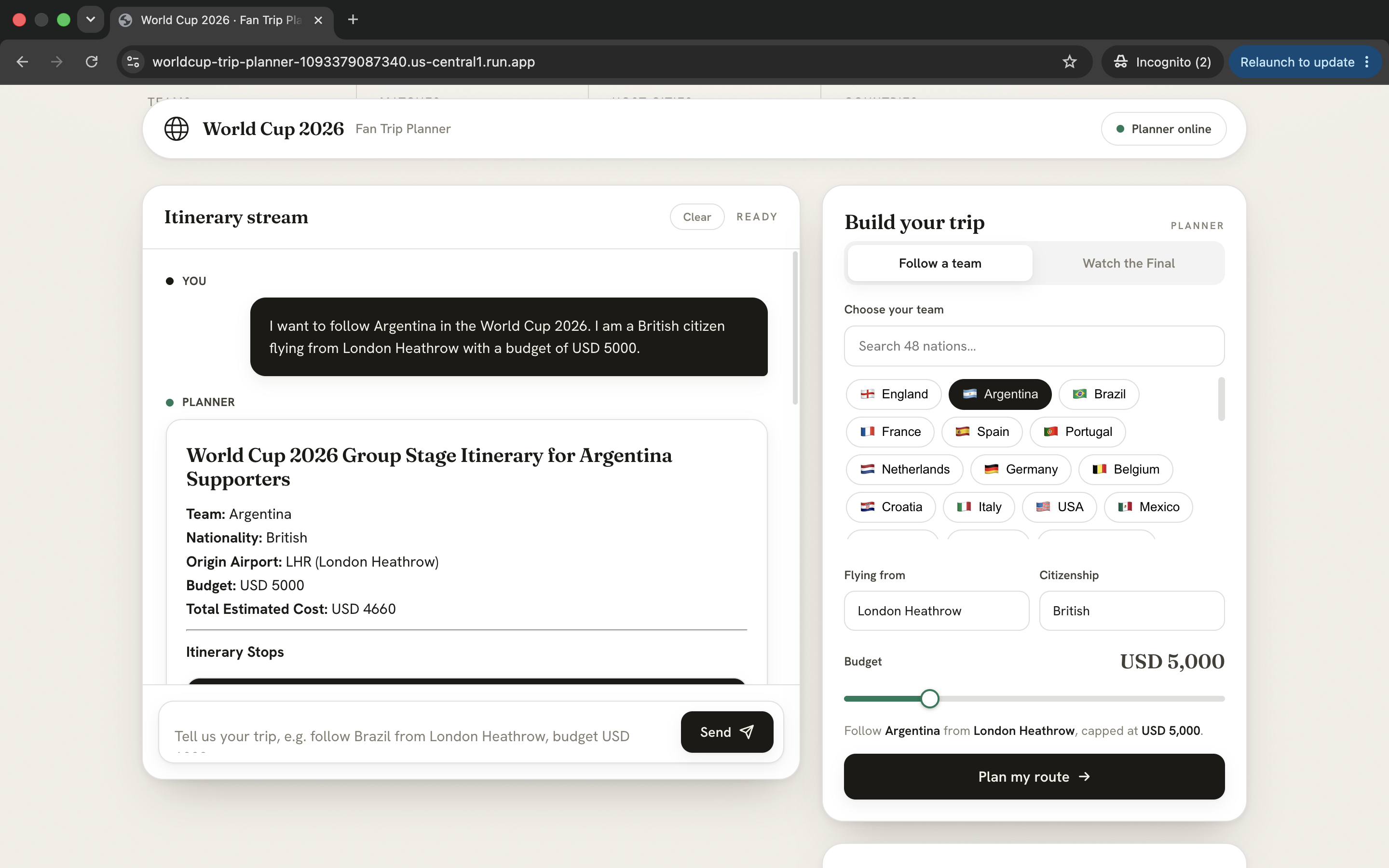
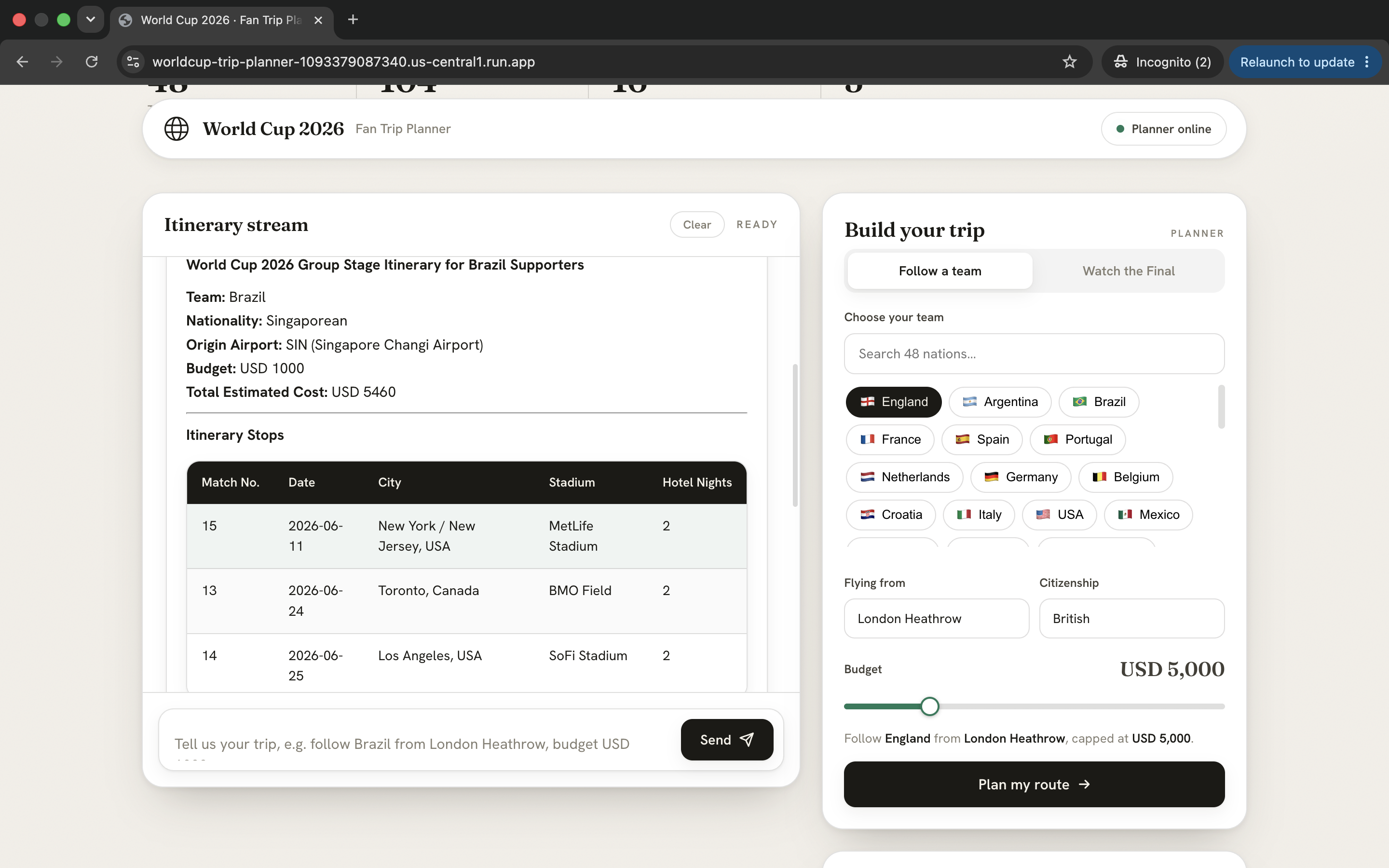
World Cup 2026 Fan Trip Planner lets users choose a team, departure location, citizenship, and budget. The app then generates a structured travel plan for following that team through the tournament.
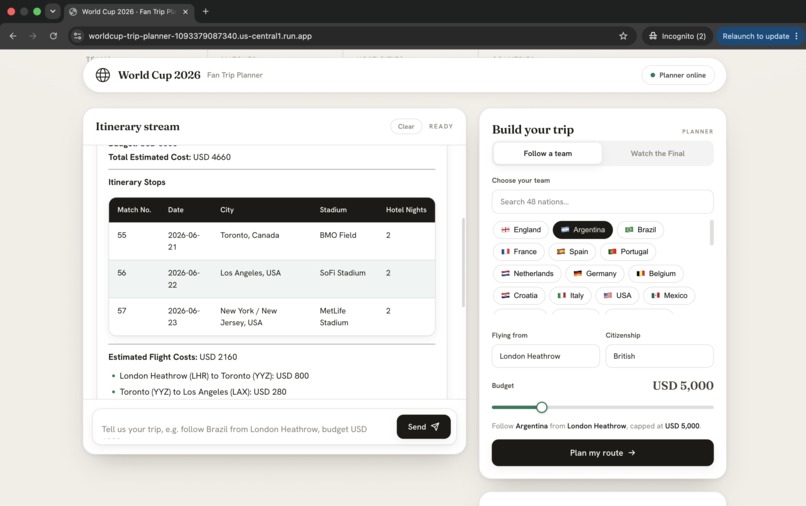
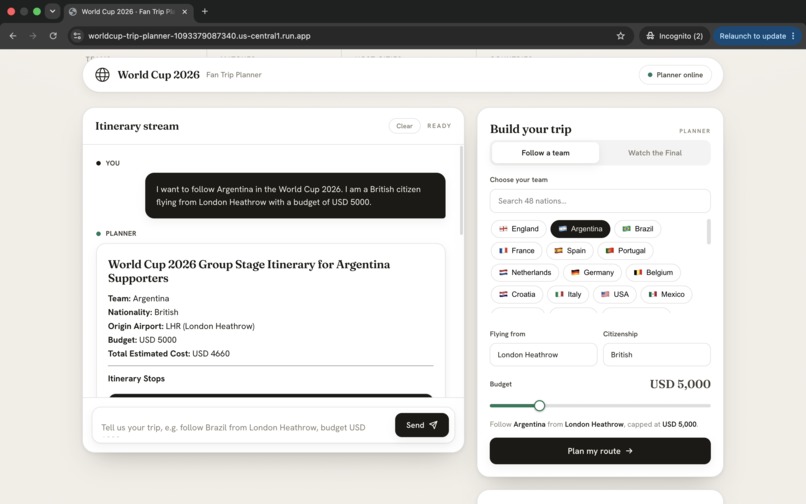
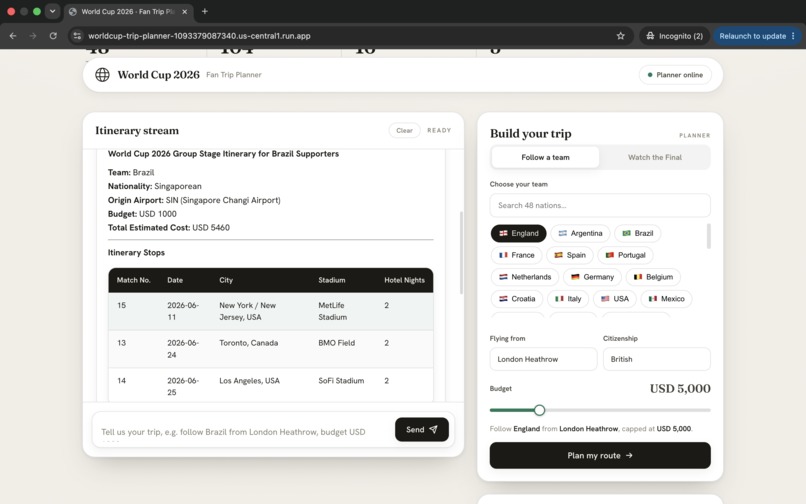
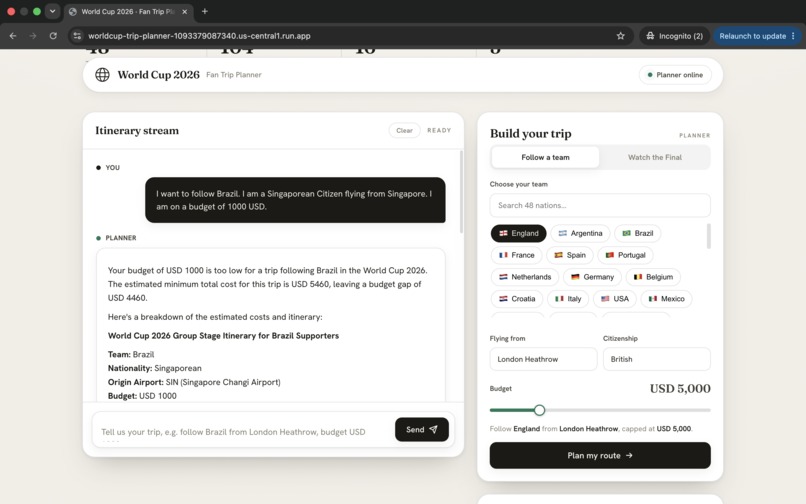
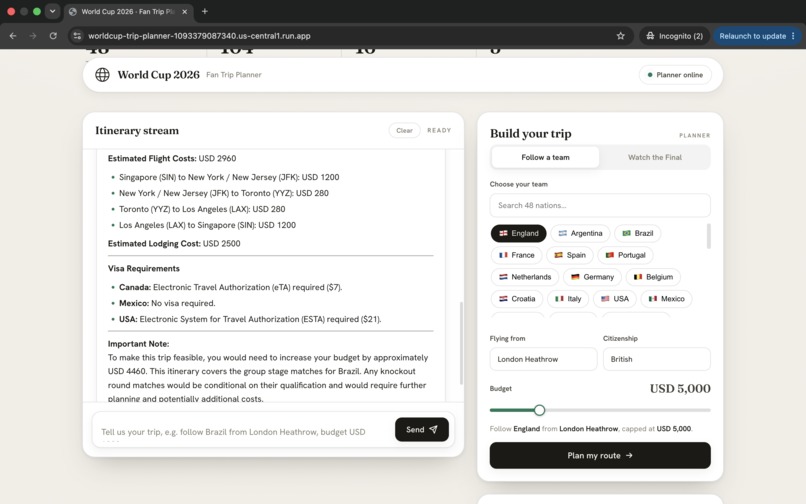
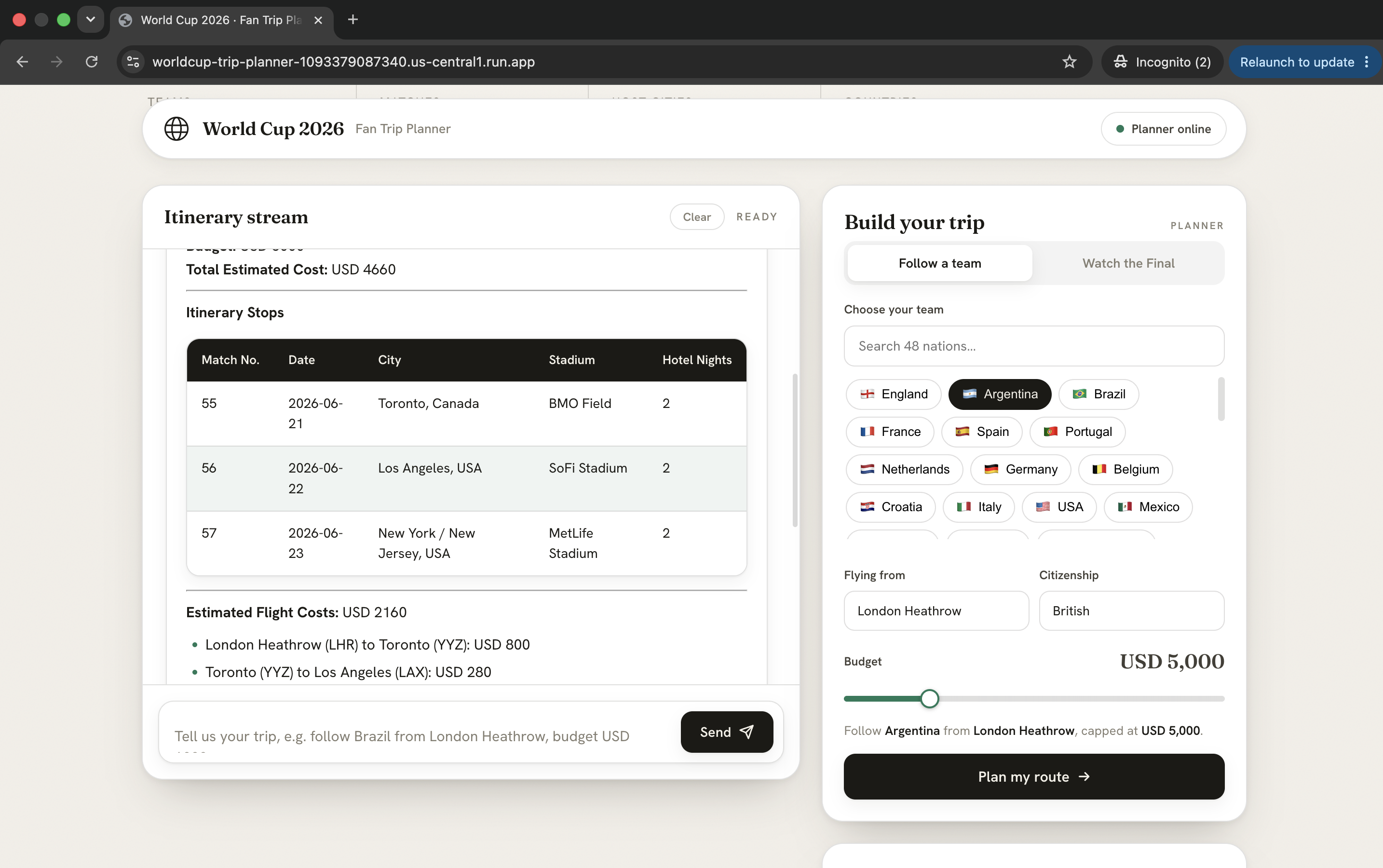
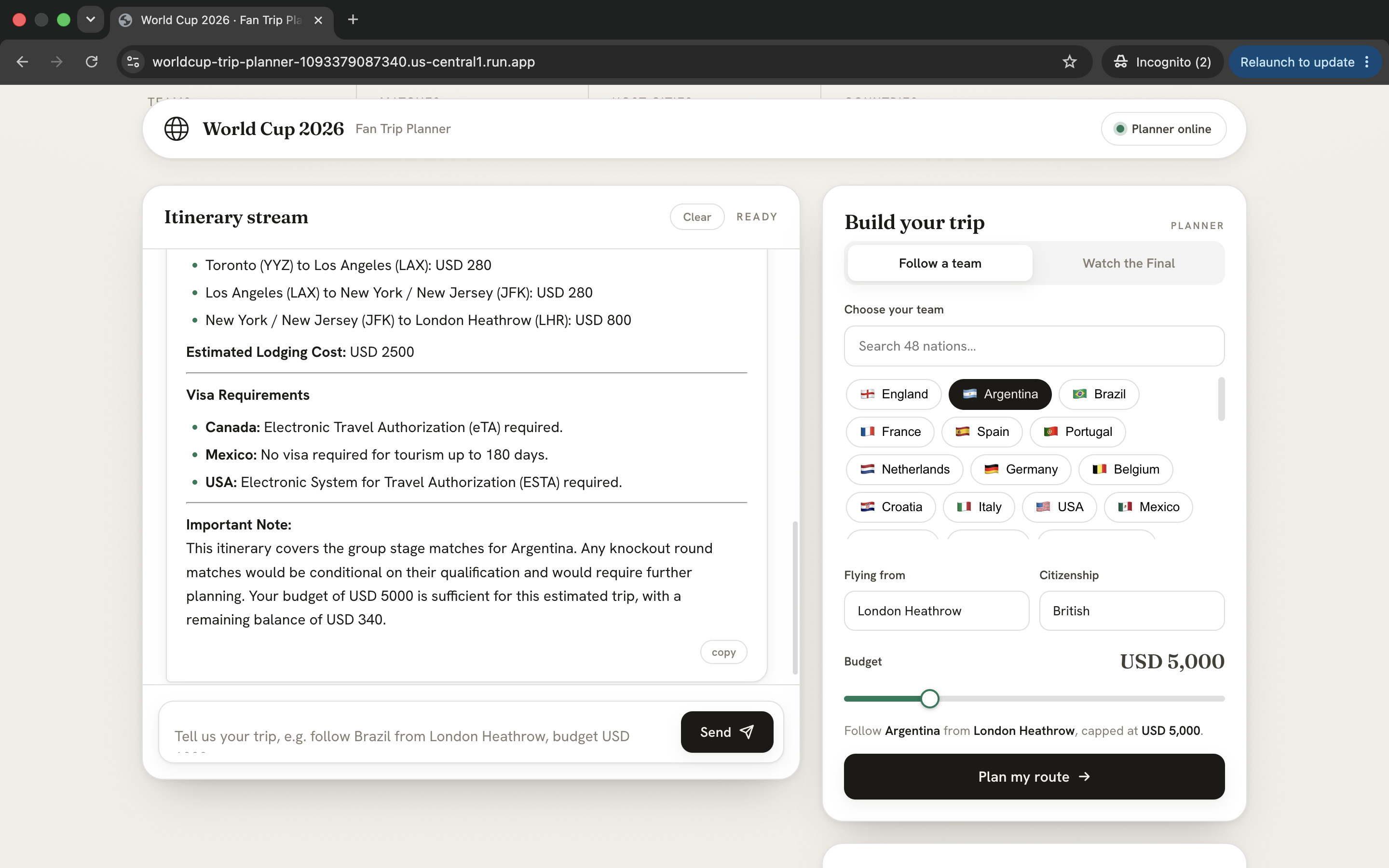
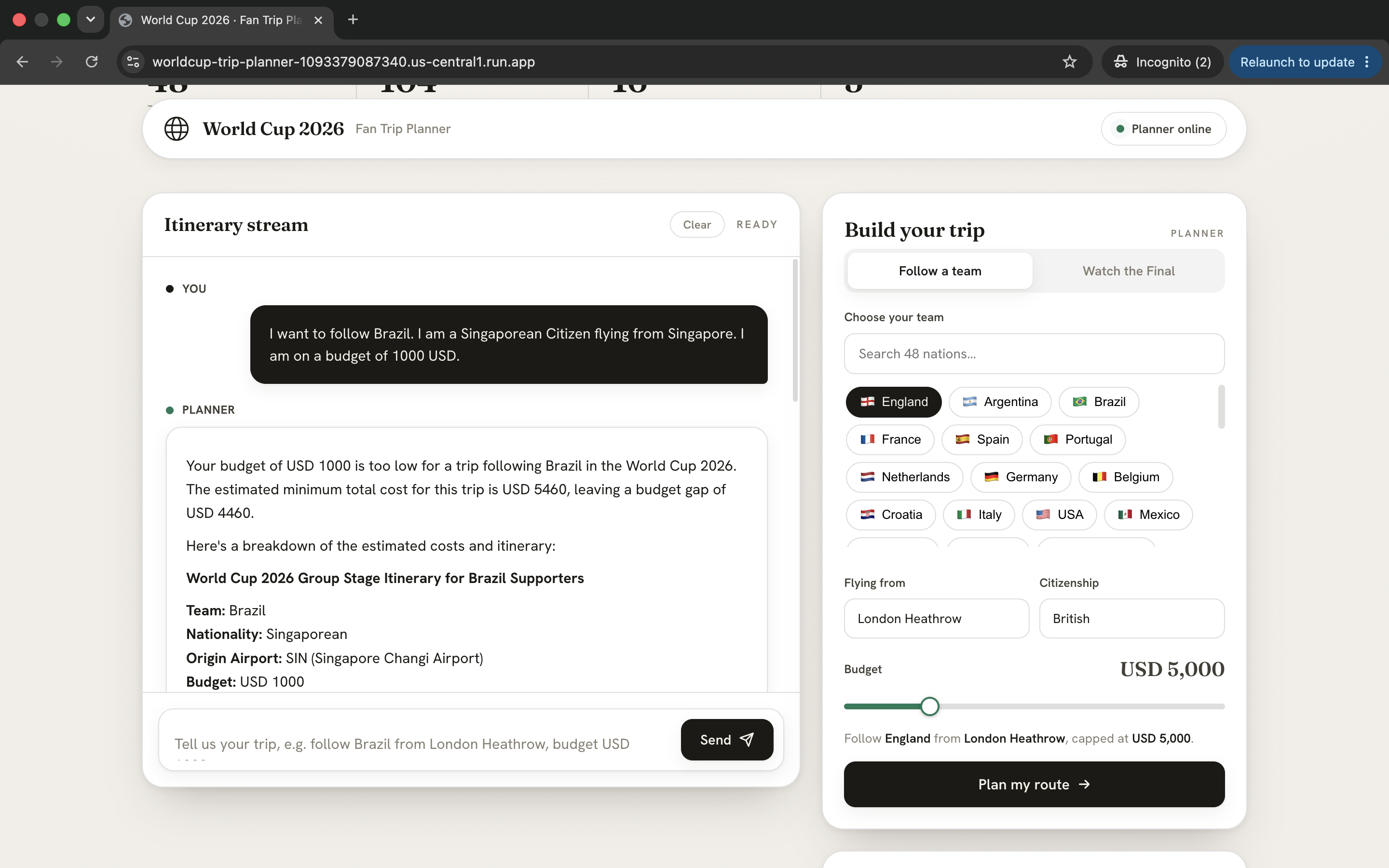
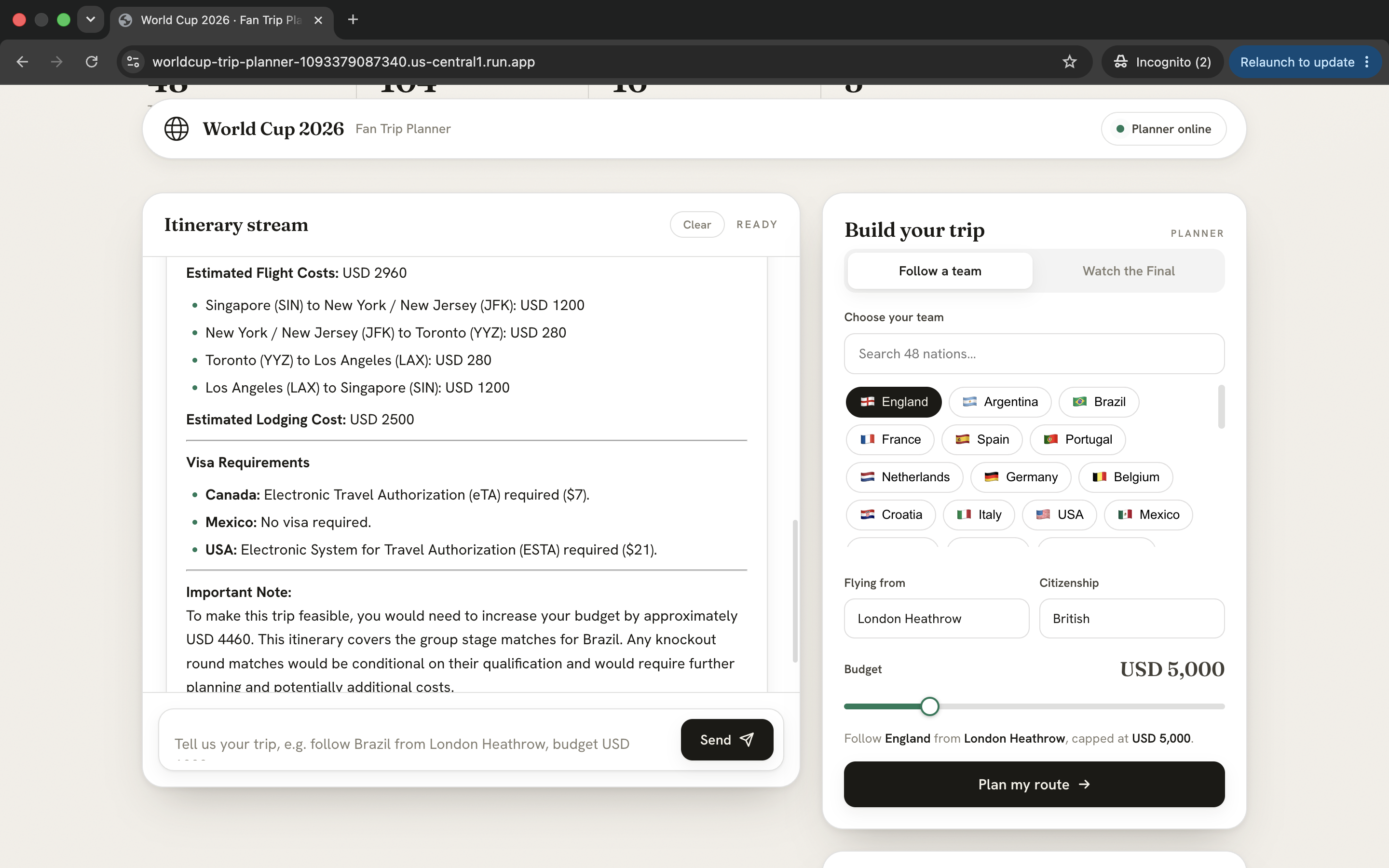
The planner returns match stops, dates, host cities, stadiums, hotel nights, estimated flight costs, lodging costs, visa requirements, and an honest budget verdict. If the budget is too low, it explains the shortfall instead of pretending the trip is possible.
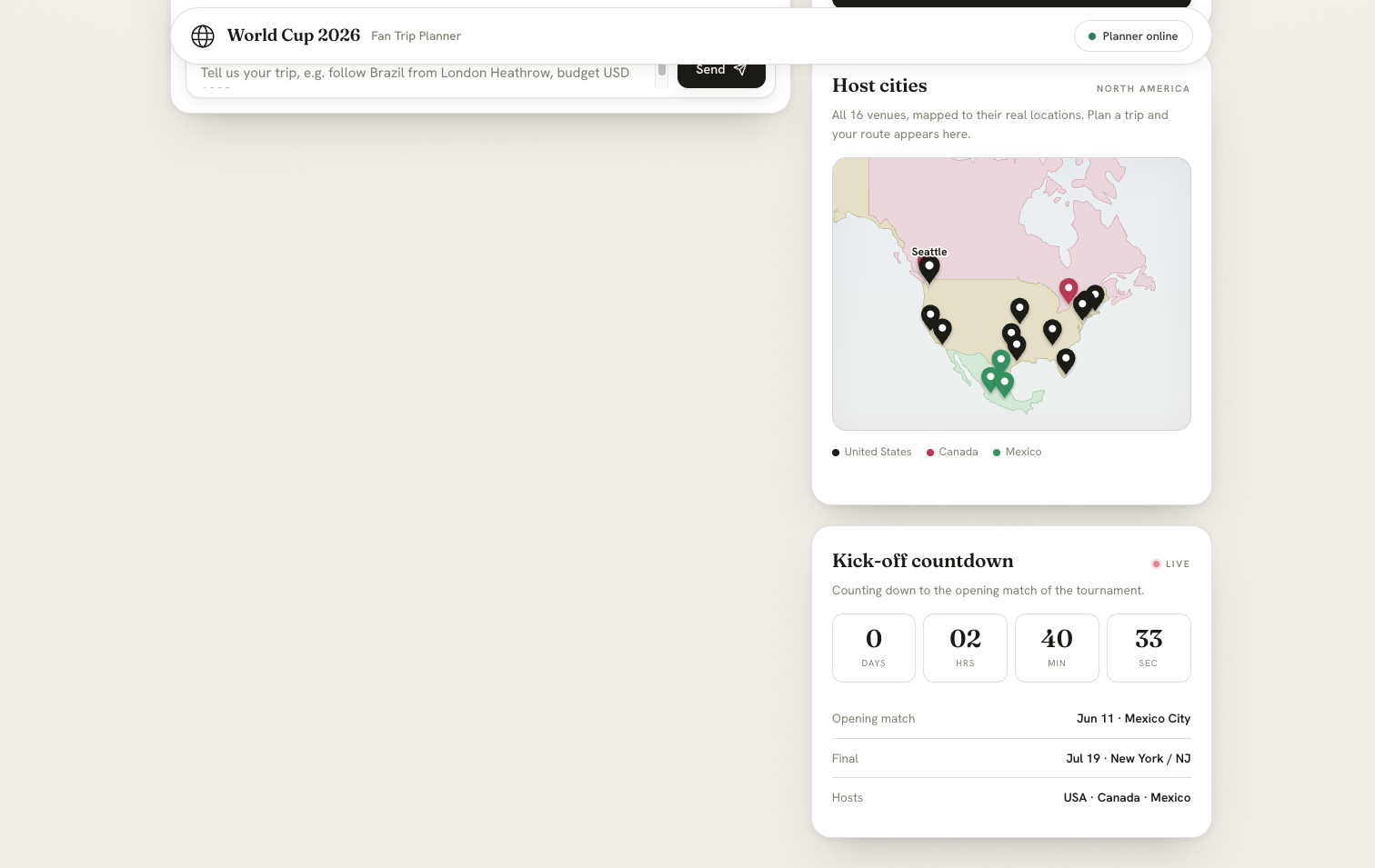
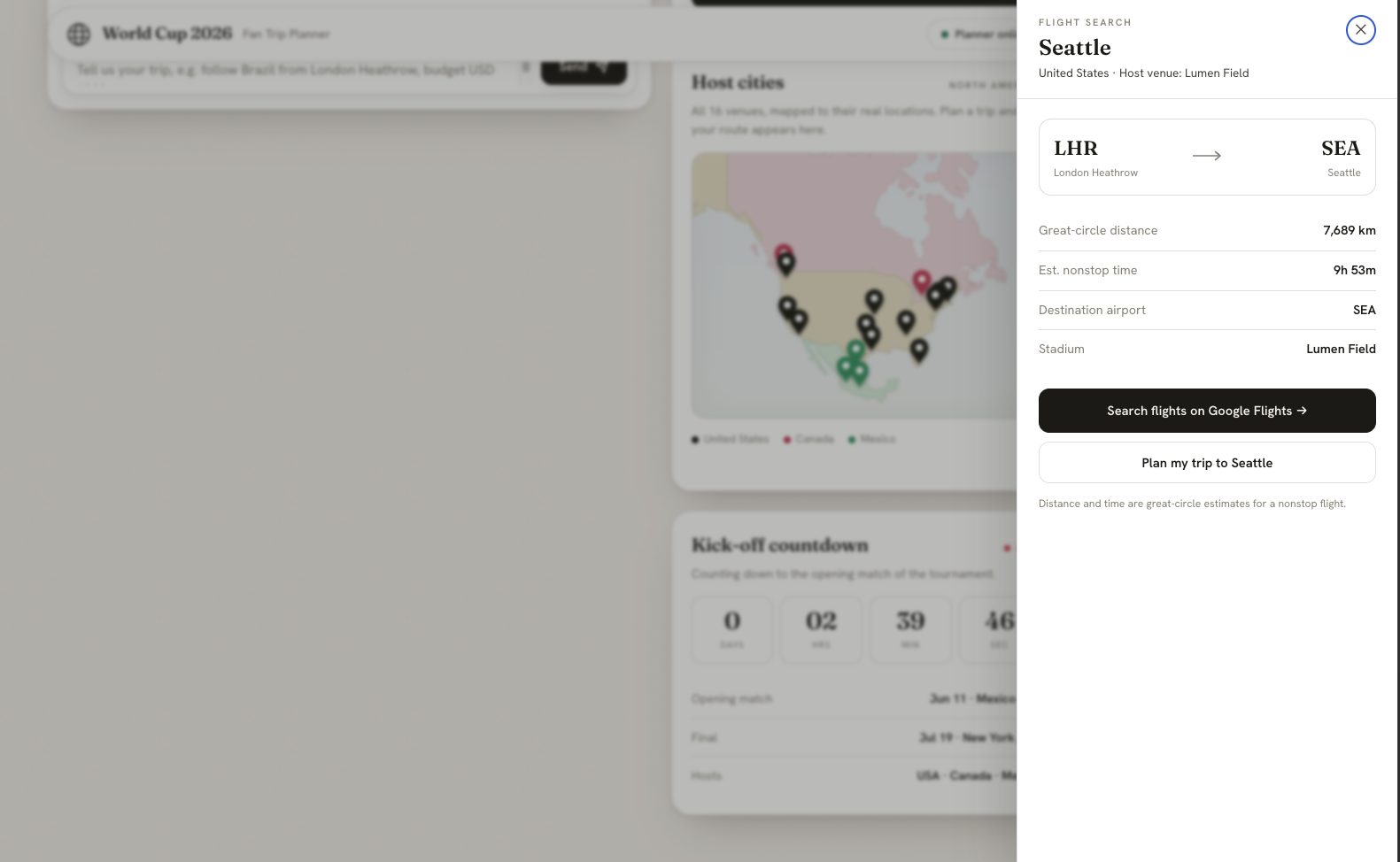
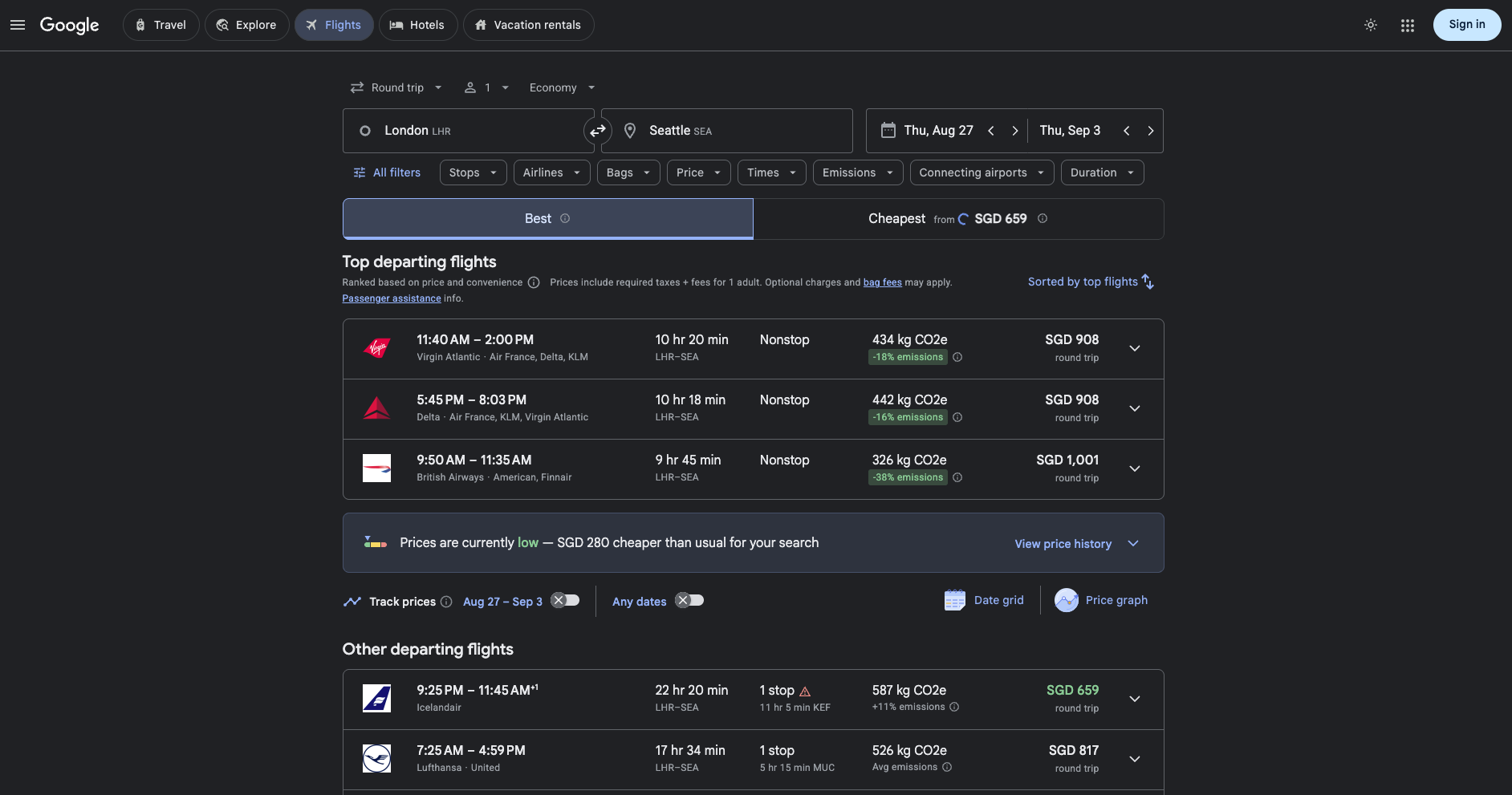
We also added an interactive host-city map. Users can click a World Cup city to see flight-search details, including destination airport, estimated distance, estimated nonstop time, stadium, and a direct Google Flights search link.
How we built it
We built the project as a full-stack AI travel planner.
The frontend is a custom HTML, CSS, and JavaScript interface designed to feel premium and simple for users. The backend is a Flask server that connects the UI to the agent. The AI agent was built with Google ADK and Gemini, with tournament and city data stored in MongoDB Atlas. We also created custom tools for trip planning logic such as flight estimates, lodging estimates, visa checks, budget handling, and host-city routing.
The final app was containerized and deployed publicly on Google Cloud Run.
Challenges we ran into
The hardest part was making the project feel like a real planner rather than a basic chatbot. The output had to be structured, readable, and useful. We had to make sure the agent returned itinerary tables, costs, visa notes, and budget reasoning in a format that the frontend could display clearly.
Another challenge was connecting all the moving parts: MongoDB data, custom tools, the ADK agent, Flask, frontend rendering, Docker, and Cloud Run deployment. We also had to handle unstable model availability, including temporary Gemini high-demand errors, without confusing that with actual deployment or database issues.
On the frontend side, we spent a lot of time polishing the interface, improving the map, making the route visualization useful, and adding the flight-search drawer so the project felt more like a real travel product.
What we learned
We learned how important integration is in an AI project. The model is only one part of the product. The data, tools, backend, interface, deployment, and user experience all have to work together.
We also learned that a good AI app should not just generate text. It should help the user make a decision. In this case, that means answering: Where do I go? How much will it cost? Do I need a visa? Is my budget enough? What flights should I search for next?
What's next
The next step would be to make the planner even more realistic by adding live flight APIs, live hotel pricing, official fixture updates, user accounts, saved itineraries, and automatic updates if a team progresses into the knockout rounds.
The long-term goal is to turn this into a proper sports travel assistant for major tournaments, not just the World Cup.


Log in or sign up for Devpost to join the conversation.