-
-
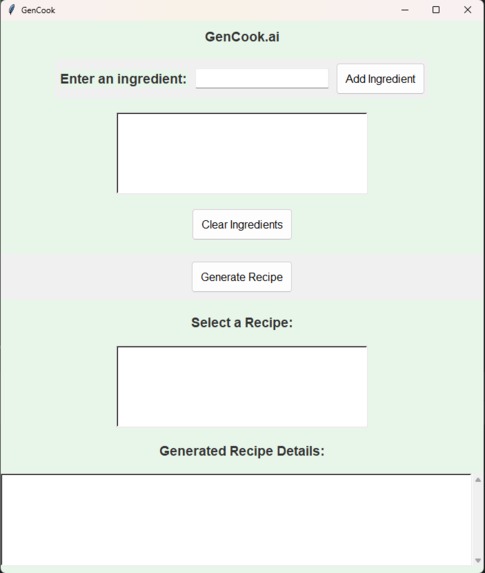
The entire app UI
-
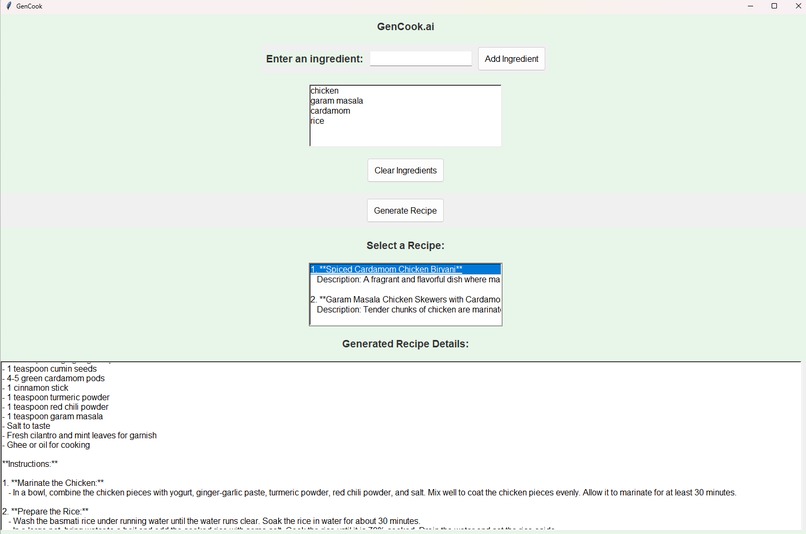
The Generated Recipe Recipe
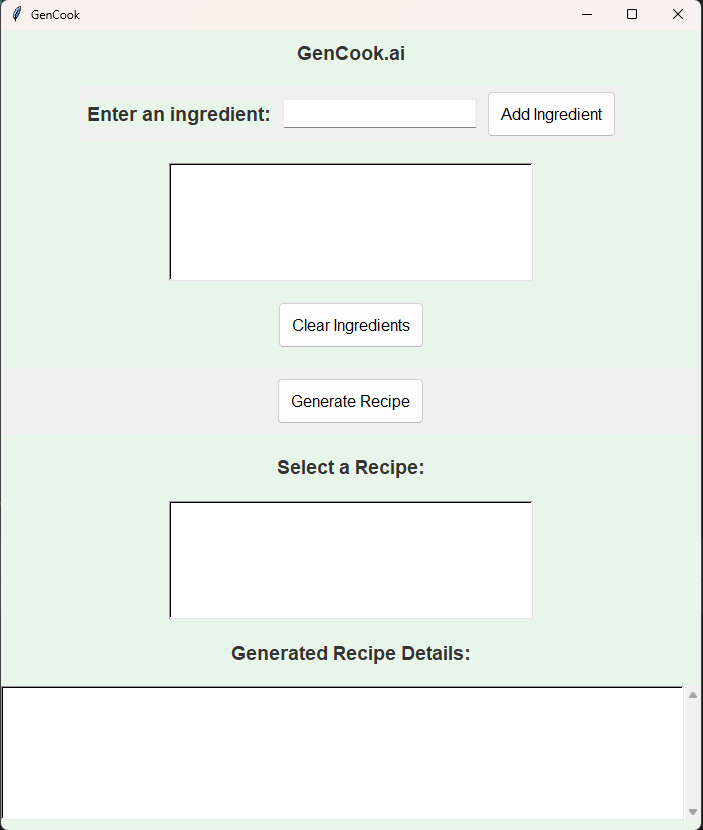
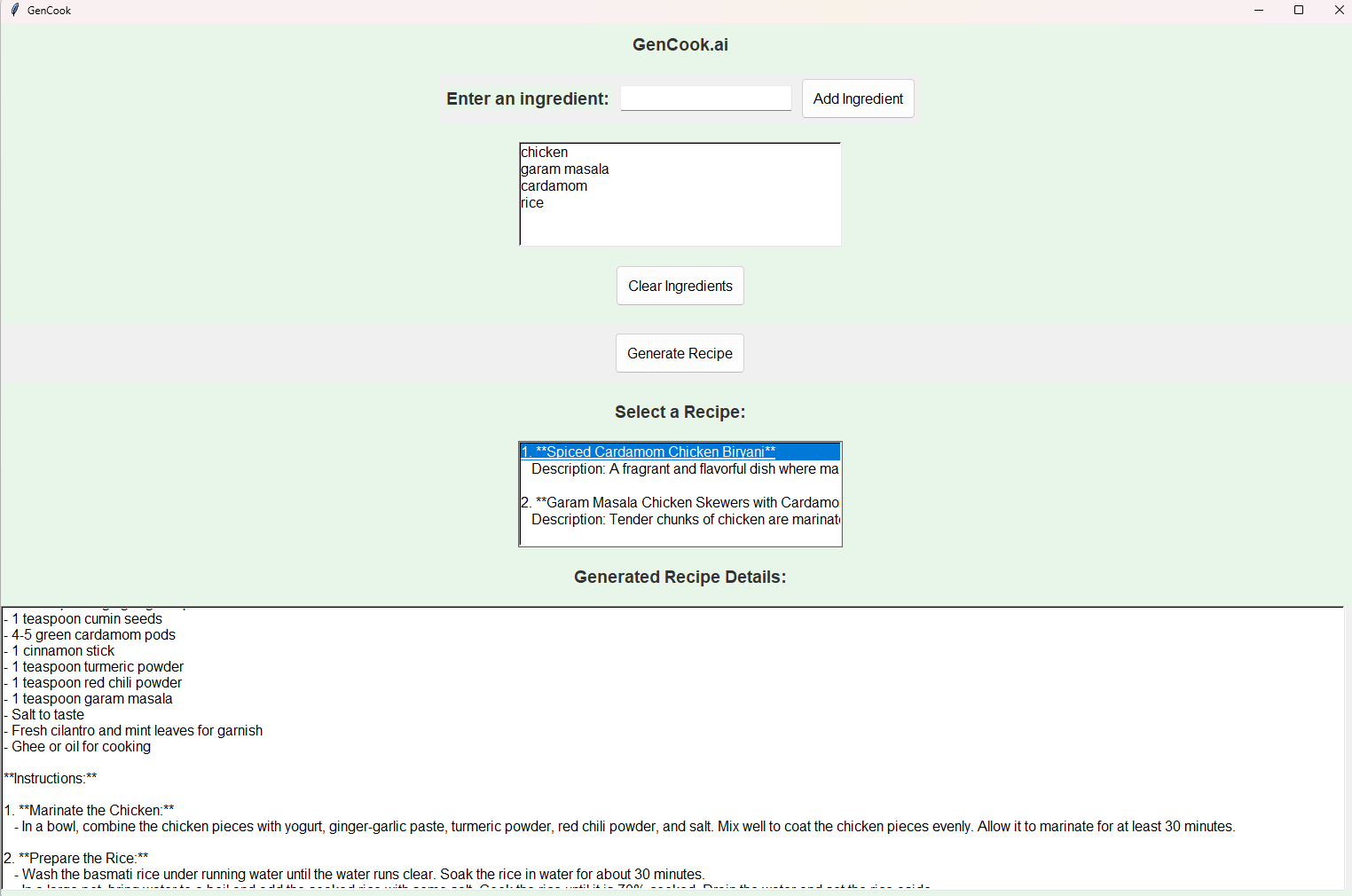
Gencook.ai: Your Solution to an Imaginative Cuisine
What Inspired us to make this project?
While thinking of ideas of how to solve issues, our team was hungry and didn't know what to eat. However, as we were thinking about that, we thought of the idea of having an AI help up generate food ideas so that we would never get stuck again of what to eat. Not only us, we would be able to help out may others who were in the same situation as us and have an app help them decide what to make.
What did we learn
We learned a lot about new Python material for the last 2 and a half months and implemented those in our code. New material such as UI design, learning about new useful libraries, and ways to organize our code. It was a hefty challenge to make such code, but as a team, we were able to get through all of this and successfully make our code.
How did we build this project
To start off, we needed to download many libraries and get an OpenAI API Key. After getting everything setup, we started doing more research of how to implement our API key into our code. This is crucial because the AI with help us generate the recipes. We also needed to use UI design. Libraries such as Tkinter helped us with the UI design since it is native to this language.
Next, we needed to code a way to type in the ingredients so that the AI can interpret them, ensuring the process is intuitive for the user and effective in extracting accurate data. This involved creating a user-friendly input interface where users could either type the ingredients in natural language or select them from a predefined list. In the background, the input would be parsed and processed by a natural language understanding (NLU) module to identify key ingredients.
After all the code was finished, everything was working extremely better than we thought. The UI looked fantastic, the AI was able to interpret and generate, and there weren't any major issues.
What were some challenges
We did experience an abundance of challenges along the route. First, the API key was not free and we did have to pay five dollars minimum to implement it in our code. Next, there were many issues with generating the recipes during the early stages of the code. For example, when you selected a recipe, the AI would not generate the full thing. It took us at least two weeks to find any issues that would make our code useless or not able to function.
UI design was another issue because we wanted to make the app look more appealing and user-friendly. The buttons were very off-centered and it took many attempts to recenter it. After that, it was ready to go.
Conclusion
Overall, this project was very fun to make and it taught us many types of use cases for Python. With all this new knowledge, we can make even more useful apps such as this for locals and solve their problems. Especially when learning about the AI and API keys, it was super interesting and so many ways to implement it anywhere. This was such a fun competition to do and we hope to do more Hack-a-thons like this in the future.
Important Note
To try out the app, you need to go to the zip file in the "Additional Notes" tab and install it from there. OpenAI will not allow us to paste an API key in Github as that triggers that the key has been compromised. If you want to paste the code from Github into an IDE, feel free to do that. The API key is given in the zip file and just remember to paste it in the code.
Built With
- chatgpt
- gpt
- openai
- python
- tkinter

Log in or sign up for Devpost to join the conversation.