-
-
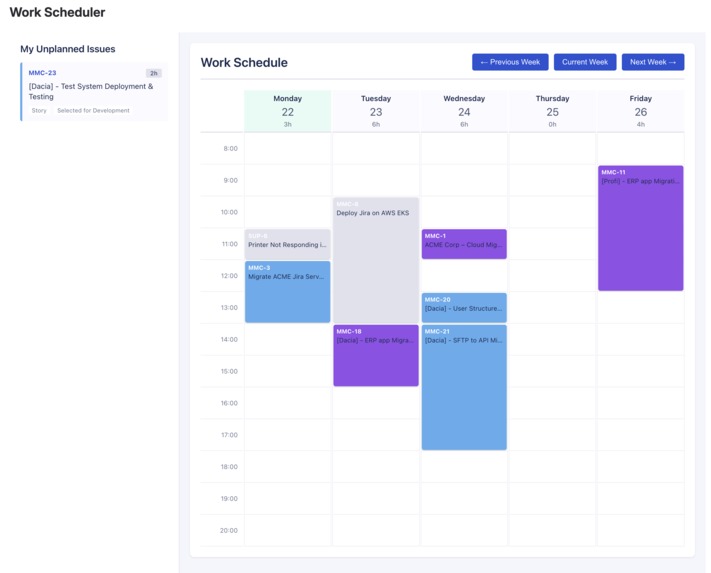
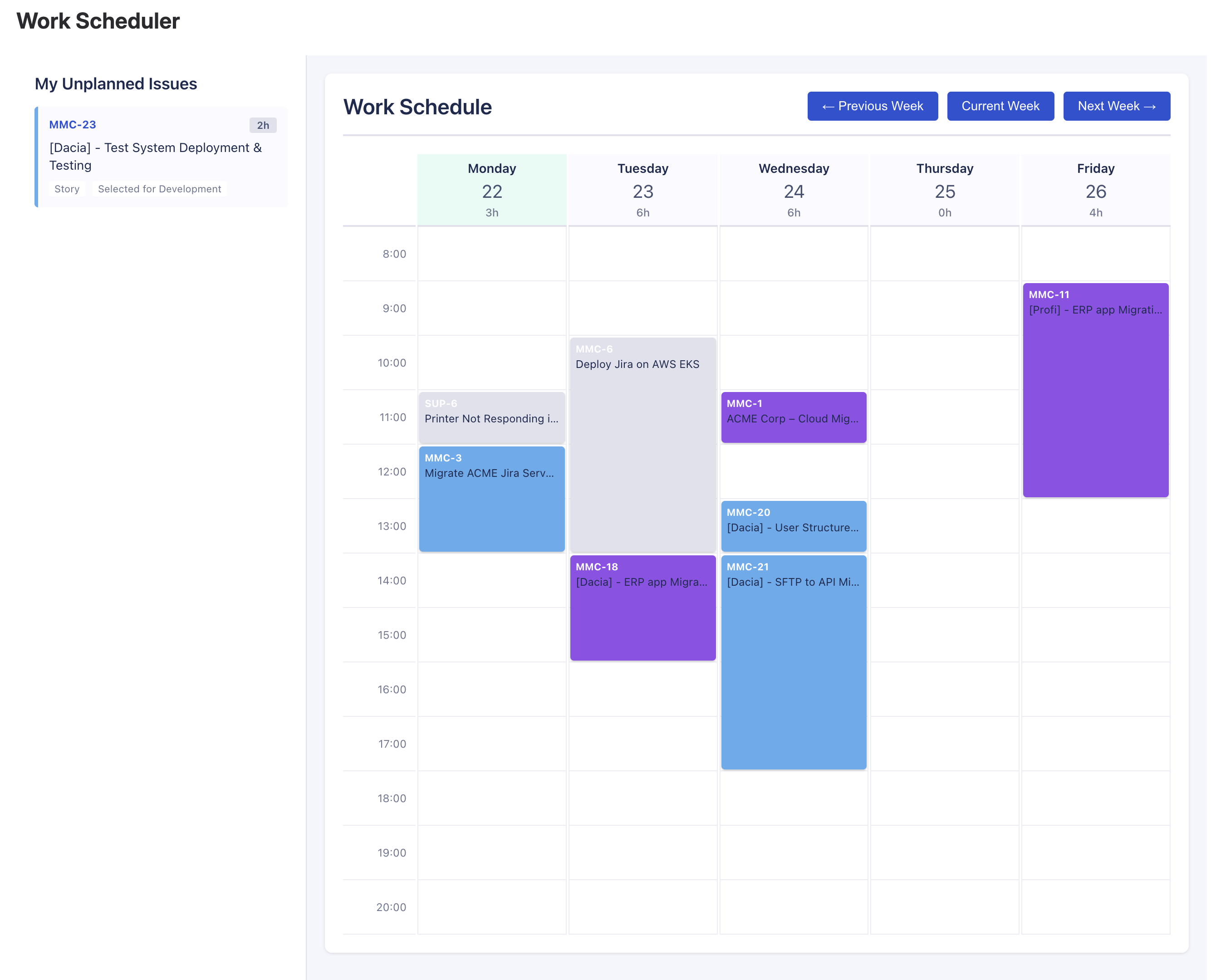
Work Scheduler after MMC-23 assignment
-
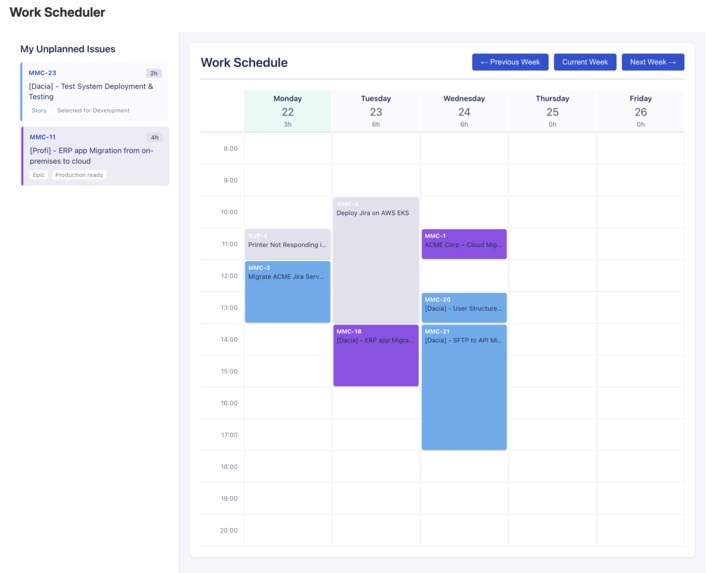
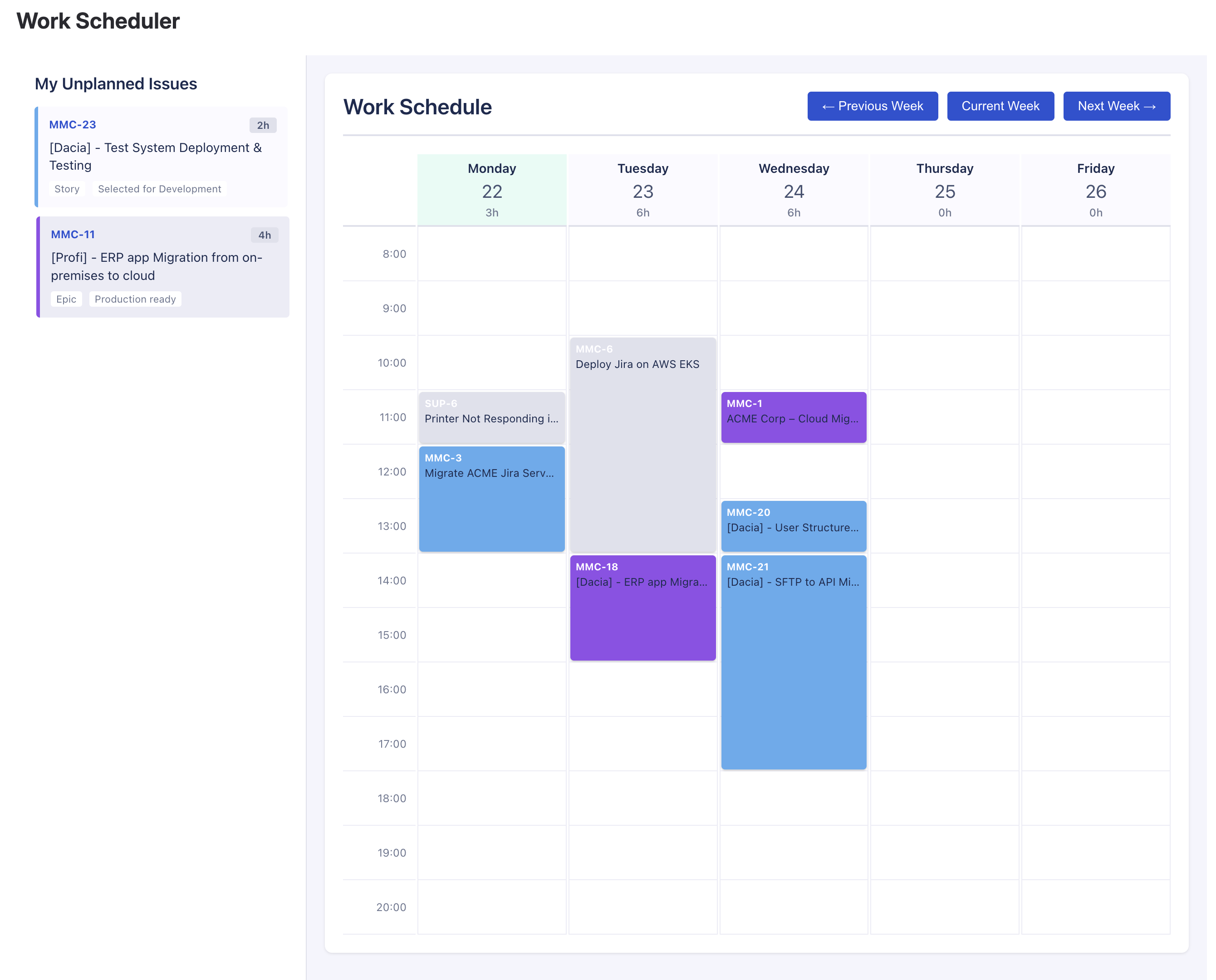
Work Scheduler before MMC-23 assignment
-
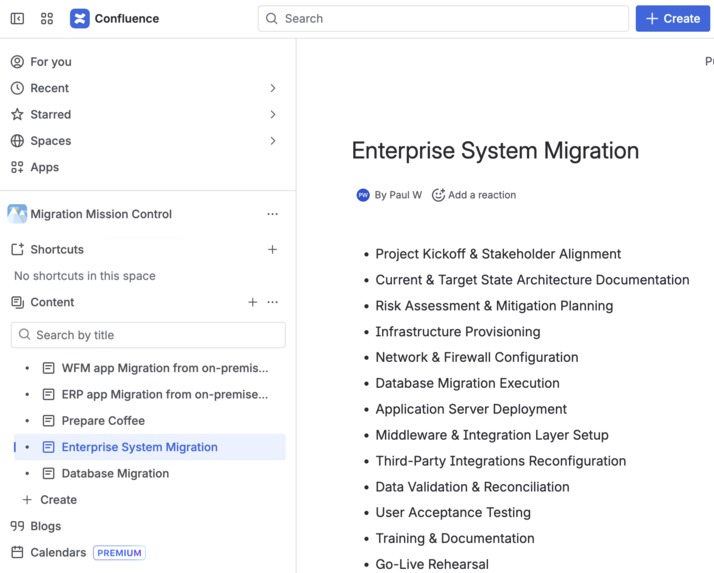
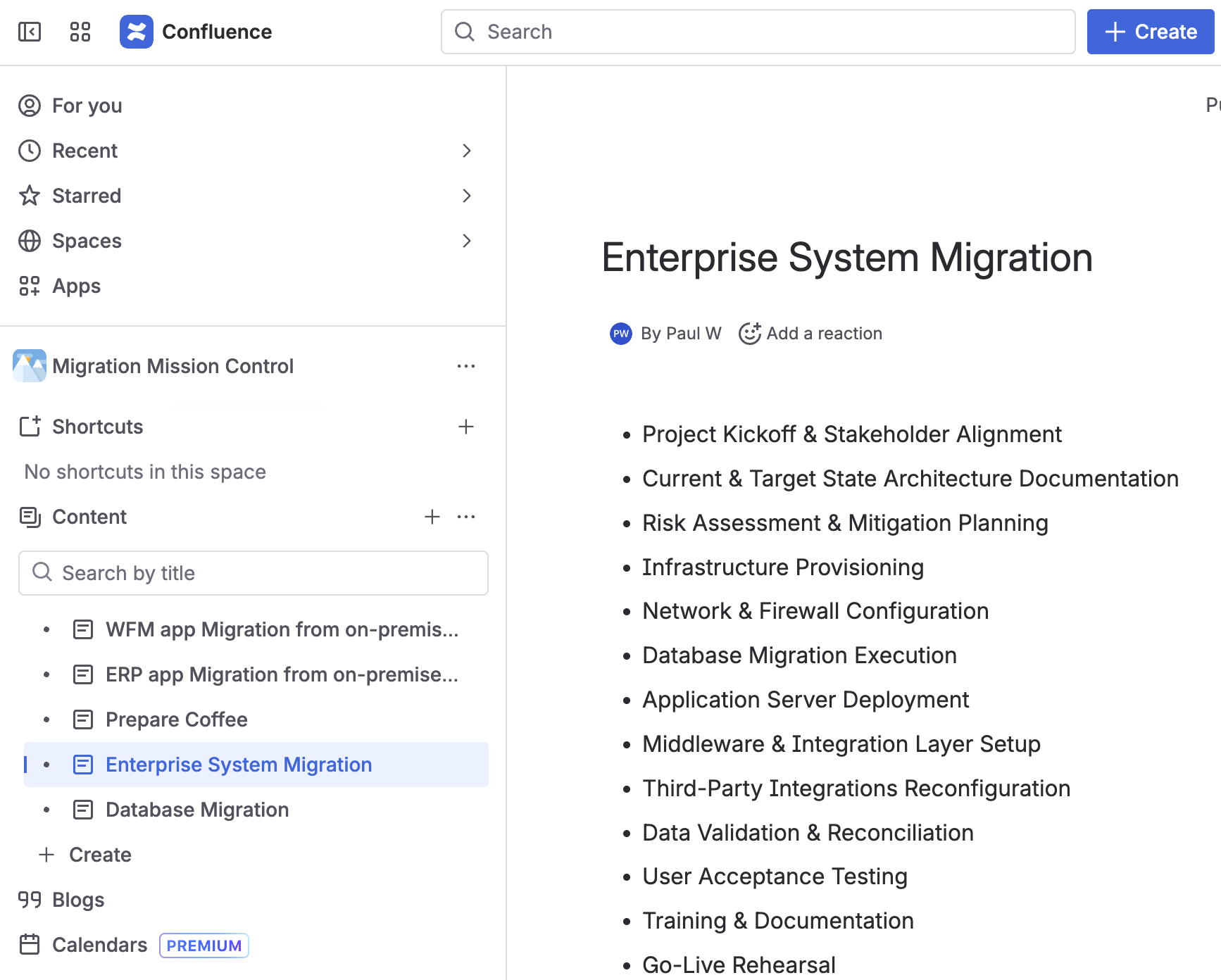
Confluence - Project naming templates
-
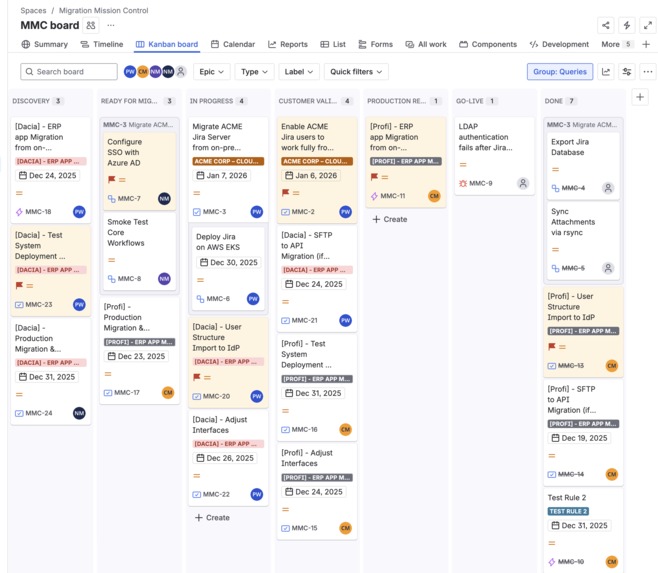
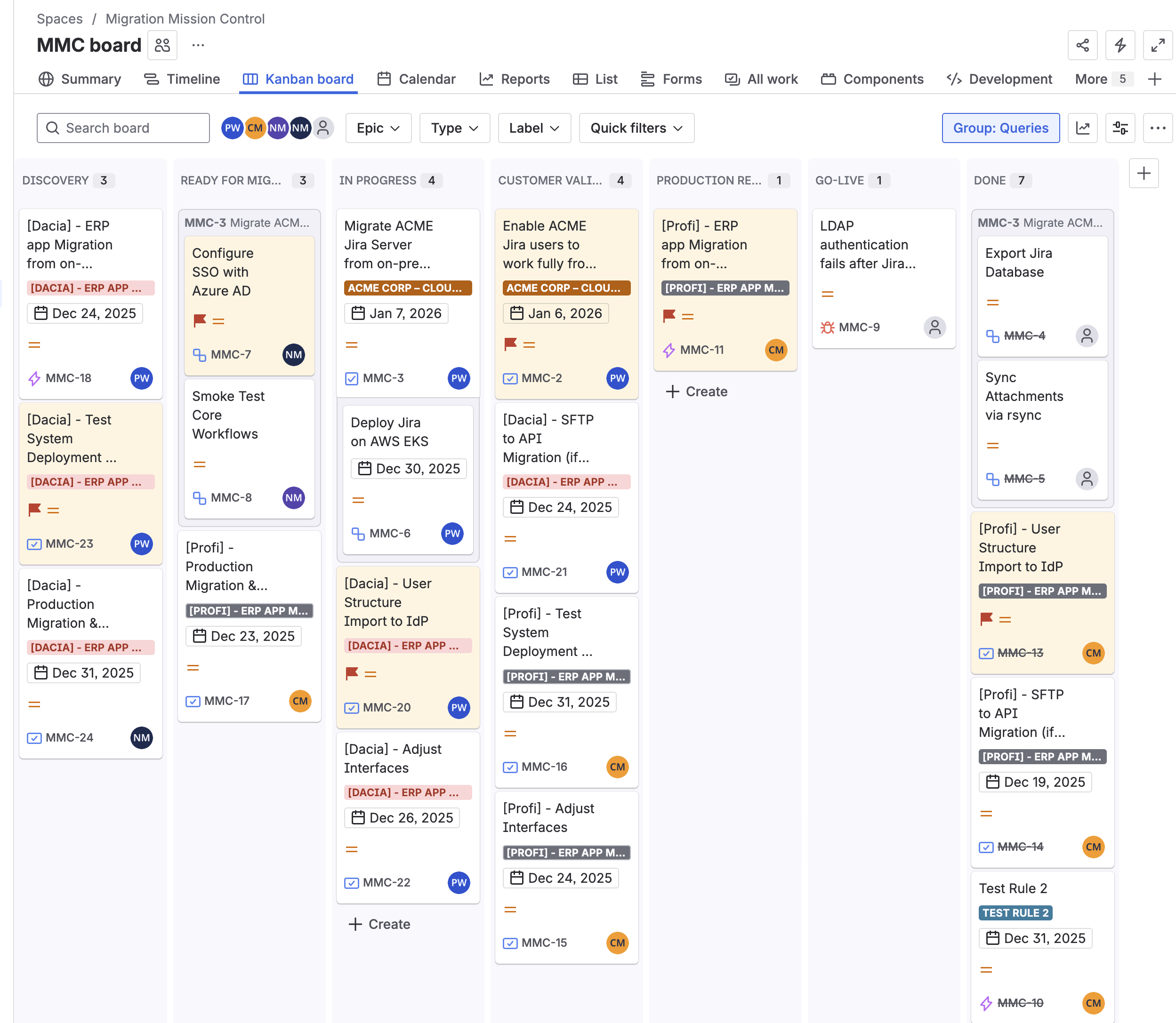
Migration Mission Control Board
-
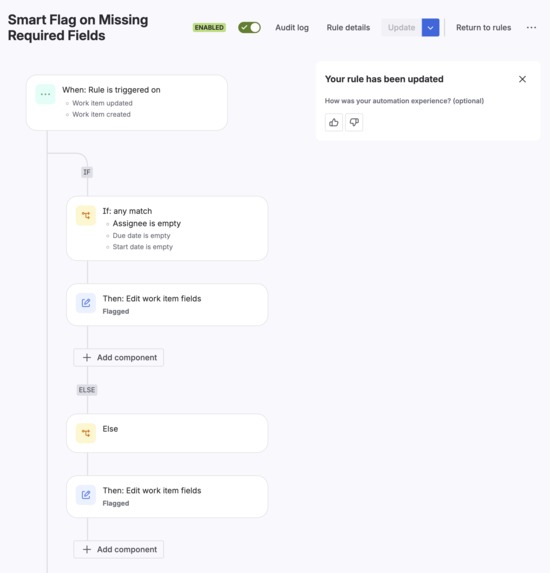
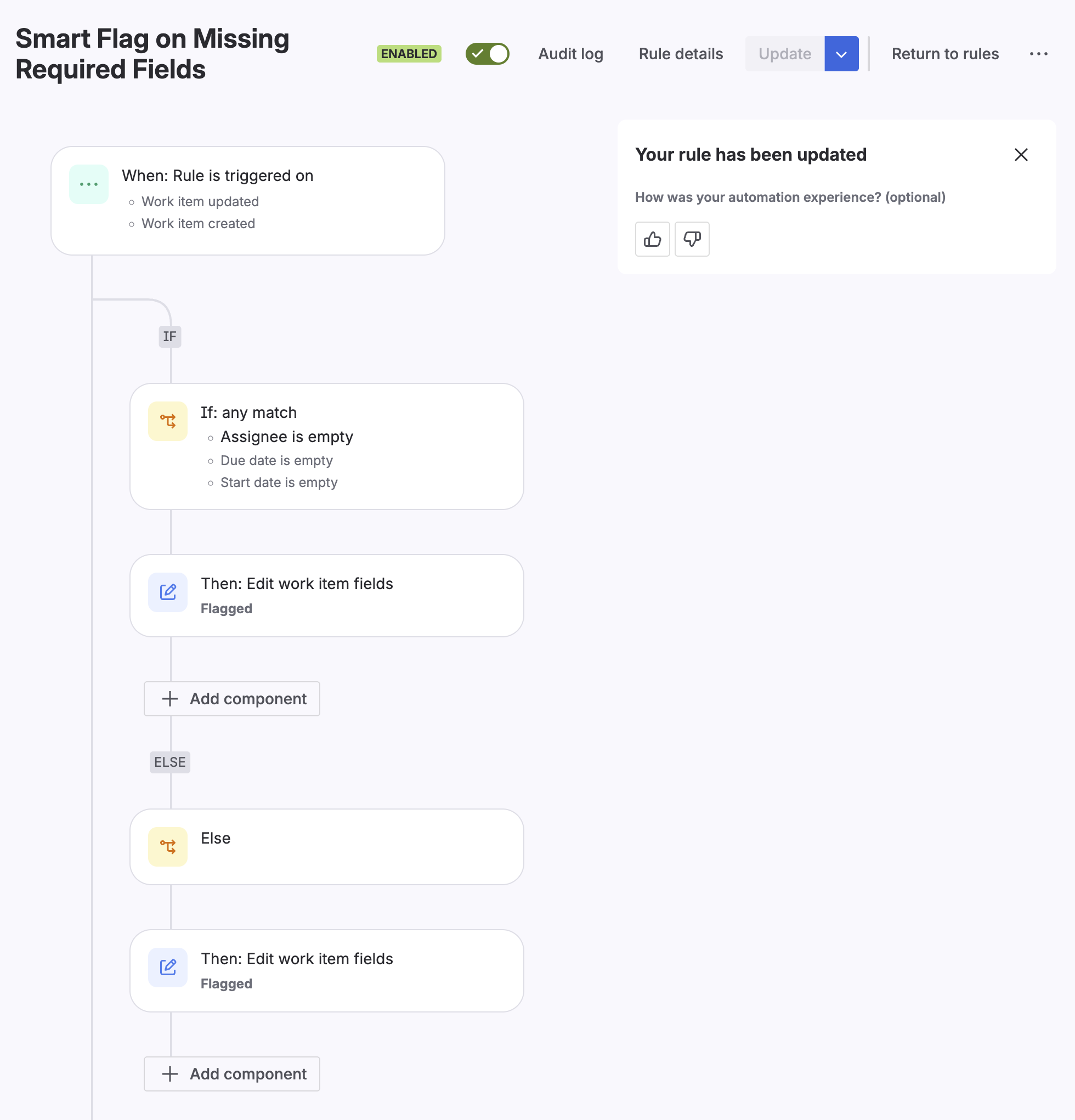
Jira - Flag Smart Automation
Inspiration
We work as technical customer support specialists at a software company that provides enterprise-level workforce management solutions. A significant part of our role involves supporting customers as they migrate from on-premises installations to our cloud platform. These migrations are complex, multi-month endeavors requiring coordination across cloud infrastructure teams, consultants, scripting specialists, and interface developers.
Every new migration follows a similar pattern: a project manager creates an Epic in Jira, then spends the next 30-45 minutes manually creating 10-20 Story tasks that represent the standard migration phases. Each task needs proper naming conventions, linking to the parent Epic, and consistent metadata. This repetitive work happens for every single customer engagement.
But the bigger pain point emerged from the team members themselves. With multiple migrations running concurrently, individual contributors often found themselves assigned to 20+ tasks across different projects. Jira's list view, while powerful for project managers, doesn't help individuals answer the simple question: "What should I work on today, and when?"
We envisioned WorkPit 🏎️ as the digital equivalent of a Formula 1 pit crew's command center—a place where work gets organized, optimized, and accelerated.
What it does
WorkPit is a suite of two Atlassian Forge applications:
Epic-to-Stories Generator automatically creates standardized Story tasks when a new Epic is created. It reads task templates from Confluence documents, maintains naming conventions ([Customer] - Task Name), and links all Stories to the parent Epic. If the template isn't found or the naming convention isn't followed, a helpful comment is added to the Epic.
Work Scheduler provides a weekly calendar view where team members can drag-and-drop their assigned tasks to specific time slots. Task block heights reflect time estimates (1h, 2h, 4h, 8h labels), daily hour totals help identify overloaded days, and right-clicking removes tasks from the calendar. A complementary Jira Automation rule flags tasks missing critical information (assignee, dates) until the data is provided.
How we built it
This was our first-ever Forge development project, and Rovo Dev was instrumental in helping us navigate the learning curve.
We used Rovo Dev to:
- Generate the initial Forge project structure and manifest configuration
- Understand the correct API calls for reading Confluence pages and creating Jira issues
- Debug errors and interpret Forge-specific error messages
Our tech stack includes:
- Atlassian Forge (serverless platform)
- Jira REST API for issue creation, linking, and updates
- Confluence REST API for reading template documents
- Bitbucket for source control
- Jira Automation for the smart flagging feature
- Visual Studio Code with Rovo Dev integration for AI-assisted development
Challenges we faced
The Manifest Mystery: Early in development, we encountered a persistent error that had us stumped for hours: manifest.yml error function handler property 'index.run' cannot find associated file with name 'index.[jt](s|sx)' valid-module-required. We asked Rovo Dev for help multiple times, receiving various suggestions about manifest configuration and module paths. After extensive troubleshooting, we finally discovered the root cause manually: Rovo Dev had generated our index.js file in the project root instead of the src/ folder where Forge expected it. The irony that the AI couldn't see a problem it had created became a running joke—but also a valuable lesson about verifying fundamentals in human-AI collaboration.
Unfulfilled Rovo Agent Vision: Our original ambition was even greater. We wanted to create a Rovo Agent that would automatically suggest solutions for new support cases by matching titles and descriptions against our Confluence knowledge base and previously resolved Jira issues. While we successfully created an agent application, we couldn't achieve the level of automation we envisioned—specifically, automatically querying Rovo without user intervention. This remains on our roadmap.
First-time Forge developers: As newcomers to the platform, understanding Forge's security model, API bridge patterns, and deployment workflow required significant learning. The documentation was helpful, but real understanding came from trial and error.
Accomplishments that we're proud of
- Reducing task creation time from 30+ minutes to seconds
- Creating a visual scheduling interface that our colleagues actually want to use
- Successfully integrating Jira and Confluence in a meaningful workflow
- Completing our first Forge project while learning the platform from scratch
- Building something that solves a real problem we face every day
What we learned
- Forge development patterns and the Atlassian API ecosystem
- The power (and limitations) of AI-assisted development with Rovo Dev
- How to parse Confluence content and work with Atlassian's storage format
- The importance of visual workload management for distributed teams
- That even small automations can have significant impact on team efficiency
What's next for WorkPit
Near-term:
- Configurable Confluence space selection
- Full week view (including weekends)
- Customizable working hours, and quarter-hour time slot precision.
Medium-term:
- Manager dashboard for team-level visibility
- Extended template format with estimates and assignees
- Multi-day task support.
Long-term:
- Reviving our Rovo Agent vision for automatic solution suggestions
- AI-assisted capacity planning, and cross-team dependency visualization.
Built With
- atlassian-forge
- bitbucket
- confluence-rest-api
- css
- forge-api-bridge
- forge-cli
- javascript
- jira-automation
- jira-rest-api
- node.js
- react
- rovo-dev
- visual-studio-code

Log in or sign up for Devpost to join the conversation.