-
-
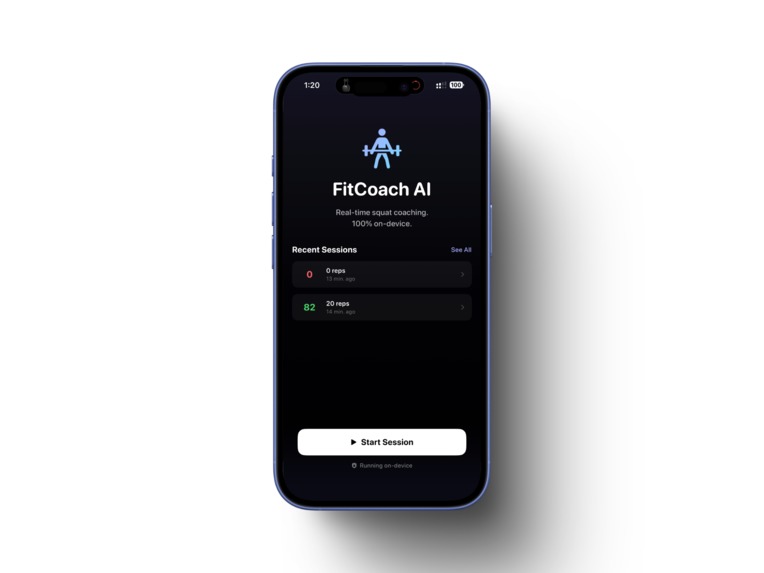
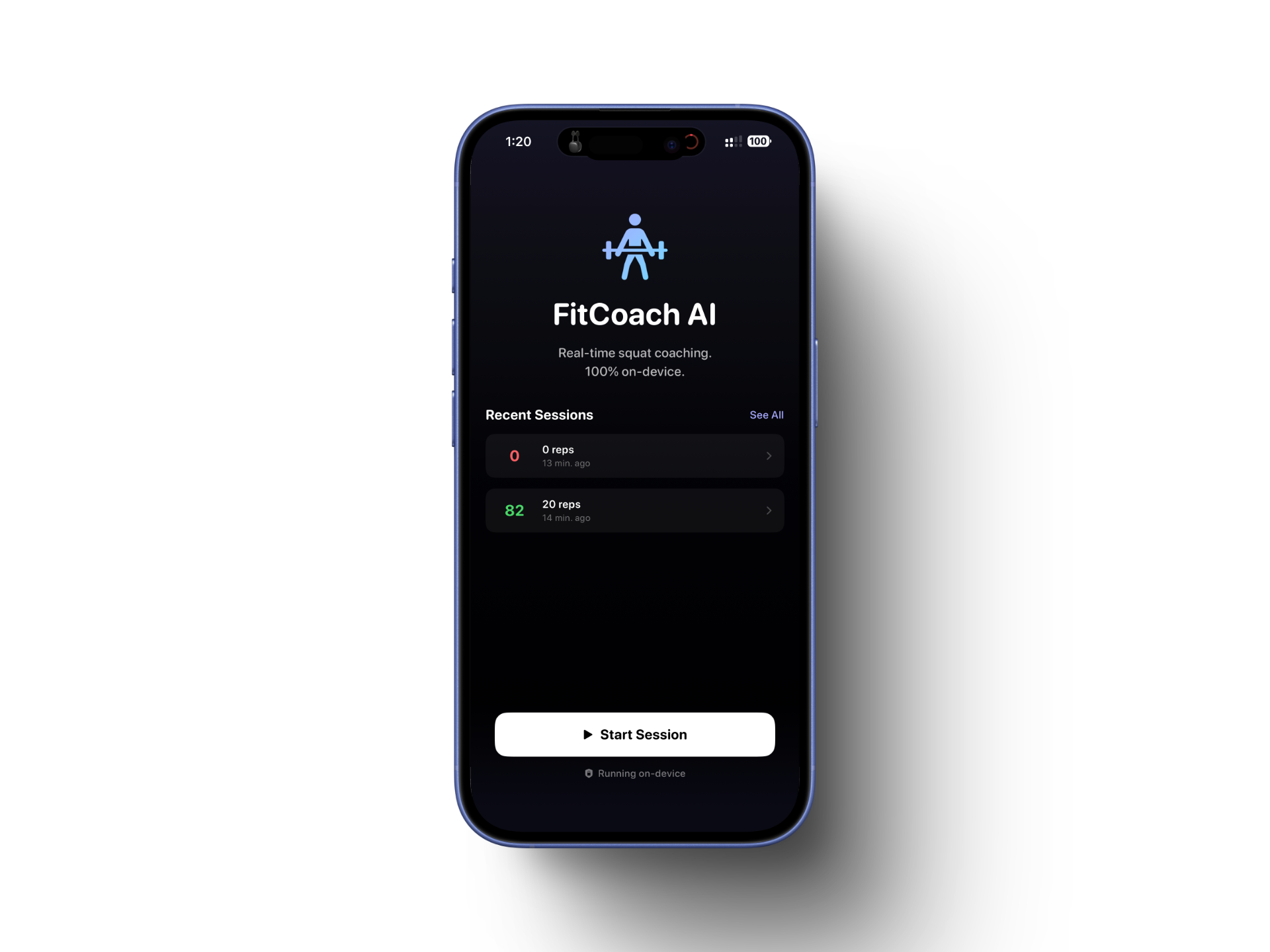
Home screen
-
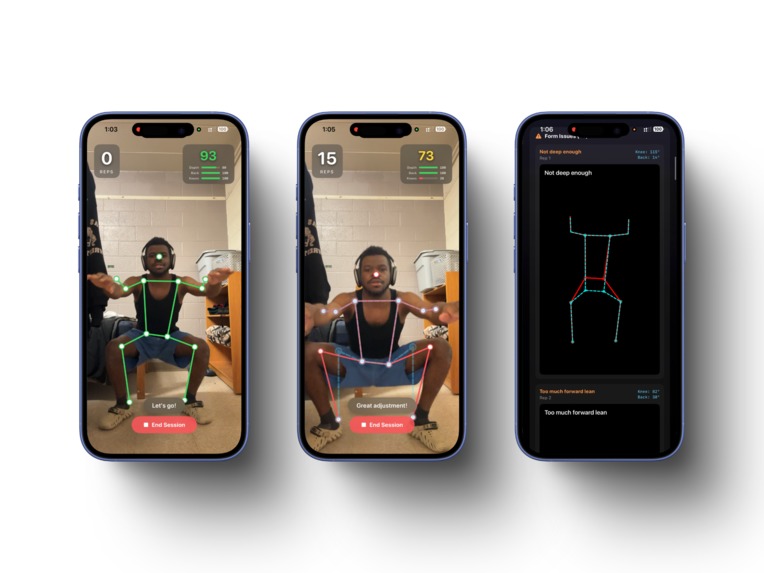
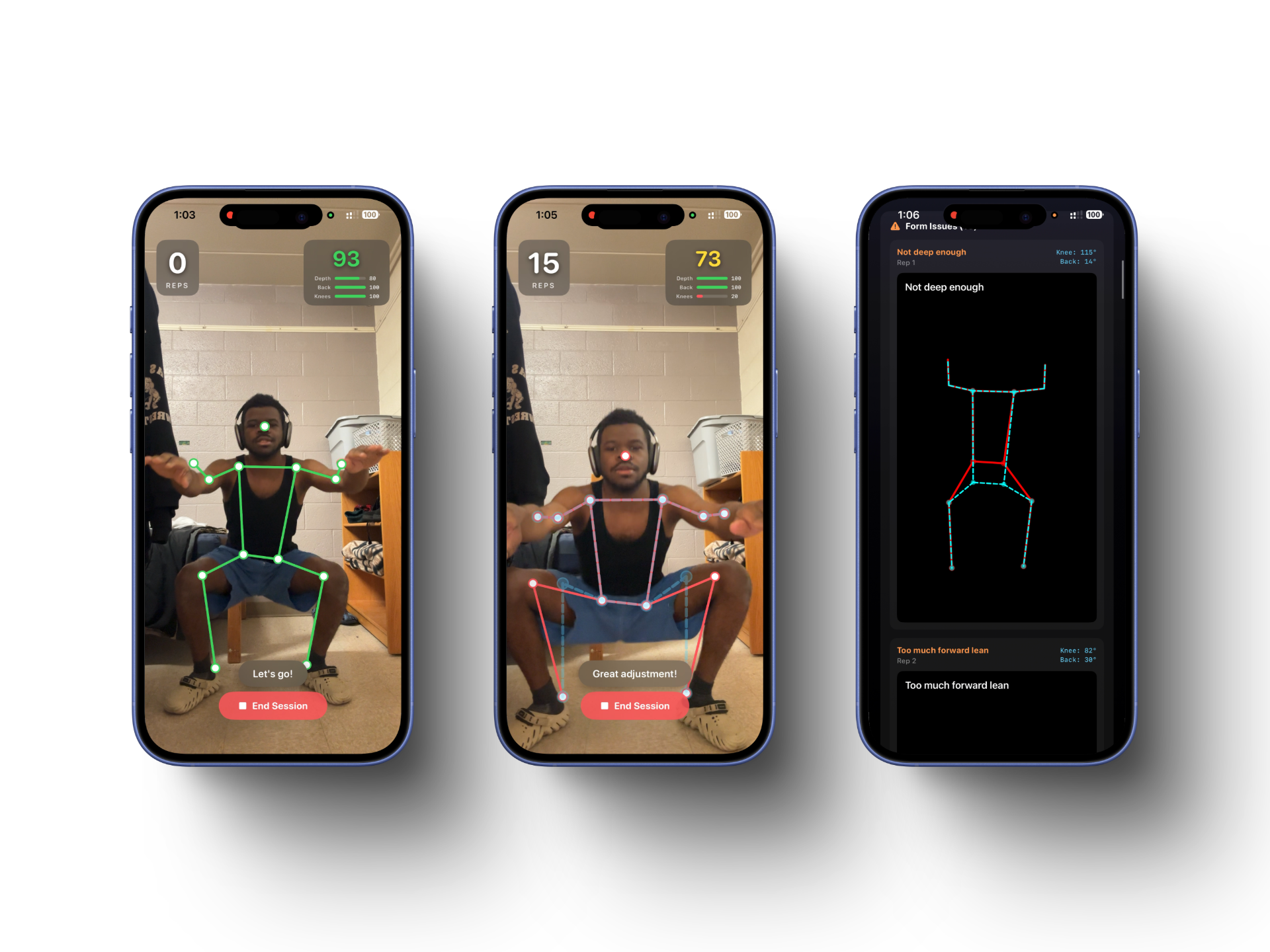
Screens showing real time correction after workout review
-
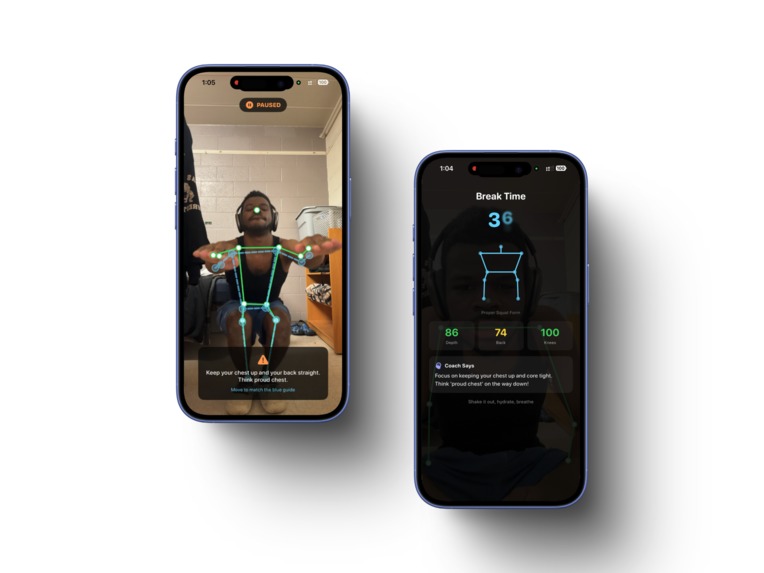
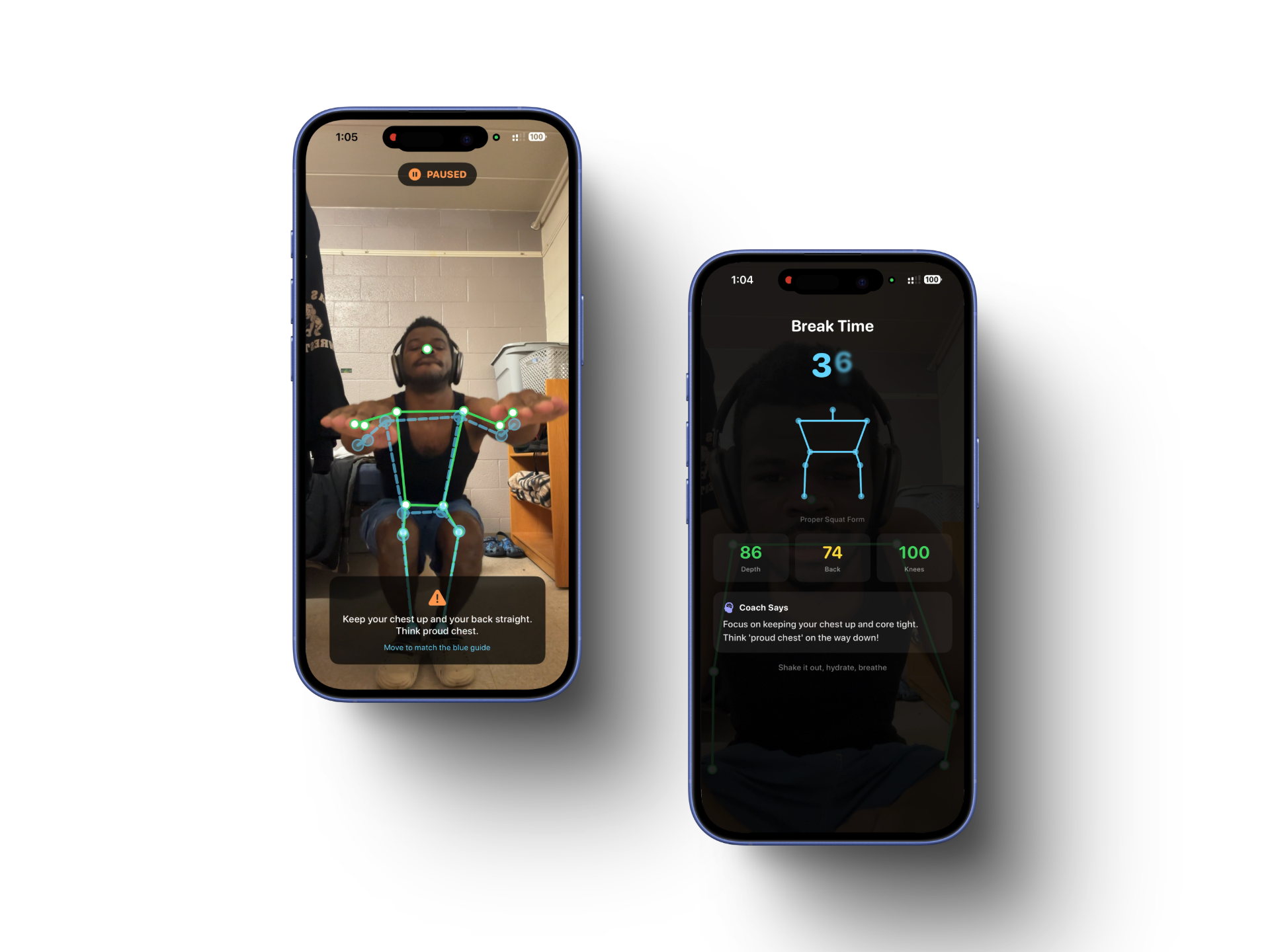
Screens showing real-time correction and in workout/break tips.
Workout Buddy | By Elijah Kolawole for Melange On-Device Hackathon
Real-time squat coaching. 100% on-device.
A native iOS app that uses on-device AI to analyze squat form in real time. Built with SwiftUI, Apple Vision, and the ZeticMLange SDK for the Melange On-Device AI Hackathon.
Problem
Personal trainers are expensive. Bad squat form causes knee injuries, back pain, and wasted workouts. Most people working out alone have no way to know if their form is correct — until something hurts.
Workout Buddy puts an AI personal trainer in your pocket. It watches your squats through the front camera, scores every rep across multiple dimensions, and gives real-time corrective feedback with visual guides. No cloud, no subscription, no data leaving your phone.
How It Works
On-Device AI
| Model | Purpose |
|---|---|
| MediaPipe Pose Estimation via Melange | Real-time body pose estimation — detects shoulders, hips, knees, ankles, elbows, wrists |
| LFM2.5-1.2B-Instruct (via ZeticMLange) | Generates personalized coaching tips during rest breaks using actual session measurements |
Vision runs natively on iOS. The LLM runs entirely on-device through the ZeticMLange SDK. No network requests are made during a session.
Multi-Aspect Form Scoring
Each frame during a squat is scored across three independent dimensions (0–100 each):
| Aspect | What it measures | How |
|---|---|---|
| Depth | How low you squat | Hip-to-knee Y-position ratio — hip should drop to knee level or below |
| Back Posture | How upright your torso stays | Shoulder-to-hip angle from vertical (0–15° perfect, 35°+ poor) |
| Knee Stability | Knees tracking over toes | Gap between both knees vs both ankles — detects caving inward or flaring outward |
The overall score is the average of all three. The primary fault is whichever aspect drops below 70 first. Knee direction is detected by comparing the knee gap to the ankle gap, distinguishing between inward collapse and outward flare.
Guided Coaching Flow
- Camera check — Waits for the camera feed before starting
- 3-2-1 countdown — Audio countdown with on-screen numbers
- Base pose matching — You must match a standing stance (legs straight, back upright, feet shoulder-width) before squatting begins
- Active coaching — Real-time skeleton overlay, aspect scores, and per-rep feedback
- Live guide skeleton — When a fault is detected, a blue guide skeleton appears showing the correct position. It stays visible until you fix it
- Correction pause — After 2 consecutive bad reps, the session pauses and tells you exactly what to fix. Resume when you match the guide
- Rest breaks — Every 10 reps, a 45-second break with an animated squat demo, your aspect scores, and a personalized LLM coaching tip
- Session summary — Fault snapshots (your skeleton in red + correct form in blue), aspect breakdowns, rep-by-rep chart, and AI coach tip
Rep Detection
- Down: Knee angle drops below 135° (entering the squat)
- Up: Knee angle rises above 155° (completing the rep)
- Debounce: 0.8-second cooldown prevents double-counting
Fault Snapshots
When a fault is detected for 3+ consecutive frames, a snapshot is captured showing your skeleton in red overlaid with the correct guide skeleton in blue, along with measured angles. These are saved and shown in the session summary so you can see exactly what to improve.
Session History
All sessions are persisted locally. The home screen shows recent sessions, and you can tap into any past session to see:
- Rep-by-rep score chart
- Aspect breakdowns (depth, back, stability) with progress bars
- Fault snapshots with full-screen zoom
- AI coaching tip from that session
App Architecture
Workout Buddy/
├── Data/
│   ├── Keypoint.swift            # Keypoint, Fault, AspectScores, FrameScore, RepScore, FaultSnapshot
│   └── SessionData.swift         # Observable session state, SessionRecord, SessionStore
├── Models/
│   ├── MelangeModelManager.swift # LLM coaching via ZeticMLange (LFM2.5-1.2B-Instruct)
│   └── CameraManager.swift       # AVFoundation camera capture
├── Utils/
│   ├── AngleCalculator.swift     # Joint angle & back angle vector math
│   ├── RepDetector.swift         # Knee-angle-based rep counting with debounce
│   ├── FormScorer.swift          # Multi-aspect per-frame and per-rep scoring
│   ├── FeedbackGenerator.swift   # Feedback strings + detailed LLM prompt builder
│   ├── SpeechCoach.swift         # AVSpeechSynthesizer wrapper for audio cues
│   └── PoseGuide.swift           # Base pose matching + corrected keypoint generation
├── Views/
│   ├── HomeView.swift            # Landing screen with session history
│   ├── CameraSessionView.swift   # Live session: camera, skeleton, scoring, state machine
│   ├── SummaryView.swift         # Post-session stats with fault snapshots
│   ├── SessionListView.swift     # Full session history list
│   └── SessionDetailView.swift   # Past session detail with charts and snapshots
└── Components/
    ├── CameraPreviewView.swift   # UIViewRepresentable camera preview
    ├── SkeletonOverlayView.swift # SwiftUI Canvas skeleton drawing
    ├── GuideSkeletonView.swift   # Pulsing cyan guide skeleton for corrections
    ├── CountdownOverlay.swift    # 3-2-1 countdown display
    ├── RepCounterView.swift      # Rep count display
    ├── FormScoreView.swift       # Live aspect gauge bars (depth, back, knees)
    ├── FeedbackBannerView.swift  # Animated feedback text
    └── CoachTipCard.swift        # AI coaching tip card
Xcode Setup
- Open
Workout Buddy.xcodeprojin Xcode 16+ - Resolve packages: Xcode should auto-fetch the ZeticMLange SPM dependency. If not:
- File → Add Package Dependencies
- URL:
https://github.com/zetic-ai/ZeticMLangeiOS.git - Add to target: "Workout Buddy"
- Camera permission is already configured in the build settings:
NSCameraUsageDescription= "Workout Buddy needs camera access to analyze your squat form"
- Orientation is locked to portrait only
- Build & run on a physical iOS device (camera required)
Tech Stack
- Swift / SwiftUI — Native iOS, no cross-platform frameworks
- Apple Vision —
VNDetectHumanBodyPoseRequestfor real-time pose estimation - AVFoundation — Front camera capture with
AVCaptureVideoDataOutput - ZeticMLange SDK — On-device LLM inference (LFM2.5-1.2B-Instruct)
- AVSpeechSynthesizer — Audio coaching cues and feedback
- Core Graphics — SwiftUI Canvas for skeleton overlay rendering
Privacy
All inference runs on-device. No data is transmitted to any server during a workout session. Session history is stored locally on the device. The "Running on-device" badge is displayed on both the home and summary screens.
Built for the Melange On-Device AI Hackathon.
Built With
- cursor
- melange-sdk
- xcode
- zeltic.ai

Log in or sign up for Devpost to join the conversation.