Inspiration
It is clear that our education system cannot fully adjust to every student’s individual learning style, preference, or struggle. Limited funding and resource allocation mean fewer faculty members per student, leading schools to cut corners and rely on outdated materials. For example, in my own high school classes, many worksheets and resources were created decades ago for different courses, in a different time, and for a different learning context. As a result, many of my classmates found the material bland, difficult to follow, or overly text-heavy.
It is impossible for a single teacher managing a class of 30 students to create tailored content and worksheets for every learner. This is why we created WorkNest to bridge that gap. By leveraging AI’s powerful reasoning and context-management capabilities, teachers can transform old content into something more suitable for their specific class needs or even adapt materials for students with IEPs. With the support of AI, we can build a better classroom for every student and truly personalize their learning.
What it does
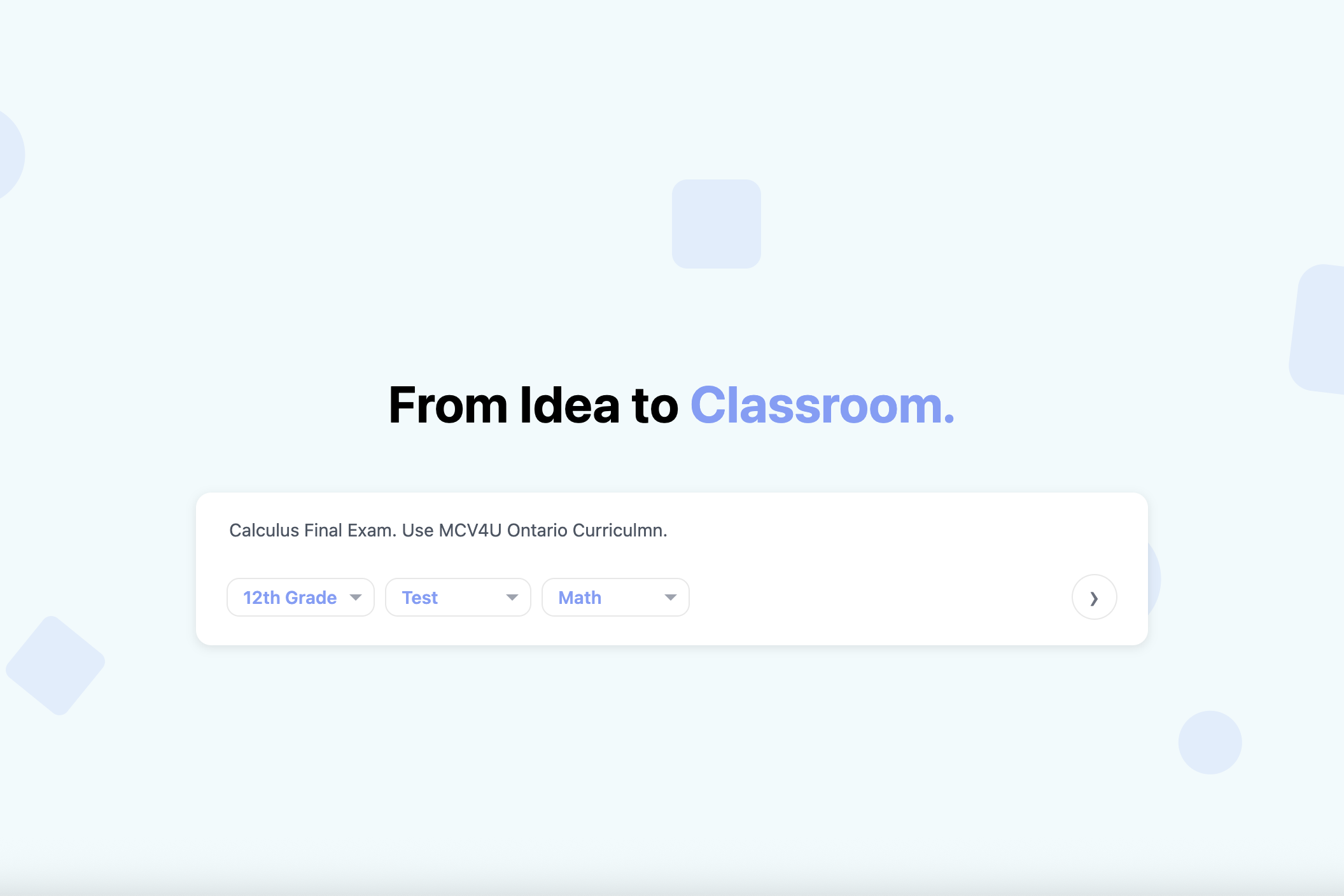
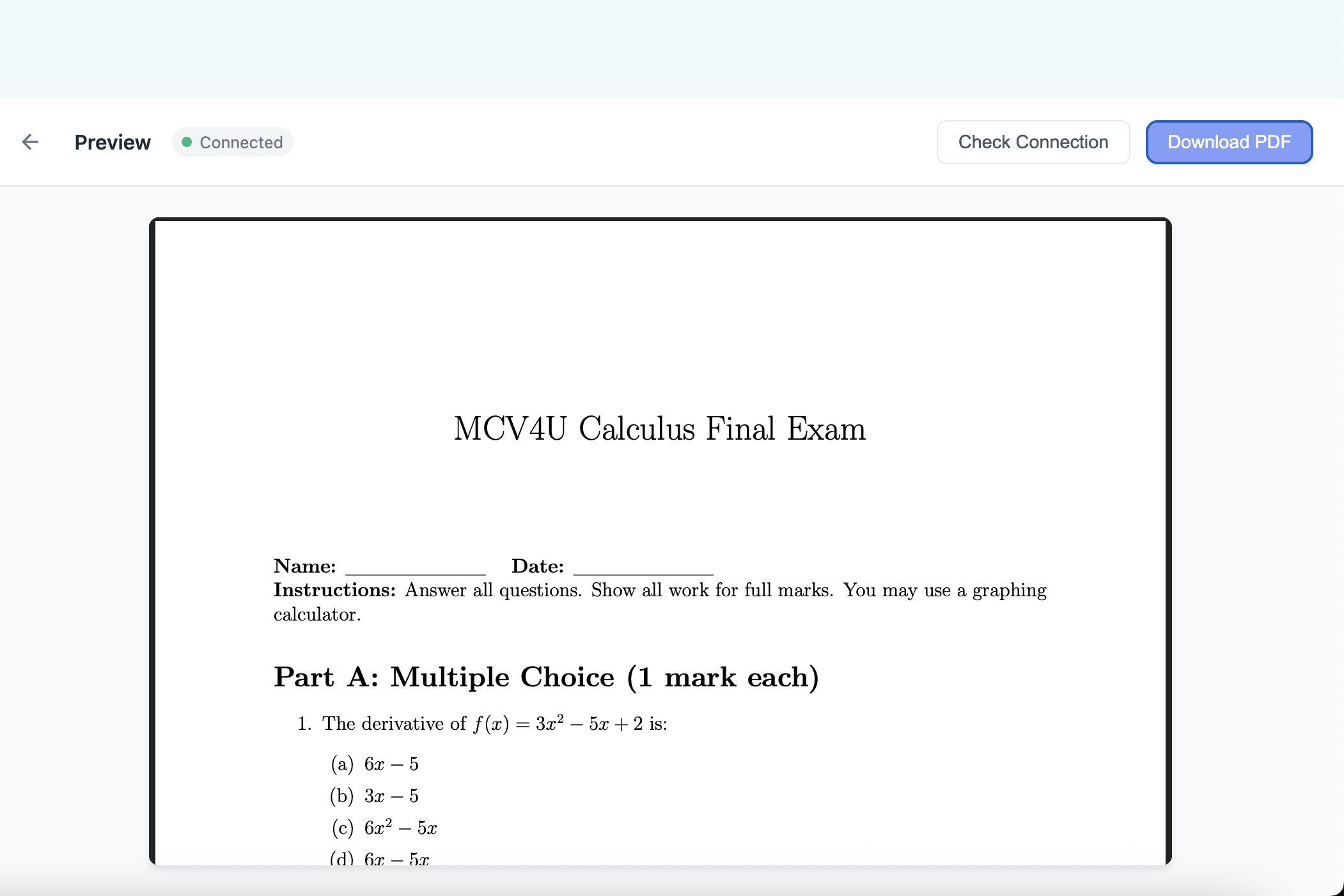
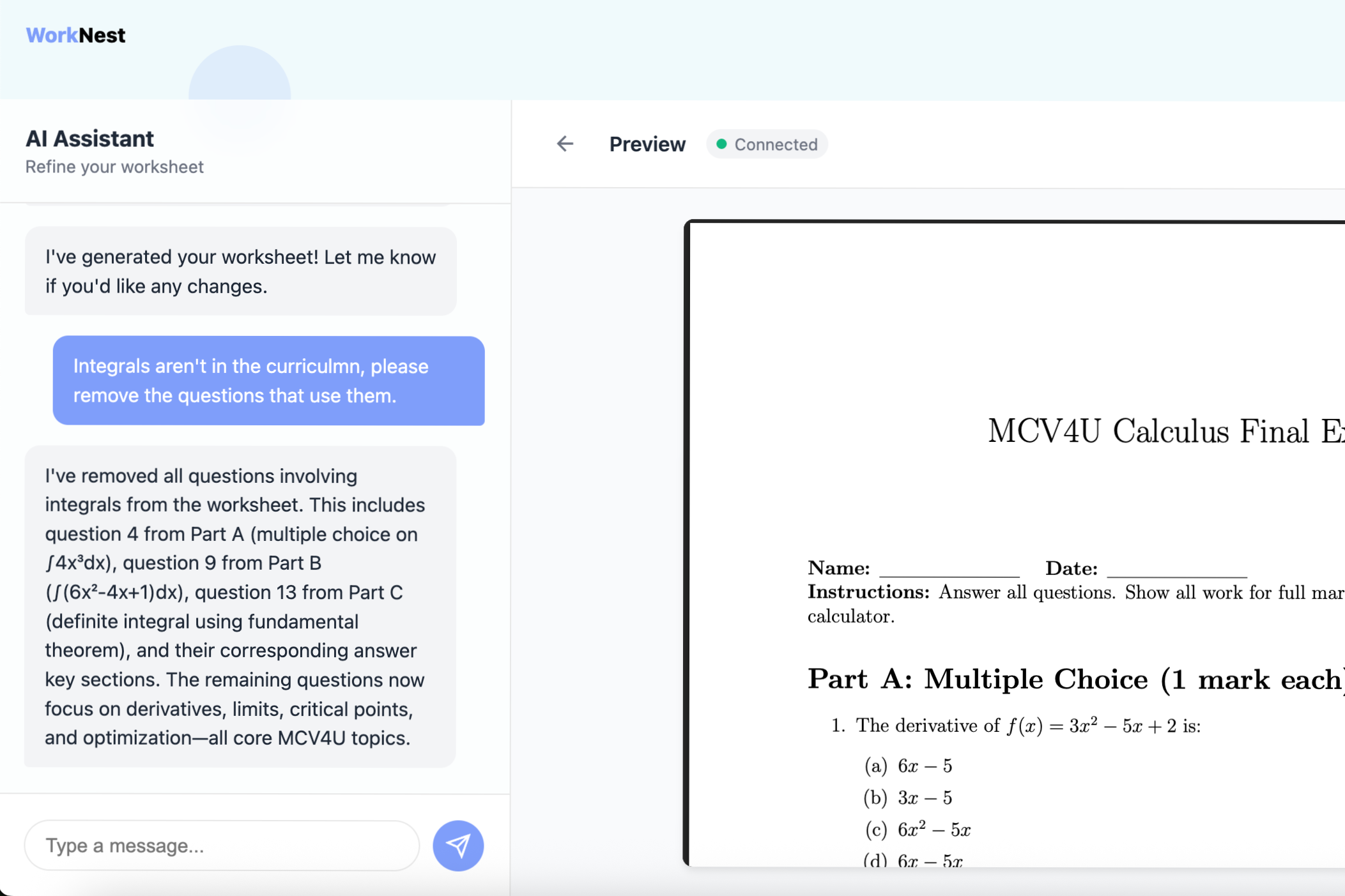
WorkNest lets educators prompt our tool with instructions, context, and documents to create resources for learning such as practice worksheets and homework. After the initial creation stage you are able to view the document created and then chat with our WorkNest agent to adjust and modify the document live to make sure you get a resource that is tailor made as the user sees fit. Once this process of creation and revision is done you can download the final document as a PDF to then be used as a classroom resource.
How we built it
Our tech stack was built upon HTML, CSS, and JS as our front end, PYTHON as our backend running our proxy servers, a CLSI Overleaf Latex Engine to actually render the document latex code, and lastly the Claude API as the means of handling context and generating latex code. By using Antigravity, an AI-powered IDE made by google, we able to rapidly ideate, refine and execute our ideas to make WorkNest. We also utilized git to manage version history and collaboration between group members while making WorkNest.
Challenges we ran into
One of the biggest challenges we ran into was debugging the backend servers. Since we were sending the output from Claude AI to different servers on different ports, we constantly hit CORS blocks. To solve this, we had to engineer a custom Python proxy that acted as the traffic controller between the client, the Anthropic API, and our compiler. After we set this proxy server up, the implementation would deceivingly seem to not work at times because of a incorrect boot sequence or existing server on the port needed. To solve this we created .sh files to standardize our starting and stopping of all our servers to avoid future errors.
Accomplishments that we're proud of
We are proud that in the time we were provided, we were able to create a working MVP that is actually able to generate useful and well design resources with context and live time editing. We both feel as if this is a tool that we would actually use ourselves to possibly create extra practice materials based our content or past tests. The fact we created something functional and useful is something we very proud of.
What we learned
We learned how to leverage modern AI powered IDEs to iterate quickly and develop an MVP quickly, while not wasting time on menial tasks. We learnt how to use Git version control to simultaniously develop the front and back ends, as well as work on different features and merge our changes without conflict.
What's next for WorkNest
Contunuing the development of WorkNest, we would love to add new features such as existing templates to chose from to iterate over, accounts for teachers to save documents too, increased context for the model on exact curriculmns, etc. Most importantly, deploying WorkNest as a live website, with a working back-end that doesn't with a functional back end, eliminating the need for docker to be running on individual machines.
Built With
- animejs
- claudeapi
- css
- docker
- html
- javascript
- python


Log in or sign up for Devpost to join the conversation.