-
-
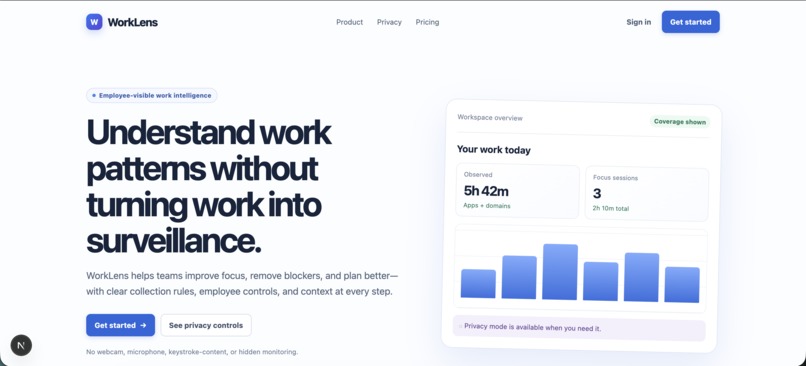
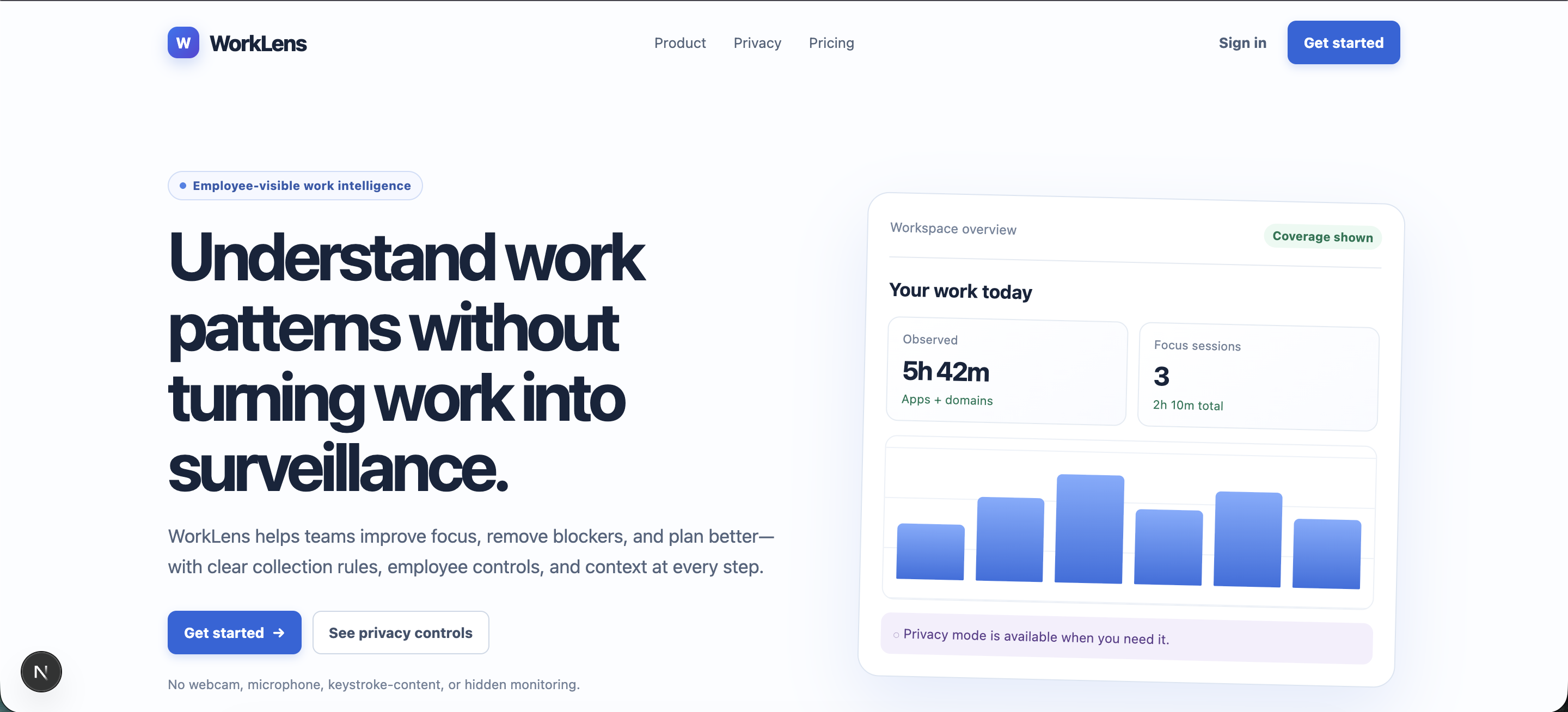
WorkLens Landing Page
-
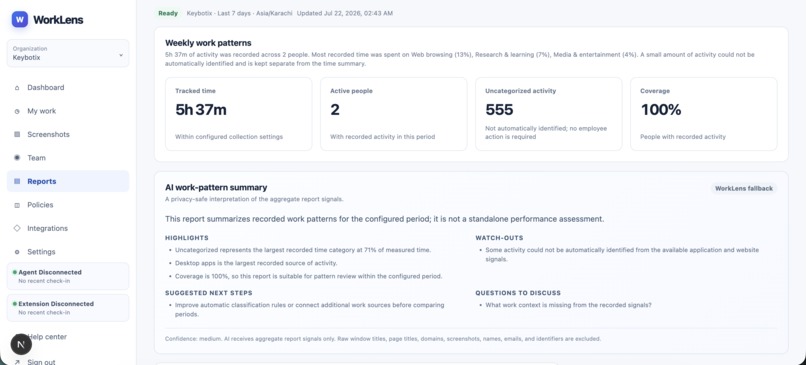
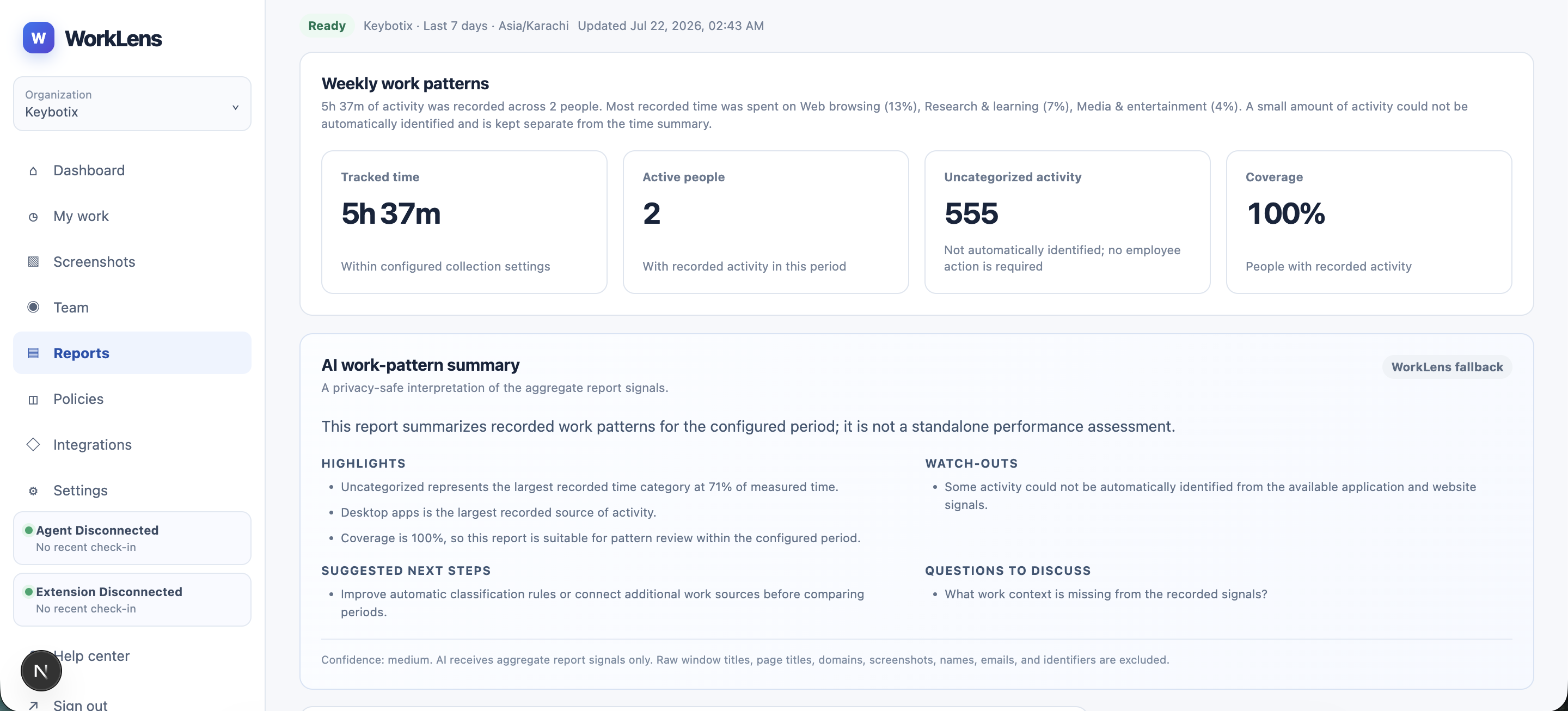
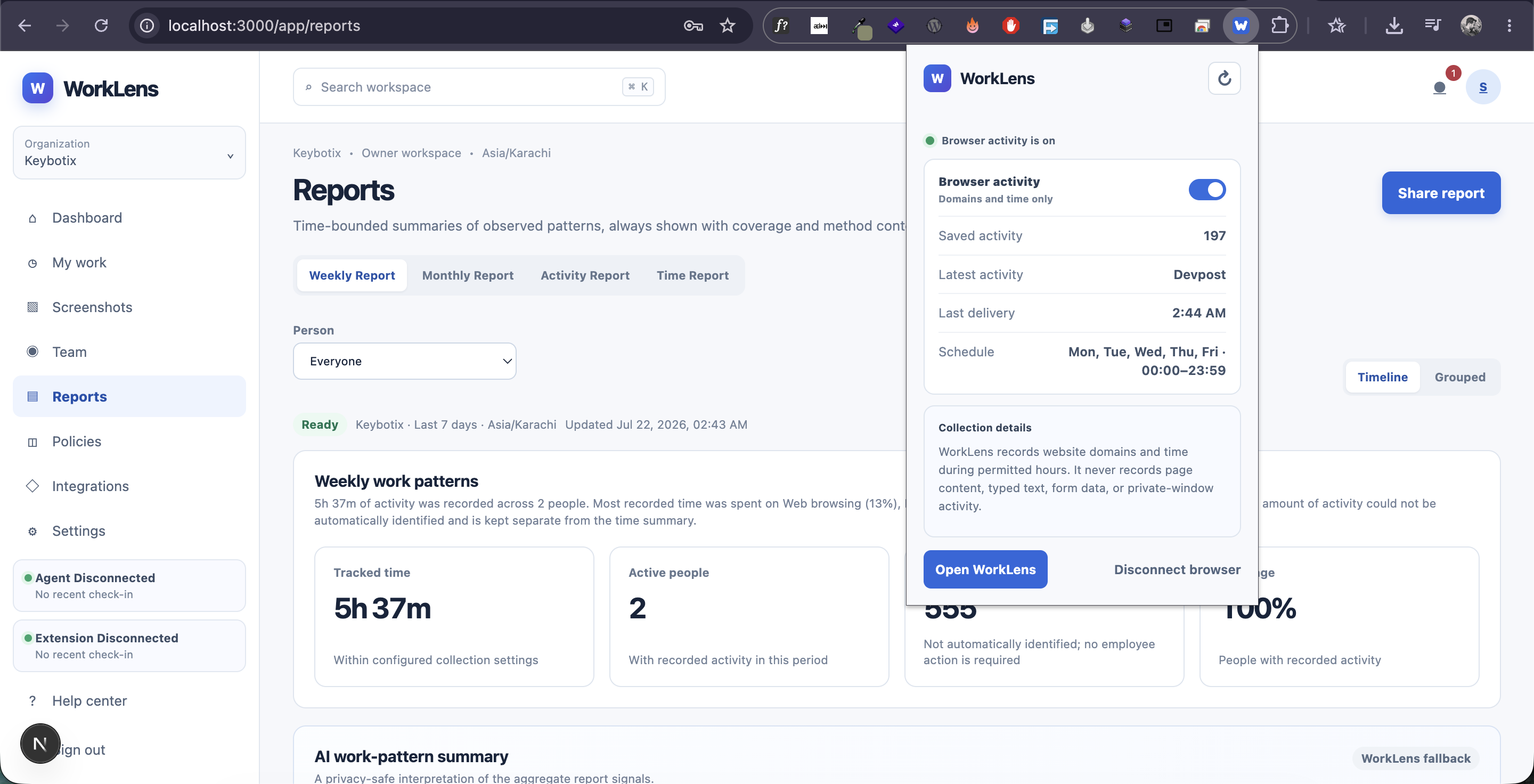
AI-poowered (GPT 5.6) reports generated by employees activity
-
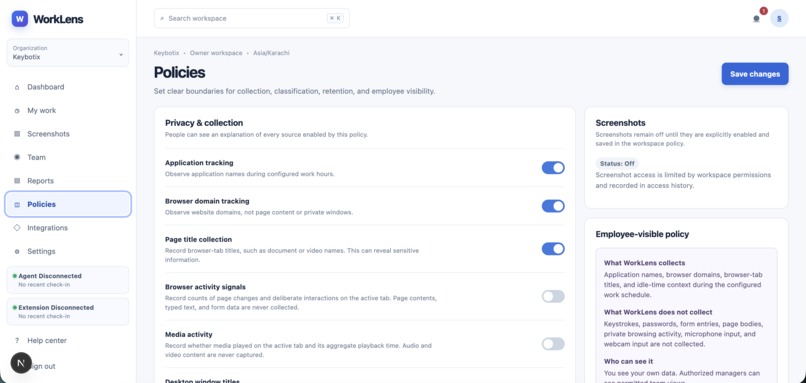
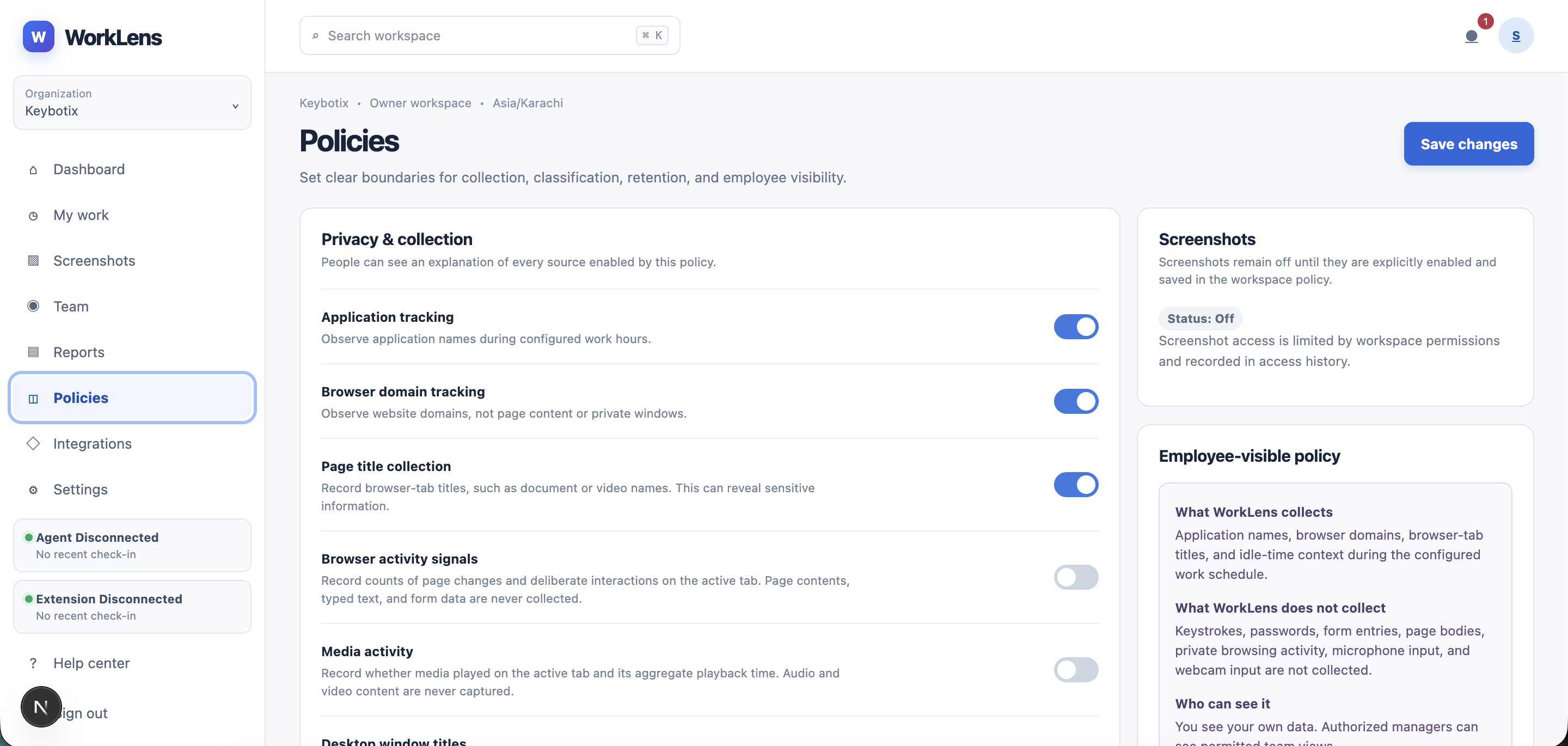
Owner/Manager can set policies which employees can see clearly
-
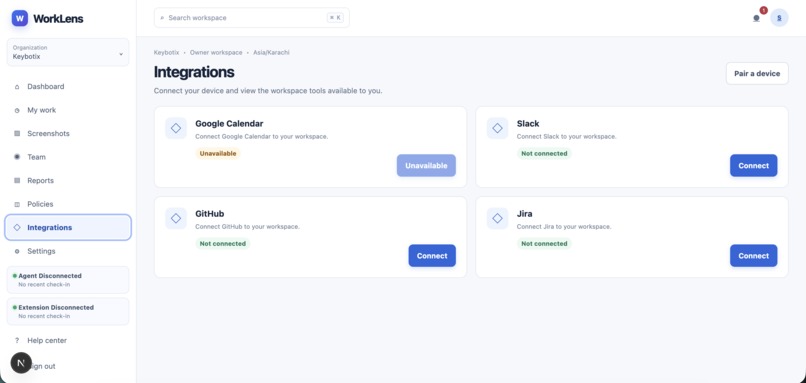
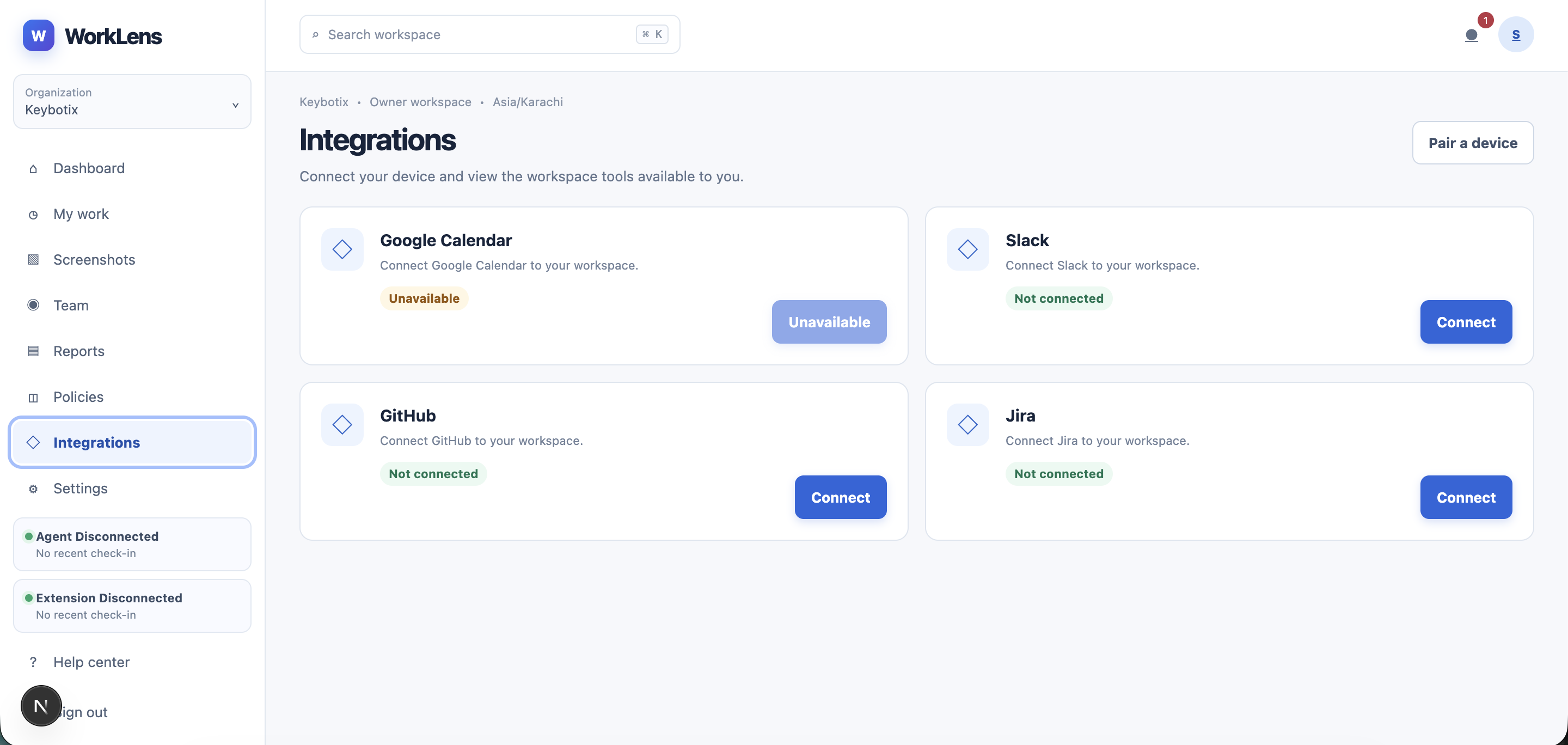
Connect Google Calendar (for meetings), Github, Jira, or Slack for project requirements and generate report according to that
-
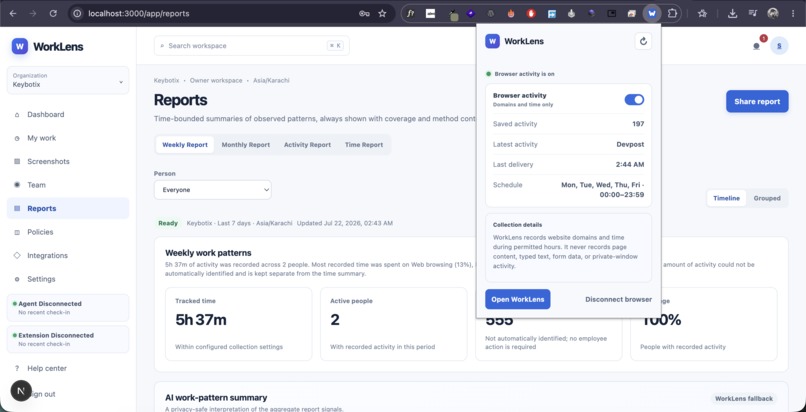
Browser extension to track browser activity (during work hours only)
-
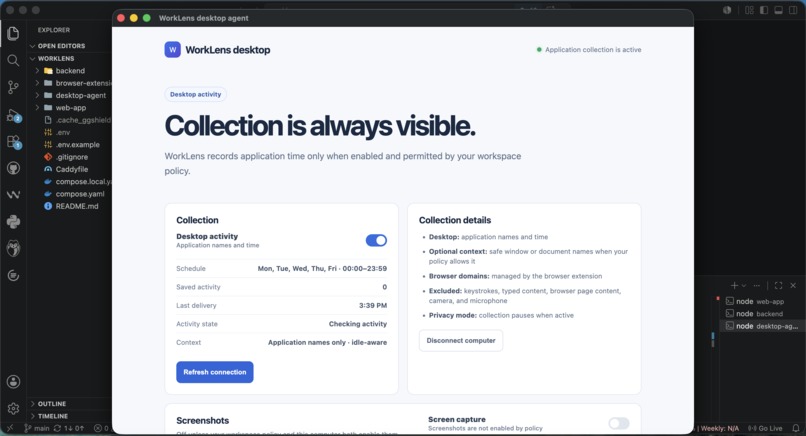
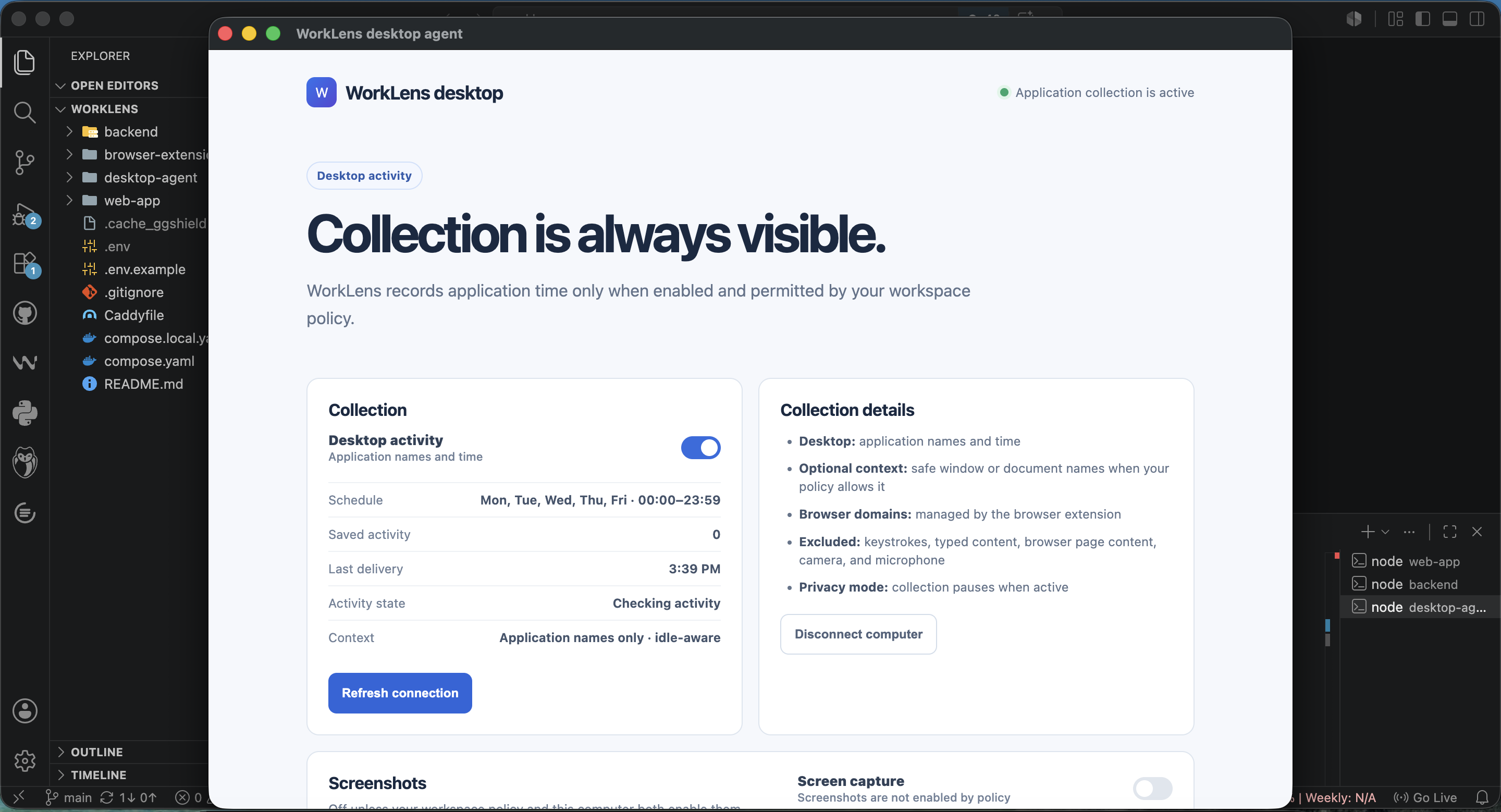
Desktop Agent to monitor application activity (during work hours only)
Inspiration
Remote and hybrid teams need a better way to understand how work happens. Many existing monitoring tools feel invasive because they focus on screenshots, keystrokes, and constant surveillance.
We wanted to build something different: a transparent work intelligence platform that helps teams understand work patterns while respecting employee privacy.
That idea became WorkLens.
What it does
WorkLens automatically records work activity during an organization’s configured schedule.
It can track:
- Application names and active time
- Website domains
- Work categories
- Activity duration
- Team and organization coverage
- Optional screenshots controlled by workspace policy
- Desktop agent and browser extension status
WorkLens does not collect keystrokes, passwords, form entries, page content, microphone audio, or webcam video.
Employees can see what is being collected, when collection is active, which policy applies to them, and when privacy mode is enabled.
The system automatically classifies activity into work areas such as development, research, communication, administration, and personal browsing. Employees are not required to manually explain every part of their workday.
At the end of a week or month, WorkLens generates reports showing:
- How much time was recorded
- Which work areas received the most time
- Team coverage
- Activity timelines
- Uncategorized activity
- AI-assisted plain-language summaries
How we built it
WorkLens consists of a web application, backend API, native desktop agent, and browser extension.
The web application provides dashboards, reports, team management, privacy controls, organization settings, integrations, and billing-related workflows.
The backend uses an API-based architecture with authentication, session persistence, role-based access, activity ingestion, report generation, privacy policies, audit events, and PostgreSQL data storage.
The desktop agent was implemented as a native Electron application. It manages local configuration, authentication, background activity collection, connection status, retry behavior, and communication with the backend.
The browser extension captures only the browser signals allowed by workspace policy.
We used Codex throughout development to inspect the existing codebase, implement and debug the desktop integration, connect the agent to the backend, improve activity classification, write automated tests, validate builds, and investigate runtime issues.
We used GPT-5.6 to generate report narratives from aggregate report signals. Raw page titles, window titles, names, emails, screenshots, and identifiers are excluded from the AI input. WorkLens also includes a deterministic fallback so reports remain available if the AI provider is temporarily unavailable.
Challenges we ran into
The biggest challenge was creating useful context without asking employees to manually document eight hours of work.
We solved this by automatically classifying activity using permitted application, browser, domain, and metadata signals. When the system cannot confidently identify something, it keeps that time separate as “Uncategorized” instead of making an unsafe assumption.
Another challenge was balancing useful reporting with employee privacy. Every collection feature needed a clear explanation, including what is collected, why it is collected, when it is active, and who can access it.
We also had to make the desktop agent reliable across real-world conditions such as expired sessions, offline periods, reconnects, permission changes, computer sleep, and backend availability.
Finally, AI-generated reports required validation. We added structured output parsing, privacy-safe aggregate prompts, timeout handling, plain-language instructions, and a fallback report path.
Accomplishments that we’re proud of
We are proud that WorkLens provides an end-to-end experience instead of only collecting raw activity.
The completed platform includes:
- A native desktop agent connected to the backend
- Browser activity collection
- Automatic activity classification
- Employee-visible collection status
- Privacy mode
- Role-based dashboards
- Weekly and monthly reports
- Team and organization coverage metrics
- AI-assisted work-pattern summaries
- Privacy-safe AI input
- Offline and reconnection handling
- Activity and report tests
- Transparent fallback behavior when AI is unavailable
Most importantly, the product is designed to help teams understand work without treating employees like machines being watched.
What we learned
We learned that trustworthy monitoring begins with visibility.
A system can be technically accurate and still feel wrong if employees do not understand what is happening. Privacy explanations, collection status, access rules, and retention information need to be part of the main product experience.
We also learned that useful reports do not require recording everything. A smaller amount of transparent, well-labeled activity can be more valuable than invasive data collection.
Another important lesson was that AI should explain observed patterns, not make judgments about people. WorkLens uses AI to summarize time and work areas, while avoiding conclusions about intent, performance, morale, or productivity.
What’s next for WorkLens
Next, we plan to improve WorkLens with:
- More accurate application and website classification
- On-device classification where possible
- More integrations with tools such as GitHub, Jira, Slack, and project-management systems
- Project-aware time summaries
- Period-over-period report comparisons
- Better offline synchronization
- More granular employee data controls
- Improved retention and export management
- Organization-level privacy and compliance reporting
- More transparent AI explanations and confidence indicators
Our long-term goal is to make WorkLens the trusted work intelligence layer for modern teams—helping organizations understand how work happens while preserving the dignity and privacy of the people doing it.
Built With
- ai
- amazon-web-services
- chrome
- cloudinary
- codex
- data-privacy
- desktop-application
- electron
- express.js
- gpt-5.6
- javascript
- llm
- next.js
- node.js
- openai
- postgresql
- prisma
- privacy
- productivity
- react
- remote-work
- rest-api
- saas
- web-application


Log in or sign up for Devpost to join the conversation.