-
-
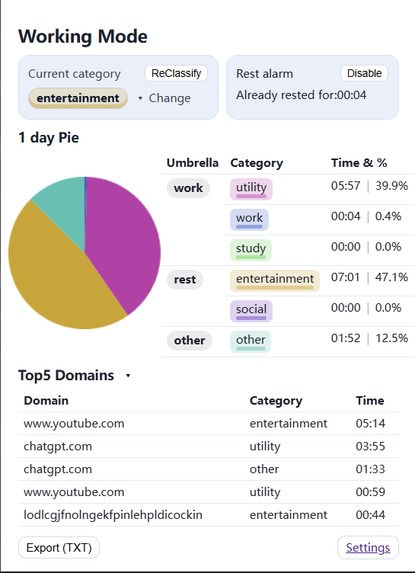
Working Mode-Main Page
-
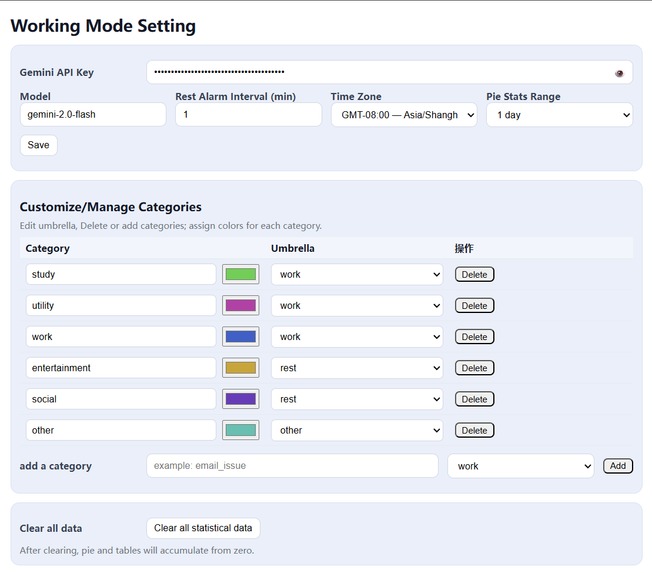
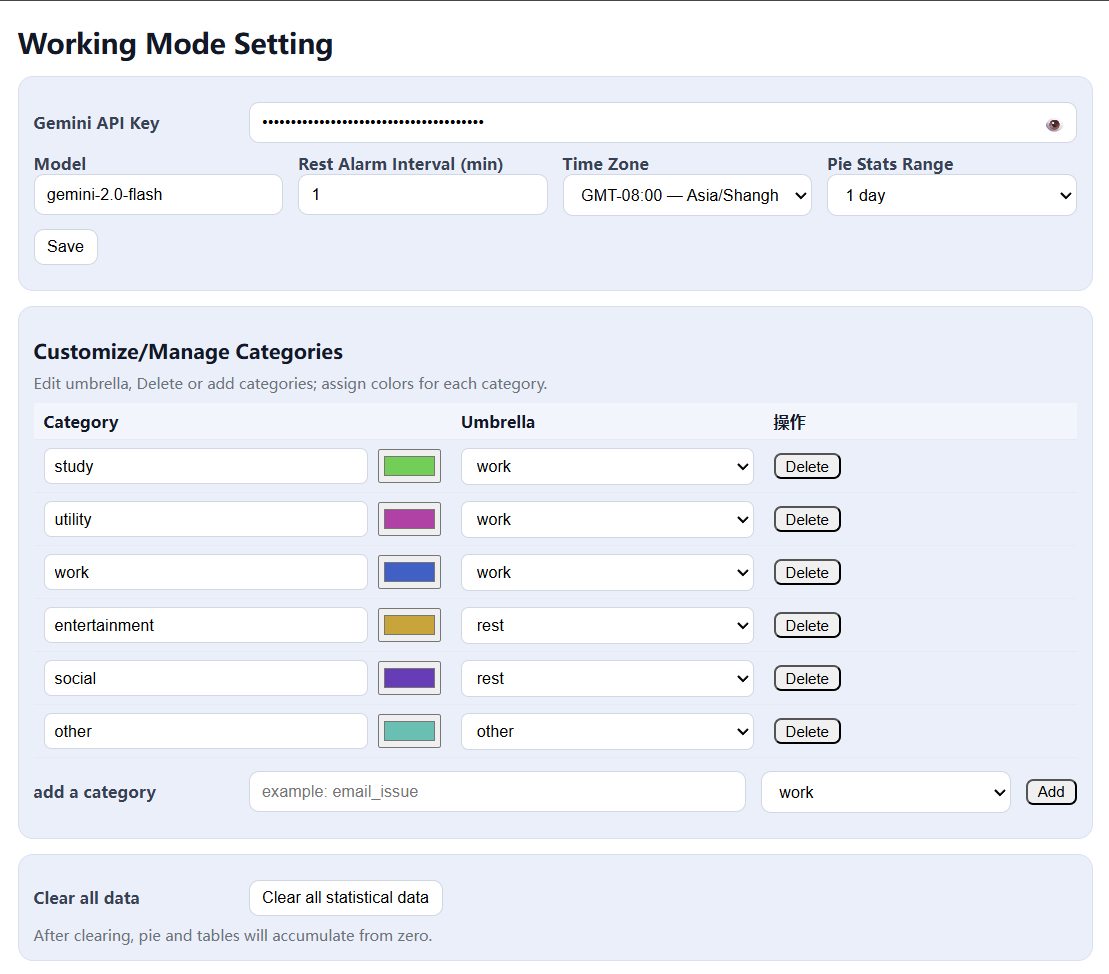
Working Mode-Settings
-
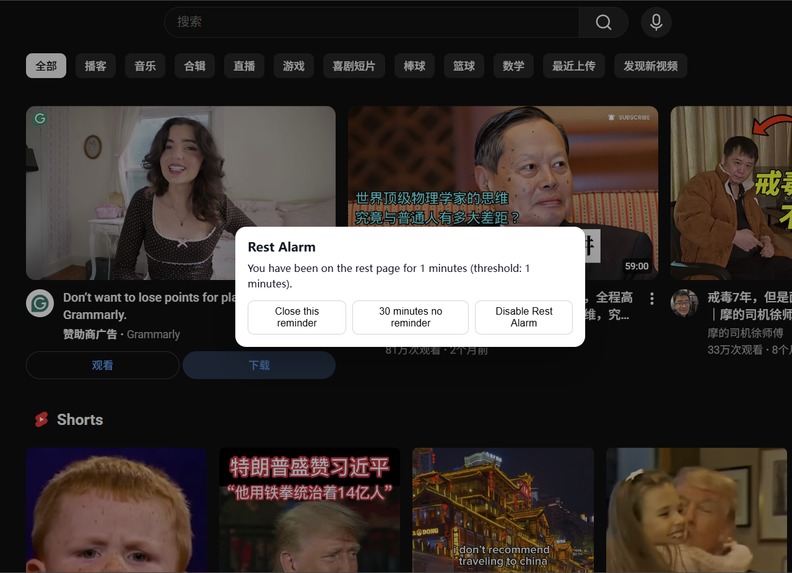
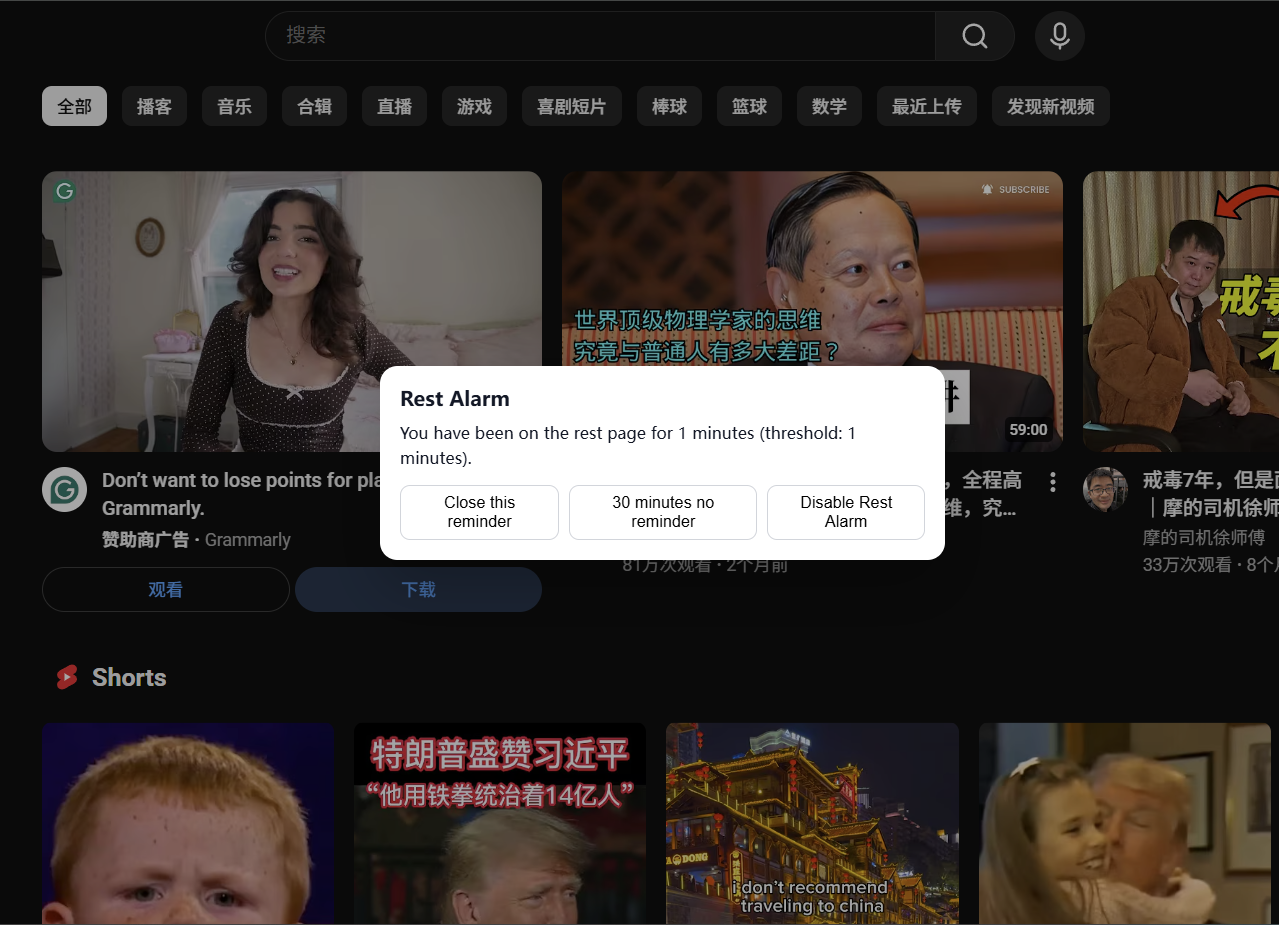
Working Mode-Rest Alarm
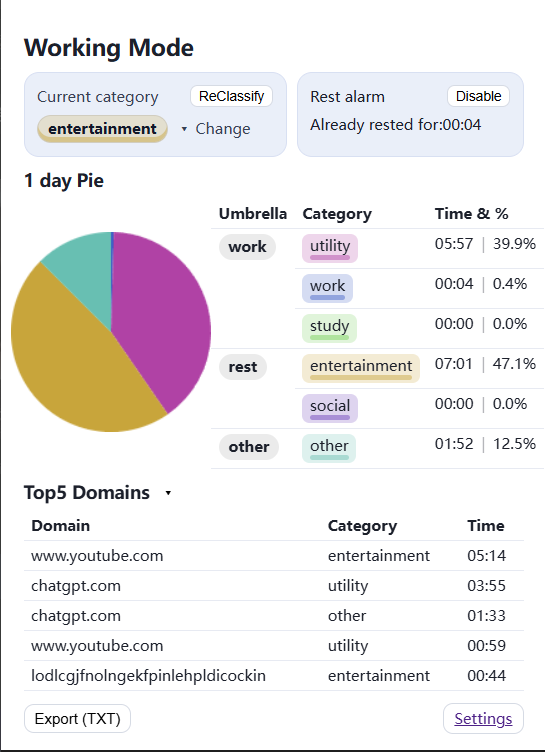
🚀 Working Mode: The Illusion of Productivity
💭 Inspiration — The Illusion of Productivity
During the whirlwind of preparing my master’s applications, my browser turned into a black hole of “productive” chaos. I thought I was working — researching programs, drafting essays, studying. Yet every night ended with the same sinking feeling:
“Wait… what did I actually accomplish today?”
Traditional tools didn’t help.
Manual timers? I lied to them.
To-do lists? I cheated them.
I’d proudly mark a Pomodoro as “productive,” even though half of it was me scrolling YouTube.
So I decided to build something that wouldn’t let me lie —
👉 an objective auditor of my digital time.
⚙️ What It Does
Working Mode is your intelligent, privacy-first productivity analyst — silently running in the background while revealing the truth of your digital habits.
✨ AI-Powered Categorization
Uses Google’s Gemini models to smartly classify every site you visit:
→ Work • Study • Utility • Social • Entertainment (could be customized)
Each one rolls up neatly under umbrellas like Work / Rest / Other.
📊 Time Analytics Across Scales
Zoom out to your yearly trend, or zoom in to see how you spent your last hour.
⏱️ Smart Focus Protection
Gentle nudges evolve into stronger reminders when distractions drag on — customizable “soft” and “hard” limits keep you accountable.
🧠 Adaptive Learning
Every correction you make trains your personal rule engine — your extension literally learns how you define focus.
🔒 Privacy-First by Design
No servers. No cloud. No leaks.
Everything happens locally — your data never leaves your machine.
🧩 How We Built It
A mix of clean engineering and subtle intelligence.
🧠 Core Stack
Built on the WebExtensions API using vanilla JavaScript, with Chrome’s storage API for persistence and service workers for background logic.
🤖 Intelligent Classification Engine
- Multi-layer fallback: user-specified Gemini model → auto-discovery fallback
- Real-time classification from URLs, titles, and AI insights
- TTL-based caching to minimize API calls without losing accuracy
🗂️ Data Architecture
- Dual-layer tracking: fine-grained 1-hour logs + efficient daily aggregates
- Timezone-aware normalization for global users
- Optimized data structures for long-term performance
🎨 User Experience
- Live popup dashboard with animated pie charts and time counters
- Collapsible domain-category lists for granular insights
- Fully customizable fine categories with umbrella mappings
🧠 Challenges We Faced
😅 Ambiguous Sites — “youtube.com” can teach you math or waste your evening. We built a confidence-based suggestion system that learns from your feedback.
⚡ Performance vs. Precision — Real-time logging without lag meant deep optimization:
- Event debouncing
- Smart caching
- Lightweight data structures
🌐 API Reliability — Gemini models vary across regions. We built auto-discovery and graceful fallback to stay stable everywhere.
🕒 Timezone Chaos — Global users, different clocks. Solution: IANA timezone normalization with fallback aliasing.
🏆 What We’re Proud Of
💡 Technical Elegance: Blending rule-based caching with AI classification — fast and intelligent.
🧘 User-Centric Design: Supportive reminders that coach rather than scold.
📚 Data Architecture: Dual tracking system = instant feedback + historical analytics.
🛡️ Privacy Achievement: 100% local processing, 0% data leakage. A rare combo in 2025.
💬 What We Learned
- 📈 Psychology of Focus: People respond better to insight than restriction — data transparency beats blocking.
- 🤖 Reality of AI Integration: LLMs are powerful but unpredictable; robust fallback systems are essential.
- 🧩 Extension Optimization: Even tiny inefficiencies can slow the browser — minimalism is king.
- ⚙️ User Complexity: Fewer options, smarter defaults = happier users.
🔮 What’s Next
🧭 Personalized ML:
Truly adaptive learning — context-aware models that adjust based on your time of day and habits.
💪 Smarter Focus Features:
- Deep Work scheduling
- Calendar integration for auto-adjusted classification
- Context-aware blocking
📊 Enhanced Analytics:
- Productivity scores
- Trend comparisons
- Export to Notion / Obsidian
📱 Cross-Platform Future:
Browser → Desktop → Mobile → Complete digital wellness.
🤝 Collaborative Insights:
Team dashboards (privacy-respecting!) to improve collective focus across remote teams.
✨ Working Mode isn’t just another productivity app.
It’s a mirror — one that finally shows how you truly spend your most precious resource: time.


Log in or sign up for Devpost to join the conversation.