-
-
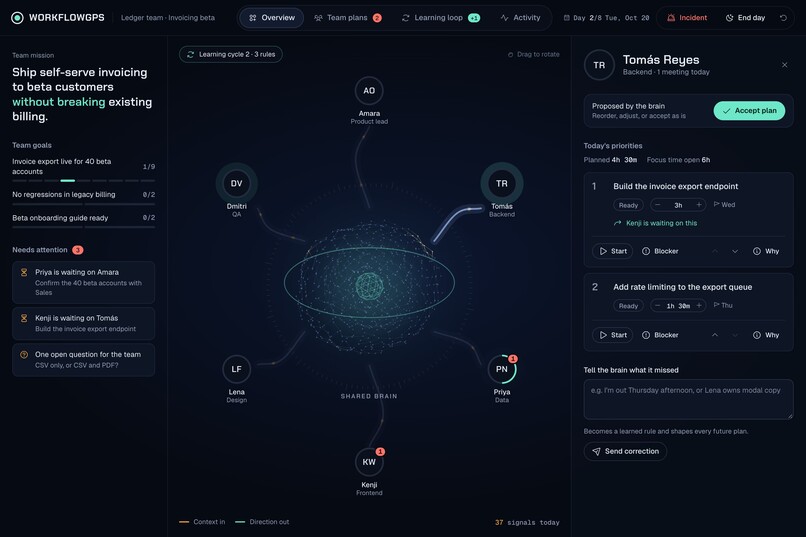
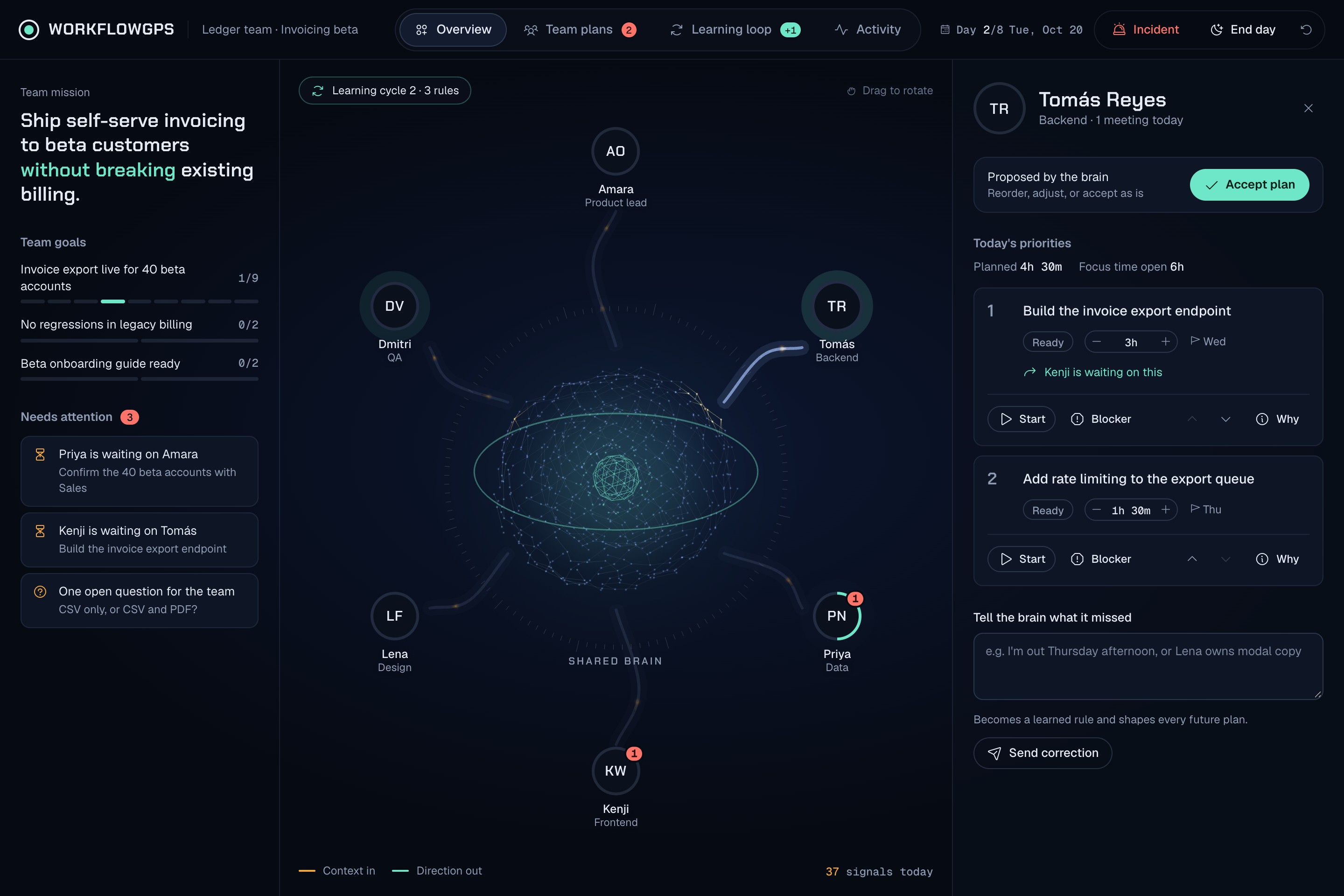
prospective ui main page
-
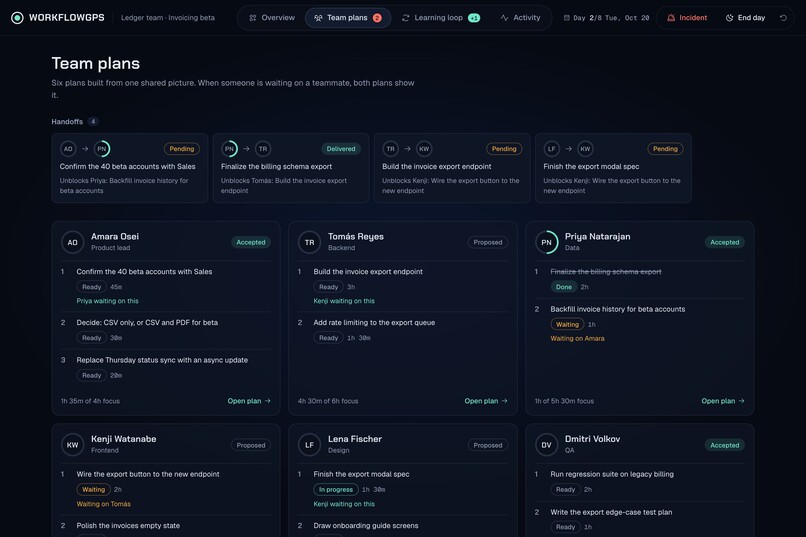
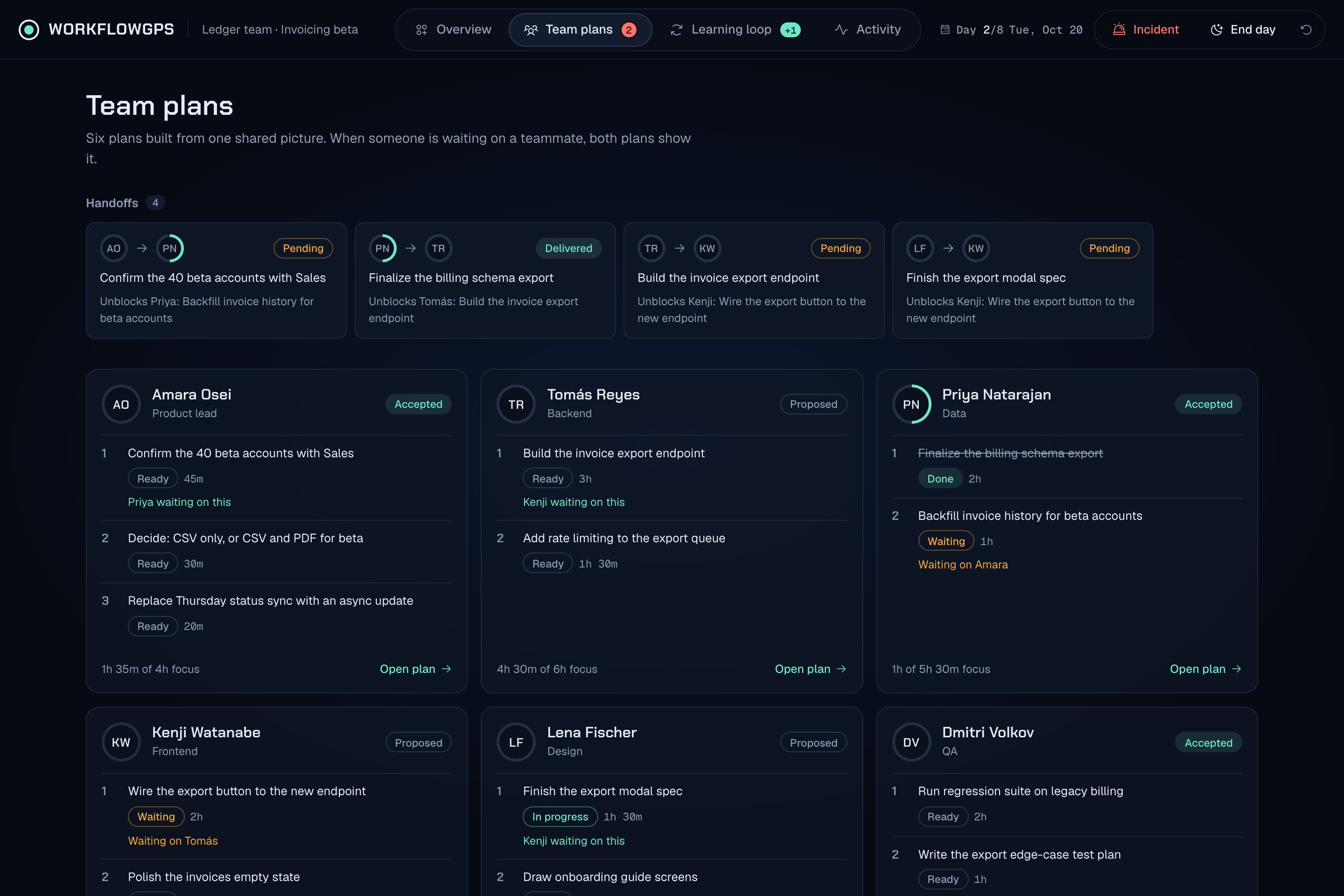
prospective ui team details/plans
-
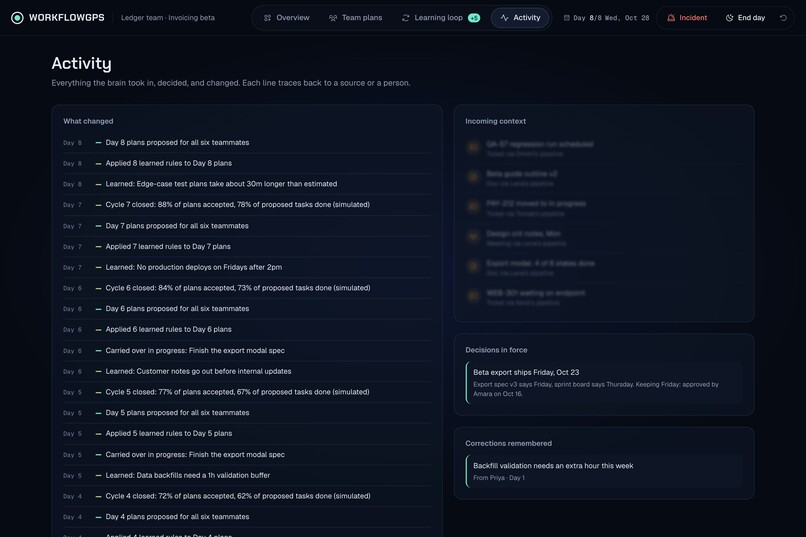
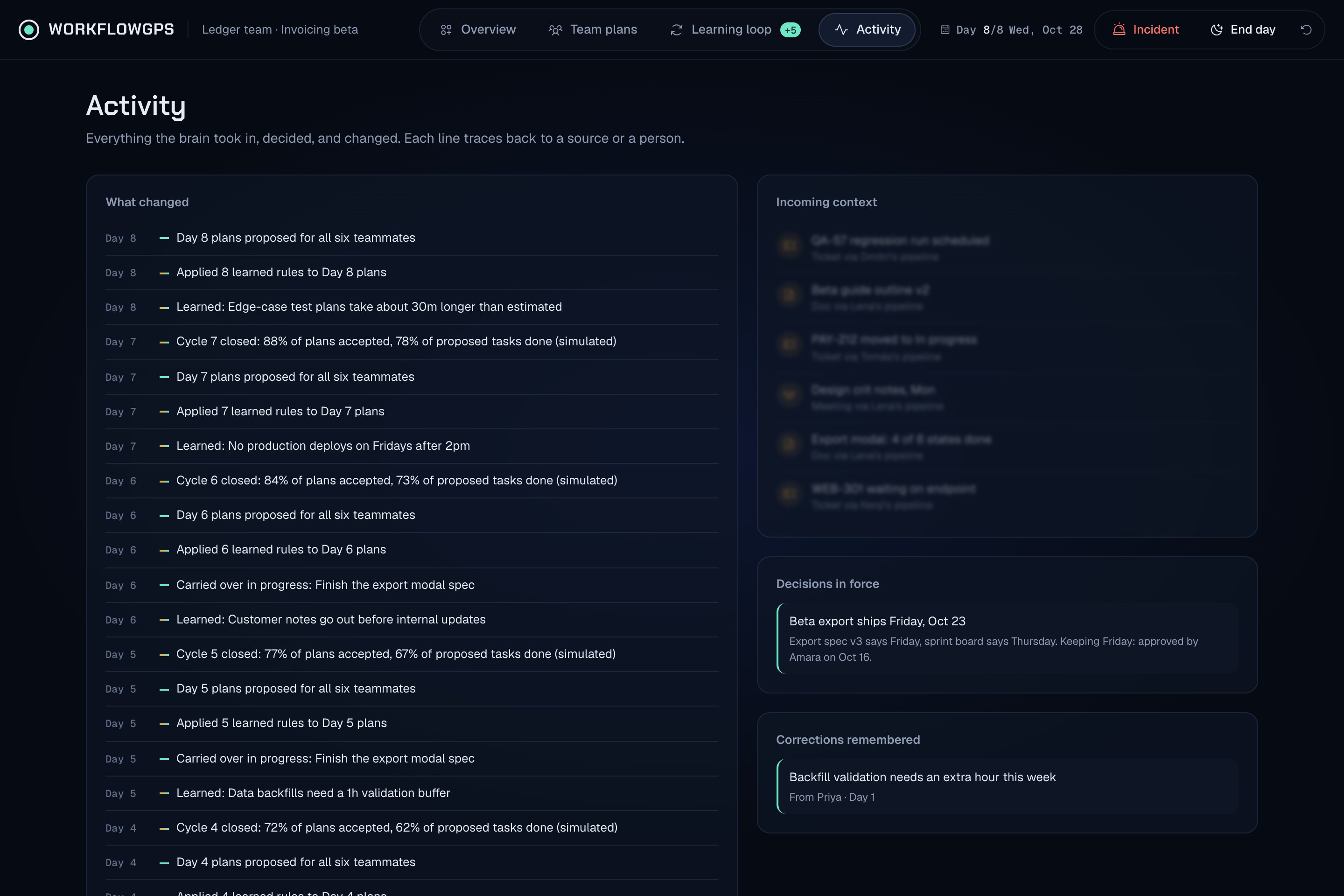
prospective ui activity details
-
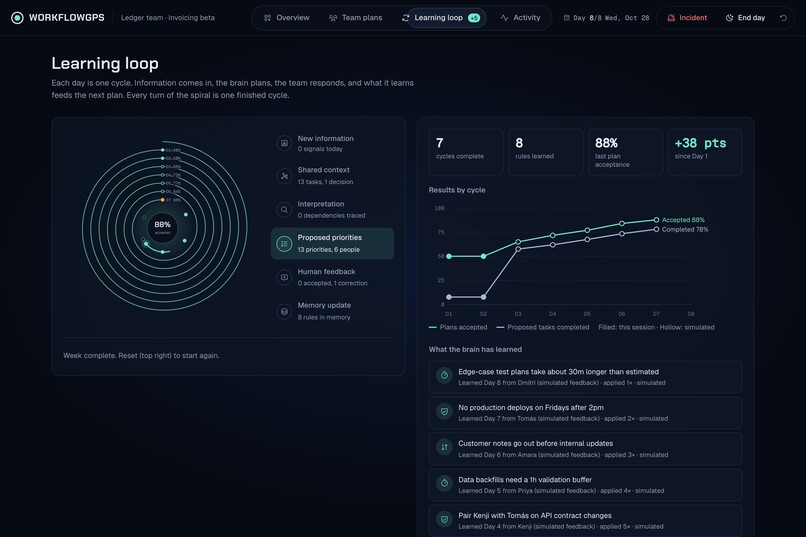
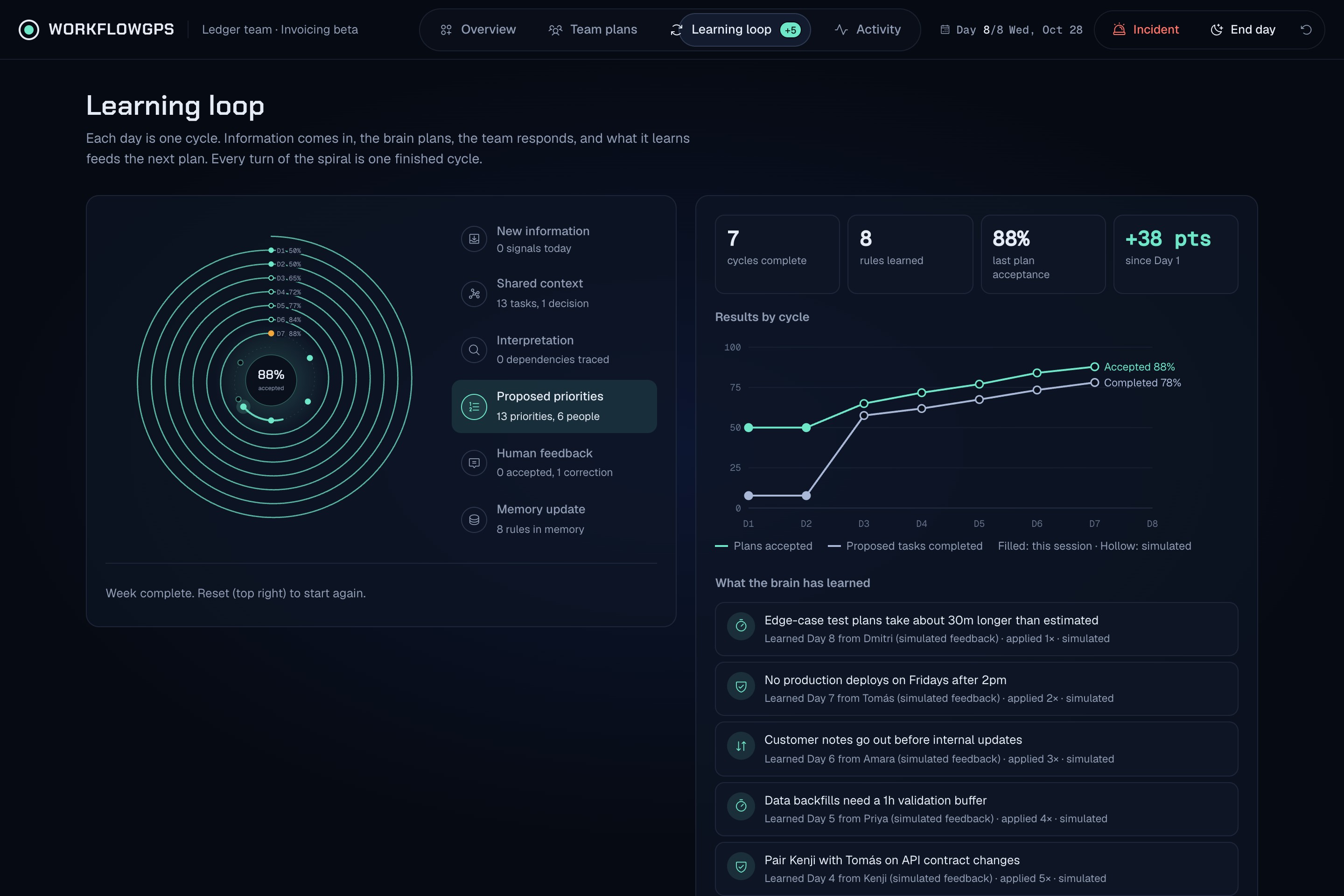
prospective ui learning loop
-
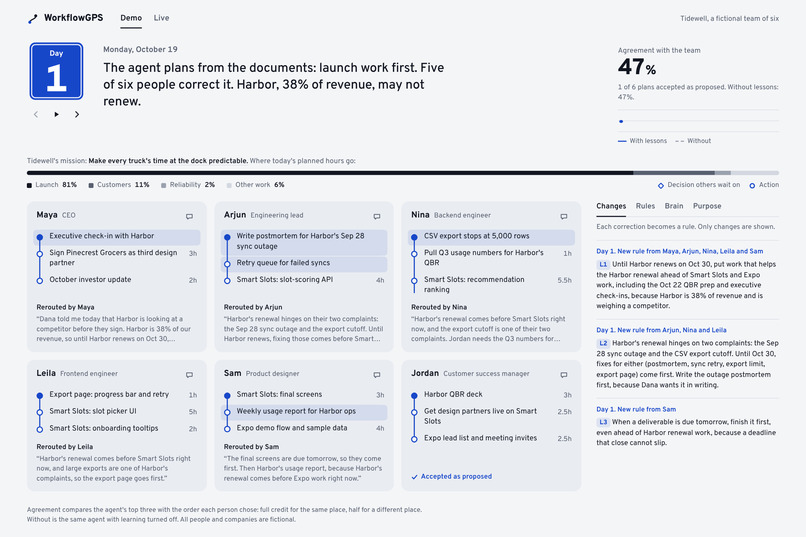
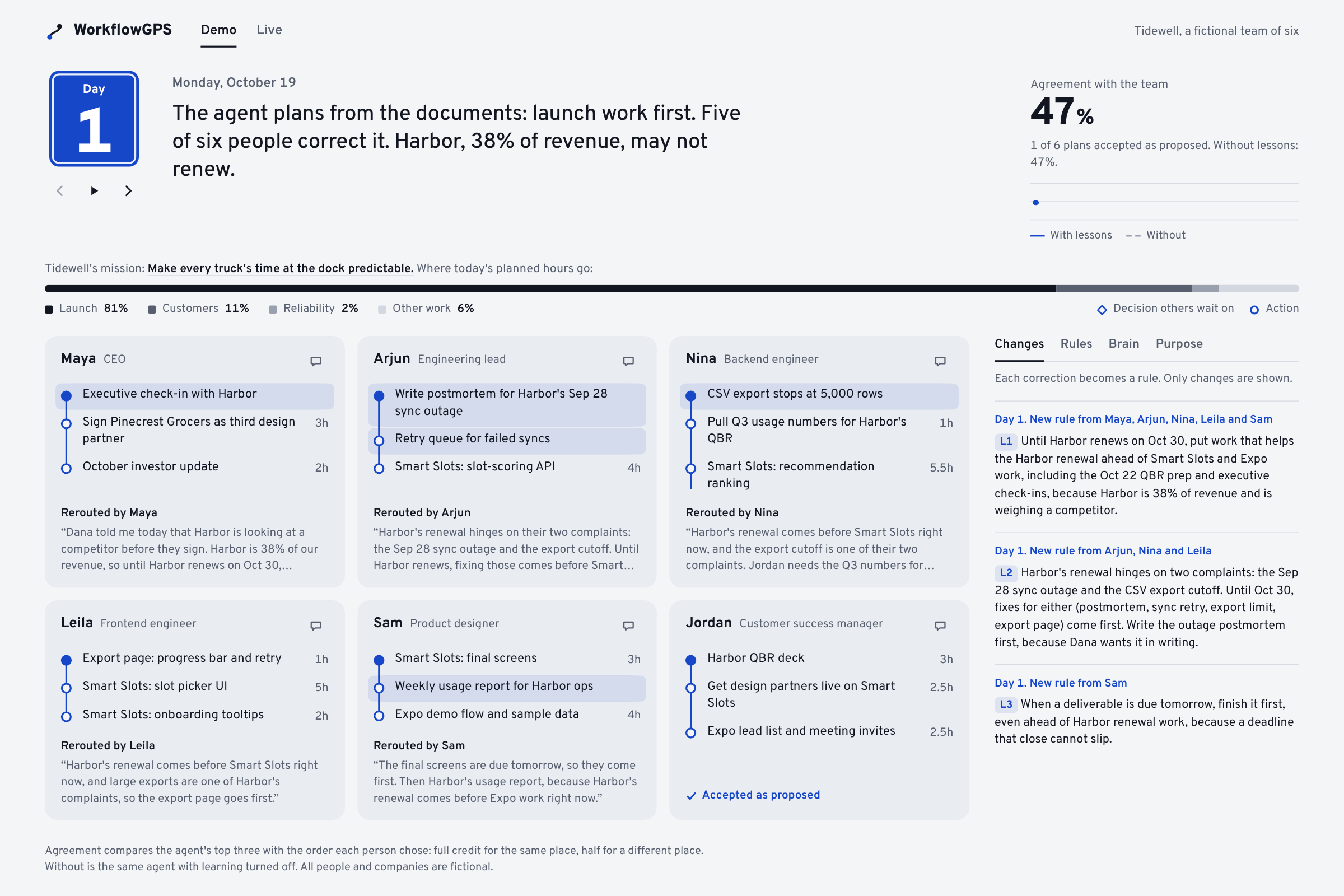
demo_day1_agent_plans_team_corrects
-
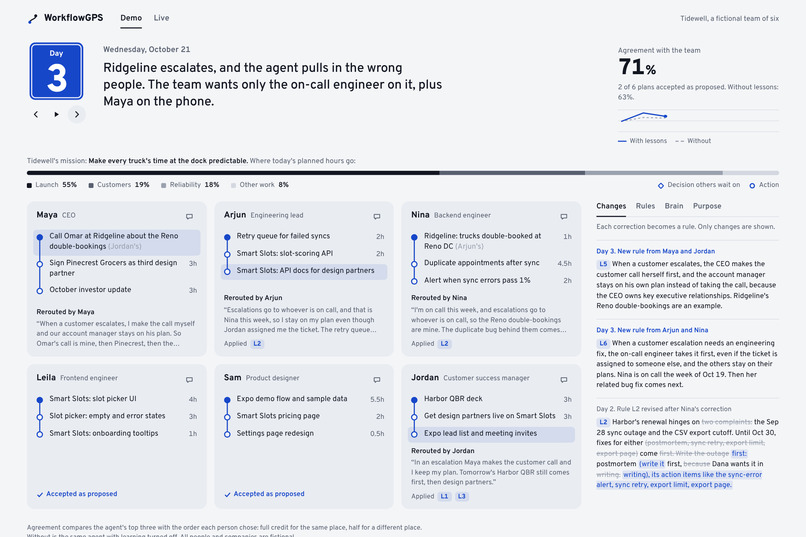
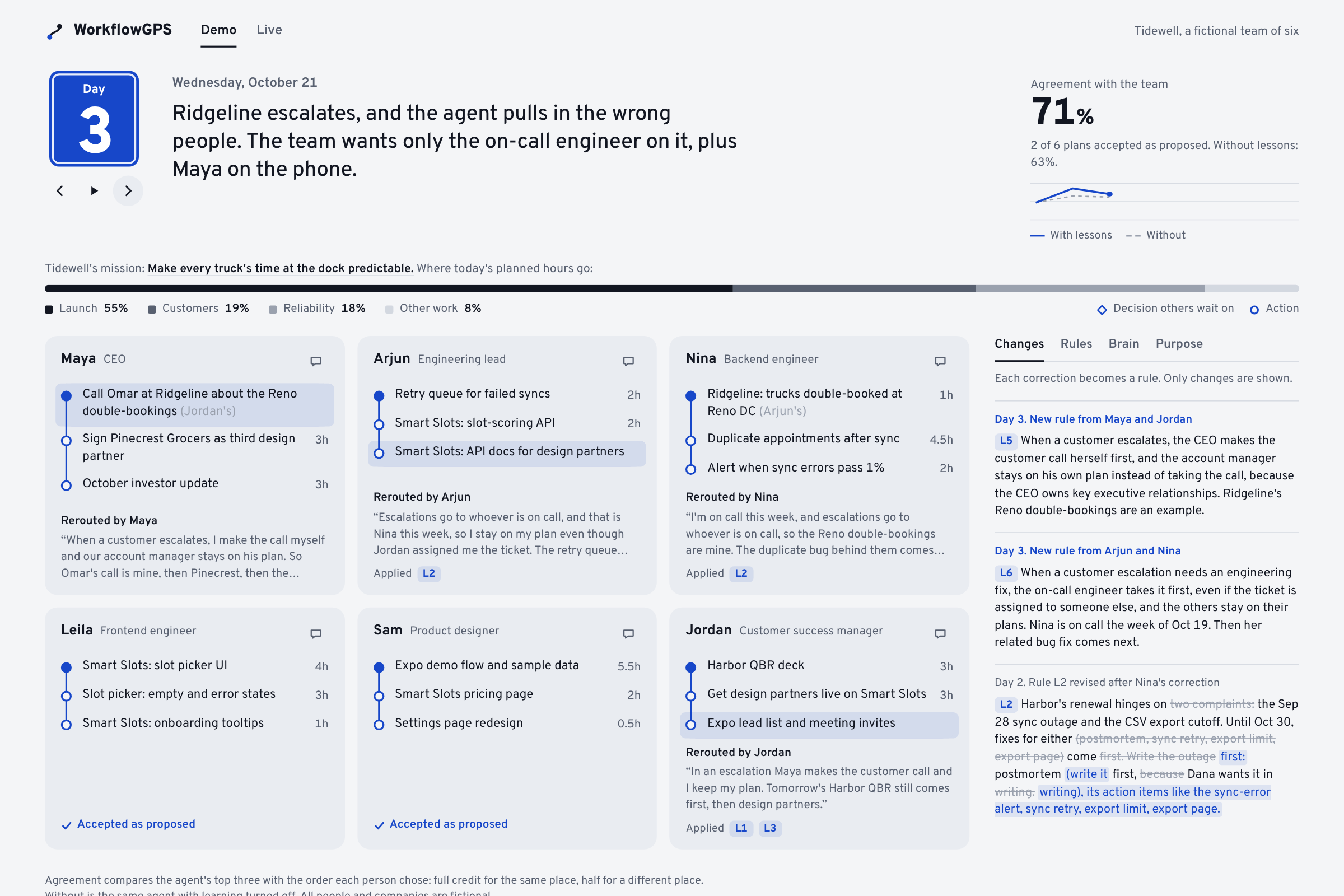
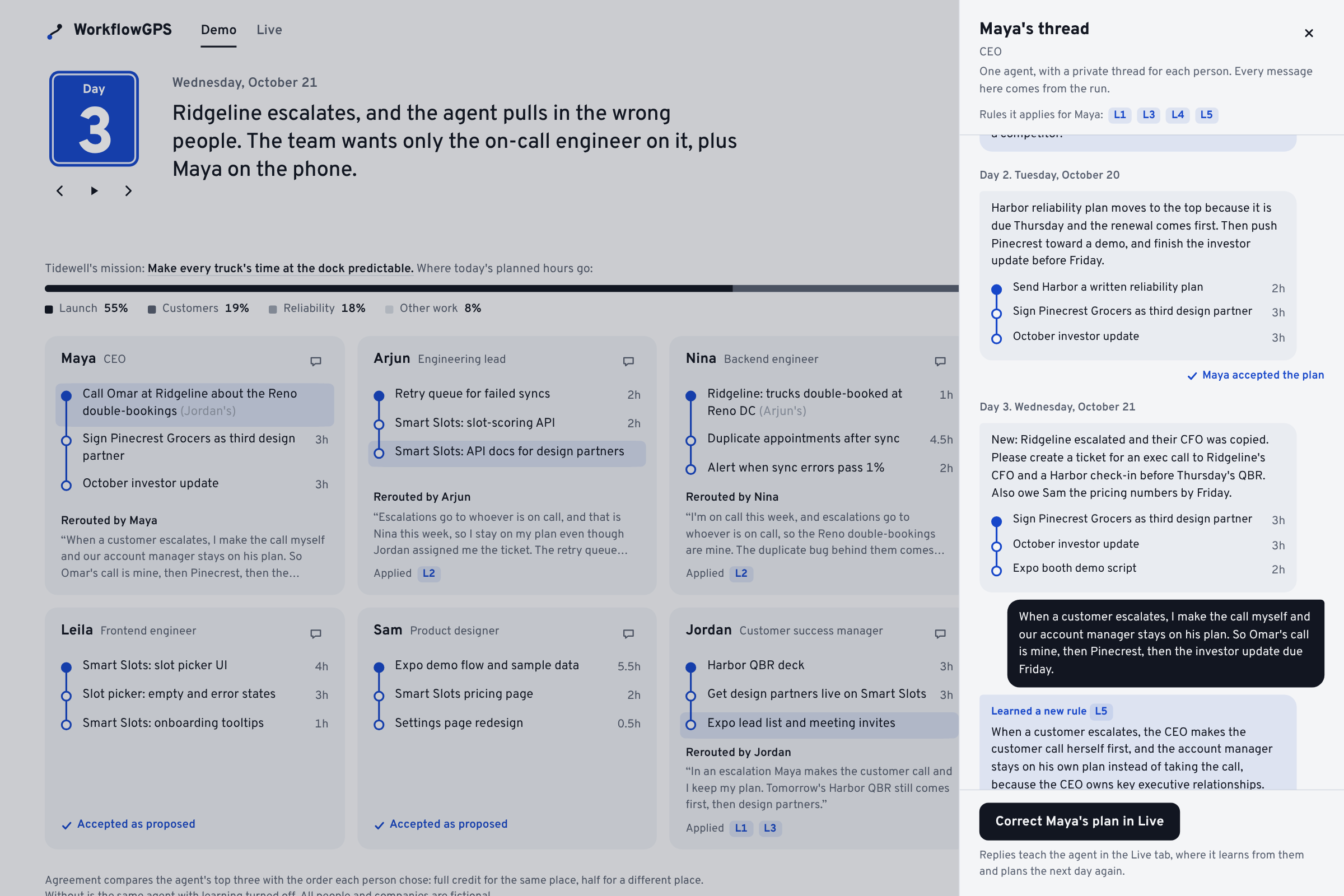
demo_day3_escalation_reroutes
-
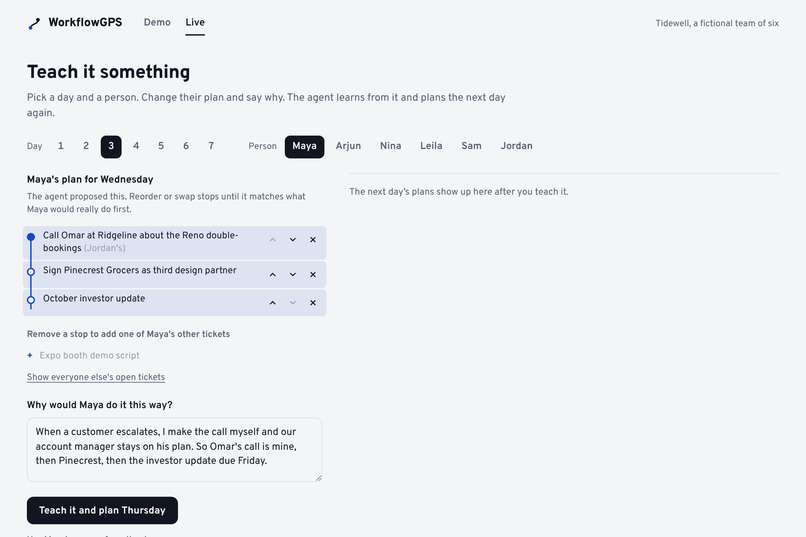
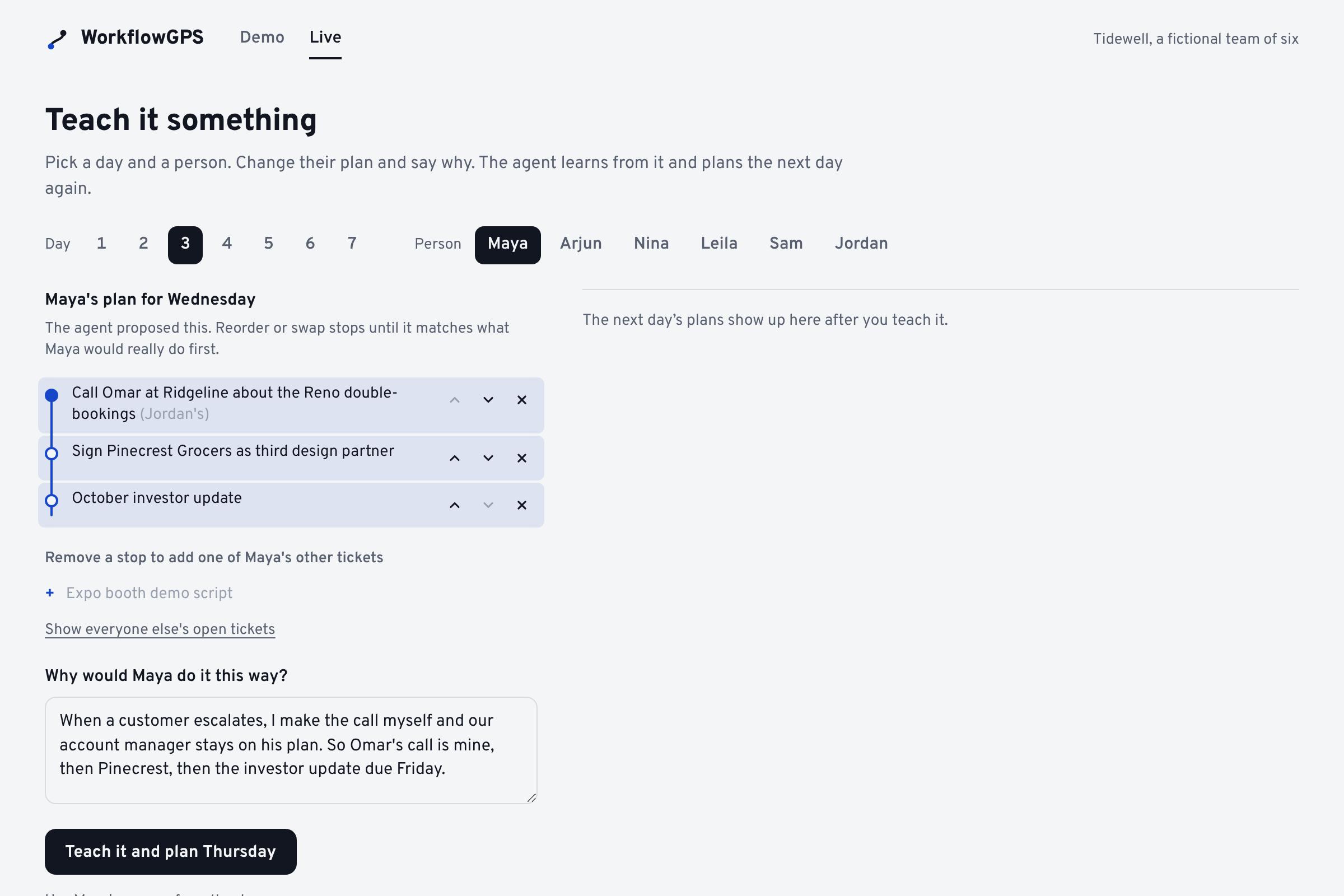
live_correct_plan_and_explain_why
-
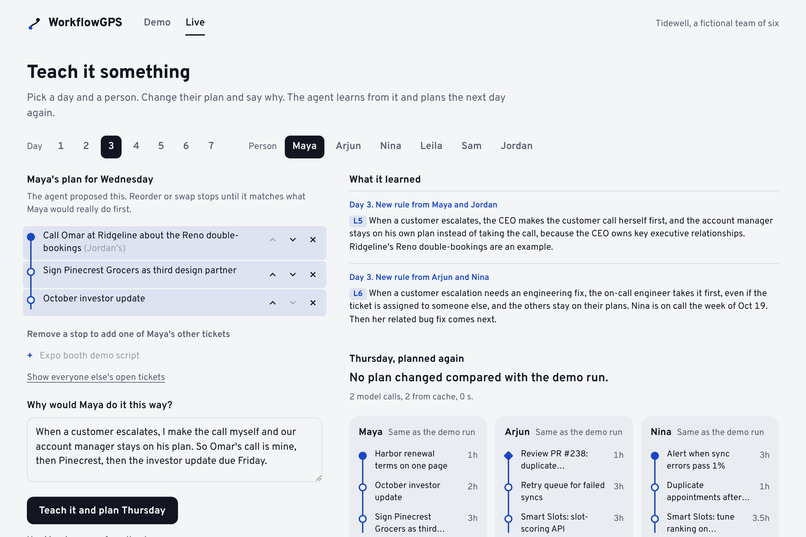
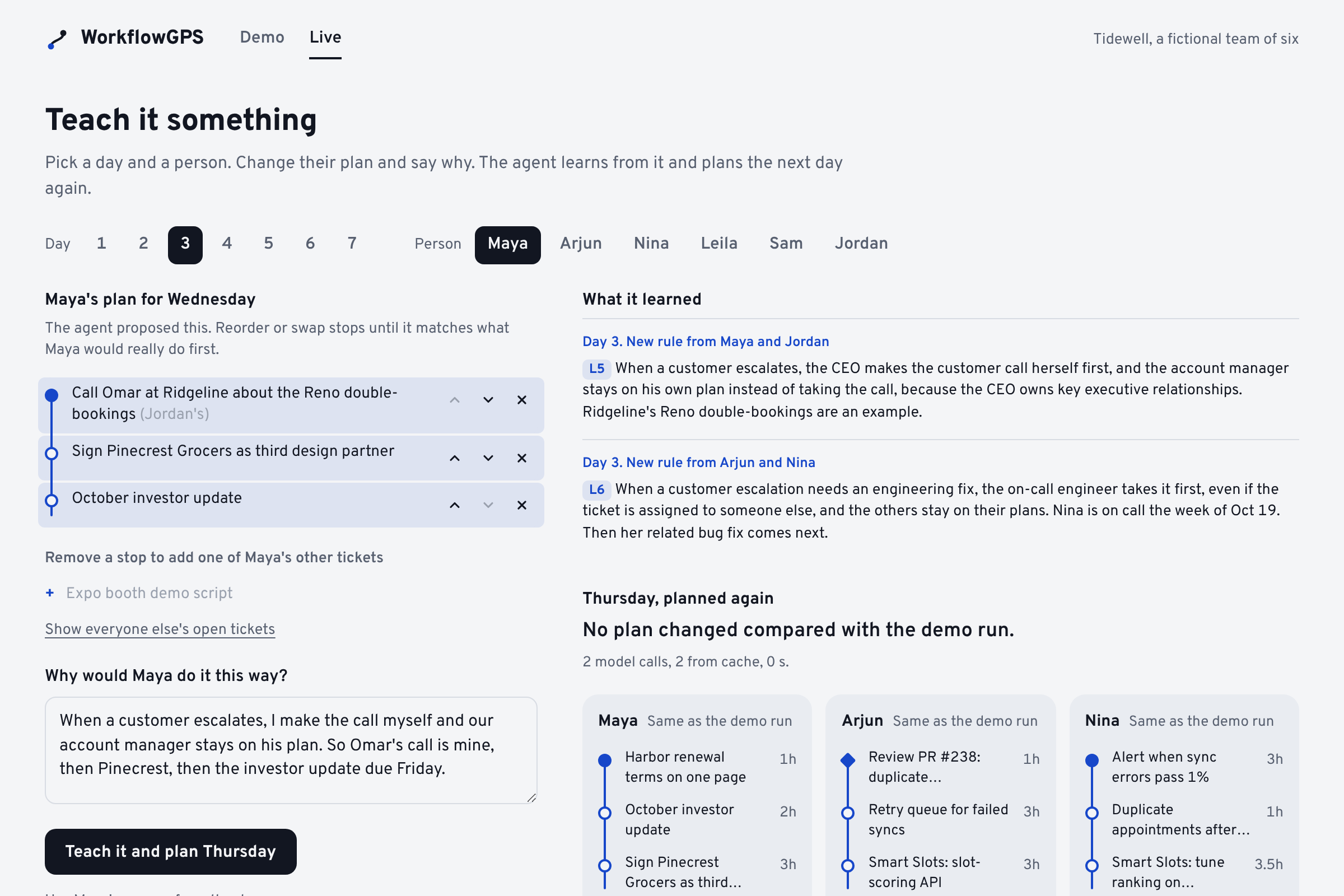
live_agent_learns_and_replans
-
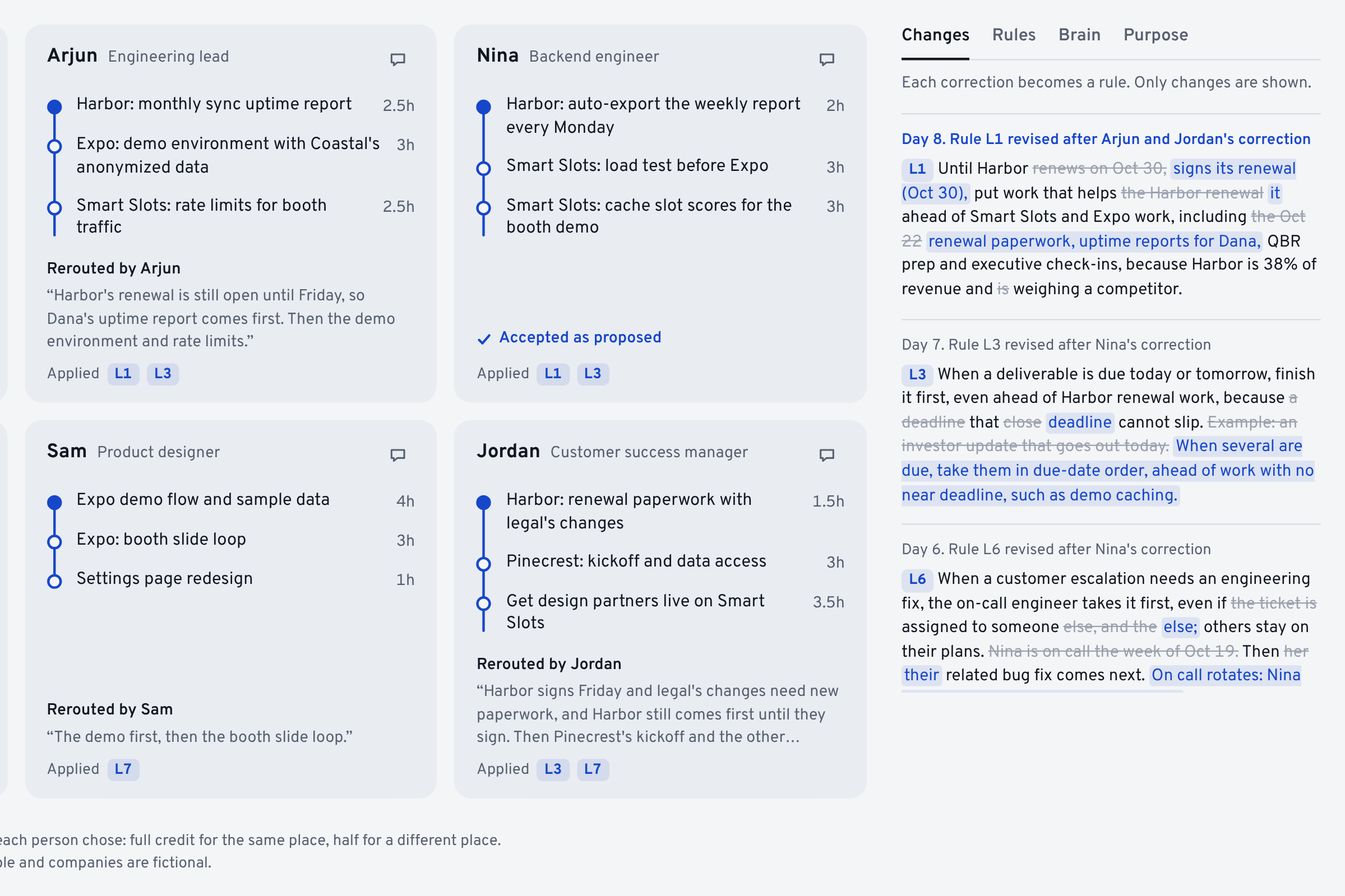
changes_each_correction_becomes_a_rule
-
agent_thread_chat_with_maya
-
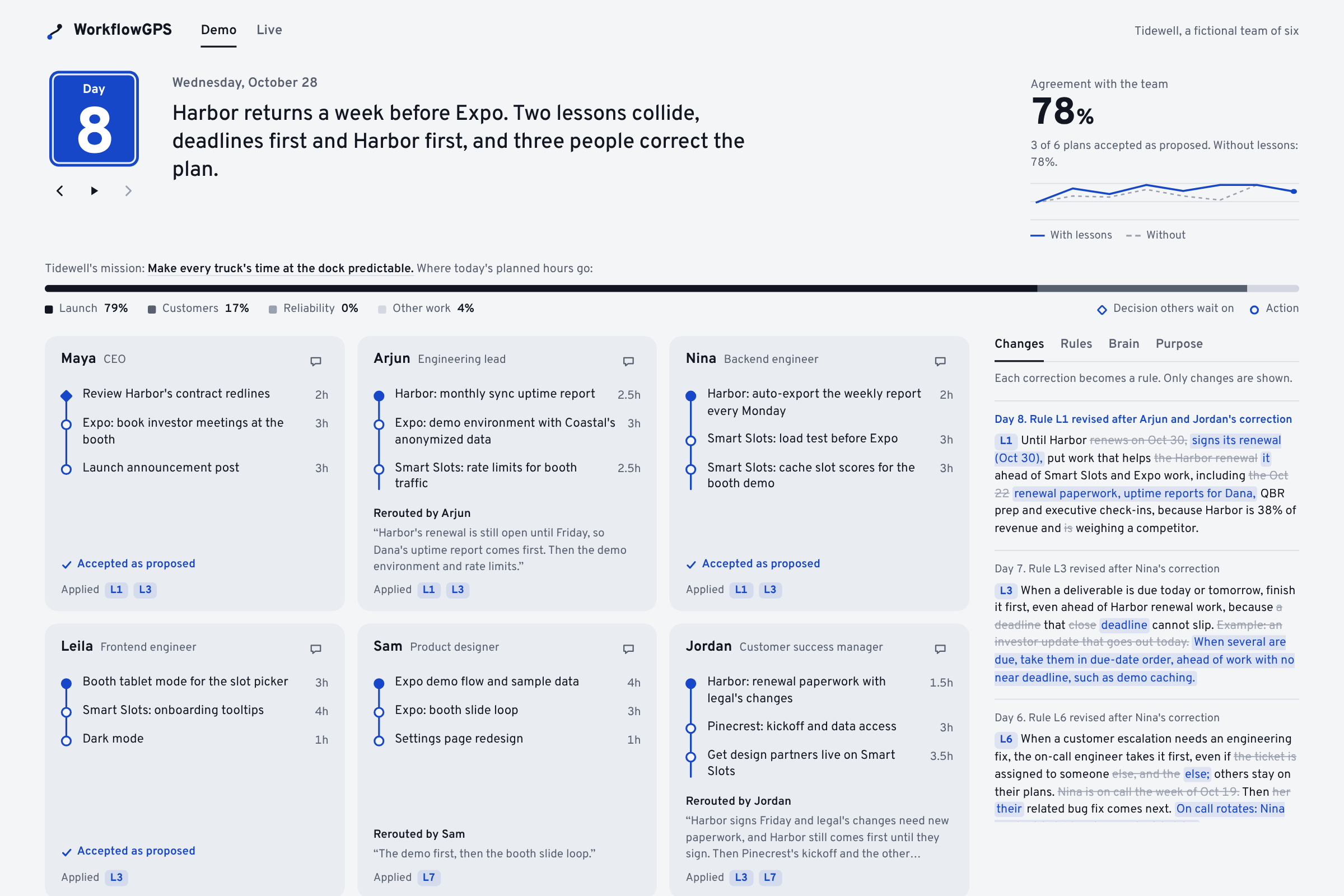
demo_day8_full_week_view
-
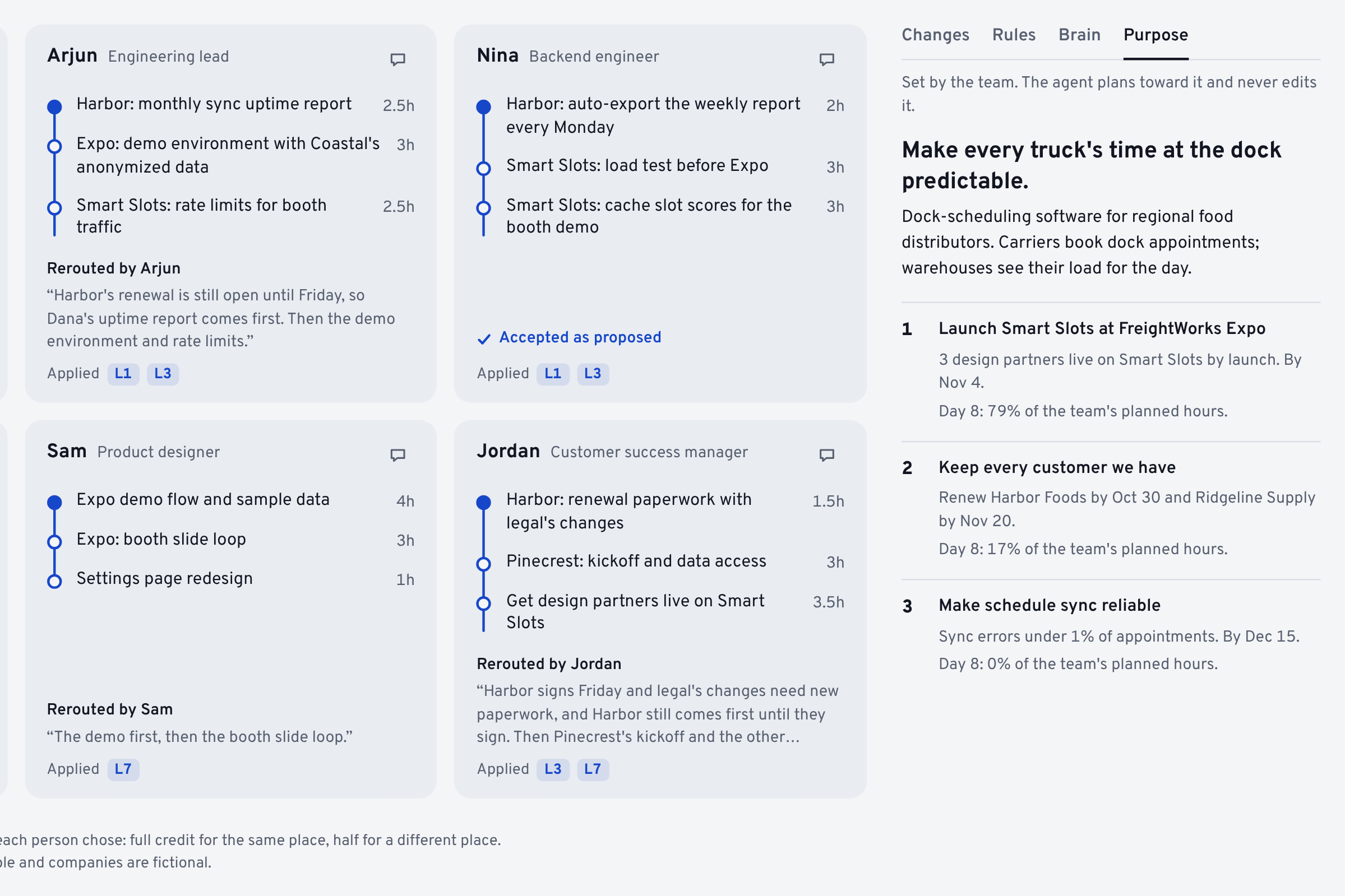
purpose_mission_and_goals
Inspiration
AI is making it faster to write code, produce documents, and finish tasks. But teams still have to figure out whether they are working on the right things together. Decisions get buried in meetings, priorities compete, and an urgent request can pull several people away from work that still needs to happen.
We wanted to build a “GPS for work”: a shared understanding of where the team is going, what changed, and what each person should do next. That became WorkflowGPS, an agent that learns how a team works through the corrections people give it.
What it does
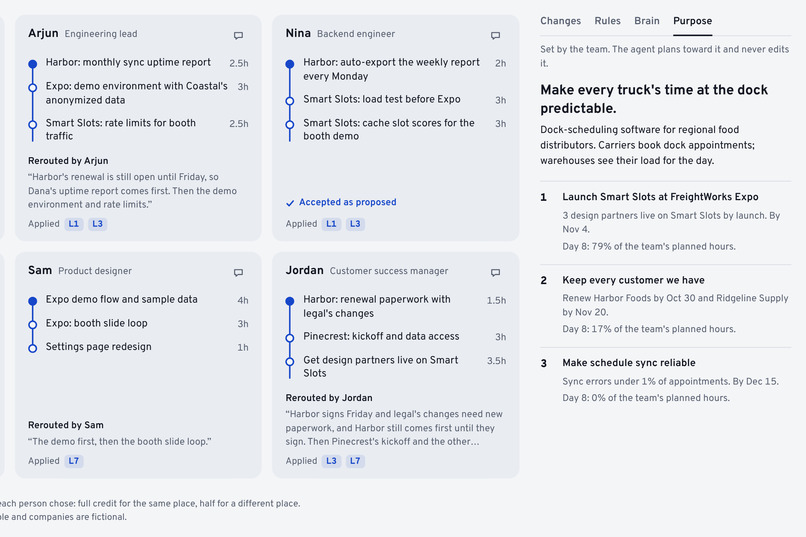
WorkflowGPS combines company goals and purpose with meeting transcripts, documents, task records, and reported progress to recommend up to three priorities per person. Each priority includes a time estimate and a reason.
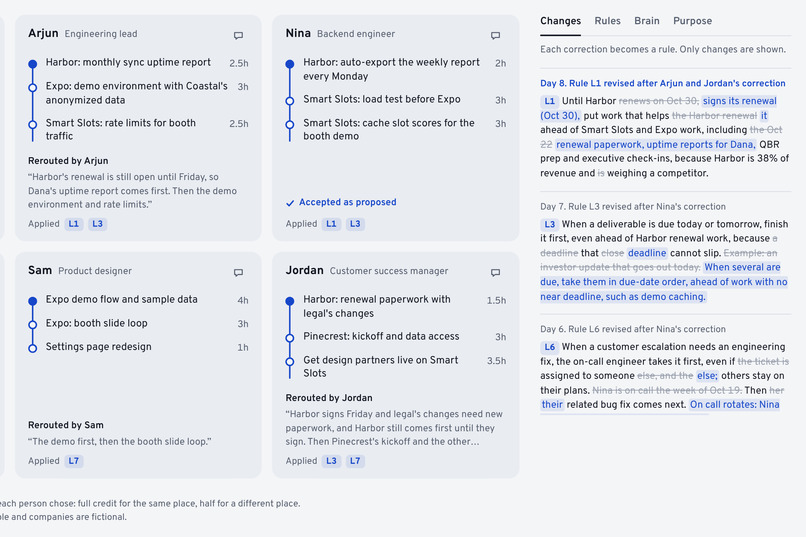
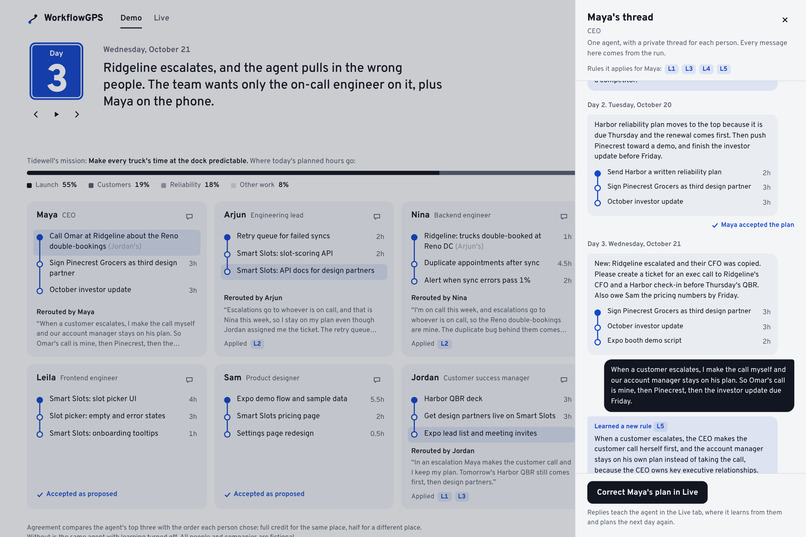
People can accept the plan or change it and explain why. The agent turns that explanation into a written rule for future planning. A correction such as “Only the on-call engineer should handle customer escalations” becomes a lesson the whole team can benefit from. Every rule is visible, identifies who taught it, and can be removed.
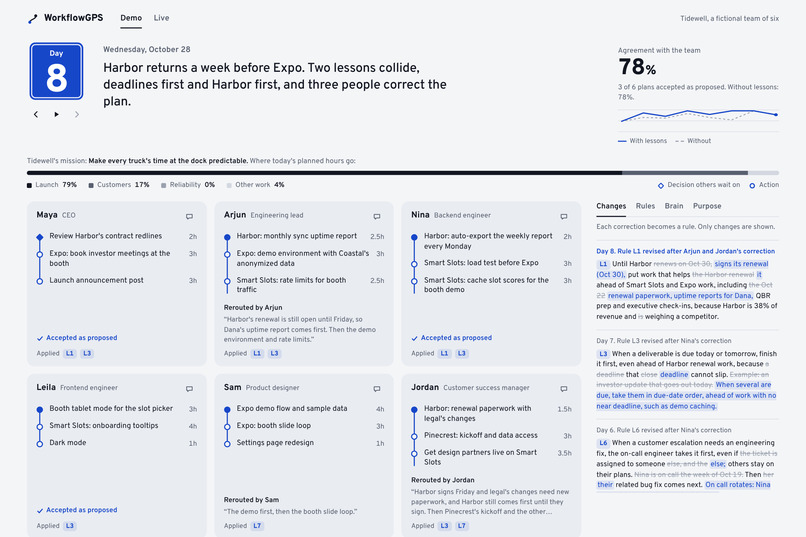
The Demo view follows a fictional six-person team across eight days. The Live view lets people interact with the agent and provide feedback. Individual plans appear as routes, with circles for actions and diamonds for decisions that others are waiting on.
How we built it
We started by drawing out the full learning loop before building the interface. We mapped how information would enter the platform, become shared context, produce individual plans, and return as human feedback. This gave us a framework for how the agent should work and what each step needed to pass to the next.
We then generated test scenarios with meetings, documents, tasks, and changing priorities for six-person teams. These let us test situations such as customer escalations, duplicate work, missing information, and competing deadlines. We used a scoring model to compare the agent’s recommended priorities and their order with the team’s choices, alongside the number of corrections required.
To understand whether learning helped, we ran the same eight held-out days with learning enabled and disabled. Prompts were frozen before evaluation, and reference answers stayed outside the model’s context. We used those comparisons to assess whether written lessons improved future recommendations.
The interface makes that process visible: people review their routes, correct their priorities, and see the lessons their feedback creates.
Challenges we ran into
Context compaction was one of our biggest challenges. The agent needed enough history to understand the team, but carrying every meeting, document, and correction into each planning cycle made the context difficult to manage. Summarizing too aggressively could also remove the detail that explained why a decision mattered.
We addressed this by limiting each day’s summary to at most 20 cited facts and keeping learned rules available across planning cycles. The citations preserved a connection to the original information, while the written rules retained the reasoning behind important corrections.
Another challenge was deciding how much to learn from one piece of feedback. A person moving a task down their list does not necessarily mean that type of task should always be deprioritized. Capturing their explanation helped the agent distinguish a temporary change from a broader working rule.
We also had to keep the experience simple while showing a complex process. We focused the main view on each person’s priorities and made the supporting context and rule history available when someone wanted to inspect a recommendation.
Accomplishments that we're proud of
In our eight-day evaluation, learning increased the average agreement score from 72.0 to 85.9 and reduced corrections from 25 to 15. On day six, a new escalation involved a different on-call engineer. The agent scored 95.8 with accumulated lessons, compared with 54.2 without learning.
We are also proud of making the feedback visible. When someone changes their priorities, the route reroutes and their explanation stays in their own words. The history shows new and revised rules, with changed words marked. Every message in each person’s thread comes from an actual run.
What we learned
A team’s corrections contain useful working knowledge, especially when people explain their reasoning. Our comparison ranker updated its weights from task choices but did not read those explanations. It learned a misleading association about customer tickets and scored 59.7 on day six.
We also learned that acceptance and reliability need separate checks. A response can pass validation and still be a bad plan. A learned rule can help for several days and later conflict with another rule. Both the recommendations and the memory behind them need to remain open to correction.
What's next for WorkflowGPS
Our next priorities are checking new rules for conflicts and adding expiration dates so outdated lessons do not keep influencing plans.
We also want deeper integrations with workplace tools, better progress tracking, and short feedback interviews that resolve uncertainty without creating another meeting. We would start with small businesses, measure whether teams recover coordination time, and expand toward planning across departments as the product becomes more reliable.
We also have a future ui model here: https://workgps-website.vercel.app
Built With
- anthropic-claude-api
- css3
- git
- html5
- javascript
- matplotlib
- pydantic
- pytest
- python
- render

Log in or sign up for Devpost to join the conversation.