-
WorkFlow Logo
-

Inspiration
Life is full of complex and entangled "workflows". We wanted to bring a change into the monotonous chores that people perform on a daily basis and effectively automate these tasks with ease.
What it does
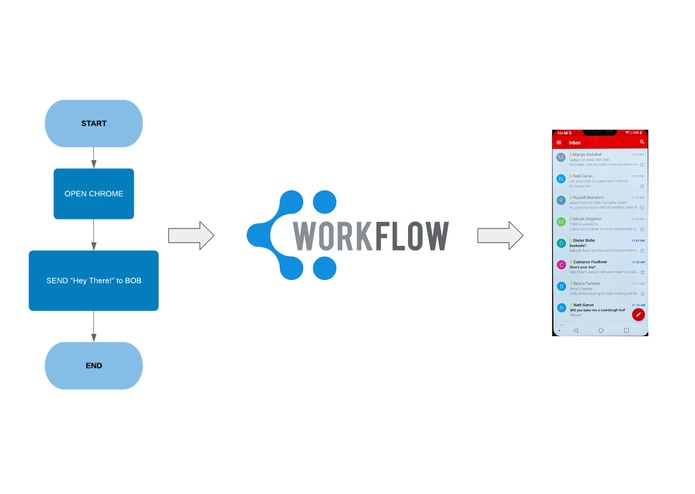
WorkFlow performs activities as depicted in a hand-drawn flowchart by the user. It lets the user write the tasks that he desires to perform in the form of a flowchart and scan it in front of his/her computer camera. Based on the flowchart symbols used in the diagram, WorkFlow identifies the desired tasks and commands the system to perform them in order. From opening a webpage, listening to songs on YouTube to sending emails to recipients and updating your Task list, WorkFlow can take care of them all.
How we built it
We modularized our approach in building WorkFlow and both of us started off with the component modules of the application. Initially, we used OpenCV3 alongside Python to detect the image boundaries in the flowchart diagram captured by the camera. Due to the inability of morphological processing to effectively identify the boundaries, we used the Google Vision API to detect object boundaries and the text within. Based on this data, we processed the text and classified it to perform the desired action. We also used the Google Gmail API for the Authentication and integrated it with WorkFlow to work with emails.
Challenges we ran into
- Inability to use OpenCV3 to detect boundaries of the flowchart symbols.
- Connection issues with the Mail server while using SMTP protocol
- No Google Cloud API available to integrate Google Keep with WorkFlow
Accomplishments that we're proud of
We were able to develop and build WorkFlow within 14 hours, in spite of having no experience in working with Google Cloud services. Being a team of two members, we established the functionalities we had planned on developing in the short time span.
What we learned
- Multiple applications of Computer Vision algorithms to analyze features of images.
- Use of various Google Cloud API's to implement different ideas.
What's next for WorkFlow
- Introduce 'Conditional' statements into WorkFlow ('Diamond' symbol in flowcharts)
- Using Machine Learning algorithms to increase the accuracy of predicting the commands in the flowchart.
- Integrating and Implementing various functionalities that will enable the user to automate complex tasks.
- Using WorkFlow as an IoT application for implementing and executing workflows at remote locations.
Built With
- authentication
- cloud-sdk
- computer-vision
- google-cloud
- google-gmail-api
- google-vision-api
- image-processing
- machine-learning
- opencv2
- python


Log in or sign up for Devpost to join the conversation.