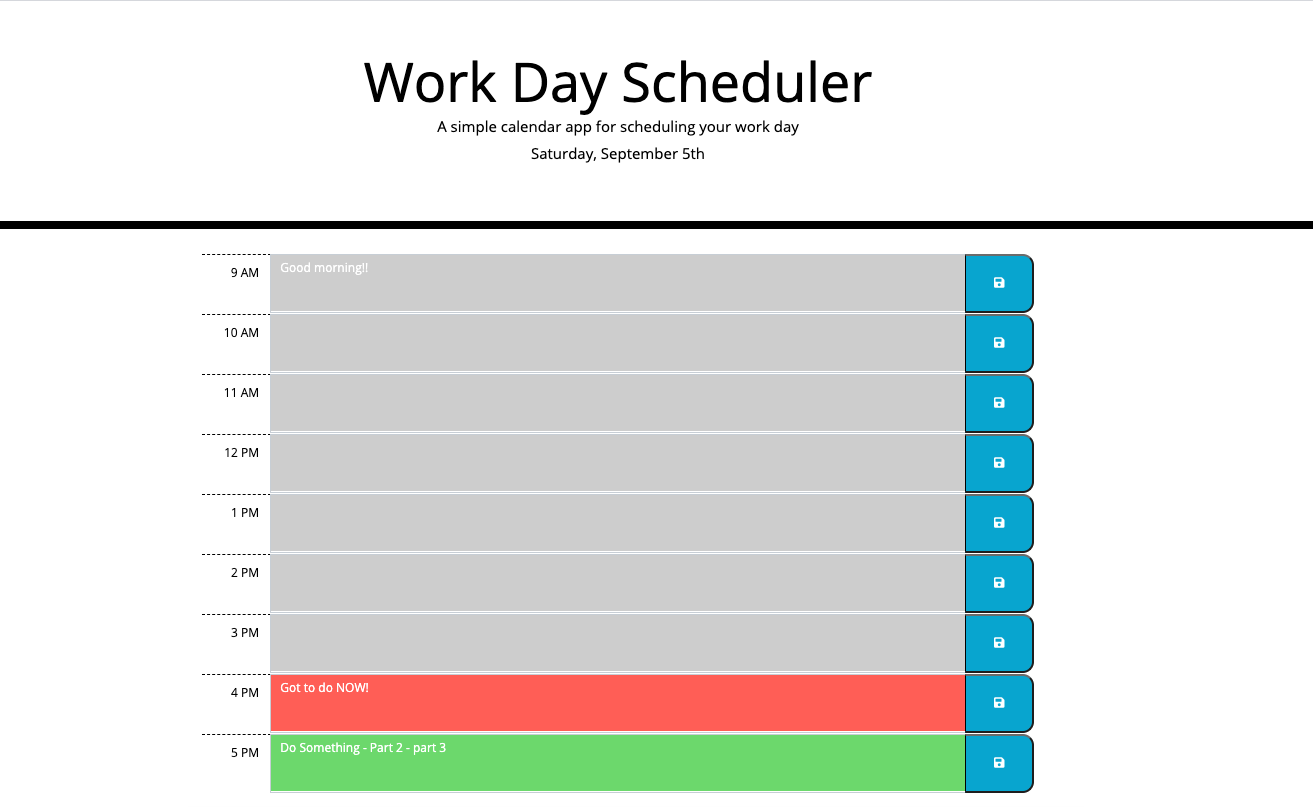
Project Story: Building a Workday Scheduler Program
Inspiration
The inspiration behind developing the Workday Scheduler program stemmed from my personal struggle with time management and organizing daily tasks effectively. As a student and professional, I often found myself overwhelmed with numerous deadlines, meetings, and events. I realized the need for a simple yet powerful tool to help streamline my daily schedule and prioritize tasks efficiently.
Learning Experience
Throughout the development of the Workday Scheduler program, I encountered numerous learning opportunities that enriched my understanding of software development, user interface design, and time management principles. Here are some key insights I gained:
User-Centric Design: I learned the importance of prioritizing user experience and designing intuitive interfaces that cater to users' needs and preferences. Understanding user workflows and incorporating user feedback were crucial aspects of designing an effective scheduler application.
Time Management Principles: Building a Workday Scheduler program provided insights into time management principles and techniques. I explored strategies such as time blocking, prioritization, and setting SMART (Specific, Measurable, Achievable, Relevant, Time-bound) goals to help users optimize their daily schedules and improve productivity.
Software Development Practices: Developing the Workday Scheduler program allowed me to practice essential software development practices, including code organization, version control, testing, and documentation. Adopting best practices helped maintain code quality, facilitate collaboration, and ensure the reliability of the application.
Building the Project
Technology Stack:
HTML CSS JavaScript Moment.js library jQuery
Key Features:
Daily Planner Interface: Designed a user-friendly interface using Tkinter to display the daily schedule and allow users to add, edit, and delete events.
Event Management: Implemented functionalities to add new events to the scheduler, including event title, date, start time, end time, and optional notes.
Time Management Tools: Integrated features to help users manage their time effectively, such as color-coded event categories, reminders, and priority levels for tasks.
Data Persistence: Utilized file handling techniques to store event data persistently, allowing users to access and update their schedules across multiple sessions.
Challenges Faced
User Interface Design: Designing an intuitive and visually appealing interface posed challenges in terms of layout, navigation, and responsiveness across different screen sizes and resolutions. Iterative prototyping and user testing helped address usability issues and improve the overall user experience.
Data Management: Implementing robust data management functionalities, such as event storage, retrieval, and synchronization, required careful consideration of data structures, file handling techniques, and error handling mechanisms.
Feature Prioritization: Balancing feature requirements and project scope posed challenges in terms of prioritizing essential functionalities while avoiding feature creep. Continuous communication with stakeholders and iterative development cycles helped maintain focus on delivering core functionalities.
Conclusion
Building the Workday Scheduler program was a rewarding journey that not only enhanced my technical skills but also deepened my appreciation for effective time management strategies. By leveraging insights gained from the project, I aim to continue exploring innovative solutions to help individuals maximize their productivity and achieve their goals effectively.
Built With
- css
- html
- javascript
- library
- moment.js


Log in or sign up for Devpost to join the conversation.