Inspiration
Newcomers in Flanders need everyday Dutch, and civic integration asks for level A2. One of the hardest small things is the article: is it de or het? A word list on a phone teaches a word apart from the thing it names. Glasses can put the word on the thing itself.
What it does
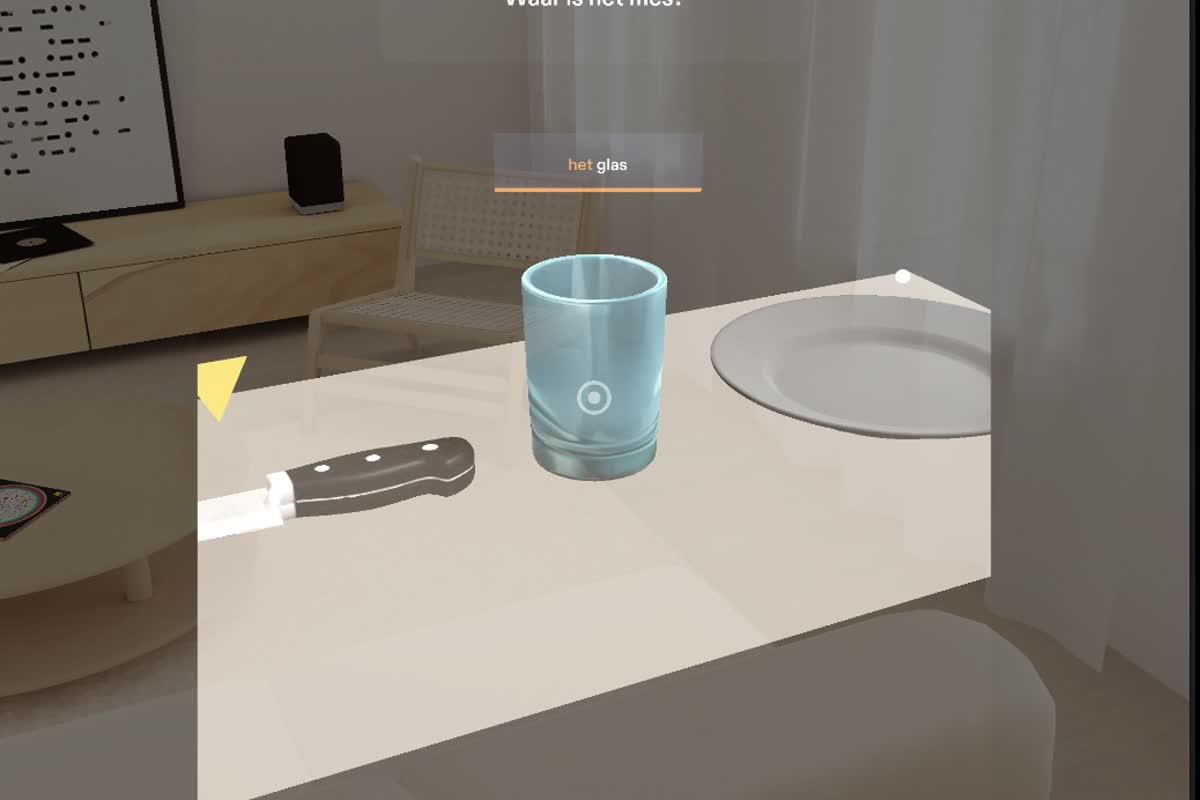
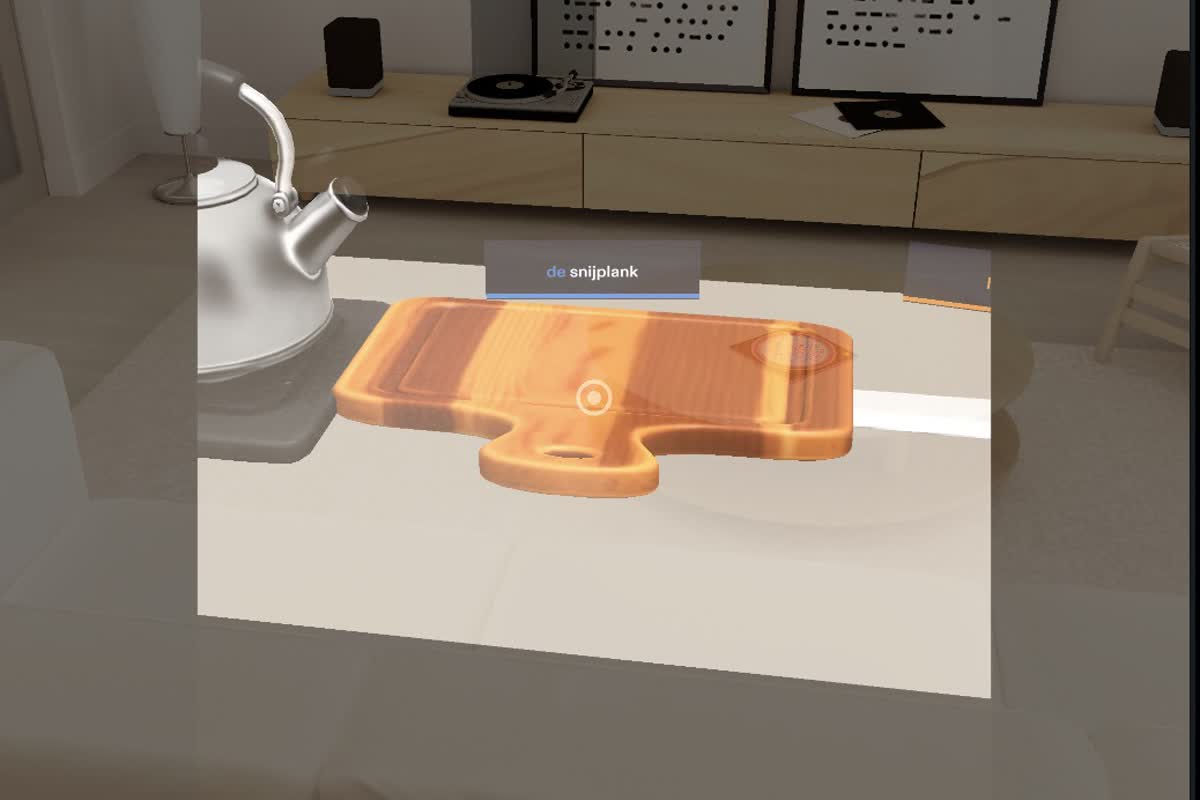
WordRoom puts a kitchen counter in front of you with six everyday objects at real size: de pan, de ketel, de snijplank, het mes, het glas, het bord. Each object carries a small floating tag: the article in colour (blue for de, orange for het), then the noun. Over time the colour becomes the memory hook for the article.
- Learn: look along the counter and read the words where the objects are.
- Quiz: pinch Start Quiz. The tags shrink to dots and a panel asks "Waar is het mes?" (Where is the
knife?). Look at the object and pinch it.
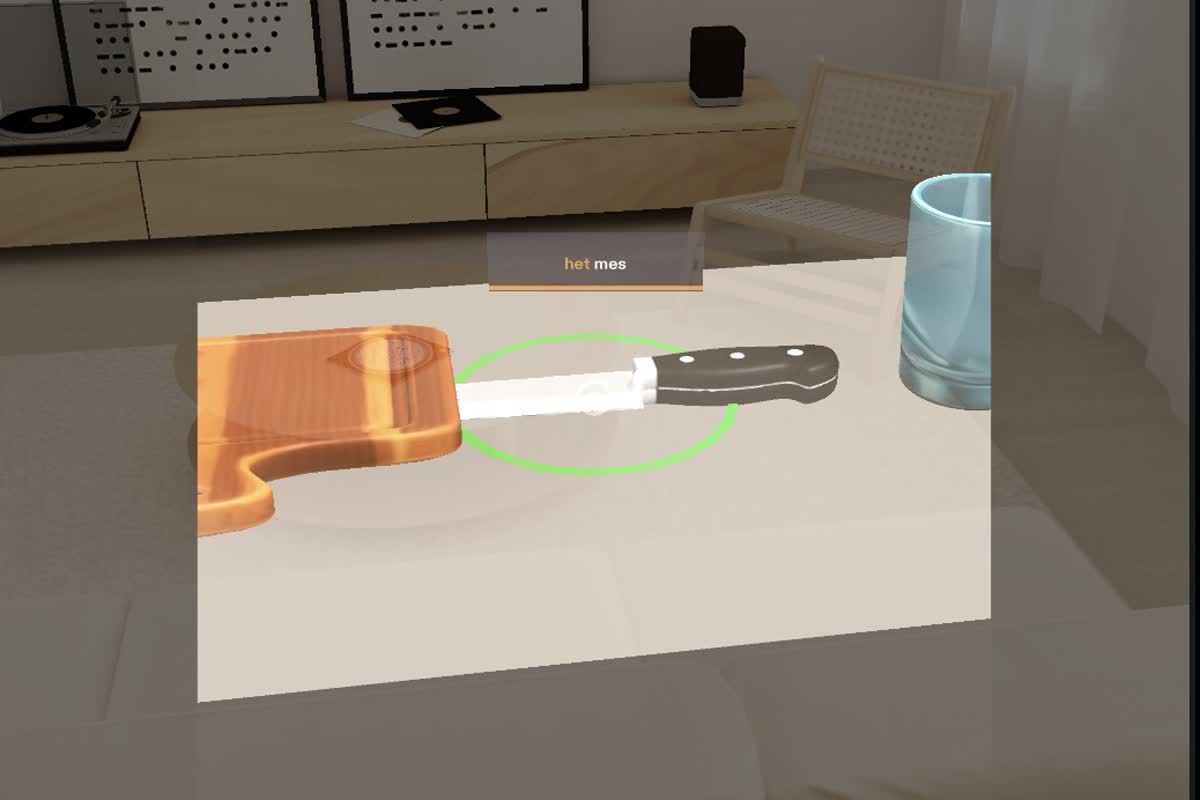
- Right: a green ring appears around the object, a sound plays, and its word comes back.
- Wrong: the object you picked wobbles and shows its own word, so you learn that one too, and a yellow arrow points at the right object. The question stays until you get it.
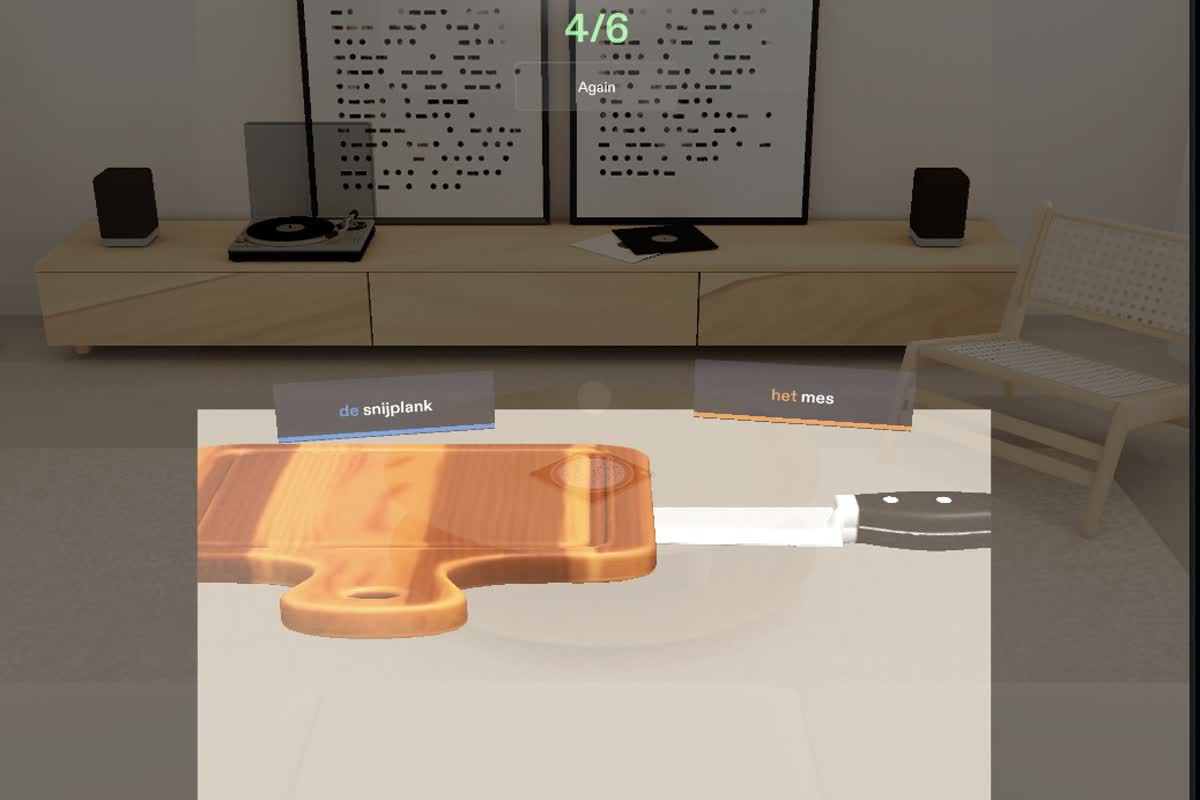
- Score: after six questions you see your score (only first tries count). Again starts a new round with the words you missed first.
The question panel follows your gaze along the counter, so the question stays in view while you look for the object.
How we built it
WordRoom was planned with the Devpost Learn skill pack (WordRoom/devpost/design-brief.md in the repo). Built with AI assistance using Snap's CLAD and the Lens Studio MCP. It is written in TypeScript on the Specs Base Template, with the Spectacles Interaction Kit for
pinch and the Spectacles UI Kit for the quiz panel. The six kitchen objects are 3D models generated with SPECS
text-to-3D (the plate with Fast3D) and scaled to real size. We tested every done criterion in the Lens Studio
Interactive Preview (WordRoom/devpost/manual-tests.md) and did a design review pass from the brief
(WordRoom/devpost/judge-notes.md).
Challenges we ran into
- Keeping everything in view on a narrow field of view: real-size objects on a real counter do not all fit at once. We let the user look along the counter, the way the brief describes, and made the question panel follow their gaze.
- Readable text on an additive display (black is transparent): the tags use a translucent slate backing with white nouns and coloured articles.
- Honest scoring: only first-try answers count, and missed words come back first.
Accomplishments that we're proud of
- The complete loop works in the preview: learn, quiz, feedback for right and wrong answers, score, and a new round with missed words first.
- The place itself becomes the memory aid: you remember het mes as the thing next to the cutting board.
What we learned
Designing for glasses starts with where things live and what the user is looking at, not with screens. Small details, like where a tag floats or whether the question stays in view, decide whether it feels natural.
What's next for WordRoom
On real SPECS: pinch real objects in your own kitchen to drop tags on them (world anchoring), add spoken Dutch, and add more rooms and word sets. A companion to Rui Codex's spaced-repetition app LetsLearn, sharing the learner's missed words.
Try it in Lens Studio
- Install Lens Studio 5.23.2 (the version the project was built and tested on, SPECS 27 target).
- Clone https://github.com/RuiCodex-dev/learn-ar-specs with Git LFS installed (models and packages are stored in LFS).
- Open
WordRoom/WordRoom.esproj, then choose the Interactive preview with device SPECS 27. WASD moves, right-drag looks around, a click acts as a pinch.
Pre-existing work used
Specs Base Template (Snap, specs-devs/samples 5.22.0); Snap packages SpectaclesInteractionKit 0.18.0,
SpectaclesUIKit and Motion; Lens Studio's built-in Interactive Preview scene. All WordRoom scripts, the word
list, the scene layout and the planning documents were created during the Submission Period.
Built With
- augmented-reality
- lens-studio
- specs
- spectacles-interaction-kit
- spectacles-ui-kit
- typescript
